ad blue VOLVO XC90 TWIN ENGINE 2018 Owner's Manual
[x] Cancel search | Manufacturer: VOLVO, Model Year: 2018, Model line: XC90 TWIN ENGINE, Model: VOLVO XC90 TWIN ENGINE 2018Pages: 686, PDF Size: 17 MB
Page 515 of 686
AUDIO, MEDIA AND INTERNET
513
Video settings
Some video playback settings can be adjusted,
e.g. language.
The following can be adjusted by opening Top
view and tapping Settings Video
or with the
video player in full-screen mode: Audio
Language, Off and Subtitle Language.
Related information
• Video (p. 512) Streaming media via Bluetooth
®
The vehicle's media player is equipped with
Bluetooth and can play audio files from
Bluetooth-enabled external devices such as cel-
lular phones and tablets. In order for the media player to be able to wire-
lessly play audio files from an external device, the
device must be connected to the vehicle via
Bluetooth.Related information
• Connecting a device via Bluetooth ®
(p. 513)
• Connecting a phone to the car via Bluetooth
for the first time (p. 521)
• Playing media (p. 508)
• Compatible file formats for media (p. 536) Connecting a device via Bluetooth
®
Connect a Bluetooth ®
device to the vehicle to
wirelessly play media and give the vehicle an
Internet connection if it is available.
Many cellular phones on the market currently
offer wireless Bluetooth ®
technology, but not all
phones are fully compatible with the vehicle. For
additional information on compatibility, see
support.volvocars.com.
The procedure for connecting a media device is
the same as for connecting a cellular phone to
the vehicle via Bluetooth ®
.
Related information
• Streaming media via Bluetooth ®
(p. 513)
• Connecting a phone to the car via Bluetooth
for the first time (p. 521)
• Playing media (p. 508)
Page 520 of 686
AUDIO, MEDIA AND INTERNET
* Option/accessory.
518 Android Auto*
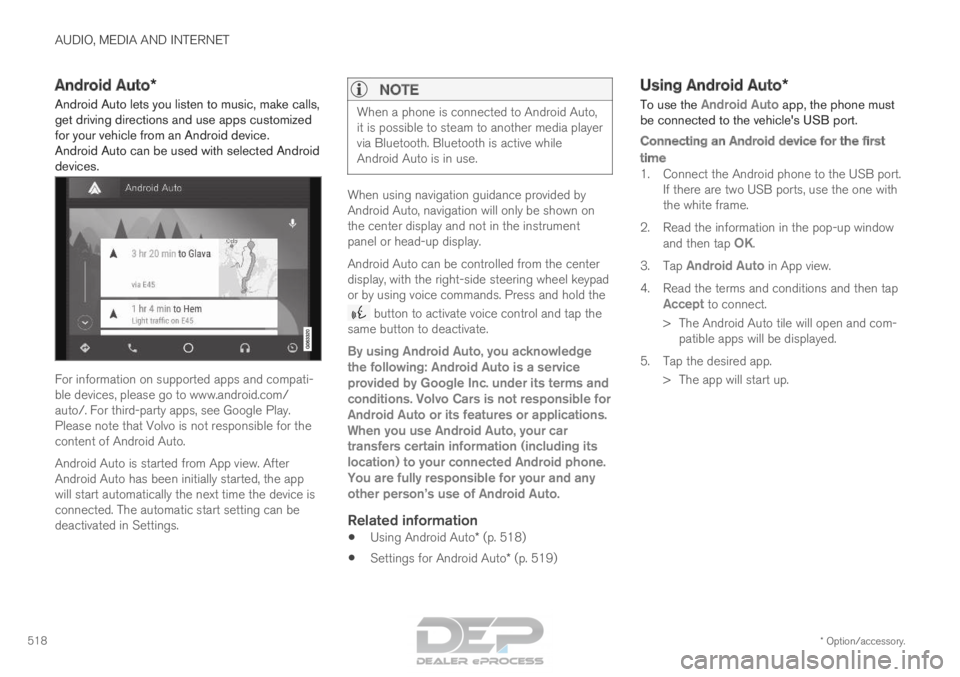
Android Auto lets you listen to music, make calls,
get driving directions and use apps customized
for your vehicle from an Android device.
Android Auto can be used with selected Android
devices. For information on supported apps and compati-
ble devices, please go to www.android.com/
auto/. For third-party apps, see Google Play.
Please note that Volvo is not responsible for the
content of Android Auto.
Android Auto is started from App view. After
Android Auto has been initially started, the app
will start automatically the next time the device is
connected. The automatic start setting can be
deactivated in Settings.
NOTE When a phone is connected to Android Auto,
it is possible to steam to another media player
via Bluetooth. Bluetooth is active while
Android Auto is in use.
When using navigation guidance provided by
Android Auto, navigation will only be shown on
the center display and not in the instrument
panel or head-up display.
Android Auto can be controlled from the center
display, with the right-side steering wheel keypad
or by using voice commands. Press and hold the
button to activate voice control and tap the
same button to deactivate.
By using Android Auto, you acknowledge
the following: Android Auto is a service
provided by Google Inc. under its terms and
conditions. Volvo Cars is not responsible for
Android Auto or its features or applications.
When you use Android Auto, your car
transfers certain information (including its
location) to your connected Android phone.
You are fully responsible for your and any
other person
Page 522 of 686
AUDIO, MEDIA AND INTERNET
* Option/accessory.
520 Tips for using Android Auto*
Here are some useful tips for when you use
Android Auto. • Ensure that your apps are updated.
• When starting the car, wait until the center
display has started, connect the phone and
then open Android Auto from the app view.
• In the event of problems with Android Auto,
disconnect your Android phone from the
USB port and then reconnect via USB. Oth-
erwise, try closing the app on the phone and
then restarting the app.
• When a phone is connected to Android Auto
it is still possible to playback media via
Bluetooth to another media player. The
Bluetooth function is on when Android Auto
is used.
Related information
•
Android Auto* (p. 518) Phone
A phone equipped with Bluetooth can be wire-
lessly connected to the vehicle's integrated
hands-free system.
The audio and media system offers hands-free
functionality for remotely controlling a number of
the phone's features. The phone's integrated
controls can also be used, even when it is con-
nected to the vehicle.
When the phone has been paired and connected
to the vehicle, it can be used as an Internet con-
nection or to make or receive calls, send or
receive text messages or wirelessly play music. The phone is controlled from
the center display but the App
menu (accessed using the
right-side steering wheel key-
pad) and voice commands can
also be used to control certain
functions.
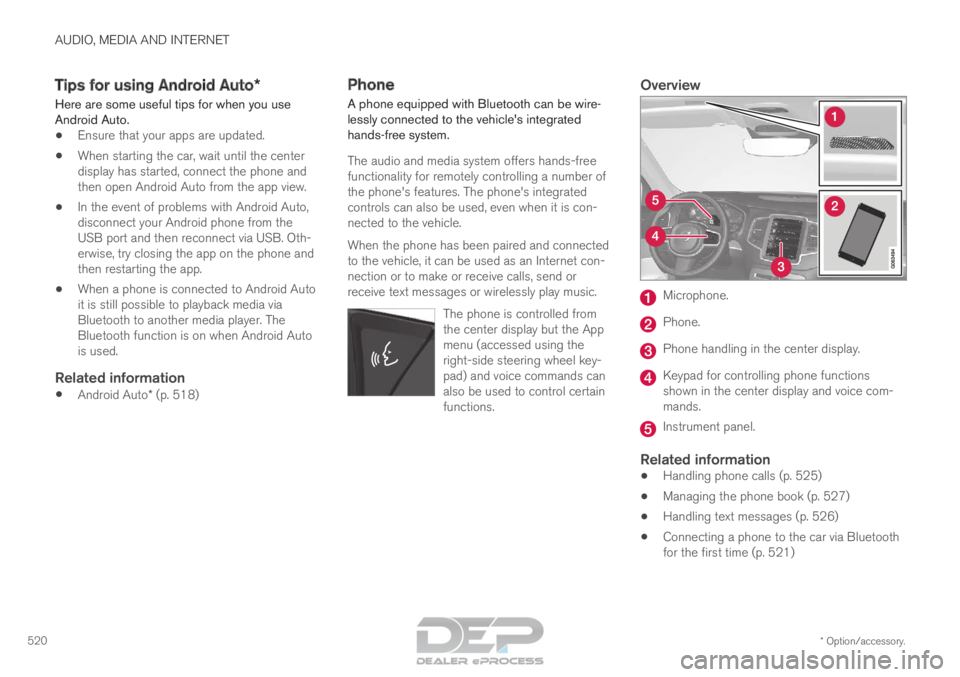
Overview Microphone.
Phone.
Phone handling in the center display.
Keypad for controlling phone functions
shown in the center display and voice com-
mands.
Instrument panel.
Related information
•
Handling phone calls (p. 525)
• Managing the phone book (p. 527)
• Handling text messages (p. 526)
• Connecting a phone to the car via Bluetooth
for the first time (p. 521)
Page 523 of 686
AUDIO, MEDIA AND INTERNET
}}
521
•
Connecting a phone to the car via Bluetooth
automatically (p. 523)
• Connecting a phone to the car via Bluetooth
manually (p. 523)
• Disconnecting a Bluetooth-connected phone
(p. 524)
• Switch between phones connected via Blue-
tooth (p. 524)
• Removing a Bluetooth-connected phone
(p. 525)
• Phone settings (p. 528)
• Voice control (p. 145)
• Handling the App menu in the instrument
panel (p. 104)
• Sound settings (p. 486)
• Connecting the car to the Internet via a
mobile device (Bluetooth) (p. 531) Connecting a phone to the car via
Bluetooth for the first time
Pair a Bluetooth-enabled phone to the vehicle to
make calls, send/receive text messages and
wirelessly play media from the vehicle, or con-
nect the vehicle to the Internet. Two Bluetooth devices can be connected at the
same time, but in that case, only one will be used
for wireless playback. The most recently paired
phone will be automatically connected to make
calls, send/receive text messages, play media or
use as an Internet connection. To change what
the phone is used for when it is paired, go to
Bluetooth Devices settings.
After the device has been connected/registered
for the first time via Bluetooth, the device no
longer needs to be visible/searchable. It just
needs to have Bluetooth activated. To connect
the vehicle to the Internet using a phone, the
phone's Wi-Fi sharing function (personal hot-
spot/tethering) must be activated. A maximum of
20 paired Bluetooth devices can be stored in the
vehicle.
There are two ways to pair a phone to the vehicle.
Searching for the phone from the vehicle or
searching for the vehicle from the phone.
Option 1 - searching for the phone from
the vehicle
1. Make the phone discoverable/visible using its Bluetooth function. 2. To connect the vehicle to the Internet via the
phone's Bluetooth function, activate Internet
sharing (tethering/personal hotspot) via
Bluetooth in the phone.
3. Open the phone tile.
•If no phone has been paired to the vehi-
cle, tap
Add phone.
• If a phone has been paired to the vehicle,
tap
Change . Tap
Add phone in the
pop-up window.
>
A list of available Bluetooth devices will be
displayed. The list will be updated as new
devices are discovered.
4. Tap the name of the phone you would like to connect.
5. Make sure that the code displayed in the vehicle matches the one in the phone. Con-
firm the code in both cases.
6. In the phone, accept or cancel the options for selecting the phone's contacts and text
messages.
NOTE •
The message function must be activated
in certain phones.
• Not all cell phones are fully compatible
and may not be able to display contacts
and messages in the vehicle.
Page 524 of 686
||AUDIO, MEDIA AND INTERNET
522
Option 2 - searching for the vehicle
from the phone
1. Open the phone tile.
•If no phone has been paired to the vehi-
cle, tap
Add phone Make vehicle
discoverable .
• If a phone has been paired to the vehicle,
tap
Change . Tap
Add phone
Make vehicle discoverable in the pop-
up window.
2. Activate Bluetooth in the phone.
3. To connect the vehicle to the Internet via the phone's Bluetooth function, activate Internet
sharing (tethering/personal hotspot) via
Bluetooth in the phone.
4. Search in the phone for Bluetooth devices. > A list of available Bluetooth devices will bedisplayed.
5. Select the vehicle's name from the list of devices in the phone.
6. A pop-up window for the connection is shown in the car. Confirm the connection.
7. Make sure that the code displayed in the vehicle matches the one in the external
device. Confirm the code in both cases.
8. In the phone, accept or cancel the options for selecting the phone's contacts and text
messages.
NOTE •
The message function must be activated
in certain phones.
• Not all cell phones are fully compatible
and may not be able to display contacts
and messages in the vehicle.
NOTE If the phone's operating system is being
updated, it is possible that the connection will
be interrupted. Delete the phone from the car
and reconnect.
Compatible phonesMany cellular phones on the market currently
offer wireless Bluetooth technology, but not all
phones are fully compatible with the vehicle. For
additional information on compatibility, see
support.volvocars.com.
Related information
•
Phone (p. 520)
• Connecting a phone to the car via Bluetooth
automatically (p. 523)
• Connecting a phone to the car via Bluetooth
manually (p. 523)
• Disconnecting a Bluetooth-connected phone
(p. 524) •
Switch between phones connected via Blue-
tooth (p. 524)
• Removing a Bluetooth-connected phone
(p. 525)
• Settings for Bluetooth devices (p. 529)
• Connecting the car to the Internet via a
mobile device (Bluetooth) (p. 531)
Page 525 of 686
AUDIO, MEDIA AND INTERNET
}}
523
Connecting a phone to the car via
Bluetooth automatically
A phone can be automatically connected to the
vehicle via Bluetooth. The phone must have first
been paired with the vehicle. Only the two most recently connected phones
can be connected automatically.
1.
Activate Bluetooth in the phone before turn-
ing the vehicle's ignition to mode I.
To simultaneously connect the vehicle to the
Internet, the phone's personal hotspot must
also be activated.
2. Turn the ignition to I or higher.
> The phone will be connected.
Related information
• Phone (p. 520)
• Connecting a phone to the car via Bluetooth
for the first time (p. 521)
• Connecting a phone to the car via Bluetooth
manually (p. 523)
• Disconnecting a Bluetooth-connected phone
(p. 524)
• Switch between phones connected via Blue-
tooth (p. 524)
• Removing a Bluetooth-connected phone
(p. 525)
• Settings for Bluetooth devices (p. 529) •
Connecting the car to the Internet via a
mobile device (Bluetooth) (p. 531)
• Ignition modes (p. 427) Connecting a phone to the car via
Bluetooth manually
A phone can be manually connected to the vehi-
cle via Bluetooth. The phone must have first
been paired with the vehicle.
1. Activate Bluetooth in the phone.
To simultaneously connect the vehicle to the
Internet, the phone's personal hotspot must
also be activated.
2.
Open the phone tile.
> A list of available phones will be displayed.
3. Tap the name of the phone you would like to connect.
> The phone will be connected.
Related information
• Phone (p. 520)
• Connecting a phone to the car via Bluetooth
for the first time (p. 521)
• Connecting a phone to the car via Bluetooth
automatically (p. 523)
• Disconnecting a Bluetooth-connected phone
(p. 524)
• Switch between phones connected via Blue-
tooth (p. 524)
• Removing a Bluetooth-connected phone
(p. 525)
Page 526 of 686
AUDIO, MEDIA AND INTERNET
524•
Settings for Bluetooth devices (p. 529)
• Connecting the car to the Internet via a
mobile device (Bluetooth) (p. 531) Disconnecting a Bluetooth-
connected phone
Disconnect a Bluetooth-connected phone from
the vehicle by deactivating Bluetooth in the
phone.
When the phone is out of range of the vehicle, it
will be automatically disconnected. If a call is in
progress when the phone is disconnected from
the vehicle, the call will be transferred from the
vehicle's speakers and microphone to the cellular
phone.
Related information
•
Phone (p. 520)
• Phone settings (p. 528)
• Switch between phones connected via Blue-
tooth (p. 524)
• Removing a Bluetooth-connected phone
(p. 525)
• Settings for Bluetooth devices (p. 529) Switch between phones connected
via Bluetooth
It is possible to switch between Bluetooth-con-
nected phones.
1. Open the phone tile.
2. Tap
Change or pull down Top view and
tap Settings Communication
Bluetooth Devices Add device
.
> A list of available Bluetooth devices will be displayed.
3. Tap the name of the phone you would like to connect.
Related information
• Phone (p. 520)
• Connecting a phone to the car via Bluetooth
for the first time (p. 521)
• Settings for Bluetooth devices (p. 529)
• Disconnecting a Bluetooth-connected phone
(p. 524)
• Removing a Bluetooth-connected phone
(p. 525)
Page 527 of 686
AUDIO, MEDIA AND INTERNET
}}
525
Removing a Bluetooth-connected
phone
Phones in the list of registered Bluetooth
devi-
ces can be removed. 1. Tap Settings in the Top view.
2.
Tap Communication Bluetooth
Devices .
>
A list of registered Bluetooth devices is
displayed.
3. Tap the name of the phone you would like to remove.
4. Tap Remove device and confirm.
>
The phone is no longer registered in the
vehicle.
Related information
• Phone (p. 520)
• Connecting a phone to the car via Bluetooth
for the first time (p. 521)
• Disconnecting a Bluetooth-connected phone
(p. 524)
• Switch between phones connected via Blue-
tooth (p. 524)
• Settings for Bluetooth devices (p. 529) Handling phone calls
Handling phone calls in the vehicle for a
Bluetooth-connected cellular phone.
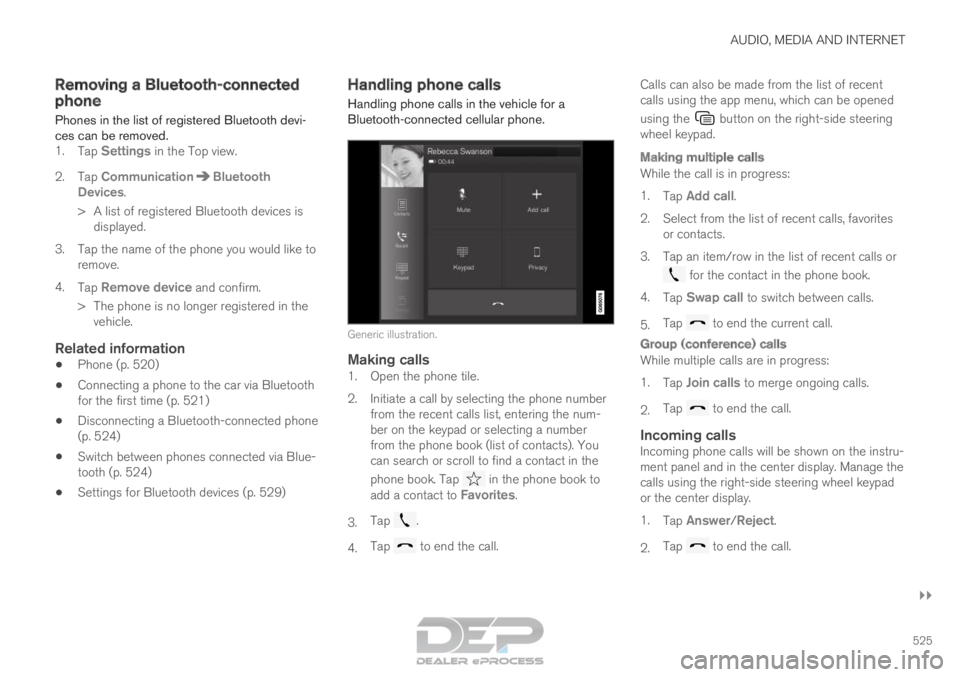
Generic illustration.Making calls1. Open the phone tile.
2. Initiate a call by selecting the phone number
from the recent calls list, entering the num-
ber on the keypad or selecting a number
from the phone book (list of contacts). You
can search or scroll to find a contact in the
phone book. Tap in the phone book to
add a contact to Favorites.
3. Tap .
4. Tap to end the call.Calls can also be made from the list of recent
calls using the app menu, which can be opened
using the button on the right-side steering
wheel keypad.
Making multiple calls
While the call is in progress:
1. Tap Add call.
2.
Select from the list of recent calls, favorites
or contacts.
3. Tap an item/row in the list of recent calls or for the contact in the phone book.
4. Tap Swap call to switch between calls.
5. Tap to end the current call.
Group (conference) calls
While multiple calls are in progress:
1.
Tap Join calls to merge ongoing calls.
2. Tap to end the call.
Incoming callsIncoming phone calls will be shown on the instru-
ment panel and in the center display. Manage the
calls using the right-side steering wheel keypad
or the center display.
1.
Tap Answer/Reject.
2. Tap to end the call.
Page 528 of 686
||AUDIO, MEDIA AND INTERNET
526
Incoming calls while another call is in
progress
1.
Tap Answer/Reject.
2. Tap to end the call.
Privacy
–
While a call is in progress, tap Privacy and
select setting:
• Switch to mobile phone - the hands-
free function will be disabled and the call
will proceed on the cellular phone.
• Driver focused - the microphone in the
ceiling liner on the passenger side will be
muted and the call will proceed using the
vehicle's hands-free function.
Related information
• Phone (p. 520)
• Connecting a phone to the car via Bluetooth
for the first time (p. 521)
• Voice control for cellular phones (p. 147)
• Handling the App menu in the instrument
panel (p. 104)
• Entering characters, letters and words by
hand in the center display (p. 129)
• Managing the phone book (p. 527)
• Handling text messages (p. 526)
• Sound settings (p. 486) Handling text messages
A
Bluetooth-connected cellular phone's text
messages can be handled in the vehicle. Text message functionality needs to be activated
in certain phones. Not all phones are fully com-
patible and therefore cannot display contacts and
messages in the vehicle. For additional informa-
tion on compatibility, see support.volvocars.com.
Handling text messages in the center
display
Text messages are only shown in the center dis-
play if the relevant setting is made.
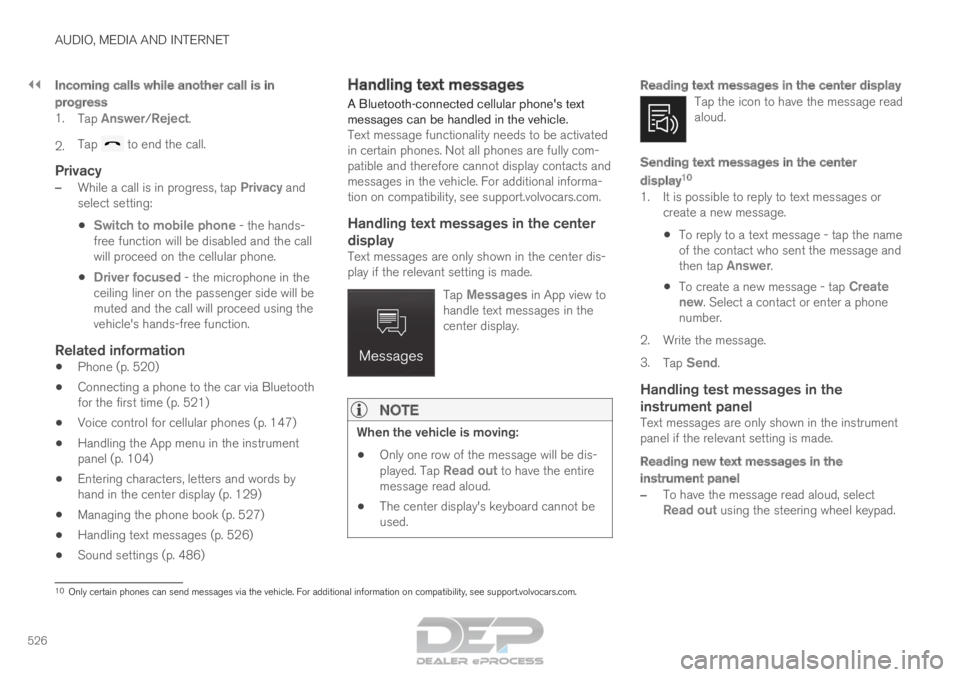
Tap Messages in App view to
handle text messages in the
center display.
NOTE When the vehicle is moving:
• Only one row of the message will be dis-
played. Tap
Read out to have the entire
message read aloud.
• The center display's keyboard cannot be
used.
Reading text messages in the center display
Tap the icon to have the message read
aloud.
Sending text messages in the center
display 10
1. It is possible to reply to text messages or
create a new message.
• To reply to a text message - tap the name
of the contact who sent the message and
then tap
Answer.
• To create a new message - tap
Create
new. Select a contact or enter a phone number.
2.
Write the message.
3. Tap Send.
Handling test messages in the
instrument panel
Text messages are only shown in the instrument
panel if the relevant setting is made.
Reading new text messages in the
instrument panel
–To have the message read aloud, select
Read out using the steering wheel keypad.
10 Only certain phones can send messages via the vehicle. For additional in\
formation on compatibility, see support.volvocars.com.
Page 529 of 686
AUDIO, MEDIA AND INTERNET
}}
* Option/accessory. 527
Dictating replies in the instrument panel
After the test message has been read aloud, it is
possible to answer briefly with dictation if the
vehicle has an Internet connection.
–Tap Answer using the steering wheel key-
pad. A dictation dialog will start.
Message notificationNotifications can be activated and deactivated in
the text message settings.
Related information
• Phone (p. 520)
• Text message settings (p. 527)
• Phone settings (p. 528)
• Internet-connected vehicle* (p. 529)
• Voice control for cellular phones (p. 147)
• Entering characters, letters and words by
hand in the center display (p. 129)
• Connecting a phone to the car via Bluetooth
for the first time (p. 521) Text message settings
Settings for handling text messages received
through a connected phone can be personal-
ized. 1. Tap Settings in the Top view.
2.
Tap Communication Text Messages
and select settings:
• Notification in center display - display
text message notifications in the center
display's status bar.
• Notification in driver display - displays
notifications in the driver's display and
incoming messages can be managed
using the steering wheel's right-hand key-
pad.
• Text message tone - select tone for
incoming text messages.
Related information
• Phone (p. 520)
• Connecting a phone to the car via Bluetooth
for the first time (p. 521)
• Handling text messages (p. 526)
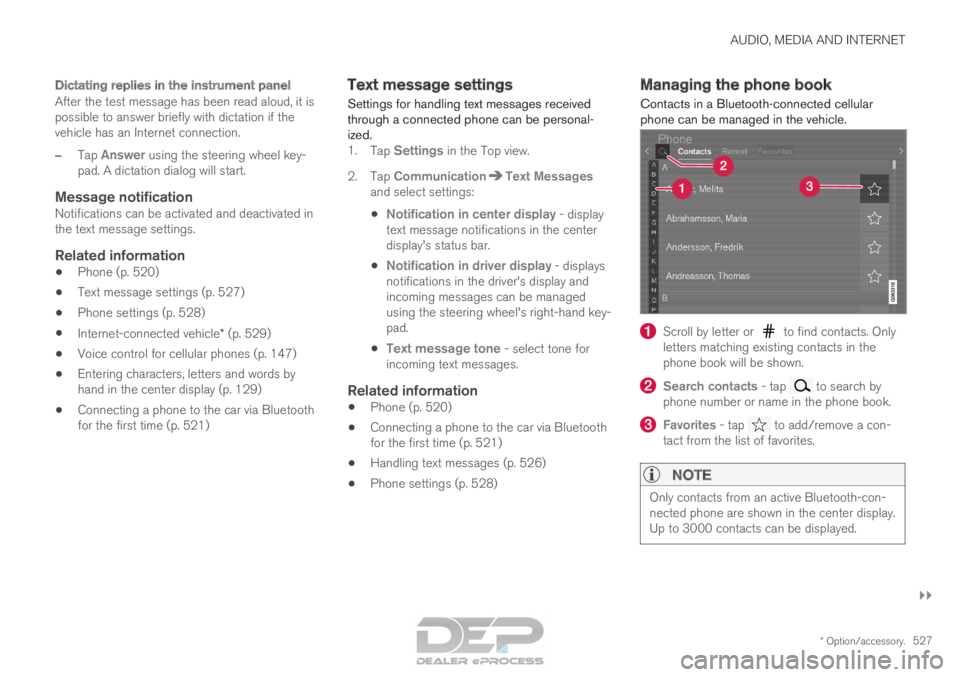
• Phone settings (p. 528) Managing the phone book
Contacts in a
Bluetooth-connected cellular
phone can be managed in the vehicle. Scroll by letter or to find contacts. Only
letters matching existing contacts in the
phone book will be shown. Search contacts
- tap to search by
phone number or name in the phone book. Favorites
- tap to add/remove a con-
tact from the list of favorites.
NOTE Only contacts from an active Bluetooth-con-
nected phone are shown in the center display.
Up to 3000 contacts can be displayed.