warning lights VOLVO XC90 TWIN ENGINE 2018 Owner's Manual
[x] Cancel search | Manufacturer: VOLVO, Model Year: 2018, Model line: XC90 TWIN ENGINE, Model: VOLVO XC90 TWIN ENGINE 2018Pages: 686, PDF Size: 17 MB
Page 432 of 686

||STARTING AND DRIVING
430
augment braking. This is indicated in the instru-
ment panel with the pointer down in the red area.
Symbols in the instrument panel
Symbol
Meaning A
B
Check the brake fluid level. If the
level is low, fill brake fluid and
check to determine the reason for
the loss of brake fluid. A
B
Fault in pedal sensor. Symbol
Meaning A
B
Steady glow for 2 seconds after
the engine is started: Automatic
function check.
Steady glow for more than 2 sec-
onds: Fault in the ABS system. The
vehicle's regular brake system is
still working, but without the ABS
function. If the message Brake pedal Cha-
racteristics changed Service
required is displayed, the "Brake-
by-wire" system is not functioning
properly. The brake pedal will go
down further than normal and
greater pressure will be needed on
the pedal to achieve braking effect. A
Canadian models.
B US models.
WARNING •
If both symbols illuminate at the same
time and the brake level is below the MIN
mark in the reservoir or if a brake system-
related message is shown in the instru-
ment panel: DO NOT DRIVE. Have the
vehicle towed to a trained and qualified
Volvo service technician and have the
brake system inspected.
• If both symbols illuminate at the same
time and the brake level is normal (not
below the MIN mark in the reservoir) or if
a brake system-related message is
shown in the instrument panel: drive the
vehicle carefully to an authorized Volvo
workshop and have the brake system
inspected by a trained and qualified Volvo
service technician.
Related information
• Brake Assist System (p. 431)
• Auto-hold brakes (p. 436)
• Hill Start Assist (p. 437)
• Braking on wet roads (p. 431)
• Braking on salted roads (p. 431)
• Maintenance of the brake system (p. 432)
• Brake lights (p. 160)
Page 439 of 686

STARTING AND DRIVING
}}
437
When shutting offIf the function is active and holding the
vehicle stationary using the normal
brakes (A symbol lit), the brake pedal
must be depressed while pressing the
button in order to deactivate Auto-hold. •
The function will remain off until it is reactiva-
ted.
• When Auto-hold is switched off, Hill Start
Assist (HSA) will remain active to help pre-
vent the vehicle from rolling backward when
starting up a hill.
Related information
•Auto-hold brakes (p. 436) Hill Start Assist
The function for assisting when starting the vehi-
cle on inclines, Hill Start Assist (HSA), helps
prevent the vehicle from rolling backward when
starting on an uphill gradient. When backing up
a hill, HSA helps prevent the vehicle from rolling
forward.
The function retains pressure from the brake
pedal in the brake system for several seconds
after the brake pedal has been released.
This temporary braking effect is released after a
few seconds or when the driver begins driving.
Hill Start Assist is available even if the Auto-hold
brake function is switched off.
Related information
• Auto-hold brakes (p. 436)
• Brakes (p. 429) Braking assist after a collision
In a collision in which the activation level is
reached for the pyrotechnic seat belt tensioners
or airbags, or if a collision with a large animal is
detected, the vehicle's brakes will be automati-
cally activated. This function is intended to help
prevent or reduce the effects of any subsequent
collision.
After a serious collision, it may no longer be pos-
sible to control and steer the vehicle. In order to
avoid or mitigate a possible further collision with
a vehicle or an object in the vehicle's path, the
brake assist system is activated automatically to
help stop the vehicle safely.
The brake lights and hazard warning flashers are
activated during braking. When the vehicle has
stopped, the hazard warning flashers will con-
tinue to flash and the parking brake will be
applied.
If braking is not appropriate, e.g. if there is a risk
of being hit by passing traffic, the driver can over-
ride the system by depressing the accelerator
pedal.
This function assumes that the brake system is
intact after a collision.
Brake assist is part of the Rear Collision Warning
and Blind Spot Information safety systems.
Page 470 of 686

STARTING AND DRIVING
* Option/accessory.
468 Overheating of engine and
transmission
In demanding driving conditions, such as driving
in mountainous areas or hot weather, there is a
risk of the engine or transmission overheating,
especially when carrying heavy loads.
• Engine power may be temporarily limited.
• Remove any auxiliary lights mounted in front
of the grille when driving in hot weather.
• If the temperature in the engine's cooling
system becomes too high, a warning symbol
will appear in the instrument panel along with
the message Engine temperature High
temperature Stop safely. Pull over to a safe location and let the engine idle for a few
minutes to cool down.
• If the message
Engine temperature High
temperature Turn off engine or Engine
coolant Level low, turn off engine is dis- played, stop the vehicle and turn off the
engine.
• If the transmission begins to overheat, an
alternative gear shifting program will be
selected. An integrated protective function
will also be activated, the warning symbol will
illuminate and the message Transmission
warm
Reduce speed to lower
temperature or Transmission hot Stop
safely, wait for cooling will be displayed in the instrument panel. Follow the recommen-
dations given by reducing speed or stopping the vehicle safely and letting the engine idle
for a few minutes to let the transmission
cool.
• If the vehicle begins to overheat, the air con-
ditioning may be temporarily switched off.
• After a prolonged period of driving in
demanding conditions, do not turn off the
engine immediately after stopping.
NOTE It is normal for the engine's cooling fan to
operate for a short time after the engine is
switched off.
Symbols in the instrument panel
Symbol
Meaning High engine temperature. Follow
the recommendations provided.
Low coolant level. Follow the rec-
ommendations provided.
Transmission hot/overheated/cool-
ing. Follow the recommendations
provided.
Related information
•
Refilling coolant (p. 612)
• Driving with a trailer (p. 472)
• Preparing for a long trip (p. 460)
• Gear indicator* (p. 442)
Page 472 of 686
||STARTING AND DRIVING
470
1.
Put the ignition in mode 0.
2. Make sure the auxiliary battery (the battery used to jump start the discharged battery)
has a voltage of 12 volts.
3. If the auxiliary battery is in another vehicle, turn off that vehicle's engine and make sure
that the vehicles are not touching each other.
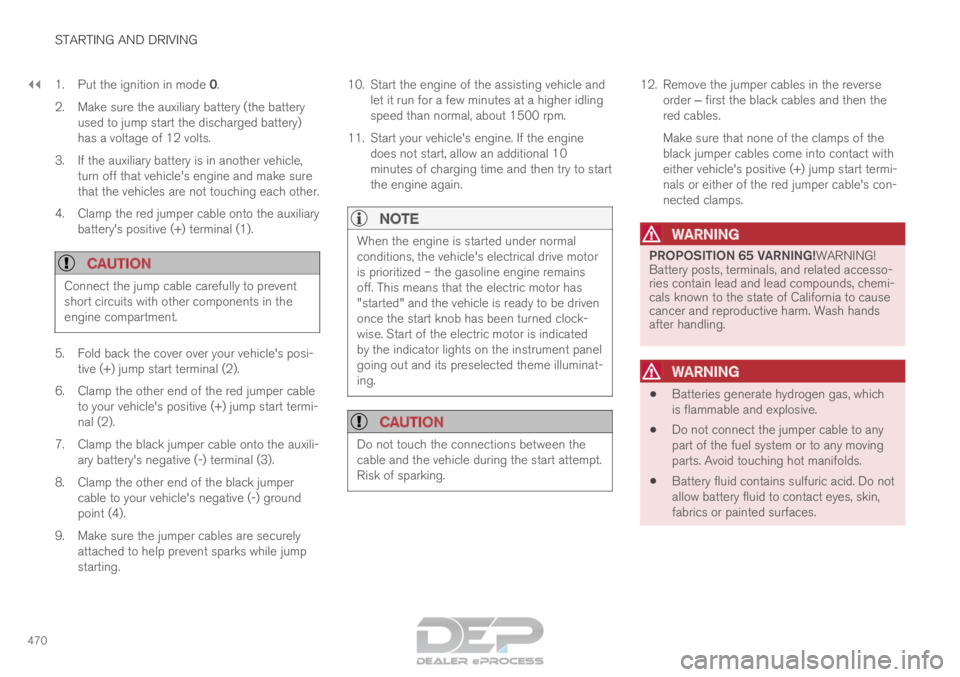
4. Clamp the red jumper cable onto the auxiliary battery's positive (+) terminal (1).
CAUTION Connect the jump cable carefully to prevent
short circuits with other components in the
engine compartment.
5. Fold back the cover over your vehicle's posi-
tive (+) jump start terminal (2).
6.
Clamp the other end of the red jumper cable
to your vehicle's positive (+) jump start termi-
nal (2).
7. Clamp the black jumper cable onto the auxili- ary battery's negative (-) terminal (3).
8. Clamp the other end of the black jumper cable to your vehicle's negative (-) ground
point (4).
9. Make sure the jumper cables are securely attached to help prevent sparks while jump
starting. 10. Start the engine of the assisting vehicle and
let it run for a few minutes at a higher idling
speed than normal, about 1500 rpm.
11. Start your vehicle's engine. If the engine does not start, allow an additional 10
minutes of charging time and then try to start
the engine again.
NOTE When the engine is started under normal
conditions, the vehicle's electrical drive motor
is prioritized – the gasoline engine remains
off. This means that the electric motor has
"started" and the vehicle is ready to be driven
once the start knob has been turned clock-
wise. Start of the electric motor is indicated
by the indicator lights on the instrument panel
going out and its preselected theme illuminat-
ing.
CAUTION
Do not touch the connections between the
cable and the vehicle during the start attempt.
Risk of sparking. 12. Remove the jumper cables in the reverse
order ‒ first the black cables and then the
red cables.
Make sure that none of the clamps of the
black jumper cables come into contact with
either vehicle's positive (+) jump start termi-
nals or either of the red jumper cable's con-
nected clamps.
WARNING PROPOSITION 65 VARNING!WARNING!
Battery posts, terminals, and related accesso-
ries contain lead and lead compounds, chemi-
cals known to the state of California to cause
cancer and reproductive harm. Wash hands
after handling.
WARNING
•
Batteries generate hydrogen gas, which
is flammable and explosive.
• Do not connect the jumper cable to any
part of the fuel system or to any moving
parts. Avoid touching hot manifolds.
• Battery fluid contains sulfuric acid. Do not
allow battery fluid to contact eyes, skin,
fabrics or painted surfaces.
Page 475 of 686

STARTING AND DRIVING
* Option/accessory.473
CAUTION•
Bumper-attached trailer hitches must not
be used on Volvos, nor should safety
chains be attached to the bumper.
• Trailer hitches attaching to the vehicle
rear axle must not be used.
• Never connect a trailer's hydraulic brake
system directly to the vehicle brake sys-
tem, nor a trailer's lighting system directly
to the vehicle lighting system. Consult
your nearest authorized Volvo retailer for
correct installation.
• When towing a trailer, the trailer's safety
chains or wire must be correctly fastened
to the attachment points provided in the
trailer hitch on the vehicle. The safety
chain or wire must never be fastened to
or wound around the towing ball.
NOTE The optional detachable trailer hitch may not
be available in all markets or on all models.
Consult your Volvo retailer.
NOTE
Extreme weather conditions, towing a trailer,
driving at high altitudes and fuel quality are
factors that significantly increase a vehicle's
fuel consumption.
Trailer weights
WARNING Please adhere to the recommendations provi-
ded for trailer weight. If the recommendations
are not followed, the vehicle and trailer may
be difficult to control during evasive maneu-
vers and braking.
NOTE
The specified maximum trailer weights are
those permitted by Volvo. National vehicle
regulations may set additional restrictions on
trailer weight and speed. The trailer hitches
may be certified for higher towing weights
than the vehicle is permitted to tow.
Self-leveling suspension*The vehicle's self-leveling system attempts to
keep the vehicle at a constant level, regardless of
load (up to the maximum permitted weight).
When the vehicle is stationary, the rear end of the
vehicle will be slightly lowered, which is normal.
Driving in hilly terrain or hot weatherIn certain conditions, there is a risk of overheat-
ing when driving with a trailer. If overheating of
the engine and drive system is detected, a warn-
ing symbol will illuminate in the instrument panel
along with a message.The automatic transmission selects the optimal
gear for the current load and engine speed.
Steep inclines
Do not lock the automatic transmission into a
higher gear than what the engine can handle ‒ it
is not always preferable to drive in high gears at
low rpm.
Parking on a hill
1. Depress the brake pedal.
2. Apply the parking brake.
3. Put the gear selector in P.
4. Release the brake pedal.
Put chocks behind the wheels when the vehicle
is parked on a hill with a trailer attached.
Starting on a hill
1. Depress the brake pedal.
2. Put the gear selector in D.
3. Release the parking brake.
4. Release the brake pedal and start driving.
Related information
• Trailer Stability Assist* (p. 474)
• Checking trailer lights (p. 475)
• Towing capacity and tongue weight (p. 660)
• Overheating of engine and transmission
(p. 468)
Page 642 of 686
||MAINTENANCE AND SERVICE
640
•
Wash using a sponge, car washing detergent
and plenty of lukewarm water.
• Clean the wiper blades with lukewarm soap
solution or car washing detergent.
• Dry the vehicle using a clean, soft chamois or
a squeegee. Try not to let drops of water dry
in strong sunlight. This could cause water
drying stains that may need to be polished
out.
• In areas with heavy industrial emissions,
more frequent washing of the vehicle's exte-
rior is recommended.
• Tar spots from asphalt may remain even after
washing. Use a tar remover to remove these
spots after washing the vehicle.
WARNING Always entrust engine washing to a workshop.
If the engine is hot, there is a risk of fire.
CAUTION
Dirty headlights do not work as well. Clean
them regularly, e.g. when refueling.
Do not use corrosive cleaners. Use water and
a non-abrasive sponge.
NOTE Exterior lighting such as headlights and tail-
lights may develop temporary condensation
on the inside of the lens. This is normal. All
exterior lighting is designed to resist this.
Condensation is normally vented out of the
lamp housing once the light has been lit for
some period of time.
CAUTION
•
Make sure that the panoramic roof and
sun shade are closed before washing the
vehicle.
• Never use abrasive polishing agents on
the panoramic roof.
• Never use wax on the rubber seals
around the panoramic roof.
CAUTION Remember to remove dirt from the drain
holes in the doors and sills after washing the
vehicle.
Related information
•
Cleaning the exterior (p. 638)
• Polishing and waxing (p. 639)
• Automatic car washes (p. 641)
• High-pressure washing (p. 642) •
Cleaning the wiper blades (p. 642)
• Cleaning exterior plastic, rubber and trim
components (p. 643)
• Cleaning rims (p. 644)
• Corrosion protection (p. 644)
Page 669 of 686
INDEX
667
1, 2, 3 ... 4WD
443
A ABS
anti-lock brakes
429
AC (Air conditioning) 228
ACC - Adaptive Cruise Control 295, 298, 299, 300, 301, 302, 304, 305, 306, 307, 309
Accessories and extra equipment 35 installation 36
Accessory installation warning 36
Active Bending Lights 159
Adapting driving characteristics 272, 445
Adaptive Cruise Control 295, 298, 299, 300, 301, 302, 304, 305, 306, 307, 309
change cruise control functionality 307
function 295
manage speed 299, 300
pass 304, 305
radar sensor 326
set time interval 301, 302
troubleshooting 307
Adjusting the steering wheel 199 Airbag
52
activation/deactivation
56
driver's side 53
passenger side 53, 56
Air bag, see Airbag 52
Air conditioning 228
Air conditioning, fluid volume and grade 664
Air distribution 207
air vents 207, 209
changing 208
defrosting 220
recirculation 219
table showing options 210
Air quality 204, 206
allergy and asthma 206
passenger compartment filter 207
Air recirculation 219
Alarm 268
deactivating 269
Allergy and asthma-inducing substances 206
All Wheel Drive, AWD 443
All Wheel Drive (AWD) 443
All Wheel Drive (four-wheel drive) 443
Android Auto 518, 520
Antenna location 257 Apple CarPlay
515, 517
Approach lighting 161
Apps 487
Assistance at risk of collision 372, 373, 374, 375, 376, 377, 378, 380
Audio and media 486
Audio system HD digital radio 497
SiriusXM® Satellite radio 498, 499, 500
Auto-climate 219
Auto hold 436
Auto-hold brakes 436
activate and deactivate 436
after collision 437
Automatic car wash 641
Automatic high beam 157
Automatic locking 261
Automatic relocking 241, 254
Automatic Speed Limiter 282, 284, 285
Automatic transmission 439
kickdown 442
oil 663
Trailer 472
INDEX
Page 670 of 686

INDEX
668B Backrest
front seat, adjusting
184, 185, 188,
189, 190
rear seat, adjusting 196, 197
rear seat, folding 192, 197, 198
Battery Hybrid 619
jump-start 469
Maintenance 615
start 615
symbols on the battery 620
warning symbols 620
BLIS 348, 349, 350, 351
Blower adjusting 224, 225
air distribution 208
air vents 209
Bluetooth connect 513
connecting vehicle to Internet 531
phone 520
settings 529
Book service and repair 603
Booster cushions 71
Brake assist after collision 437 Brake fluid
grade
663
Brake functions 429
Brake light 160
Brake position 439
Brakes 429
anti-lock brakes, ABS 429
automatic when stationary 436
Brake Assist System, BAS 431
brake lights 160
brake system 429
emergency brake lights 160
handbrake 432
Maintenance 432
on salted roads 431
on wet roads 431
brake system fluid 663
C Camera sensor
344
Camera unit
331
Capacity weight 578, 659
Cargo compartment 586 attachment points 589
cargo net 593 electrical outlet
582, 584
Lighting
163
Cargo compartment cover 589, 590
cargo net 593
Car wash 638, 639, 641, 642, 643, 644
Catalytic converter 467
recovery 476
CD player 511
Cell phone, see Phone 521
Center console 581
Center display change appearance 131
cleaning 633
climate controls 213
Function view 122
keyboard 126
messages 140, 141, 142
operation 112, 115, 119, 124
overview 109
settings 132, 133, 134
switch off and change volume 131
symbols in status bar 124
views 115
Central locking 257
Change of owner 134
Changing a wheel 564
Page 671 of 686
INDEX
669
Charge level
vehicle function 459
Charging hybrid battery 407
opening and closing the charging
door 411
start charging 412
Status 414, 415, 416
stop charging 418
Charging cable 409
Charging current 408
Checking engine oil level 611
Child restraints 63, 65 booster cushions 71
convertible seats 69
infant seats 67
integrated booster cushion 76
ISOFIX/LATCH anchors 74
lower attachment points 74
recalls and registration 65
top tether anchors 72
Child safety 63
Child safety locks 259
Circuit breaker 410
City Safety 335, 336, 338, 339, 344, 346
City Safety in crossing traffic 341, 342 City Safety when evasive maneuver preven-
ted
343
Cleaning
635, 637, 638
automatic car wash 641
car wash 638, 639, 641, 642, 643, 644
center display 633
Seat belts 635
textile upholstery 633, 635, 636
upholstery 633, 635, 636, 637, 638
wheels 644
Cleaning wheels 644
Cleaning wiper blades 642
Clean Zone 205
Clean Zone Interior Package 206
Climate 202
auto-regulation 219
blower control 224, 225
parking 230
perceived temperature 203
Sensors 202
temperature control 226, 227, 228
voice control 203
zones 202
Climate controls 213
center display 213
rear seat 213 Climate system
202, 213
Refrigerant 664
repairs 608
Clock, setting 93
Collision 42, 47, 52, 61
Collision warner detection of pedestrians 339
radar sensor 326
Collision warning 335, 347
Color code, paintwork 646
Color codes 646
Compass 481, 482 calibration 482
Condensation in headlights 639, 641, 642, 643
Connecting vehicle to Internet No connection or poor connection 534
via a mobile device (WiFi) 531
via mobile device (Bluetooth) 531
via vehicle's modem 532
Connect phone 521
Contact information 26
Convertible seats 69
coolant 663
Coolant, filling 612
Page 675 of 686
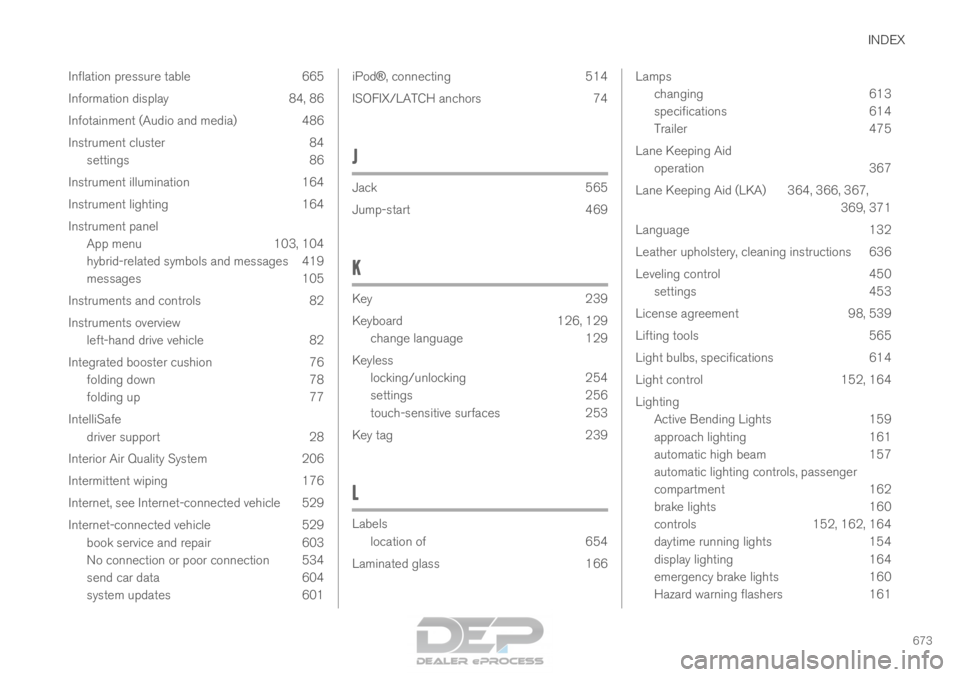
INDEX
673
Inflation pressure table 665
Information display 84, 86
Infotainment (Audio and media) 486
Instrument cluster 84
settings 86
Instrument illumination 164
Instrument lighting 164
Instrument panel App menu 103, 104
hybrid-related symbols and messages 419
messages 105
Instruments and controls 82
Instruments overview left-hand drive vehicle 82
Integrated booster cushion 76 folding down 78
folding up 77
IntelliSafe driver support 28
Interior Air Quality System 206
Intermittent wiping 176
Internet, see Internet-connected vehicle 529
Internet-connected vehicle 529 book service and repair 603
No connection or poor connection 534
send car data 604
system updates 601 iPod®
, connecting
514
ISOFIX/LATCH anchors 74
J Jack
565
Jump-start
469
K Key
239
Keyboard
126, 129
change language 129
Keyless locking/unlocking 254
settings 256
touch-sensitive surfaces 253
Key tag 239
L Labels
location of
654
Laminated glass 166 Lamps
changing
613
specifications 614
Trailer 475
Lane Keeping Aid operation 367
Lane Keeping Aid (LKA) 364, 366, 367, 369, 371
Language 132
Leather upholstery, cleaning instructions 636
Leveling control 450 settings 453
License agreement 98, 539
Lifting tools 565
Light bulbs, specifications 614
Light control 152, 164
Lighting Active Bending Lights 159
approach lighting 161
automatic high beam 157
automatic lighting controls, passenger
compartment 162
brake lights 160
controls 152, 162, 164
daytime running lights 154
display lighting 164
emergency brake lights 160
Hazard warning flashers 161