seats VOLVO XC90 TWIN ENGINE 2018 Workshop Manual
[x] Cancel search | Manufacturer: VOLVO, Model Year: 2018, Model line: XC90 TWIN ENGINE, Model: VOLVO XC90 TWIN ENGINE 2018Pages: 686, PDF Size: 17 MB
Page 209 of 686
CLIMATE CONTROL
}}
* Option/accessory. 207
Activating and deactivating the air
quality sensor*
The air quality sensor is part of the fully automa-
ted Interior Air Quality System (IAQS).
The air quality sensor can be switched on or off.
1.
Tap Settings in the Top view in the center
display.
2. Tap Climate.
3. Select Air Quality Sensor to activate/deac-
tivate the air quality sensor.
Related information
• Interior Air Quality System* (p. 206) Passenger compartment air filter
All air entering the passenger compartment
through the climate control system intake is fil-
tered.
Replacing the passenger compartment
filter
To maintain the high performance of the climate
control system, the filter must be replaced regu-
larly. Follow Volvo's service schedule for recom-
mended replacement intervals. When driving in
areas with a lot of smog, dust, etc., the filter may
need to be changed more frequently.
NOTE There are two types of passenger compart-
ment filters. Make sure that the correct filter
is installed.
Related information
•
Air quality (p. 204)
• Clean Zone* (p. 205)
• Clean Zone Interior Package* (p. 206)
• Interior Air Quality System* (p. 206) Air distribution
The climate system distributes incoming air
through a number of vents in the passenger
compartment.
Automatic and manual air distributionWhen the auto-climate feature is on, air distribu-
tion is regulated automatically. Air distribution can
also be controlled manually.
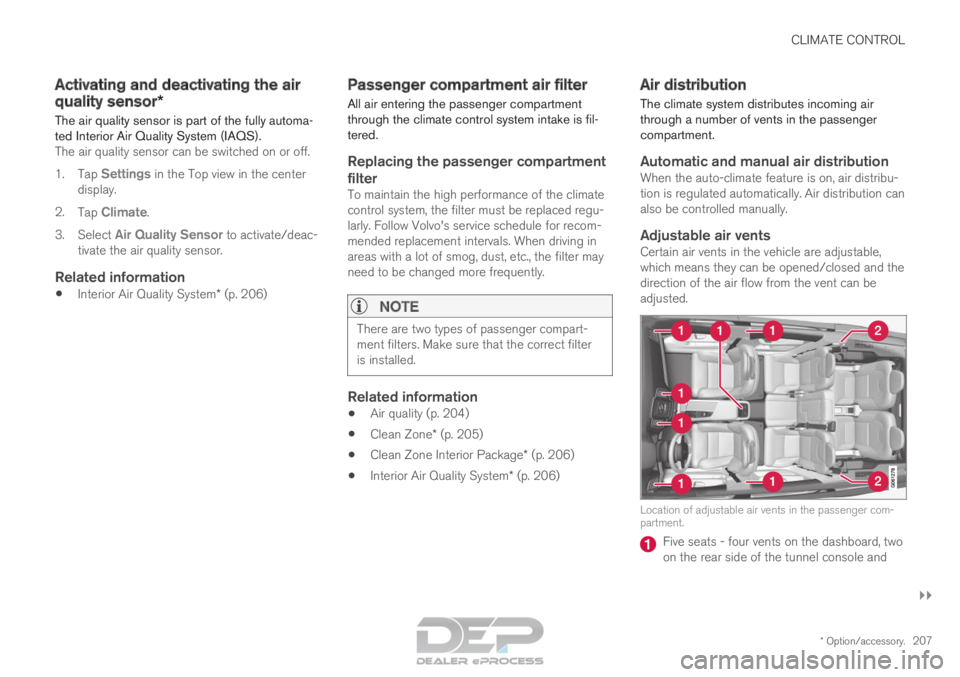
Adjustable air ventsCertain air vents in the vehicle are adjustable,
which means they can be opened/closed and the
direction of the air flow from the vent can be
adjusted. Location of adjustable air vents in the passenger com-
partment.
Five seats - four vents on the dashboard, two
on the rear side of the tunnel console and
Page 210 of 686
||CLIMATE CONTROL
208
one on each side of the pillars between the
front and rear doors.
Seven seats - one additional vent on each of
the pillars behind the rear doors.
Related information
•
Climate (p. 202)
• Adjusting air distribution (p. 208)
• Opening, closing and directing air vents
(p. 209)
• Air distribution options (p. 210) Adjusting air distribution
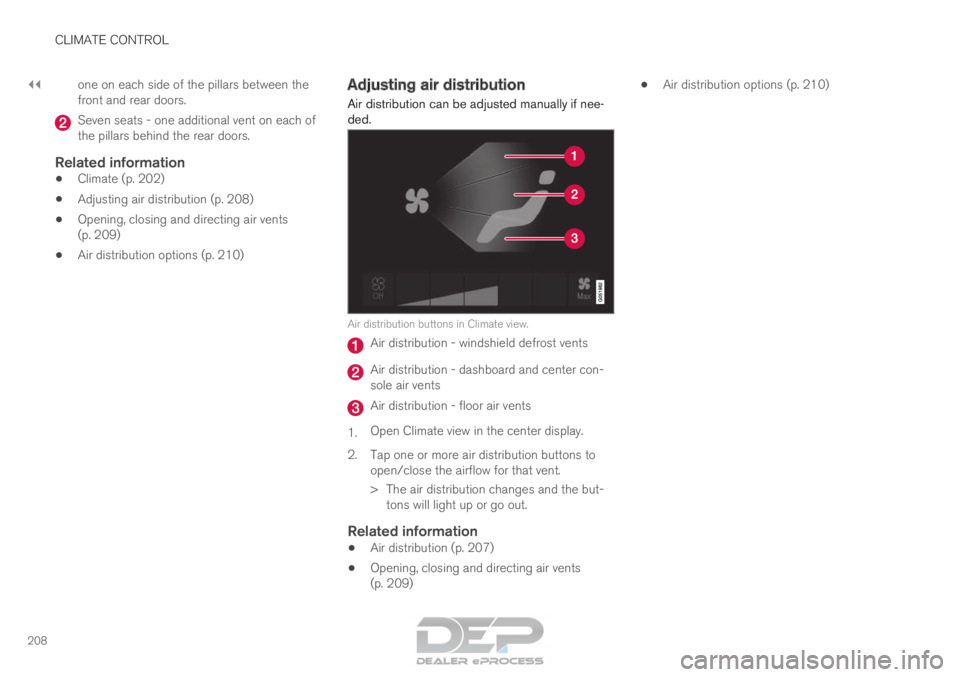
Air distribution can be adjusted manually if nee-
ded. Air distribution buttons in Climate view.
Air distribution - windshield defrost vents
Air distribution - dashboard and center con-
sole air vents
Air distribution - floor air vents
1. Open Climate view in the center display.
2.
Tap one or more air distribution buttons to
open/close the airflow for that vent.
> The air distribution changes and the but- tons will light up or go out.
Related information
• Air distribution (p. 207)
• Opening, closing and directing air vents
(p. 209) •
Air distribution options (p. 210)
Page 215 of 686

CLIMATE CONTROL
}}
* Option/accessory. 213
Climate system controls
The climate system functions are controlled from
physical buttons on the center console, the cen-
ter display, and the climate panel on the rear
side of the tunnel console.
Physical buttons in the center console Button for heated windshield* and max
defroster. Button for heated rear window and door mir-
rors.
Climate bar in the center displayThe most common climate system functions can
be controlled from the climate bar. Temperature control for the driver and pas-
senger sides.
Control for heated* and ventilated* driver and
passenger seats, and heated steering
wheel*. Button for opening Climate view. The graphic
in the button shows activated climate system
settings.
Climate view in the center displayTap the center button on the climate bar to open
Climate view. Climate view is divided into the fol-
lowing tabs:
• Main climate
• Rear climate
• Parking climate Toggle between the tabs by swiping the screen
to the left/right or by tapping the desired head-
ing.
Page 216 of 686
||CLIMATE CONTROL
* Option/accessory.
214
Main climate
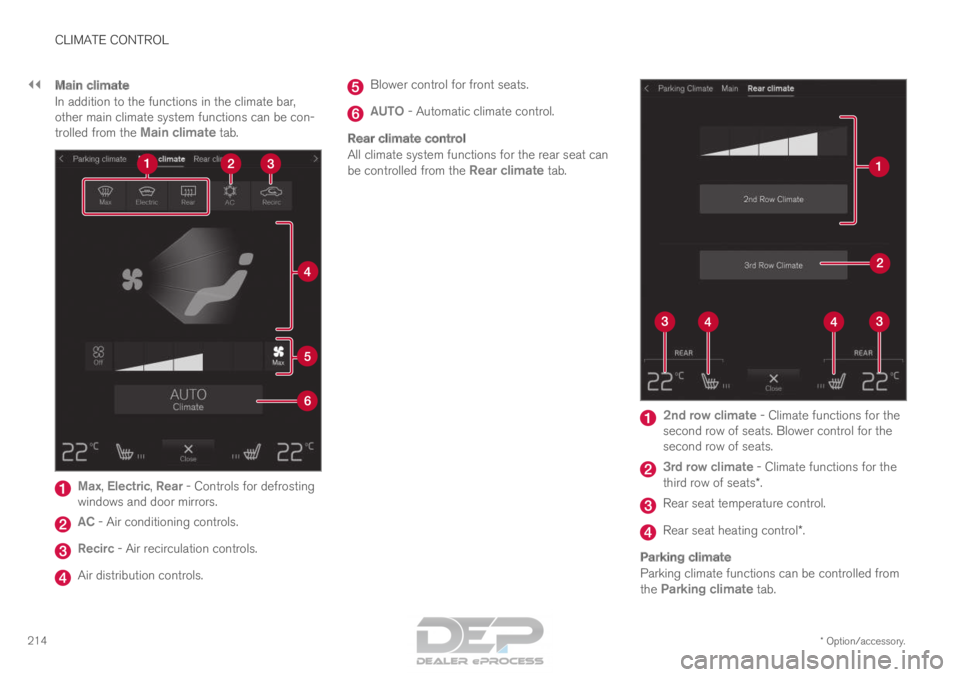
In addition to the functions in the climate bar,
other main climate system functions can be con-
trolled from the Main climate tab.Max, Electric, Rear - Controls for defrosting
windows and door mirrors. AC - Air conditioning controls.
Recirc - Air recirculation controls.
Air distribution controls. Blower control for front seats.
AUTO - Automatic climate control.
Rear climate control
All climate system functions for the rear seat can
be controlled from the
Rear climate tab. 2nd row climate
- Climate functions for the
second row of seats. Blower control for the
second row of seats. 3rd row climate
- Climate functions for the
third row of seats*. Rear seat temperature control.
Rear seat heating control*.
Parking climate
Parking climate functions can be controlled from
the
Parking climate tab.
Page 217 of 686
CLIMATE CONTROL
}}
* Option/accessory. 215
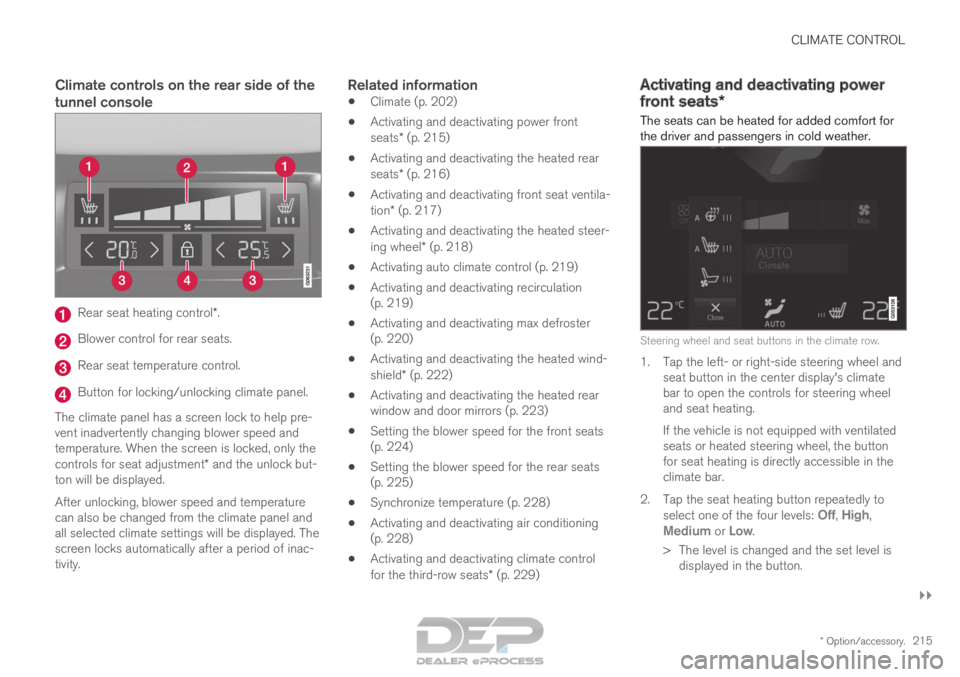
Climate controls on the rear side of the
tunnel consoleRear seat heating control*.
Blower control for rear seats.
Rear seat temperature control.
Button for locking/unlocking climate panel.
The climate panel has a screen lock to help pre-
vent inadvertently changing blower speed and
temperature. When the screen is locked, only the
controls for seat adjustment* and the unlock but-
ton will be displayed.
After unlocking, blower speed and temperature
can also be changed from the climate panel and
all selected climate settings will be displayed. The
screen locks automatically after a period of inac-
tivity.Related information
• Climate (p. 202)
• Activating and deactivating power front
seats* (p. 215)
• Activating and deactivating the heated rear
seats* (p. 216)
• Activating and deactivating front seat ventila-
tion* (p. 217)
• Activating and deactivating the heated steer-
ing wheel* (p. 218)
• Activating auto climate control (p. 219)
• Activating and deactivating recirculation
(p. 219)
• Activating and deactivating max defroster
(p. 220)
• Activating and deactivating the heated wind-
shield* (p. 222)
• Activating and deactivating the heated rear
window and door mirrors (p. 223)
• Setting the blower speed for the front seats
(p. 224)
• Setting the blower speed for the rear seats
(p. 225)
• Synchronize temperature (p. 228)
• Activating and deactivating air conditioning
(p. 228)
• Activating and deactivating climate control
for the third-row seats* (p. 229) Activating and deactivating power
front seats*
The seats can be heated for added comfort for
the driver and passengers in cold weather. Steering wheel and seat buttons in the climate row.
1. Tap the left- or right-side steering wheel and
seat button in the center display's climate
bar to open the controls for steering wheel
and seat heating.
If the vehicle is not equipped with ventilated
seats or heated steering wheel, the button
for seat heating is directly accessible in the
climate bar.
2.
Tap the seat heating button repeatedly to
select one of the four levels: Off,
High,
Medium or Low.
>
The level is changed and the set level is
displayed in the button.
Page 218 of 686

||CLIMATE CONTROL
* Option/accessory.
216
Related information
• Climate system controls (p. 213)
• Activating and deactivating the heated front
seat* (p. 216) Activating and deactivating the
heated front seat*
The seats can be heated for added comfort for
the driver and passengers in cold weather. Seat heating can be set to automatically activate
when the engine is started. When set to automat-
ically activate, heating will be turned on at low
ambient temperatures.
1. Tap Settings in the Top view in the center
display.
2. Tap Climate.
3. Select Auto Driver Seat Heating Level
and
Auto Passenger Seat Heating Level
to activate/deactivate automatic start of
heated driver's and passenger seat.
4. Select Low, Medium or High to select level
after the function has been activated.
Related information
• Climate system controls (p. 213)
• Activating and deactivating power front
seats* (p. 215) Activating and deactivating the
heated rear seats*
The seats can be heated for added comfort for
the driver and passengers in cold weather.
Activating and deactivating the heated
rear seats from the front seats Seat heating buttons in the Rear climate group in Cli-
mate view.
1. Open Climate view in the center display and select the Rear climate tab.
2.
Tap the seat heating button repeatedly to
select one of the four levels: Off, High,
Medium or Low.
>
The level is changed and the set level is
displayed in the button.
Page 219 of 686
CLIMATE CONTROL
* Option/accessory.217
Activating and deactivating the heated
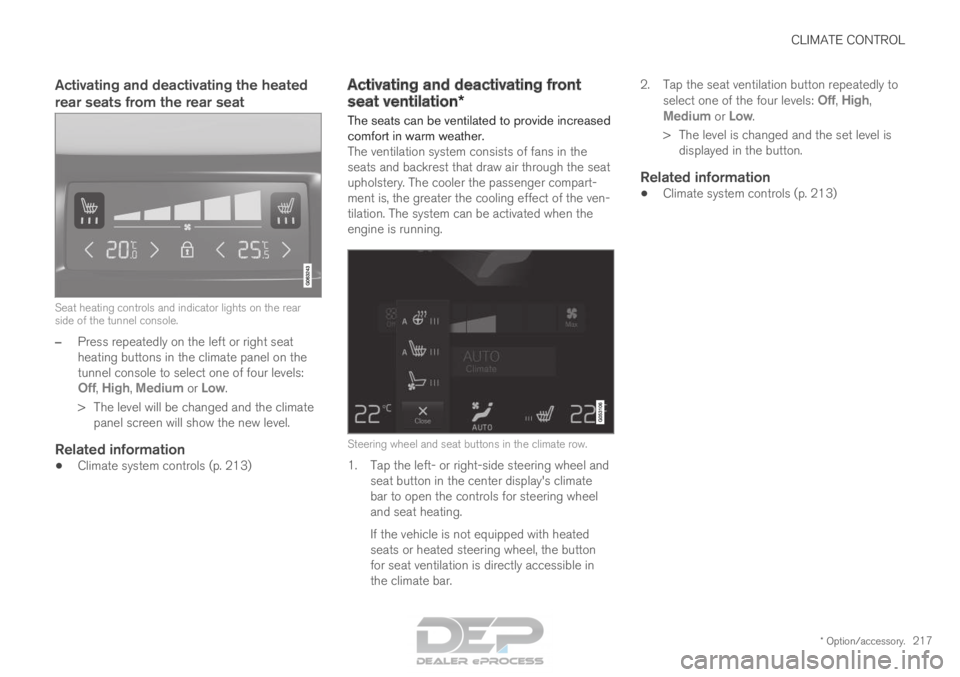
rear seats from the rear seatSeat heating controls and indicator lights on the rear
side of the tunnel console.
–
Press repeatedly on the left or right seat
heating buttons in the climate panel on the
tunnel console to select one of four levels:
Off
, High, Medium or Low.
>
The level will be changed and the climate
panel screen will show the new level.
Related information
• Climate system controls (p. 213) Activating and deactivating front
seat ventilation*
The seats can be ventilated to provide increased
comfort in warm weather.
The ventilation system consists of fans in the
seats and backrest that draw air through the seat
upholstery. The cooler the passenger compart-
ment is, the greater the cooling effect of the ven-
tilation. The system can be activated when the
engine is running.
Steering wheel and seat buttons in the climate row.
1. Tap the left- or right-side steering wheel and
seat button in the center display's climate
bar to open the controls for steering wheel
and seat heating.
If the vehicle is not equipped with heated
seats or heated steering wheel, the button
for seat ventilation is directly accessible in
the climate bar. 2.
Tap the seat ventilation button repeatedly to
select one of the four levels: Off,
High,
Medium or Low.
>
The level is changed and the set level is
displayed in the button.
Related information
• Climate system controls (p. 213)
Page 220 of 686

CLIMATE CONTROL
* Option/accessory.
218 Activating and deactivating the
heated steering wheel*
The steering wheel can be heated for added
comfort in cold weather. Steering wheel and seat buttons in the climate row.
1. Tap the driver's side steering wheel and seat
button in the climate bar in the center display
to open the controls for steering wheel and
seat heating.
If the vehicle is not equipped with heated or
ventilated seats, the button for steering
wheel heating is directly accessible in the cli-
mate bar.
2.
Tap the steering wheel heating button
repeatedly to select one of the four levels:
Off
, High, Medium or Low.
>
The level is changed and the set level is
displayed in the button.
Related information
• Climate system controls (p. 213)
• Activating and deactivating automatic steer-
ing wheel heating* (p. 218) Activating and deactivating
automatic steering wheel heating*
The steering wheel can be heated for added
comfort in cold weather. Steering wheel heating can be set to automati-
cally activate when the engine is started. When
set to automatically activate, heating will be
turned on at low ambient temperatures.
1. Tap Settings in the Top view in the center
display.
2. Tap Climate.
3. Select Auto Steering Wheel Heating
Level to activate/deactivate automatic start
of heated steering wheel.
4. Select Low, Medium or High to select level
after the function has been activated.
Related information
• Activating and deactivating the heated steer-
ing wheel* (p. 218)
Page 226 of 686
CLIMATE CONTROL
224Automatically activating and
deactivating the heated rear window
and door mirrors
The heated rear window and door mirrors are
used to quickly remove condensation and ice
from the glass.
It is possible to select whether rear window and
door mirror heating should be automatically acti-
vated or deactivated when the engine is started.
With automatic start activated, heating will be
activated when there is a risk of ice or condensa-
tion on the windows or mirrors. Heating is auto-
matically switched off when the window or door
mirror is sufficiently warm and the condensation
or ice is gone.
1. Tap Settings in the Top view in the center
display.
2. Tap Climate.
3. Select Auto Rear Defroster to activate/
deactivate automatic rear window and door
heating.
Related information
• Activating and deactivating the heated rear
window and door mirrors (p. 223) Setting the blower speed for the
front seats
The blower can be set to several different auto-
matically controlled speeds for the front seat.
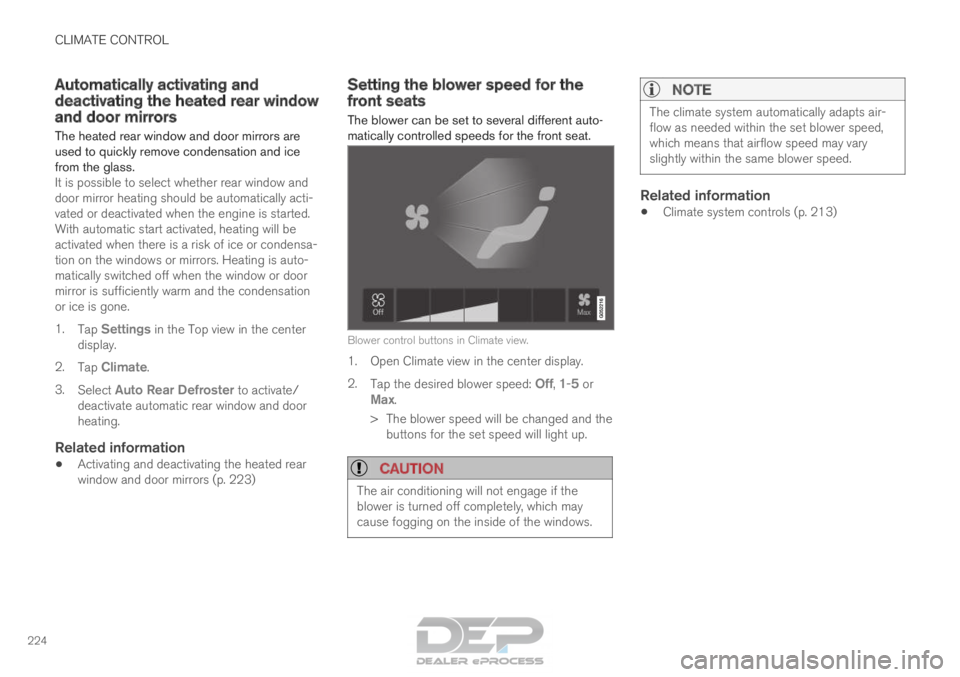
Blower control buttons in Climate view.
1. Open Climate view in the center display.
2.
Tap the desired blower speed: Off, 1-5 or
Max.
>
The blower speed will be changed and the
buttons for the set speed will light up.
CAUTION The air conditioning will not engage if the
blower is turned off completely, which may
cause fogging on the inside of the windows.
NOTE The climate system automatically adapts air-
flow as needed within the set blower speed,
which means that airflow speed may vary
slightly within the same blower speed.
Related information
•
Climate system controls (p. 213)
Page 227 of 686
CLIMATE CONTROL
}}
* Option/accessory. 225
Setting the blower speed for the
rear seats
The blower can be set to several different auto-
matically controlled speeds for the rear seat.
Setting blower speed for the rear seats
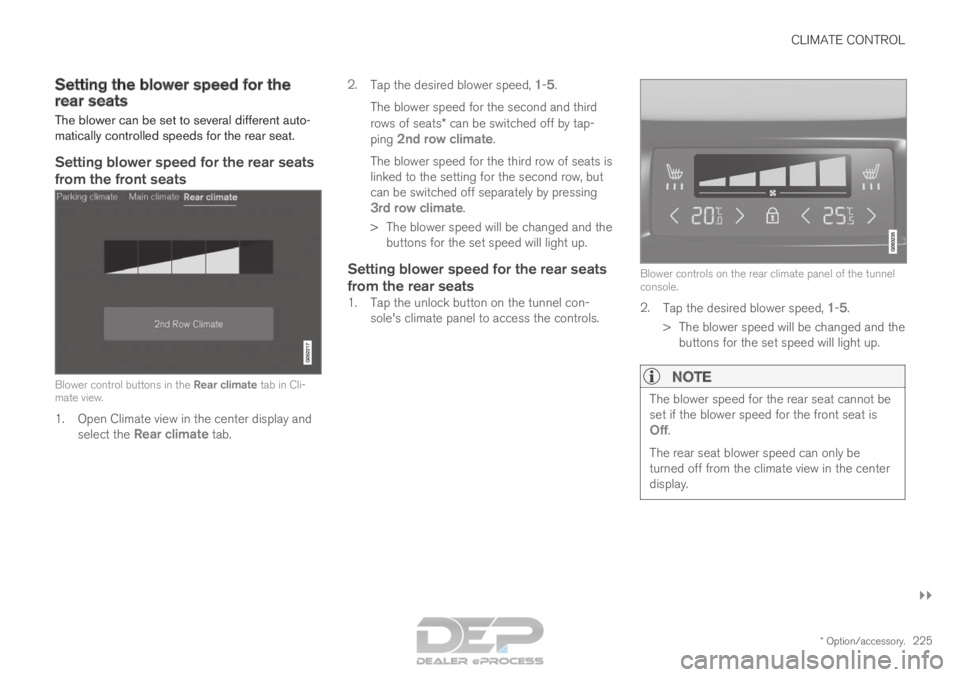
from the front seats Blower control buttons in the Rear climate tab in Cli-
mate view.
1. Open Climate view in the center display and
select the Rear climate tab. 2.
Tap the desired blower speed, 1-
5.
The blower speed for the second and third
rows of seats* can be switched off by tap-
ping 2nd row climate.
The blower speed for the third row of seats is
linked to the setting for the second row, but
can be switched off separately by pressing
3rd row climate.
>
The blower speed will be changed and the
buttons for the set speed will light up.
Setting blower speed for the rear seats
from the rear seats
1. Tap the unlock button on the tunnel con- sole's climate panel to access the controls. Blower controls on the rear climate panel of the tunnel
console.
2.
Tap the desired blower speed, 1-5.
>
The blower speed will be changed and the
buttons for the set speed will light up.
NOTE The blower speed for the rear seat cannot be
set if the blower speed for the front seat is
Off.
The rear seat blower speed can only be
turned off from the climate view in the center
display.