center console VOLVO XC90 TWIN ENGINE 2019 User Guide
[x] Cancel search | Manufacturer: VOLVO, Model Year: 2019, Model line: XC90 TWIN ENGINE, Model: VOLVO XC90 TWIN ENGINE 2019Pages: 697, PDF Size: 10.33 MB
Page 225 of 697
CLIMATE CONTROL
}}
* Option/accessory. 223
Activating and deactivating max
defroster from the center displayMax defroster in Climate view.
1. Open Climate view in the center display.
2.
Tap Max.
>
The max defroster is activated/deacti-
vated and the button lights up/goes out.
Max defroster deactivates automatic cli-
mate control and air recirculation, acti-
vates the air conditioning, and changes
blower speed to 5 and temperature to HI.
When max defroster is deactivated, the
climate system reverts to the previous set-
tings.
NOTE The volume increases when the blower speed
is changed to
5
.
Related information
Climate system controls (p. 215) Activating and deactivating the
heated windshield*
Windshield heating is used to quickly remove
condensation and ice from the windshield.
Activating and deactivating windshield
heating from the center console
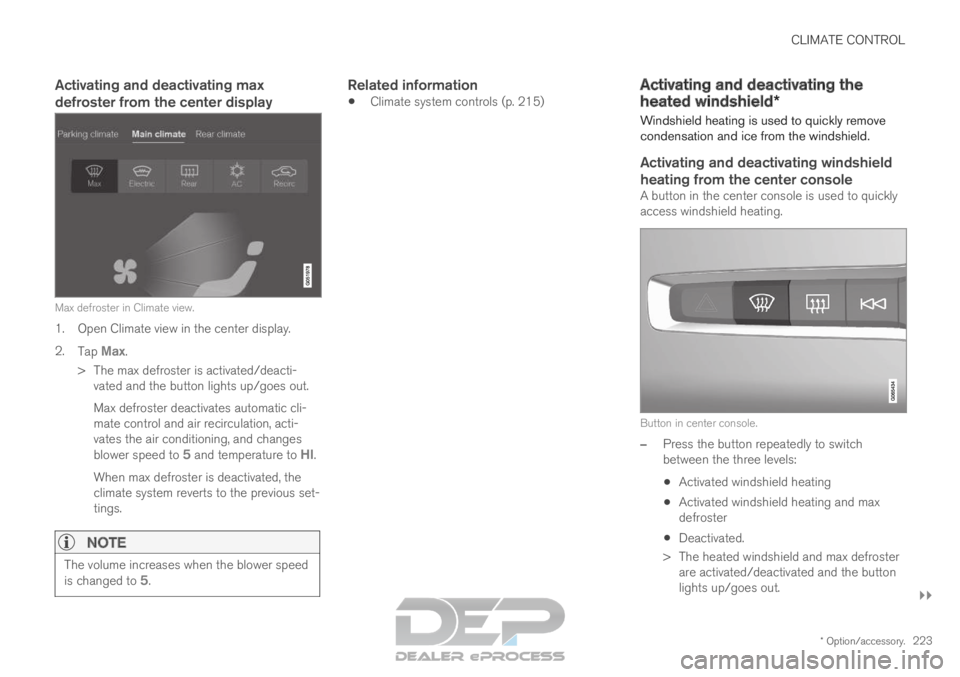
A button in the center console is used to quickly
access windshield heating. Button in center console.
–
Press the button repeatedly to switch
between the three levels:
Activated windshield heating
Activated windshield heating and max
defroster
Deactivated.
>
The heated windshield and max defroster
are activated/deactivated and the button
lights up/goes out.
Page 227 of 697

CLIMATE CONTROL
225
Activating and deactivating the
heated rear window and door
mirrors
The heated rear window and door mirrors are
used to quickly remove condensation and ice
from the glass.
Activating and deactivating the heated
rear window and door mirrors from the
center console
A button in the center console offers quick
access to the heated rear window and door mir-
rors functions.
Button in center console.
–
Tap the button.
>
Heated windows and door mirrors are
activated and the button lights up/goes
out.
Activating and deactivating the heated
rear window and door mirrors from the
center display Rear window/door mirror heating button in Climate view.
1. Open Climate view in the center display.
2.
Tap Rear.
>
Heated windows and door mirrors are
activated and the button lights up/goes
out.
Related information
Climate system controls (p. 215)
Automatically activating and deactivating the
heated rear window and door mirrors
(p. 225) Automatically activating and
deactivating the heated rear window
and door mirrors
The heated rear window and door mirrors are
used to quickly remove condensation and ice
from the glass.
It is possible to select whether rear window and
door mirror heating should be automatically acti-
vated or deactivated when the engine is started.
With automatic start activated, heating will be
activated when there is a risk of ice or condensa-
tion on the windows or mirrors. Heating is auto-
matically switched off when the window or door
mirror is sufficiently warm and the condensation
or ice is gone.
1. Tap Settings in the Top view in the center
display.
2. Tap Climate.
3. Select Auto Rear Defroster to activate/
deactivate automatic rear window and door
heating.Related information
Activating and deactivating the heated rear
window and door mirrors (p. 225)
Page 229 of 697

CLIMATE CONTROL
* Option/accessory.227
2.
Tap the desired blower speed, 1-5.
The blower speed for the second and third
rows of seats* can be switched off by tap-
ping 2nd row climate.
The blower speed for the third row of seats is
linked to the setting for the second row, but
can be switched off separately by pressing
3rd row climate.
>
The blower speed will be changed and the
buttons for the set speed will light up.
Setting blower speed for the rear seats
from the rear seats
1. Tap the unlock button on the tunnel con- sole's climate panel to access the controls. Blower controls on the rear climate panel of the tunnel
console.
2.
Tap the desired blower speed, 1-5.
>
The blower speed will be changed and the
buttons for the set speed will light up.
NOTE The blower speed for the rear seat cannot be
set if the blower speed for the front seat is
Off.
The rear seat blower speed can only be
turned off from the climate view in the center
display.
NOTE The climate system automatically adapts air-
flow as needed within the set blower speed,
which means that airflow speed may vary
slightly within the same blower speed.
Related information
Climate system controls (p. 215)
Page 231 of 697

CLIMATE CONTROL
}}
229 Temperature control.
3. Set the temperature by:
dragging the control to the desired tem-
perature
tapping
+− to raise/lower the tempera-
ture.
>
The temperature will be set and the but-
ton will display the new temperature.
Setting the temperature for the rear
seats from the rear seats
1. Tap the unlock button on the tunnel con- sole's climate panel to access the controls. Temperature controls on the rear climate panel of the
tunnel console.
2.
Tap the left or right side's <> buttons to
lower/raise the temperature.
>
The temperature will be changed and the
climate panel screen will show the new
temperature.
NOTE Heating/cooling cannot be accelerated by
choosing a higher/lower temperature than
the desired temperature.
Related information
Climate system controls (p. 215) Synchronize temperature
The temperature in the different climate zones of
the vehicle can be synchronized with the tem-
perature set for the driver's side. Synchronization button on the driver's side temperature
control.
1. Tap the driver's side temperature button in
the center display's climate bar to open the
control.
2. Tap Synchronize temperature .
>
The temperature for all of the vehicle's cli-
mate zones will be synchronized with the
one set for the driver's side and the syn-
chronization symbol will be displayed next
to the temperature button.
Synchronization is stopped with another press on Synchronize temperature or by changing the
temperature setting for a climate zone other than
the driver's.
Page 245 of 697
KEY, LOCKS AND ALARM
}}
* Option/accessory. 243
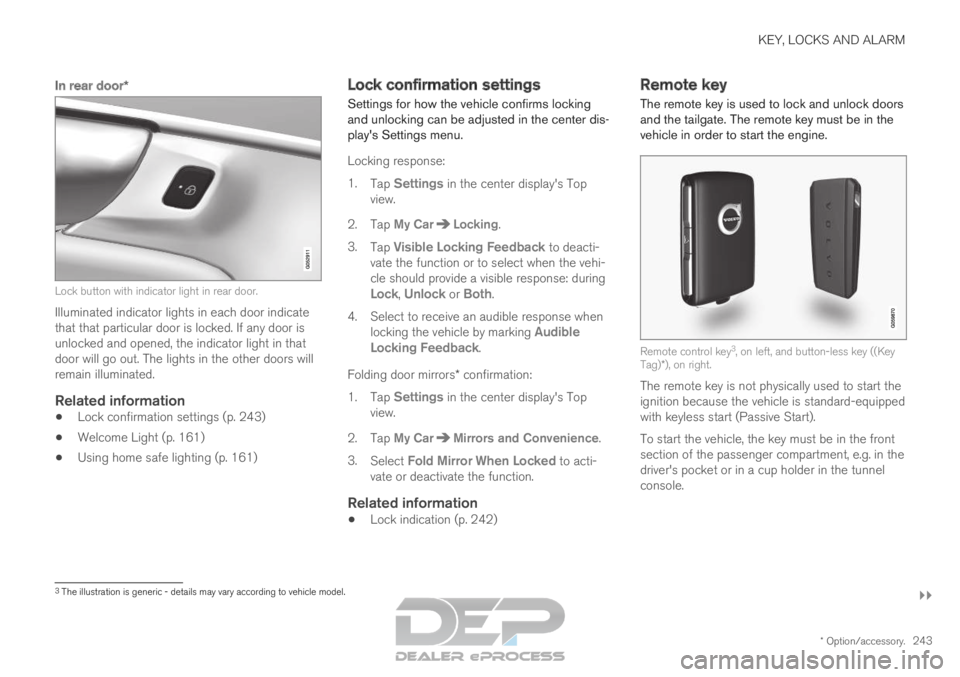
In rear door*Lock button with indicator light in rear door.
Illuminated indicator lights in each door indicate
that that particular door is locked. If any door is
unlocked and opened, the indicator light in that
door will go out. The lights in the other doors will
remain illuminated.
Related information
Lock confirmation settings (p. 243)
Welcome Light (p. 161)
Using home safe lighting (p. 161) Lock confirmation settings
Settings for how the vehicle confirms locking
and unlocking can be adjusted in the center dis-
play's Settings menu.
Locking response:
1.
Tap Settings in the center display's Top
view.
2.
Tap My Car Locking
.
3. Tap Visible Locking Feedback to deacti-
vate the function or to select when the vehi-
cle should provide a visible response: during
Lock, Unlock or Both.
4.
Select to receive an audible response when
locking the vehicle by marking Audible
Locking Feedback.
Folding door mirrors* confirmation:
1. Tap Settings in the center display's Top
view.
2.
Tap My Car Mirrors and Convenience
.
3. Select Fold Mirror When Locked to acti-
vate or deactivate the function.
Related information
Lock indication (p. 242) Remote key
The remote key is used to lock and unlock doors
and the tailgate. The remote key must be in the
vehicle in order to start the engine. Remote control key
3
, on left, and button-less key ((Key
Tag)*), on right.
The remote key is not physically used to start the
ignition because the vehicle is standard-equipped
with keyless start (Passive Start).
To start the vehicle, the key must be in the front
section of the passenger compartment, e.g. in the
driver's pocket or in a cup holder in the tunnel
console. 3
The illustration is generic - details may vary according to vehicle mode\
l.
Page 264 of 697
KEY, LOCKS AND ALARM
* Option/accessory.
262 Antenna locations for the start and
lock system
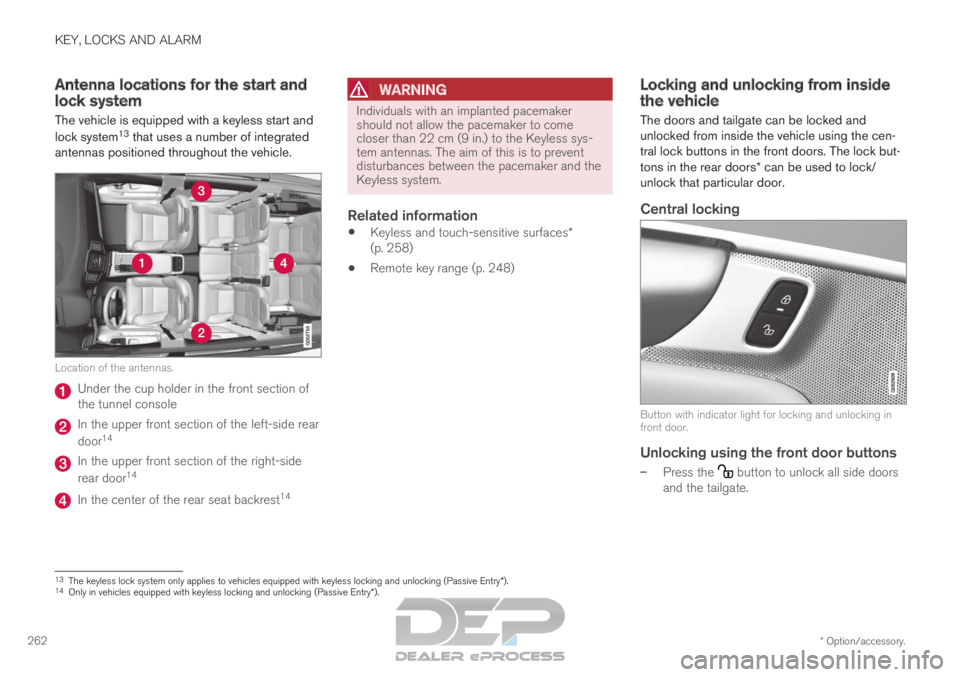
The vehicle is equipped with a keyless start and
lock system 13
that uses a number of integrated
antennas positioned throughout the vehicle. Location of the antennas.
Under the cup holder in the front section of
the tunnel console
In the upper front section of the left-side rear
door
14 In the upper front section of the right-side
rear door
14 In the center of the rear seat backrest
14
WARNING Individuals with an implanted pacemaker
should not allow the pacemaker to come
closer than 22 cm (9 in.) to the Keyless sys-
tem antennas. The aim of this is to prevent
disturbances between the pacemaker and the
Keyless system.
Related information
Keyless and touch-sensitive surfaces*
(p. 258)
Remote key range (p. 248) Locking and unlocking from inside
the vehicle
The doors and tailgate can be locked and
unlocked from inside the vehicle using the cen-
tral lock buttons in the front doors. The lock but-
tons in the rear doors* can be used to lock/
unlock that particular door.
Central locking Button with indicator light for locking and unlocking in
front door.
Unlocking using the front door buttons
–
Press the button to unlock all side doors
and the tailgate. 13
The keyless lock system only applies to vehicles equipped with keyless l\
ocking and unlocking (Passive Entry*).
14 Only in vehicles equipped with keyless locking and unlocking (Passive E\
ntry*).
Page 277 of 697
KEY, LOCKS AND ALARM
275
Disarming the alarm without a functioning
remote key
The vehicle can be unlocked and disarmed even
if the remote key is not functioning, e.g. if the
battery is discharged.
1. Open the driver's door using the detachablekey blade.
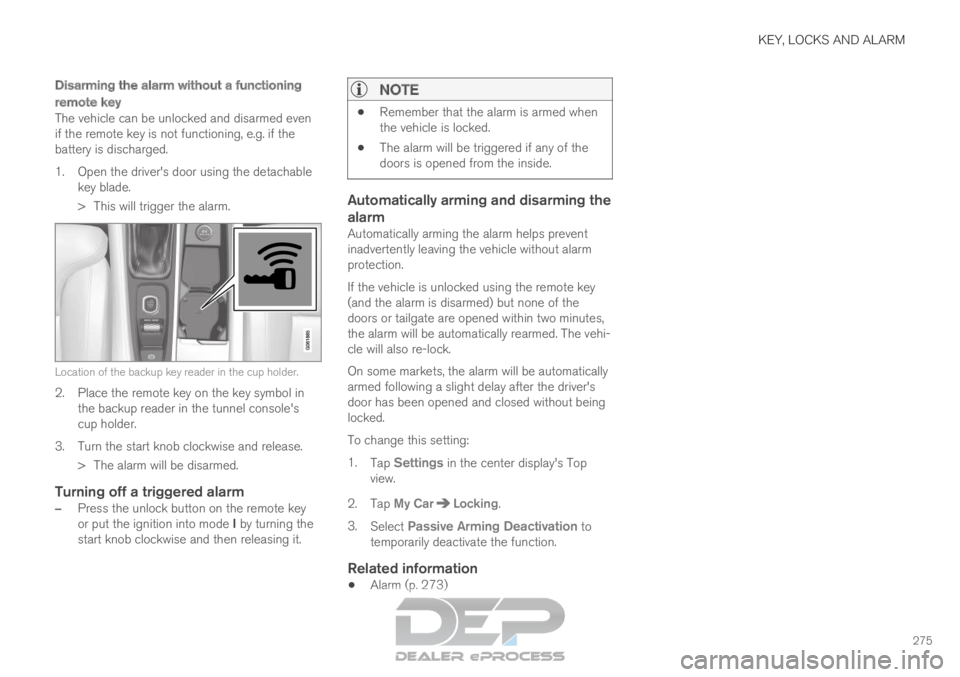
> This will trigger the alarm. Location of the backup key reader in the cup holder.
2. Place the remote key on the key symbol in
the backup reader in the tunnel console's
cup holder.
3.
Turn the start knob clockwise and release.
> The alarm will be disarmed.
Turning off a triggered alarm
– Press the unlock button on the remote key
or put the ignition into mode I by turning the
start knob clockwise and then releasing it.
NOTE
Remember that the alarm is armed when
the vehicle is locked.
The alarm will be triggered if any of the
doors is opened from the inside.
Automatically arming and disarming the
alarm
Automatically arming the alarm helps prevent
inadvertently leaving the vehicle without alarm
protection.
If the vehicle is unlocked using the remote key
(and the alarm is disarmed) but none of the
doors or tailgate are opened within two minutes,
the alarm will be automatically rearmed. The vehi-
cle will also re-lock.
On some markets, the alarm will be automatically
armed following a slight delay after the driver's
door has been opened and closed without being
locked.
To change this setting:
1.
Tap Settings in the center display's Top
view.
2.
Tap My Car Locking
.
3. Select Passive Arming Deactivation to
temporarily deactivate the function.
Related information
Alarm (p. 273)
Page 461 of 697
STARTING AND DRIVING
* Option/accessory.459
Related information
Changing drive mode (p. 459)
Economical driving (p. 467)
Energy distribution in hybrid mode using map
data* (p. 460)
Hybrid gauge (p. 87)
General information about Twin Engine
(p. 416) Changing drive mode
Select the drive mode that is best suited to the
current driving conditions.
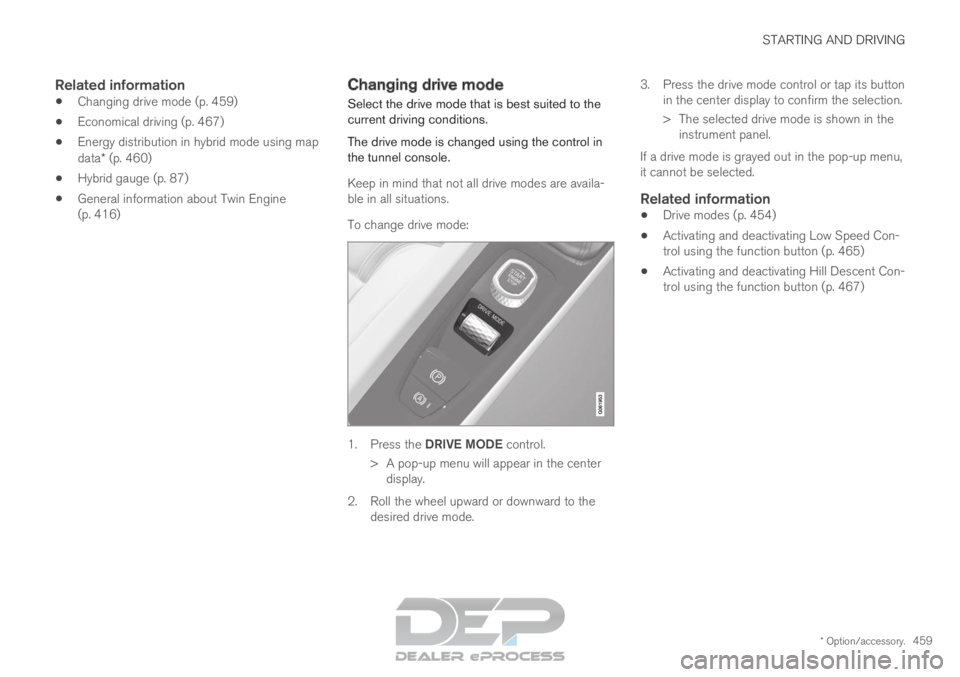
The drive mode is changed using the control in
the tunnel console.
Keep in mind that not all drive modes are availa-
ble in all situations.
To change drive mode: 1.
Press the DRIVE MODE control.
>
A pop-up menu will appear in the center
display.
2. Roll the wheel upward or downward to the desired drive mode. 3. Press the drive mode control or tap its button
in the center display to confirm the selection.
> The selected drive mode is shown in theinstrument panel.
If a drive mode is grayed out in the pop-up menu,
it cannot be selected.
Related information
Drive modes (p. 454)
Activating and deactivating Low Speed Con-
trol using the function button (p. 465)
Activating and deactivating Hill Descent Con-
trol using the function button (p. 467)
Page 467 of 697
STARTING AND DRIVING
465
NOTEWhen LSC with HDC is activated in the OFF
ROAD drive mode, the feel of the accelerator
pedal and engine response will change.
NOTE
This drive mode is not designed to be used
for normal street driving.
NOTE
The function is deactivated when driving at
high speeds and must be reactivated at lower
speeds if so desired.
Related information
Activating and deactivating Low Speed Con-
trol using the function button (p. 465)
Changing drive mode (p. 459)
Hill Descent Control (p. 466)
All Wheel Drive (AWD) (p. 452) Activating and deactivating Low
Speed Control using the function
button
There is a function button for driving at low
speeds with Hill Descent Control in the center
display's Function view if the vehicle is not
equipped with a drive mode control in the tunnel
console.
Selecting Low Speed Control in the
center display's Function view
– Tap the Hill Descent Control button to
activate or deactivate the function. > An indicator light in the button will illumi-
nate when the function is activated.
When the engine is switched off, the function will
be automatically deactivated.
NOTE The function is deactivated when driving at
high speeds and must be reactivated at lower
speeds if so desired.
Related information
Low Speed Control (p. 464)
Changing drive mode (p. 459)
Page 469 of 697

STARTING AND DRIVING
}}
467
Activating and deactivating Hill
Descent Control using the function
button
There is a function button for assistance on
steep gradients with Hill Descent Control in
the center display's Function view if the vehicle
is not equipped with a drive mode control in the
tunnel console.
Selecting Hill Descent Control in the
center display's Function view
HDC only works at low speeds.
– Tap the Hill Descent Control button to
activate or deactivate the function. > An indicator light in the button will illumi-
nate when the function is activated.
When the engine is switched off, the function will
be automatically deactivated.
NOTE The function is deactivated when driving at
high speeds and must be reactivated at lower
speeds if so desired.
Related information
Hill Descent Control (p. 466)
Changing drive mode (p. 459) Economical driving
Drive economically and more environmentally
conscious by thinking ahead, avoiding rapid
starts and stops and adapting driving style and
speed to the current traffic conditions.
To help achieve the greatest distance with the
lowest fuel consumption with Twin Engine,
observe the following:
Charge
Charge the vehicle regularly by plugging it
into an electrical outlet. Make it a habit to
always begin trips with the hybrid battery fully
charged.
Locate charging stations along your route.
If possible, choose parking spots with charg-
ing stations.
NOTE Charge the vehicle from the electricity grid as
often as possible!