audio VOLVO XC90 TWIN ENGINE 2019 Repair Manual
[x] Cancel search | Manufacturer: VOLVO, Model Year: 2019, Model line: XC90 TWIN ENGINE, Model: VOLVO XC90 TWIN ENGINE 2019Pages: 697, PDF Size: 10.33 MB
Page 539 of 697
AUDIO, MEDIA AND INTERNET
537
Handling phone calls
Handling phone calls in the vehicle for a
Bluetooth-connected cellular phone.
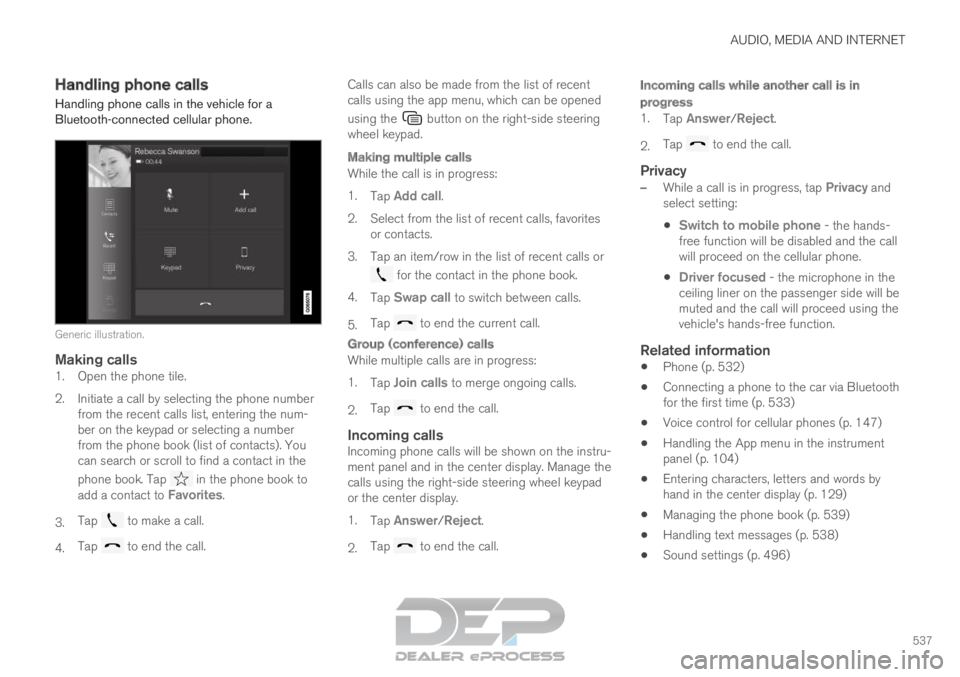
Generic illustration.
Making calls1. Open the phone tile.
2. Initiate a call by selecting the phone number
from the recent calls list, entering the num-
ber on the keypad or selecting a number
from the phone book (list of contacts). You
can search or scroll to find a contact in the
phone book. Tap in the phone book to
add a contact to Favorites.
3. Tap to make a call.
4. Tap to end the call. Calls can also be made from the list of recent
calls using the app menu, which can be opened
using the button on the right-side steering
wheel keypad.
Making multiple calls
While the call is in progress:
1. Tap Add call.
2.
Select from the list of recent calls, favorites
or contacts.
3. Tap an item/row in the list of recent calls or for the contact in the phone book.
4. Tap Swap call to switch between calls.
5. Tap to end the current call.
Group (conference) calls
While multiple calls are in progress:
1.
Tap Join calls to merge ongoing calls.
2. Tap to end the call.
Incoming callsIncoming phone calls will be shown on the instru-
ment panel and in the center display. Manage the
calls using the right-side steering wheel keypad
or the center display.
1.
Tap Answer/Reject.
2. Tap to end the call.
Incoming calls while another call is in
progress
1.
Tap Answer/Reject.
2. Tap to end the call.
Privacy
–
While a call is in progress, tap Privacy and
select setting:
Switch to mobile phone - the hands-
free function will be disabled and the call
will proceed on the cellular phone.
Driver focused - the microphone in the
ceiling liner on the passenger side will be
muted and the call will proceed using the
vehicle's hands-free function.
Related information
Phone (p. 532)
Connecting a phone to the car via Bluetooth
for the first time (p. 533)
Voice control for cellular phones (p. 147)
Handling the App menu in the instrument
panel (p. 104)
Entering characters, letters and words by
hand in the center display (p. 129)
Managing the phone book (p. 539)
Handling text messages (p. 538)
Sound settings (p. 496)
Page 540 of 697
AUDIO, MEDIA AND INTERNET
* Option/accessory.
538 Handling text messages
10
A Bluetooth-connected cellular phone's text
messages can be handled in the vehicle.
Text message functionality needs to be activated
in certain phones. Not all phones are fully com-
patible and therefore cannot display contacts and
messages in the vehicle. For additional informa-
tion on compatibility, see support.volvocars.com.
Handling text messages in the center
display
Text messages are only shown in the center dis-
play if the relevant setting is made.
Tap Messages in App view to
handle text messages in the
center display.
NOTE When the vehicle is moving:
Only one row of the message will be dis-
played. Tap Read out to have the entire
message read aloud.
The center display's keyboard cannot be
used.
Reading text messages in the center display
aloud
Tap the icon to have the message read
aloud.
Sending text messages in the center
display 11
1. It is possible to reply to text messages or
create a new message.
To reply to a text message - tap the name
of the contact who sent the message and
then tap
Answer.
To create a new message - tap
Create
new. Select a contact or enter a phone number.
2.
Write the message.
3. Tap Send.
Handling test messages in the
instrument panel
Text messages are only shown in the instrument
panel if the relevant setting is made.
Reading new text messages in the
instrument panel aloud
–To have the message read aloud, select
Read out using the steering wheel keypad.
Dictating replies in the instrument panel
After the test message has been read aloud, it is
possible to answer briefly with dictation if the
vehicle has an Internet connection.
– Tap
Answer using the steering wheel key-
pad. A dictation dialog will start.
Message alertAlerts can be activated and deactivated in the
text message settings.
Related information
Phone (p. 532)
Text message settings (p. 539)
Phone settings (p. 540)
Internet-connected vehicle* (p. 541)
Voice control for cellular phones (p. 147)
Entering characters, letters and words by
hand in the center display (p. 129) 10
Only applies to certain markets. Contact a Volvo retailer for more infor\
mation.
11Only certain phones can send messages via the vehicle. For additional in\
formation on compatibility, see support.volvocars.com.
Page 541 of 697
AUDIO, MEDIA AND INTERNET
}}
539
Connecting a phone to the car via Bluetooth
for the first time (p. 533)
Terms of use and data sharing (p. 548) Text message settings
Settings for handling text messages received
through a connected phone can be personal-
ized.
1. Tap Settings in the Top view.
2.
Tap Communication Text Messages
and select settings:
Notification in center display - display
text message notifications in the center
display's status bar.
Notification in driver display - displays
notifications in the driver's display and
incoming messages can be managed
using the steering wheel's right-hand key-
pad.
Text message tone - select tone for
incoming text messages.
Related information
Phone (p. 532)
Connecting a phone to the car via Bluetooth
for the first time (p. 533)
Handling text messages (p. 538)
Phone settings (p. 540) Managing the phone book
When a phone is connected with Bluetooth to
the vehicle, contacts can be managed directly in
the center display.
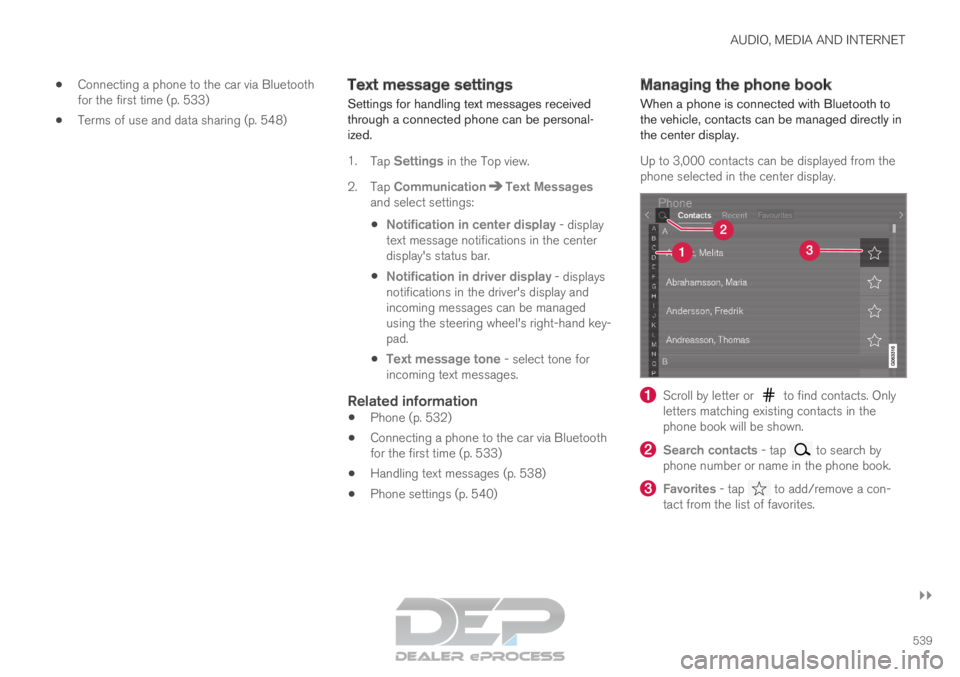
Up to 3,000 contacts can be displayed from the
phone selected in the center display. Scroll by letter or to find contacts. Only
letters matching existing contacts in the
phone book will be shown. Search contacts
- tap to search by
phone number or name in the phone book. Favorites
- tap to add/remove a con-
tact from the list of favorites.
Page 542 of 697
||AUDIO, MEDIA AND INTERNET
* Option/accessory.
540
Sorting
The phone book is sorted in alphabetical order
and special characters and numbers are sorted
under . The list can be sorted by either first
name or last name. This is adjusted in your cellu-
lar phone settings.
Related information
Phone (p. 532)
Phone settings (p. 540)
Voice control for cellular phones (p. 147)
Entering characters, letters and words by
hand in the center display (p. 129)
Connecting a phone to the car via Bluetooth
for the first time (p. 533) Phone settings
When the phone is connected to the car, the fol-
lowing settings can be made:
1. Tap Settings in the Top view.
2.
Tap Communication Phone
and select
settings:
Ringtones - select a ring tone. Ring
tones from the cellular phone or the vehi-
cle can be used. Some phones are not
fully compatible and it may not be possi-
ble to use the phone's ring tones in the
vehicle. For additional information on
compatibility, see support.volvocars.com.
Sort Order - select sort order in the con-
tact list.
Call notifications in head up display*1. Tap Settings in the center display's Top
view.
2.
Tap My Car Displays Head-Up
Display Options .
3. Select Show Phone.
Related information
Phone (p. 532)
Text message settings (p. 539)
Settings for Bluetooth devices (p. 541)
Connecting a phone to the car via Bluetooth
for the first time (p. 533)
Head-up display* (p. 142)
Sound settings (p. 496)
Page 543 of 697
AUDIO, MEDIA AND INTERNET
}}
* Option/accessory. 541
Settings for Bluetooth devices
Settings for Bluetooth-connected devices.
1. Tap Settings in the Top view.
2.
Tap Communication Bluetooth
Devices and select settings:
Add device - start the procedure for pairing
a new device.
Previously paired devices - lists regis-
tered/paired devices.
Remove device - remove a connected
device.
Allowed services for this device - select
what the device will be used for: making
calls, sending/receiving messages, stream-
ing media, Internet connection.
Internet connection connect the vehicle to
the Internet using the device's Bluetooth
connection.
Bluetooth ®
declaration of conformityUSA
FCC CAUTION
Changes or modifications not expressly approved
by the party responsible for compliance could
void the user's authority to operate the equip-
ment. This transmitter must not be co-located or
operated in conjunction with any other antenna
or transmitter. Canada
This device complies with Industry Canada
license-exempt RSS standard(s). Operation is
subject to the following two conditions:
(1) this device may not cause interference, and
(2) this device must accept any interference,
including interference that may cause undesired
operation of the device.
Related information
Phone (p. 532)
Phone settings (p. 540)
Internet-connected vehicle* (p. 541)
Connecting a phone to the car via Bluetooth
for the first time (p. 533) Internet-connected vehicle*
When the vehicle is connected to the Internet, it
is possible to use web radio and music services
via apps, download software and contact retail-
ers from the vehicle.
The vehicle can be connected to the Internet
using Bluetooth, Wi-Fi or the vehicle's integrated
modem (SIM card).
When the vehicle is connected to the Internet, it
is possible to share the vehicle's Internet connec-
Page 544 of 697
||AUDIO, MEDIA AND INTERNET
542
tion (Wi-Fi hotspot) so that other devices, e.g.
tablets, can access the Internet
12
.
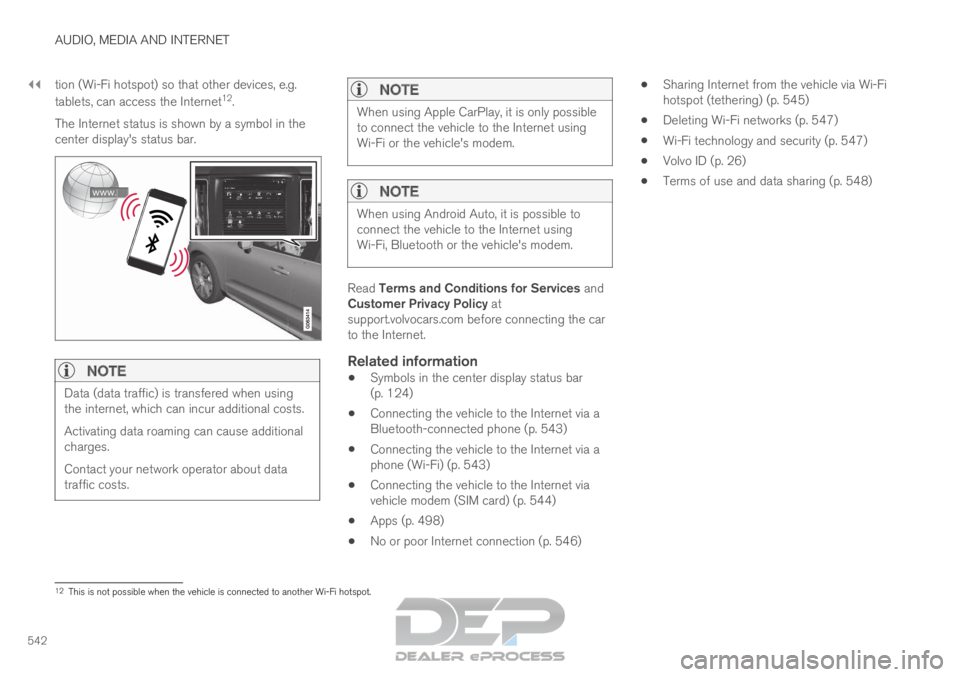
The Internet status is shown by a symbol in the
center display's status bar.
NOTE Data (data traffic) is transfered when using
the internet, which can incur additional costs.
Activating data roaming can cause additional
charges.
Contact your network operator about data
traffic costs.
NOTE When using Apple CarPlay, it is only possible
to connect the vehicle to the Internet using
Wi-Fi or the vehicle's modem.
NOTE
When using Android Auto, it is possible to
connect the vehicle to the Internet using
Wi-Fi, Bluetooth or the vehicle's modem.
Read Terms and Conditions for Services and
Customer Privacy Policy at
support.volvocars.com before connecting the car
to the Internet.
Related information
Symbols in the center display status bar
(p. 124)
Connecting the vehicle to the Internet via a
Bluetooth-connected phone (p. 543)
Connecting the vehicle to the Internet via a
phone (Wi-Fi) (p. 543)
Connecting the vehicle to the Internet via
vehicle modem (SIM card) (p. 544)
Apps (p. 498)
No or poor Internet connection (p. 546)
Sharing Internet from the vehicle via Wi-Fi
hotspot (tethering) (p. 545)
Deleting Wi-Fi networks (p. 547)
Wi-Fi technology and security (p. 547)
Volvo ID (p. 26)
Terms of use and data sharing (p. 548) 12
This is not possible when the vehicle is connected to another Wi-Fi hots\
pot.
Page 545 of 697
AUDIO, MEDIA AND INTERNET
}}
* Option/accessory. 543
Connecting the vehicle to the
Internet via a Bluetooth-connected
phone
Establish an Internet connection using Bluetooth
and tethering from a phone and get access to
multiple connected services in your vehicle.
1. To connect the vehicle to the Internet via a Bluetooth-connected phone, the phone must
first be paired with the vehicle via Bluetooth.
2.
Make sure that the phone supports Internet
sharing (tethering) and that the function is
activated. The function is called “personal
hotspot” on iPhones and “Wi-Fi hotspot“ on
Android phones. For iPhones, the “Personal
Hotspot” menu page must remain open until
the Internet connection is established.
3. If the phone has been connected via Blue- tooth previously, tap Settings in the center
display's Top view.
4.
Tap Communication Bluetooth
Devices .
5. Mark the window for Bluetooth Internet
connection under the heading Internet
connection.
6.
If a different connection is being used, con-
firm the connection change.
> Your vehicle is now connected to the Internet via your Bluetooth-connected
phone.
NOTE The cellular phone and network operator
must support tethering (sharing of Internet
connection) and the subscription must
include data traffic.
NOTE
When using Apple CarPlay, it is only possible
to connect the vehicle to the Internet using
Wi-Fi or the vehicle's modem.
Related information
Internet-connected vehicle* (p. 541)
Connecting the vehicle to the Internet via
vehicle modem (SIM card) (p. 544)
Connecting a phone to the car via Bluetooth
for the first time (p. 533)
Connecting the vehicle to the Internet via a
phone (Wi-Fi) (p. 543)
Apple ®
CarPlay ®
* (p. 527)
No or poor Internet connection (p. 546)
Settings for Bluetooth devices (p. 541) Connecting the vehicle to the
Internet via a phone (Wi-Fi)
Establish an Internet connection using Wi-Fi
through Internet sharing (tethering) from a phone
and get access to the connected services in
your vehicle.
1. Make sure that the phone supports Internet sharing (tethering) and that the function is
activated. The function is called “personal
hotspot” on iPhones and “Wi-Fi hotspot“ on
Android phones. For iPhones, the “Personal
Hotspot” menu page must remain open until
the Internet connection is established.
2. Tap Settings in the Top view.
3.
Proceed to Communication Wi-Fi
.
4. Activate/deactivate by tapping to check/ uncheck the Wi-Fi box.
5. If a different connection is being used, con- firm the connection change.
6. Tap the name of the network you would like to connect.
7. Enter the network password. > The vehicle will connect to the network.
Please note that certain cellular phones will disa-
ble Internet sharing (tethering) when the connec-
tion to the vehicle has been broken, e.g. when the
phone has been removed from the vehicle. The
phone's tethering function will then need to be
Page 546 of 697
||AUDIO, MEDIA AND INTERNET
* Option/accessory.
544 reactivated the next time the phone's hotspot is
used to connect to the Internet.
When a phone is connected to the vehicle, it will
be saved for future use. To display a list of saved
networks or to manually delete saved networks,
tap
Settings Communication Wi-Fi
Saved networks
.
NOTE
The cellular phone and network operator
must support tethering (sharing of Internet
connection) and the subscription must
include data traffic.
Technical and security requirements for Wi-Fi
connection are described in a separate section.
Related information
Internet-connected vehicle* (p. 541)
Deleting Wi-Fi networks (p. 547)
No or poor Internet connection (p. 546)
Wi-Fi technology and security (p. 547) Connecting the vehicle to the
Internet via vehicle modem (SIM
card)
For vehicles equipped with Volvo On Call, it is
possible to establish an Internet connection via
the vehicle modem and a personal SIM card (P-
SIM).
When the vehicle is connected using the inte-
grated modem, the Volvo On Call services will
use this connection.
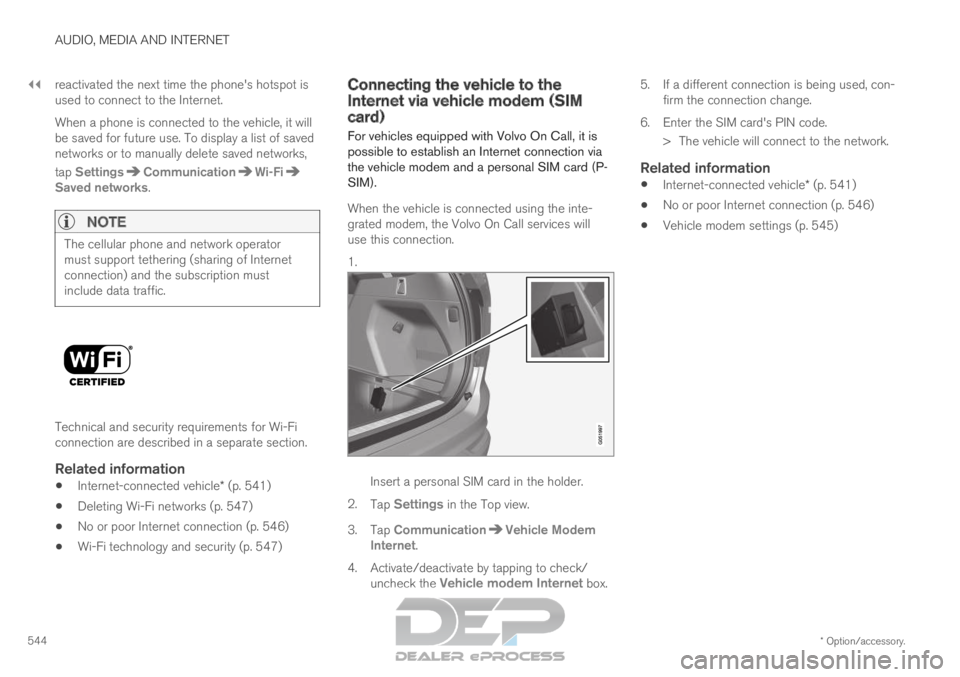
1. Insert a personal SIM card in the holder.
2. Tap Settings in the Top view.
3.
Tap Communication Vehicle Modem
Internet .
4.
Activate/deactivate by tapping to check/
uncheck the Vehicle modem Internet box. 5.
If a different connection is being used, con-
firm the connection change.
6. Enter the SIM card's PIN code. > The vehicle will connect to the network.
Related information
Internet-connected vehicle* (p. 541)
No or poor Internet connection (p. 546)
Vehicle modem settings (p. 545)
Page 547 of 697
AUDIO, MEDIA AND INTERNET
}}
545
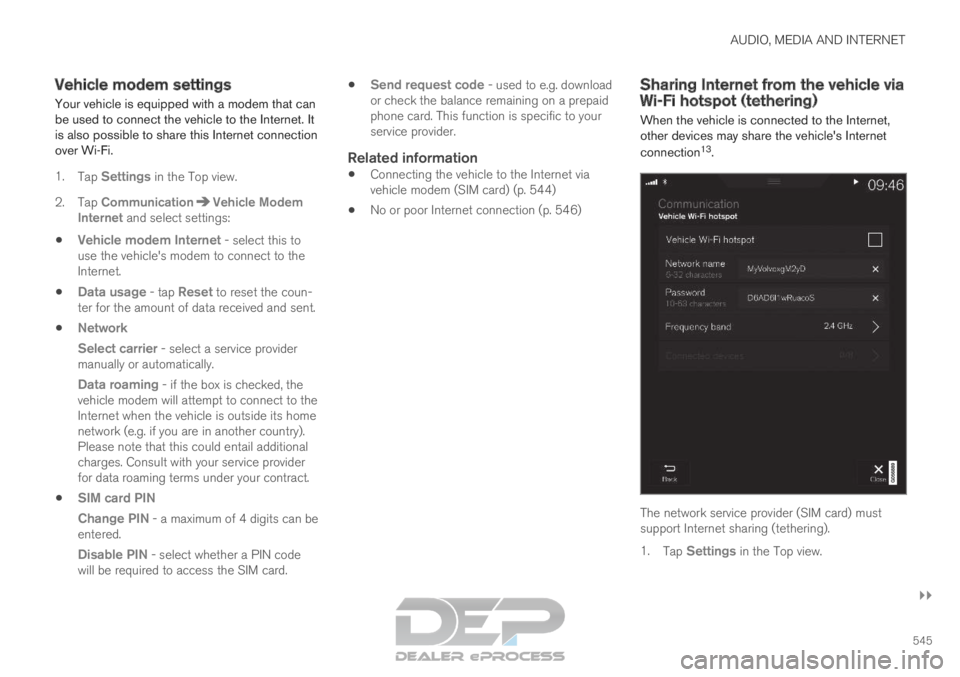
Vehicle modem settings
Your vehicle is equipped with a modem that can
be used to connect the vehicle to the Internet. It
is also possible to share this Internet connection
over Wi-Fi.
1. Tap Settings in the Top view.
2.
Tap Communication Vehicle Modem
Internet and select settings:
Vehicle modem Internet
- select this to
use the vehicle's modem to connect to the
Internet.
Data usage - tap Reset to reset the coun-
ter for the amount of data received and sent.
Network
Select carrier - select a service provider
manually or automatically.
Data roaming - if the box is checked, the vehicle modem will attempt to connect to the
Internet when the vehicle is outside its home
network (e.g. if you are in another country).
Please note that this could entail additional
charges. Consult with your service provider
for data roaming terms under your contract.
SIM card PIN
Change PIN - a maximum of 4 digits can be
entered.
Disable PIN - select whether a PIN code will be required to access the SIM card.
Send request code - used to e.g. download
or check the balance remaining on a prepaid
phone card. This function is specific to your
service provider.
Related information
Connecting the vehicle to the Internet via
vehicle modem (SIM card) (p. 544)
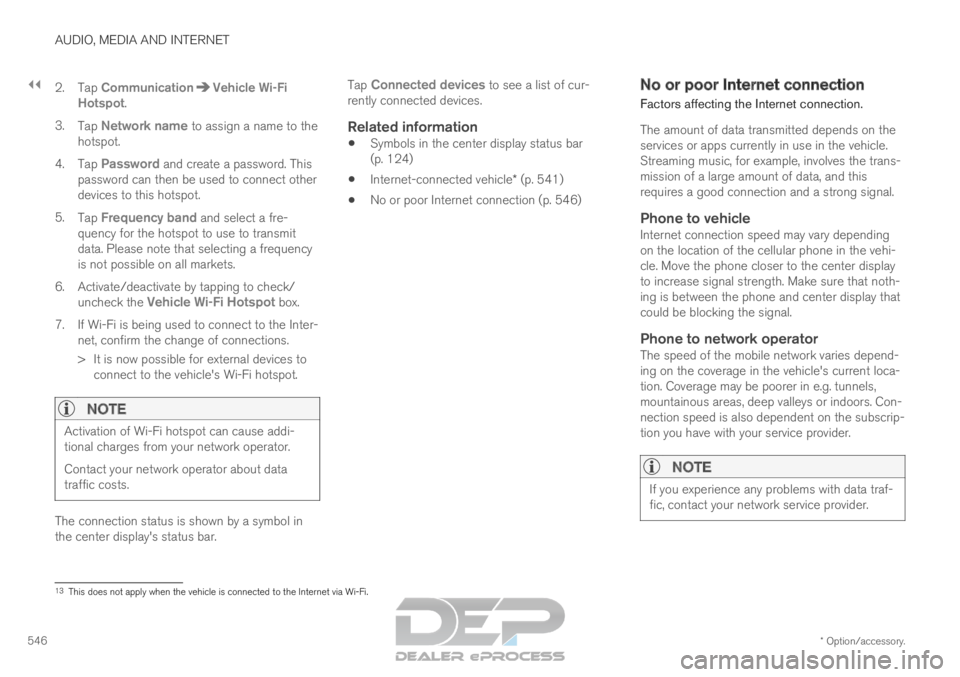
No or poor Internet connection (p. 546) Sharing Internet from the vehicle via
Wi-Fi hotspot (tethering)
When the vehicle is connected to the Internet,
other devices may share the vehicle's Internet
connection 13
. The network service provider (SIM card) must
support Internet sharing (tethering).
1.
Tap Settings in the Top view.
Page 548 of 697
||AUDIO, MEDIA AND INTERNET
* Option/accessory.
546 2. Tap
Communication Vehicle Wi-Fi
Hotspot .
3. Tap Network name to assign a name to the
hotspot.
4. Tap Password and create a password. This
password can then be used to connect other
devices to this hotspot.
5. Tap Frequency band and select a fre-
quency for the hotspot to use to transmit
data. Please note that selecting a frequency
is not possible on all markets.
6.
Activate/deactivate by tapping to check/
uncheck the Vehicle Wi-Fi Hotspot box.
7.
If Wi-Fi is being used to connect to the Inter-
net, confirm the change of connections.
> It is now possible for external devices to connect to the vehicle's Wi-Fi hotspot.
NOTE Activation of Wi-Fi hotspot can cause addi-
tional charges from your network operator.
Contact your network operator about data
traffic costs.
The connection status is shown by a symbol in
the center display's status bar. Tap
Connected devices to see a list of cur-
rently connected devices.
Related information
Symbols in the center display status bar
(p. 124)
Internet-connected vehicle* (p. 541)
No or poor Internet connection (p. 546) No or poor Internet connection
Factors affecting the Internet connection.
The amount of data transmitted depends on the
services or apps currently in use in the vehicle.
Streaming music, for example, involves the trans-
mission of a large amount of data, and this
requires a good connection and a strong signal.
Phone to vehicleInternet connection speed may vary depending
on the location of the cellular phone in the vehi-
cle. Move the phone closer to the center display
to increase signal strength. Make sure that noth-
ing is between the phone and center display that
could be blocking the signal.
Phone to network operatorThe speed of the mobile network varies depend-
ing on the coverage in the vehicle's current loca-
tion. Coverage may be poorer in e.g. tunnels,
mountainous areas, deep valleys or indoors. Con-
nection speed is also dependent on the subscrip-
tion you have with your service provider.
NOTE If you experience any problems with data traf-
fic, contact your network service provider.
13
This does not apply when the vehicle is connected to the Internet via Wi\
-Fi.