lock VOLVO XC90 TWIN ENGINE 2020 Owners Manual
[x] Cancel search | Manufacturer: VOLVO, Model Year: 2020, Model line: XC90 TWIN ENGINE, Model: VOLVO XC90 TWIN ENGINE 2020Pages: 693, PDF Size: 13.34 MB
Page 392 of 693
||
DRIVER SUPPORT
390
The parking sequence is cancelledA parking sequence will be cancelled if: the driver moves the steering wheel
the vehicle's speed exceeds 7 km/h (4 mph)
the driver taps
Cancel in the center dis-
play
when the anti-lock brakes or the Elec- tronic stability control are engaged - e.g.when a wheel loses grip on a slippery road
when speed-dependent power steeringwheel resistance is working at reducedpower – e.g. during cooling due to over-heating.
when, while parking, the parking sensorsdetect a vehicle or pedestrian in the vehi-cle's intended direction of travel behind orin front of the vehicle, the auto-brake func-tion will bring the vehicle to a standstill.
A message in the center display will explainwhy the parking sequence was cancelled.
CAUTION
Under certain circumstances, the function may not be able to find parking spaces –one reason may be that the sensors aredisrupted by external sound sources thatemit the same ultrasonic frequencies thatthe system works with. Examples of such sources include horns, wet tires on asphalt, pneumatic brakes,exhaust noise from motorcycles, etc.
NOTE
Dirt, ice and snow covering the sensors reduce their function and can make meas-urement impossible.
Driver responsibilityThe driver should keep in mind that the func- tion is a parking aid ‒
not an infallible fully
automatic system. The driver must always beprepared to take control and cancel a parkingsequence if necessary. There are a number of things to keep in mindwhen parking, including:
The driver is always responsible for deter-mining if the space suggested by the func-tion is suitable for parking.
Do not use the function when using snowchains or a temporary spare tire.
Do not use the function if there are anyobjects protruding from the vehicle.
Heavy rain or snowfall may inhibit PAP'sability to accurately measure a parkingspace.
While searching and measuring the park-ing space, the function may be unable todetect objects located far into the space.
PAP may not suggest parking spaces onnarrow streets if it does not detect suffi-cient space for maneuvering the vehicle.
Use approved tires 105
inflated to the cor-
rect tire pressure because this affects thefunction's ability to provide parking assis-tance.
The function is based on the way the vehi-cles are parked behind and in front of yourparking space. If they are, for example,parked too close to the curb, there is a riskthat your vehicle's tires or wheel rims
105
"Approved tires" refers to tires of the same type and make as the vehicle's original, factory-installed tires.
Page 394 of 693

DRIVER SUPPORT
* Option/accessory.
392
Park Assist Pilot * messages
Messages for Park Assist Pilot (PAP 106
) may
be displayed in the instrument panel and/or the center display. Several examples are pro- vided below.
Message Meaning
Park Assist System Sensors blocked, cleaning neededOne or more of the sensors are blocked. Check and clean/remove the obstacle as soon as possible.
Park Assist System Unavailable Service requiredThe system is not functioning as intended. Contact a workshop
A
.
A An authorized Volvo workshop is recommended.
A text message can be erased by briefly press- ing the
button in the center of the right-
side steering wheel keypad. If a message cannot be erased, contact a workshop A
.
Related information
Park Assist Pilot
* (p. 384)
Park Assist Pilot
* limitations (p. 389)
106
Park Assist Pilot
Page 404 of 693

||
HYBRID INFORMATION
402
Open the charger door and remove the charging socket's protective cover. Pushthe charging handle all the way into thevehicle's socket.2. The charging cable handle will lock into
place and charging will begin within5 seconds. When charging starts, thegreen LED light in the charging socket willbegin to flash. The approximate remainingcharging time or the charging status willbe displayed in the instrument panel. Charging may be temporarily interrupted if the vehicle is unlocked:
and a door is open
‒ charging will
restart within a few minutes.
if no door is opened
‒ the vehicle will
automatically relock. Charging willresume after 1 minute.
CAUTION
Never detach the charging cable from the 120/240 V outlet (AC, alternating current)while charging is in progress – the120/240 V outlet could be damaged insuch circumstances. Always interruptcharging first and then disconnect thecharging cable – first from the vehicle'scharging socket and then from the120/240 V outlet.
During charging, condensation from the air conditioning may form under the vehicle. Thisis normal and is caused by the hybrid batterycooling.
Related information
Charging the hybrid battery (p. 395)
Opening and closing the charging socketcover (p. 400)
Charging status in the vehicle's chargingsocket (p. 403)
Charging status in the instrument panel(p. 405)
Charging status in the charging cable's charging module (p. 403)
Stopping hybrid battery charging (p. 407)
Page 405 of 693
HYBRID INFORMATION
}}
403
Charging status in the vehicle's charging socket
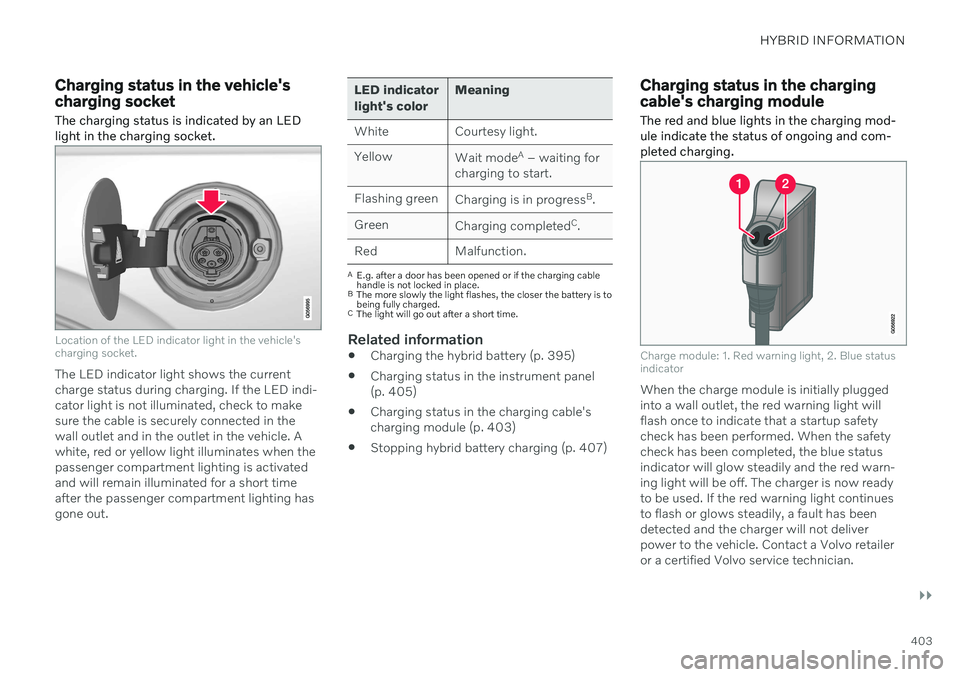
The charging status is indicated by an LED light in the charging socket.
Location of the LED indicator light in the vehicle's charging socket.
The LED indicator light shows the current charge status during charging. If the LED indi-cator light is not illuminated, check to makesure the cable is securely connected in thewall outlet and in the outlet in the vehicle. Awhite, red or yellow light illuminates when thepassenger compartment lighting is activatedand will remain illuminated for a short timeafter the passenger compartment lighting hasgone out.
LED indicator light's color Meaning
White Courtesy light. Yellow Wait modeA
– waiting for
charging to start.
Flashing green Charging is in progress B
.
Green Charging completed C
.
Red Malfunction.
A E.g. after a door has been opened or if the charging cable handle is not locked in place.
B The more slowly the light flashes, the closer the battery is tobeing fully charged.
C The light will go out after a short time.
Related information
Charging the hybrid battery (p. 395)
Charging status in the instrument panel (p. 405)
Charging status in the charging cable'scharging module (p. 403)
Stopping hybrid battery charging (p. 407)
Charging status in the charging cable's charging module
The red and blue lights in the charging mod- ule indicate the status of ongoing and com-pleted charging.
Charge module: 1. Red warning light, 2. Blue status indicator
When the charge module is initially plugged into a wall outlet, the red warning light willflash once to indicate that a startup safetycheck has been performed. When the safetycheck has been completed, the blue statusindicator will glow steadily and the red warn-ing light will be off. The charger is now readyto be used. If the red warning light continuesto flash or glows steadily, a fault has beendetected and the charger will not deliverpower to the vehicle. Contact a Volvo retaileror a certified Volvo service technician.
Page 408 of 693

||
HYBRID INFORMATION
406
NOTE
If the instrument panel is not used, it will go dark after a period of time. To reactivatethe display: depress the brake pedal,
open one of the doors, or
put the ignition in mode
I by turning
the START knob clockwise and then
releasing.
Related information
Charging the hybrid battery (p. 395)
Twin Engine symbols and messages in the instrument panel (p. 408)
Charging status in the vehicle's chargingsocket (p. 403)
Charging status in the charging cable'scharging module (p. 403)
Stopping hybrid battery charging (p. 407)
Page 409 of 693

HYBRID INFORMATION
* Option/accessory.407
Stopping hybrid battery charging To stop charging of the hybrid battery, unlock the vehicle, unplug the charging cable fromthe vehicle's charging socket and thenunplug the cable from the 120/240 V outlet(alternating current).
CAUTION
Before the charging cable is removed from the vehicle's charging socket, the vehiclemust be unlocked using the unlock buttonon the remote key. This must be done evenif the vehicle's doors are already unlocked.If the vehicle is not unlocked using theunlock button, the charging cable or sys-tem may be damaged.
NOTE
Always unlock the vehicle so that charging is cut off before the connection to the120/240 V outlet (AC, alternating current)is disconnected. Note that the chargingcable must be disconnected from the vehi-cle's charging socket before it is discon-nected from the 120/240 V outlet, partlyto prevent damage to the system and partyto prevent unintentional interruption ofcharging.
Unlock the vehicle with the remote key. Charging will stop.
Press the lock button on the charging cable's handle. The handle will bereleased/unlocked. Remove the cablefrom the vehicle's charging socket, put thesocket's cover back in place and close thecharger door.
Unplug the cable from the 120/240 V out- let. Stow the charging cable in the storage compartment under the cargo area floor.
Charging cable automatically locksIf the charging cable cannot be removed fromthe charging socket, it will automatically lockinto place again after unlocking to maximizecharging and range and to enable precondi-tioning before driving. The charging cable canbe removed again if the vehicle is unlockedusing the remote key. For vehicles with Passive Entry*, the handle can be used to lock
and unlock.
Related information
Opening and closing the charging socket cover (p. 400)
Charge cable (p. 397)
Charging the hybrid battery (p. 395)
Initiating hybrid battery charging (p. 401)
Page 414 of 693
STARTING AND DRIVING
* Option/accessory.
412
Starting the vehicle
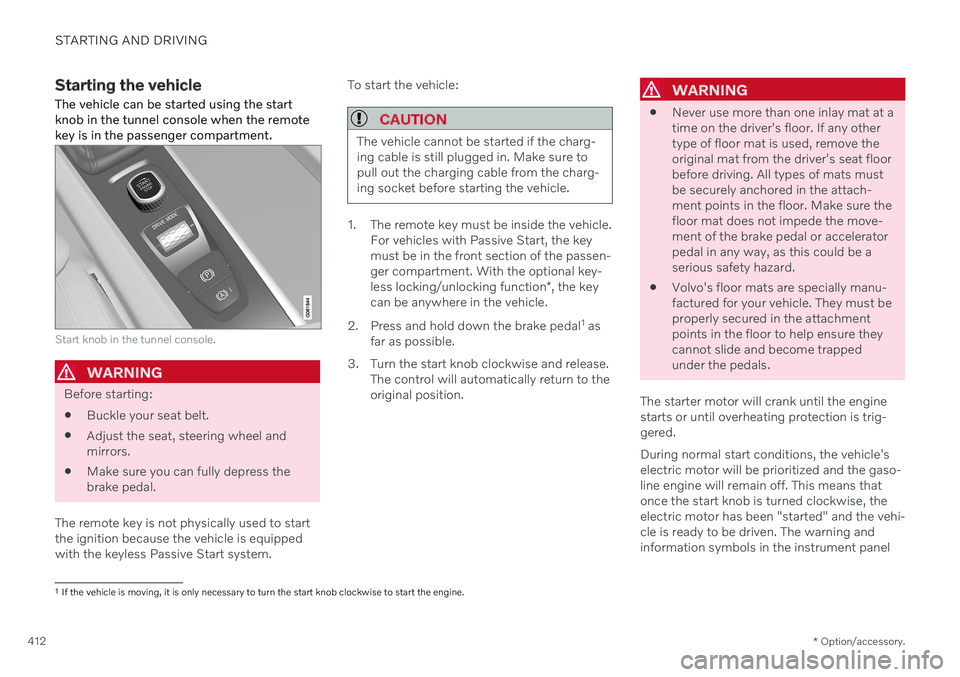
The vehicle can be started using the start knob in the tunnel console when the remotekey is in the passenger compartment.
Start knob in the tunnel console.
WARNING
Before starting:
Buckle your seat belt.
Adjust the seat, steering wheel and mirrors.
Make sure you can fully depress thebrake pedal.
The remote key is not physically used to startthe ignition because the vehicle is equippedwith the keyless Passive Start system. To start the vehicle:
CAUTION
The vehicle cannot be started if the charg- ing cable is still plugged in. Make sure topull out the charging cable from the charg-ing socket before starting the vehicle.
1. The remote key must be inside the vehicle.
For vehicles with Passive Start, the key must be in the front section of the passen-ger compartment. With the optional key- less locking/unlocking function *, the key
can be anywhere in the vehicle.
2. Press and hold down the brake pedal 1
as
far as possible.
3. Turn the start knob clockwise and release. The control will automatically return to the original position.
WARNING
Never use more than one inlay mat at a time on the driver's floor. If any othertype of floor mat is used, remove theoriginal mat from the driver's seat floorbefore driving. All types of mats mustbe securely anchored in the attach-ment points in the floor. Make sure thefloor mat does not impede the move-ment of the brake pedal or acceleratorpedal in any way, as this could be aserious safety hazard.
Volvo's floor mats are specially manu-factured for your vehicle. They must beproperly secured in the attachmentpoints in the floor to help ensure theycannot slide and become trappedunder the pedals.
The starter motor will crank until the enginestarts or until overheating protection is trig-gered. During normal start conditions, the vehicle's electric motor will be prioritized and the gaso-line engine will remain off. This means thatonce the start knob is turned clockwise, theelectric motor has been "started" and the vehi-cle is ready to be driven. The warning andinformation symbols in the instrument panel
1 If the vehicle is moving, it is only necessary to turn the start knob clockwise to start the engine.
Page 416 of 693
||
STARTING AND DRIVING
414
CAUTION
When starting in cold weather, the automatic transmission may shift up atslightly higher engine speeds than nor-mal until the automatic transmissionfluid reaches normal operating tem-perature.
Do not race a cold engine immediatelyafter starting. This could prevent fluidsfrom properly lubricating vital compo-nents in the engine before it hasreached the proper operating tempera-ture.
The engine should be idling when thegear selector is moved. Never acceler-ate until the gear is fully engaged.Accelerating rapidly before a gear isproperly engaged could lead to harderwear of components.
To help prevent the transmission oilfrom overheating, select
P or N when
idling at a standstill for prolonged peri-ods of time.
NOTE
With a cold start, idling speed may be con- siderably higher than normal for certainengine types. This is done to get the emis-sions system up to normal operating tem-perature as quickly as possible, which min-imizes exhaust emissions and protects theenvironment.
Related information
Switching off the vehicle (p. 414)
Ignition modes (p. 415)
Adjusting the steering wheel (p. 206)
Jump starting using another battery (p. 459)
Selecting ignition mode (p. 416)
Switching off the vehicle
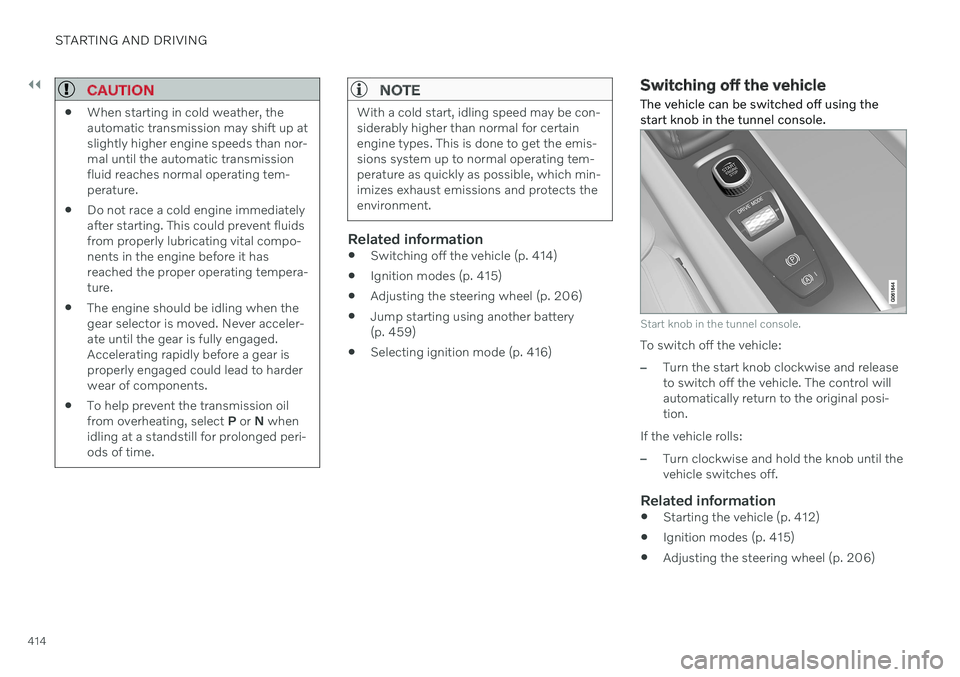
The vehicle can be switched off using the start knob in the tunnel console.
Start knob in the tunnel console.
To switch off the vehicle:
–Turn the start knob clockwise and release to switch off the vehicle. The control willautomatically return to the original posi-tion.
If the vehicle rolls:
–Turn clockwise and hold the knob until the vehicle switches off.
Related information
Starting the vehicle (p. 412)
Ignition modes (p. 415)
Adjusting the steering wheel (p. 206)
Page 417 of 693

STARTING AND DRIVING
}}
* Option/accessory.415
Jump starting using another battery (p. 459)
Selecting ignition mode (p. 416)
Ignition modes The vehicle's ignition can be put in various modes (levels) to make different functionsavailable.
To enable the use of a limited number of func- tions when the engine is not running, the igni-tion can be put in one of three different levels:0
, I and II. These levels are referred to as "igni-
tion modes" in the Owner's Manual. The following table shows which functions are available in each ignition mode:
Mode Functions
0 The odometer, clock and tem- perature gauge are illumi- nated A
.
The power
* seats can be
adjusted.
The power windows can be used.
The center display is activated and can be used A
.
The infotainment system canbe used A
.
In this mode, the functions are available for a limited time andthen switch off automatically.
Page 418 of 693
||
STARTING AND DRIVING
* Option/accessory.
416
Mode Functions
I The panoramic roof, power windows, 12-volt electricalsocket in the passenger com-partment, Bluetooth, naviga-tion, phone, blower and wind-shield wipers can be used.
The power seats can beadjusted.
The 12-volt electrical socket
* in
the cargo compartment can beused.
Electrical current will be taken
from the battery in this ignitionmode.
II The headlights illuminate.
Warning/indicator lights illumi-nate for 5 seconds.
A number of other systems areactivated. However, seat andrear window heating can onlybe activated when the engineis running.
This ignition mode uses a lot of
current from the battery andshould be avoided wheneverpossible!
A Also activated when the door is opened.
Related information
Starting the vehicle (p. 412)
Adjusting the steering wheel (p. 206)
Jump starting using another battery (p. 459)
Selecting ignition mode (p. 416)
Selecting ignition mode
The vehicle's ignition can be put in various modes (levels) to make different functionsavailable.
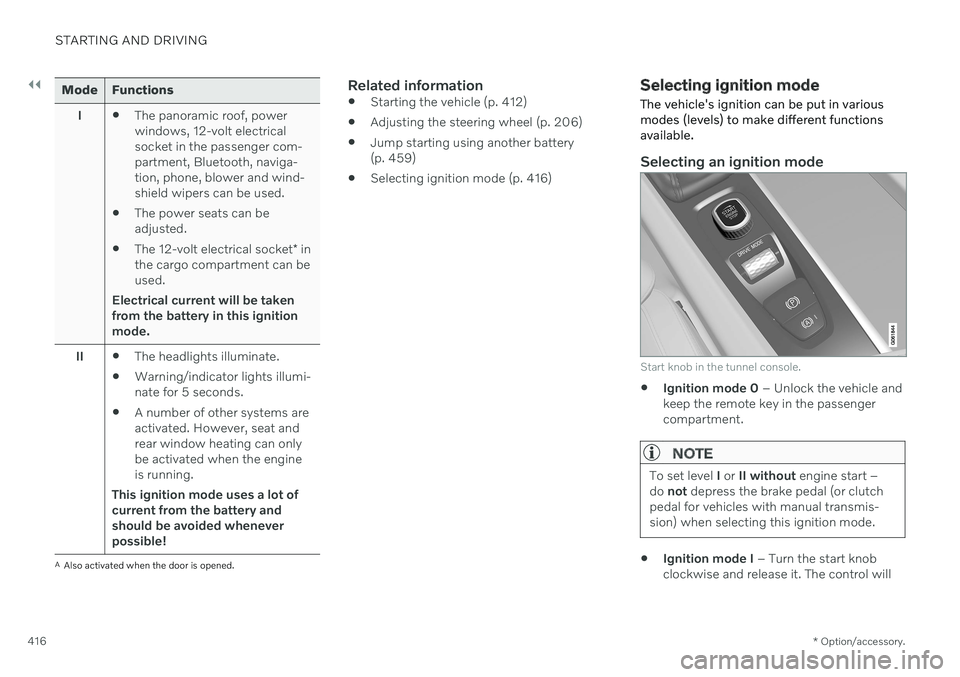
Selecting an ignition mode
Start knob in the tunnel console.
Ignition mode 0
– Unlock the vehicle and
keep the remote key in the passenger compartment.
NOTE
To set level I or II without engine start –
do not depress the brake pedal (or clutch
pedal for vehicles with manual transmis- sion) when selecting this ignition mode.
Ignition mode I
– Turn the start knob
clockwise and release it. The control will