seats VOLVO XC90 TWIN ENGINE 2020 Repair Manual
[x] Cancel search | Manufacturer: VOLVO, Model Year: 2020, Model line: XC90 TWIN ENGINE, Model: VOLVO XC90 TWIN ENGINE 2020Pages: 693, PDF Size: 13.34 MB
Page 230 of 693
||
CLIMATE CONTROL
* Option/accessory.
228
CAUTION
The air conditioning will not engage if the blower is turned off completely, which maycause fogging on the inside of the win-dows.
NOTE
The climate system automatically adapts airflow as needed within the set blowerspeed, which means that airflow speedmay vary slightly within the same blowerspeed.
Related information
Climate system controls (p. 219)
Setting the blower speed for the rear seats
The blower can be set to several different automatically controlled speeds for the rearseat.
Setting blower speed for the rear seats from the front seats
1. Tap the symbol in the center of the climate bar to open Climate view in the center dis- play.
2. Select the
Rear climate tab.
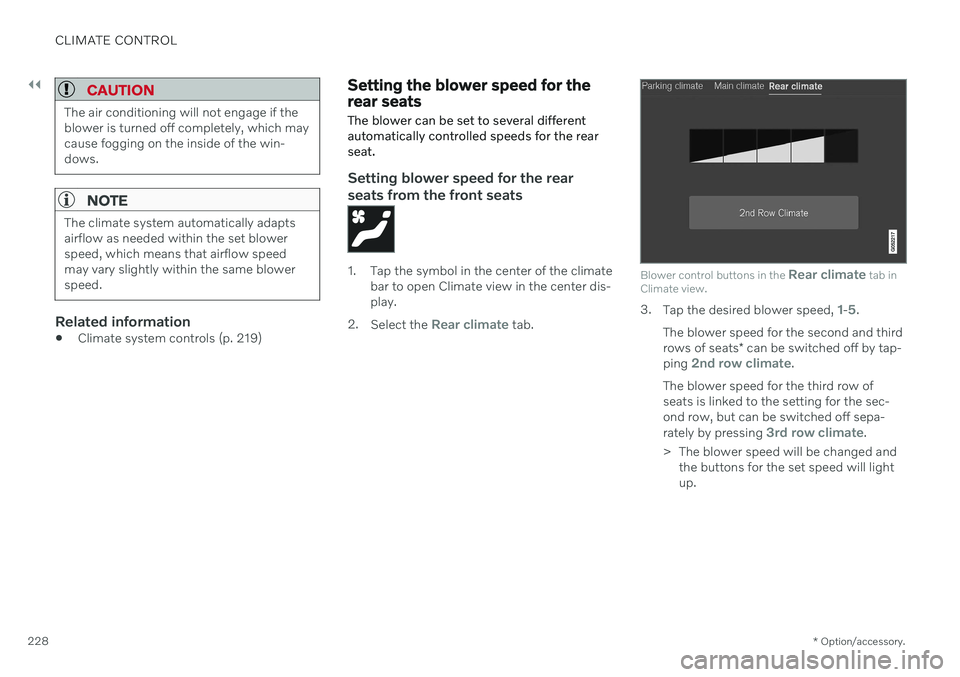
Blower control buttons in the Rear climate tab in
Climate view.
3. Tap the desired blower speed, 1-5.
The blower speed for the second and third rows of seats * can be switched off by tap-
ping
2nd row climate.
The blower speed for the third row of seats is linked to the setting for the sec-ond row, but can be switched off sepa- rately by pressing
3rd row climate.
> The blower speed will be changed and the buttons for the set speed will light up.
Page 231 of 693
CLIMATE CONTROL
}}
229
Setting blower speed for the rear seats from the rear seats
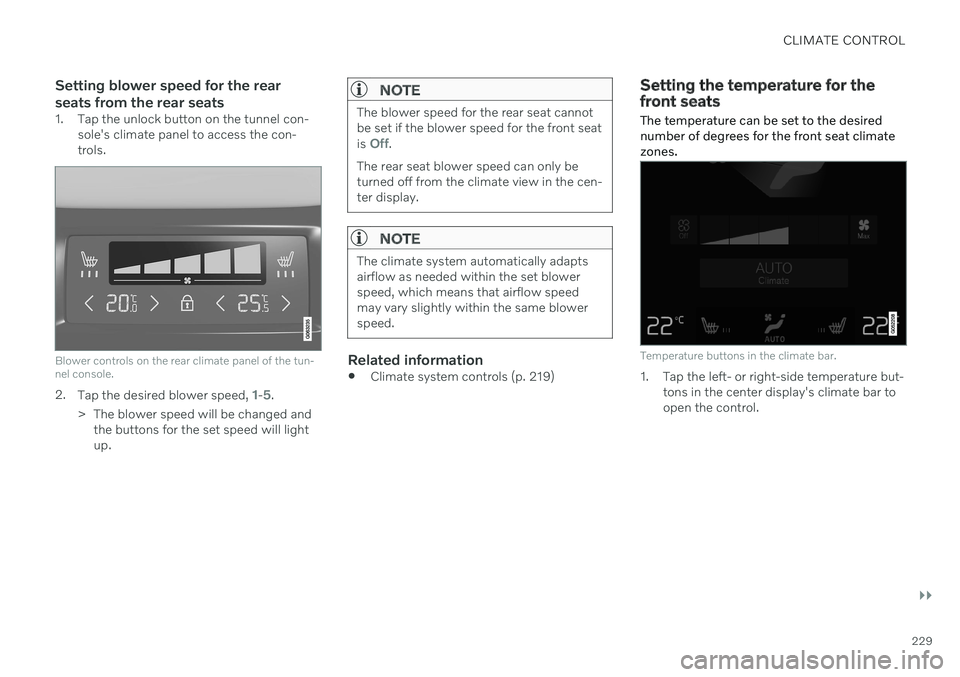
1. Tap the unlock button on the tunnel con-sole's climate panel to access the con- trols.
Blower controls on the rear climate panel of the tun- nel console.
2.Tap the desired blower speed, 1-5.
> The blower speed will be changed and the buttons for the set speed will light up.
NOTE
The blower speed for the rear seat cannot be set if the blower speed for the front seat is
Off.
The rear seat blower speed can only be turned off from the climate view in the cen-ter display.
NOTE
The climate system automatically adapts airflow as needed within the set blowerspeed, which means that airflow speedmay vary slightly within the same blowerspeed.
Related information
Climate system controls (p. 219)
Setting the temperature for the front seats The temperature can be set to the desired number of degrees for the front seat climatezones.
Temperature buttons in the climate bar.
1. Tap the left- or right-side temperature but-
tons in the center display's climate bar to open the control.
Page 232 of 693

||
CLIMATE CONTROL
230
Temperature control.
2. Set the temperature by doing one of thefollowing:
dragging the control to the desired temperature, or
tapping
+
− to raise/lower the tempera-
ture.
> The temperature will be set and the button will display the new tempera- ture.
NOTE
Heating/cooling cannot be accelerated by choosing a higher/lower temperature thanthe desired temperature.
Related information
Climate system controls (p. 219)
Setting the temperature for the rear seats
The temperature can be set to the desired number of degrees for the rear seat climatezones.
Setting the temperature for the rear seats from the front seats
1. Tap the symbol in the center of the climate bar to open Climate view in the center dis- play.
2. Select the
Rear climate tab.
Temperature buttons in the Rear climate tab in
Climate view.
3. Tap the left- or right-side temperature but-
ton to open the control.
Page 233 of 693

CLIMATE CONTROL
}}
231
Temperature control.
4. Set the temperature by:dragging the control to the desired temperature.
tapping
+
− to raise/lower the tempera-
ture.
> The temperature will be set and the button will display the new tempera- ture.
Setting the temperature for the rear seats from the rear seats
1. Tap the unlock button on the tunnel con- sole's climate panel to access the con- trols.
Temperature controls on the rear climate panel of the tunnel console.
2.Tap the left or right side's <> buttons to
lower/raise the temperature.
> The temperature will be changed and the climate panel screen will show the new temperature.
NOTE
Heating/cooling cannot be accelerated by choosing a higher/lower temperature thanthe desired temperature.
Related information
Climate system controls (p. 219)
Synchronize temperature
The temperature in the different climate zones of the vehicle can be synchronizedwith the temperature set for the driver's side.
Synchronization button on the driver's side tempera- ture control.
1. Tap the driver's side temperature button in the center display's climate bar to open the control.
2. Tap
Synchronize temperature .
> The temperature for all of the vehicle's climate zones will be synchronized with the one set for the driver's side and thesynchronization symbol will be dis-played next to the temperature button.
Synchronization is stopped with another press on
Synchronize temperature or by changing
the temperature setting for a climate zone other than the driver's.
Page 235 of 693

CLIMATE CONTROL
}}
* Option/accessory.233
Activating and deactivating climate control for the third-row seats *
The third row of seats has separate air condi- tioning that cools and dehumidifies incomingair as needed.
1. Tap the symbol in the center of the climate bar to open Climate view in the center dis- play.
2. Select the
Rear climate tab.
3. Tap
3rd row climate.
> The air conditioning is activated/deacti- vated and the button lights up/goes out.
NOTE
The air conditioning for the third row of seats is automatically activated if any ofthe third row seat belts are buckled. It is not possible to manually activate air conditioning for the third row of seats if themain air conditioning system is deactivatedor the climate system for the second rowof seats is deactivated.
Related information
Climate system controls (p. 219)
Parking climate
Parking climate is an umbrella term for vari- ous functions that improve the passengercompartment climate when the vehicle isparked, e.g. preconditioning.
Parking climate functions are con- trolled from the Parking climate tab
in the center display's Climate view. Tap the symbol in the center of the
climate bar to open Climate view.
Related information
Climate (p. 208)
Preconditioning (p. 233)
Climate comfort retaining function (p. 238)
Parking climate symbols and messages(p. 239)
Preconditioning
Preconditioning is a climate function that, if possible, attempts to achieve a comfortabletemperature in the passenger compartmentbefore driving.
Preconditioning can be started immediately or started at a preset time using a timer. The function utilizes several of the vehicle's systems:
In cold weather, the parking heater heatsthe passenger compartment to a comfort-able temperature.
In warm weather, air conditioning coolsthe passenger compartment to a comfort-able temperature.
The electrically heated steering wheel
*
and seats * can be activated.
Heating for the windshield, rear windowand door mirrors are automatically acti-vated as needed.
During preconditioning in a hot climate, con-densation from the air conditions may dripunder the vehicle. This is normal.
Page 417 of 693

STARTING AND DRIVING
}}
* Option/accessory.415
Jump starting using another battery (p. 459)
Selecting ignition mode (p. 416)
Ignition modes The vehicle's ignition can be put in various modes (levels) to make different functionsavailable.
To enable the use of a limited number of func- tions when the engine is not running, the igni-tion can be put in one of three different levels:0
, I and II. These levels are referred to as "igni-
tion modes" in the Owner's Manual. The following table shows which functions are available in each ignition mode:
Mode Functions
0 The odometer, clock and tem- perature gauge are illumi- nated A
.
The power
* seats can be
adjusted.
The power windows can be used.
The center display is activated and can be used A
.
The infotainment system canbe used A
.
In this mode, the functions are available for a limited time andthen switch off automatically.
Page 418 of 693
||
STARTING AND DRIVING
* Option/accessory.
416
Mode Functions
I The panoramic roof, power windows, 12-volt electricalsocket in the passenger com-partment, Bluetooth, naviga-tion, phone, blower and wind-shield wipers can be used.
The power seats can beadjusted.
The 12-volt electrical socket
* in
the cargo compartment can beused.
Electrical current will be taken
from the battery in this ignitionmode.
II The headlights illuminate.
Warning/indicator lights illumi-nate for 5 seconds.
A number of other systems areactivated. However, seat andrear window heating can onlybe activated when the engineis running.
This ignition mode uses a lot of
current from the battery andshould be avoided wheneverpossible!
A Also activated when the door is opened.
Related information
Starting the vehicle (p. 412)
Adjusting the steering wheel (p. 206)
Jump starting using another battery (p. 459)
Selecting ignition mode (p. 416)
Selecting ignition mode
The vehicle's ignition can be put in various modes (levels) to make different functionsavailable.
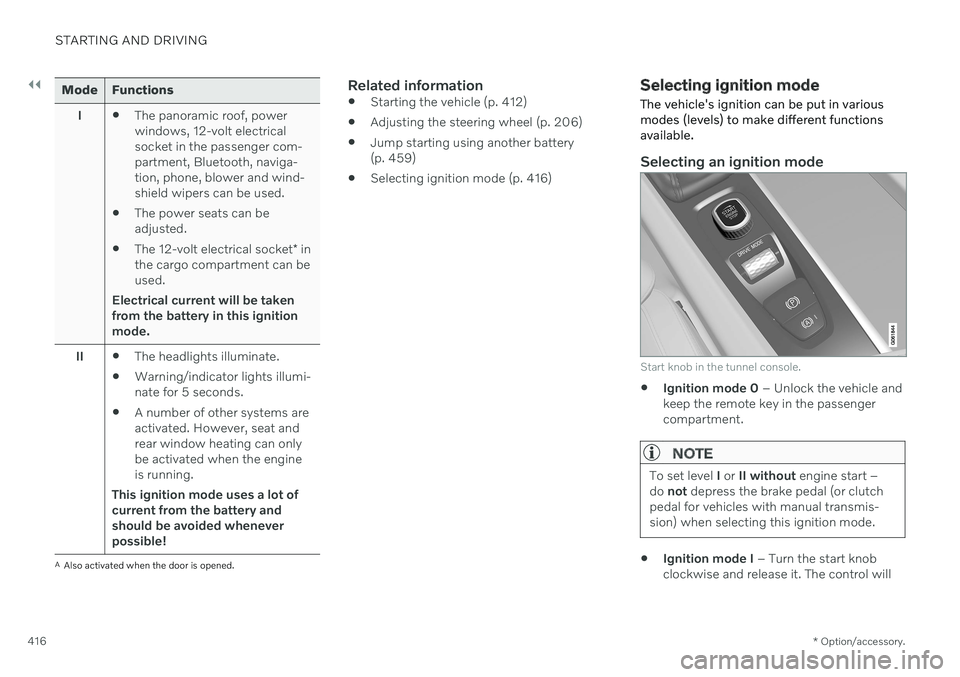
Selecting an ignition mode
Start knob in the tunnel console.
Ignition mode 0
– Unlock the vehicle and
keep the remote key in the passenger compartment.
NOTE
To set level I or II without engine start –
do not depress the brake pedal (or clutch
pedal for vehicles with manual transmis- sion) when selecting this ignition mode.
Ignition mode I
– Turn the start knob
clockwise and release it. The control will
Page 423 of 693
STARTING AND DRIVING
}}
421
Parking brake
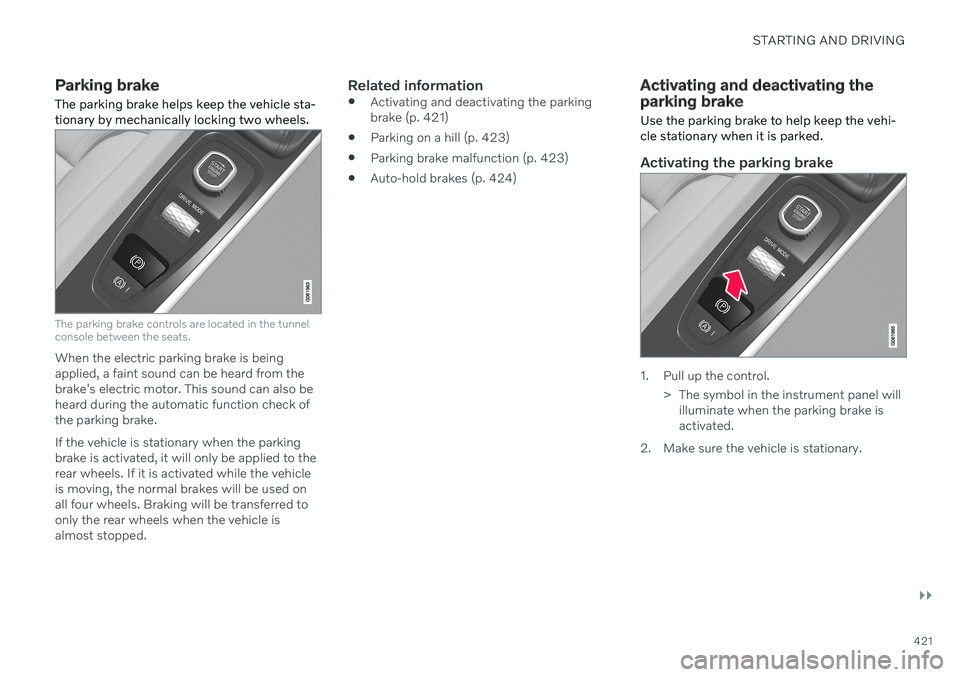
The parking brake helps keep the vehicle sta- tionary by mechanically locking two wheels.
The parking brake controls are located in the tunnel console between the seats.
When the electric parking brake is being applied, a faint sound can be heard from thebrake's electric motor. This sound can also beheard during the automatic function check ofthe parking brake. If the vehicle is stationary when the parking brake is activated, it will only be applied to therear wheels. If it is activated while the vehicleis moving, the normal brakes will be used onall four wheels. Braking will be transferred toonly the rear wheels when the vehicle isalmost stopped.
Related information
Activating and deactivating the parkingbrake (p. 421)
Parking on a hill (p. 423)
Parking brake malfunction (p. 423)
Auto-hold brakes (p. 424)
Activating and deactivating the parking brake
Use the parking brake to help keep the vehi- cle stationary when it is parked.
Activating the parking brake
1. Pull up the control.
> The symbol in the instrument panel willilluminate when the parking brake is activated.
2. Make sure the vehicle is stationary.
Page 449 of 693
STARTING AND DRIVING
* Option/accessory.447
Preconditioning
Whenever possible, precondition the vehi- cle before driving by connecting thecharging cable to an electrical outlet.
Avoid parking the vehicle somewherewhere the interior will become too hot ortoo cold while the vehicle is parked. If pos-sible, park the vehicle in a climate-con-trolled garage.
During a short drive after passenger com-partment preconditioning, turn off thepassenger compartment fan or the airconditioning in a hot climate.
If preconditioning is not possible when itis cold outside, use seat and steeringwheel heating first. Avoid heating theentire passenger compartment to reducethe amount of current being taken fromthe hybrid battery.
Driving
Choose the Pure drive mode to help mini-
mize electric power consumption.
Maintain a steady speed and a generous following distance to traffic ahead to mini-mize braking. This drive mode has thelowest power consumption.
Balance energy requirements using theaccelerator pedal. Use the indicator on theinstrument panel to see available electricpower and avoid starting the combustion engine unnecessarily. The electric motor is more effective than the combustion engine, especially at low speeds.
When braking is necessary, brake gentlyusing the brake pedal. This will helprecharge the hybrid battery. A regenerativefunction is integrated in the brake pedaland can be augmented by the electricmotor's braking capacity when the gearselector is in mode
B.
Higher speeds increase energy consump-tion - air resistance increases with speed.
Activate the
Hold function in the Function
view at high speeds when traveling farther than is possible using the hybrid battery'scapacity.
Whenever possible, avoid using the
Charge function to charge the hybrid bat-
tery. Charging the battery using the com- bustion engine increases fuel consump-tion and carbon dioxide emissions.
In a cold climate, reduce heating of thewindshield/rear window, mirrors, seatsand the steering wheel.
Maintain the correct pressure in the tiresand check pressure regularly.
The type of tires used could affect energyconsumption - consult a retailer for adviceon suitable tires.
Remove unnecessary items from the vehi-cle - the heavier the load, the higher thefuel consumption.
Roof loads increase air resistance andincrease fuel consumption. Remove roofboxes, ski racks, etc. that are not in use.
Avoid driving with the windows open.
Do not keep the vehicle still on an upwardgradient by using the accelerator pedal.Use the brakes instead.
Related information
Drive-E
‒ purer driving pleasure (p. 30)
Energy distribution in hybrid mode using map data
* (p. 439)
Factors affecting electric motor range (p. 448)
Hybrid gauge (p. 89)
Checking tire pressure (p. 553)
Page 465 of 693

STARTING AND DRIVING
}}
* Option/accessory.463
NOTE
Volvo recommends only using Volvo origi- nal accessories. Follow the instructionssupplied with the product.
CAUTION
Never use towbar adapters or towbar extenders
Only use ball mount for towing. Do notmount accessories directly on the ballmount. Use accessories designed tobe mounted in the towbar's squarebracket. Do not use accessoriesdesigned to be secured around the ballmount.
Loading the bicycle holderThe greater the distance between the load and the bicycle holder, the greater the load on thehitch and on the vehicle. Keep the following points in mind: Mount the heaviest bicycle closest to the vehicle.
If possible, mount the bicycles symmetri-cally, as close as possible to the center ofthe vehicle.
Remove loose objects from the bicycle,such as baskets, batteries or child seats.This will help reduce the load on the hitchand the bicycle holder.
Do not place a cover over the bicycle asthis could lead to increased load on thehitch.
Related information
Detachable towbar
* (p. 463)
Driving with a trailer (p. 465)
Detachable towbar
*
Volvo recommends the use of Volvo towbars that are specially designed for the vehicle.
NOTE
The optional detachable trailer hitch may not be available in all markets or on allmodels. Consult your Volvo retailer.
Ball holder
Cotter pin
Towbar assembly
Locking bolt
Safety wire attachment bracket