open VOLVO XC90 TWIN ENGINE HYBRID 2017 User Guide
[x] Cancel search | Manufacturer: VOLVO, Model Year: 2017, Model line: XC90 TWIN ENGINE HYBRID, Model: VOLVO XC90 TWIN ENGINE HYBRID 2017Pages: 584, PDF Size: 14.2 MB
Page 49 of 584
INTRODUCTION
47
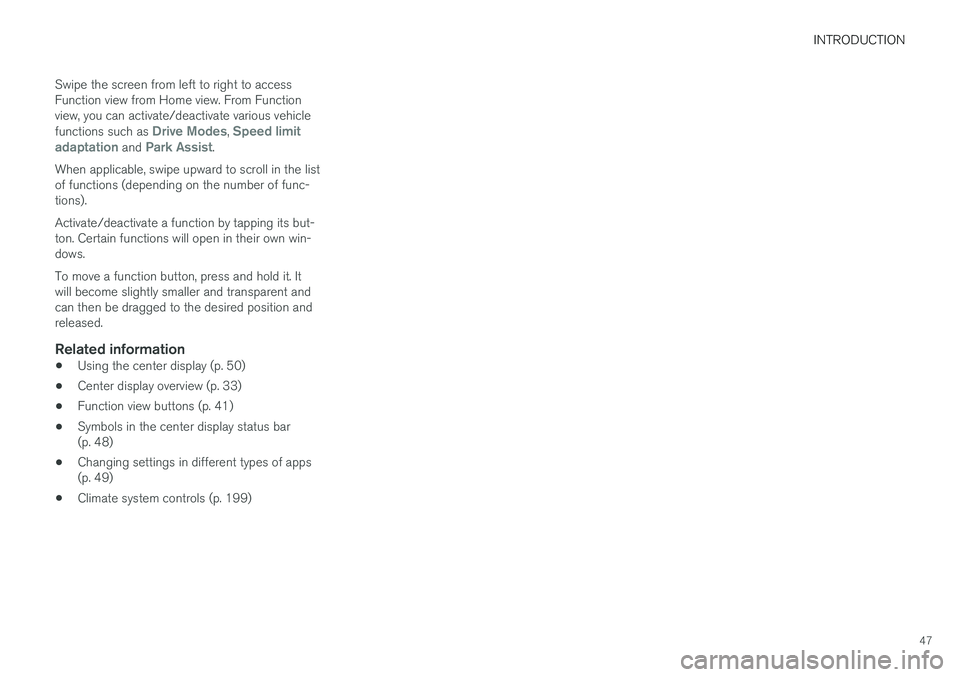
Swipe the screen from left to right to accessFunction view from Home view. From Functionview, you can activate/deactivate various vehiclefunctions such as Drive Modes, Speed limitadaptation and Park Assist.
When applicable, swipe upward to scroll in the listof functions (depending on the number of func-tions).
Activate/deactivate a function by tapping its but-ton. Certain functions will open in their own win-dows.
To move a function button, press and hold it. Itwill become slightly smaller and transparent andcan then be dragged to the desired position andreleased.
Related information
•Using the center display (p. 50)
•Center display overview (p. 33)
•Function view buttons (p. 41)
•Symbols in the center display status bar(p. 48)
•Changing settings in different types of apps(p. 49)
•Climate system controls (p. 199)
Page 51 of 584
INTRODUCTION
49
Changing settings in different typesof apps
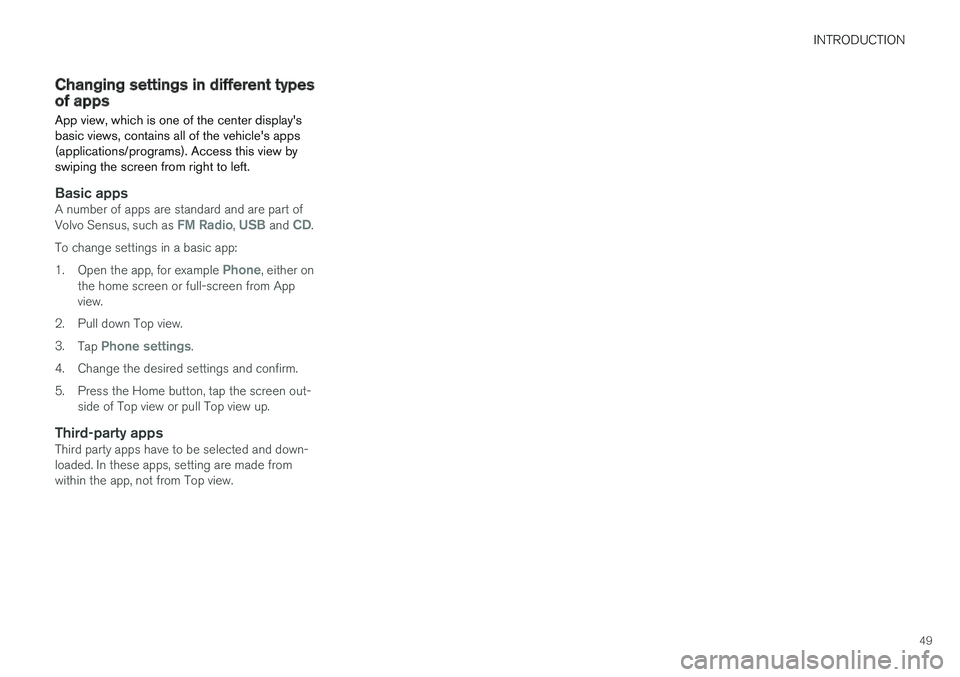
App view, which is one of the center display'sbasic views, contains all of the vehicle's apps(applications/programs). Access this view byswiping the screen from right to left.
Basic apps
A number of apps are standard and are part ofVolvo Sensus, such as FM Radio, USB and CD.
To change settings in a basic app:
1.Open the app, for example Phone, either onthe home screen or full-screen from Appview.
2.Pull down Top view.
3.Tap Phone settings.
4.Change the desired settings and confirm.
5. Press the Home button, tap the screen out-side of Top view or pull Top view up.
Third-party apps
Third party apps have to be selected and down-loaded. In these apps, setting are made fromwithin the app, not from Top view.
Page 54 of 584
||
INTRODUCTION
52
Turning off and reactivating the center
display
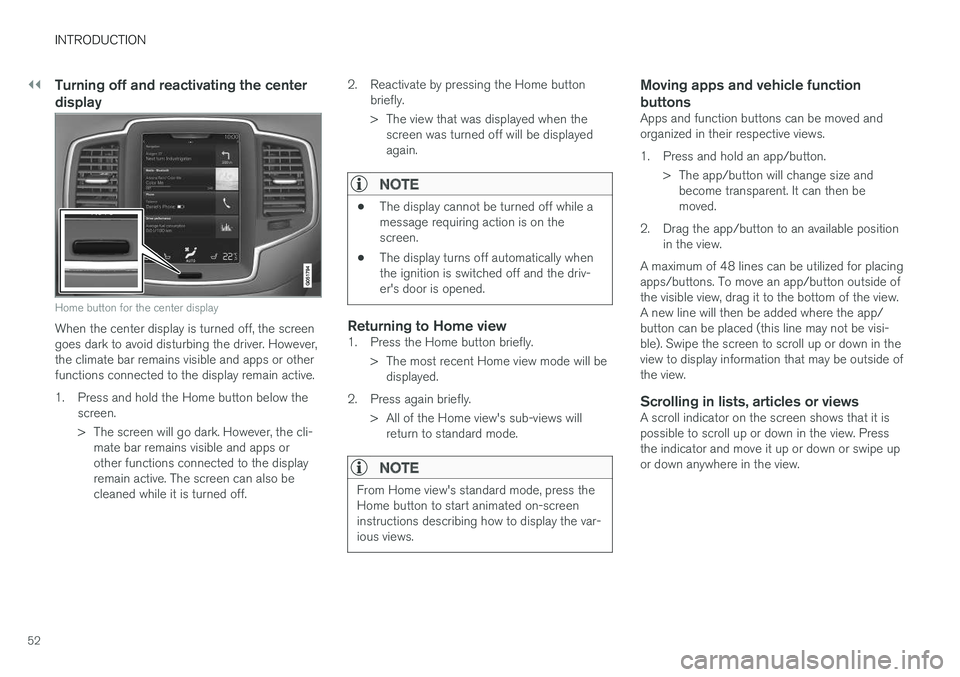
Home button for the center display
When the center display is turned off, the screengoes dark to avoid disturbing the driver. However,the climate bar remains visible and apps or otherfunctions connected to the display remain active.
1.Press and hold the Home button below thescreen.
> The screen will go dark. However, the cli-mate bar remains visible and apps orother functions connected to the displayremain active. The screen can also becleaned while it is turned off.
2. Reactivate by pressing the Home buttonbriefly.
> The view that was displayed when thescreen was turned off will be displayedagain.
NOTE
•The display cannot be turned off while amessage requiring action is on thescreen.
•The display turns off automatically whenthe ignition is switched off and the driv-er's door is opened.
Returning to Home view
1. Press the Home button briefly.
> The most recent Home view mode will bedisplayed.
2. Press again briefly.
> All of the Home view's sub-views willreturn to standard mode.
NOTE
From Home view's standard mode, press theHome button to start animated on-screeninstructions describing how to display the var-ious views.
Moving apps and vehicle function
buttons
Apps and function buttons can be moved andorganized in their respective views.
1. Press and hold an app/button.
> The app/button will change size andbecome transparent. It can then bemoved.
2. Drag the app/button to an available positionin the view.
A maximum of 48 lines can be utilized for placingapps/buttons. To move an app/button outside ofthe visible view, drag it to the bottom of the view.A new line will then be added where the app/button can be placed (this line may not be visi-ble). Swipe the screen to scroll up or down in theview to display information that may be outside ofthe view.
Scrolling in lists, articles or views
A scroll indicator on the screen shows that it ispossible to scroll up or down in the view. Pressthe indicator and move it up or down or swipe upor down anywhere in the view.
Page 59 of 584
INTRODUCTION
}}
57
Symbols and their descriptions
Exterior/interior views ofthe vehicle in which certainareas/components arehighlighted as hotspots.Tap a hotspot to come to arelevant article.
This offers access to a listof articles that have beensaved as favorites. Tap anarticle to read it in itsentirety.
Symbols and their descriptions
Leads to short instructionalvideos for various vehiclefunctions.
This offers informationabout the current version ofthe owner's information inyour vehicle and other use-ful information.
Related information
•Navigating in the digital owner's manual(p. 57)
Navigating in the digital owner'smanual
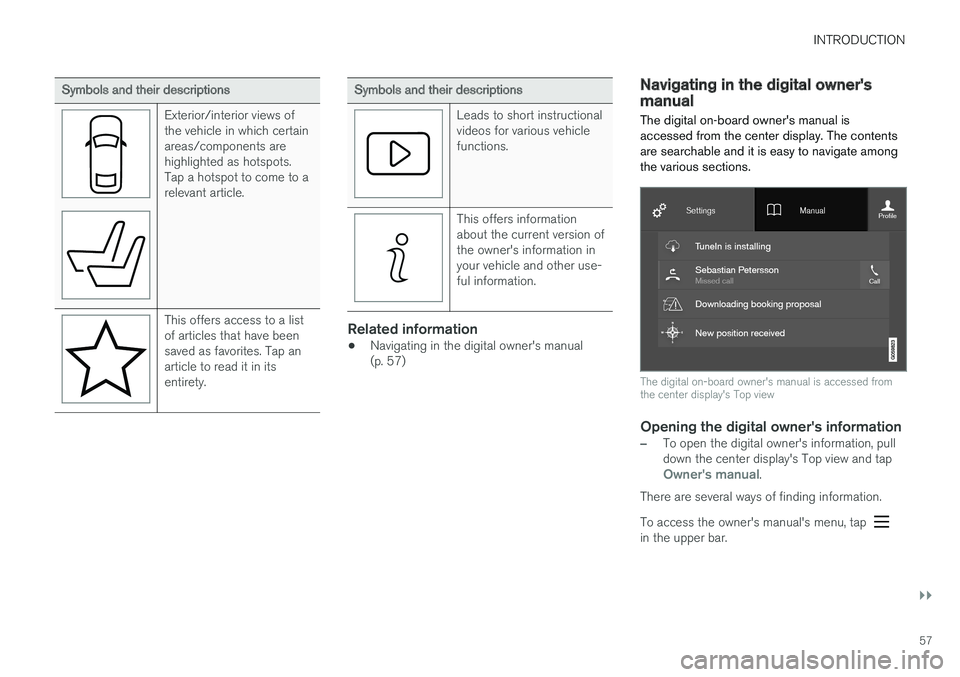
The digital on-board owner's manual isaccessed from the center display. The contentsare searchable and it is easy to navigate amongthe various sections.
The digital on-board owner's manual is accessed fromthe center display's Top view
Opening the digital owner's information
–To open the digital owner's information, pulldown the center display's Top view and tapOwner's manual.
There are several ways of finding information.
To access the owner's manual's menu, tap in the upper bar.
Page 60 of 584
||
INTRODUCTION
58
Searching using categories
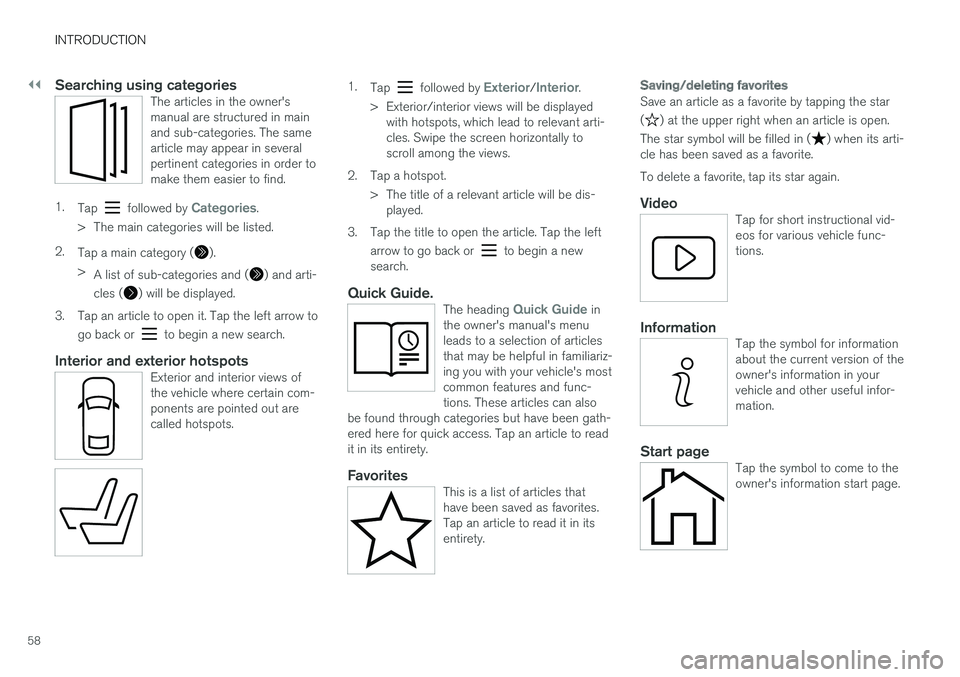
The articles in the owner'smanual are structured in mainand sub-categories. The samearticle may appear in severalpertinent categories in order tomake them easier to find.
1.Tap followed by Categories.
>The main categories will be listed.
2.Tap a main category ().
>A list of sub-categories and () and arti-
cles () will be displayed.
3.Tap an article to open it. Tap the left arrow to
go back or to begin a new search.
Interior and exterior hotspots
Exterior and interior views ofthe vehicle where certain com-ponents are pointed out arecalled hotspots.
1.Tap followed by Exterior/Interior.
>Exterior/interior views will be displayedwith hotspots, which lead to relevant arti-cles. Swipe the screen horizontally toscroll among the views.
2. Tap a hotspot.
> The title of a relevant article will be dis-played.
3. Tap the title to open the article. Tap the left
arrow to go back or to begin a newsearch.
Quick Guide.
The heading Quick Guide inthe owner's manual's menuleads to a selection of articlesthat may be helpful in familiariz-ing you with your vehicle's mostcommon features and func-tions. These articles can alsobe found through categories but have been gath-ered here for quick access. Tap an article to readit in its entirety.
Favorites
This is a list of articles thathave been saved as favorites.Tap an article to read it in itsentirety.
Saving/deleting favorites
Save an article as a favorite by tapping the star
() at the upper right when an article is open.
The star symbol will be filled in () when its arti-cle has been saved as a favorite.
To delete a favorite, tap its star again.
Video
Tap for short instructional vid-eos for various vehicle func-tions.
Information
Tap the symbol for informationabout the current version of theowner's information in yourvehicle and other useful infor-mation.
Start page
Tap the symbol to come to theowner's information start page.
Page 65 of 584

SAFETY
}}
63
Occupant safety reminders
How safely you drive doesn't depend on how oldyou are but rather on:
•How well you see.
•Your ability to concentrate.
•How quickly you make decisions understress to avoid an accident.
The following suggestions are intended to helpyou cope with the ever changing traffic environ-ment.
•Never drink and drive.
•If you are taking any medication, consult yourphysician about its potential effects on yourdriving abilities.
•Take a driver-retraining course.
•Have your eyes checked regularly.
•Keep your windshield and headlights clean.
•Replace wiper blades when they start toleave streaks.
•Take into account the traffic, road, andweather conditions, particularly with regard tostopping distance.
•Never send text messages while driving.
•Refrain from using or minimize the use of acell phone while driving.
Related information
•Recall information (p. 64)
•Reporting safety defects (p. 63)
Reporting safety defects
The following information will help you report anyperceived safety-related defects in your vehicle.
Reporting safety defects in the U.S.
If you believe that your vehicle has a
defect which could cause a crash or
could cause injury or death, you should
immediately inform the National High-
way Traffic Safety Administration
(NHTSA) in addition to notifying Volvo
Car USA, LLC. If NHTSA receives simi-
lar complaints, it may open an investi-
gation, and if it finds that a safety
defect exists in a group of vehicles, it
may order a recall and remedy cam-
paign. However, NHTSA cannot
become involved in individual problems
between you, your retailer, or Volvo Car
USA, LLC. To contact NHTSA, you may
either call the Auto Safety Hotline toll-
free at
1-888-327-4236
(TTY: 1-800-424-9153) or write to:
NHTSA, U.S. Department of Transpor-
tation, Washington D.C. 20590.
You can also obtain other information
about motor vehicle safety from http://
www.safercar.gov, where you can also
enter your vehicle's VIN (Vehicle Identi-
fication Number) to see if it has any
open recalls.
Volvo strongly recommends that if your
vehicle is covered under a service cam-
paign, safety or emission recall or simi-
lar action, it should be completed as
soon as possible. Please check with
your local retailer or Volvo Car USA,
LLC if your vehicle is covered under
these conditions.
NHTSA can be reached at:
Internet:
http://www.nhtsa.gov
Telephone:
1-888-DASH-2-DOT
(1-888-327-4236).
Reporting safety defects in Canada
If you believe your vehicle has a defect that couldcause a crash or could cause injury or death, youshould immediately inform Transport Canada inaddition to notifying Volvo Cars of Canada Corp.
Page 66 of 584
||
SAFETY
64
Transport Canada can be contacted at:
1-800-333-0510
Teletypewriter (TTY): 613 990-4500
Fax: 1-819-994-3372
Mailing Address: Transport Canada - RoadSafety, 80 rue Noël, Gatineau, (Quebec) J8Z 0A1
Related information
•Recall information (p. 64)
•Occupant safety (p. 62)
Recall information
On our website, select the tab YOUR VOLVO andthe heading RECALL INFORMATION will be dis-played at the lower left side of the screen. Enteryour Vehicle Identification Number (VIN) for yourvehicle (found at the base of the windshield). Ifyour vehicle has any open Recalls, they will bedisplayed on this page.
You can also enter the Vehicle IdentificationNumber in the search field on the NationalHighway Traffic Safety Administration's (NHTSA)website at: www.nhtsa.gov.
Volvo customers in Canada
For any questions regarding open recalls for yourvehicle, please contact your authorized Volvoretailer. If your retailer is unable to answer yourquestions, please contact Volvo Customer Rela-tions at 905 695-9626, Monday through Friday,8:30 A.M. to 5:00 P.M. EST or by e-mail [email protected]. You may also write us at:
Volvo Cars of Canada
National Customer Service
9130 Leslie Street, Suite 101
Richmond Hill, Ontario L4B 0B9
www.tc.gc.ca
Related information
•Occupant safety (p. 62)
•Reporting safety defects (p. 63)
Safety during pregnancy
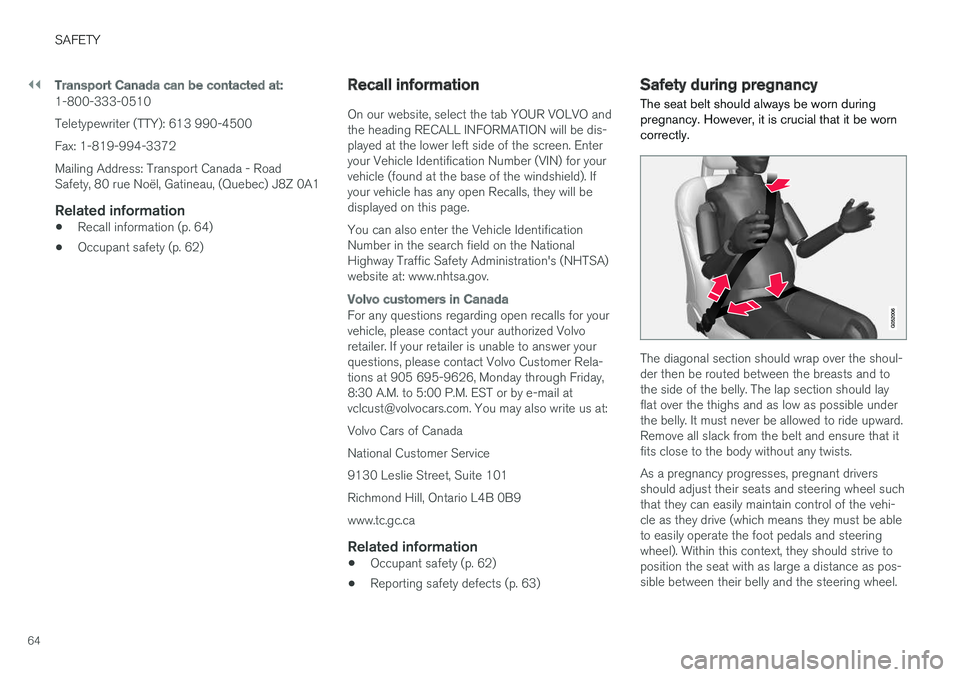
The seat belt should always be worn duringpregnancy. However, it is crucial that it be worncorrectly.
The diagonal section should wrap over the shoul-der then be routed between the breasts and tothe side of the belly. The lap section should layflat over the thighs and as low as possible underthe belly. It must never be allowed to ride upward.Remove all slack from the belt and ensure that itfits close to the body without any twists.
As a pregnancy progresses, pregnant driversshould adjust their seats and steering wheel suchthat they can easily maintain control of the vehi-cle as they drive (which means they must be ableto easily operate the foot pedals and steeringwheel). Within this context, they should strive toposition the seat with as large a distance as pos-sible between their belly and the steering wheel.
Page 72 of 584
SAFETY
70
Door and seat belt reminders
The door and seat belt reminders are intendedto alert all occupants of the vehicle that theirseat belts should be buckled before the vehiclebegins to move or if a door, the hood, tailgate orfuel filler door have not been closed properly.
Graphics in the instrument panel
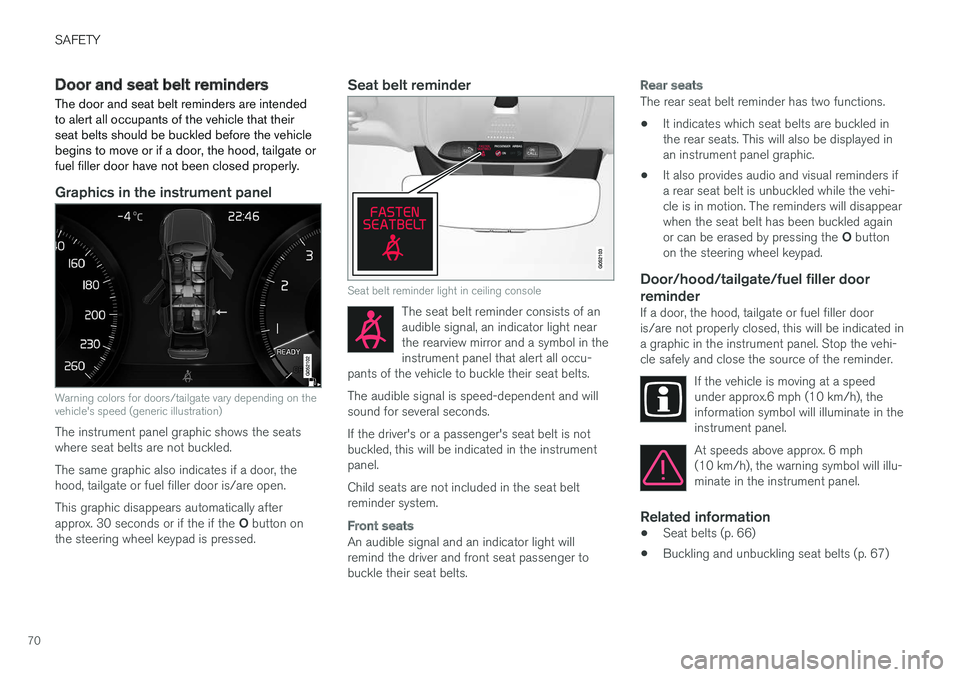
Warning colors for doors/tailgate vary depending on thevehicle's speed (generic illustration)
The instrument panel graphic shows the seatswhere seat belts are not buckled.
The same graphic also indicates if a door, thehood, tailgate or fuel filler door is/are open.
This graphic disappears automatically afterapprox. 30 seconds or if the if the O button onthe steering wheel keypad is pressed.
Seat belt reminder
Seat belt reminder light in ceiling console
The seat belt reminder consists of anaudible signal, an indicator light nearthe rearview mirror and a symbol in theinstrument panel that alert all occu-pants of the vehicle to buckle their seat belts.
The audible signal is speed-dependent and willsound for several seconds.
If the driver's or a passenger's seat belt is notbuckled, this will be indicated in the instrumentpanel.
Child seats are not included in the seat beltreminder system.
Front seats
An audible signal and an indicator light willremind the driver and front seat passenger tobuckle their seat belts.
Rear seats
The rear seat belt reminder has two functions.
•It indicates which seat belts are buckled inthe rear seats. This will also be displayed inan instrument panel graphic.
•It also provides audio and visual reminders ifa rear seat belt is unbuckled while the vehi-cle is in motion. The reminders will disappearwhen the seat belt has been buckled againor can be erased by pressing the O buttonon the steering wheel keypad.
Door/hood/tailgate/fuel filler door
reminder
If a door, the hood, tailgate or fuel filler dooris/are not properly closed, this will be indicated ina graphic in the instrument panel. Stop the vehi-cle safely and close the source of the reminder.
If the vehicle is moving at a speedunder approx.6 mph (10 km/h), theinformation symbol will illuminate in theinstrument panel.
At speeds above approx. 6 mph(10 km/h), the warning symbol will illu-minate in the instrument panel.
Related information
•Seat belts (p. 66)
•Buckling and unbuckling seat belts (p. 67)
Page 76 of 584
||
SAFETY
74
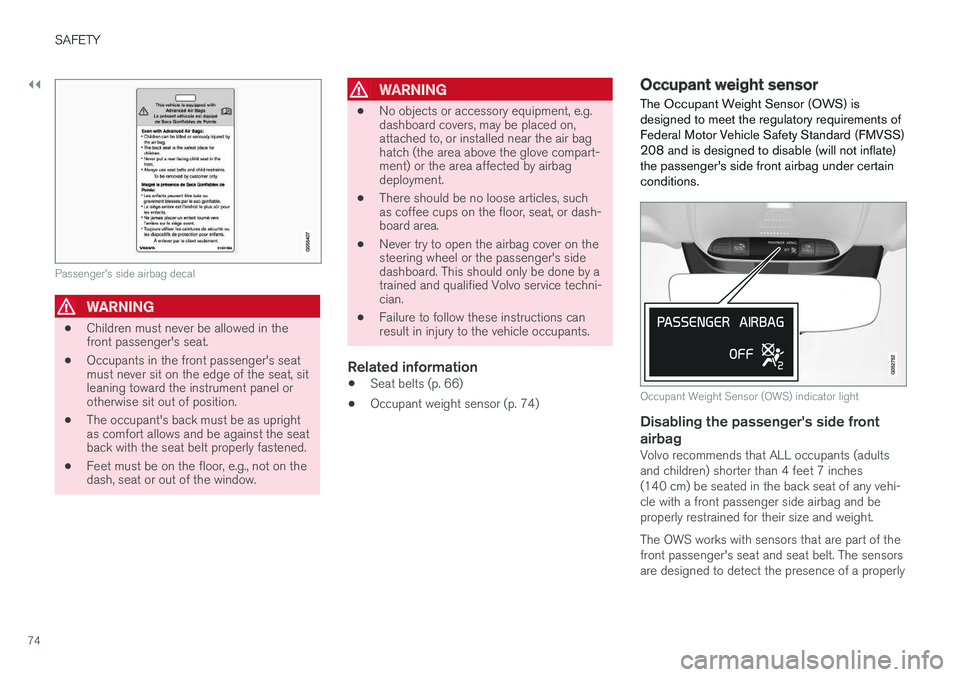
Passenger's side airbag decal
WARNING
•Children must never be allowed in thefront passenger's seat.
•Occupants in the front passenger's seatmust never sit on the edge of the seat, sitleaning toward the instrument panel orotherwise sit out of position.
•The occupant's back must be as uprightas comfort allows and be against the seatback with the seat belt properly fastened.
•Feet must be on the floor, e.g., not on thedash, seat or out of the window.
WARNING
•No objects or accessory equipment, e.g.dashboard covers, may be placed on,attached to, or installed near the air baghatch (the area above the glove compart-ment) or the area affected by airbagdeployment.
•There should be no loose articles, suchas coffee cups on the floor, seat, or dash-board area.
•Never try to open the airbag cover on thesteering wheel or the passenger's sidedashboard. This should only be done by atrained and qualified Volvo service techni-cian.
•Failure to follow these instructions canresult in injury to the vehicle occupants.
Related information
•Seat belts (p. 66)
•Occupant weight sensor (p. 74)
Occupant weight sensor
The Occupant Weight Sensor (OWS) isdesigned to meet the regulatory requirements ofFederal Motor Vehicle Safety Standard (FMVSS)208 and is designed to disable (will not inflate)the passenger's side front airbag under certainconditions.
Occupant Weight Sensor (OWS) indicator light
Disabling the passenger's side front
airbag
Volvo recommends that ALL occupants (adultsand children) shorter than 4 feet 7 inches(140 cm) be seated in the back seat of any vehi-cle with a front passenger side airbag and beproperly restrained for their size and weight.
The OWS works with sensors that are part of thefront passenger's seat and seat belt. The sensorsare designed to detect the presence of a properly
Page 77 of 584
SAFETY
}}
75
seated occupant and determine if the passeng-er's side front airbag should be enabled (mayinflate) or disabled (will not inflate).
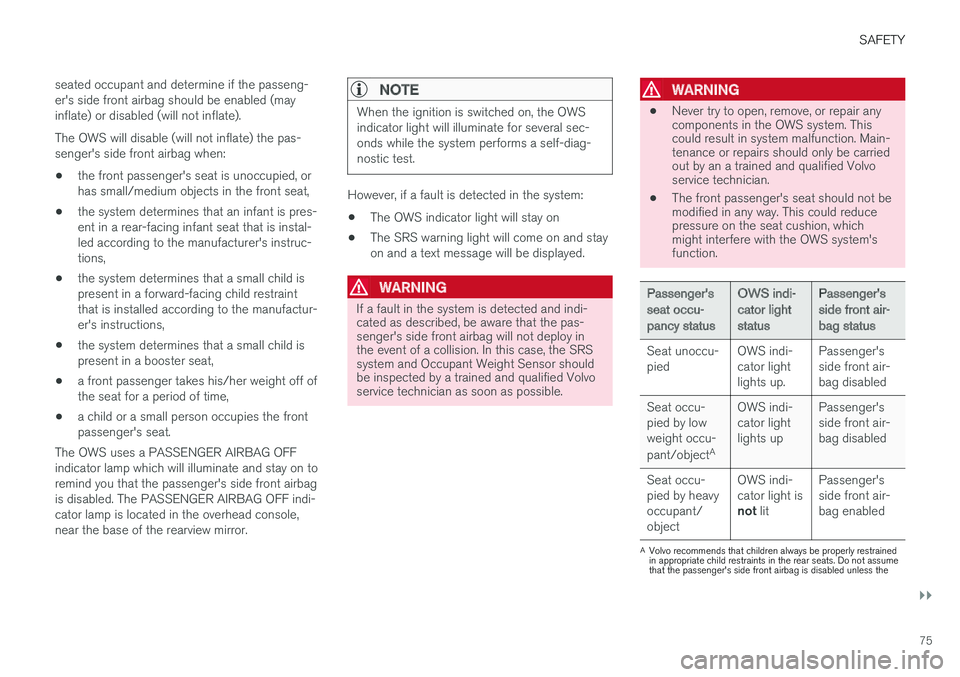
The OWS will disable (will not inflate) the pas-senger's side front airbag when:
•the front passenger's seat is unoccupied, orhas small/medium objects in the front seat,
•the system determines that an infant is pres-ent in a rear-facing infant seat that is instal-led according to the manufacturer's instruc-tions,
•the system determines that a small child ispresent in a forward-facing child restraintthat is installed according to the manufactur-er's instructions,
•the system determines that a small child ispresent in a booster seat,
•a front passenger takes his/her weight off ofthe seat for a period of time,
•a child or a small person occupies the frontpassenger's seat.
The OWS uses a PASSENGER AIRBAG OFFindicator lamp which will illuminate and stay on toremind you that the passenger's side front airbagis disabled. The PASSENGER AIRBAG OFF indi-cator lamp is located in the overhead console,near the base of the rearview mirror.
NOTE
When the ignition is switched on, the OWSindicator light will illuminate for several sec-onds while the system performs a self-diag-nostic test.
However, if a fault is detected in the system:
•The OWS indicator light will stay on
•The SRS warning light will come on and stayon and a text message will be displayed.
WARNING
If a fault in the system is detected and indi-cated as described, be aware that the pas-senger's side front airbag will not deploy inthe event of a collision. In this case, the SRSsystem and Occupant Weight Sensor shouldbe inspected by a trained and qualified Volvoservice technician as soon as possible.
WARNING
•Never try to open, remove, or repair anycomponents in the OWS system. Thiscould result in system malfunction. Main-tenance or repairs should only be carriedout by an a trained and qualified Volvoservice technician.
•The front passenger's seat should not bemodified in any way. This could reducepressure on the seat cushion, whichmight interfere with the OWS system'sfunction.
Passenger'sseat occu-pancy status
OWS indi-cator lightstatus
Passenger'sside front air-bag status
Seat unoccu-piedOWS indi-cator lightlights up.
Passenger'sside front air-bag disabled
Seat occu-pied by lowweight occu-
pant/objectA
OWS indi-cator lightlights up
Passenger'sside front air-bag disabled
Seat occu-pied by heavyoccupant/object
OWS indi-cator light isnot lit
Passenger'sside front air-bag enabled
AVolvo recommends that children always be properly restrainedin appropriate child restraints in the rear seats. Do not assumethat the passenger's side front airbag is disabled unless the