warning VOLVO XC90 TWIN ENGINE HYBRID 2017 Repair Manual
[x] Cancel search | Manufacturer: VOLVO, Model Year: 2017, Model line: XC90 TWIN ENGINE HYBRID, Model: VOLVO XC90 TWIN ENGINE HYBRID 2017Pages: 584, PDF Size: 14.2 MB
Page 154 of 584
||
INSTRUMENTS AND CONTROLS
152
NOTE
•This automatic flashing sequence can beinterrupted by immediately moving thelever in the opposite direction.
•If the turn signal indicator flashes fasterthan normal, see the message in theinstrument panel.
Continuous flashing sequence
Move the lever as far up or down as possibleto start the turn signals.
The turn signals will be cancelled automaticallyby the movement of the steering wheel, or thelever can be returned to its initial position byhand.
Related information
•Lighting panel and controls (p. 144)
•Hazard warning flashers (p. 151)
•Settings view (p. 115)
Passenger compartment lighting
The passenger compartment lighting is con-trolled using the buttons in the ceiling above thefront and rear seats.
All passenger compartment lighting can beturned on and off manually within 30 minutesafter:
•the vehicle is unlocked but the engine hasnot been started
•the engine is switched off and the ignition isin mode 0.
Front interior lighting
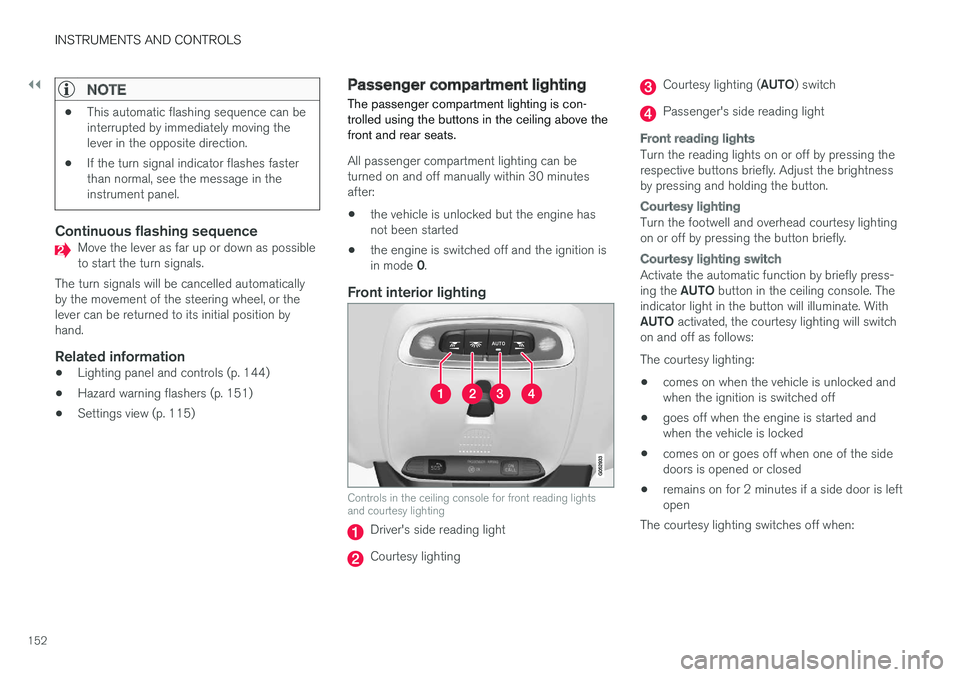
Controls in the ceiling console for front reading lightsand courtesy lighting
Driver's side reading light
Courtesy lighting
Courtesy lighting (AUTO) switch
Passenger's side reading light
Front reading lights
Turn the reading lights on or off by pressing therespective buttons briefly. Adjust the brightnessby pressing and holding the button.
Courtesy lighting
Turn the footwell and overhead courtesy lightingon or off by pressing the button briefly.
Courtesy lighting switch
Activate the automatic function by briefly press-ing the AUTO button in the ceiling console. Theindicator light in the button will illuminate. WithAUTO activated, the courtesy lighting will switchon and off as follows:
The courtesy lighting:
•comes on when the vehicle is unlocked andwhen the ignition is switched off
•goes off when the engine is started andwhen the vehicle is locked
•comes on or goes off when one of the sidedoors is opened or closed
•remains on for 2 minutes if a side door is leftopen
The courtesy lighting switches off when:
Page 157 of 584
INSTRUMENTS AND CONTROLS
}}
* Option/accessory, for more information, see Introduction.155
Home safe lighting
The home safe lighting function illuminates thearea in front of the vehicle in dark conditions.
This function turns on the headlights, parkinglights, outer door handle lights* and license platelights for a set amount of time.
The length of time that these lights remain illumi-nated can be set in the center display. Thedefault setting is 30 seconds.
To activate home safe lighting:
1.Switch off the ignition (mode 0).
2.Push the turn signal lever as far as possibletowards the dashboard and release it.
3. Exit the vehicle and lock the doors.
Related information
•Using the center display (p. 50)
•Settings view (p. 115)
•Ignition modes (p. 400)
Approach lighting
Approach lighting (the parking lights, outer doorhandle lights*, license plate lighting, courtesylighting and footwell lighting) can be activated toprovide light as you walk toward the vehicle.
To use this feature, deselect/select WelcomeLight in the center display's menu system.
If this function has been selected in the menu, itis activated by pressing the unlock button onthe remote key as you approach the vehicle.
If a door is opened while the function is activated,the lighting in the outer door handle* and cour-tesy lighting will remain illuminated for a some-what longer period of time.
Related information
•Settings view (p. 115)
•Home safe lighting (p. 155)
•Remote key (p. 238)
Messages in the instrument paneland center display
Information and warning messages are dis-played in the instrument panel and center dis-play.
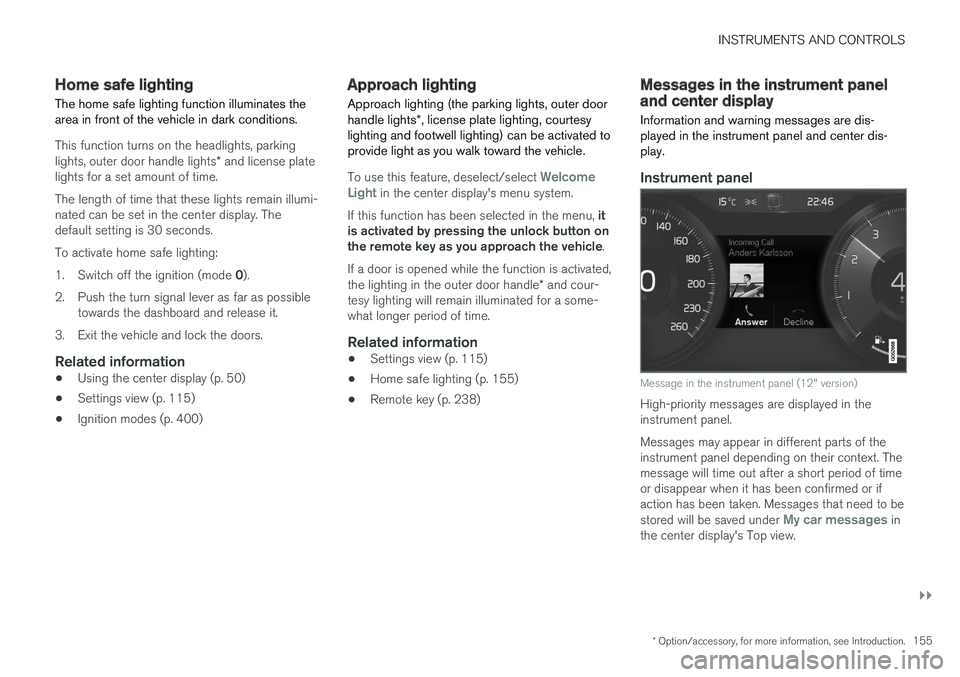
Instrument panel
Message in the instrument panel (12" version)
High-priority messages are displayed in theinstrument panel.
Messages may appear in different parts of theinstrument panel depending on their context. Themessage will time out after a short period of timeor disappear when it has been confirmed or ifaction has been taken. Messages that need to bestored will be saved under My car messages inthe center display's Top view.
Page 168 of 584
INSTRUMENTS AND CONTROLS
* Option/accessory, for more information, see Introduction.166
Adjusting the steering wheel
The steering wheel can be adjusted to variouspositions.
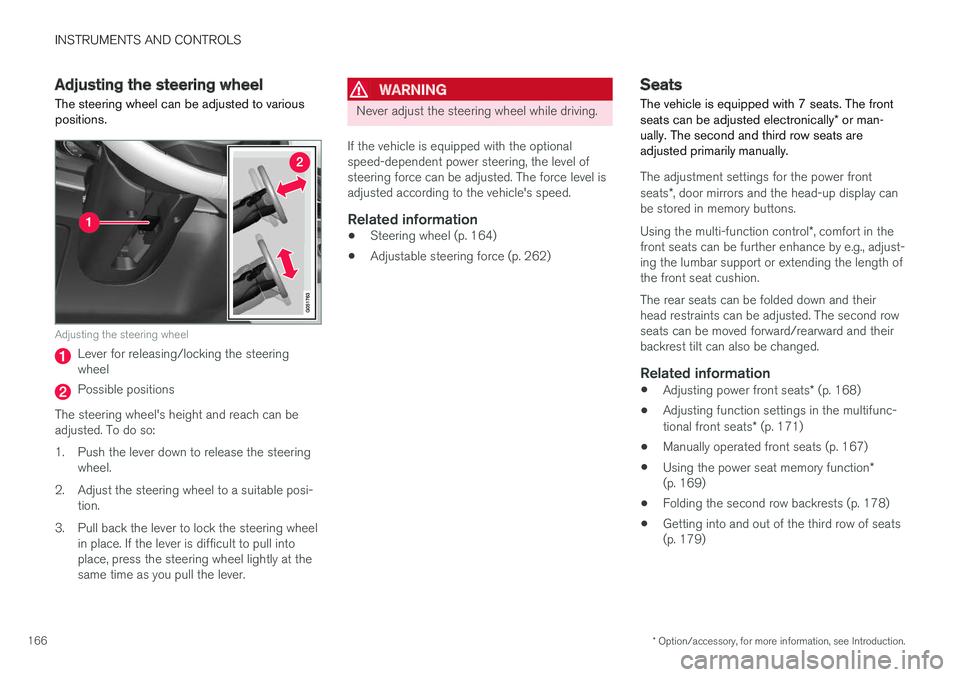
Adjusting the steering wheel
Lever for releasing/locking the steeringwheel
Possible positions
The steering wheel's height and reach can beadjusted. To do so:
1.Push the lever down to release the steeringwheel.
2. Adjust the steering wheel to a suitable posi-tion.
3. Pull back the lever to lock the steering wheelin place. If the lever is difficult to pull intoplace, press the steering wheel lightly at thesame time as you pull the lever.
WARNING
Never adjust the steering wheel while driving.
If the vehicle is equipped with the optionalspeed-dependent power steering, the level ofsteering force can be adjusted. The force level isadjusted according to the vehicle's speed.
Related information
•Steering wheel (p. 164)
•Adjustable steering force (p. 262)
Seats
The vehicle is equipped with 7 seats. The frontseats can be adjusted electronically* or man-ually. The second and third row seats areadjusted primarily manually.
The adjustment settings for the power frontseats*, door mirrors and the head-up display canbe stored in memory buttons.
Using the multi-function control*, comfort in thefront seats can be further enhance by e.g., adjust-ing the lumbar support or extending the length ofthe front seat cushion.
The rear seats can be folded down and theirhead restraints can be adjusted. The second rowseats can be moved forward/rearward and theirbackrest tilt can also be changed.
Related information
•Adjusting power front seats* (p. 168)
•Adjusting function settings in the multifunc-tional front seats* (p. 171)
•Manually operated front seats (p. 167)
•Using the power seat memory function*(p. 169)
•Folding the second row backrests (p. 178)
•Getting into and out of the third row of seats(p. 179)
Page 169 of 584

INSTRUMENTS AND CONTROLS
* Option/accessory, for more information, see Introduction.167
•Moving the second row seats forward/rear-ward (p. 176)
•Adjusting the second row backrest tilt(p. 177)
Manually operated front seats
The front seats can be adjusted in a number ofways to help provide the most comfortable seat-ing position.
Raise/lower the front edge of seat cushionby pumping up/down
Move the seat forward/rearward by pullingthe bar upward and moving the seat.
Change lumbar support by pressing the but-ton*
Raise/lower the seat by moving the controlup/down
Change backrest tilt by turning the wheel
WARNING
•Do not adjust the seat while driving. Theseat should be adjusted so that the brakepedal can be depressed fully. In addition,position the seat as far rearward as com-fort and control allow.
•Check that the seat is securely lockedinto position after adjusting.
Related information
•Turning seat heating* on and off (p. 210)
•Power front seats* (p. 168)
•Multifunctional front seats* (p. 170)
•Seat belts (p. 66)
Page 172 of 584
||
INSTRUMENTS AND CONTROLS
* Option/accessory, for more information, see Introduction.170
2.Press and release the M button. The indica-tor light in the button will illuminate.
3.Press button 1, 2 or 3 within 3 seconds tostore the current position of the seat/mirrors/head-up display in the selected but-ton.
> When the position has been stored in theselected button, an audible signal willsound and the indicator light in the M but-ton will go out.
If none of the buttons (1, 2 or 3) are pressedwithin 3 seconds, the indicator light in the M but-ton will go out and the position will not be stored.
The seat/mirrors/head-up display must bemoved before new settings can be stored.
Using a stored position
A stored position can be used when one of thefront doors is opened or closed:
Front door open
–Press one of the bottons (1–3) briefly. Theseat, door mirrors and head-up display willmove to the positions stored in that button.
Front door closed
–Press and hold one of the buttons (1–3) untilthe seat, door mirrors and head-up displayhave moved to the positions stored in thatbutton.
The seat, door mirrors and head-up display willstop automatically if the button is released beforethe they have reached the stored positions.
WARNING
•Because the driver's seat can be adjustedwith the ignition off, children should neverbe left unattended in the vehicle.
•Movement of the seat can be STOPPEDat any time by pressing any button on thepower seat control panel.
•Do not adjust the seat while driving. Theseat should be adjusted so that the brakepedal can be depressed fully. In addition,position the seat as far rearward as com-fort and control allow.
•The seat rails on the floor must not beobstructed in any way when the seat is inmotion.
Related information
•Adjusting power front seats* (p. 168)
•Power front seats* (p. 168)
Multifunctional front seats*
In addition to the adjustment settings offered bythe power seat controls, the multifunction controlprovides additional possibilities for convenienceand comfort.
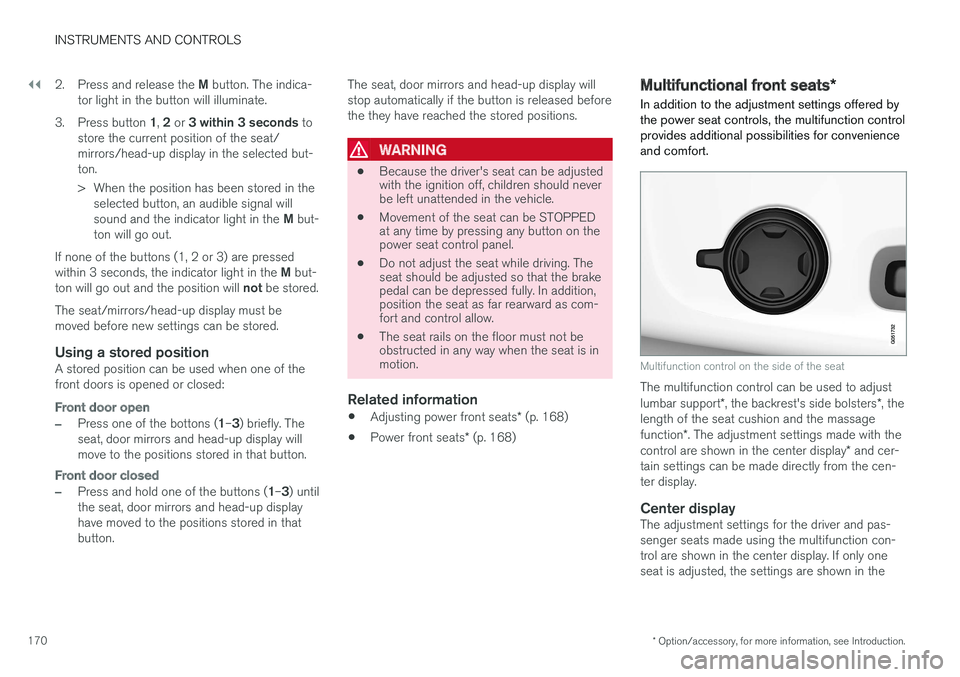
Multifunction control on the side of the seat
The multifunction control can be used to adjustlumbar support*, the backrest's side bolsters*, thelength of the seat cushion and the massagefunction*. The adjustment settings made with thecontrol are shown in the center display* and cer-tain settings can be made directly from the cen-ter display.
Center display
The adjustment settings for the driver and pas-senger seats made using the multifunction con-trol are shown in the center display. If only oneseat is adjusted, the settings are shown in the
Page 179 of 584

INSTRUMENTS AND CONTROLS
}}
177
Related information
•Rear seats (p. 175)
•Getting into and out of the third row of seats(p. 179)
Adjusting the second row backresttilt
Backrest tilt can be adjusted separately for eachof the second row seats.
Center seat
1. Pull the strap on the center seat's right side.
2.Adjust backrest tilt forward/rearward bydecreasing/increasing pressure on it.
3. Release the strap to lock the backrest in thenew position and press the backrest until itslock engages.
Outboard seats
1. Pull the handle on the side of the seatupward.
2.Adjust backrest tilt forward/rearward bydecreasing/increasing pressure on it.
3. Release the handle to lock the backrest inthe new position and press the backrest untilits lock engages.
WARNING
Check that all backrests are securely lockedin place after changing the tilt angle.
Related information
•Rear seats (p. 175)
•Moving the second row seats forward/rear-ward (p. 176)
Page 180 of 584

INSTRUMENTS AND CONTROLS
* Option/accessory, for more information, see Introduction.178
•Folding the second row backrests (p. 178)
•Seat belts (p. 66)
Folding the second row backrests
The second row of seats has three individualseating positions whose backrests can befolded down separately.
CAUTION
•To help avoid damage to the seat uphols-tery, before a rear seat backrest is foldeddown, remove any objects from the seatand ensure that the seat belts are notbuckled.
•The integrated booster cushion* in thecenter position must be stowed (foldeddown) before the backrest is foldeddown.
•The center seating position armrest mustbe folded up before the backrest isfolded down.
NOTE
•It may be necessary to adjust the frontseat backrests and/or move these seatsforward in order to fold down the rearseat backrests completely.
•It may also be necessary to move thesecond row of seats rearward.
WARNING
Adjust the seat and be sure it is locked in thenew position before driving.
Center seat
To fold down the backrest:
1.Fold down the head restraint manually.
2. Pull the strap on the center seat's right side.
3. Fold the backrest down until it locks in posi-tion. The seat cushion will move downward/forward as the backrest is folded down tocreate a flat surface.
To return the backrest to the upright position:
1. Pull the strap.
2. Fold the backrest and release the strap.Push it into position until its lock engages.
Page 181 of 584
INSTRUMENTS AND CONTROLS
}}
* Option/accessory, for more information, see Introduction.179
3.Adjust the head restraint if necessary.
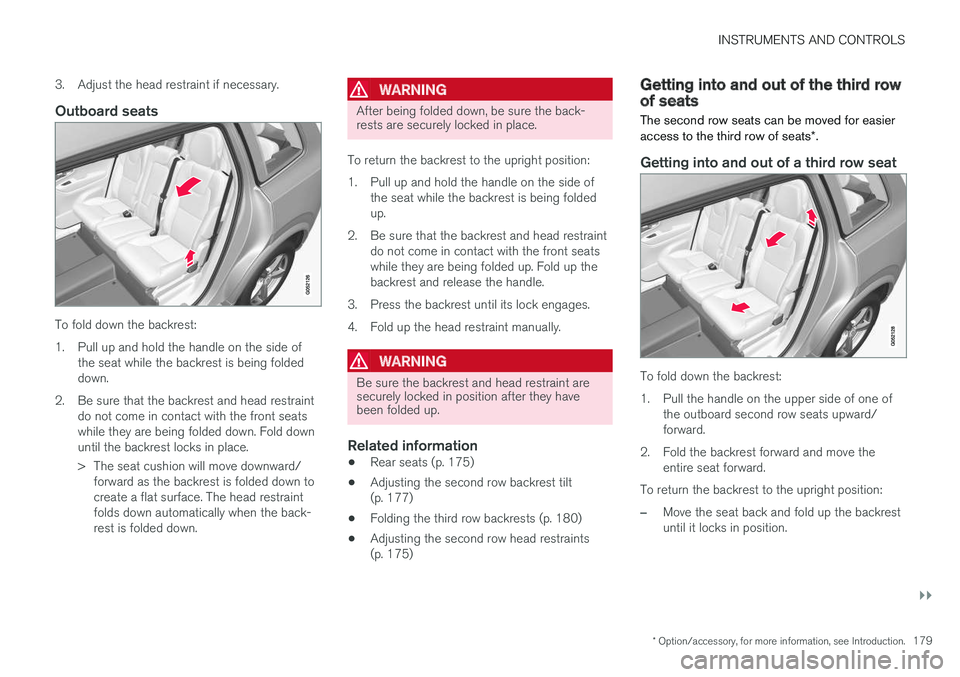
Outboard seats
To fold down the backrest:
1.Pull up and hold the handle on the side ofthe seat while the backrest is being foldeddown.
2. Be sure that the backrest and head restraintdo not come in contact with the front seatswhile they are being folded down. Fold downuntil the backrest locks in place.
> The seat cushion will move downward/forward as the backrest is folded down tocreate a flat surface. The head restraintfolds down automatically when the back-rest is folded down.
WARNING
After being folded down, be sure the back-rests are securely locked in place.
To return the backrest to the upright position:
1.Pull up and hold the handle on the side ofthe seat while the backrest is being foldedup.
2. Be sure that the backrest and head restraintdo not come in contact with the front seatswhile they are being folded up. Fold up thebackrest and release the handle.
3. Press the backrest until its lock engages.
4. Fold up the head restraint manually.
WARNING
Be sure the backrest and head restraint aresecurely locked in position after they havebeen folded up.
Related information
•Rear seats (p. 175)
•Adjusting the second row backrest tilt(p. 177)
•Folding the third row backrests (p. 180)
•Adjusting the second row head restraints(p. 175)
Getting into and out of the third rowof seats
The second row seats can be moved for easieraccess to the third row of seats*.
Getting into and out of a third row seat
To fold down the backrest:
1.Pull the handle on the upper side of one ofthe outboard second row seats upward/forward.
2. Fold the backrest forward and move theentire seat forward.
To return the backrest to the upright position:
–Move the seat back and fold up the backrestuntil it locks in position.
Page 182 of 584

||
INSTRUMENTS AND CONTROLS
* Option/accessory, for more information, see Introduction.180
WARNING
Be sure the backrest and head restraint aresecurely locked in position after they havebeen folded up.
Related information
•Moving the second row seats forward/rear-ward (p. 176)
•Adjusting the second row backrest tilt(p. 177)
•Folding the second row backrests (p. 178)
Folding the third row backrests
The third row of seats has two individual seatingpositions that can be folded down manually orelectrically*.
NOTE
Before folding down the third row seats, itmay be necessary to change the position/tiltof the seats in the second row.
1. Pull the handle on the upper side of thebackrest upward/forward.
2.Be sure that the backrest and head restraintdo not come in contact with the seat aheadwhile they are being folded down. Fold thebackrest down.
> The seat cushion will move downward/forward as the backrest is folded down tocreate a flat surface. The head restraintfolds down automatically when the back-rest is folded down.
To return the backrest to the upright position,fold the backrest up until it locks in position. Thehead restraint has to be folded up manually.
WARNING
Be sure the backrest and head restraint aresecurely locked in position after they havebeen folded up.
Related information
•Rear seats (p. 175)
•Adjusting the second row head restraints(p. 175)
•Adjusting the second row backrest tilt(p. 177)
•Moving the second row seats forward/rear-ward (p. 176)
Page 220 of 584
LOADING AND STORAGE
* Option/accessory, for more information, see Introduction.218
Cargo space
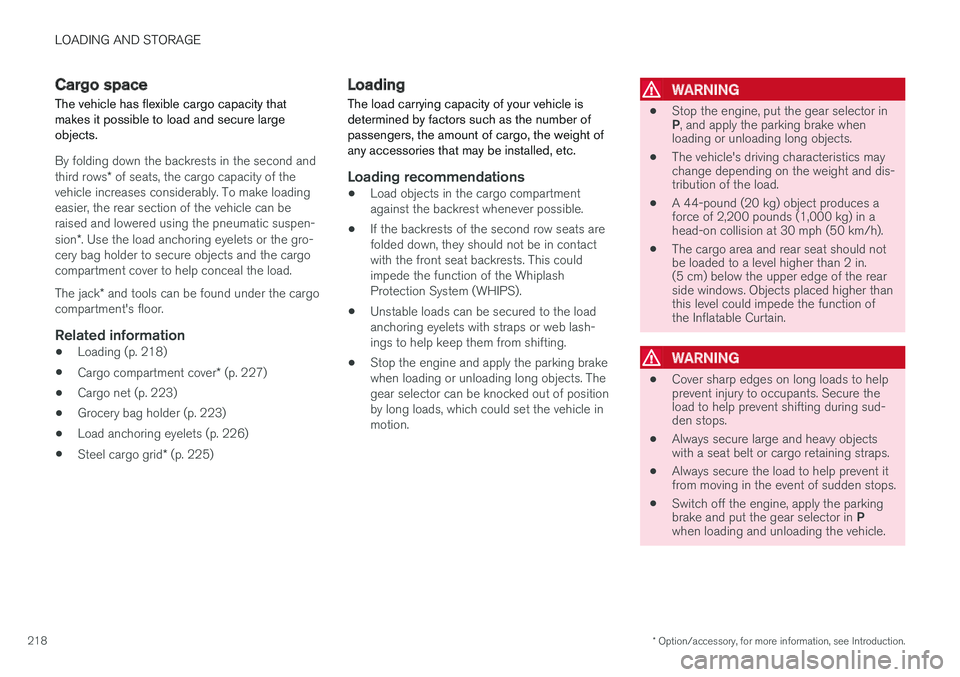
The vehicle has flexible cargo capacity thatmakes it possible to load and secure largeobjects.
By folding down the backrests in the second andthird rows* of seats, the cargo capacity of thevehicle increases considerably. To make loadingeasier, the rear section of the vehicle can beraised and lowered using the pneumatic suspen-sion*. Use the load anchoring eyelets or the gro-cery bag holder to secure objects and the cargocompartment cover to help conceal the load.
The jack* and tools can be found under the cargocompartment's floor.
Related information
•Loading (p. 218)
•Cargo compartment cover* (p. 227)
•Cargo net (p. 223)
•Grocery bag holder (p. 223)
•Load anchoring eyelets (p. 226)
•Steel cargo grid* (p. 225)
Loading
The load carrying capacity of your vehicle isdetermined by factors such as the number ofpassengers, the amount of cargo, the weight ofany accessories that may be installed, etc.
Loading recommendations
•Load objects in the cargo compartmentagainst the backrest whenever possible.
•If the backrests of the second row seats arefolded down, they should not be in contactwith the front seat backrests. This couldimpede the function of the WhiplashProtection System (WHIPS).
•Unstable loads can be secured to the loadanchoring eyelets with straps or web lash-ings to help keep them from shifting.
•Stop the engine and apply the parking brakewhen loading or unloading long objects. Thegear selector can be knocked out of positionby long loads, which could set the vehicle inmotion.
WARNING
•Stop the engine, put the gear selector inP, and apply the parking brake whenloading or unloading long objects.
•The vehicle's driving characteristics maychange depending on the weight and dis-tribution of the load.
•A 44-pound (20 kg) object produces aforce of 2,200 pounds (1,000 kg) in ahead-on collision at 30 mph (50 km/h).
•The cargo area and rear seat should notbe loaded to a level higher than 2 in.(5 cm) below the upper edge of the rearside windows. Objects placed higher thanthis level could impede the function ofthe Inflatable Curtain.
WARNING
•Cover sharp edges on long loads to helpprevent injury to occupants. Secure theload to help prevent shifting during sud-den stops.
•Always secure large and heavy objectswith a seat belt or cargo retaining straps.
•Always secure the load to help prevent itfrom moving in the event of sudden stops.
•Switch off the engine, apply the parkingbrake and put the gear selector in Pwhen loading and unloading the vehicle.