warning VOLVO XC90 TWIN ENGINE HYBRID 2017 Manual PDF
[x] Cancel search | Manufacturer: VOLVO, Model Year: 2017, Model line: XC90 TWIN ENGINE HYBRID, Model: VOLVO XC90 TWIN ENGINE HYBRID 2017Pages: 584, PDF Size: 14.2 MB
Page 221 of 584
LOADING AND STORAGE
}}
* Option/accessory, for more information, see Introduction.219
Raising/lowering the rear-end of the
vehicle *
Using the buttons on the read edge of the cargocompartment, the rear-end of the vehicle (thelevel of the cargo compartment floor) can beraised or lowered for easier loading or to make
attaching a trailer1 simpler.
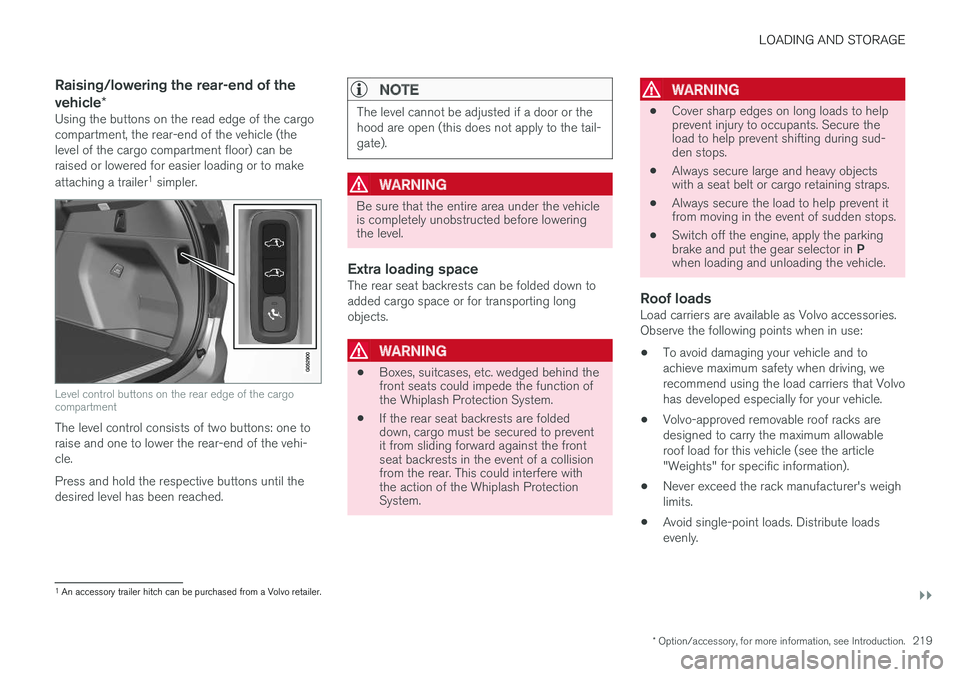
Level control buttons on the rear edge of the cargocompartment
The level control consists of two buttons: one toraise and one to lower the rear-end of the vehi-cle.
Press and hold the respective buttons until thedesired level has been reached.
NOTE
The level cannot be adjusted if a door or thehood are open (this does not apply to the tail-gate).
WARNING
Be sure that the entire area under the vehicleis completely unobstructed before loweringthe level.
Extra loading space
The rear seat backrests can be folded down toadded cargo space or for transporting longobjects.
WARNING
•Boxes, suitcases, etc. wedged behind thefront seats could impede the function ofthe Whiplash Protection System.
•If the rear seat backrests are foldeddown, cargo must be secured to preventit from sliding forward against the frontseat backrests in the event of a collisionfrom the rear. This could interfere withthe action of the Whiplash ProtectionSystem.
WARNING
•Cover sharp edges on long loads to helpprevent injury to occupants. Secure theload to help prevent shifting during sud-den stops.
•Always secure large and heavy objectswith a seat belt or cargo retaining straps.
•Always secure the load to help prevent itfrom moving in the event of sudden stops.
•Switch off the engine, apply the parkingbrake and put the gear selector in Pwhen loading and unloading the vehicle.
Roof loads
Load carriers are available as Volvo accessories.Observe the following points when in use:
•To avoid damaging your vehicle and toachieve maximum safety when driving, werecommend using the load carriers that Volvohas developed especially for your vehicle.
•Volvo-approved removable roof racks aredesigned to carry the maximum allowableroof load for this vehicle (see the article"Weights" for specific information).
•Never exceed the rack manufacturer's weighlimits.
•Avoid single-point loads. Distribute loadsevenly.
1An accessory trailer hitch can be purchased from a Volvo retailer.
Page 223 of 584

LOADING AND STORAGE
}}
221
Storage spaces, cup holders and 12-voltsocket/AUX/USB sockets in the tunnel console in thetunnel console
Second row of seats
Storage compartments in the door panels, cupholders inthe center seat's backrest, storage pockets on the rearside of the front seat backrest, and 12-volt socket onthe rear side of the tunnel console
Third row of seats
Storage space and cup holder in the side panel and thestorage space between the seats
WARNING
Always stow loose items such as cell phones,cameras, remote controls, etc. in the glovecompartment or other storage spaces to helpkeep them from becoming projectiles in theevent of sudden braking, etc.
Related information
•Tunnel console (p. 222)
•Using the glove compartment (p. 221)
•Electrical sockets (p. 230)
•Sun visors (p. 229)
Using the glove compartment
The glove compartment provides storage spacefor small items.
The glove compartment and opening button on the cen-ter console
The owner's manual and maps can be kept here.There are also holders for pens on the inside ofthe glove compartment door.
Opening the glove compartment
–Press the glove compartment button on thecenter console.
>The glove compartment door will open.
Locking/unlocking the glove
compartment
The glove compartment and tailgate can belocked when e.g., the vehicle is in a workshop forservice, etc. See also the article "Private locking"for additional information.
Page 225 of 584

LOADING AND STORAGE
}}
* Option/accessory, for more information, see Introduction.223
Grocery bag holder
The grocery bag holders (hooks) and elasticstrap help keep shopping bags in place.
On the sides of the cargo compartment
There are also two fold-out holders in the sidepanels, one on each side.
CAUTION
The grocery bag holders (hooks) are onlyintended to hold weights less than approx.11 lbs (5 kg).
Related information
•Cargo net (p. 223)
•Steel cargo grid* (p. 225)
•Cargo compartment cover* (p. 227)
Cargo net
The cargo net helps protect passengers fromobjects in the cargo compartment in the event ofa sudden stop or hard braking.
The cargo net is attached at four points.
Cargo net
The cargo net can be mounted in two positions:
•Rear mounting: behind the second row seats'backrests.
•Front mounting: behind the front seats' back-rests.
WARNING
•Objects in the cargo compartment shouldalways be securely anchored.
•All of the net's attachment points must besecurely in place when the net is used.
•A damaged net must never be used.
Attaching
1. Fold out the cargo net and fold out the upperrod. Be sure it locks in position.
2. Insert one of the net's upper hooks into thefront or rear ceiling mounting point with thenet's lower straps' locks facing you.
Page 227 of 584

LOADING AND STORAGE
}}
* Option/accessory, for more information, see Introduction.225
Steel cargo grid*
Your vehicle can be equipped with a steel gridthat helps prevent objects in the cargo area frommoving forward into the passenger compart-ment.
The steel grid is made up of the grid itself andtwo separate mounting brackets.
Each of the brackets has a screw cover and thereare two plastic sleeves for the grid.
WARNING
•No one should ever be allowed to remainin the cargo compartment when the vehi-cle is moving.
•The steel grid may only be used in therear position described in this article. Theceiling attachment points above the frontseats are not intended to anchor thesteel grid.
•The third row of seats (7-seat models*only): these seats must be folded downwhen the steel grid is mounted in thevehicle.
•After being mounted, be sure that thesteel grid is securely anchored in place.
Mounting
1. Fold down the rear seats (second row ofseats in 7-seat models) and lift in the steelgrid through one of the rear doors or the tail-gate. The curved (convex) side of the gridshould face toward the cargo compartmentand the hooks on each side of the gridshould face upward. The mounting bracketsand plastic sleeves are not needed in thisstep.
2. Press one of the grid's hooks into the largerpart of the opening in the ceiling attachmentpoint (1) as shown in the illustration.
3.Grasp the grid near the hook and move ittoward the smaller opening (2).
> This secures the hook in the attachmentpoint.
4. Repeat steps 2 and 3 for the hook on theopposite side of the grid.
5. Attach the mounting bracket's hook throughthe cargo anchoring eyelet near the floor ofthe cargo compartment and insert the threa-ded section of the bracket through the grid'slower attachment hole (1).
6.Slide the plastic sleeve onto the threadedsection of the of the mounting bracket withthe sleeve's flange turned upward and pressit down through the hole. Screw the screwcover into place until its underside is approx.0.2 in. (5 mm) from the grid (2).
7. Repeat steps 5 and 6 for the opposite side.
8. Center the grid and tighten both mountingbrackets alternately until the grid is heldsecurely in place.
Removing
Perform the steps above in reverse order.
The hooks can be removed before the plasticsleeves are removed from the holes in the grid.
Page 228 of 584
||
LOADING AND STORAGE
* Option/accessory, for more information, see Introduction.226
Related information
•Cargo net (p. 223)
•Cargo compartment cover* (p. 227)
•Load anchoring eyelets (p. 226)
•Loading (p. 218)
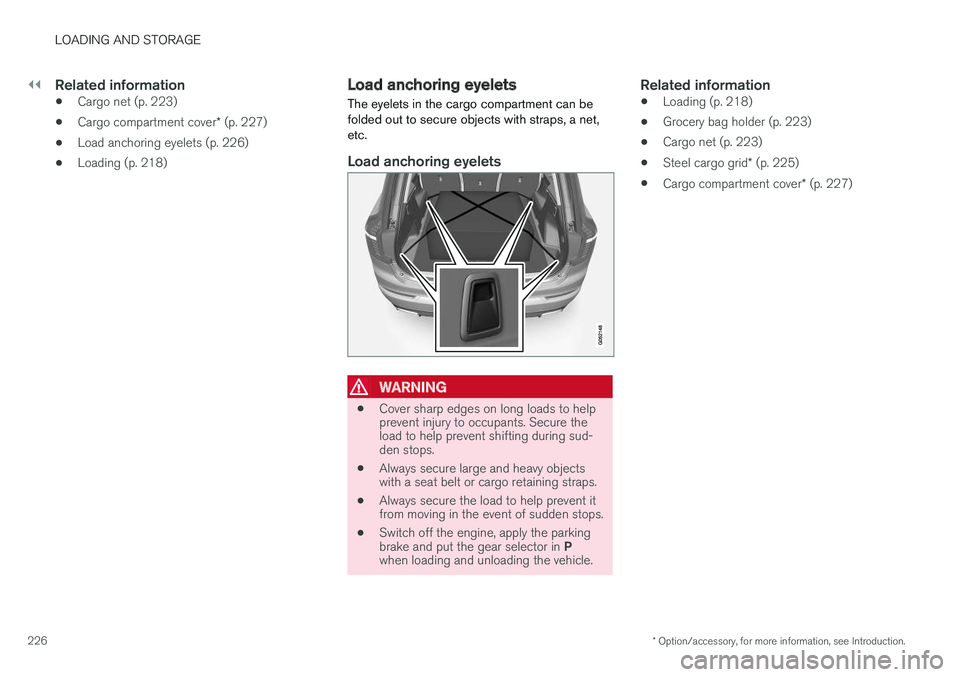
Load anchoring eyelets
The eyelets in the cargo compartment can befolded out to secure objects with straps, a net,etc.
Load anchoring eyelets
WARNING
•Cover sharp edges on long loads to helpprevent injury to occupants. Secure theload to help prevent shifting during sud-den stops.
•Always secure large and heavy objectswith a seat belt or cargo retaining straps.
•Always secure the load to help prevent itfrom moving in the event of sudden stops.
•Switch off the engine, apply the parkingbrake and put the gear selector in Pwhen loading and unloading the vehicle.
Related information
•Loading (p. 218)
•Grocery bag holder (p. 223)
•Cargo net (p. 223)
•Steel cargo grid* (p. 225)
•Cargo compartment cover* (p. 227)
Page 230 of 584

||
LOADING AND STORAGE
* Option/accessory, for more information, see Introduction.228
If you are holding something in one of yourhands:
From the fully open position, push the cover'shandle slightly upward with e.g., your elbow.
> The cover will close until it reaches thepartially retracted position.
To fully open the cover from the partially openposition:
1.Grasp the handle and pull out the cover tothe fully open position.
2. Let the cover retract slightly and press thehandle slightly downward.
> The cover will be secured n the fully openposition.
Avoid placing any objects on the cover when it isopen.
WARNING
7-seat models: remove the cargo compart-ment cover completely from the vehicle if oneor both of the third row seats will be occupied.
Retracting the cover
From the fully open position:
–Lift the cover's handle and pull it rearwardslightly to release the attaching pins fromtheir grooves. Allow the cover to retract.
From the partially retracted position:
–Grasp the handle and lift it slightly to releasethe attaching pins from their grooves. Pullthe cover to the fully open position.
>Allow the cover to retract completely.
Removing the cover
1. With the cover retracted, press the button onone of the cover's ends and lift out that end.
For 7-seat models: Release the seat beltlatches from the hooks in the side panels.For 5-seat models, see the following step.
2. Carefully lift the cover up/out.
> The other end will release automatically.Lift the cover out of the cargo compart-ment.
Related information
•Cargo net (p. 223)
•Steel cargo grid* (p. 225)
•Loading (p. 218)
•Load anchoring eyelets (p. 226)
Page 232 of 584

LOADING AND STORAGE
* Option/accessory, for more information, see Introduction.230
Electrical sockets
There are two 12-volt sockets in the tunnel con-sole, a 120-volt socket on the rear side of thetunnel console, and one 12-volt socket in thecargo area*.
120-volt socket in the tunnel console 3
120-volt socket in the tunnel console for the secondrow of seats
This socket is intended for 120-volt devices suchas laptops, chargers, etc.
The max. current provided is 150W.
Using the sockets
1. Remove or pull down the cover over thesocket and plug in the device.
> The socket's indicator light will indicate itsstatus. The socket can only provide elec-trical current when the light is green.
2. Disconnect the device by pulling its plug, notits cord.
Pull up the cover over the socket when it is not inuse.
CAUTION
•Do not connect devices with large orheavy plugs that could come loose whiledriving.
•Do not use devices that can cause inter-ference with the vehicle's radio receiveror electrical system.
WARNING
•Be sure to place any devices connectedto the socket safely so that they do notbecome projectiles in the event of a sud-den stop and injure the occupants of thevehicle.
•Be aware that connected devices maygenerate heat and become very hot.
•Only connect devices that function cor-rectly and are free from defects. Thesedevices should be intended for use in a120-volt, 60Hz socket with a plugintended for the socket in the vehicle andbe UL-approved (or the equivalentthereof).
•Never let the device, its plug or thesocket itself come in contact with fluidsof any kind. Never touch or use thesocket if it appears to be damaged orwet.
•Never connect multiple plugs, adapters orextension cords to the socket. This couldoverride the socket's safety functions.
•Never let children play or tamper with thesocket, or attempt to insert any objectsinto it. Never leave children unattended inthe vehicle when the socket is active.
•Never try to modify or repair the 120-voltsocket. This should only be done by a
3
Certain models only.
Page 234 of 584
||
LOADING AND STORAGE
232
12-volt socket in the tunnel console
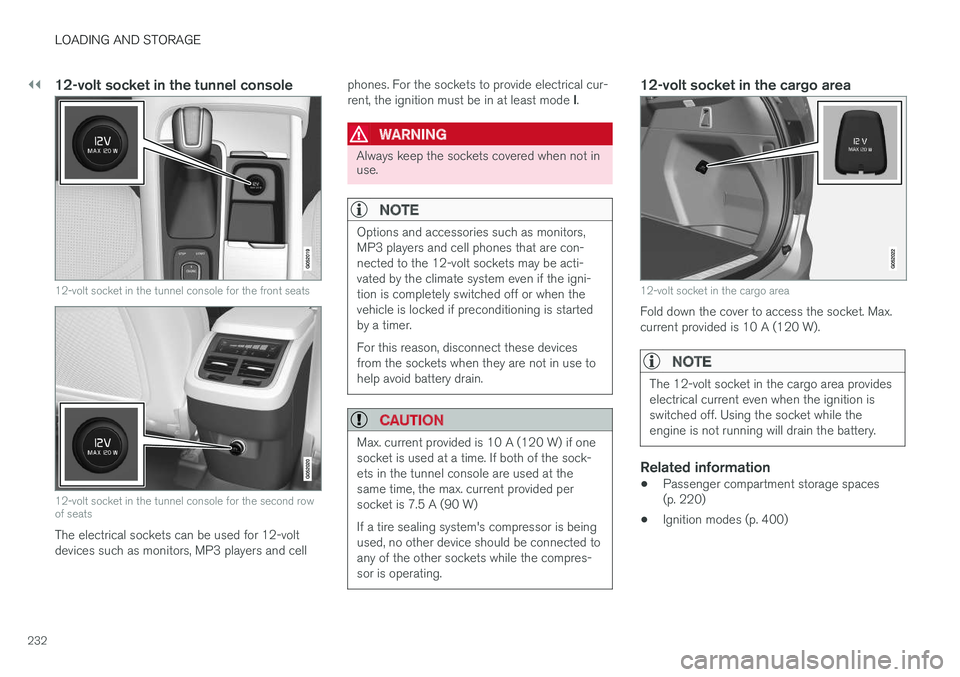
12-volt socket in the tunnel console for the front seats
12-volt socket in the tunnel console for the second rowof seats
The electrical sockets can be used for 12-voltdevices such as monitors, MP3 players and cell
phones. For the sockets to provide electrical cur-rent, the ignition must be in at least mode I.
WARNING
Always keep the sockets covered when not inuse.
NOTE
Options and accessories such as monitors,MP3 players and cell phones that are con-nected to the 12-volt sockets may be acti-vated by the climate system even if the igni-tion is completely switched off or when thevehicle is locked if preconditioning is startedby a timer.
For this reason, disconnect these devicesfrom the sockets when they are not in use tohelp avoid battery drain.
CAUTION
Max. current provided is 10 A (120 W) if onesocket is used at a time. If both of the sock-ets in the tunnel console are used at thesame time, the max. current provided persocket is 7.5 A (90 W)
If a tire sealing system's compressor is beingused, no other device should be connected toany of the other sockets while the compres-sor is operating.
12-volt socket in the cargo area
12-volt socket in the cargo area
Fold down the cover to access the socket. Max.current provided is 10 A (120 W).
NOTE
The 12-volt socket in the cargo area provideselectrical current even when the ignition isswitched off. Using the socket while theengine is not running will drain the battery.
Related information
•Passenger compartment storage spaces(p. 220)
•Ignition modes (p. 400)
Page 240 of 584
LOCKS AND ALARM
238
Remote key
The remote key is used to lock/unlock the vehi-cle and must be in the passenger compartmentin order to start the engine.
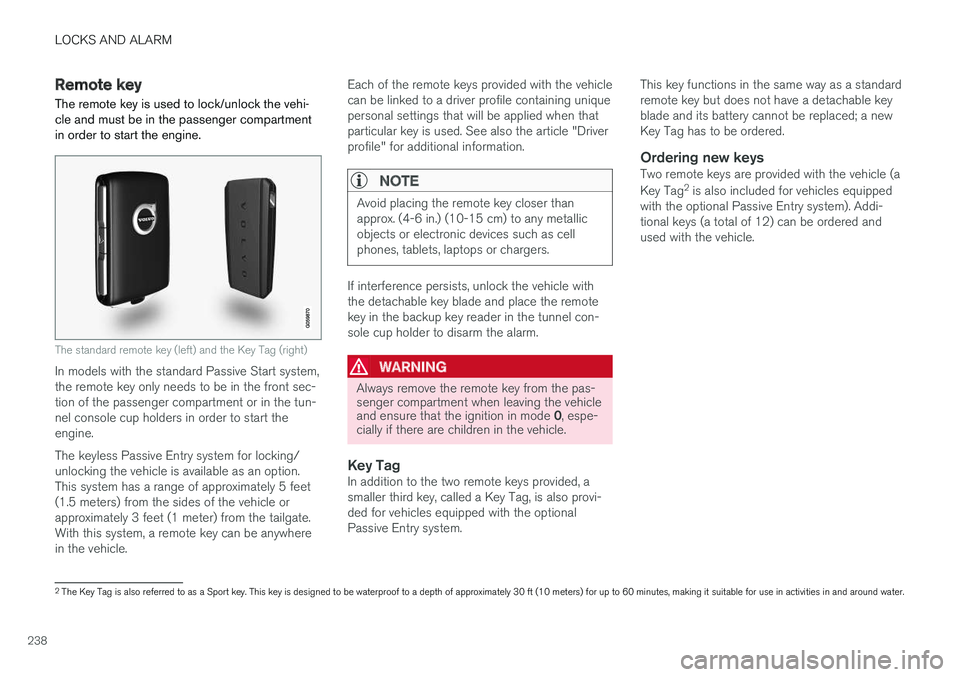
The standard remote key (left) and the Key Tag (right)
In models with the standard Passive Start system,the remote key only needs to be in the front sec-tion of the passenger compartment or in the tun-nel console cup holders in order to start theengine.
The keyless Passive Entry system for locking/unlocking the vehicle is available as an option.This system has a range of approximately 5 feet(1.5 meters) from the sides of the vehicle orapproximately 3 feet (1 meter) from the tailgate.With this system, a remote key can be anywherein the vehicle.
Each of the remote keys provided with the vehiclecan be linked to a driver profile containing uniquepersonal settings that will be applied when thatparticular key is used. See also the article "Driverprofile" for additional information.
NOTE
Avoid placing the remote key closer thanapprox. (4-6 in.) (10-15 cm) to any metallicobjects or electronic devices such as cellphones, tablets, laptops or chargers.
If interference persists, unlock the vehicle withthe detachable key blade and place the remotekey in the backup key reader in the tunnel con-sole cup holder to disarm the alarm.
WARNING
Always remove the remote key from the pas-senger compartment when leaving the vehicleand ensure that the ignition in mode 0, espe-cially if there are children in the vehicle.
Key Tag
In addition to the two remote keys provided, asmaller third key, called a Key Tag, is also provi-ded for vehicles equipped with the optionalPassive Entry system.
This key functions in the same way as a standardremote key but does not have a detachable keyblade and its battery cannot be replaced; a newKey Tag has to be ordered.
Ordering new keys
Two remote keys are provided with the vehicle (a
Key Tag2 is also included for vehicles equippedwith the optional Passive Entry system). Addi-tional keys (a total of 12) can be ordered andused with the vehicle.
2The Key Tag is also referred to as a Sport key. This key is designed to be waterproof to a depth of approximately 30 ft (10 meters) for up to 60 minutes, making it suitable for use in activities in and around water.
Page 241 of 584
LOCKS AND ALARM
* Option/accessory, for more information, see Introduction.239
The remote key's buttons
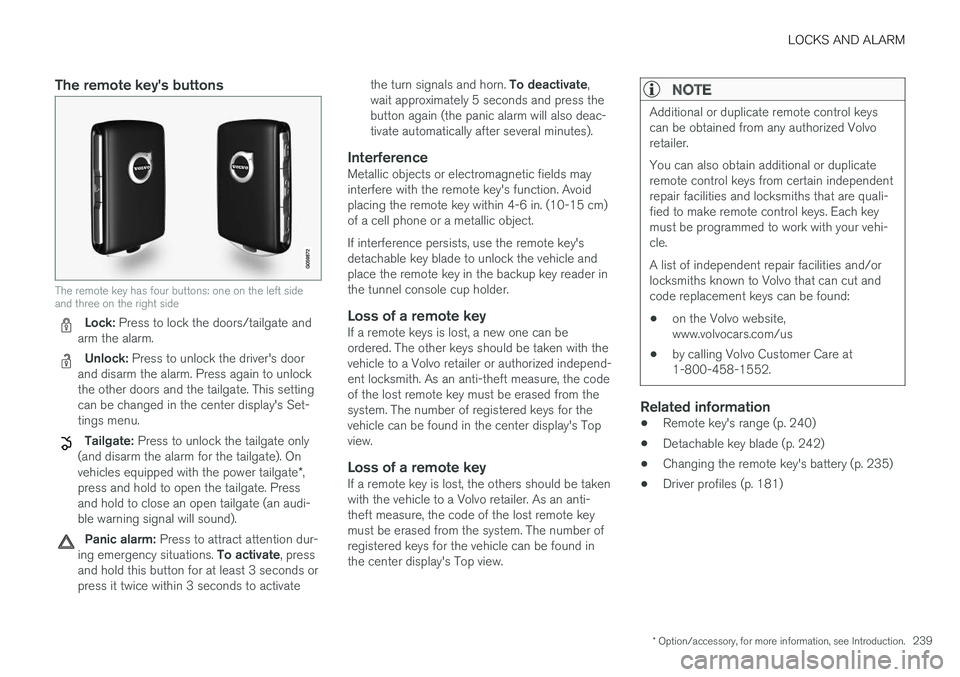
The remote key has four buttons: one on the left sideand three on the right side
Lock: Press to lock the doors/tailgate andarm the alarm.
Unlock: Press to unlock the driver's doorand disarm the alarm. Press again to unlockthe other doors and the tailgate. This settingcan be changed in the center display's Set-tings menu.
Tailgate: Press to unlock the tailgate only(and disarm the alarm for the tailgate). Onvehicles equipped with the power tailgate*,press and hold to open the tailgate. Pressand hold to close an open tailgate (an audi-ble warning signal will sound).
Panic alarm: Press to attract attention dur-ing emergency situations. To activate, pressand hold this button for at least 3 seconds orpress it twice within 3 seconds to activate
the turn signals and horn. To deactivate,wait approximately 5 seconds and press thebutton again (the panic alarm will also deac-tivate automatically after several minutes).
Interference
Metallic objects or electromagnetic fields mayinterfere with the remote key's function. Avoidplacing the remote key within 4-6 in. (10-15 cm)of a cell phone or a metallic object.
If interference persists, use the remote key'sdetachable key blade to unlock the vehicle andplace the remote key in the backup key reader inthe tunnel console cup holder.
Loss of a remote key
If a remote keys is lost, a new one can beordered. The other keys should be taken with thevehicle to a Volvo retailer or authorized independ-ent locksmith. As an anti-theft measure, the codeof the lost remote key must be erased from thesystem. The number of registered keys for thevehicle can be found in the center display's Topview.
Loss of a remote key
If a remote key is lost, the others should be takenwith the vehicle to a Volvo retailer. As an anti-theft measure, the code of the lost remote keymust be erased from the system. The number ofregistered keys for the vehicle can be found inthe center display's Top view.
NOTE
Additional or duplicate remote control keyscan be obtained from any authorized Volvoretailer.
You can also obtain additional or duplicateremote control keys from certain independentrepair facilities and locksmiths that are quali-fied to make remote control keys. Each keymust be programmed to work with your vehi-cle.
A list of independent repair facilities and/orlocksmiths known to Volvo that can cut andcode replacement keys can be found:
•on the Volvo website,www.volvocars.com/us
•by calling Volvo Customer Care at1-800-458-1552.
Related information
•Remote key's range (p. 240)
•Detachable key blade (p. 242)
•Changing the remote key's battery (p. 235)
•Driver profiles (p. 181)