engine YAMAHA NMAX 125 2020 User Guide
[x] Cancel search | Manufacturer: YAMAHA, Model Year: 2020, Model line: NMAX 125, Model: YAMAHA NMAX 125 2020Pages: 114, PDF Size: 10.63 MB
Page 31 of 114
Stop and Start System
4-3
4
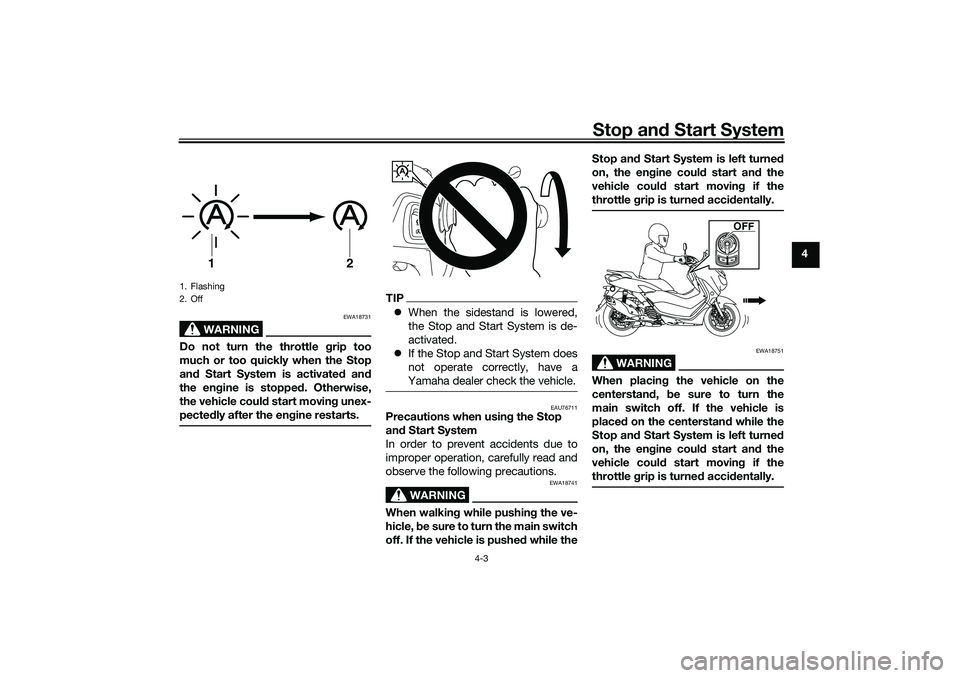
WARNING
EWA18731
Do not turn the throttle grip too
much or too quickly when the Stop
and Start System is activated and
the engine is stopped. Otherwise,
the vehicle could start moving unex-
pectedly after the engine restarts.
TIPWhen the sidestand is lowered,
the Stop and Start System is de-
activated.
If the Stop and Start System does
not operate correctly, have a
Yamaha dealer check the vehicle.
EAU76711
Precautions when using the Stop
and Start System
In order to prevent accidents due to
improper operation, carefully read and
observe the following precautions.
WARNING
EWA18741
When walking while pushing the ve-
hicle, be sure to turn the main switch
off. If the vehicle is pushed while theStop and Start System is left turned
on, the engine could start and the
vehicle could start moving if the
throttle grip is turned accidentally.
WARNING
EWA18751
When placing the vehicle on the
centerstand, be sure to turn the
main switch off. If the vehicle is
placed on the centerstand while the
Stop and Start System is left turned
on, the engine could start and the
vehicle could start moving if the
throttle grip is turned accidentally.
1. Flashing
2. Off
1
2
A
OFF
UBALE0E0.book Page 3 Wednesday, September 30, 2020 1:37 PM
Page 32 of 114
Stop and Start System
4-4
4
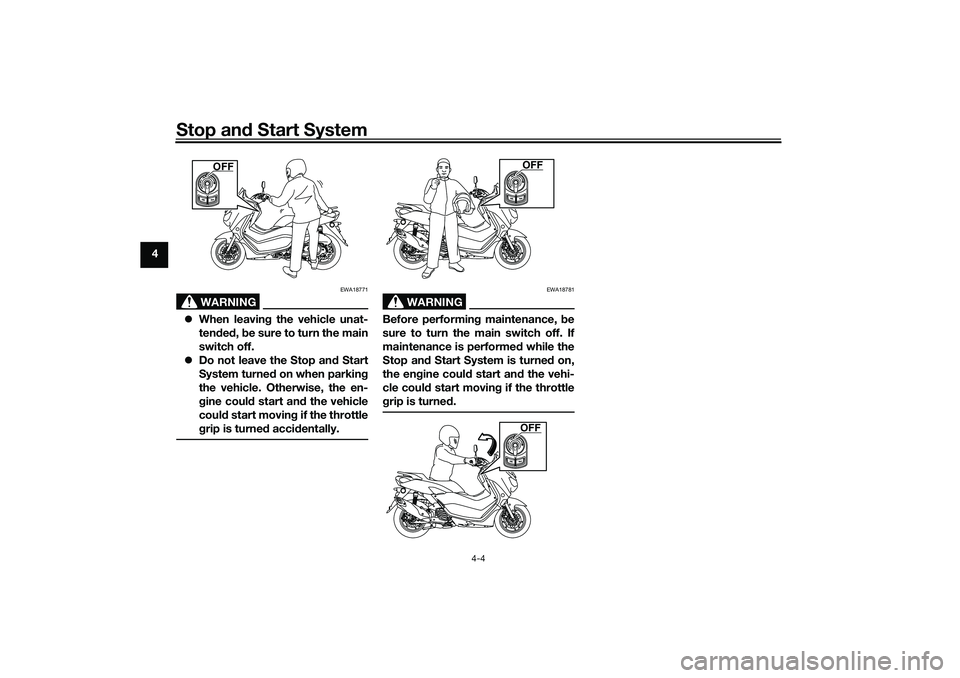
WARNING
EWA18771
When leaving the vehicle unat-
tended, be sure to turn the main
switch off.
Do not leave the Stop and Start
System turned on when parking
the vehicle. Otherwise, the en-
gine could start and the vehicle
could start moving if the throttle
grip is turned accidentally.
WARNING
EWA18781
Before performing maintenance, be
sure to turn the main switch off. If
maintenance is performed while the
Stop and Start System is turned on,
the engine could start and the vehi-
cle could start moving if the throttle
grip is turned.
OFF
OFFOFF
UBALE0E0.book Page 4 Wednesday, September 30, 2020 1:37 PM
Page 35 of 114
Instrument and control functions
6-1
6
EAU77123
Indicator lights and warning
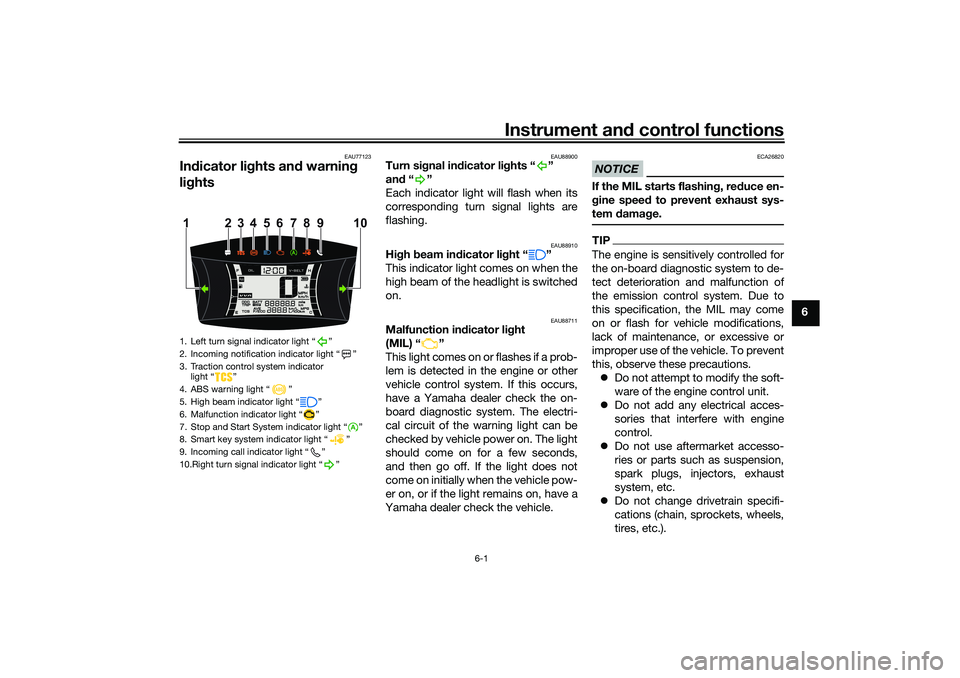
lights
EAU88900
Turn signal indicator lights “ ”
and“”
Each indicator light will flash when its
corresponding turn signal lights are
flashing.
EAU88910
High beam indicator light “ ”
This indicator light comes on when the
high beam of the headlight is switched
on.
EAU88711
Malfunction indicator light
(MIL) “ ”
This light comes on or flashes if a prob-
lem is detected in the engine or other
vehicle control system. If this occurs,
have a Yamaha dealer check the on-
board diagnostic system. The electri-
cal circuit of the warning light can be
checked by vehicle power on. The light
should come on for a few seconds,
and then go off. If the light does not
come on initially when the vehicle pow-
er on, or if the light remains on, have a
Yamaha dealer check the vehicle.
NOTICE
ECA26820
If the MIL starts flashing, reduce en-
gine speed to prevent exhaust sys-
tem damage.TIPThe engine is sensitively controlled for
the on-board diagnostic system to de-
tect deterioration and malfunction of
the emission control system. Due to
this specification, the MIL may come
on or flash for vehicle modifications,
lack of maintenance, or excessive or
improper use of the vehicle. To prevent
this, observe these precautions.
Do not attempt to modify the soft-
ware of the engine control unit.
Do not add any electrical acces-
sories that interfere with engine
control.
Do not use aftermarket accesso-
ries or parts such as suspension,
spark plugs, injectors, exhaust
system, etc.
Do not change drivetrain specifi-
cations (chain, sprockets, wheels,
tires, etc.).
1. Left turn signal indicator light “ ”
2. Incoming notification indicator light “ ”
3. Traction control system indicator
light “ ”
4. ABS warning light “ ”
5. High beam indicator light “ ”
6. Malfunction indicator light “ ”
7. Stop and Start System indicator light “ ”
8. Smart key system indicator light “ ”
9. Incoming call indicator light “ ”
10.Right turn signal indicator light “ ”
4 110
5
6
7
8
23 9
UBALE0E0.book Page 1 Wednesday, September 30, 2020 1:37 PM
Page 36 of 114
Instrument and control functions
6-2
6Do not remove or alter the O2 sen-
sor, air induction system, or ex-
haust parts (catalysts or EXUP,
etc.).
Maintain proper V-belt and drive
belt (if equipped).
Maintain correct tire pressure.
Do not operate the vehicle in an
extreme manner. For example, re-
peated or excessive opening and
closing of the throttle, racing,
burnouts, wheelies, etc.
EAU88890
ABS warning light “ ”
This warning light comes on when the
vehicle is first turned on, and goes off
after starting riding. If the warning light
comes on while riding, the anti-lock
brake system may not work correctly.
WARNING
EWA16043
If the ABS warning light does not
turn off after reaching 10 km/h (6
mi/h), or if the warning light comes
on while riding:
Use extra caution to avoid pos-
sible wheel lock during emer-
gency braking. Have a Yamaha dealer check
the vehicle as soon as possible.
TIPThe ABS warning light may come on
while revving the engine with the vehi-
cle on its centerstand, but this does
not indicate a malfunction.
EAU88930
Traction control system indicator
light “ ”
This indicator light will flash when trac-
tion control has engaged.
If the traction control system is turned
off, this indicator light will come on.
(See page 6-12.)TIPWhen the vehicle is turned on, the light
should come on for a few seconds and
then go off. If the light does not come
on, or if the light remains on, have a
Yamaha dealer check vehicle.
EAUN2770
Smart key system indicator
light “ ”
This indicator light communicates the
status of the smart key system. When
the smart key system is operating nor-
mally, this indicator light will be off. If
there is an error in the smart key sys-
tem, the indicator light will flash. The
indicator light will also flash when com-
munication between the vehicle and
smart key takes place and when cer-
tain smart key system operations are
carried out.
EAUN2830
Stop and Start System indicator
light “ ”
This indicator light comes on when the
Stop and Start System activates. The
indicator light will flash when the en-
gine is automatically stopped by the
Stop and Start System.TIPEven if the Stop and Start Switch is set
to Ž, this indicator light may not
come on. (See page 4-1.)
A
UBALE0E0.book Page 2 Wednesday, September 30, 2020 1:37 PM
Page 39 of 114
Instrument and control functions
6-5
6 4. Use the “MENU” switch to set the
minutes.
5. Push the “MENU” switch until the
minute digits stop flashing. The
setting is confirmed.
TIPWhen CCU and smartphone is con-
nected after vehicle power on, the
clock is automatically adjusted.
EAU86860
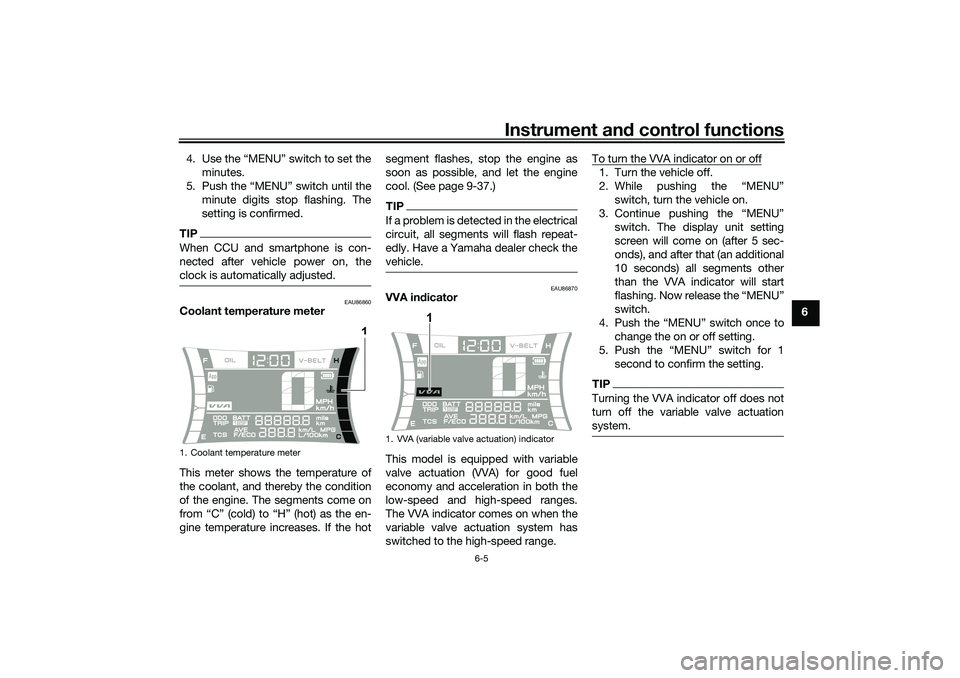
Coolant temperature meter
This meter shows the temperature of
the coolant, and thereby the condition
of the engine. The segments come on
from “C” (cold) to “H” (hot) as the en-
gine temperature increases. If the hotsegment flashes, stop the engine as
soon as possible, and let the engine
cool. (See page 9-37.)
TIPIf a problem is detected in the electrical
circuit, all segments will flash repeat-
edly. Have a Yamaha dealer check the
vehicle.
EAU86870
VVA indicator
This model is equipped with variable
valve actuation (VVA) for good fuel
economy and acceleration in both the
low-speed and high-speed ranges.
The VVA indicator comes on when the
variable valve actuation system has
switched to the high-speed range.To turn the VVA indicator on or off
1. Turn the vehicle off.
2. While pushing the “MENU”
switch, turn the vehicle on.
3. Continue pushing the “MENU”
switch. The display unit setting
screen will come on (after 5 sec-
onds), and after that (an additional
10 seconds) all segments other
than the VVA indicator will start
flashing. Now release the “MENU”
switch.
4. Push the “MENU” switch once to
change the on or off setting.
5. Push the “MENU” switch for 1
second to confirm the setting.TIPTurning the VVA indicator off does not
turn off the variable valve actuation
system.
1. Coolant temperature meter
1
1. VVA (variable valve actuation) indicator
1
UBALE0E0.book Page 5 Wednesday, September 30, 2020 1:37 PM
Page 41 of 114
Instrument and control functions
6-7
6
EAU86900
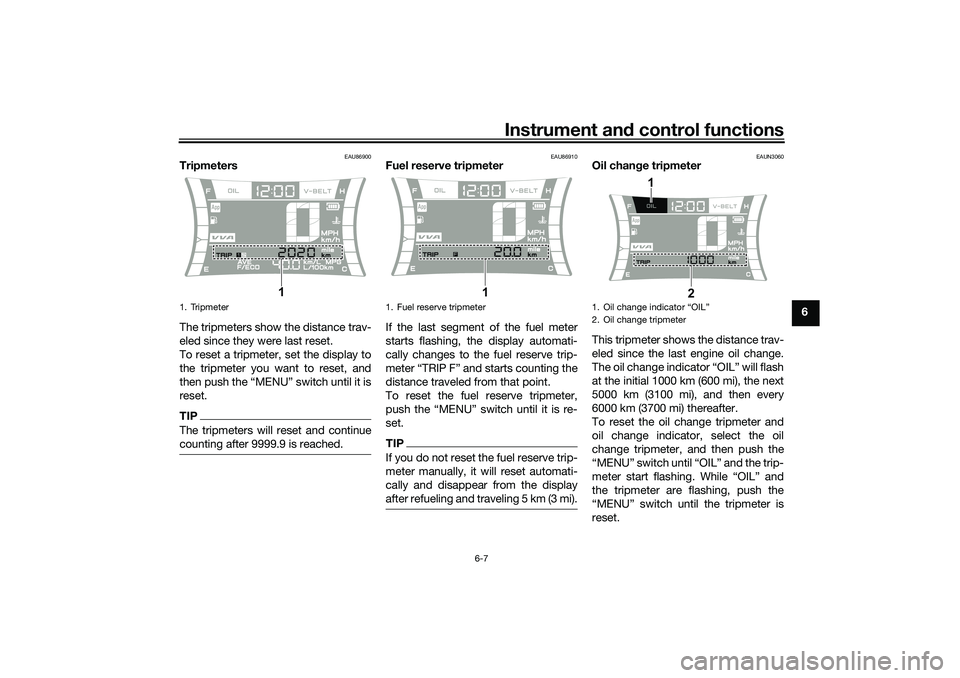
Tripmeters
The tripmeters show the distance trav-
eled since they were last reset.
To reset a tripmeter, set the display to
the tripmeter you want to reset, and
then push the “MENU” switch until it is
reset.TIPThe tripmeters will reset and continue
counting after 9999.9 is reached.
EAU86910
Fuel reserve tripmeter
If the last segment of the fuel meter
starts flashing, the display automati-
cally changes to the fuel reserve trip-
meter “TRIP F” and starts counting the
distance traveled from that point.
To reset the fuel reserve tripmeter,
push the “MENU” switch until it is re-
set.TIPIf you do not reset the fuel reserve trip-
meter manually, it will reset automati-
cally and disappear from the display
after refueling and traveling 5 km (3 mi).
EAUN3060
Oil change tripmeter
This tripmeter shows the distance trav-
eled since the last engine oil change.
The oil change indicator “OIL” will flash
at the initial 1000 km (600 mi), the next
5000 km (3100 mi), and then every
6000 km (3700 mi) thereafter.
To reset the oil change tripmeter and
oil change indicator, select the oil
change tripmeter, and then push the
“MENU” switch until “OIL” and the trip-
meter start flashing. While “OIL” and
the tripmeter are flashing, push the
“MENU” switch until the tripmeter is
reset.
1. Tripmeter
1
1. Fuel reserve tripmeter
1
1.
2. Oil change tripmeter
2
1
UBALE0E0.book Page 7 Wednesday, September 30, 2020 1:37 PM
Page 42 of 114
Instrument and control functions
6-8
6
TIPWhen the engine oil has been
changed, the oil change tripmeter and
the oil change indicator must be reset.
Otherwise, the oil change indicator will
not come on at the correct time.
EAUN3070
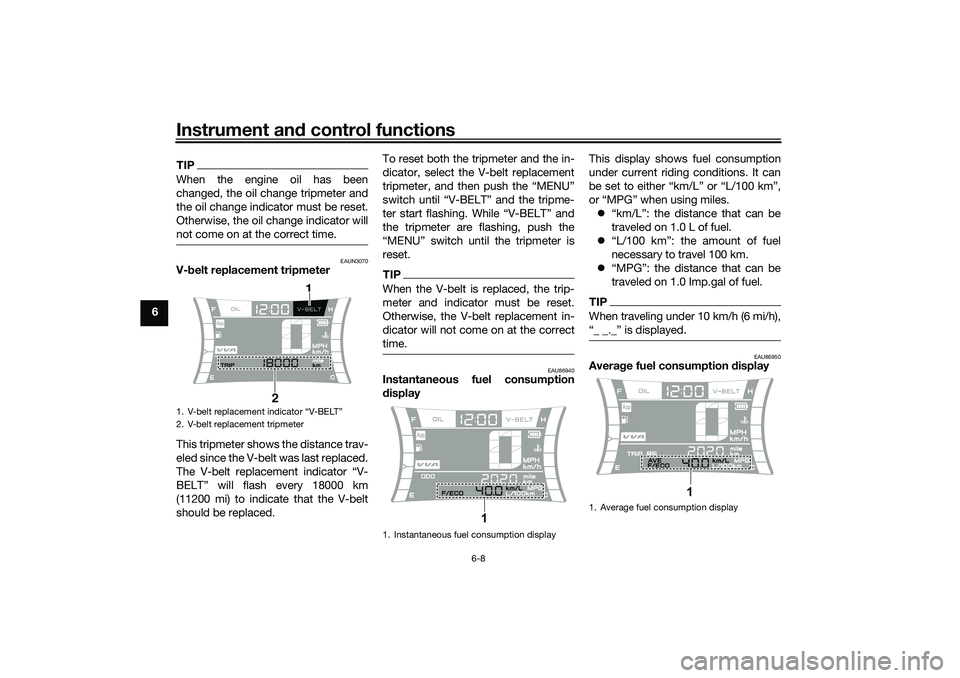
V-belt replacement tripmeter
This tripmeter shows the distance trav-
eled since the V-belt was last replaced.
The V-belt replacement indicator “V-
BELT” will flash every 18000 km
(11200 mi) to indicate that the V-belt
should be replaced.To reset both the tripmeter and the in-
dicator, select the V-belt replacement
tripmeter, and then push the “MENU”
switch until “V-BELT” and the tripme-
ter start flashing. While “V-BELT” and
the tripmeter are flashing, push the
“MENU” switch until the tripmeter is
reset.
TIPWhen the V-belt is replaced, the trip-
meter and indicator must be reset.
Otherwise, the V-belt replacement in-
dicator will not come on at the correct
time.
EAU86940
Instantaneous fuel consumption
displayThis display shows fuel consumption
under current riding conditions. It can
be set to either “km/L” or “L/100 km”,
or “MPG” when using miles.
“km/L”: the distance that can be
traveled on 1.0 L of fuel.
“L/100 km”: the amount of fuel
necessary to travel 100 km.
“MPG”: the distance that can be
traveled on 1.0 Imp.gal of fuel.
TIPWhen traveling under 10 km/h (6 mi/h),
EAU86950
Average fuel consumption display
1. V-belt replacement indicator “V-BELT”
2. V-belt replacement tripmeter
21
1. Instantaneous fuel consumption display
1
1. Average fuel consumption display
1
UBALE0E0.book Page 8 Wednesday, September 30, 2020 1:37 PM
Page 44 of 114
Instrument and control functions
6-10
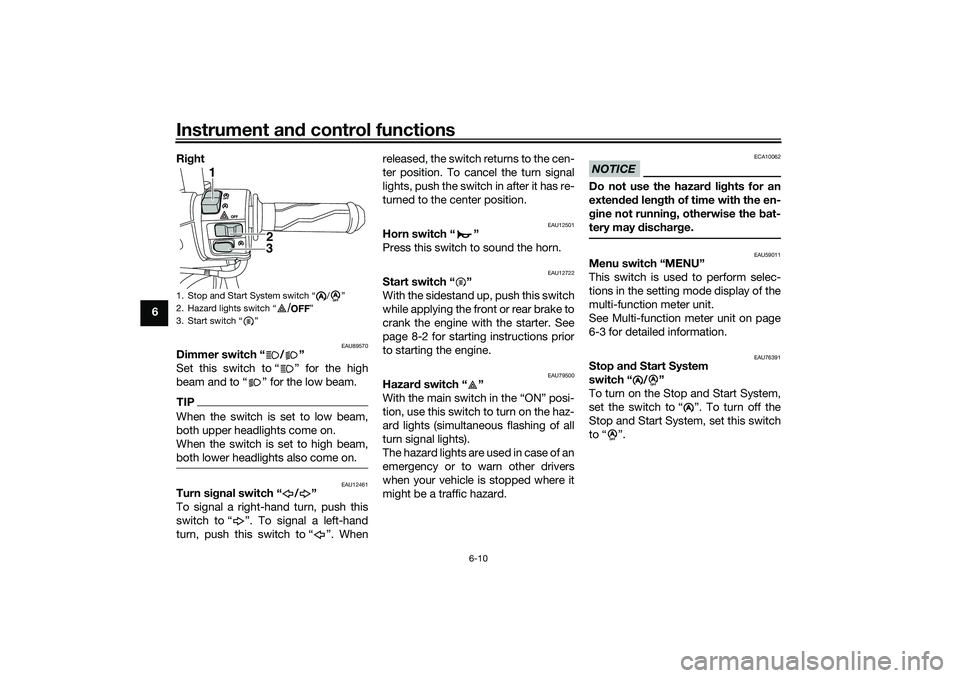
6Right
EAU89570
Dimmer switch “ / ”
Set this switch to “ ” for the high
beam and to “ ” for the low beam.TIPWhen the switch is set to low beam,
both upper headlights come on.
When the switch is set to high beam,
both lower headlights also come on.
EAU12461
Turn signal switch “ / ”
To signal a right-hand turn, push this
switch to “ ”. To signal a left-hand
turn, push this switch to “ ”. Whenreleased, the switch returns to the cen-
ter position. To cancel the turn signal
lights, push the switch in after it has re-
turned to the center position.
EAU12501
Horn switch “ ”
Press this switch to sound the horn.
EAU12722
Start switch “ ”
With the sidestand up, push this switch
while applying the front or rear brake to
crank the engine with the starter. See
page 8-2 for starting instructions prior
to starting the engine.
EAU79500
Hazard switch “ ”
With the main switch in the “ON” posi-
tion, use this switch to turn on the haz-
ard lights (simultaneous flashing of all
turn signal lights).
The hazard lights are used in case of an
emergency or to warn other drivers
when your vehicle is stopped where it
might be a traffic hazard.
NOTICE
ECA10062
Do not use the hazard lights for an
extended length of time with the en-
gine not running, otherwise the bat-
tery may discharge.
EAU59011
Menu switch “MENU”
This switch is used to perform selec-
tions in the setting mode display of the
multi-function meter unit.
See Multi-function meter unit on page
6-3 for detailed information.
EAU76391
Stop and Start System
switch “ / ”
To turn on the Stop and Start System,
set the switch to “ ”. To turn off the
Stop and Start System, set this switch
to “ ”.
1. Stop and Start System switch “ / ”
2. Hazard lights switch “ ”
3. Start switch “ ”
AA
1
2
3
A
A
/
A
A
A
A
UBALE0E0.book Page 10 Wednesday, September 30, 2020 1:37 PM
Page 46 of 114
Instrument and control functions
6-12
6
TIPThe ABS performs a self-diagno-
sis test each time the vehicle first
starts off after the key is turned to
“ON” and the vehicle has traveled
at a speed of 10 km/h (6 mi/h) or
higher. During this test, a “click-
ing” noise can be heard from the
front of the vehicle, and if either
brake lever is even slightly ap-
plied, a vibration can be felt at the
lever, but these do not indicate a
malfunction.
This ABS has a test mode which
allows the owner to experience
the pulsation at the brake levers
when the ABS is operating. How-
ever, special tools are required, so
please consult your Yamaha deal-
er.NOTICE
ECA20100
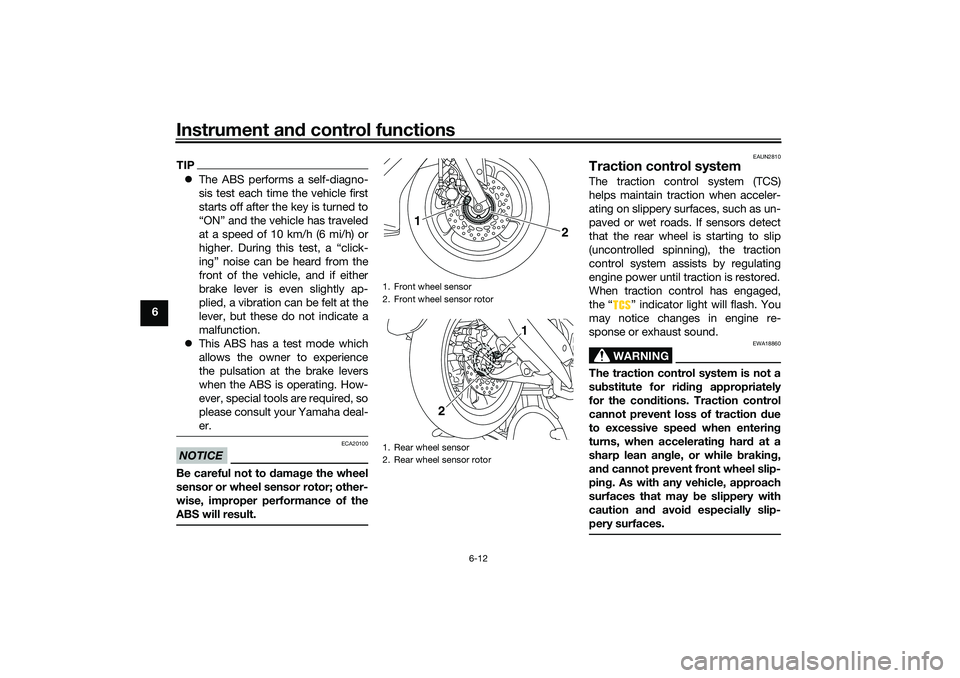
Be careful not to damage the wheel
sensor or wheel sensor rotor; other-
wise, improper performance of the
ABS will result.
EAUN2810
Traction control systemThe traction control system (TCS)
helps maintain traction when acceler-
ating on slippery surfaces, such as un-
paved or wet roads. If sensors detect
that the rear wheel is starting to slip
(uncontrolled spinning), the traction
control system assists by regulating
engine power until traction is restored.
When traction control has engaged,
the “ ” indicator light will flash. You
may notice changes in engine re-
sponse or exhaust sound.
WARNING
EWA18860
The traction control system is not a
substitute for riding appropriately
for the conditions. Traction control
cannot prevent loss of traction due
to excessive speed when entering
turns, when accelerating hard at a
sharp lean angle, or while braking,
and cannot prevent front wheel slip-
ping. As with any vehicle, approach
surfaces that may be slippery with
caution and avoid especially slip-
pery surfaces.
1. Front wheel sensor
2. Front wheel sensor rotor
1. Rear wheel sensor
2. Rear wheel sensor rotor
2
1
1
2
UBALE0E0.book Page 12 Wednesday, September 30, 2020 1:37 PM
Page 47 of 114
Instrument and control functions
6-13
6 Setting the traction control system
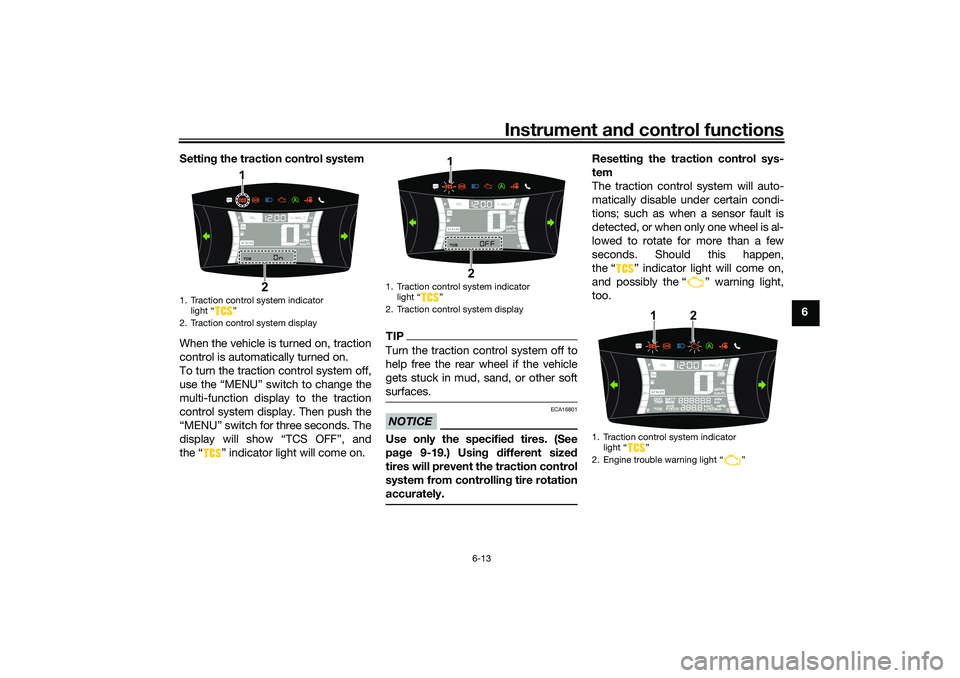
When the vehicle is turned on, traction
control is automatically turned on.
To turn the traction control system off,
use the “MENU” switch to change the
multi-function display to the traction
control system display. Then push the
“MENU” switch for three seconds. The
display will show “TCS OFF”, and
the “ ” indicator light will come on.
TIPTurn the traction control system off to
help free the rear wheel if the vehicle
gets stuck in mud, sand, or other soft
surfaces.NOTICE
ECA16801
Use only the specified tires. (See
page 9-19.) Using different sized
tires will prevent the traction control
system from controlling tire rotation
accurately.
Resetting the traction control sys-
tem
The traction control system will auto-
matically disable under certain condi-
tions; such as when a sensor fault is
detected, or when only one wheel is al-
lowed to rotate for more than a few
seconds. Should this happen,
the “ ” indicator light will come on,
and possibly the “ ” warning light,
too.
1. Traction control system indicator
light “ ”
2. Traction control system display
1
2
1. Traction control system indicator
light Ž
2. Traction control system display
1
2
1. Traction control system indicator
light Ž
2. Engine trouble warning light Ž
1
2
UBALE0E0.book Page 13 Wednesday, September 30, 2020 1:37 PM