Mechanical key YAMAHA NMAX 155 2021 Owners Manual
[x] Cancel search | Manufacturer: YAMAHA, Model Year: 2021, Model line: NMAX 155, Model: YAMAHA NMAX 155 2021Pages: 114, PDF Size: 10.93 MB
Page 8 of 114
Table of contentsSafety information ............................ 1-1
Further safe-riding points ............... 1-5
Description ....................................... 2-1
Left view ......................................... 2-1
Right view ....................................... 2-2
Controls and instruments ............... 2-3
Smart key system ........................... 3-1
Smart key system ........................... 3-1
Operating range of the smart key system .................................. 3-2
Handling of the smart key and mechanical keys ......................... 3-3
Smart key ....................................... 3-4
Replacing the smart key battery..... 3-6
Main switch .................................... 3-7
Stop an d Start System ..................... 4-1
Stop and Start System ................... 4-1
Stop and Start System operation ... 4-1
Special features .............................. 5-1
CCU (Communication Control Unit) ................................ 5-1
Instrument an d control functions ... 6-1
Indicator lights and warning lights............................................ 6-1
Multi-function meter unit ................ 6-3
Handlebar switches ...................... 6-10 Front brake lever ........................... 6-11
Rear brake lever ............................ 6-11
ABS ............................................... 6-12
Traction control system ................ 6-13
Fuel tank cap ................................ 6-14
Fuel ............................................... 6-15
Fuel tank overflow hose ................ 6-17
Catalytic converter ........................ 6-17
Seat ............................................... 6-17
Helmet holders .............................. 6-18
Storage compartments ................. 6-19
Adjusting the shock absorber
assemblies ................................. 6-20
Power outlet ................................. 6-21
Sidestand ...................................... 6-22
Ignition circuit cut-off system ....... 6-22
For your safety – pre-operation
checks ............................................... 7-1
Operation an d important ri din g
points ................................................. 8-1
Engine break-in ............................... 8-1
Starting the engine .......................... 8-2
Starting off ...................................... 8-2
Acceleration and deceleration ........ 8-3
Braking ............................................ 8-3
Tips for reducing fuel consumption ................................ 8-3
Parking ........................................... 8-4 Perio
dic maintenance an d
a d justment ........................................ 9-1
Tool kit ............................................ 9-1
Periodic maintenance chart for the emission control system ....... 9-2
General maintenance and lubrication chart .......................... 9-3
Removing and installing panels ...... 9-7
Checking the spark plug................. 9-9
Canister ........................................ 9-11
Engine oil and oil strainer ............. 9-11
Why Yamalube.............................. 9-13
Final transmission oil .................... 9-13
Coolant ......................................... 9-15
Air filter and V-belt case
air filter elements ....................... 9-16
Checking the throttle grip
free play..................................... 9-19
Valve clearance............................. 9-19
Tires .............................................. 9-19
Cast wheels .................................. 9-21
Checking the front and rear brake lever free play .................. 9-21
Checking the front and rear brake pads ................................ 9-22
Checking the brake fluid level ...... 9-23
Changing the brake fluid .............. 9-24
Checking the V-belt ...................... 9-24
Checking and lubricating the
cables ........................................ 9-25UBBDE0E0.book Page 1 Wednesday, June 2, 2021 2:57 PM
Page 19 of 114

Smart key system
3-1
3
EAU76444
Smart key systemThe smart key system enables you to
operate the vehicle without using a
mechanical key. In addition, there is an
answer-back function to help you lo-
cate the vehicle in a parking lot. (See
page 3-5.)
WARNING
EWA14704
Keep implante d pacemakers or
car diac defi brillators, as well as
other electric med ical devices
away from the vehicle mounte d
antenna (see illustration).
Radio waves transmitte d b y the
antenna may affect the opera-
tion of such devices when close
b y.
If you have an electric me dical
d evice, consult a d octor or the
d evice manufacturer before us-
in g this vehicle.
NOTICE
ECA24080
The smart key system uses weak ra-
dio waves. The smart key system
may not work in the followin g situa-
tions. The smart key is placed in a lo-
cation exposed to strong ra dio
waves or other electromag netic
noise
There are facilities near by that
are emittin g stron g ra dio waves
(TV or ra dio towers, power
plants, broa dcastin g stations,
airports, etc.)
1. Smart key
2. Smart key button
1
2
1. Main switch
2. Main switch knob
2
1
1. Vehicle mounted antenna
1
UBBDE0E0.book Page 1 Wednesday, June 2, 2021 2:57 PM
Page 21 of 114
Smart key system
3-3
3
EAUN2460
Handlin g of the smart key an d
mechanical keys
WARNING
EWA17952
The smart key shoul d b e carried
with you. Do not store it on the
vehicle.
When the smart key is within
operatin g ran ge, exercise due
care because other people not
carryin g the smart key can start
the en gine an d operate the vehi-
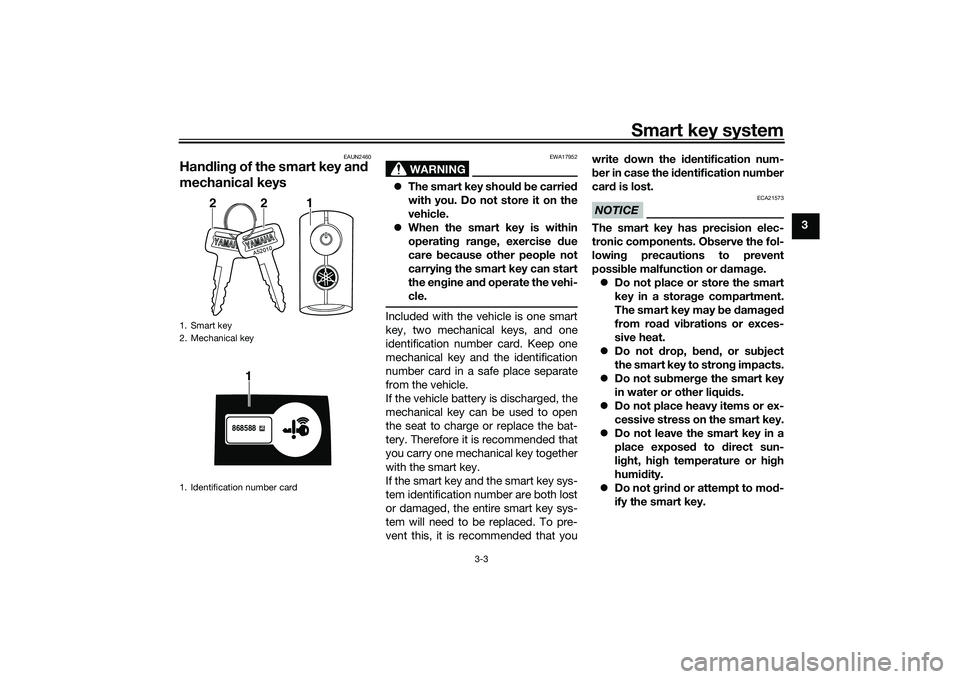
cle.Included with the vehicle is one smart
key, two mechanical keys, and one
identification number card. Keep one
mechanical key and the identification
number card in a safe place separate
from the vehicle.
If the vehicle battery is discharged, the
mechanical key can be used to open
the seat to charge or replace the bat-
tery. Therefore it is recommended that
you carry one mechanical key together
with the smart key.
If the smart key and the smart key sys-
tem identification number are both lost
or damaged, the entire smart key sys-
tem will need to be replaced. To pre-
vent this, it is recommended that you write
down the i dentification num-
b er in case the i dentification num ber
car d is lost.
NOTICE
ECA21573
The smart key has precision elec-
tronic components. O bserve the fol-
lowin g precautions to prevent
possi ble malfunction or damag e.
Do not place or store the smart
key in a stora ge compartment.
The smart key may be damag ed
from roa d vi brations or exces-
sive heat.
Do not drop, ben d, or su bject
the smart key to stron g impacts.
Do not su bmer ge the smart key
in water or other liqui ds.
Do not place heavy items or ex-
cessive stress on the smart key.
Do not leave the smart key in a
place exposed to direct sun-
lig ht, hi gh temperature or hi gh
humi dity.
Do not g rind or attempt to mo d-
ify the smart key.
1. Smart key
2. Mechanical key
1. Identification number card
A52010
221
868588
1
UBBDE0E0.book Page 3 Wednesday, June 2, 2021 2:57 PM
Page 27 of 114

Smart key system
3-9
3
2. The turn signal lights flash once
and the vehicle power turns off.
TIPWhen the main switch is turned to
confirmed (the smart key is either out-
side operation range or has been
turned off), the beeper will sound for 3
seconds and the smart key system in-
dicator light will flash for 30 seconds. During this 30 seconds, the main
switch can be freely operated.
After 30 seconds, the vehicle
power will turn off automatically.
To turn the vehicle power off im-
mediately, push the main switch
knob four times within 2 seconds.
EAU76534
OPEN
The fuel tank cap lid and the seat can
be opened:
1. With the smart key on and within operating range, push the main
switch knob.
2. While the smart key system indi- cator light is on, turn the main
switch to “OPEN”. To open the fuel tank cap li
d
Push the “FUEL” button to open the
fuel tank cap lid.
After refueling, push the fuel tank cap
lid until it is closed.
TIP See page 6-14 for fuel tank cap re-
moval and installation procedures.To open the seat
Push the “SEAT” button, and then lift
the rear of the seat.
To close the seat, push down on the
rear to lock it in position.TIP Make sure that the seat is securely
closed before starting off.
The seat can also be opened with
the mechanical key. (See page
6-19.)
1. Push.
2. Turn.
1. “FUEL” button1
2
1
1.
1
UBBDE0E0.book Page 9 Wednesday, June 2, 2021 2:57 PM
Page 51 of 114
Instrument and control functions
6-17
6
EAU86150
Fuel tank overflow hoseThe overflow hose drains excess gaso-
line and directs it safely away from the
vehicle.
Before operating the vehicle:
Check the fuel tank overflow hose
connection and routing.
Check the fuel tank overflow hose
for cracks or damage, and replace
it if necessary.
Make sure that the fuel tank over-
flow hose is not blocked, and
clean it if necessary.
EAU13435
Catalytic converterThe exhaust system contains catalytic
converter(s) to reduce harmful exhaust
emissions.
WARNING
EWA10863
The exhaust system is hot after op-
eration. To prevent a fire hazar d or
b urns:
Do not park the vehicle near
possi ble fire hazar ds such as
g rass or other materials that
easily burn.
Park the vehicle in a place
where pe destrians or chil dren
are not likely to touch the hot
exhaust system.
Make sure that the exhaust sys-
tem has cooled down before
d oin g any maintenance work.
Do not allow the en gine to id le
more than a few minutes. Lon g
i d lin g can cause a buil d-up of
heat.
EAU89400
SeatTo open the seat
Via the main switchTurn the main switch to “OPEN”, and
then push the “SEAT” button. (See
page 3-9.)
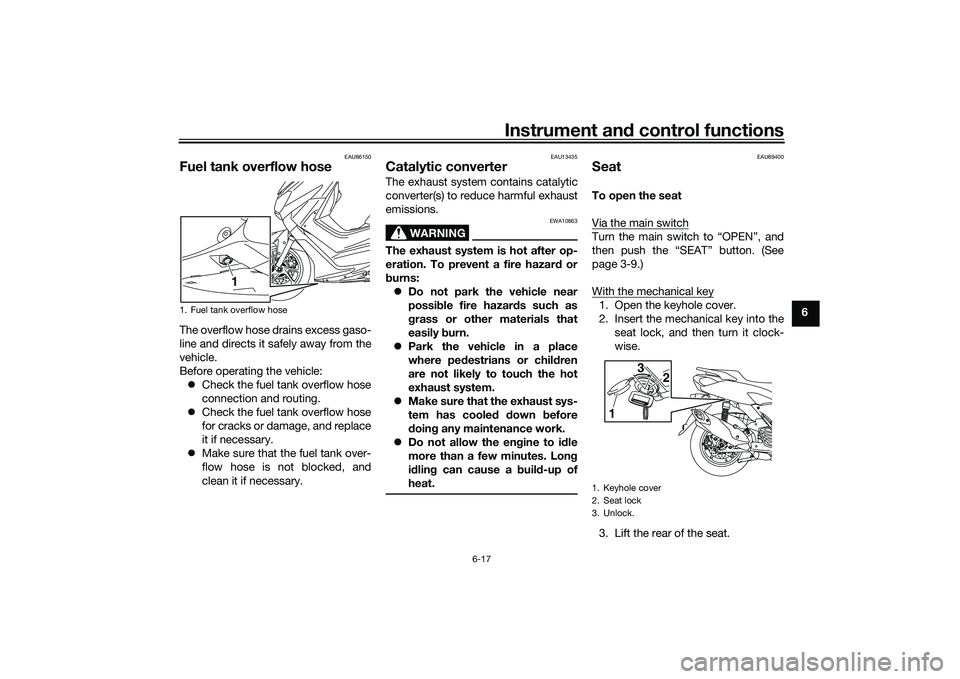
With the mechanical key1. Open the keyhole cover.
2. Insert the mechanical key into the seat lock, and then turn it clock-
wise.
3. Lift the rear of the seat.
1. Fuel tank overflow hose
1
1. Keyhole cover
2. Seat lock
3. Unlock.
1 3
2
UBBDE0E0.book Page 17 Wednesday, June 2, 2021 2:57 PM
Page 52 of 114
Instrument and control functions
6-18
6
NOTICE
ECA24020
Make sure that the keyhole cover is
installe d when the mechanical key is
not bein g use d.To close the seat
Push the rear of the seat down to lock
it in place.TIPMake sure that the seat is properly se-
cured before riding.
EAU37482
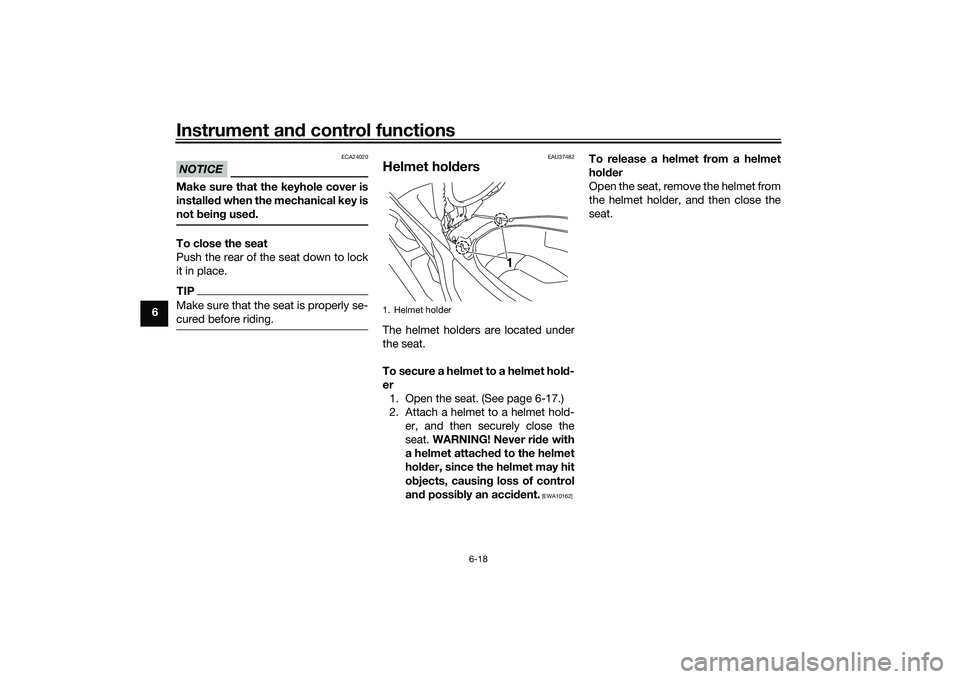
Helmet hold ersThe helmet holders are located under
the seat.
To secure a helmet to a helmet hol d-
er 1. Open the seat. (See page 6-17.)
2. Attach a helmet to a helmet hold- er, and then securely close the
seat. WARNING! Never ri de with
a helmet attached to the helmet
hol der, since the helmet may hit
o bjects, causin g loss of control
an d possi bly an acci dent.
[EWA10162]
To release a helmet from a helmet
hol der
Open the seat, remove the helmet from
the helmet holder, and then close the
seat.
1. Helmet holder
1
UBBDE0E0.book Page 18 Wednesday, June 2, 2021 2:57 PM
Page 112 of 114
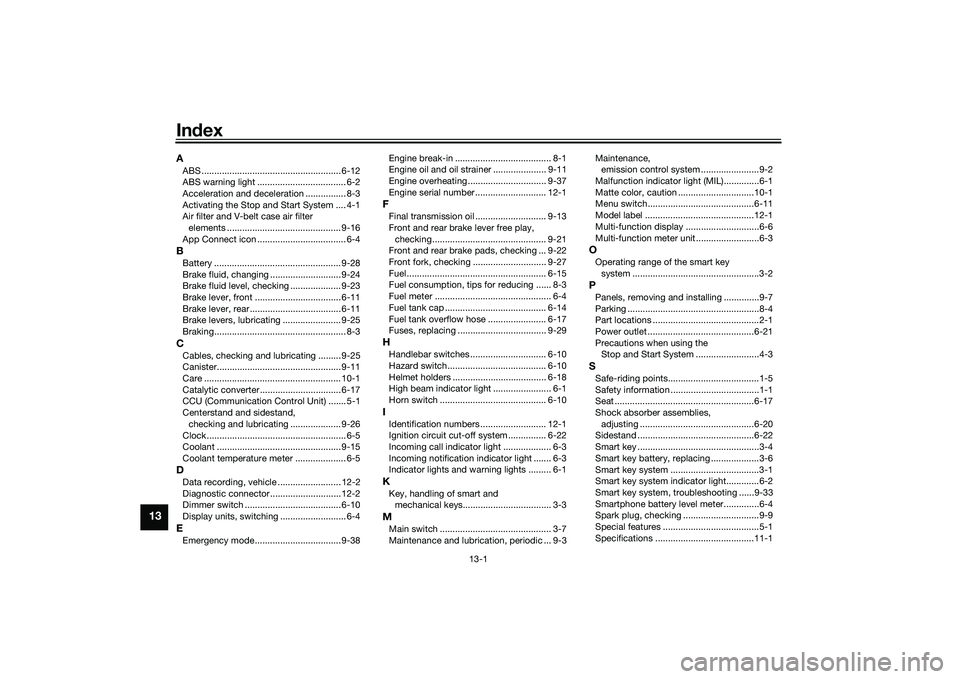
13-1
13
IndexAABS ....................................................... 6-12
ABS warning light ................................... 6-2
Acceleration and deceleration ................ 8-3
Activating the Stop and Start System .... 4-1
Air filter and V-belt case air filter
elements ............................................. 9-16
App Connect icon ................................... 6-4BBattery .................................................. 9-28
Brake fluid, changing ............................ 9-24
Brake fluid level, checking .................... 9-23
Brake lever, front .................................. 6-11
Brake lever, rear.................................... 6-11
Brake levers, lubricating ....................... 9-25
Braking.................................................... 8-3CCables, checking and lubricating ......... 9-25
Canister................................................. 9-11
Care ...................................................... 10-1
Catalytic converter ................................ 6-17
CCU (Communication Control Unit) ....... 5-1
Centerstand and sidestand, checking and lubricating .................... 9-26
Clock....................................................... 6-5
Coolant ................................................. 9-15
Coolant temperature meter .................... 6-5DData recording, vehicle ......................... 12-2
Diagnostic connector............................ 12-2
Dimmer switch ...................................... 6-10
Display units, switching .......................... 6-4EEmergency mode.................................. 9-38 Engine break-in ...................................... 8-1
Engine oil and oil strainer ..................... 9-11
Engine overheating ............................... 9-37
Engine serial number ............................ 12-1
FFinal transmission oil ............................ 9-13
Front and rear brake lever free play,
checking............................................. 9-21
Front and rear brake pads, checking ... 9-22
Front fork, checking ............................. 9-27
Fuel ....................................................... 6-15
Fuel consumption, tips for reducing ...... 8-3
Fuel meter .............................................. 6-4
Fuel tank cap ........................................ 6-14
Fuel tank overflow hose ....................... 6-17
Fuses, replacing ................................... 9-29HHandlebar switches .............................. 6-10
Hazard switch....................................... 6-10
Helmet holders ..................................... 6-18
High beam indicator light ....................... 6-1
Horn switch .......................................... 6-10IIdentification numbers .......................... 12-1
Ignition circuit cut-off system ............... 6-22
Incoming call indicator light ................... 6-3
Incoming notification indicator light ....... 6-3
Indicator lights and warning lights ......... 6-1KKey, handling of smart and mechanical keys................................... 3-3MMain switch ............................................ 3-7
Maintenance and lubrication, periodic ... 9-3 Maintenance,
emission control system .......................9-2
Malfunction indicator light (MIL)..............6-1
Matte color, caution ..............................10-1
Menu switch..........................................6-11
Model label ...........................................12-1
Multi-function display .............................6-6
Multi-function meter unit .........................6-3
OOperating range of the smart key system ..................................................3-2PPanels, removing and installing ..............9-7
Parking ....................................................8-4
Part locations ..........................................2-1
Power outlet ..........................................6-21
Precautions when using the Stop and Start System .........................4-3SSafe-riding points....................................1-5
Safety information ...................................1-1
Seat .......................................................6-17
Shock absorber assemblies,
adjusting .............................................6-20
Sidestand ..............................................6-22
Smart key ................................................3-4
Smart key battery, replacing ...................3-6
Smart key system ...................................3-1
Smart key system indicator light.............6-2
Smart key system, troubleshooting ......9-33
Smartphone battery level meter..............6-4
Spark plug, checking ..............................9-9
Special features ......................................5-1
Specifications .......................................11-1
UBBDE0E0.book Page 1 Wednesday, June 2, 2021 2:57 PM