seat adjustment YAMAHA TMAX 2015 Owners Manual
[x] Cancel search | Manufacturer: YAMAHA, Model Year: 2015, Model line: TMAX, Model: YAMAHA TMAX 2015Pages: 112, PDF Size: 6.38 MB
Page 8 of 112
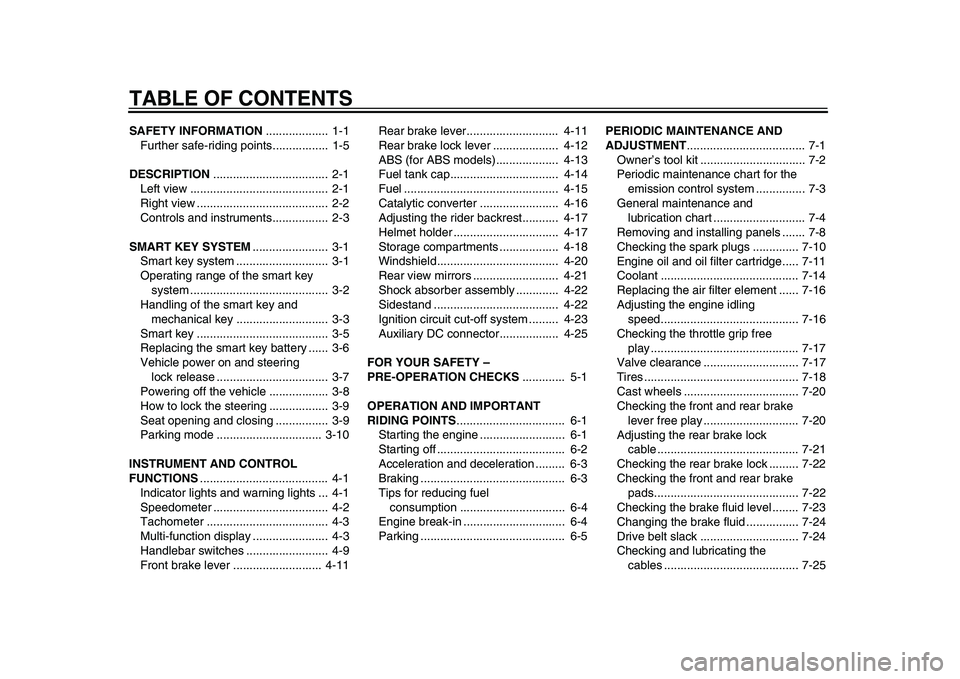
TABLE OF CONTENTSSAFETY INFORMATION................... 1-1
Further safe-riding points................. 1-5
DESCRIPTION ................................... 2-1
Left view .......................................... 2-1
Right view ........................................ 2-2
Controls and instrument s................. 2-3
SMART KEY SYSTEM ....................... 3-1
Smart key system ......... ................... 3-1
Operating range of the smart key
system ....................... ................... 3-2
Handling of the smart key and mechanical key ............................ 3-3
Smart key ........................................ 3-5
Replacing the smart key battery ...... 3-6
Vehicle power on and steering lock release .................................. 3-7
Powering off th e vehicle .................. 3-8
How to lock the steering .................. 3-9
Seat opening and closin g ................ 3-9
Parking mode ................................ 3-10
INSTRUMENT AND CONTROL
FUNCTIONS ....................................... 4-1
Indicator lights and warning lights ... 4-1
Speedometer ................................... 4-2
Tachometer ..................................... 4-3
Multi-function display ....................... 4-3
Handlebar switches ......................... 4-9
Front brake lever ........................... 4-11 Rear brake lever............................ 4-11
Rear brake lock lever .................... 4-12
ABS (for ABS models)...
................ 4-13
Fuel tank cap................................. 4-14
Fuel ............................................... 4-15
Catalytic converter ........................ 4-16
Adjusting the rider backrest........... 4-17
Helmet holder ................................ 4-17
Storage compartments .................. 4-18
Windshield..................................... 4-20
Rear view mirrors .......................... 4-21
Shock absorber assembly ............. 4-22
Sidestand ...................................... 4-22
Ignition circuit cut- off system ......... 4-23
Auxiliary DC connector.................. 4-25
FOR YOUR SAFETY –
PRE-OPERATION CHECKS ............. 5-1
OPERATION AND IMPORTANT
RIDING POINTS ................................. 6-1
Starting the engine .......................... 6-1
Starting off ....................................... 6-2
Acceleration and deceleration ......... 6-3
Braking ............................................ 6-3
Tips for reducing fuel consumption ................................ 6-4
Engine break-in ............................... 6-4
Parking ............................................ 6-5 PERIODIC MAINTENANCE AND
ADJUSTMENT
.................................... 7-1
Owner’s tool kit ................................ 7-2
Periodic maintenance chart for the emission control syst em ............... 7-3
General maintenance and lubrication chart ............................ 7-4
Removing and installing panels ....... 7-8
Checking the spark plugs .............. 7-10
Engine oil and oil filt er cartridge..... 7-11
Coolant .......................................... 7-14
Replacing the air filter element ...... 7-16
Adjusting the engine idling speed............ ............................ .. 7-16
Checking the throttle grip free play ............................................. 7-17
Valve clearance ............................. 7-17
Tires ............................................... 7-18
Cast wheels ................................... 7-20
Checking the front and rear brake
lever free play ............................. 7-20
Adjusting the rear brake lock cable ........................................... 7-21
Checking the rear brake lock ......... 7-22
Checking the front and rear brake pads............................................ 7-22
Checking the brake fluid level ........ 7-23
Changing the brake fluid ................ 7-24
Drive belt slack .............................. 7-24
Checking and lubricating the
cables
......................................... 7-25
2PW-9-E0_1.book 1 ページ 2015年2月19日 木曜日 午後3時30分
Page 61 of 112
PERIODIC MAINTENANCE AND ADJUSTMENT
7-2
1
2
3
4
5
678
9
10
11
12
EAU17392
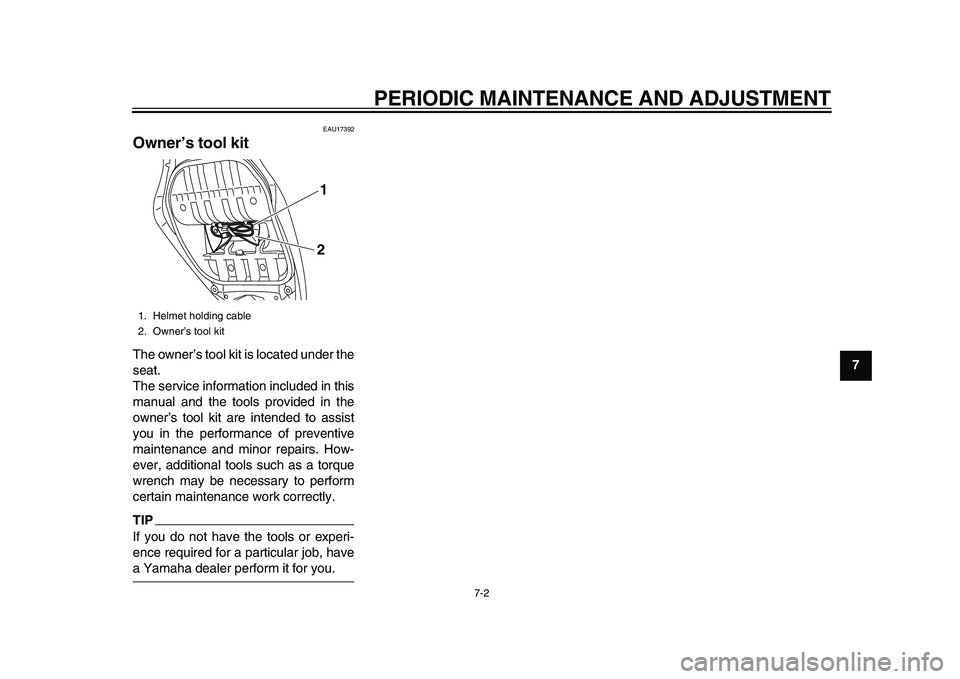
Owner’s tool kitThe owner’s tool kit is located under the
seat.
The service information included in this
manual and the tools provided in the
owner’s tool kit are intended to assist
you in the performance of preventive
maintenance and minor repairs. How-
ever, additional tools such as a torque
wrench may be necessary to perform
certain maintenance work correctly.TIPIf you do not have the tools or experi-
ence required for a particular job, havea Yamaha dealer perform it for you.1. Helmet holding cable
2. Owner’s tool kit
12
2PW-9-E0_1.book 2 ページ 2015年2月19日 木曜日 午後3時30分
Page 72 of 112
PERIODIC MAINTENANCE AND ADJUSTMENT
7-13
1
2
3
4
5
67
8
9
10
11
12
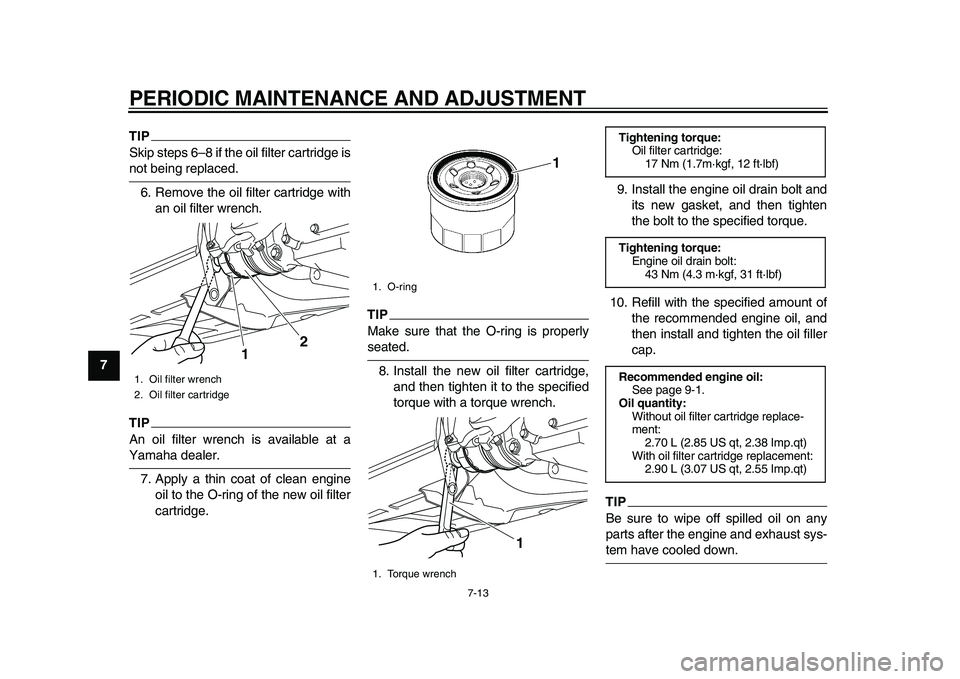
TIPSkip steps 6–8 if the oil filter cartridge isnot being replaced. 6. Remove the oil filter cartridge with an oil filter wrench.TIPAn oil filter wrench is available at aYamaha dealer.
7. Apply a thin coat of clean engine oil to the O-ring of the new oil filter
cartridge.
TIPMake sure that the O-ring is properlyseated.
8. Install the new oil filter cartridge, and then tighten it to the specified
torque with a torque wrench. 9. Install the engine oil drain bolt and
its new gasket, and then tighten
the bolt to the specified torque.
10. Refill with the specified amount of the recommended engine oil, and
then install and tighten the oil filler
cap.
TIPBe sure to wipe off spilled oil on any
parts after the engine and exhaust sys-tem have cooled down.
1. Oil filter wrench
2. Oil filter cartridge
2
1
1. O-ring
1. Torque wrench
1
1
Tightening torque:
Oil filter cartridge:17 Nm (1.7m·kgf, 12 ft·lbf)
Tightening torque: Engine oil drain bolt:43 Nm (4.3 m·kgf, 31 ft·lbf)
Recommended engine oil: See page 9-1.
Oil quantity: Without oil filter cartridge replace-
ment:2.70 L (2.85 US qt, 2.38 Imp.qt)
With oil filter cartridge replacement: 2.90 L (3.07 US qt, 2.55 Imp.qt)
2PW-9-E0_1.book 13 ページ 2015年2月19日 木曜日 午後3時30分
Page 75 of 112
PERIODIC MAINTENANCE AND ADJUSTMENT
7-16
1
2
3
4
5
678
9
10
11
12
EAU52031
Replacing the air filter elementThe air filter element should be re-
placed at the intervals specified in the
periodic maintenance and lubrication
chart. Replace the air filter element
more frequently if you are riding in un-
usually wet or dusty areas.
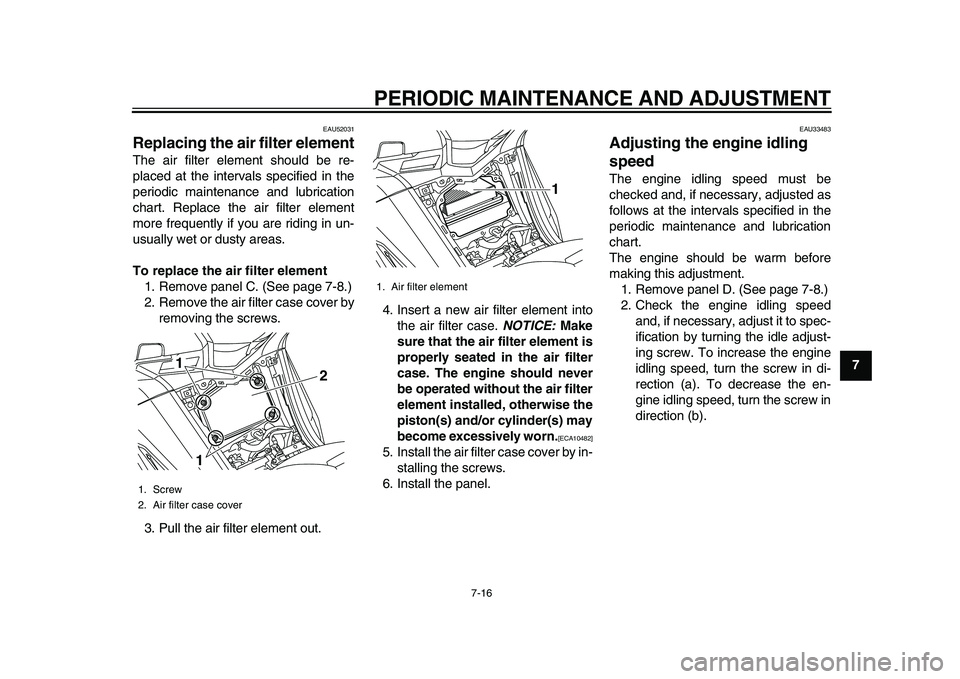
To replace the air filter element 1. Remove panel C. (See page 7-8.)
2. Remove the air filter case cover by removing the screws.
3. Pull the air filter element out. 4. Insert a new air filter element into
the air filter case. NOTICE: Make
sure that the air filter element is
properly seated in the air filter
case. The engine should never
be operated without the air filter
element installed, otherwise the
piston(s) and/or cylinder(s) may
become excessively worn.
[ECA10482]
5. Install the air filter case cover by in- stalling the screws.
6. Install the panel.
EAU33483
Adjusting the engine idling
speedThe engine idling speed must be
checked and, if necessary, adjusted as
follows at the intervals specified in the
periodic maintenance and lubrication
chart.
The engine should be warm before
making this adjustment. 1. Remove panel D. (See page 7-8.)
2. Check the engine idling speed and, if necessary, adjust it to spec-
ification by turning the idle adjust-
ing screw. To increase the engine
idling speed, turn the screw in di-
rection (a). To decrease the en-
gine idling speed, turn the screw in
direction (b).
1. Screw
2. Air filter case cover
1
1 2
1. Air filter element
1
2PW-9-E0_1.book 16 ページ 2015年2月19日 木曜日 午後3時30分
Page 97 of 112
PERIODIC MAINTENANCE AND ADJUSTMENT
7-38
1
2
3
4
5
678
9
10
11
12
EAU61545
Emergency modeWhen the smart key is lost, damaged,
or its battery has discharged, the vehi-
cle can still be turned on and the engine
started. You will need a mechanical key
and the smart key system identification
number. (See page 3-3.) To operate
the vehicle in emergency mode, carry
out the following steps.TIPEmergency mode operation will be
cancelled if the respective steps are not
carried out within the time set for each
operation or if the “OFF/LOCK” switchis pushed. 1. Stop the vehicle in a safe place.
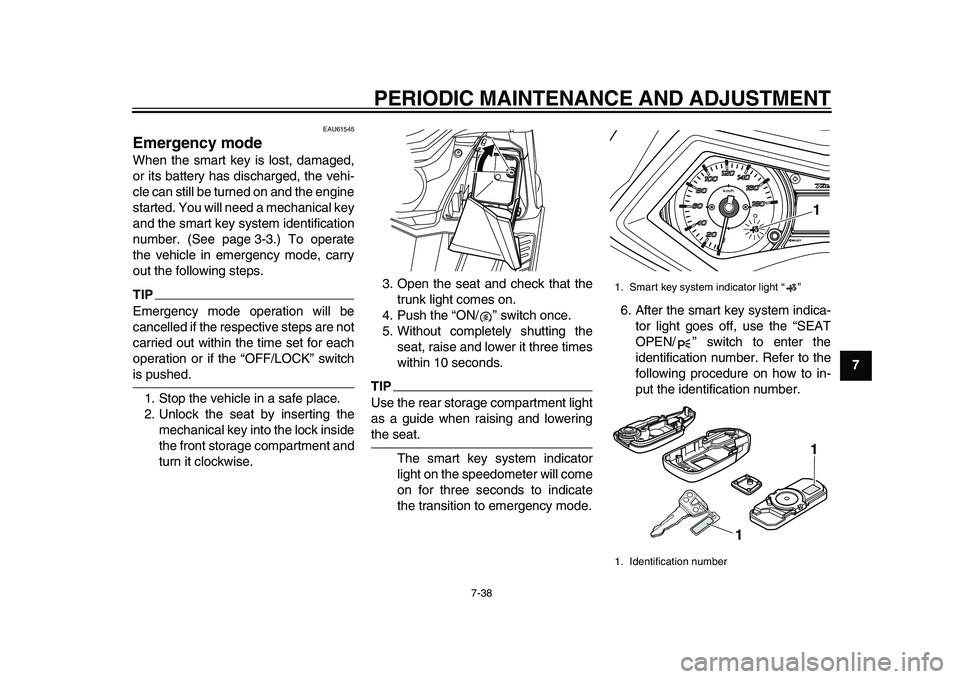
2. Unlock the seat by inserting the mechanical key into the lock inside
the front storage compartment and
turn it clockwise. 3. Open the seat and check that the
trunk light comes on.
4. Push the “ON/ ” switch once.
5. Without completely shutting the seat, raise and lower it three times
within 10 seconds.
TIPUse the rear storage compartment light
as a guide when raising and loweringthe seat.
The smart key system indicator
light on the speedometer will come
on for three seconds to indicate
the transition to emergency mode. 6. After the smart key system indica-
tor light goes off, use the “SEAT
OPEN/ ” switch to enter the
identification number. Refer to the
following procedure on how to in-
put the identification number.
1. Smart key system indicator light “ ”
1. Identification number
1
1 1
2PW-9-E0_1.book 38 ページ 2015年2月19日 木曜日 午後3時30分
Page 98 of 112
PERIODIC MAINTENANCE AND ADJUSTMENT
7-39
1
2
3
4
5
67
8
9
10
11
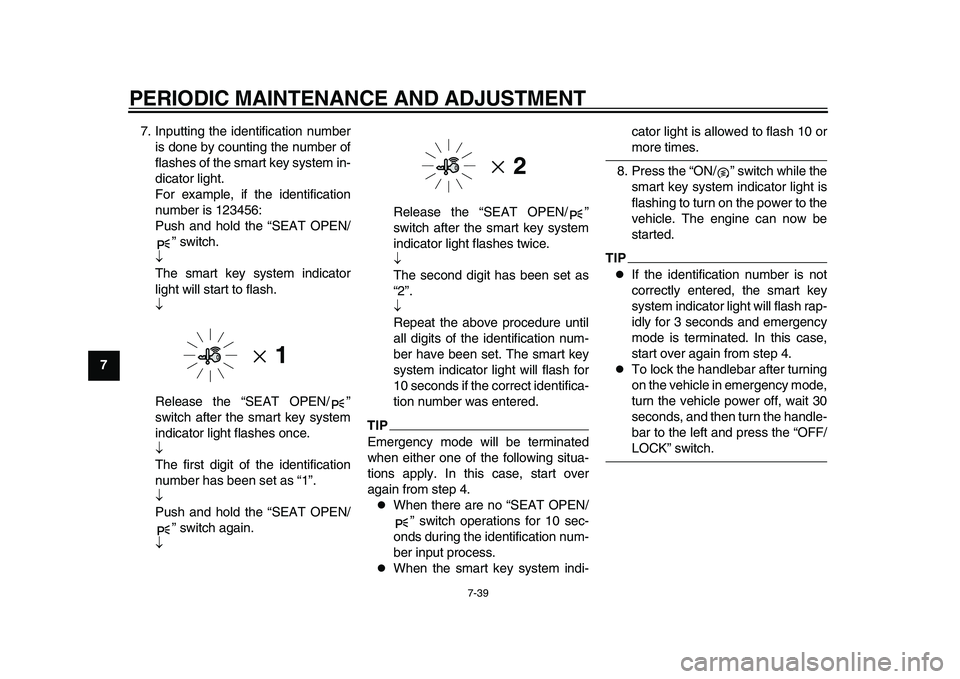
12 7. Inputting the identification number
is done by counting the number of
flashes of the smart key system in-
dicator light.
For example, if the identification
number is 123456:
Push and hold the “SEAT OPEN/ ” switch.
The smart key system indicator
light will start to flash.
Release the “SEAT OPEN/ ”
switch after the smart key system
indicator light flashes once.
The first digit of the identification
number has been set as “1”.
Push and hold the “SEAT OPEN/ ” switch again.
Release the “SEAT OPEN/ ”
switch after the smart key system
indicator light flashes twice.
The second digit has been set as
“2”.
Repeat the above procedure until
all digits of the
identification num-
ber have been set. The smart key
system indicator light will flash for
10 seconds if the correct identifica-
tion number was entered.
TIPEmergency mode will be terminated
when either one of the following situa-
tions apply. In this case, start over
again from step 4.
When there are no “SEAT OPEN/ ” switch operations for 10 sec-
onds during the identification num-
ber input process.
When the smart key system indi- cator light is allowed to flash 10 or
more times.
8. Press the “ON/ ” switch while the smart key system indicator light is
flashing to turn on the power to the
vehicle. The engine can now be
started.
TIP
If the identification number is not
correctly entered, the smart key
system indicator light will flash rap-
idly for 3 seconds and emergency
mode is terminated. In this case,
start over again from step 4.
To lock the handlebar after turning
on the vehicle in emergency mode,
turn the vehicle power off, wait 30
seconds, and then turn the handle-
bar to the left and press the “OFF/LOCK” switch.
2PW-9-E0_1.book 39 ページ 2015年2月19日 木曜日 午後3時30分