warning YAMAHA XMAX 300 2022 User Guide
[x] Cancel search | Manufacturer: YAMAHA, Model Year: 2022, Model line: XMAX 300, Model: YAMAHA XMAX 300 2022Pages: 116, PDF Size: 4.64 MB
Page 32 of 116
Instrument and control functions
4-2
4
Maintain correct tire pressure.
Do not operate the vehicle in an
extreme manner. For example, re-
peated or excessive opening and
closing of the throttle, racing,
burnouts, wheelies, etc.
EAU78173
ABS warnin g li ght “ ”
This warning light comes on when the
vehicle is first turned on, and goes off
after starting riding. If the warning light
comes on while riding, the anti-lock
brake system may not work correctly.
WARNING
EWA16043
If the ABS warnin g lig ht does not
turn off after reachin g 10 km/h (6
mi/h), or if the warnin g li ght comes
on while ri din g:
Use extra caution to avoi d pos-
si ble wheel lock d uring emer-
g ency brakin g.
Have a Yamaha dealer check
the vehicle as soon as possi ble.
TIPIf the engine is revved while the brakes
are applied or the vehicle is on its cen-
terstand (if equipped), the ABS warning
light may come on. If this happens, turn
the vehicle power off and then back on
again to reset the ABS warning light.
EAU78591
Traction control system in dicator
li g ht “TCS”
This indicator light will flash when trac-
tion control has engaged.
If the traction control system is turned
off, this indicator light will come on.
(See page 4-15.)TIPWhen the vehicle is turned on, the light
should come on for a few seconds and
then go off. If the light does not come
on, or if the light remains on, have a
Yamaha dealer check vehicle.
EAU78602
Smart key system in dicator
li g ht “ ”
This indicator light communicates the
status of the smart key system. When
the smart key system is operating nor-
mally, this indicator light will be off. If
there is an error in the smart key sys-
tem, the indicator light will flash. The
indicator light will also flash when com-
munication between the vehicle and
smart key takes place and when cer-
tain smart key system operations are
carried out.
ABS
UBBAE1E0.book Page 2 Monday, October 4, 2021 4:51 PM
Page 34 of 116
Instrument and control functions
4-4
4
EAU78486
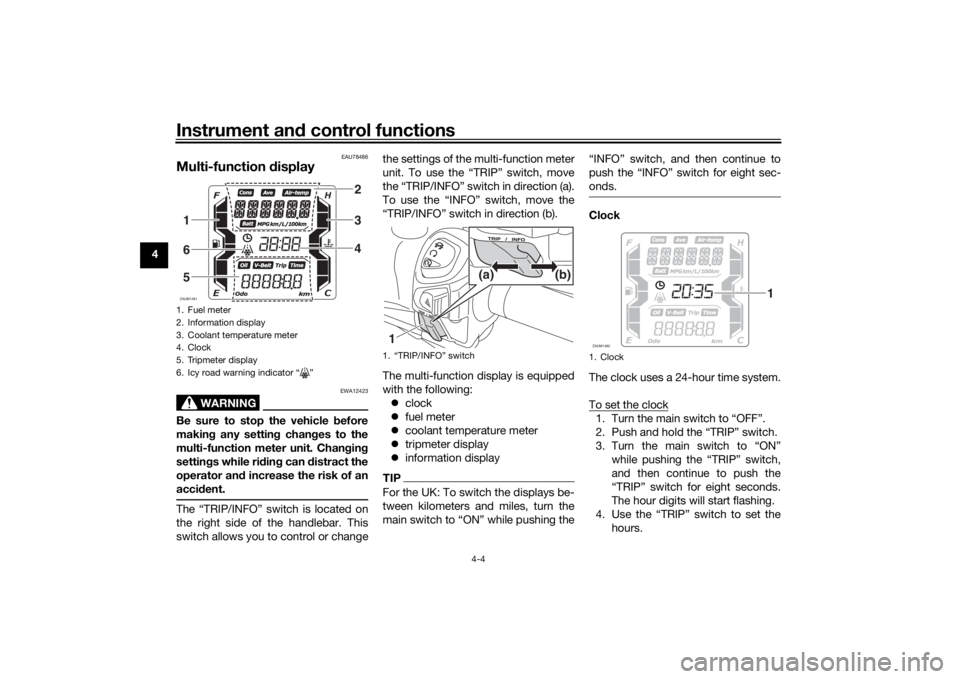
Multi-function d isplay
WARNING
EWA12423
Be sure to stop the vehicle b efore
makin g any settin g chan ges to the
multi-function meter unit. Chan gin g
settin gs while ri din g can d istract the
operator an d increase the risk of an
acci dent.The “TRIP/INFO” switch is located on
the right side of the handlebar. This
switch allows you to control or change the settings of the multi-function meter
unit. To use the “TRIP” switch, move
the “TRIP/INFO” switch in direction (a).
To use the “INFO” switch, move the
“TRIP/INFO” switch in direction (b).
The multi-function display is equipped
with the following:
clock
fuel meter
coolant temperature meter
tripmeter display
information display
TIPFor the UK: To switch the displays be-
tween kilometers and miles, turn the
main switch to “ON” while pushing the “INFO” switch, and then continue to
push the “INFO” switch for eight sec-
onds.
Clock
The clock uses a 24-hour time system.
To set the clock1. Turn the main switch to “OFF”.
2. Push and hold the “TRIP” switch.
3. Turn the main switch to “ON”
while pushing the “TRIP” switch,
and then continue to push the
“TRIP” switch for eight seconds.
The hour digits will start flashing.
4. Use the “TRIP” switch to set the hours.
1. Fuel meter
2. Information display
3. Coolant temperature meter
4. Clock
5. Tripmeter display
6. Icy road warning indicator “ ”ZAUM1481
234
165
1. “TRIP/INFO” switch1 (b)
(a)
1. ClockZAUM1482
1
UBBAE1E0.book Page 4 Monday, October 4, 2021 4:51 PM
Page 38 of 116
Instrument and control functions
4-8
4 V-
belt replacement tripmeter “V-
Belt Trip”
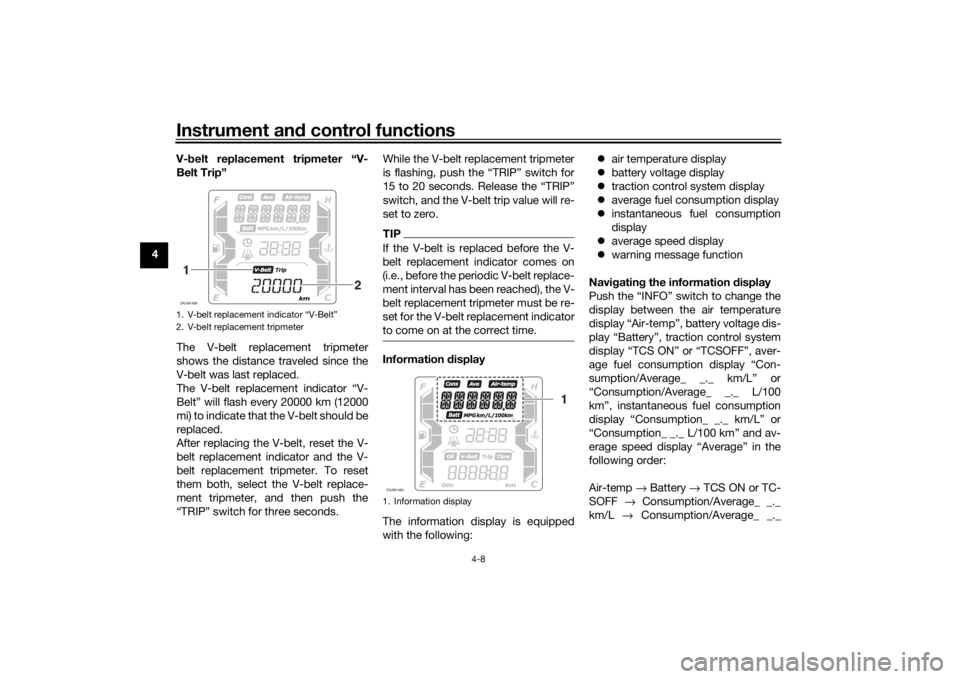
The V-belt replacement tripmeter
shows the distance traveled since the
V-belt was last replaced.
The V-belt replacement indicator “V-
Belt” will flash every 20000 km (12000
mi) to indicate that the V-belt should be
replaced.
After replacing the V-belt, reset the V-
belt replacement indicator and the V-
belt replacement tripmeter. To reset
them both, select the V-belt replace-
ment tripmeter, and then push the
“TRIP” switch for three seconds. While the V-belt replacement tripmeter
is flashing, push the “TRIP” switch for
15 to 20 seconds. Release the “TRIP”
switch, and the V-belt trip value will re-
set to zero.
TIPIf the V-belt is replaced before the V-
belt replacement indicator comes on
(i.e., before the periodic V-belt replace-
ment interval has been reached), the V-
belt replacement tripmeter must be re-
set for the V-belt replacement indicator
to come on at the correct time.Information
display
The information display is equipped
with the following:
air temperature display
battery voltage display
traction control system display
average fuel consumption display
instantaneous fuel consumption
display
average speed display
warning message function
Navi gatin g the information display
Push the “INFO” switch to change the
display between the air temperature
display “Air-temp”, battery voltage dis-
play “Battery”, traction control system
display “TCS ON” or “TCSOFF”, aver-
age fuel consumption display “Con-
sumption/Average_ _._ km/L” or
“Consumption/Average_ _._ L/100
km”, instantaneous fuel consumption
display “Consumption_ _._ km/L” or
“Consumption_ _._ L/100 km” and av-
erage speed display “Average” in the
following order:
Air-temp → Battery → TCS ON or TC-
SOFF → Consumption/Average_ _._
km/L → Consumption/Average_ _._
1. V-belt replacement indicator “V-Belt”
2. V-belt replacement tripmeterZAUM14891
2
1. Information displayZAUM1490
1
UBBAE1E0.book Page 8 Monday, October 4, 2021 4:51 PM
Page 39 of 116
Instrument and control functions
4-9
4
L/100 km →
Consumption_ _._ km/L
→ Consumption_ _._ L/100 km → Av-
erage → Air-temp
For the UK:
Push the “TRIP” switch to change the
display between the air temperature
display “Air-temp”, battery voltage dis-
play “Battery”, traction control system
display “TCS ON” or “TCSOFF”, aver-
age fuel consumption display “Con-
sumption/Average_ _._ km/L”,
“Consumption/Average_ _._ L/100
km” or “Consumption/Average_ _
_._MPG”, instantaneous fuel con-
sumption display “Consumption_ _._
km/L”, “Consumption_ _._ L/100 km”
or “Consumption_ _ _._MPG” and av-
erage speed display “Average” in the
following order:
Air-temp → Battery → TCS ON or TC-
SOFF → Consumption/Average_ _._
km/L → Consumption/Average_ _._
L/100 km → Consumption/Average_ _
_._ MPG → Consumption_ _._ km/L →
Consumption_ _._ L/100 km →
Consumption_ _ _._ MPG → Average
→ Air-temp
TIP When kilometers are selected for
the display units, “Consump-
tion/Average_ _ _._MPG” and
“Consumption_ _ _._MPG” are not
displayed.
When miles are selected for the
display units, “Consump-
tion/Average_ _._ km/L”, “Con-
sumption/Average_ _._ L/100
km”, “Consumption_ _._ km/L”,
and “Consumption_ _._ L/100 km”
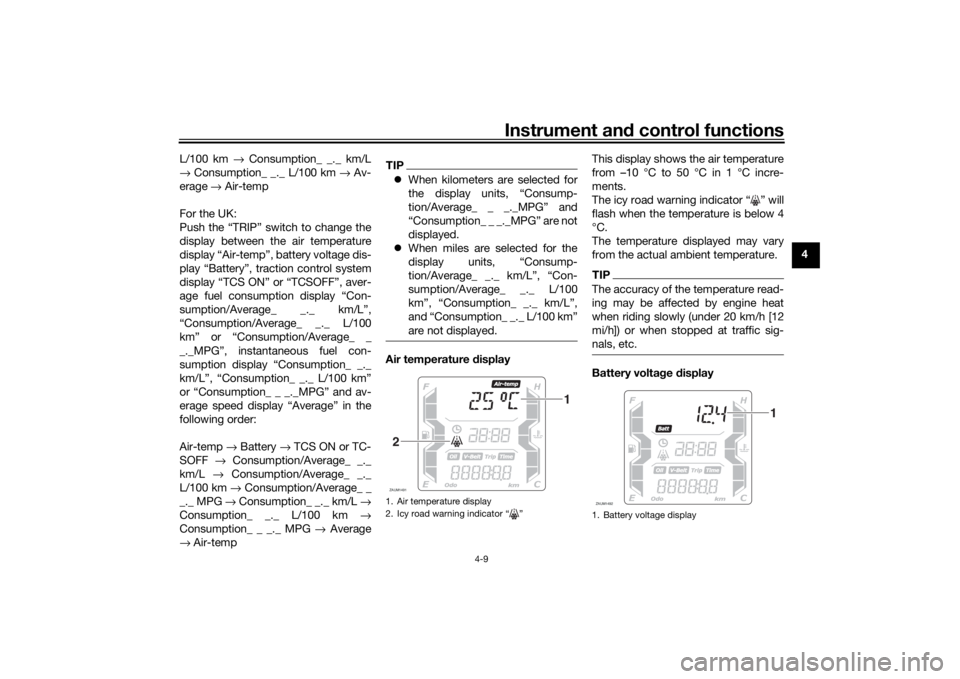
are not displayed.Air temperature display This display shows the air temperature
from –10 °C to 50 °C in 1 °C incre-
ments.
The icy road warning indicator “ ” will
flash when the temperature is below 4
°C.
The temperature displayed may vary
from the actual ambient temperature.
TIPThe accuracy of the temperature read-
ing may be affected by engine heat
when riding slowly (under 20 km/h [12
mi/h]) or when stopped at traffic sig-
nals, etc.Battery volta
ge display
1. Air temperature display
2. Icy road warning indicator “ ”ZAUM1491
1
2
1. Battery voltage displayZAUM1492
1
UBBAE1E0.book Page 9 Monday, October 4, 2021 4:51 PM
Page 41 of 116
Instrument and control functions
4-11
4
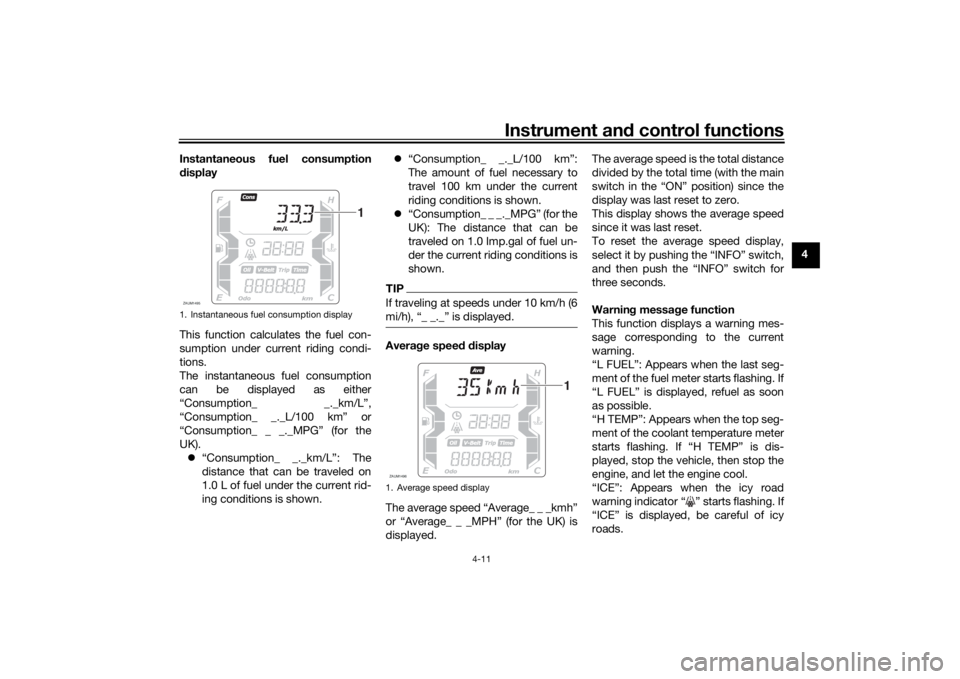
Instantaneous fuel consumption
d
isplay
This function calculates the fuel con-
sumption under current riding condi-
tions.
The instantaneous fuel consumption
can be displayed as either
“Consumption_ _._km/L”,
“Consumption_ _._L/100 km” or
“Consumption_ _ _._MPG” (for the
UK). “Consumption_ _._km/L”: The
distance that can be traveled on
1.0 L of fuel under the current rid-
ing conditions is shown.
“Consumption_ _._L/100 km”:
The amount of fuel necessary to
travel 100 km under the current
riding conditions is shown.
“Consumption_ _ _._MPG” (for the
UK): The distance that can be
traveled on 1.0 Imp.gal of fuel un-
der the current riding conditions is
shown.
TIPIf traveling at speeds under 10 km/h (6
mi/h), “_ _._” is displayed.Avera ge speed d isplay
The average speed “Average_ _ _kmh”
or “Average_ _ _MPH” (for the UK) is
displayed. The average speed is the total distance
divided by the total time (with the main
switch in the “ON” position) since the
display was last reset to zero.
This display shows the average speed
since it was last reset.
To reset the average speed display,
select it by pushing the “INFO” switch,
and then push the “INFO” switch for
three seconds.
Warnin
g messa ge function
This function displays a warning mes-
sage corresponding to the current
warning.
“L FUEL”: Appears when the last seg-
ment of the fuel meter starts flashing. If
“L FUEL” is displayed, refuel as soon
as possible.
“H TEMP”: Appears when the top seg-
ment of the coolant temperature meter
starts flashing. If “H TEMP” is dis-
played, stop the vehicle, then stop the
engine, and let the engine cool.
“ICE”: Appears when the icy road
warning indicator “ ” starts flashing. If
“ICE” is displayed, be careful of icy
roads.
1. Instantaneous fuel consumption displayZAUM1495
1
1. Average speed displayZAUM1496
1
UBBAE1E0.book Page 11 Monday, October 4, 2021 4:51 PM
Page 42 of 116
Instrument and control functions
4-12
4 “OIL SERV”: Appears when the oil
change indicator “OIL” starts flashing.
If “OIL SERV” is displayed, change the
engine oil, and then reset the oil
change indicator and oil change trip-
meter.
“V-BELT SERV”: Appears when the V-
belt replacement indicator “V-Belt”
starts flashing. If “V-BELT SERV” is
displayed, replace the V-belt, and then
reset the V-belt replacement indicator
and V-belt replacement tripmeter.
When there are two or more warnings,
the warning messages are displayed in
the following order:
L FUEL →
H TEMP → ICE → OIL SERV
→ VBELT SERV → L FUEL
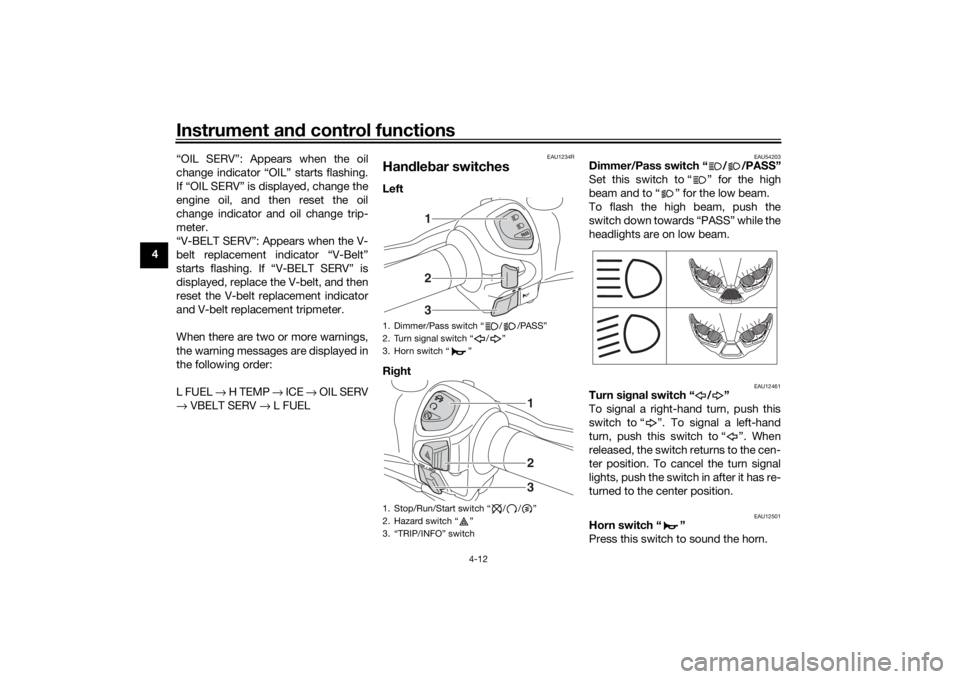
EAU1234R
Han dle bar switchesLeft
Ri ght
EAU54203
Dimmer/Pass switch “ / /PASS”
Set this switch to “ ” for the high
beam and to “ ” for the low beam.
To flash the high beam, push the
switch down towards “PASS” while the
headlights are on low beam.
EAU12461
Turn si gnal switch “ / ”
To signal a right-hand turn, push this
switch to “ ”. To signal a left-hand
turn, push this switch to “ ”. When
released, the switch returns to the cen-
ter position. To cancel the turn signal
lights, push the switch in after it has re-
turned to the center position.
EAU12501
Horn switch “ ”
Press this switch to sound the horn.
1. Dimmer/Pass switch “ / /PASS”
2. Turn signal switch “ / ”
3. Horn switch “ ”
1. Stop/Run/Start switch “ / / ”
2. Hazard switch “ ”
3. “TRIP/INFO” switch
123
123
UBBAE1E0.book Page 12 Monday, October 4, 2021 4:51 PM
Page 44 of 116
Instrument and control functions
4-14
4
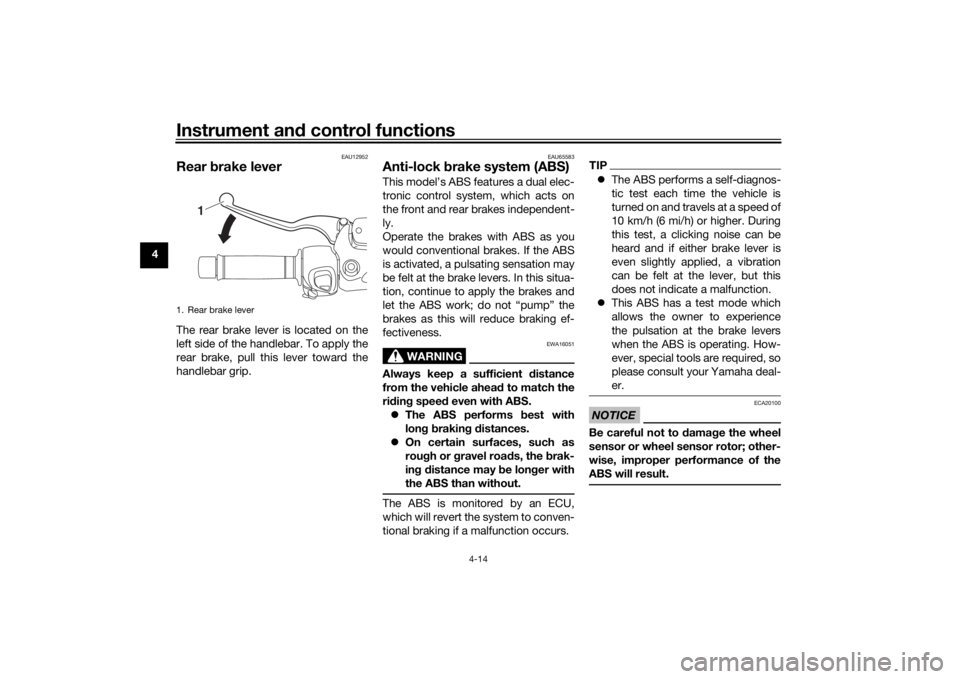
EAU12952
Rear brake leverThe rear brake lever is located on the
left side of the handlebar. To apply the
rear brake, pull this lever toward the
handlebar grip.
EAU65583
Anti-lock brake system (ABS)This model’s ABS features a dual elec-
tronic control system, which acts on
the front and rear brakes independent-
ly.
Operate the brakes with ABS as you
would conventional brakes. If the ABS
is activated, a pulsating sensation may
be felt at the brake levers. In this situa-
tion, continue to apply the brakes and
let the ABS work; do not “pump” the
brakes as this will reduce braking ef-
fectiveness.
WARNING
EWA16051
Always keep a sufficient distance
from the vehicle ahea d to match the
ri din g spee d even with ABS.
The ABS performs best with
lon g b rakin g d istances.
On certain surfaces, such as
rou gh or g ravel roa ds, the b rak-
in g d istance may b e longer with
the ABS than without.The ABS is monitored by an ECU,
which will revert the system to conven-
tional braking if a malfunction occurs.
TIP The ABS performs a self-diagnos-
tic test each time the vehicle is
turned on and travels at a speed of
10 km/h (6 mi/h) or higher. During
this test, a clicking noise can be
heard and if either brake lever is
even slightly applied, a vibration
can be felt at the lever, but this
does not indicate a malfunction.
This ABS has a test mode which
allows the owner to experience
the pulsation at the brake levers
when the ABS is operating. How-
ever, special tools are required, so
please consult your Yamaha deal-
er.NOTICE
ECA20100
Be careful not to d amage the wheel
sensor or wheel sensor rotor; other-
wise, improper performance of the
ABS will result.
1. Rear brake lever
1
UBBAE1E0.book Page 14 Monday, October 4, 2021 4:51 PM
Page 45 of 116
Instrument and control functions
4-15
4
EAU78614
Traction control systemThe traction control system helps
maintain traction when accelerating on
slippery surfaces, such as unpaved or
wet roads. If sensors detect that the
rear wheel is starting to slip (uncon-
trolled spinning), the traction control
system assists by regulating engine
power until traction is restored.
When traction control has engaged,
the “ ” indicator light will flash. You
may notice changes in engine re-
sponse or exhaust sound.
WARNING
EWA18860
The traction control system is not a
su bstitute for ri din g appropriately
for the con ditions. Traction control
cannot prevent loss of traction d ue
to excessive spee d when enterin g
turns, when acceleratin g har d at a
sharp lean an gle, or while brakin g,
an d cannot prevent front wheel slip-
pin g. As with any vehicle, approach
surfaces that may be slippery with
caution an d avoi d especially slip-
pery surfaces.
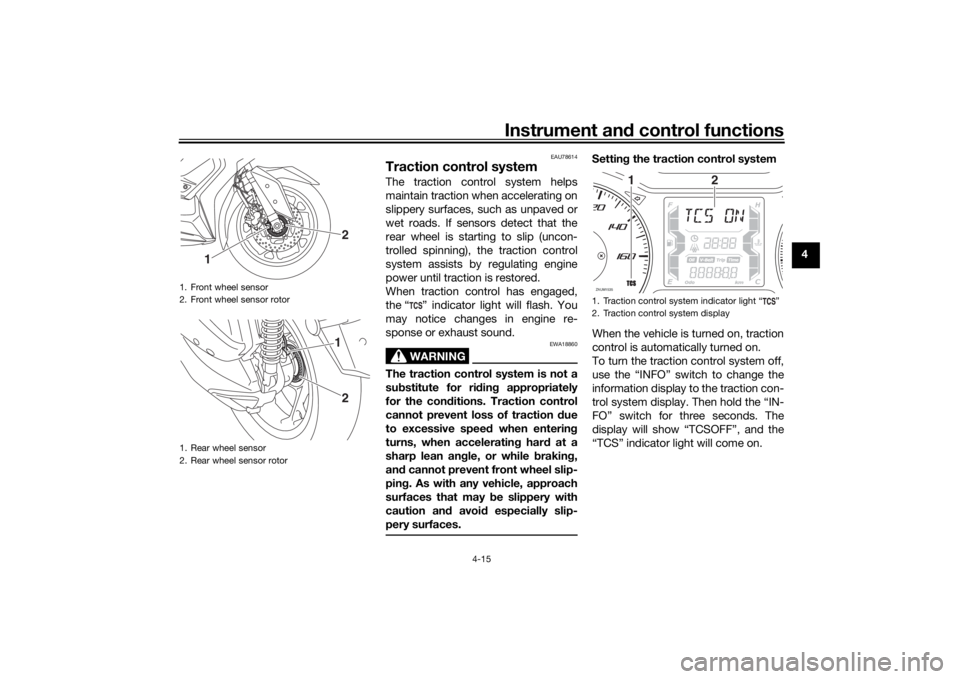
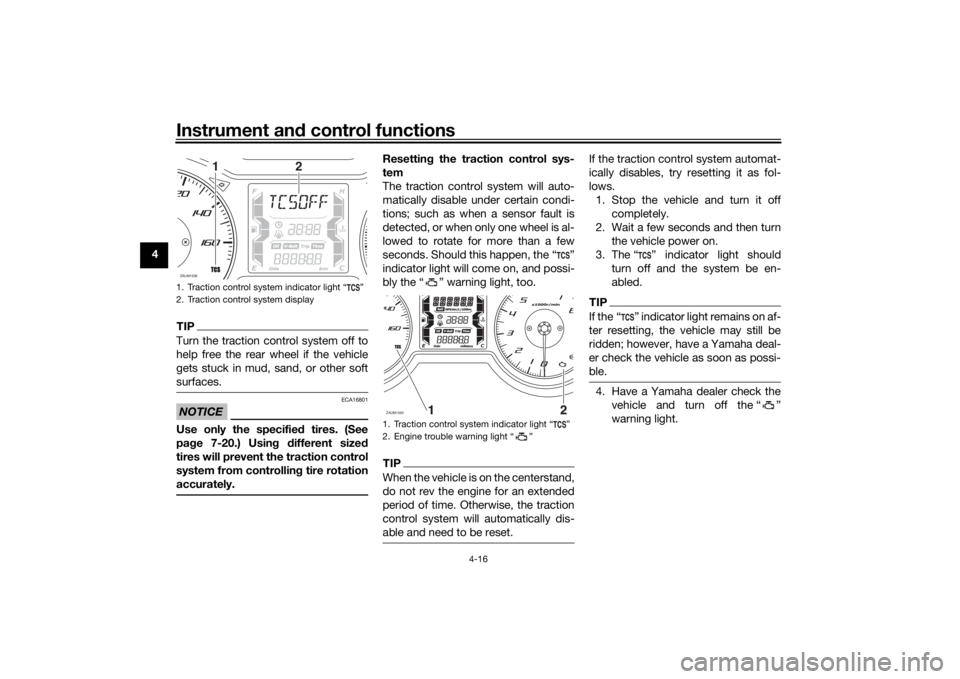
Settin g the traction control system
When the vehicle is turned on, traction
control is automatically turned on.
To turn the traction control system off,
use the “INFO” switch to change the
information display to the traction con-
trol system display. Then hold the “IN-
FO” switch for three seconds. The
display will show “TCSOFF”, and the
“TCS” indicator light will come on.
1. Front wheel sensor
2. Front wheel sensor rotor
1. Rear wheel sensor
2. Rear wheel sensor rotor
2
1
21
1. Traction control system indicator light “ ”
2. Traction control system displayZAUM1535
1
2
UBBAE1E0.book Page 15 Monday, October 4, 2021 4:51 PM
Page 46 of 116
Instrument and control functions
4-16
4
TIPTurn the traction control system off to
help free the rear wheel if the vehicle
gets stuck in mud, sand, or other soft
surfaces.NOTICE
ECA16801
Use only the specified tires. (See
pa ge 7-20.) Usin g different size d
tires will prevent the traction control
system from controllin g tire rotation
accurately.
Resettin g the traction control sys-
tem
The traction control system will auto-
matically disable under certain condi-
tions; such as when a sensor fault is
detected, or when only one wheel is al-
lowed to rotate for more than a few
seconds. Should this happen, the “ ”
indicator light will come on, and possi-
bly the “ ” warning light, too.TIPWhen the vehicle is on the centerstand,
do not rev the engine for an extended
period of time. Otherwise, the traction
control system will automatically dis-
able and need to be reset.
If the traction control system automat-
ically disables, try resetting it as fol-
lows. 1. Stop the vehicle and turn it off completely.
2. Wait a few seconds and then turn the vehicle power on.
3. The “ ” indicator light should turn off and the system be en-
abled.TIPIf the “ ” indicator light remains on af-
ter resetting, the vehicle may still be
ridden; however, have a Yamaha deal-
er check the vehicle as soon as possi-
ble.4. Have a Yamaha dealer check thevehicle and turn off the “ ”
warning light.
1. Traction control system indicator light “ ”
2. Traction control system displayZAUM1536
1
2
1. Traction control system indicator light “ ”
2. Engine trouble warning light “ ”ZAUM1550
UBBAE1E0.book Page 16 Monday, October 4, 2021 4:51 PM
Page 47 of 116
Instrument and control functions
4-17
4
EAU78502
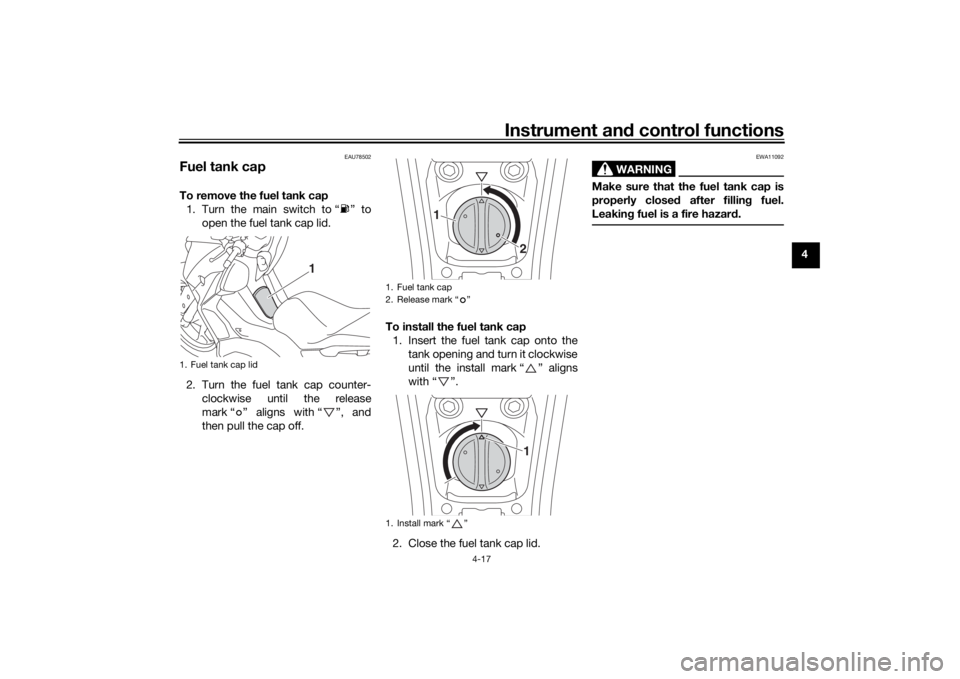
Fuel tank capTo remove the fuel tank cap
1. Turn the main switch to “ ” to open the fuel tank cap lid.
2. Turn the fuel tank cap counter- clockwise until the release
mark “ ” aligns with “ ”, and
then pull the cap off. To install the fuel tank cap
1. Insert the fuel tank cap onto the tank opening and turn it clockwise
until the install mark “ ” aligns
with “ ”.
2. Close the fuel tank cap lid.
WARNING
EWA11092
Make sure that the fuel tank cap is
properly close d after fillin g fuel.
Leakin g fuel is a fire hazar d.
1. Fuel tank cap lid
1
1. Fuel tank cap
2. Release mark “ ”
1. Install mark “ ”
1
2
1
UBBAE1E0.book Page 17 Monday, October 4, 2021 4:51 PM