Sound Acura ILX 2020 Owner's Guide
[x] Cancel search | Manufacturer: ACURA, Model Year: 2020, Model line: ILX, Model: Acura ILX 2020Pages: 621, PDF Size: 34.94 MB
Page 131 of 621
130
uuSecurity System uSecurity System Alarm
Controls
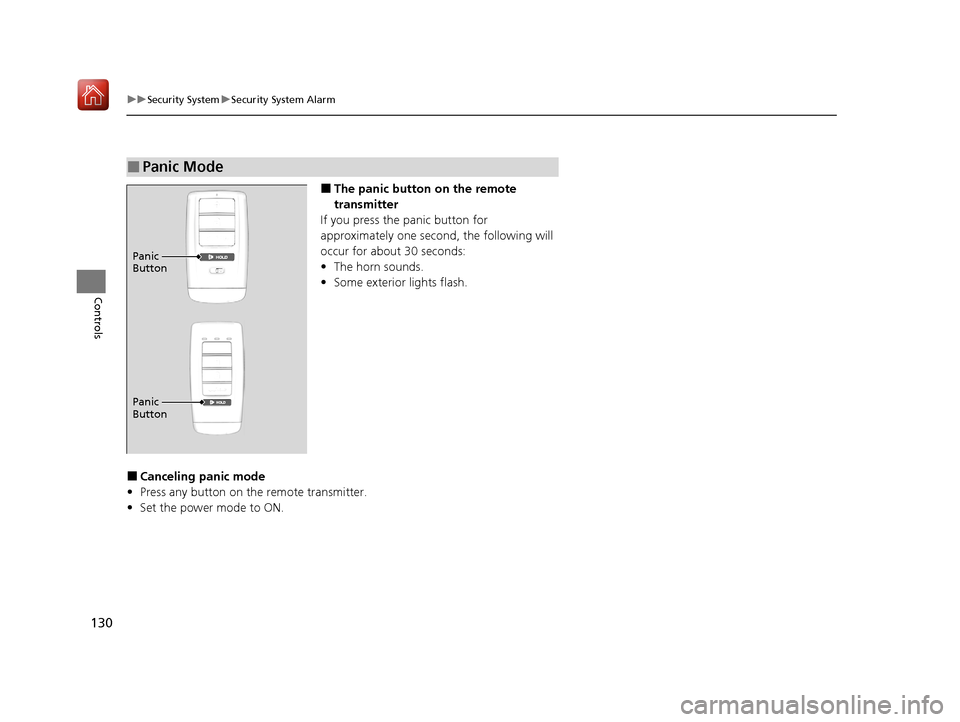
■The panic button on the remote
transmitter
If you press the panic button for
approximately one seco nd, the following will
occur for about 30 seconds:
• The horn sounds.
• Some exterior lights flash.
■Canceling panic mode
• Press any button on the remote transmitter.
• Set the power mode to ON.
■Panic Mode
Panic
Button
Panic
Button
20 ACURA ILX-31TX66710.book 130 ページ 2020年4月16日 木曜日 午後8時46分
Page 137 of 621

136
uuOperating the Switches Around the Steering Wheel uENGINE START/STOP Button
Controls
If you leave the vehicle for 30 to 60 minutes with the transmission in (P and the
power mode in ACCESSORY, the vehicle au tomatically goes into the mode to
VEHICLE OFF (LOCK) to avoid draining the battery.
If you open the driver’s door when the powe r mode is set to ACCESSORY, a warning
beep sounds.
■Automatic Power Off
■Power Mode Reminder
20 ACURA ILX-31TX66710.book 136 ページ 2020年4月16日 木曜日 午後8時46分
Page 138 of 621
137
uuOperating the Switches Around the Steering Wheel uENGINE START/STOP Button
Controls
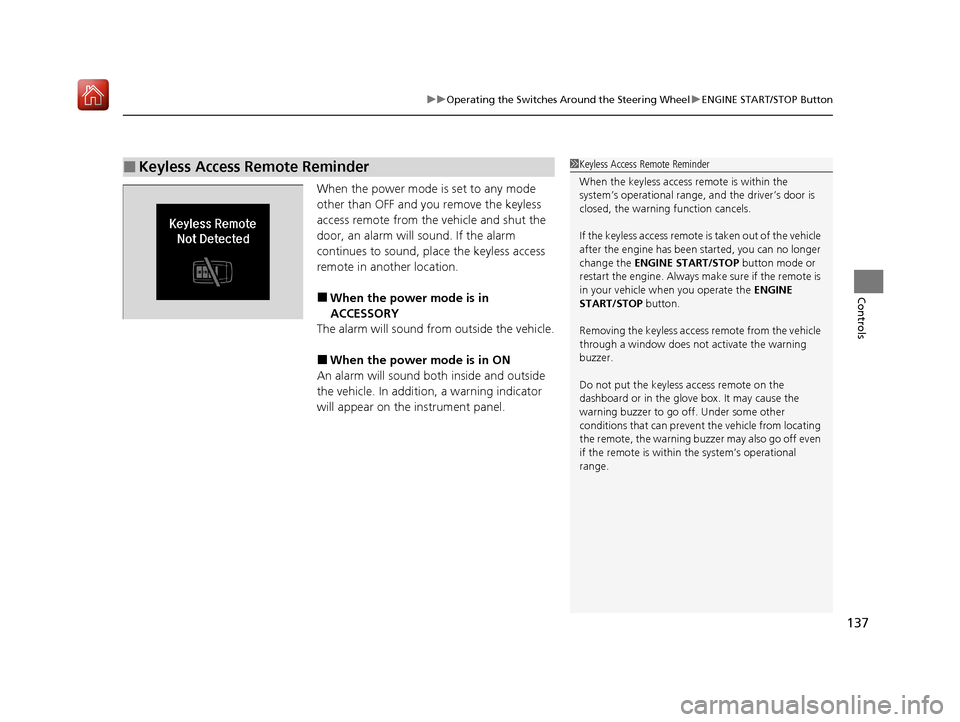
When the power mode is set to any mode
other than OFF and yo u remove the keyless
access remote from the vehicle and shut the
door, an alarm will sound. If the alarm
continues to sound, place the keyless access
remote in another location.
■When the power mode is in
ACCESSORY
The alarm will sound from outside the vehicle.
■When the power mode is in ON
An alarm will sound both inside and outside
the vehicle. In additi on, a warning indicator
will appear on the instrument panel.
■Keyless Access Remote Reminder1 Keyless Access Remote Reminder
When the keyless access remote is within the
system’s operational range, and the driver’s door is
closed, the warni ng function cancels.
If the keyless access remote is taken out of the vehicle
after the engine has been started, you can no longer
change the ENGINE START/STOP button mode or
restart the engine. Always make sure if the remote is
in your vehicle when you operate the ENGINE
START/STOP button.
Removing the keyless access remote from the vehicle
through a window does not activate the warning
buzzer.
Do not put the keyless access remote on the
dashboard or in the glove box. It may cause the
warning buzzer to go of f. Under some other
conditions that can prevent the vehicle from locating
the remote, the warning buzzer may also go off even
if the remote is within the system’s operational
range.
20 ACURA ILX-31TX66710.book 137 ページ 2020年4月16日 木曜日 午後8時46分
Page 140 of 621
139
uuOperating the Switches Around the Steering Wheel uLight Switches
Continued
Controls
Light Switches
Rotating the light switch turns the lights on
and off, regardless of the power mode
setting.
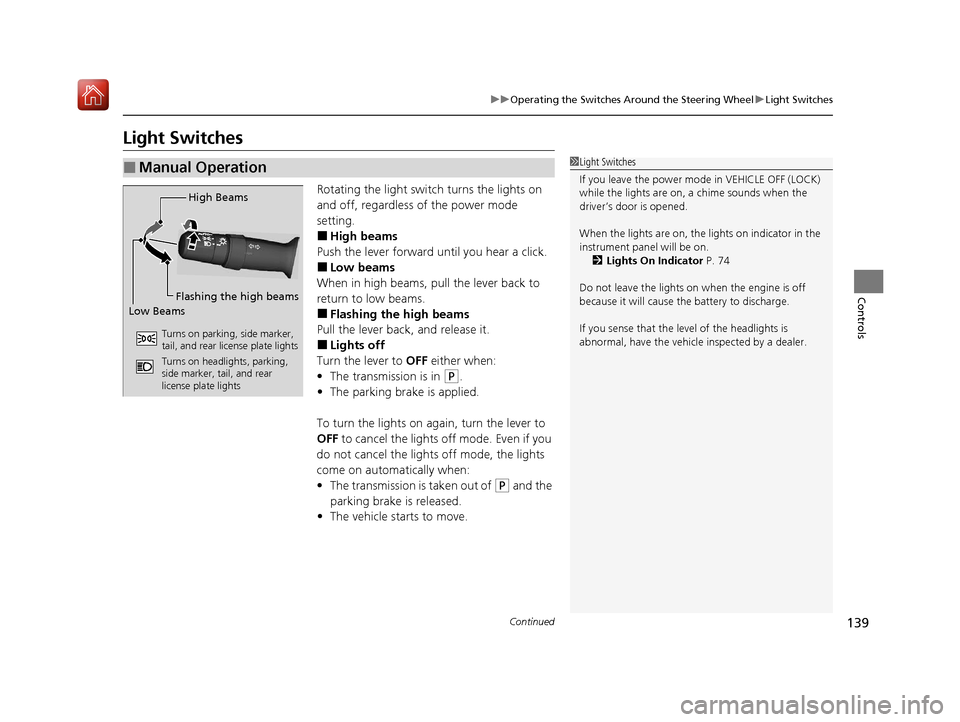
■High beams
Push the lever forward until you hear a click.
■Low beams
When in high beams, pull the lever back to
return to low beams.
■Flashing the high beams
Pull the lever back, and release it.
■Lights off
Turn the lever to OFF either when:
• The transmission is in
(P.
• The parking brake is applied.
To turn the light s on again, turn the lever to
OFF to cancel the lights off mode. Even if you
do not cancel the lights off mode, the lights
come on automatically when:
• The transmission is taken out of
(P and the
parking brake is released.
• The vehicle starts to move.
■Manual Operation1Light Switches
If you leave the power mode in VEHICLE OFF (LOCK)
while the lights are on, a chime sounds when the
driver’s door is opened.
When the lights are on, the lights on indicator in the
instrument pane l will be on.
2 Lights On Indicator P. 74
Do not leave the lights on when the engine is off
because it will cause the battery to discharge.
If you sense that the le vel of the headlights is
abnormal, have the vehicl e inspected by a dealer.
High Beams
Flashing the high beams
Low Beams
Turns on parking, side marker,
tail, and rear license plate lights
Turns on headlights, parking,
side marker, tail, and rear
license plate lights
20 ACURA ILX-31TX66710.book 139 ページ 2020年4月16日 木曜日 午後8時46分
Page 149 of 621
148
uuOperating the Switches Around the Steering Wheel uBrightness Control
Controls
Brightness Control
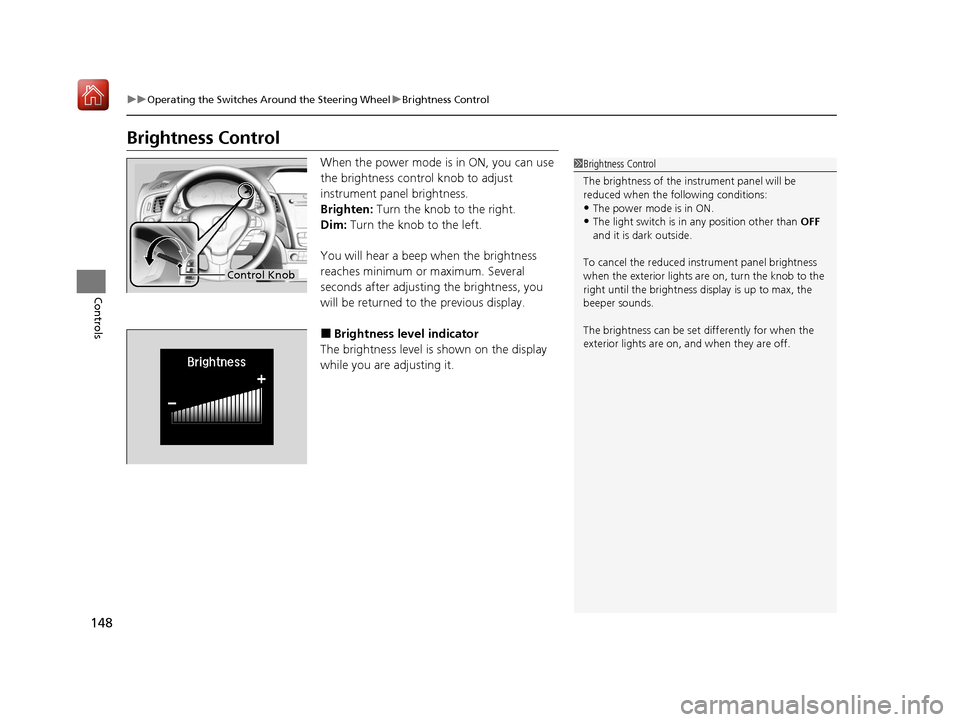
When the power mode is in ON, you can use
the brightness control knob to adjust
instrument panel brightness.
Brighten: Turn the knob to the right.
Dim: Turn the knob to the left.
You will hear a beep when the brightness
reaches minimum or maximum. Several
seconds after adjusting the brightness, you
will be returned to the previous display.
■Brightness level indicator
The brightness level is shown on the display
while you are adjusting it.
1 Brightness Control
The brightness of the in strument panel will be
reduced when the following conditions:
•The power mode is in ON.
•The light switch is in any position other than OFF
and it is da rk outside.
To cancel the reduced in strument panel brightness
when the exterior lights are on, turn the knob to the
right until the brightness display is up to max, the
beeper sounds.
The brightness can be set differently for when the
exterior lights are on, and when they are off.
Control Knob
20 ACURA ILX-31TX66710.book 148 ページ 2020年4月16日 木曜日 午後8時46分
Page 184 of 621
183
Features
Audio System Basic Operation
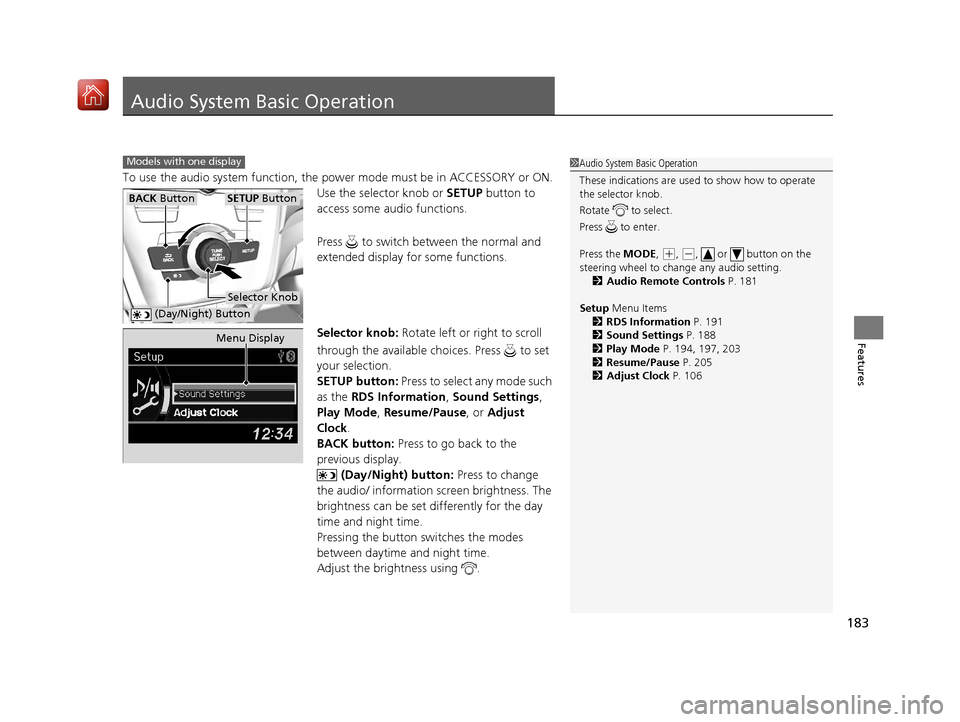
To use the audio system function, the power mode must be in ACCESSORY or ON.
Use the selector knob or SETUP button to
access some audio functions.
Press to switch between the normal and
extended display fo r some functions.
Selector knob: Rotate left or right to scroll
through the available ch oices. Press to set
your selection.
SETUP button: Press to select any mode such
as the RDS Information , Sound Settings,
Play Mode , Resume/Pause , or Adjust
Clock .
BACK button: Press to go back to the
previous display.
(Day/Night) button: Press to change
the audio/ information screen brightness. The
brightness can be set differently for the day
time and night time.
Pressing the button switches the modes
between daytime and night time.
Adjust the brightness using .
Models with one display1 Audio System Basic Operation
These indications are used to show how to operate
the selector knob.
Rotate to select.
Press to enter.
Press the MODE,
( +, (-, or button on the
steering wheel to cha nge any audio setting.
2 Audio Remote Controls P. 181
Setup Menu Items
2 RDS Information P. 191
2 Sound Settings P. 188
2 Play Mode P. 194, 197, 203
2 Resume/Pause P. 205
2 Adjust Clock P. 106
BACK ButtonSETUP Button
Selector Knob
(Day/Night) Button
Menu Display
20 ACURA ILX-31TX66710.book 183 ページ 2020年4月16日 木曜日 午後8時46分
Page 189 of 621
188
uuAudio System Basic Operation uAdjusting the Sound
Features
Adjusting the Sound
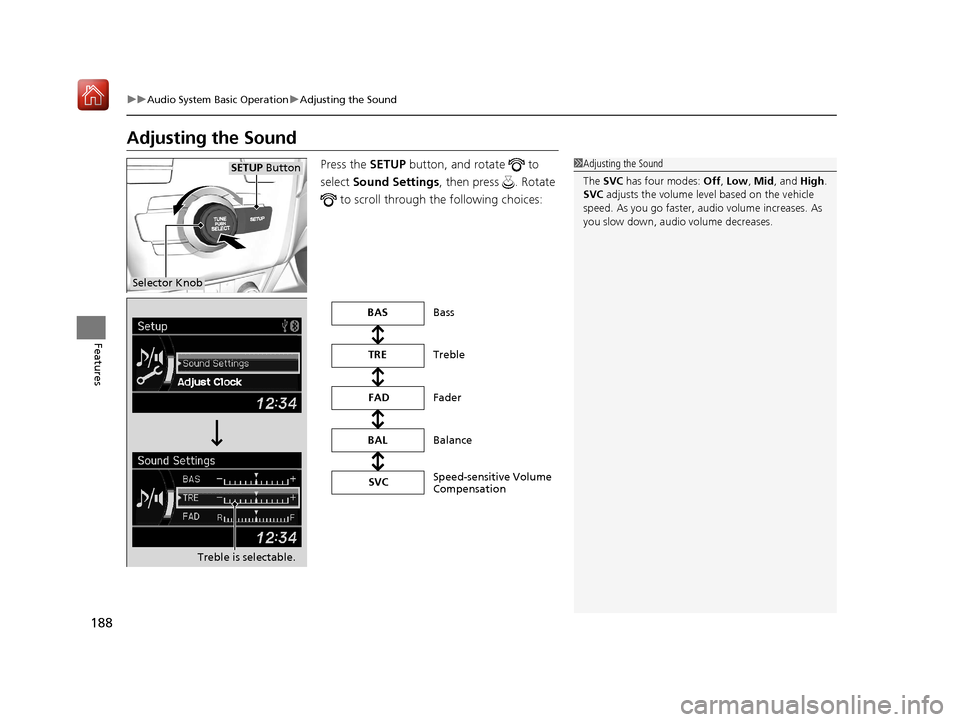
Press the SETUP button, and rotate to
select Sound Settings, then press . Rotate
to scroll through th e following choices:1Adjusting the Sound
The SVC has four modes: Off, Low , Mid , and High.
SVC adjusts the volume level based on the vehicle
speed. As you go faster, audio volume increases. As
you slow down, audi o volume decreases.
Selector Knob
SETUP Button
Treble is selectable.
Speed-sensitive Volume
Compensation Bass
Treble
Fader
Balance
BAS
TRE
FAD
BAL SVC
20 ACURA ILX-31TX66710.book 188 ページ 2020年4月16日 木曜日 午後8時46分
Page 202 of 621
201
uuAudio System Basic Operation uPlaying a USB Flash Drive
Continued
Features
Playing a USB Flash Drive
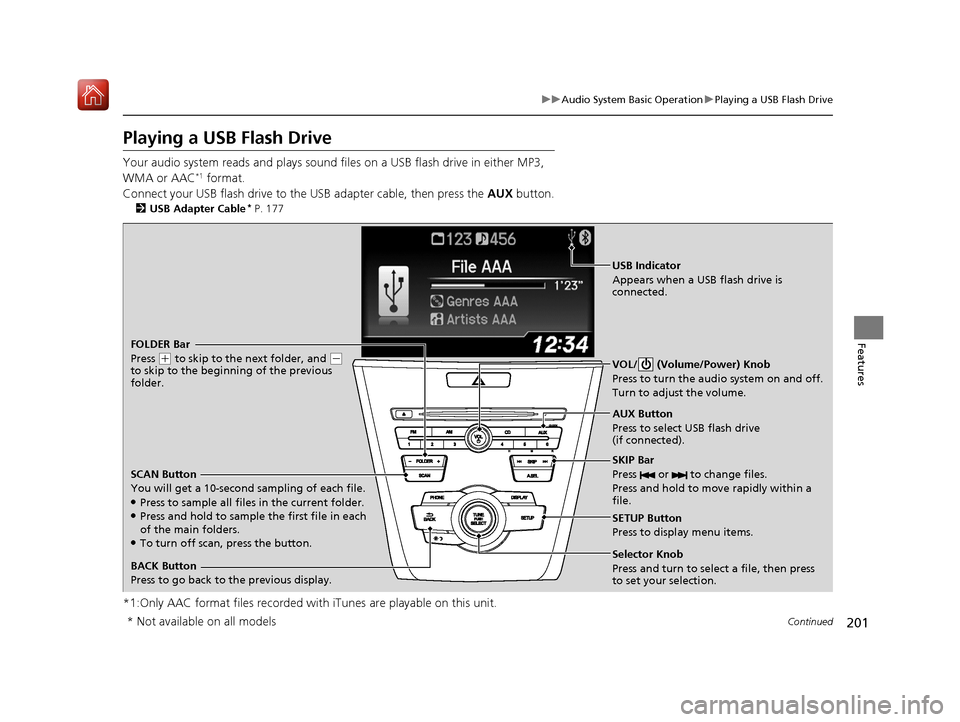
Your audio system reads and plays sound files on a USB flash drive in either MP3,
WMA or AAC*1 format.
Connect your USB flash drive to the USB adapter cable, then press the AUX button.
2USB Adapter Cable* P. 177
*1:Only AAC format files recorded with iTunes are playable on this unit.
BACK Button
Press to go back to the previous display. SKIP Bar
Press or to change files.
Press and hold to move rapidly within a
file.
SETUP Button
Press to display menu items.
Selector Knob
Press and turn to select a file, then press
to set your selection. AUX Button
Press to select USB flash drive
(if connected). VOL/ (Volume/Power) Knob
Press to turn the audi
o system on and off.
Turn to adjust the volume.
FOLDER Bar
Press
( + to skip to the next folder, and (-
to skip to the beginning of the previous
folder.
SCAN Button
You will get a 10-second sampling of each file.
●Press to sample all files in the current folder.●Press and hold to sample the first file in each
of the main folders.
●To turn off scan, press the button.
USB Indicator
Appears when a USB flash drive is
connected.
* Not available on all models
20 ACURA ILX-31TX66710.book 201 ページ 2020年4月16日 木曜日 午後8時46分
Page 209 of 621
208
uuAudio System Basic Operation uOn Demand Multi-Use DisplayTM
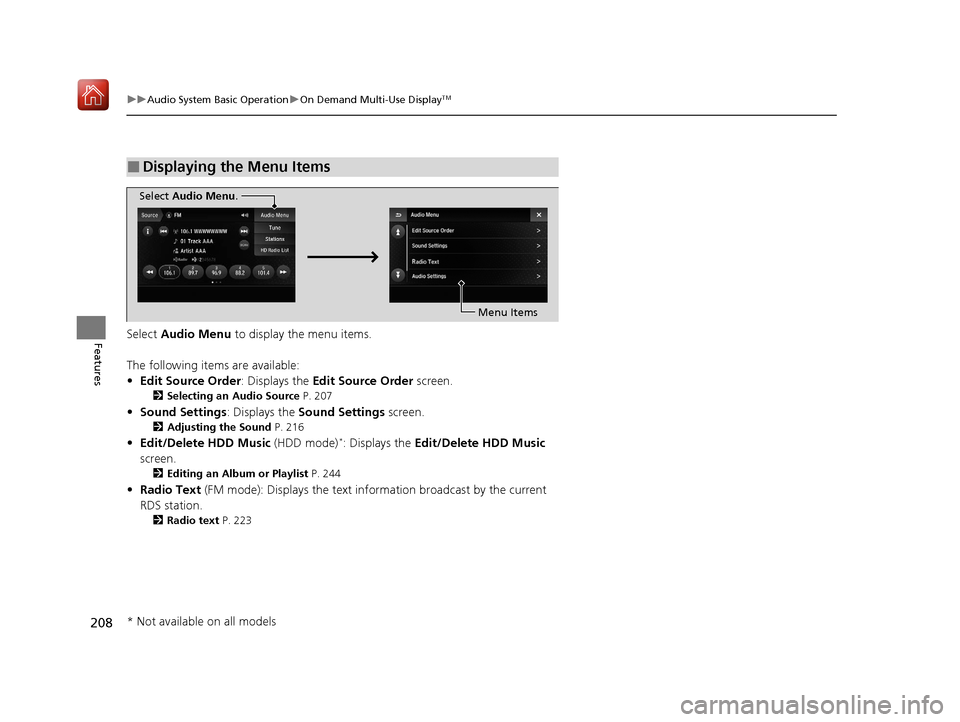
FeaturesSelect Audio Menu to display the menu items.
The following items are available:
• Edit Source Order : Displays the Edit Source Order screen.
2Selecting an Audio Source P. 207
•Sound Settings : Displays the Sound Settings screen.
2Adjusting the Sound P. 216
•Edit/Delete HDD Music (HDD mode)*: Displays the Edit/Delete HDD Music
screen.
2 Editing an Album or Playlist P. 244
•Radio Text (FM mode): Displays the text info rmation broadcast by the current
RDS station.
2 Radio text P. 223
■Displaying the Menu Items
Select Audio Menu .
Menu Items
* Not available on all models
20 ACURA ILX-31TX66710.book 208 ページ 2020年4月16日 木曜日 午後8時46分
Page 211 of 621
uuAudio System Basic Operation uOn Demand Multi-Use DisplayTM
210
Features
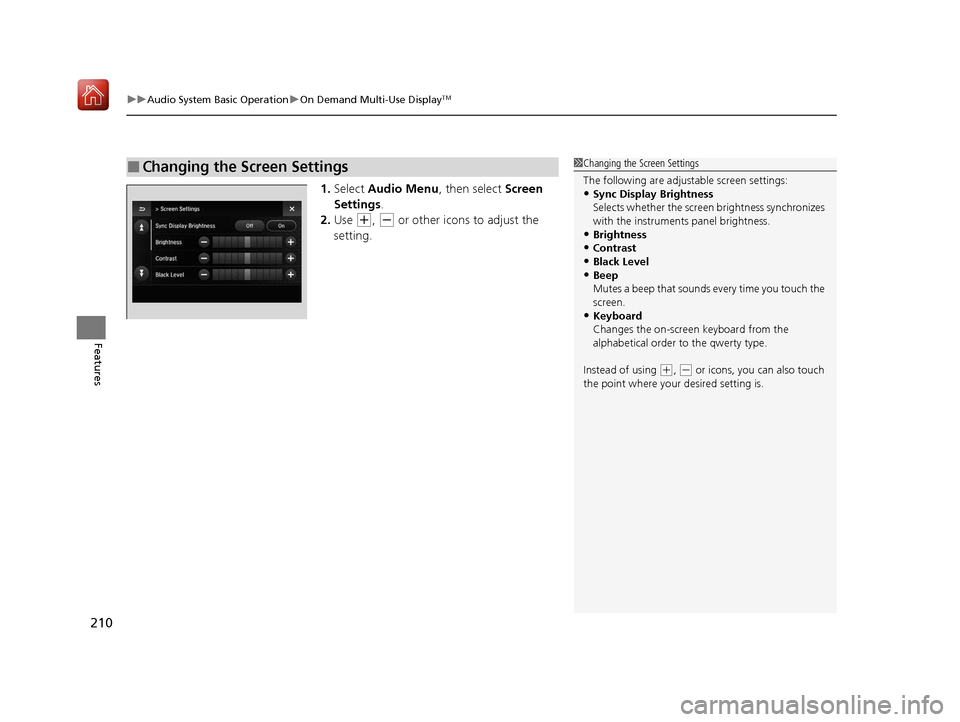
1. Select Audio Menu , then select Screen
Settings .
2. Use
(+, (- or other icons to adjust the
setting.
■Changing the Screen Settings1 Changing the Screen Settings
The following are adjustable screen settings:
•Sync Display Brightness
Selects whether the screen brightness synchronizes
with the instruments panel brightness.
•Brightness
•Contrast
•Black Level•Beep
Mutes a beep that sounds every time you touch the
screen.
•Keyboard
Changes the on-screen keyboard from the
alphabetical order to the qwerty type.
Instead of using
( +, (- or icons, you can also touch
the point where your desired setting is.
20 ACURA ILX-31TX66710.book 210 ページ 2020年4月16日 木曜日 午後8時46分