cruise control Acura Integra 2000 Sedan Owner's Manual
[x] Cancel search | Manufacturer: ACURA, Model Year: 2000, Model line: Integra, Model: Acura Integra 2000Pages: 273, PDF Size: 4.4 MB
Page 54 of 273

Instrument
s an d Control s
This section gives information about the controls and displays that
contribute to the daily operation of
your Acura. All the essential controls
are within easy reach.
Control Locations............................ 52
Indicator Lights................................ 53
Gauges.............................................. 57
Speedometer................................ 57
Tachometer.................................. 57
Odometer...................................... 57
Trip Meter.................................... 57
Fuel Gauge................................... 58
Temperature Gauge....................
58
Maintenance Require
d
Indicator.................................... 59
Controls Near the Steering
Wheel........................................ 60
Headlights.................................... 61
Instrument Panel Brightness.....
62
Turn S
ignals.................................
62
Windshield Wipers.
..................... 63
Windshield Washers..................
. 63
Hazard Warning...........................
64
Rear Windo
w Defogger.............. 64
Steering Wheel Adjustment....... 65
Steering Wheel Controls................ 66
Cruise Control.............................. 66
Keys and Locks................................ 69
Keys............................................... 69
Immobilizer System..................... 69
Ignition Switch............................. 70
Power Door Locks....................... 72
Childproof Door Locks............... 73
Trunk............................................ 73
Glove Box..................................... 75
Seat Adjustments............................. 75
Driver's Seat Height
Adjustment............................... 76
Driver's Lumbar Support............ 76
Head Restraints........................... 77
Folding Rear Seat............................ 77
Power Windows............................... 79
Moonroof.......................................... 80
Mirrors.............................................. 81
Adjusting the Power Mirrors..... 81
Parking Brake.................................. 82
Digital Clock..................................... 83
Beverage Holder.............................. 84 Console Compartment.................... 85
Cigarette Lighter............................. 85
Ashtrays............................................ 86
Interior Lights.................................. 87
Instrument s an d Control s
Page 59 of 273
Indicato
r Light s
Tur n Signa l an d
Hazar d Warnin g
Indicator s
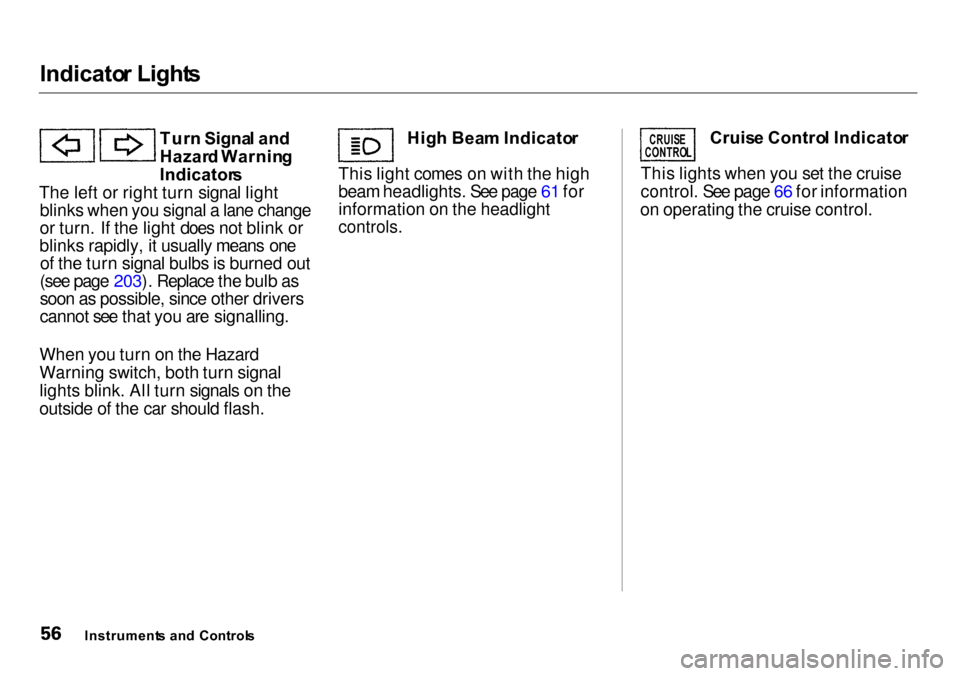
The left or right turn signal light blinks when you signal a lane change
or turn. If the light does not blink or
blinks rapidly, it usually means one of the turn signal bulbs is burned out
(see page 203). Replace the bulb as
soon as possible, since other drivers
cannot see that you are signalling.
When you turn on the Hazard
Warning switch, both turn signal
lights blink. All turn signals on the
outside of the car should flash. Hig
h Bea m Indicato r
This light comes on with the high
beam headlights. See page 61 for
information on the headlight
controls.
Cruis
e Contro l Indicato r
This lights when you set the cruise
control. See page 66 for information
on operating the cruise control.
Instrument s an d Control s
CRUIS
E
CONTRO L
Page 63 of 273

Control
s Nea r th e Steerin g Whee l
The two levers on the steering
column contain controls for driving
features you use most often. The left
lever controls the turn signals,
headlights, and high beams. The right lever controls the windshield
washers and wipers.
The controls on the dashboard to the right of the steering column are for
the instrument panel brightness,
hazard warning lights and rear
window defogger.
The moonroof switch and cruise
control switch are to the left of thesteering column.
The tilt adjustment lever on the
underside of the steering column allows you to tilt the steering wheel.
Instrument s an d Control s
WINDSHIEL
D
WIPERS/WASHER S
HOR
N
BUTTON S
TIL T ADJUSTMEN T
HEADLIGHTS /
TUR N SIGNAL S
MOONROO
F
HAZAR
D WARNIN G
REA
R WINDO W
DEFOGGE R
INSTRUMEN
T PANE L
BRIGHTNES S
CRUIS
E
CONTRO L
Page 69 of 273

Steerin
g Whee l Control s
Cruis e Contro l
Cruise control allows you to maintain
a set speed above 25 mph (40 km/h)
without keeping your foot on the accelerator pedal. It should be used
for cruising on straight, open
highways. It is not recommended for conditions such as city driving,
winding roads, slippery roads, heavy rain, or bad weather. You should
have full control of the car under
those conditions.
The cruise control, as it operates,
moves the accelerator pedal. You can
damage your car's accelerator mechanism by resting your foot under
the pedal and blocking the movement.
Using the Cruise Control
1. Push in the Cruise Control Master Switch to the left of the steering
column. The indicator in the
switch will light.
2. Accelerate to the desired cruising speed above 25 mph (40 km/h).
Instrument s an d Control s
Improper use of the cruise
control can lead to a crash.
Use the cruise control only
when traveling on open
highways in good weather.
NOTIC
E
Page 70 of 273

Steerin
g Whee l Control s
3. Press and release the SET/decel
button on the steering wheel. The
CRUISE CONTROL light on the
instrument panel comes on to
show the system is now activated.
The cruise control may not hold
the set speed when you are going
up and down hills. If your speed
increases going down a hill, use
the brakes to slow down to the
desired speed. This will cancel the
cruise control. To resume the set
speed, press and hold the
RESUME/accel button until the
CRUISE CONTROL light on the
instrument panel comes on. When
climbing a steep hill, the automatic
transmission may downshift to
hold the set speed.
Changing the Set Speed
You can increase the set cruising
speed in any of these ways: Press and hold the RESUME/
accel button. The car will acceler-
ate. When you reach the desired
cruising speed, release the button. Push on the accelerator pedal. Ac-
celerate to the desired cruising
speed and press the SET/decel
button.
You can decrease the set cruising
speed in any of these ways: Press and hold the SET/decel
button. The car will decelerate. Release the button when you
reach the desired speed.
Tap the brake or clutch pedal
lightly with your foot. The CRUISE CONTROL light on the
instrument panel will go out.
When the car slows to the desired
speed, press the SET/decel button.
The car will then maintain the
desired speed.
CONTINUED
Instrument s an d Control s
RESUME
/
acce l
SET/dece l
Page 71 of 273

Steerin
g Whee l Control s
Even with the cruise control turned on, you can still use the accelerator
pedal to speed up for passing. After
completing the pass, take your foot
off the accelerator pedal. The car
will return to the set cruising speed.
Resting your foot on the brake or
clutch pedal will cause the cruise
control to cancel. Cancelling the Cruise Control
You can cancel the cruise control in
any of these ways: Tap the brake or clutch pedal.
Press the SET/decel and RE-
SUME/accel buttons at the same
time. Press the Cruise Control Master
Switch.
When you tap the brake or clutch
pedal, or press the SET and RE-
SUME buttons at the same time, the CRUISE CONTROL light on the
instrument panel will go out and the car will begin to slow down. You can
use the accelerator pedal in the
normal way.
If you use the brake or clutch pedal
to cancel cruise control, the system
remembers the previously-set cruising speed. To return to that
speed, accelerate to above 25 mph (40 km/h) and press the RESUME/
accel button until the CRUISE CON-
TROL light comes on. The car will accelerate to the same cruising
speed as before.
Pressing the Cruise Control Master
Switch turns the system completely
off and erases the previous cruising
speed from memory. To use the
system again, refer to Using the
Cruise Control.
Instrument s an d Control s
Page 127 of 273
Fue
l Econom y
The condition of your car and your
driving habits are the two most
important things that affect the fuel
mileage you get.
Vehicl e Conditio n
Always maintain your car according
to the maintenance schedule. This
will keep it in top operating condition.
An important part of that mainte-
nance is the Owne r Maintenanc e
Check s (see page 165 ). For
example, an underinflated tire
causes more "rolling resistance,"
which uses fuel. It. also wears out
faster, so check the tire pressure at
least monthly.
In winter, the build-up of snow on
your car's underside adds weight and
rolling resistance. Frequent cleaning
helps your fuel mileage and reduces the chance of corrosion. Drivin
g Habit s
You can improve fuel economy by
driving moderately. Rapid acceler-
ation, abrupt cornering, and hard
braking use more fuel.
Always drive in the highest gear that
allows the engine to run and acceler- ate smoothly.
Depending on traffic conditions, try to maintain a constant speed. Every
time you slow down and speed up, your car uses extra fuel. Use the
cruise control, when appropriate, to increase fuel economy. A cold engine uses more fuel than a
warm engine. It is not necessary to
"warm-up" a cold engine by letting it idle for a long time. You can drive away in about a minute, no matter
how cold it is outside. The engine
will warm up faster, and you get
better fuel economy. To cut down on the number of "cold starts," try to combine several short trips into one.
The air conditioning puts an extra
load on the engine which makes it
use more fuel. Turn off the A/C to
cut down on air conditioning use. Use the flow-through ventilation
when the outside air temperature is
moderate.
Befor e Drivin g
Page 148 of 273
Drivin
g in Ba d Weathe r
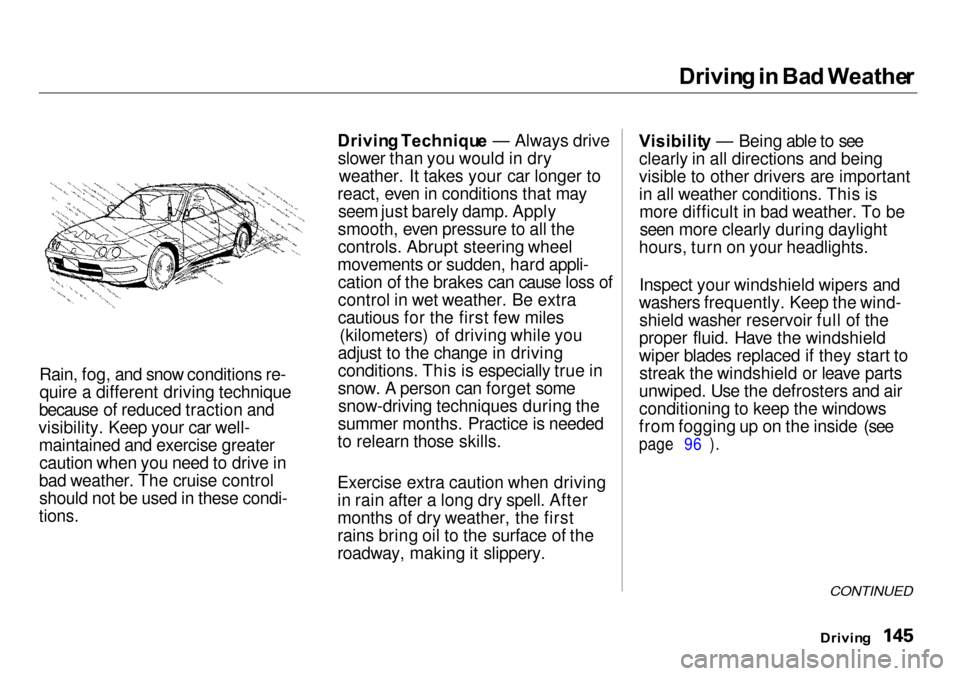
Rain, fog, and snow conditions re- quire a different driving technique
because of reduced traction and
visibility. Keep your car well- maintained and exercise greatercaution when you need to drive in
bad weather. The cruise control should not be used in these condi-
tions.
Drivin
g Techniqu e — Always drive
slower than you would in dry weather. It takes your car longer to
react, even in conditions that may seem just barely damp. Apply
smooth, even pressure to all the
controls. Abrupt steering wheel
movements or sudden, hard appli- cation of the brakes can cause loss of
control in wet weather. Be extra
cautious for the first few miles (kilometers) of driving while you
adjust to the change in driving
conditions. This is especially true in
snow. A person can forget some snow-driving techniques during the
summer months. Practice is needed
to relearn those skills.
Exercise extra caution when driving
in rain after a long dry spell. After
months of dry weather, the first
rains bring oil to the surface of the
roadway, making it slippery. Visibilit
y — Being able to see
clearly in all directions and being
visible to other drivers are important
in all weather conditions. This is more difficult in bad weather. To beseen more clearly during daylight
hours, turn on your headlights.
Inspect your windshield wipers and
washers frequently. Keep the wind- shield washer reservoir full of the
proper fluid. Have the windshield
wiper blades replaced if they start to streak the windshield or leave parts
unwiped. Use the defrosters and air
conditioning to keep the windows
from fogging up on the inside (see
page 96 ).
CONTINUED
Drivin g
Page 235 of 273

Chargin
g Syste m Indicato r
This indicator should come on when the ignition switch is ON (II), and goout after the engine starts. If it
comes on brightly when the engine
is running, it indicates that the charging system has stopped
charging the battery. Immediately turn off all electrical
accessories: radio, heater, A/C, rear
defogger, cruise control, etc. Try not
to use other electrically-operated controls such as the power windows.
Keep the engine running and take
extra care not to stall it. Starting the
engine will discharge the battery
rapidly. By eliminating as much of the
electrical load as possible, you can
drive several miles (kilometers)
before the battery is too discharged
to keep the engine running. Drive to
a service station or garage where
you can get technical assistance.
Takin g Car e o f th e Unexpecte d
CHARGIN
G SYSTE M INDICATO R
Page 266 of 273
Inde
x
Cold Weather, Starting in............. 133 Compact Spare............................... 220
Console Compartment.................... 85
Consumer Information *................ 256
Controls, Instruments and.............. 51
Coolant
Adding......................................... 172
Checking..................................... 123
Proper Solution.......................... 172
Replacing.................................... 174
Temperature Gauge.................... 58
Corrosion Protection..................... 216
Crankcase Emissions Control
System......................................... 252
Cruise Control Operation............... 66 Customer Relations Office........... 256
DANGER, Explanation of................. ii
Dashboard........................................ 52 Dead Battery, What to Do............ 227
Defects, Reporting Safety............. 258
Defog and Defrost........................... 96
Defogger, Rear Window................. 64
Defrosting the Windows................. 96 DEXRON
®
III Automatic
Transmission Fluid.................... 178
Dimensions..................................... 246
Dimming the Headlights................ 61
Dipstick Automatic Transmission........... 178
Engine Oil................................... 122
Directional Signals........................... 62
Disabled, Towing Your Car If...... 241
Disc Brake Wear Indicators......... 141
Disposal of Used Oil...................... 171 Doors Locking and Unlocking............... 72
Open Indicator............................. 55
Power Door Locks....................... 72
DOT Tire Quality Grading........... 248
Downshifting, 5-speed Manual Transmission.............................. 134
Driver and Passenger Safety............ 5 Drive Belts...................................... 191
Driving............................................ 131 Economy.....................................
124
In Ba
d Weather..........................
145
In Foreig
n Countries................. 251
Economy, Fuel............................... 124
Emergencies on the Road............. 219
Battery, Jump Starting.............. 227
Brake System Indicator............ 234
Changing a Flat Tire................. 221
Charging System Indicator ...... 232
Checking the Fuses................... 237
Low Oil Pressure Indicator...... 231
Malfunction Indicator Lamp.... 233
Manually Closing Moonroof.... 235 Overheated Engine................... 229
Emergency Brake............................ 82 Emergency Flashers....................... 64
Emissions Controls........................ 252
Engine Coolant Temperature Gauge ..... 58
Malfunction Indicator
Lamp................................ 55, 233
Oil Pressure Indicator........ 54, 231
Oil, What Kind to Use............... 167
Overheating................................ 229
Specifications............................. 246
Speed Limit........................ 135, 138
CONTINUED