light Acura MDX 2009 Service Manual
[x] Cancel search | Manufacturer: ACURA, Model Year: 2009, Model line: MDX, Model: Acura MDX 2009Pages: 489, PDF Size: 11.91 MB
Page 188 of 489

Adjusting the Sound
Press the TUNE (SOUND) knob
repeatedly to display the BASS,
TREBLE, FADER, BALANCE,
SUBWOOFER, and SVC (speed-
sensitive volume compensation)
settings.
BASS-Adjusts the bass.
TREBLE -Adjusts the treble.
FADER -Adjusts the front-to-back
strength of the sound.
BALANCE -Adjusts the side-to-
side strength of the sound.
SUBWOOFER -Adjusts the
strength of sound from the
subwoofer speaker.
CENTER -Adjusts the strength of
sound from the center speaker. SVC
-Adjusts the volume level
based on the vehicle speed.
Each mode is shown in the display as
it changes. Turn the TUNE knob to
adjust the setting to your liking.
When the level reaches the center,
you will see ‘‘C ’’in the display.
The system will return to the audio
display about 5 seconds after you
stop adjusting a mode.
Speed-sensitive Volume Compensation (SVC)The SVC mode controls the volume
based on vehicle speed. The faster
you go, the louder the audio volume
becomes. As you slow down, the
audio volume decreases.
The SVC has four modes; SVC OFF,
SVC LOW, SVC MID, and SVC
HIGH. Turn the TUNE knob to
adjust the setting to your liking. If
you feel the sound is too loud,
choose low. If you feel the sound is
too quiet, choose high. This function is set to MID as the
default setting when the vehicle
leaves the factory.
Audio System Lighting
You can use the instrument panel
brightness control buttons to adjust
the illumination of the audio system
(see page123).The audio system
illuminates when the parking lights
are on, even if the radio is off.
Playing the AM/FM Radio (Models without navigation system)18408/06/06 16:58:07 09 ACURA MDX MMC North America Owner's M 50 31STX620 enu
2009 MDX
Page 204 of 489
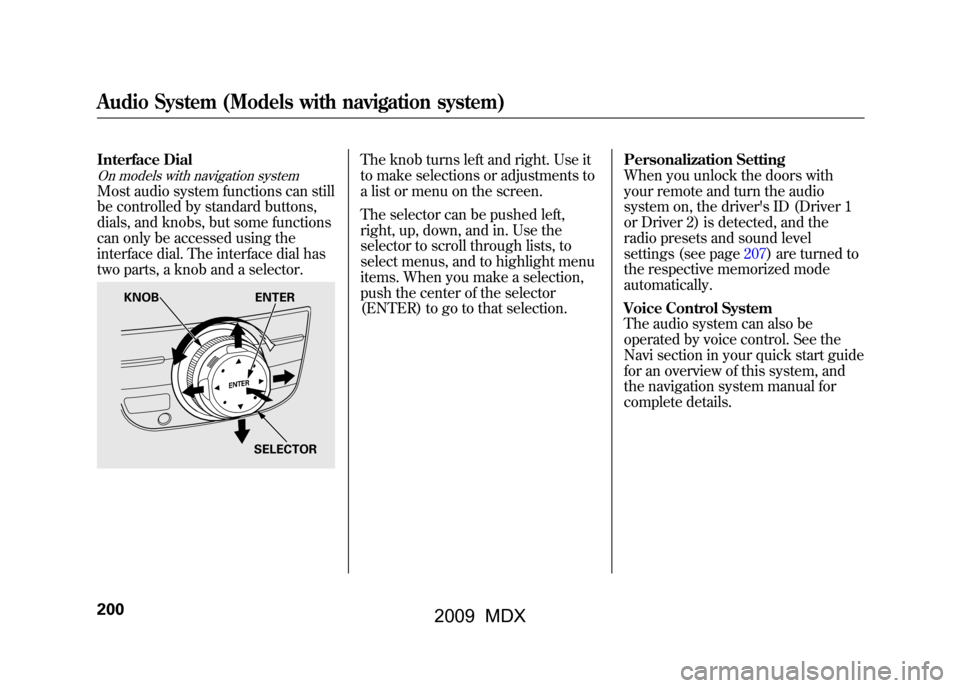
Interface DialOn models with navigation systemMost audio system functions can still
be controlled by standard buttons,
dials, and knobs, but some functions
can only be accessed using the
interface dial. The interface dial has
two parts, a knob and a selector.
The knob turns left and right. Use it
to make selections or adjustments to
a list or menu on the screen.
The selector can be pushed left,
right, up, down, and in. Use the
selector to scroll through lists, to
select menus, and to highlight menu
items. When you make a selection,
push the center of the selector
(ENTER) to go to that selection.Personalization Setting
When you unlock the doors with
your remote and turn the audio
system on, the driver's ID (Driver 1
or Driver 2) is detected, and the
radio presets and sound level
settings (see page207)are turned to
the respective memorized mode
automatically.
Voice Control System
The audio system can also be
operated by voice control. See the
Navi section in your quick start guide
for an overview of this system, and
the navigation system manual for
complete details.
KNOB
ENTER
SELECTOR
Audio System (Models with navigation system)20008/06/06 16:58:07 09 ACURA MDX MMC North America Owner's M 50 31STX620 enu
2009 MDX
Page 208 of 489
Preset-Each preset button or
preset icon can store one frequency
on AM and two frequencies on FM.To store a preset memory location:1. Select the desired band, AM or FM. FM1 and FM2 let you store
two sets of FM frequencies with
the preset buttons (on-screen
icons).
2. Use the tune, seek, or scan function to tune the radio to a
desired station.
3. Press the preset button, and hold it until you hear a beep. You can also
store frequencies with the
interface dial. Select the preset
icon you want to store the
frequency on, then press ENTER
on the interface selector, and hold
it for more than 2 seconds.
4. Repeat steps 1 through 3 to store a total of six stations on AM and
twelve stations on FM.
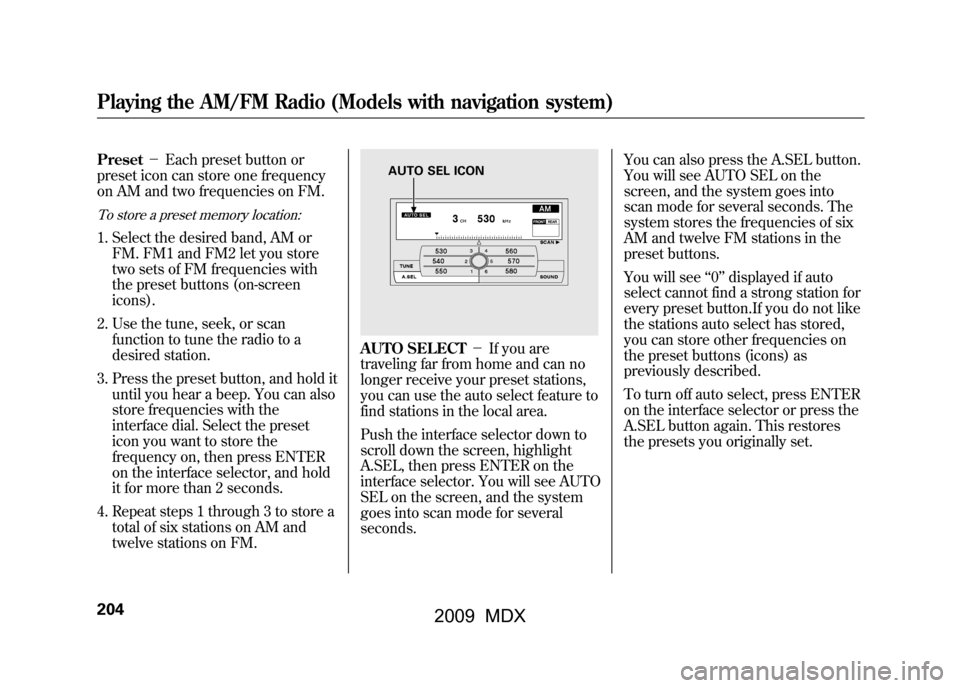
AUTO SELECT -If you are
traveling far from home and can no
longer receive your preset stations,
you can use the auto select feature to
find stations in the local area.
Push the interface selector down to
scroll down the screen, highlight
A.SEL, then press ENTER on the
interface selector. You will see AUTO
SEL on the screen, and the system
goes into scan mode for several
seconds. You can also press the A.SEL button.
You will see AUTO SEL on the
screen, and the system goes into
scan mode for several seconds. The
system stores the frequencies of six
AM and twelve FM stations in the
preset buttons.
You will see
‘‘0’’ displayed if auto
select cannot find a strong station for
every preset button.If you do not like
the stations auto select has stored,
you can store other frequencies on
the preset buttons (icons) as
previously described.
To turn off auto select, press ENTER
on the interface selector or press the
A.SEL button again. This restores
the presets you originally set.
AUTO SEL ICON
Playing the AM/FM Radio (Models with navigation system)20408/06/06 16:58:07 09 ACURA MDX MMC North America Owner's M 50 31STX620 enu
2009 MDX
Page 225 of 489
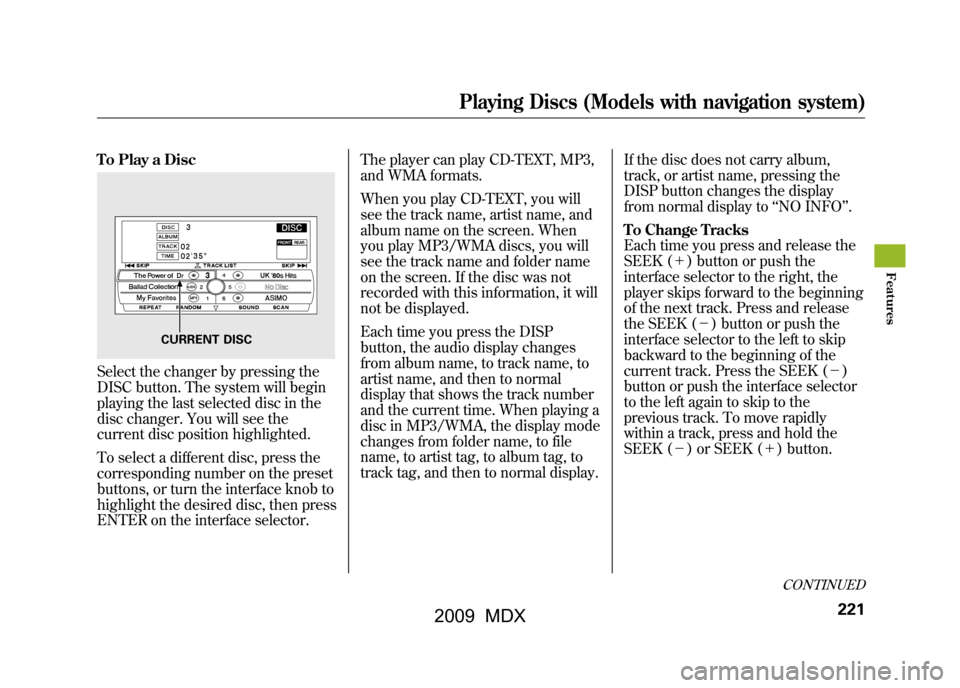
To Play a DiscSelect the changer by pressing the
DISC button. The system will begin
playing the last selected disc in the
disc changer. You will see the
current disc position highlighted.
To select a different disc, press the
corresponding number on the preset
buttons, or turn the interface knob to
highlight the desired disc, then press
ENTER on the interface selector.The player can play CD-TEXT, MP3,
and WMA formats.
When you play CD-TEXT, you will
see the track name, artist name, and
album name on the screen. When
you play MP3/WMA discs, you will
see the track name and folder name
on the screen. If the disc was not
recorded with this information, it will
not be displayed.
Each time you press the DISP
button, the audio display changes
from album name, to track name, to
artist name, and then to normal
display that shows the track number
and the current time. When playing a
disc in MP3/WMA, the display mode
changes from folder name, to file
name, to artist tag, to album tag, to
track tag, and then to normal display.
If the disc does not carry album,
track, or artist name, pressing the
DISP button changes the display
from normal display to
‘‘NO INFO ’’.
To Change Tracks
Each time you press and release the
SEEK (+ ) button or push the
interface selector to the right, the
player skips forward to the beginning
of the next track. Press and release
the SEEK (-) button or push the
interface selector to the left to skip
backward to the beginning of the
current track. Press the SEEK (- )
button or push the interface selector
to the left again to skip to the
previous track. To move rapidly
within a track, press and hold the
SEEK (- ) or SEEK (+ ) button.
CURRENT DISC
CONTINUED
Playing Discs (Models with navigation system)
221
Feat ures
08/06/06 16:58:07 09 ACURA MDX MMC North America Owner's M 50 31STX620 enu
2009 MDX
Page 226 of 489
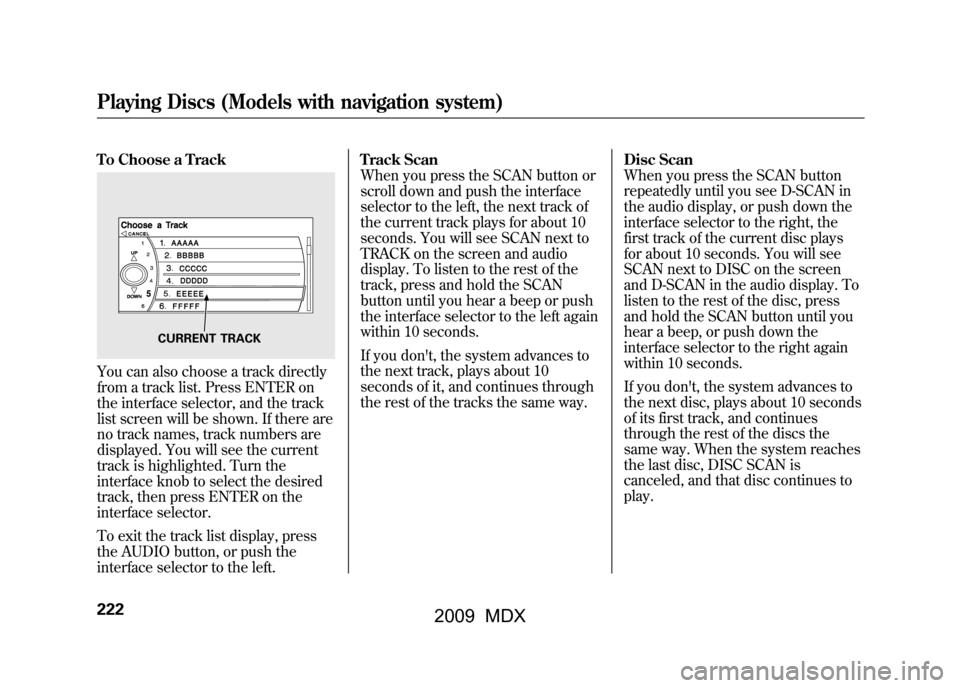
To Choose a TrackYou can also choose a track directly
from a track list. Press ENTER on
the interface selector, and the track
list screen will be shown. If there are
no track names, track numbers are
displayed. You will see the current
track is highlighted. Turn the
interface knob to select the desired
track, then press ENTER on the
interface selector.
To exit the track list display, press
the AUDIO button, or push the
interface selector to the left.Track Scan
When you press the SCAN button or
scroll down and push the interface
selector to the left, the next track of
the current track plays for about 10
seconds. You will see SCAN next to
TRACK on the screen and audio
display. To listen to the rest of the
track, press and hold the SCAN
button until you hear a beep or push
the interface selector to the left again
within 10 seconds.
If you don't, the system advances to
the next track, plays about 10
seconds of it, and continues through
the rest of the tracks the same way.
Disc Scan
When you press the SCAN button
repeatedly until you see D-SCAN in
the audio display, or push down the
interface selector to the right, the
first track of the current disc plays
for about 10 seconds. You will see
SCAN next to DISC on the screen
and D-SCAN in the audio display. To
listen to the rest of the disc, press
and hold the SCAN button until you
hear a beep, or push down the
interface selector to the right again
within 10 seconds.
If you don't, the system advances to
the next disc, plays about 10 seconds
of its first track, and continues
through the rest of the discs the
same way. When the system reaches
the last disc, DISC SCAN is
canceled, and that disc continues to
play.
CURRENT TRACK
Playing Discs (Models with navigation system)22208/06/06 16:58:07 09 ACURA MDX MMC North America Owner's M 50 31STX620 enu
2009 MDX
Page 227 of 489

Track Repeat
To replay the current track
continuously, press and release the
RPT button, or use the interface
selector to scroll down, select
TRACK REPEAT, and press ENTER
on the interface selector. As a
reminder, you will see REPEAT next
to TRACK on the screen and RPT in
the audio display. To turn this feature
off, press and hold the RPT button
until you hear a beep, or highlight
TRACK REPEAT (if not already
highlighted), and press ENTER on
the interface selector again.Disc Repeat
To replay the current disc
continuously, press the RPT button
repeatedly until you see D-RPT in the
audio display, or use the interface
selector to scroll down, select DISC
REPEAT, and press ENTER on the
interface selector. As a reminder, you
will see REPEAT next to DISC on the
screen and D-RPT in the audio
display. To turn this feature off, press
and hold the RPT button until you
hear a beep, or highlight DISC
REPEAT (if not already highlighted),
and press ENTER on the interface
selector again.Random Play
To play the tracks of the current disc
in random order, press and release
the RDM button, or use the interface
selector to scroll down, select
TRACK RANDOM, and press
ENTER on the interface selector. As
a reminder, you will see RANDOM
next to TRACK on the screen and
RDM in the audio display. To turn
this feature off, press and hold the
RDM button until you hear a beep, or
highlight TRACK RANDOM (if not
already highlighted), and press
ENTER on the interface selector
again.
CONTINUED
Playing Discs (Models with navigation system)
223
Feat ures
08/06/06 16:58:07 09 ACURA MDX MMC North America Owner's M 50 31STX620 enu
2009 MDX
Page 229 of 489
Changing the Folders
While playing an MP3/WMA disc,
you can select a folder within the
disc by turning the TUNE knob.
Each time you rotate the knob, the
folder title and its first file's
information appear in the audio
display in recorded order.
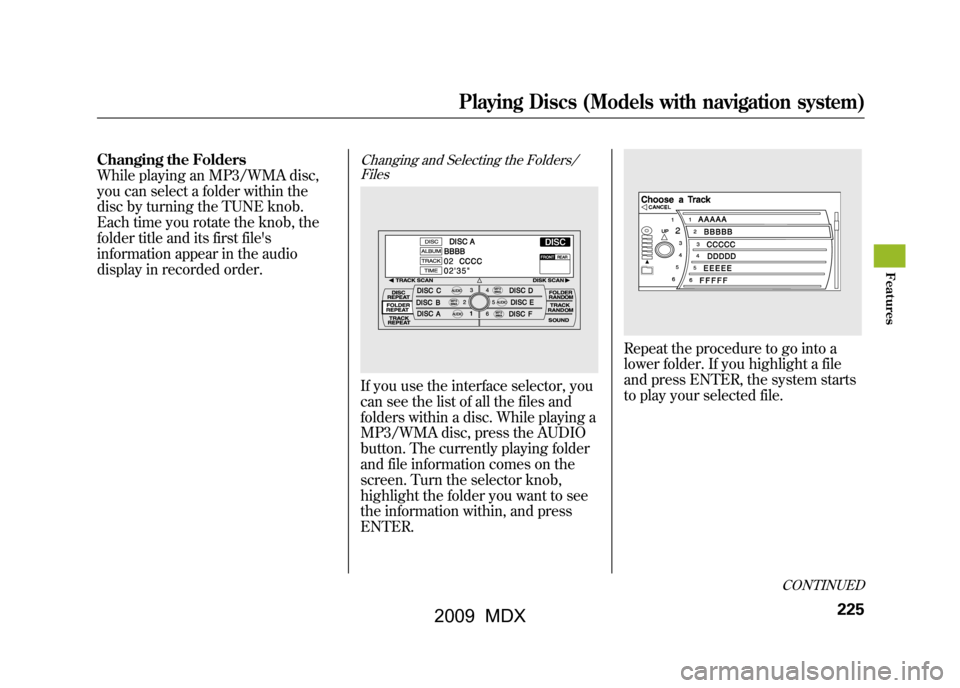
Changing and Selecting the Folders/FilesIf you use the interface selector, you
can see the list of all the files and
folders within a disc. While playing a
MP3/WMA disc, press the AUDIO
button. The currently playing folder
and file information comes on the
screen. Turn the selector knob,
highlight the folder you want to see
the information within, and press
ENTER.
Repeat the procedure to go into a
lower folder. If you highlight a file
and press ENTER, the system starts
to play your selected file.
CONTINUED
Playing Discs (Models with navigation system)
225
Feat ures
08/06/06 16:58:07 09 ACURA MDX MMC North America Owner's M 50 31STX620 enu
2009 MDX
Page 230 of 489

Folder Scan
This feature, when activated, samples
the first file of each folder for 10
seconds. To scan a folder, press the
SCAN button repeatedly until you
see F-SCAN in the audio display. You
will see SCAN next to FOLDER and
F-SCAN in the audio display.
To listen to the rest of the folder,
press and hold the SCAN button until
you hear a beep. If you do not, the
system advances to the next folder,
plays 10 seconds of it, and continues
throughout the rest of the folder the
same way. When the system samples
the first file of all folders, folder scan
is canceled, and the last file played
comes back.Folder Repeat
This feature, when activated, replays
all files on the selected folder. To
activate folder repeat mode, press
and hold the RPT button repeatedly
until you see F-RPT in the audio
display, or use the interface selector
to scroll down, select FOLDER
REPEAT by interface knob, and
press ENTER on the interface
selector. You will see REPEAT next
to FOLDER on the screen and F-RPT
in the audio display. To turn this
feature off, press and hold the PRT
button until you hear a beep, or
highlight FOLDER REPEAT (if not
already highlighted), and press
ENTER on the interface selector
again.Folder Random
This feature, when activated, plays in
the current folder in random order.
To activate folder random play, press
the RDM button twice, or use the
interface selector to scroll down,
select FOLDER RANDOM by
interface knob, and press ENTER on
the interface selector. You will see
RANDOM next to FOLDER on the
screen and F-RDM in the audio
display. To turn this feature off, press
and hold the RDM button until you
hear a beep, or highlight FOLDER
RANDOM (if not already
highlighted), and press ENTER on
the interface selector again.Playing Discs (Models with navigation system)22608/06/06 16:58:07 09 ACURA MDX MMC North America Owner's M 50 31STX620 enu
2009 MDX
Page 233 of 489
General Information●When using CD-R or CD-RW
discs, use only high quality discs
labeled for audio use.●When recording a CD-R or
CD-RW, the recording must be
closed for it to be used by the disc
changer.●Play only standard, round, 5-inch
(12 cm) discs. Smaller or odd-
shaped discs may jam in the drive
or cause other problems.●Handle your discs properly to
prevent damage and skipping.Do not use discs with adhesive labels.
The label can curl up and cause the
disc to jam in the unit.Protecting Discs
When a disc is not being played,
store it in its case to protect it from
dust and other contamination. To
prevent warpage, keep discs out of
direct sunlight and extreme heat.
To clean a disc, use a clean soft cloth.
Wipe across the disc from the center
to the outside edge.
A new disc may be rough on the
inner and outer edges. The small
plastic pieces causing this roughness
can flake off and fall on the recording
surface of the disc, causing skipping
or other problems. Remove these
pieces by rubbing the inner and
outer edges with the side of a pencil
or pen.
Never try to insert foreign objects in
the disc changer.
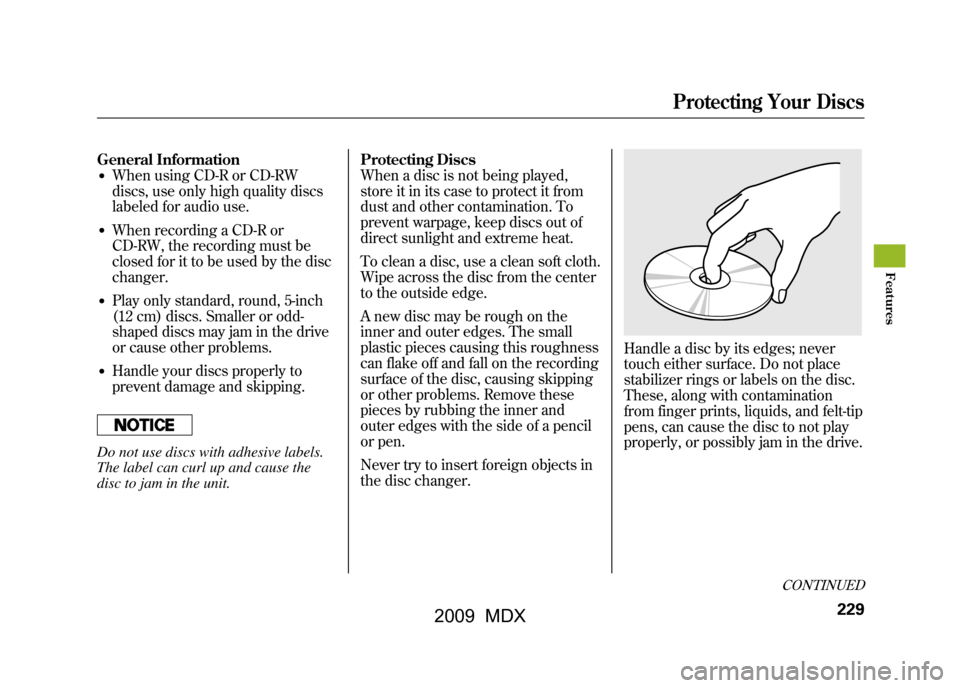
Handle a disc by its edges; never
touch either surface. Do not place
stabilizer rings or labels on the disc.
These, along with contamination
from finger prints, liquids, and felt-tip
pens, can cause the disc to not play
properly, or possibly jam in the drive.
CONTINUED
Protecting Your Discs
229
Feat ures
08/06/06 16:58:07 09 ACURA MDX MMC North America Owner's M 50 31STX620 enu
2009 MDX
Page 246 of 489
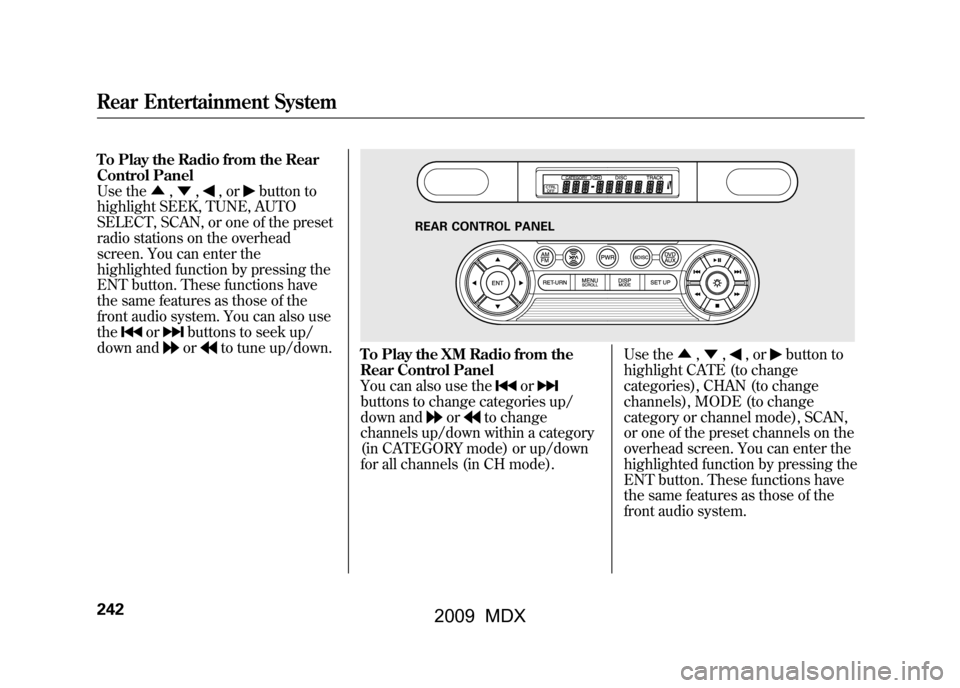
To Play the Radio from the Rear
Control Panel
Use the▲,▼ ,
,or
button to
highlight SEEK, TUNE, AUTO
SELECT, SCAN, or one of the preset
radio stations on the overhead
screen. You can enter the
highlighted function by pressing the
ENT button. These functions have
the same features as those of the
front audio system. You can also use
the
or
buttons to seek up/
down andor
to tune up/down.
To Play the XM Radio from the
Rear Control Panel
You can also use the
or
buttons to change categories up/
down and
or
to change
channels up/down within a category
(in CATEGORY mode) or up/down
for all channels (in CH mode). Use the
▲,▼ ,
,or
button to
highlight CATE (to change
categories), CHAN (to change
channels), MODE (to change
category or channel mode), SCAN,
or one of the preset channels on the
overhead screen. You can enter the
highlighted function by pressing the
ENT button. These functions have
the same features as those of the
front audio system.
REAR CONTROL PANEL
Rear Entertainment System24208/06/06 16:58:07 09 ACURA MDX MMC North America Owner's M 50 31STX620 enu
2009 MDX