light Acura MDX 2009 Workshop Manual
[x] Cancel search | Manufacturer: ACURA, Model Year: 2009, Model line: MDX, Model: Acura MDX 2009Pages: 489, PDF Size: 11.91 MB
Page 247 of 489

While the overhead screen is closed,
you can see the XM radio
information in the subsidiary display
in the ceiling. Pressing the DISP
MODE button repeatedly changes
the subsidiary display from the
channel number, to the category
name, to the music title, to the artist
name, and to the channel name, and
then back to the channel number.
To change mode, press and hold the
DISP MODE button for 5 seconds.To Play a Disc in the 6-Disc
Changer from the Rear Control
Panel
If discs are loaded in the disc
changer, select them by pressing the
6 DISC button.
Use the
▲,▼ ,
,or
button to
highlight REPEAT, RANDOM,
SCAN,
,
(skip),
,or
(cue) on the overhead screen. You
can enter the highlighted function by
pressing the ENT button. These
functions have the same features as
those of the front audio system. To change the disc currently playing,
use the
▲,▼ ,
,or
button to
highlight your selected disc icon, and
press ENT.
If CDs are loaded in the CD changer
and the overhead screen is not open,
pressing the ▲or▼ button changes
the discs.CONTINUED
Rear Entertainment System
243
Feat ures
08/06/06 16:58:07 09 ACURA MDX MMC North America Owner's M 50 31STX620 enu
2009 MDX
Page 249 of 489
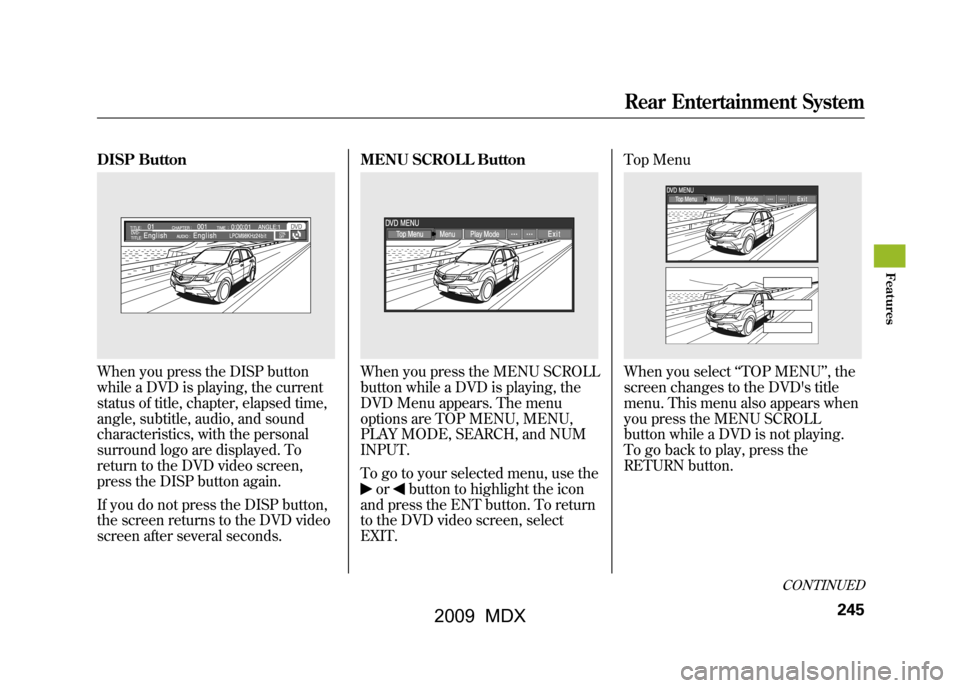
DISP ButtonWhen you press the DISP button
while a DVD is playing, the current
status of title, chapter, elapsed time,
angle, subtitle, audio, and sound
characteristics, with the personal
surround logo are displayed. To
return to the DVD video screen,
press the DISP button again.
If you do not press the DISP button,
the screen returns to the DVD video
screen after several seconds.MENU SCROLL Button
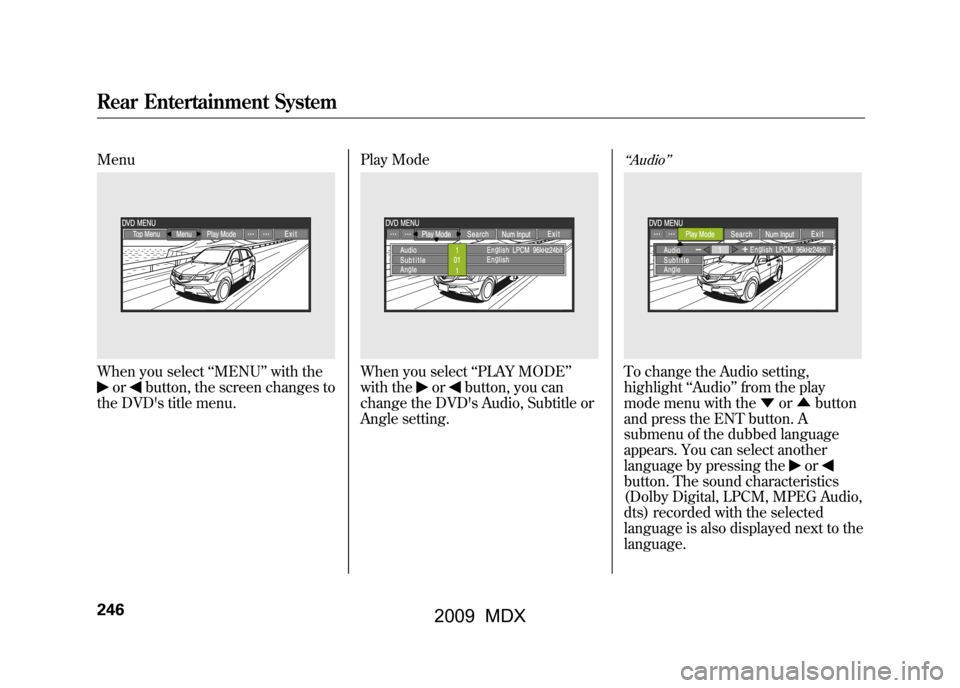
When you press the MENU SCROLL
button while a DVD is playing, the
DVD Menu appears. The menu
options are TOP MENU, MENU,
PLAY MODE, SEARCH, and NUM
INPUT.
To go to your selected menu, use the
or
button to highlight the icon
and press the ENT button. To return
to the DVD video screen, select
EXIT. Top Menu
When you select
‘‘TOP MENU ’’, the
screen changes to the DVD's title
menu. This menu also appears when
you press the MENU SCROLL
button while a DVD is not playing.
To go back to play, press the
RETURN button.
CONTINUED
Rear Entertainment System
245
Feat ures
08/06/06 16:58:07 09 ACURA MDX MMC North America Owner's M 50 31STX620 enu
2009 MDX
Page 250 of 489
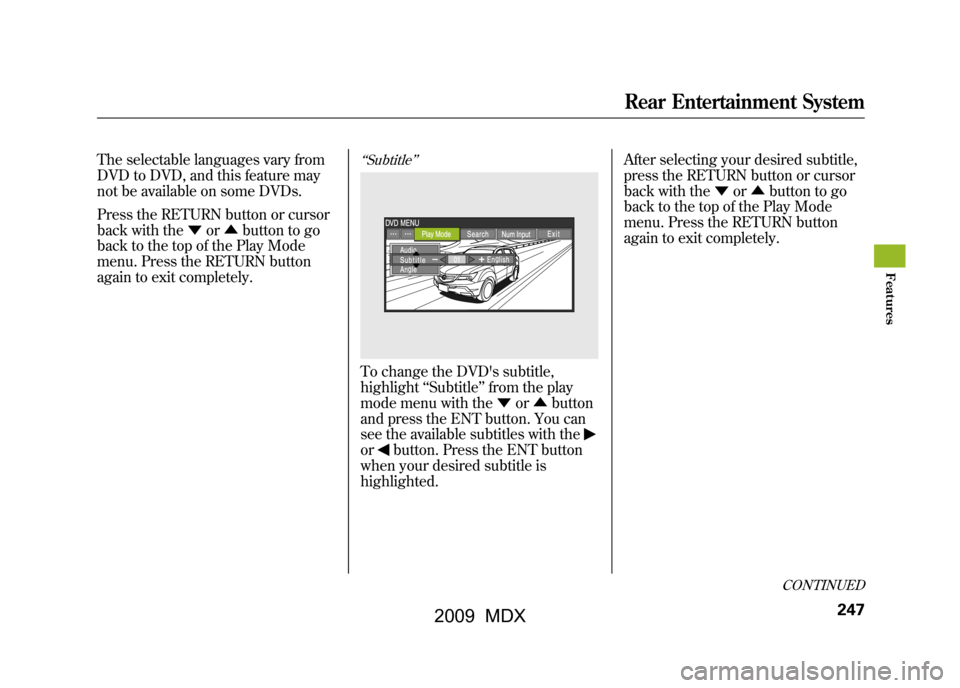
MenuWhen you select‘‘MENU ’’with the
or
button, the screen changes to
the DVD's title menu. Play Mode
When you select
‘‘PLAY MODE’’
with the
or
button, you can
change the DVD's Audio, Subtitle or
Angle setting.
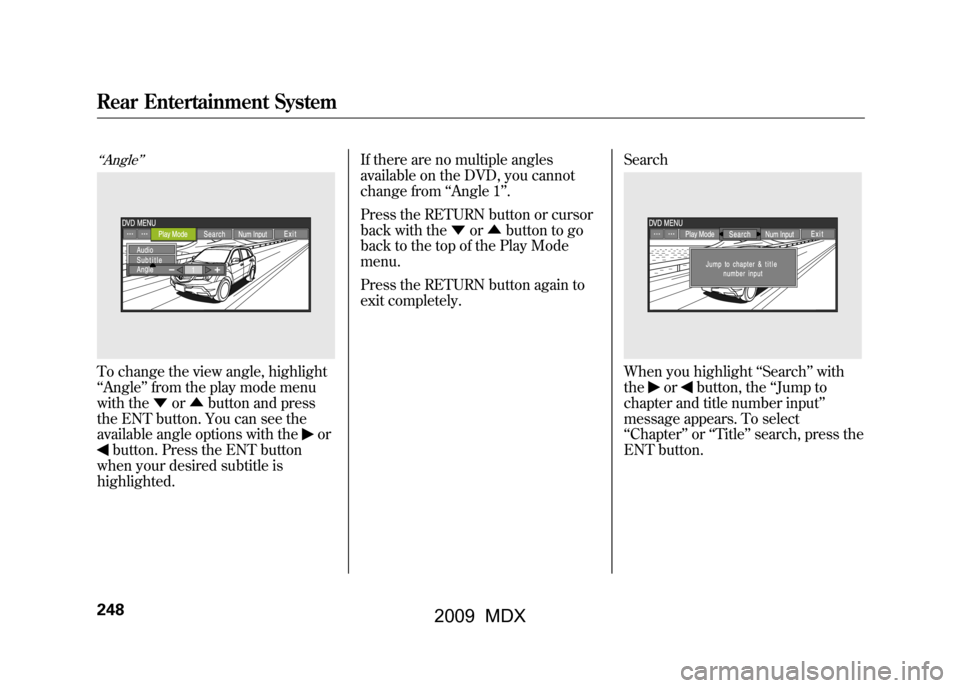
‘‘ Audio ’’To change the Audio setting,
highlight ‘‘Audio ’’from the play
mode menu with the ▼or▲ button
and press the ENT button. A
submenu of the dubbed language
appears. You can select another
language by pressing the
or
button. The sound characteristics
(Dolby Digital, LPCM, MPEG Audio,
dts) recorded with the selected
language is also displayed next to the
language.
Rear Entertainment System24608/06/06 16:58:07 09 ACURA MDX MMC North America Owner's M 50 31STX620 enu
2009 MDX
Page 251 of 489
The selectable languages vary from
DVD to DVD, and this feature may
not be available on some DVDs.
Press the RETURN button or cursor
back with the▼or▲ button to go
back to the top of the Play Mode
menu. Press the RETURN button
again to exit completely.
‘‘ Subtitle ’’To change the DVD's subtitle,
highlight ‘‘Subtitle ’’from the play
mode menu with the ▼or▲ button
and press the ENT button. You can
see the available subtitles with theor
button. Press the ENT button
when your desired subtitle is
highlighted. After selecting your desired subtitle,
press the RETURN button or cursor
back with the
▼or▲ button to go
back to the top of the Play Mode
menu. Press the RETURN button
again to exit completely.
CONTINUED
Rear Entertainment System
247
Feat ures
08/06/06 16:58:07 09 ACURA MDX MMC North America Owner's M 50 31STX620 enu
2009 MDX
Page 252 of 489
‘‘Angle’’To change the view angle, highlight
‘‘Angle ’’from the play mode menu
with the ▼or▲ button and press
the ENT button. You can see the
available angle options with the
or
button. Press the ENT button
when your desired subtitle is
highlighted. If there are no multiple angles
available on the DVD, you cannot
change from
‘‘Angle 1’’ .
Press the RETURN button or cursor
back with the ▼or▲ button to go
back to the top of the Play Mode
menu.
Press the RETURN button again to
exit completely. Search
When you highlight
‘‘Search ’’with
the
or
button, the ‘‘Jump to
chapter and title number input ’’
message appears. To select
‘‘ Chapter ’’or ‘‘Title ’’search, press the
ENT button.
Rear Entertainment System24808/06/06 16:58:07 09 ACURA MDX MMC North America Owner's M 50 31STX620 enu
2009 MDX
Page 253 of 489
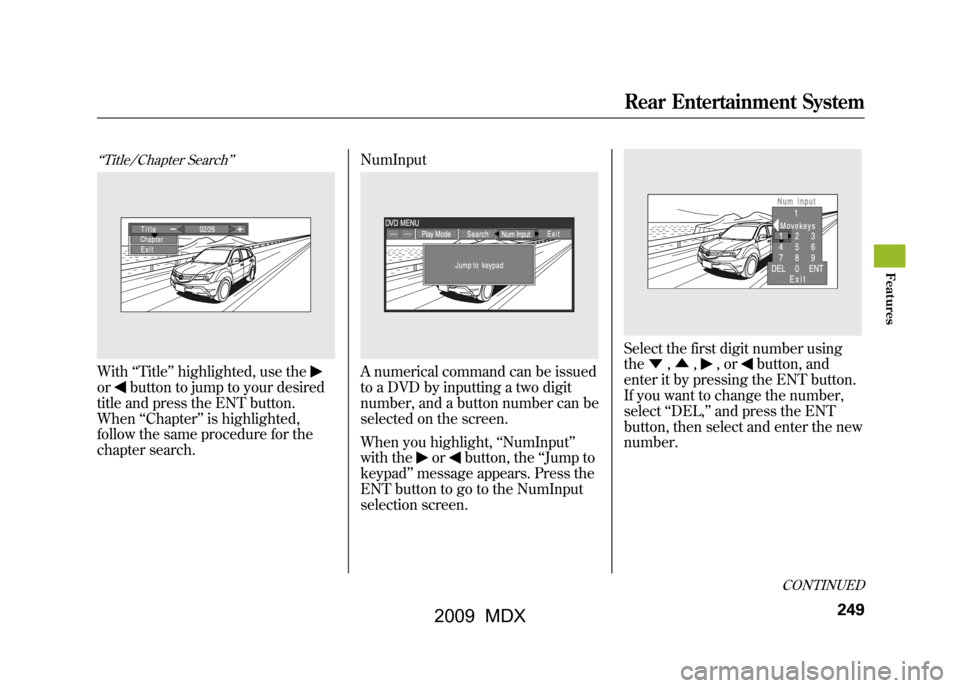
‘‘Title/Chapter Search ’’With‘‘Title’’ highlighted, use theor
button to jump to your desired
title and press the ENT button.
When ‘‘Chapter ’’is highlighted,
follow the same procedure for the
chapter search. NumInput
A numerical command can be issued
to a DVD by inputting a two digit
number, and a button number can be
selected on the screen.
When you highlight,
‘‘NumInput ’’
with the
or
button, the ‘‘Jump to
keypad ’’message appears. Press the
ENT button to go to the NumInput
selection screen.
Select the first digit number using
the ▼,▲ ,
,or
button, and
enter it by pressing the ENT button.
If you want to change the number,
select ‘‘DEL, ’’and press the ENT
button, then select and enter the new
number.
CONTINUED
Rear Entertainment System
249
Feat ures
08/06/06 16:58:07 09 ACURA MDX MMC North America Owner's M 50 31STX620 enu
2009 MDX
Page 254 of 489
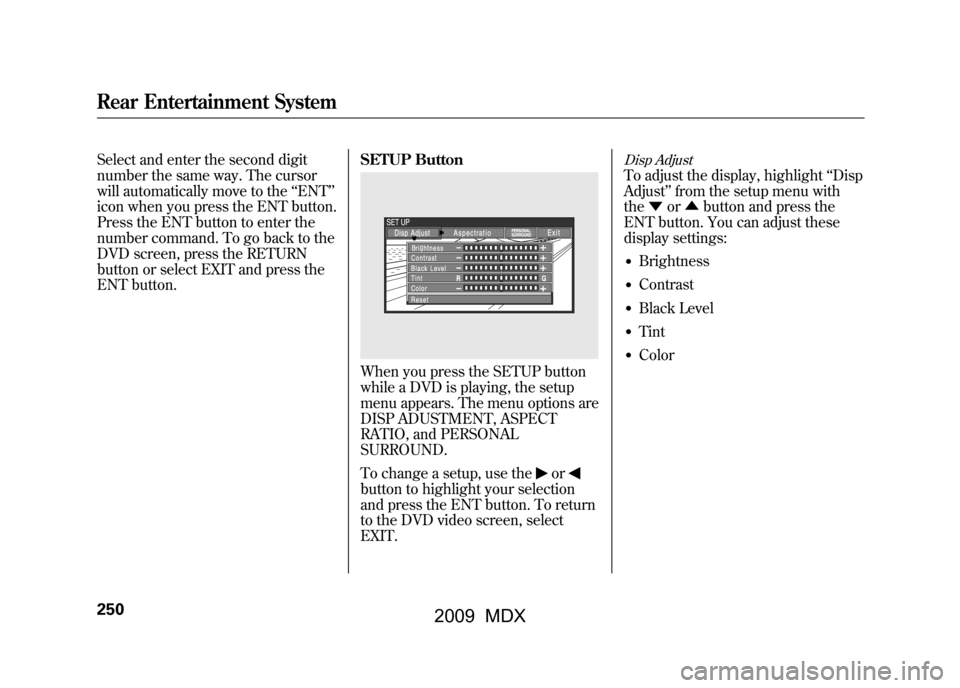
Select and enter the second digit
number the same way. The cursor
will automatically move to the‘‘ENT ’’
icon when you press the ENT button.
Press the ENT button to enter the
number command. To go back to the
DVD screen, press the RETURN
button or select EXIT and press the
ENT button. SETUP Button
When you press the SETUP button
while a DVD is playing, the setup
menu appears. The menu options are
DISP ADUSTMENT, ASPECT
RATIO, and PERSONAL
SURROUND.
To change a setup, use the
or
button to highlight your selection
and press the ENT button. To return
to the DVD video screen, select
EXIT.
Disp AdjustTo adjust the display, highlight
‘‘Disp
Adjust ’’from the setup menu with
the ▼or▲ button and press the
ENT button. You can adjust these
display settings:●Brightness●Contrast●Black Level●Tint●Color
Rear Entertainment System25008/06/06 16:58:07 09 ACURA MDX MMC North America Owner's M 50 31STX620 enu
2009 MDX
Page 256 of 489
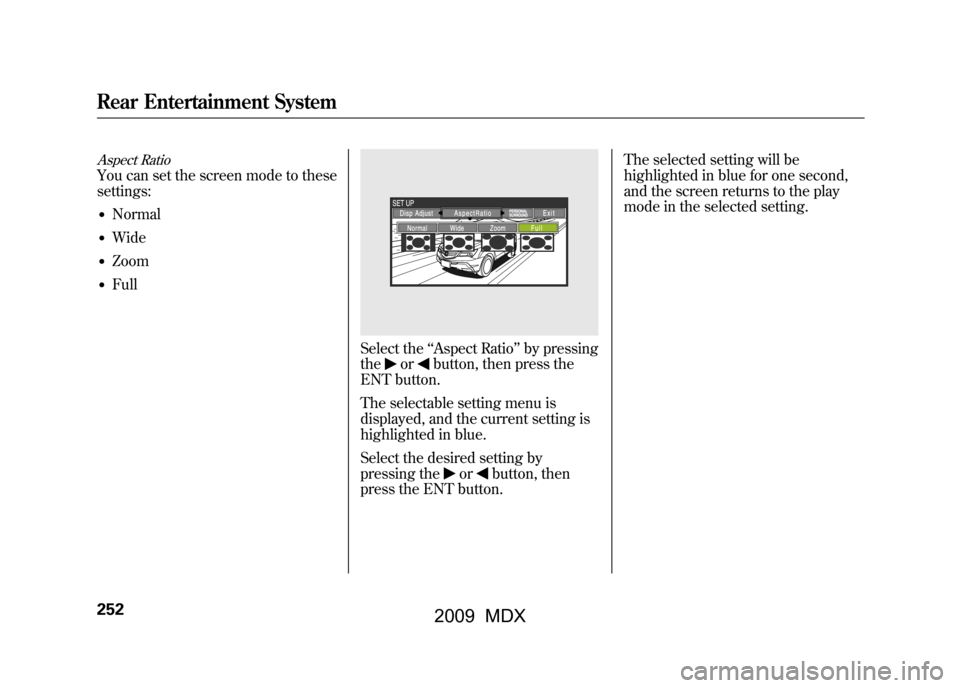
Aspect RatioYou can set the screen mode to these
settings:●Normal●Wide●Zoom●Full
Select the‘‘Aspect Ratio ’’by pressing
the
or
button, then press the
ENT button.
The selectable setting menu is
displayed, and the current setting is
highlighted in blue.
Select the desired setting by
pressing the
or
button, then
press the ENT button. The selected setting will be
highlighted in blue for one second,
and the screen returns to the play
mode in the selected setting.
Rear Entertainment System25208/06/06 16:58:07 09 ACURA MDX MMC North America Owner's M 50 31STX620 enu
2009 MDX
Page 257 of 489
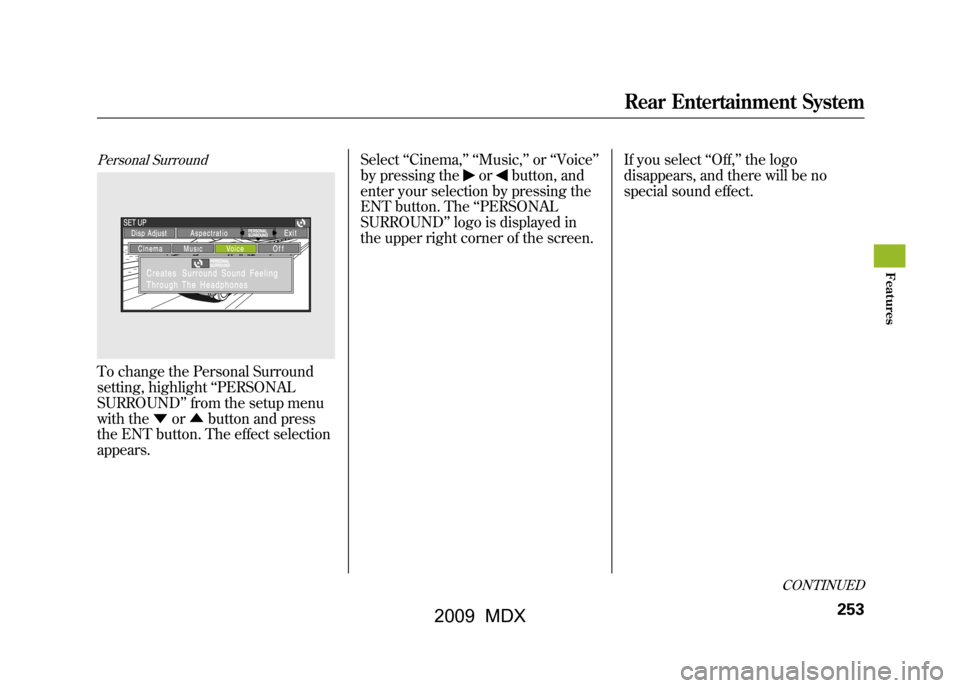
Personal SurroundTo change the Personal Surround
setting, highlight‘‘PERSONAL
SURROUND ’’from the setup menu
with the ▼or▲ button and press
the ENT button. The effect selection
appears. Select
‘‘Cinema, ’’ ‘‘Music, ’’or ‘‘Voice ’’
by pressing the
or
button, and
enter your selection by pressing the
ENT button. The ‘‘PERSONAL
SURROUND ’’logo is displayed in
the upper right corner of the screen. If you select
‘‘Off, ’’the logo
disappears, and there will be no
special sound effect.
CONTINUED
Rear Entertainment System
253
Feat ures
08/06/06 16:58:07 09 ACURA MDX MMC North America Owner's M 50 31STX620 enu
2009 MDX
Page 263 of 489

Parental Level
You can place an auditory restriction
by changing the parental control
level. The higher the level number,
the lower the restriction.
Highlight‘‘Parental Level ’’and press
the ENT button. You will see the
submenu. If you select ‘‘No ’’and
press the ENT button, the screen
goes back to the ‘‘Others ’’menu.
When you select and enter ‘‘Yes, ’’the
display changes as shown above. To
change the level, you need to enter
your four digit password. Select the
number for the first digit by pressing
the ▼,▲ ,
,or
button, and
enter it by pressing the ENT button.
Repeat this until all four digits are
filled. When you enter the fourth
number, the cursor automatically
moves to ‘‘ENT ’’on the display.
Press the ENT button on the control
panel.
CONTINUED
Rear Entertainment System
259
Feat ures
08/06/06 16:58:07 09 ACURA MDX MMC North America Owner's M 50 31STX620 enu
2009 MDX