driving position Acura MDX 2011 User Guide
[x] Cancel search | Manufacturer: ACURA, Model Year: 2011, Model line: MDX, Model: Acura MDX 2011Pages: 609, PDF Size: 12.7 MB
Page 69 of 609
ꭧ: If equipped
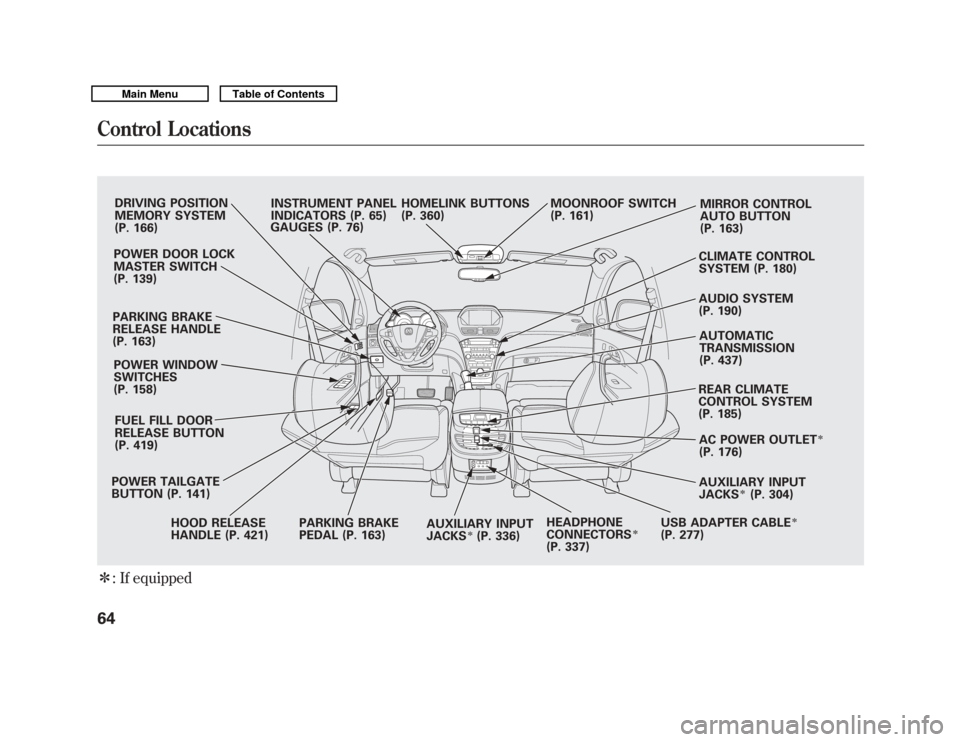
DRIVING POSITION
MEMORY SYSTEM
(P. 166)
POWER DOOR LOCK
MASTER SWITCH
(P. 139)
PARKING BRAKE
RELEASE HANDLE
(P. 163) POWER WINDOW
SWITCHES
(P. 158)
FUEL FILL DOOR
RELEASE BUTTON
(P. 419)
POWER TAILGATE
BUTTON (P. 141) HOOD RELEASE
HANDLE (P. 421) PARKING BRAKE
PEDAL (P. 163)
AUXILIARY INPUT
JACKS
ꭧ(P. 336)HEADPHONE
CONNECTORS
ꭧ
(P. 337) REAR CLIMATE
CONTROL SYSTEM
(P. 185)
AUTOMATIC
TRANSMISSION
(P. 437)
AUDIO SYSTEM
(P. 190) CLIMATE CONTROL
SYSTEM (P. 180) MIRROR CONTROL
AUTO BUTTON
(P. 163)
MOONROOF SWITCH
(P. 161)
HOMELINK BUTTONS
(P. 360)
INSTRUMENT PANEL
INDICATORS (P. 65)
GAUGES (P. 76)
AC POWER OUTLET
ꭧ
(P. 176)
AUXILIARY INPUT
JACKS
ꭧ(P. 304)
USB ADAPTER CABLE
ꭧ
(P. 277)
Control Locations6410/06/29 11:59:04 11 ACURA MDX MMC North America Owner's M 50 31STX640 enu
Page 71 of 609
The instrument panel has many
indicators to give you important
information about your vehicle.
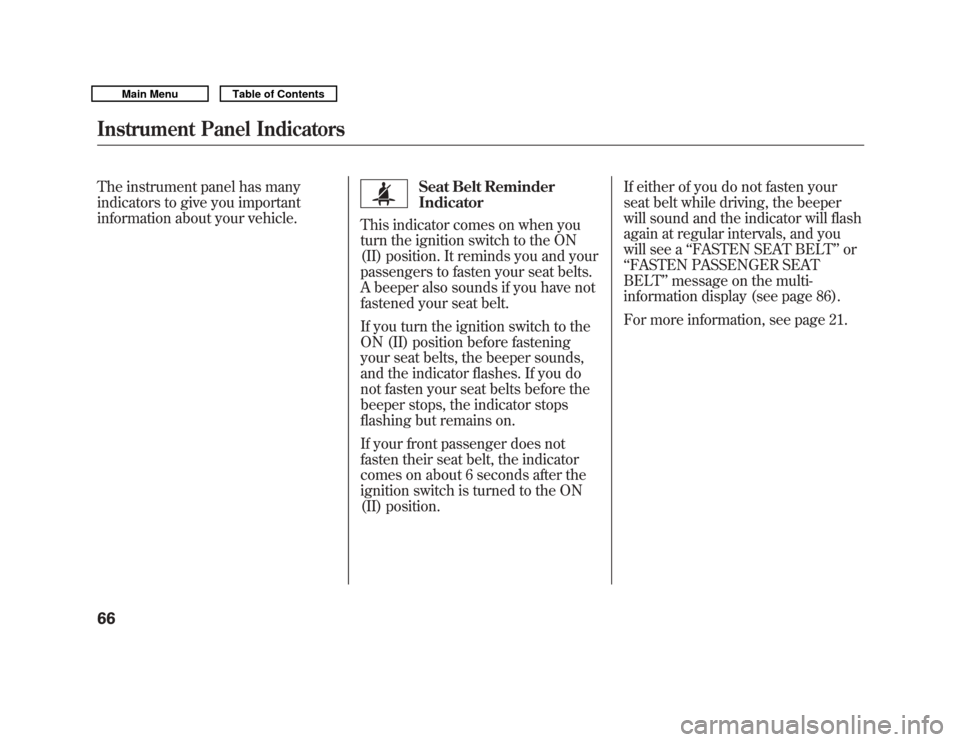
Seat Belt Reminder
Indicator
This indicator comes on when you
turn the ignition switch to the ON
(II) position. It reminds you and your
passengers to fasten your seat belts.
A beeper also sounds if you have not
fastened your seat belt.
If you turn the ignition switch to the
ON (II) position before fastening
your seat belts, the beeper sounds,
and the indicator flashes. If you do
not fasten your seat belts before the
beeper stops, the indicator stops
flashing but remains on.
If your front passenger does not
fasten their seat belt, the indicator
comes on about 6 seconds after the
ignition switch is turned to the ON
(II) position. If either of you do not fasten your
seat belt while driving, the beeper
will sound and the indicator will flash
again at regular intervals, and you
will see a
‘‘FASTEN SEAT BELT ’’or
‘‘ FASTEN PASSENGER SEAT
BELT ’’message on the multi-
information display (see page 86).
For more information, see page 21.
Instrument Panel Indicators6610/06/29 11:59:04 11 ACURA MDX MMC North America Owner's M 50 31STX640 enu
Page 72 of 609
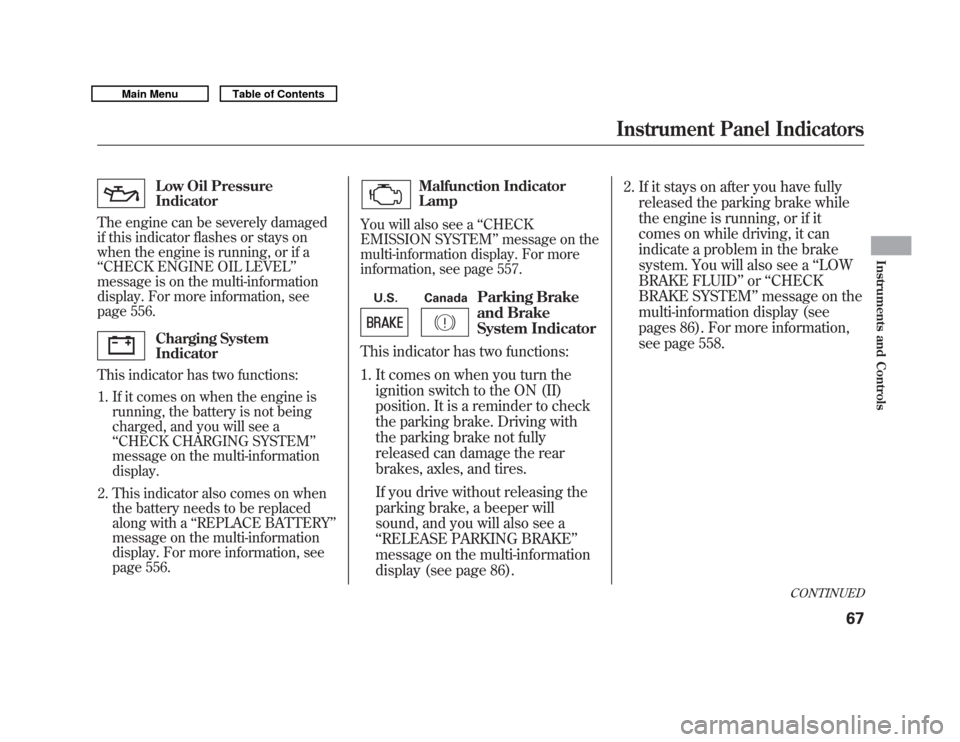
Low Oil Pressure
Indicator
The engine can be severely damaged
if this indicator flashes or stays on
when the engine is running, or if a
‘‘ CHECK ENGINE OIL LEVEL ’’
message is on the multi-information
display. For more information, see
page 556.Charging System
Indicator
This indicator has two functions:
1. If it comes on when the engine is running, the battery is not being
charged, and you will see a
‘‘CHECK CHARGING SYSTEM’’
message on the multi-information
display.
2. This indicator also comes on when the battery needs to be replaced
along with a ‘‘REPLACE BATTERY ’’
message on the multi-information
display. For more information, see
page 556.
Malfunction Indicator
Lamp
You will also see a ‘‘CHECK
EMISSION SYSTEM ’’message on the
multi-information display. For more
information, see page 557.
U.S. Canada
Parking Brake
and Brake
System Indicator
This indicator has two functions:
1. It comes on when you turn the
ignition switch to the ON (II)
position. It is a reminder to check
the parking brake. Driving with
the parking brake not fully
released can damage the rear
brakes, axles, and tires.
If you drive without releasing the
parking brake, a beeper will
sound, and you will also see a
‘‘RELEASE PARKING BRAKE ’’
message on the multi-information
display (see page 86). 2. If it stays on after you have fully
released the parking brake while
the engine is running, or if it
comes on while driving, it can
indicate a problem in the brake
system. You will also see a ‘‘LOW
BRAKE FLUID ’’or ‘‘CHECK
BRAKE SYSTEM ’’message on the
multi-information display (see
pages 86). For more information,
see page 558.
CONTINUED
Instrument Panel Indicators
67
Instruments and Controls
10/06/29 11:59:04 11 ACURA MDX MMC North America Owner's M 50 31STX640 enu
Page 74 of 609
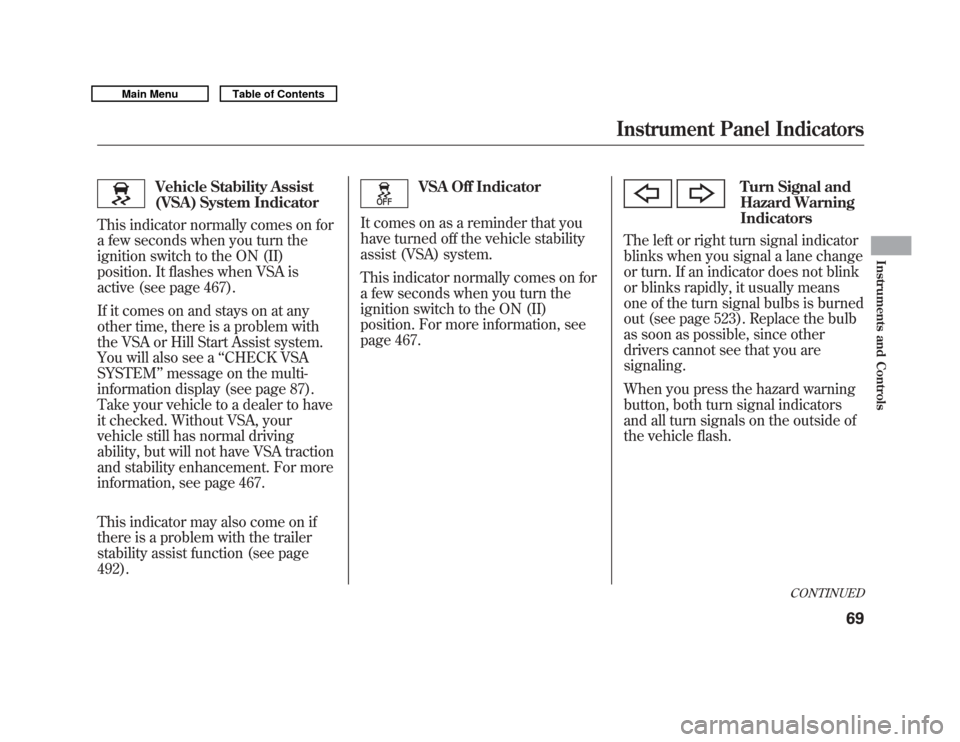
Vehicle Stability Assist
(VSA) System Indicator
This indicator normally comes on for
a few seconds when you turn the
ignition switch to the ON (II)
position. It flashes when VSA is
active (see page 467).
If it comes on and stays on at any
other time, there is a problem with
the VSA or Hill Start Assist system.
You will also see a ‘‘CHECK VSA
SYSTEM ’’message on the multi-
information display (see page 87).
Take your vehicle to a dealer to have
it checked. Without VSA, your
vehicle still has normal driving
ability, but will not have VSA traction
and stability enhancement. For more
information, see page 467.
This indicator may also come on if
there is a problem with the trailer
stability assist function (see page
492).
VSA Off Indicator
It comes on as a reminder that you
have turned off the vehicle stability
assist (VSA) system.
This indicator normally comes on for
a few seconds when you turn the
ignition switch to the ON (II)
position. For more information, see
page 467.
Turn Signal and
Hazard Warning
Indicators
The left or right turn signal indicator
blinks when you signal a lane change
or turn. If an indicator does not blink
or blinks rapidly, it usually means
one of the turn signal bulbs is burned
out (see page 523). Replace the bulb
as soon as possible, since other
drivers cannot see that you are
signaling.
When you press the hazard warning
button, both turn signal indicators
and all turn signals on the outside of
the vehicle flash.
CONTINUED
Instrument Panel Indicators
69
Instruments and Controls
10/06/29 11:59:04 11 ACURA MDX MMC North America Owner's M 50 31STX640 enu
Page 75 of 609
Low Tire Pressure/
TPMS Indicator
This indicator normally comes on for
a few seconds when you turn the
ignition switch to the ON (II)
position.
This indicator has two functions:
1. If it comes on while driving, it indicates that one or more of your
vehicle's tires are significantly low
on pressure.
You will also see a ‘‘CHECK TIRE
PRESSURE ’’message on the multi-
information display (see page 87).
Check the tire pressure monitor on
the multi-information display and
determine the cause (see page 450). If this happens, pull to the side of the
road when it is safe, check which tire
has lost pressure on the multi-
information display, and determine
the cause. If it is because of a flat tire,
have the flat tire repaired as soon as
possible. If two or more tires are
underinflated, call a professional
towing service. For more
information, see page 566.
2. If this indicator begins to flash,
there is a problem with the tire
pressure monitoring system
(TPMS). You will also see a
‘‘CHECK TPMS SYSTEM ’’
message on the multi-information
display. The indicator continues to
flash for a while (approximately 1
minute), then stays on. If this
happens, have your dealer check
the system as soon as possible.
For more information, see page
452.
A/T Temperature
Indicator
This indicator monitors the
temperature of the automatic
transmission fluid. It should come on
for a few seconds when you turn the
ignition switch to the ON (II)
position. If it comes on while driving,
it means the transmission fluid
temperature is too high. Pull to the
side of the road when it is safe, shift
to Park, and let the engine idle until
the indicator goes out.
You will also see an ‘‘A/T TEMP
HIGH ’’message on the multi-
information display (see page 87).
Continuing to drive with the A/T
temperature indicator on may cause
serious damage to the transmission.
Instrument Panel Indicators7010/06/29 11:59:04 11 ACURA MDX MMC North America Owner's M 50 31STX640 enu
Page 76 of 609
Message Indicator
This indicator comes on when there
is a system message on the multi-
information display. Press the INFO
button on the steering wheel (see
page 77) to see the message (see
page 86).
Most of the time, this indicator
comes on along with other indicators
in the instrument panel such as the
seat belt reminder indicator, SRS
indicator, VSA system indicator, etc.
Super Handling-All
Wheel Drive (SH-AWD)
Indicator
This indicator normally comes on for
a few seconds when you turn the
ignition switch to the ON (II)
position. If this indicator comes on at
any other time, there is a problem in
the SH-AWD system. You will also
see a ‘‘CHECK SH-AWD SYSTEM ’’
message on the multi-information
display (see page 87). Take your
vehicle to a dealer to have it checked.
For more information, see page 446. If the indicator blinks while driving,
it indicates the differential
temperature is too high.
You will also see a
‘‘SH-AWD DIFF
TEMP. HIGH ’’message on the multi-
information display (see page 87).
Pull to the side of the road when it is
safe, shift to Park, and let the engine
idle until the indicator goes out.
Continuing to drive with the SH-AWD
indicator blinking may cause serious
damage to the system.
CONTINUED
Instrument Panel Indicators
71
Instruments and Controls
10/06/29 11:59:04 11 ACURA MDX MMC North America Owner's M 50 31STX640 enu
Page 79 of 609

If the indicator comes on at any other
time, there is a problem with the
CMBS. You will also see a‘‘CHECK
CMBS SYSTEM ’’message on the
multi-information display. If this
happens, take your vehicle to your
dealer, and have it checked. For
more information, see page 457.
When this indicator is on, the CMBS
is not working.
Door/Tailgate Open
Indicator
This indicator comes on red if any
door or the tailgate is not closed
tightly.
You will also see a corresponding
indicator(s) on the multi-information
display to indicate which door and/
or the tailgate is not closed tightly
(see page 12).
Blind Spot Information
System (BSI) Indicator
On models with blind spot information system (BSI)This indicator normally comes on for
a few seconds when you turn the
ignition switch to the ON (II)
position.
The BSI indicator also comes on if
the rear bumper becomes dirty while
driving. You will see a ‘‘BLIND SPOT
NOT AVAILABLE ’’message on the
multi-information display.
When you clean the rear bumper, the
indicator should go off after you
begin driving again.
When you turn the system on, the
indicator will turn off. If the indicator comes on at any other
time, there is a problem with BSI.
You will also see a
‘‘CHECK BLIND
SPOT SYSTEM ’’message on the
multi-information display. If this
happens, take your vehicle to a
dealer, and have it checked (For
more information, see page 476).
When this indicator is on, BSI is not
working.
Instrument Panel Indicators7410/06/29 11:59:04 11 ACURA MDX MMC North America Owner's M 50 31STX640 enu
Page 82 of 609
The multi-information display in the
instrument panel displays various
information and messages when the
ignition switch is in the ON (II)
position. Some of the messages help
you operate your vehicle more
comfortably. Others help to keep you
aware of the periodic maintenance
your vehicle needs for continued
trouble-free driving.
When you open the driver's door, a
‘‘Welcome ’’message is shown on the
multi-information display.
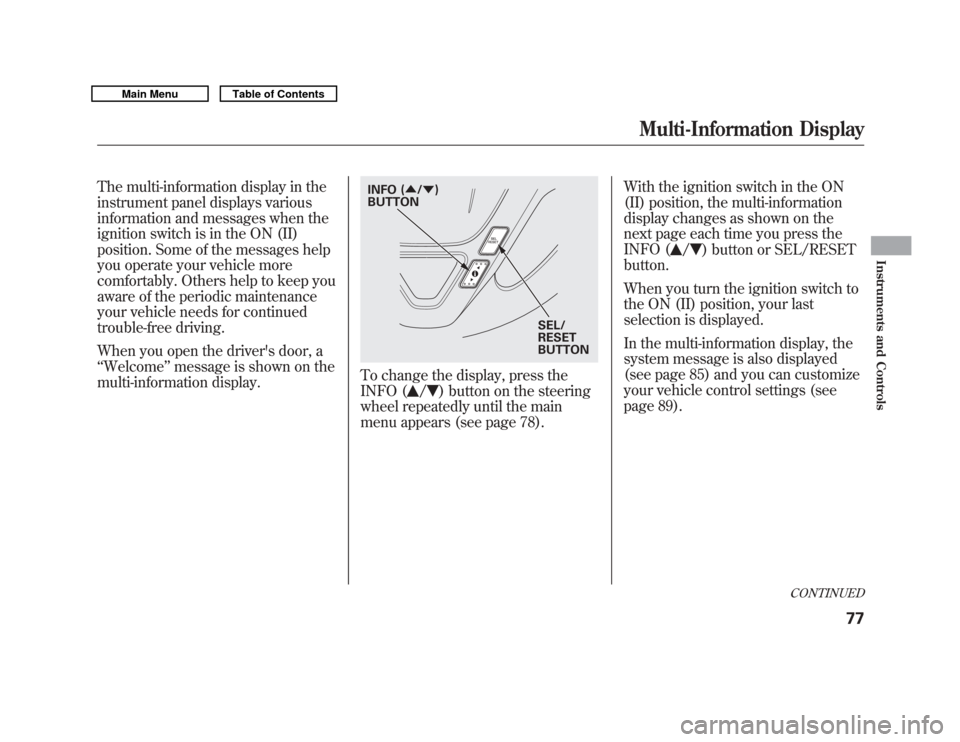
To change the display, press the
INFO (
/
) button on the steering
wheel repeatedly until the main
menu appears (see page 78). With the ignition switch in the ON
(II) position, the multi-information
display changes as shown on the
next page each time you press the
INFO (
/
) button or SEL/RESET
button.
When you turn the ignition switch to
the ON (II) position, your last
selection is displayed.
In the multi-information display, the
system message is also displayed
(see page 85) and you can customize
your vehicle control settings (see
page 89).
SEL/
RESET
BUTTON
INFO (
▲/▼ )
BUTTON
CONTINUED
Multi-Information Display
77
Instruments and Controls
10/06/29 11:59:04 11 ACURA MDX MMC North America Owner's M 50 31STX640 enu
Page 133 of 609
When the light switch is in either of
these positions, the lights on
indicator comes on as a reminder.
This indicator stays on if you leave
the lights on and turn the ignition
switch to the ACCESSORY (I) or
LOCK (0) position.
High Beams-To switch from low
beams to high beams, push the left
lever forward until you hear a click.
The blue high beam indicator will
come on (see page 72). Pull it back to
return to low beams. To flash the
high beams, pull the lever back
lightly, then release it. The high
beams stay on as long as you hold
the lever back. AUTO
-The automatic lighting
feature turns on the headlights and
all other exterior lights, when it
senses low ambient light.
To turn on automatic lighting, turn
the light switch to AUTO at any time.
The lights will come on automatically
when the outside light level becomes
low (at dusk, for example). The
lights on indicator comes on as a
reminder. The lights and indicator
will turn off automatically when the
system senses high ambient light.
The lights will remain on when you
turn off the ignition switch. They will
turn off automatically when you
remove the key and open the driver's
door. To turn them on again, either
turn the ignition switch to the ON
(II) position or turn the light switch
to the
position. Even with the automatic lighting
feature turned on, we recommend
that you turn on the lights manually
when driving at night or in a dense
fog, or when you enter dark areas
such as long tunnels or parking
facilities.
To change the
‘‘AUTO LIGHT
SENSITIVITY ’’setting, see page 112.
Do not leave the light switch in
AUTO if you will not be driving the
vehicle for an extended period (a
week or more). You should also turn
off the lights if you plan to leave the
engine idling or off for a long time.
Turn Signal and Headlights12810/06/29 11:59:04 11 ACURA MDX MMC North America Owner's M 50 31STX640 enu
Page 138 of 609
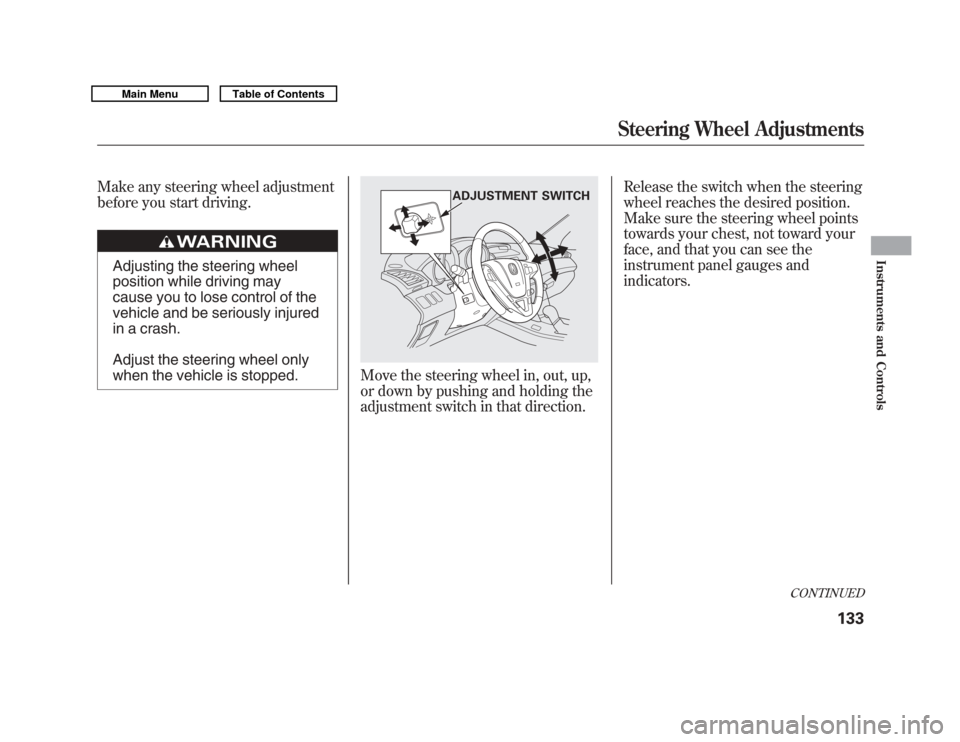
Make any steering wheel adjustment
before you start driving.
Adjusting the steering wheel
position while driving may
cause you to lose control of the
vehicle and be seriously injured
in a crash.
Adjust the steering wheel only
when the vehicle is stopped.
Move the steering wheel in, out, up,
or down by pushing and holding the
adjustment switch in that direction.Release the switch when the steering
wheel reaches the desired position.
Make sure the steering wheel points
towards your chest, not toward your
face, and that you can see the
instrument panel gauges and
indicators.
ADJUSTMENT SWITCH
CONTINUED
Steering Wheel Adjustments
133
Instruments and Controls
10/06/29 11:59:04 11 ACURA MDX MMC North America Owner's M 50 31STX640 enu