vent Acura MDX 2019 Manual PDF
[x] Cancel search | Manufacturer: ACURA, Model Year: 2019, Model line: MDX, Model: Acura MDX 2019Pages: 701, PDF Size: 38.75 MB
Page 615 of 701
614
uuBattery uCharging the AGM Battery*
Maintenance
Charging the AGM Battery*
AGM labeled batteries like those installed in your vehicle require a compatible
charger to be properly charged. Damage to the battery can result if the battery is
charged improperly or with the wrong equi pment. For more information on how to
charge your vehicle’s AGM battery, consult a dealer.1Battery
The battery installed in this vehicle is specifically
designed for a model wi th Auto Idle Stop.
Using a battery other than this specified type may
shorten the battery life, a nd prevent Auto Idle Stop
from activating. If you need to replace the battery,
make sure to select the specified type. Ask a dealer
for more details.
Models with Auto Idle Stop
* Not available on all models
19 ACURA MDX-31TZ56510.book 614 ページ 2018年12月11日 火曜日 午後4時47分
Page 616 of 701

615Continued
Maintenance
Remote Transmitter Care
Replacing the Button Battery
If the indicator does not come on when the button is pressed, replace the battery.
1. Remove the built-in key.
2. Remove the upper half of the cover by
carefully prying on the edge with a coin.
u Remove carefully to avoid losing the
buttons.
u Wrap a coin with a cloth to prevent
scratching the transmitter.
3. Make sure to replace the battery with the
correct polarity.
1Replacing the Button Battery
NOTICE
An improperly disposed of battery can damage the
environment. Always conf irm local regulations for
battery disposal.
Replacement batteries are commercially available or
at a dealer.
3WARNING
CHEMICAL BURN HAZARD
The battery that powers the remote
transmitter can cause severe internal burns
and can even lead to death if swallowed.
Keep new and used batteries away from
children.
If you suspect that a child has swallowed
the battery, seek medical attention
immediately.
Models without remote control engine start system
Battery type: CR2032
Battery
19 ACURA MDX-31TZ56510.book 615 ページ 2018年12月11日 火曜日 午後4時47分
Page 617 of 701

uuRemote Transmitter Care uReplacing the Button Battery
616
Maintenance
If the indicator does not come on when the button is pressed, replace the battery.
1. Remove the built-in key.
u As a convenience, lightly place masking
tape over the remote buttons to hold
them in place.
2. Remove the upper half of the cover by
carefully prying on the edge with a coin.
u Wrap a coin with a cloth to prevent
scratching the transmitter.
3. Press down on the center of the assembly
and remove the battery.
u When removing the button battery, be
careful not to touch parts around it.
4. Make sure to replace the battery with the
correct polarity.
Models with remote control engine start system1 Replacing the Button Battery
NOTICE
The Remote transmitter is equipped with two
batteries: A standard replaceable CR2032 coin
button battery and an in tegral non-replaceable
rechargeable battery. To prevent permanent damage
to the rechargeable battery, replace the CR2032
battery every three to four years.
Models with remote control engine start system
Battery type: CR2032
Battery
19 ACURA MDX-31TZ56510.book 616 ページ 2018年12月11日 火曜日 午後4時47分
Page 620 of 701
619
Maintenance
Climate Control System Maintenance
Air Conditioning
To ensure proper and safe operation, the Society of Automotive Engineers (SAE
J2845) recommends that the refrigerant system only be serviced by trained and
certified technicians.
Never repair or replace the air conditio ning evaporator (cooling coil) with one
removed from a used or salvaged vehicle.
New replacement mobile air conditioning evaporators must be certified (and
labeled) as meeting SAE Standard J2842.
Dust and Pollen Filter
The climate control system is equipped with a dust and pollen filter that collects
pollen, dust, and other debris in the air. The Maintenance MinderTM messages will let
you know when to replace the filter.
We recommend that you replace the dust an d pollen filter sooner when using your
vehicle in areas with high concentrations of dust.
U.S. models
1 Air Conditioning
NOTICE
Vented refrigerant is harmful to the environment.
To avoid refrigerant from venting, never replace the
evaporator with one re moved from a used or
salvaged vehicle.
Refrigerant in your vehicle’s air conditioning system is
flammable and can be igni ted during servicing if
proper procedures are not followed.
The air conditioner labe l is found under the hood:
2 Safety Labels P. 75
2 Specifications P. 676
1Dust and Pollen Filter
If the airflow from the climate control system
deteriorates noticeably, and the windows fog up
easily, the filter may need to be replaced. Please
contact a dealer for replacement.
19 ACURA MDX-31TZ56510.book 619 ページ 2018年12月11日 火曜日 午後4時47分
Page 621 of 701
620
Maintenance
Cleaning
Interior Care
Use a damp cloth with a mixture of mild detergent and warm water to remove dirt.
Use a clean cloth to remove detergent residue.
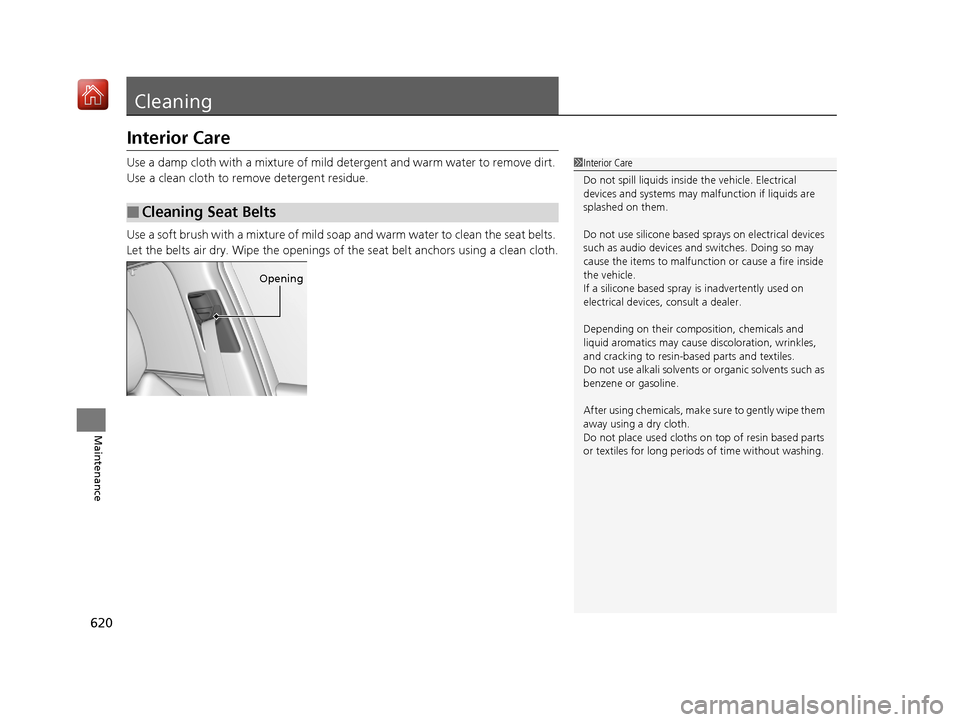
Use a soft brush with a mixture of mild soap and warm water to clean the seat belts.
Let the belts air dry. Wipe the openings of the seat belt anchors using a clean cloth.
■Cleaning Seat Belts
1 Interior Care
Do not spill liquids inside the vehicle. Electrical
devices and systems may ma lfunction if liquids are
splashed on them.
Do not use silicone based sprays on electrical devices
such as audio devices and switches. Doing so may
cause the items to malfunction or cause a fire inside
the vehicle.
If a silicone based spray is inadvertently used on
electrical devices, consult a dealer.
Depending on their compos ition, chemicals and
liquid aromatics may cause discoloration, wrinkles,
and cracking to resin-ba sed parts and textiles.
Do not use alkali solvents or organic solvents such as
benzene or gasoline.
After using chemical s, make sure to gently wipe them
away using a dry cloth.
Do not place used cloths on top of resin based parts
or textiles for long periods of time without washing.
Opening
19 ACURA MDX-31TZ56510.book 620 ページ 2018年12月11日 火曜日 午後4時47分
Page 623 of 701
622
uuCleaning uExterior Care
Maintenance
Exterior Care
Dust off the vehicle body after you drive.
Regularly inspect your vehi cle for scratches on painted surfaces. A scratch on a
painted surface can result in body rust. If you find a scratch, promptly repair it.
Wash the vehicle regularly. Wash more frequently when driving in the following
conditions:
• If driving on roads with road salt.
• If driving in coastal areas.
• If tar, soot, bird droppings, insects, or tree sap are stuck to painted surfaces.
• Make sure to follow the instructions indicated on the automated car wash.
• Fold in the door mirrors.
• For models equipped with automatic inte rmittent wipers, turn the wipers off.
■Washing the Vehicle
■Using an Automated Car Wash
1Washing the Vehicle
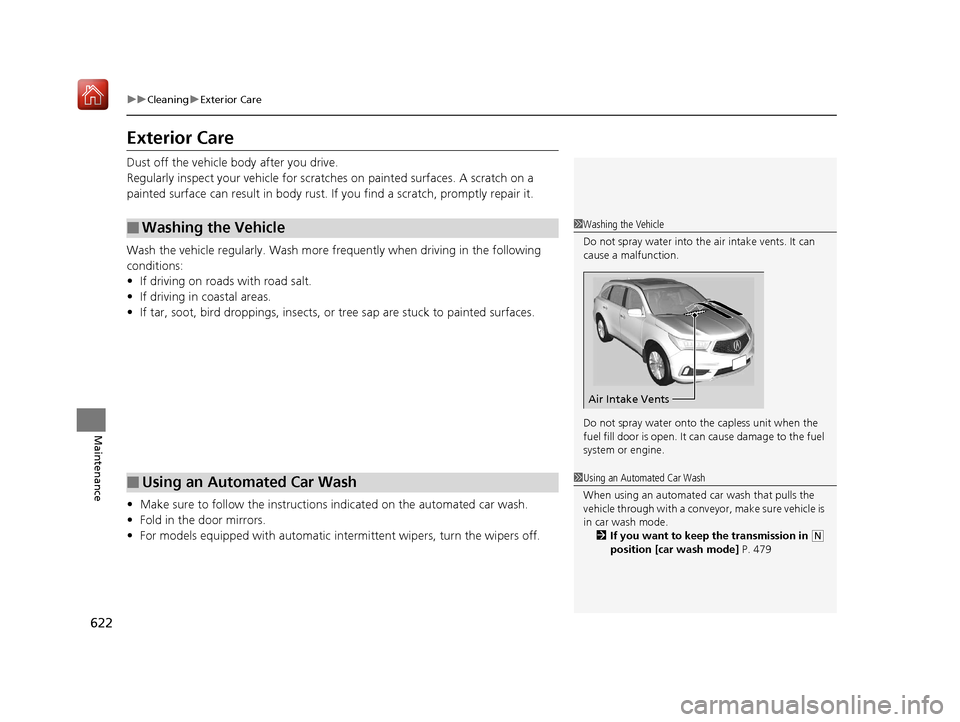
Do not spray water into the air intake vents. It can
cause a malfunction.
Do not spray water onto the capless unit when the
fuel fill door is open. It ca n cause damage to the fuel
system or engine.
Air Intake Vents
1 Using an Automated Car Wash
When using an automated car wash that pulls the
vehicle through with a conveyor, make sure vehicle is
in car wash mode. 2 If you want to keep the transmission in
(N
position [car wash mode] P. 479
19 ACURA MDX-31TZ56510.book 622 ページ 2018年12月11日 火曜日 午後4時47分
Page 624 of 701
Continued623
uuCleaning uExterior Care
Maintenance
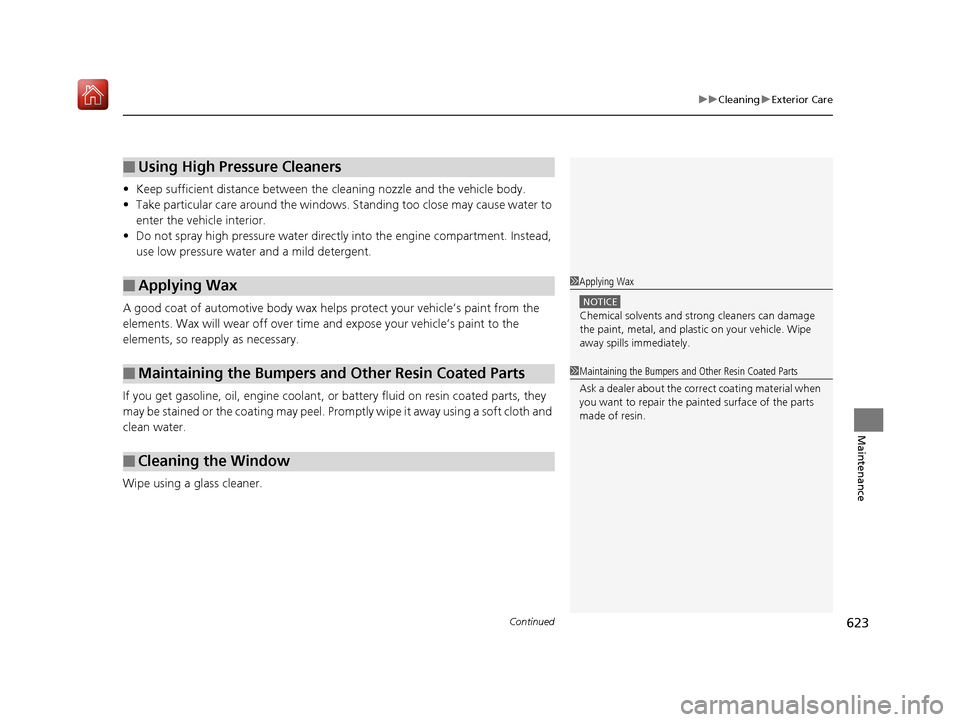
• Keep sufficient distance between the cleaning nozzle and the vehicle body.
• Take particular care around the windows. Standing too close may cause water to
enter the vehicle interior.
• Do not spray high pressure water directly into the engine compartment. Instead,
use low pressure water and a mild detergent.
A good coat of automotive body wax helps protect your vehicle’s paint from the
elements. Wax will wear off over time and expose your vehicle’s paint to the
elements, so reapply as necessary.
If you get gasoline, oil, engine coolant, or battery fluid on resin coated parts, they
may be stained or the coating may peel. Prom ptly wipe it away using a soft cloth and
clean water.
Wipe using a glass cleaner.
■Using High Pressure Cleaners
■Applying Wax
■Maintaining the Bumpers and Other Resin Coated Parts
■Cleaning the Window
1 Applying Wax
NOTICE
Chemical solvents and strong cleaners can damage
the paint, metal, and plasti c on your vehicle. Wipe
away spills immediately.
1 Maintaining the Bumpers an d Other Resin Coated Parts
Ask a dealer about the correct coating material when
you want to repair the pa inted surface of the parts
made of resin.
19 ACURA MDX-31TZ56510.book 623 ページ 2018年12月11日 火曜日 午後4時47分
Page 654 of 701
653Continued
Handling the Unexpected
Jump Starting
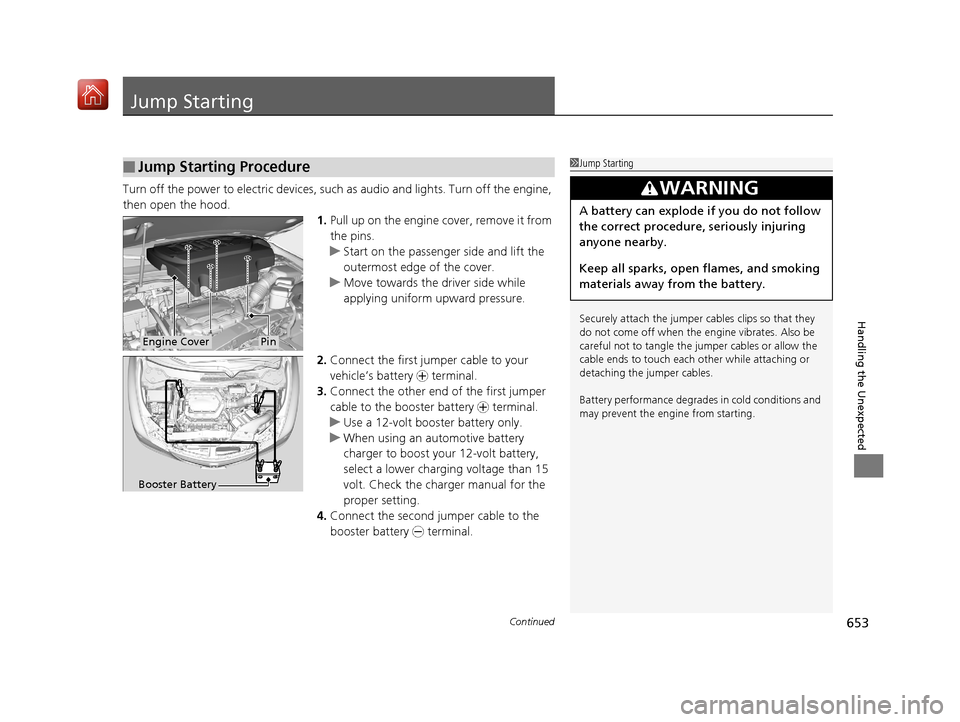
Turn off the power to electric devices, such as audio and lights. Turn off the engine,
then open the hood. 1.Pull up on the engine cover, remove it from
the pins.
u Start on the passenger side and lift the
outermost edge of the cover.
u Move towards the driver side while
applying uniform upward pressure.
2. Connect the first jumper cable to your
vehicle’s battery + terminal.
3. Connect the other end of the first jumper
cable to the booster battery + terminal.
u Use a 12-volt booster battery only.
u When using an automotive battery
charger to boost your 12-volt battery,
select a lower charging voltage than 15
volt. Check the charger manual for the
proper setting.
4. Connect the second jumper cable to the
booster battery - terminal.
■Jump Starting Procedure1Jump Starting
Securely attach the jumper cables clips so that they
do not come off when the e ngine vibrates. Also be
careful not to tangle the ju mper cables or allow the
cable ends to touch each other while attaching or
detaching the jumper cables.
Battery performance degrades in cold conditions and
may prevent the engi ne from starting.
3WARNING
A battery can explode if you do not follow
the correct procedure, seriously injuring
anyone nearby.
Keep all sparks, open flames, and smoking
materials away from the battery.
Engine CoverPin
Booster Battery
19 ACURA MDX-31TZ56510.book 653 ページ 2018年12月11日 火曜日 午後4時47分
Page 661 of 701
660
uuIndicator, Coming On/Blinking uIf the Electric Parking Brake System Indicator Comes On
Handling the Unexpected
If the Electric Parking Brake System Indicator Comes
On
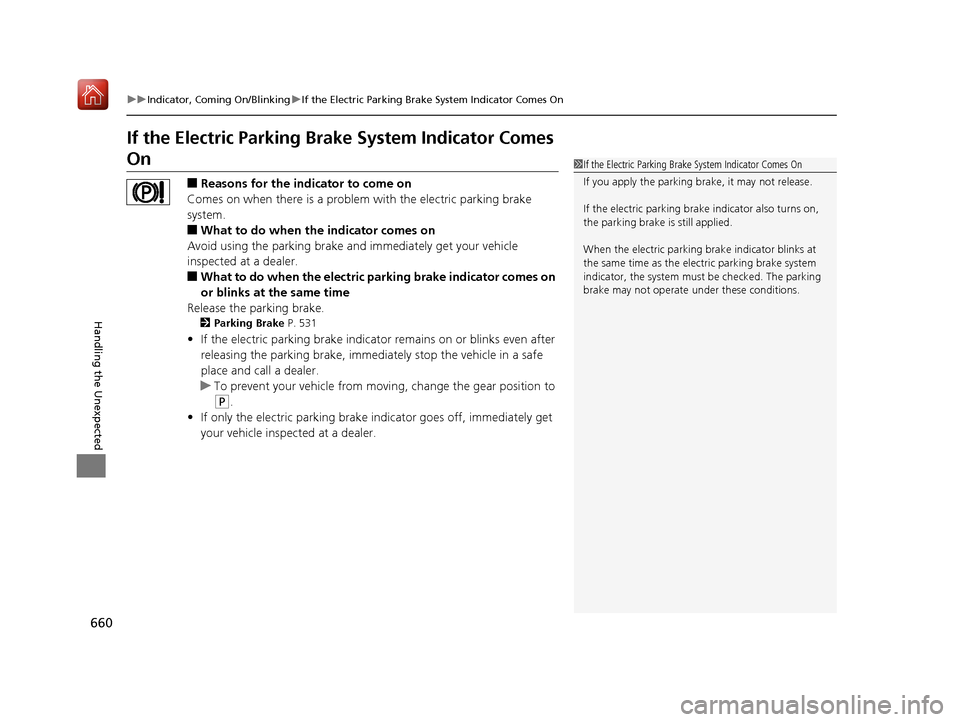
■Reasons for the indicator to come on
Comes on when there is a proble m with the electric parking brake
system.
■What to do when the indicator comes on
Avoid using the parking brake and immediately get your vehicle
inspected at a dealer.
■What to do when the electric parking brake indicator comes on
or blinks at the same time
Release the parking brake.
2 Parking Brake P. 531
•If the electric parking brake indicator remains on or blinks even after
releasing the parking brake, immedi ately stop the vehicle in a safe
place and call a dealer.
u To prevent your vehicle from moving , change the gear position to
(P.
• If only the electric parking brake indicator goes off, immediately get
your vehicle inspected at a dealer.
1If the Electric Parking Brake System Indicator Comes On
If you apply the parking brake, it may not release.
If the electric parking bra ke indicator also turns on,
the parking brake is still applied.
When the electric parking br ake indicator blinks at
the same time as the electric parking brake system
indicator, the system must be checked. The parking
brake may not operate under these conditions.
19 ACURA MDX-31TZ56510.book 660 ページ 2018年12月11日 火曜日 午後4時47分
Page 669 of 701
668
uuFuses uFuse Locations
Handling the Unexpected
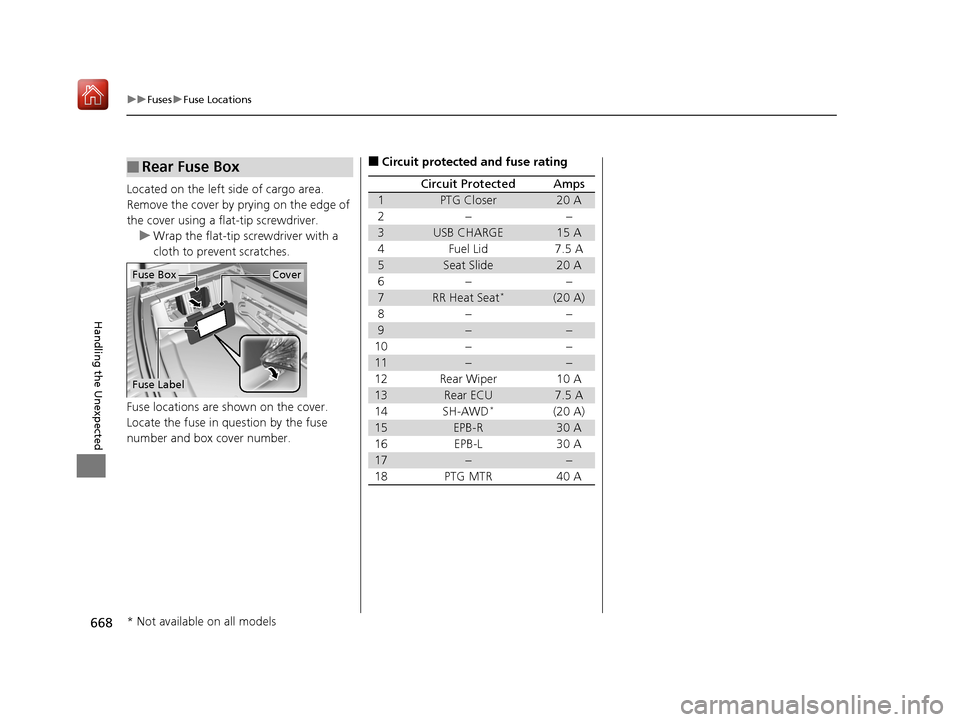
Located on the left side of cargo area.
Remove the cover by prying on the edge of
the cover using a flat-tip screwdriver.
u Wrap the flat-tip screwdriver with a
cloth to prevent scratches.
Fuse locations are shown on the cover.
Locate the fuse in question by the fuse
number and box cover number.
■Rear Fuse Box
Fuse Label
Fuse BoxCover
■Circuit protected and fuse rating
Circuit ProtectedAmps
1PTG Closer20 A
2−−
3USB CHARGE15 A
4Fuel Lid7.5 A
5Seat Slide20 A
6−−
7RR Heat Seat*(20 A)
8−−
9−−
10−−
11−−
12Rear Wiper10 A
13Rear ECU7.5 A
14SH-AWD*(20 A)
15EPB-R30 A
16EPB-L30 A
17−−
18PTG MTR40 A
* Not available on all models
19 ACURA MDX-31TZ56510.book 668 ページ 2018年12月11日 火曜日 午後4時47分