change time Acura RDX 2012 User Guide
[x] Cancel search | Manufacturer: ACURA, Model Year: 2012, Model line: RDX, Model: Acura RDX 2012Pages: 518, PDF Size: 26.43 MB
Page 101 of 518
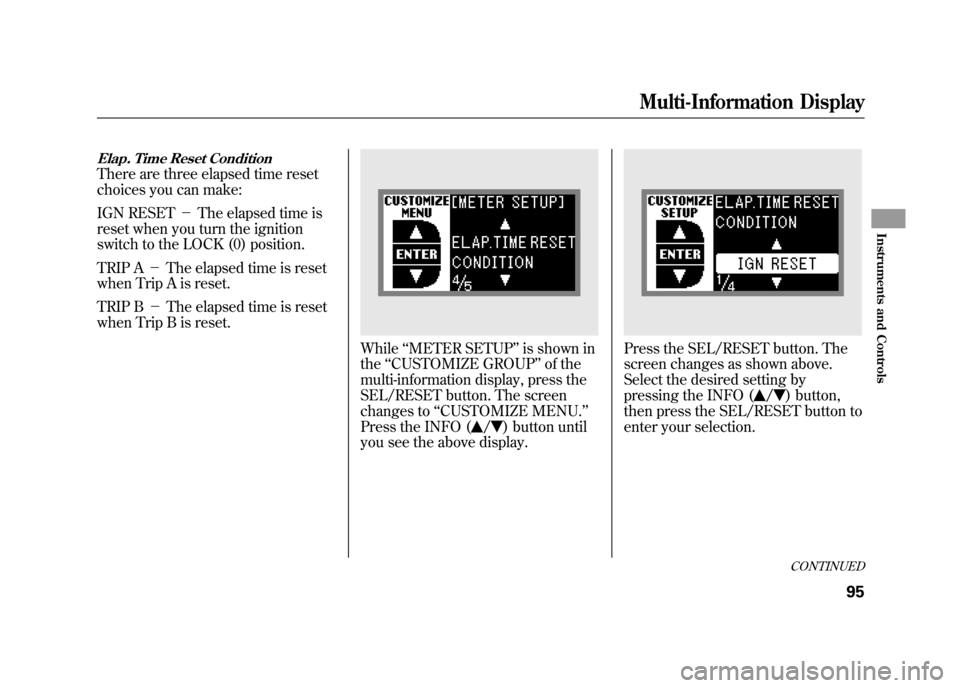
Elap. Time Reset ConditionThere are three elapsed time reset
choices you can make:
IGN RESET-The elapsed time is
reset when you turn the ignition
switch to the LOCK (0) position.
TRIP A -The elapsed time is reset
when Trip A is reset.
TRIP B -The elapsed time is reset
when Trip B is reset.
While ‘‘METER SETUP ’’is shown in
the ‘‘CUSTOMIZE GROUP ’’of the
multi-information display, press the
SEL/RESET button. The screen
changes to ‘‘CUSTOMIZE MENU. ’’
Press the INFO (
/
) button until
you see the above display.
Press the SEL/RESET button. The
screen changes as shown above.
Select the desired setting by
pressing the INFO (
/
) button,
then press the SEL/RESET button to
enter your selection.CONTINUED
Multi-Information Display
95
Instruments and Controls
11/06/16 17:42:51 12 ACURA RDX MMC North America Owner's M 50 31STK650 enu
Page 103 of 518
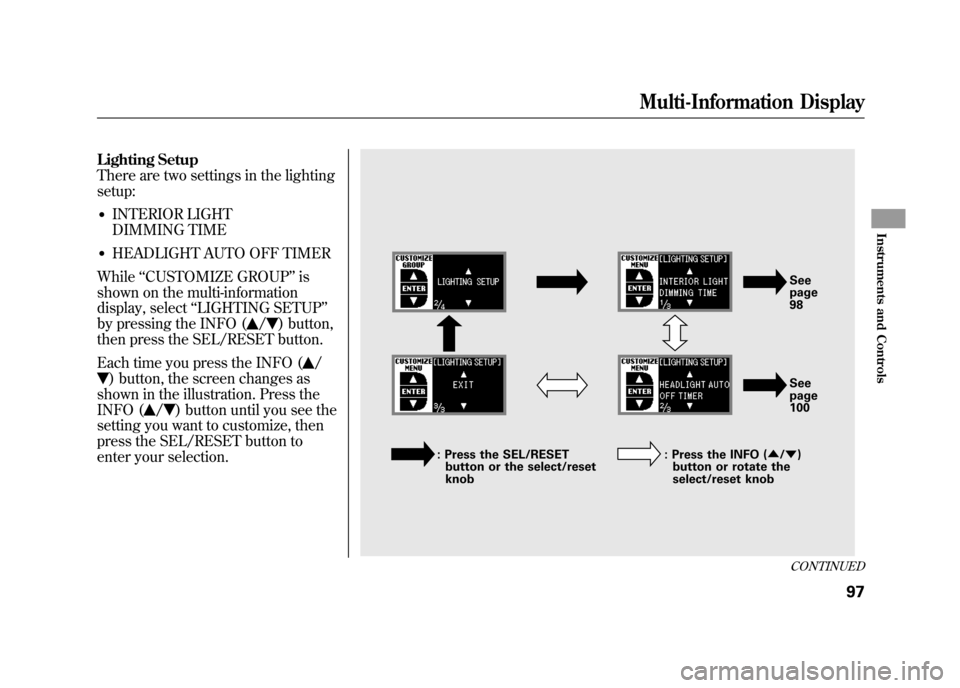
Lighting Setup
There are two settings in the lighting
setup:●INTERIOR LIGHT
DIMMING TIME●HEADLIGHT AUTO OFF TIMER
While ‘‘CUSTOMIZE GROUP ’’is
shown on the multi-information
display, select ‘‘LIGHTING SETUP ’’
by pressing the INFO (
/
) button,
then press the SEL/RESET button.
Each time you press the INFO (
/
) button, the screen changes as
shown in the illustration. Press the
INFO (
/
) button until you see the
setting you want to customize, then
press the SEL/RESET button to
enter your selection.
See
page
98
See
page
100
: Press the SEL/RESET button or the select/reset
knob : Press the INFO (
▲/▼ )
button or rotate the
select/reset knobCONTINUED
Multi-Information Display
97
Instruments and Controls
11/06/16 17:42:51 12 ACURA RDX MMC North America Owner's M 50 31STK650 enu
Page 104 of 518
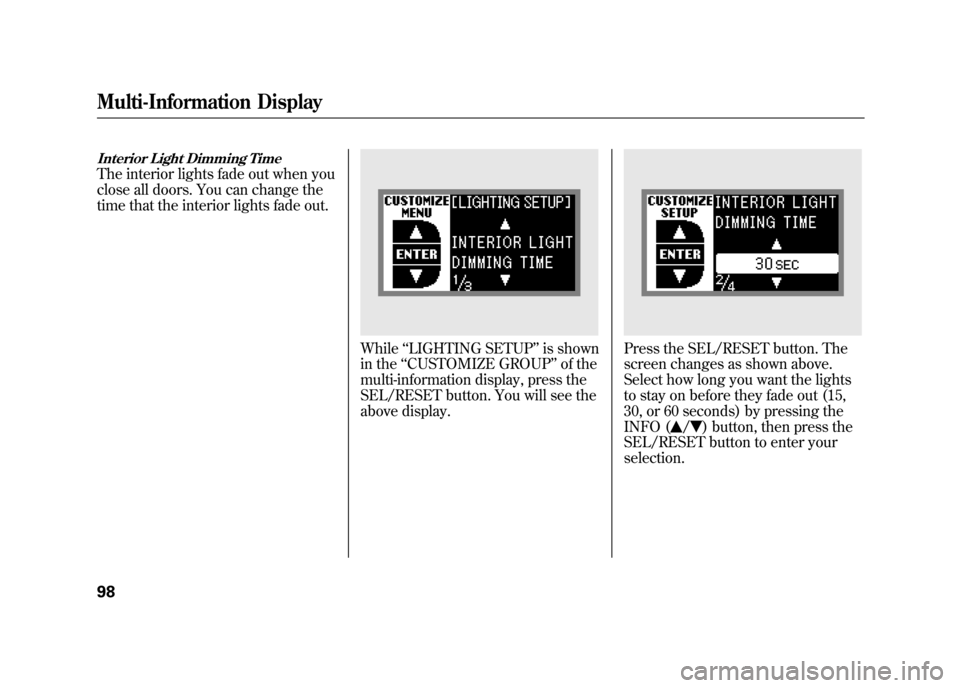
Interior Light Dimming TimeThe interior lights fade out when you
close all doors. You can change the
time that the interior lights fade out.
While‘‘LIGHTING SETUP ’’is shown
in the ‘‘CUSTOMIZE GROUP ’’of the
multi-information display, press the
SEL/RESET button. You will see the
above display.
Press the SEL/RESET button. The
screen changes as shown above.
Select how long you want the lights
to stay on before they fade out (15,
30, or 60 seconds) by pressing the
INFO (
/
) button, then press the
SEL/RESET button to enter your
selection.
Multi-Information Display9811/06/16 17:42:51 12 ACURA RDX MMC North America Owner's M 50 31STK650 enu
Page 106 of 518
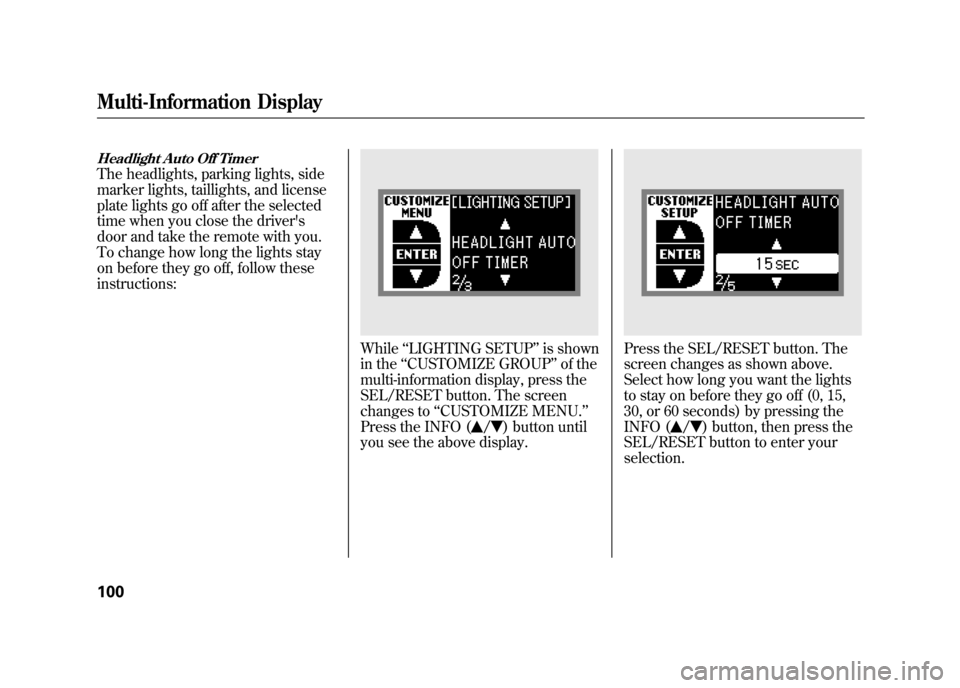
Headlight Auto Off TimerThe headlights, parking lights, side
marker lights, taillights, and license
plate lights go off after the selected
time when you close the driver's
door and take the remote with you.
To change how long the lights stay
on before they go off, follow these
instructions:
While‘‘LIGHTING SETUP ’’is shown
in the ‘‘CUSTOMIZE GROUP ’’of the
multi-information display, press the
SEL/RESET button. The screen
changes to ‘‘CUSTOMIZE MENU. ’’
Press the INFO (
/
) button until
you see the above display.
Press the SEL/RESET button. The
screen changes as shown above.
Select how long you want the lights
to stay on before they go off (0, 15,
30, or 60 seconds) by pressing the
INFO (
/
) button, then press the
SEL/RESET button to enter your
selection.
Multi-Information Display10011/06/16 17:42:51 12 ACURA RDX MMC North America Owner's M 50 31STK650 enu
Page 108 of 518

Door Setup
Here are the five custom settings for
the door setup:●AUTO DOOR LOCK●DOOR LOCK MODE●KEYLESS LOCK
ACKNOWLEDGEMENT●SECURITY RELOCK TIMER●AUTO DOOR UNLOCK
While ‘‘CUSTOMIZE GROUP ’’is
shown on the multi-information
display, select ‘‘DOOR SETUP ’’by
pressing INFO (
/
) button, then
press the SEL/RESET button.
Each time you press the INFO (
/
) button, the screen changes as
shown in the illustration. Press the
INFO (
/
) button until you see the
setting you want to customize, then
press the SEL/RESET button to
enter your selection.
: Press the SEL/ RESET button
or the select/
reset knob
: Press the INFO (▲ /▼ ) button or
rotate the
select/reset knob See page 103
See page 105
See page 107
See page 109
See page 111
Multi-Information Display10211/06/16 17:42:51 12 ACURA RDX MMC North America Owner's M 50 31STK650 enu
Page 109 of 518

Auto Door LockThere are three settings you can
choose from:
OFF-
The auto door lock is deactivated all
the time.
WITH VEH SPD -
The doors lock when the vehicle
speed reaches about 9 mph (about 15
km/h).
SHIFT FROM P -
The doors lock whenever you move
the shift lever out of Park.
While ‘‘DOOR SETUP ’’is shown in
the ‘‘CUSTOMIZE GROUP ’’of the
multi-information display, press the
SEL/RESET button. You will see the
above display.
Press the SEL/RESET button. The
screen changes as shown above.
Select the desired setting by
pressing the INFO (
/
) button,
then press the SEL/RESET button to
enter your selection.CONTINUED
Multi-Information Display
103
Instruments and Controls
11/06/16 17:42:51 12 ACURA RDX MMC North America Owner's M 50 31STK650 enu
Page 115 of 518

Security Relock TimerIf you unlock the doors and the
tailgate with the remote transmitter,
but do not open any of the doors or
the tailgate within 30 seconds, the
doors and the tailgate automatically
relock and the security system sets.
You can change this relock time from
30 seconds to 60 or 90 seconds.
While‘‘DOOR SETUP ’’is shown in
the ‘‘CUSTOMIZE GROUP ’’of the
multi-information display, press the
SEL/RESET button. The screen
changes to ‘‘CUSTOMIZE MENU. ’’
Press the INFO (
/
) button until
you see the above display.
Press the SEL/RESET button. The
screen changes as shown above.
Select the relock time you want (30,
60, or 90 seconds) by pressing the
INFO (
/
) button, then press the
SEL/RESET button to enter your
selection.
CONTINUED
Multi-Information Display
109
Instruments and Controls
11/06/16 17:42:51 12 ACURA RDX MMC North America Owner's M 50 31STK650 enu
Page 117 of 518
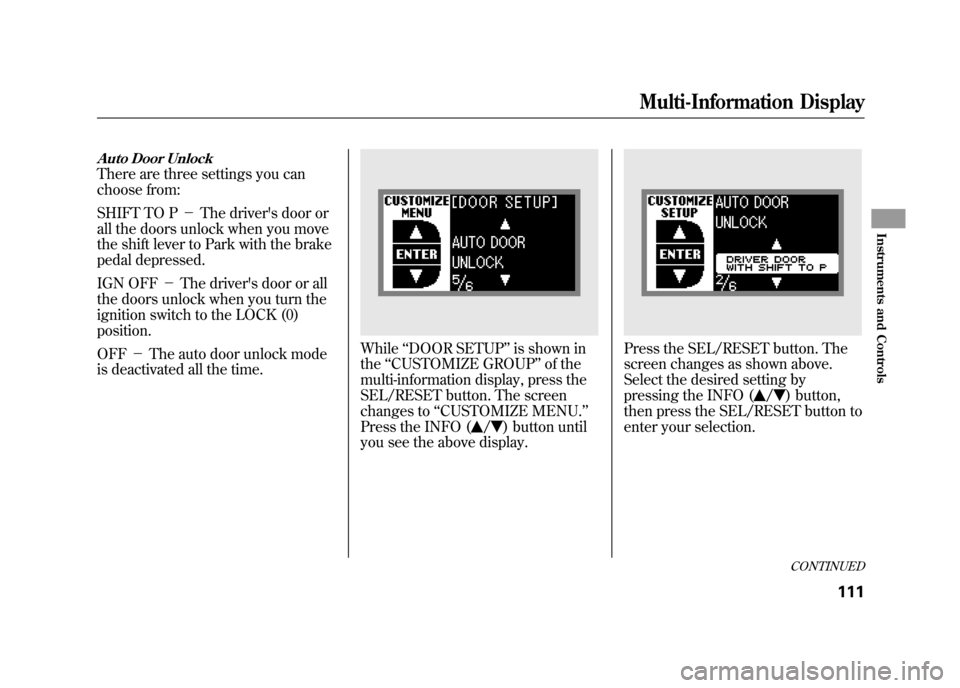
Auto Door UnlockThere are three settings you can
choose from:
SHIFT TO P-The driver's door or
all the doors unlock when you move
the shift lever to Park with the brake
pedal depressed.
IGN OFF -The driver's door or all
the doors unlock when you turn the
ignition switch to the LOCK (0)
position.
OFF -The auto door unlock mode
is deactivated all the time.
While ‘‘DOOR SETUP ’’is shown in
the ‘‘CUSTOMIZE GROUP ’’of the
multi-information display, press the
SEL/RESET button. The screen
changes to ‘‘CUSTOMIZE MENU. ’’
Press the INFO (
/
) button until
you see the above display.
Press the SEL/RESET button. The
screen changes as shown above.
Select the desired setting by
pressing the INFO (
/
) button,
then press the SEL/RESET button to
enter your selection.CONTINUED
Multi-Information Display
111
Instruments and Controls
11/06/16 17:42:51 12 ACURA RDX MMC North America Owner's M 50 31STK650 enu
Page 125 of 518

If you remove the key from the
ignition switch with the headlight
switch on, but do not open the door,
the lights will turn off after 10
minutes.
The lights will turn on again when
you unlock or open the driver's door.
If you unlock the door, but do not
open it within 15 seconds, the lights
will go off. With the driver's door
open, you will hear a lights on
reminder beeper.
You can change the‘‘HEADLIGHT
AUTO OFF TIMER ’’setting on the
multi-information display (see page
100). Daytime Running Lights
With the headlight switch off or in
the
position, the high beam
headlights and the high beam
indicator come on with reduced
brightness when you turn the
ignition switch to the ON (II)
position and release the parking
brake. They remain on until you turn
the ignition switch off, even if you set
the parking brake.
The headlights revert to normal
operation when you turn them on
with the switch.
If you see a ‘‘CHECK DRL SYSTEM ’’
message on the multi-information
display, there is a problem with the
daytime running light system. Take
your vehicle to a dealer to have it
checked. Fog Lights
Turn the fog lights on and off by
turning the switch next to the
headlight switch.
You can use the fog lights only when
the headlights are on low beam.
They will go off when the headlights
are turned off.
Turn Signals and Headlights
119
Instruments and Controls
11/06/16 17:42:51 12 ACURA RDX MMC North America Owner's M 50 31STK650 enu
Page 132 of 518

Power Door LocksEach front door has a master door
lock switch. Either switch locks and
unlocks all doors and the tailgate.
Push the top of the switch to lock all
doors and the tailgate; push the
bottom to unlock them.
Each door has a lock tab next to the
inside door handle. When you pull
backward on the lock tab on the
driver's door, all the doors and the
tailgate lock. Pushing forward on the
lock tab on the driver's door unlocks
only that door. The lock tab on each
passenger's door locks and unlocks
only that door.When the door is unlocked, you can
see the red indicator on the lock tab
next to the inside door handle.
All doors and the tailgate can be
locked from the outside by using the
key in the driver's door lock. To
unlock only the driver's door, insert
the key, turn the key, and release it.
The remaining doors and the tailgate
unlock when you turn the key a
second time within a few seconds.
You can change the
‘‘DOOR LOCK
MODE ’’setting on the multi-
information display (see page 105).
MASTER DOOR
LOCK SWITCH
Passenger's Side Driver's Side
To unlock
To lock
LOCK TAB
Door Locks12611/06/16 17:42:51 12 ACURA RDX MMC North America Owner's M 50 31STK650 enu