HDD Acura RDX 2016 Navigation Manual
[x] Cancel search | Manufacturer: ACURA, Model Year: 2016, Model line: RDX, Model: Acura RDX 2016Pages: 363, PDF Size: 17.77 MB
Page 2 of 363
Contents
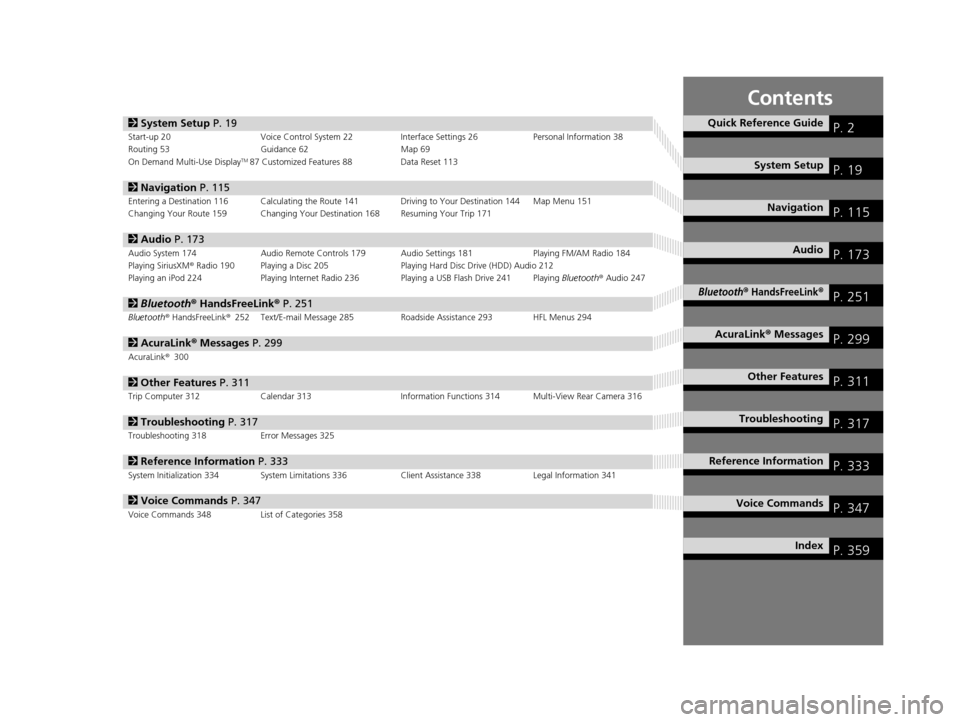
2System Setup P. 19Start-up 20 Voice Control System 22 Interface Settings 26Personal Information 38
Routing 53 Guidance 62 Map 69
On Demand Multi-Use Display
TM87 Customized Features 88 Data Reset 113
2Navigation P. 115Entering a Destination 116 Calculating the Route 141 Driving to Your Destination 144 Map Menu 151
Changing Your Route 159 Changing Your Destination 168 Resuming Your Trip 171
2Audio P. 173Audio System 174 Audio Remote Controls 179 Audio Settings 181 Playing FM/AM Radio 184
Playing SiriusXM® Radio 190 Playing a Disc 205 Playing Hard Disc Drive (HDD) Audio 212
Playing an iPod 224 Playing Internet Radio 236 Playing a USB Flash Drive 241 Playing Bluetooth® Audio 247
2 Bluetooth ® HandsFreeLink® P. 251Bluetooth® HandsFreeLink ®252 Text/E-mail Message 285 Roadside Assistance 293 HFL Menus 294
2AcuraLink® Messages P. 299AcuraLink® 300
2Other Features P. 311Trip Computer 312 Calendar 313 Information Functions 314 Multi-View Rear Camera 316
2Troubleshooting P. 317Troubleshooting 318 Error Messages 325
2Reference Information P. 333System Initialization 334 System Limitations 336 Client Assistance 338Legal Information 341
2Voice Commands P. 347Voice Commands 348 List of Categories 358
Quick Reference GuideP. 2
System SetupP. 19
NavigationP. 115
AudioP. 173
Bluetooth® HandsFreeLink®P. 251
AcuraLink® MessagesP. 299
Other FeaturesP. 311
TroubleshootingP. 317
Reference InformationP. 333
Voice CommandsP. 347
IndexP. 359
16 ACURA RDX NAVI-31TX48300.book 1 ページ 2015年3月6日 金曜日 午後1時26分
Page 4 of 363
3
Quick Reference Guide
Helps you check for obstacles around the rear of your vehicle on the audio/information screen when reversing.
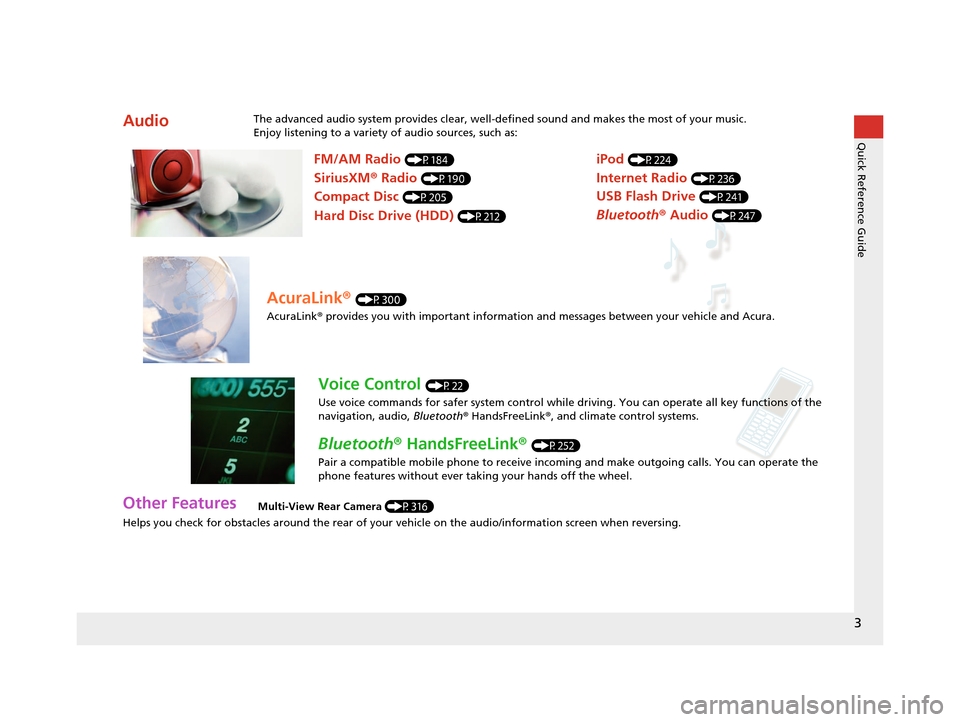
AudioThe advanced audio system provides clear, well-defined sound and makes the most of your music.
Enjoy listening to a variety of audio sources, such as:
Other FeaturesMulti-View Rear Camera (P316)
FM/AM Radio (P184)
SiriusXM® Radio (P190)
Compact Disc (P205)
Hard Disc Drive (HDD) (P212)
iPod (P224)
Internet Radio (P236)
Bluetooth ® Audio (P247)
USB Flash Drive (P241)
AcuraLink® (P300)
AcuraLink® provides you with important information and messages between your vehicle and Acura.
Voice Control (P22)
Use voice commands for safer system control while dr iving. You can operate all key functions of the
navigation, audio, Bluetooth ® HandsFreeLink ®, and climate control systems.
Bluetooth ® HandsFreeLink ® (P252)
Pair a compatible mobile phone to receive incoming and make outgoing calls. You can operate the
phone features without ever taking your hands off the wheel.
16 ACURA RDX NAVI-31TX48300.book 3 ページ 2015年3月6日 金曜日 午後1時26分
Page 6 of 363
5
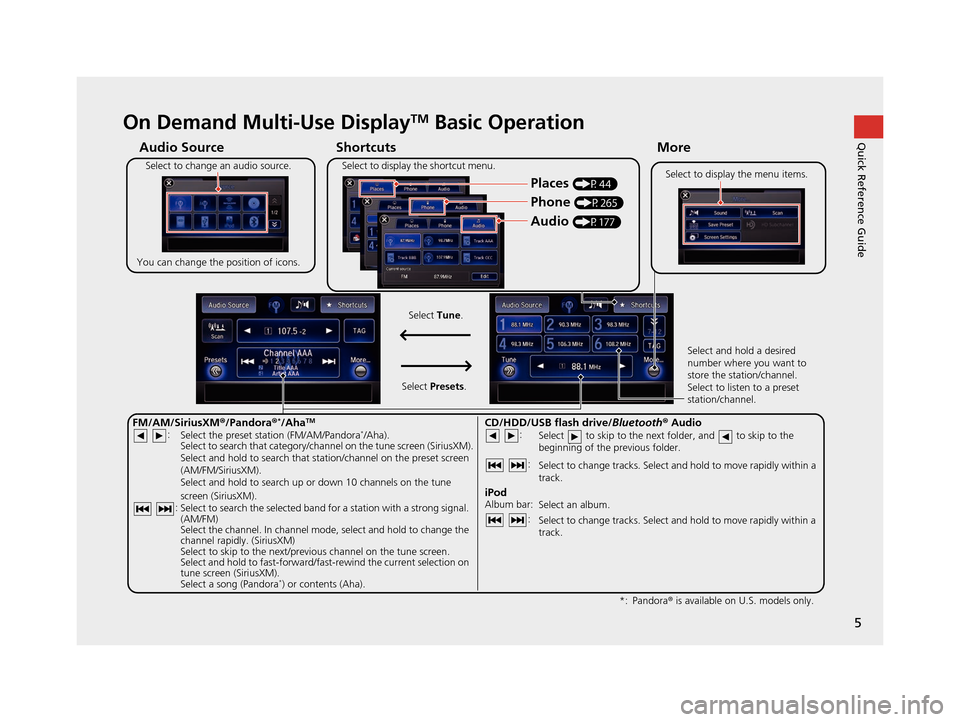
Quick Reference GuideOn Demand Multi-Use DisplayTM Basic Operation
Shortcuts
Audio Source More
Places
(P44)
Phone (P265)
Audio (P177)
Select to change an audio source.
You can change the position of icons. Select to display the menu items.
FM/AM/SiriusXM
®/Pandora®*/AhaTM
:
:
Select the preset station (FM/AM/Pandora*/Aha).
Select to search that category/channel on the tune screen (SiriusXM).
Select and hold to search that station/channel on the preset screen
(AM/FM/SiriusXM).
Select and hold to search up or down 10 channels on the tune
screen (SiriusXM).
Select to search the selected band for a station with a strong signal.
(AM/FM)
Select the channel. In channel mode, select and hold to change the
channel rapidly. (SiriusXM)
Select to skip to the next/previous channel on the tune screen.
Select and hold to fast-forward/fast-rewind the current selection on
tune screen (SiriusXM).
Select a song (Pandora
*) or contents (Aha). Select and hold a desired
number where you want to
store the station/channel.
Select to listen to a preset
station/channel.
Select
Tune.
Select Presets.
Pandora® is available on U.S. models only.
*:
Select to display the shortcut menu.
CD/HDD/USB flash drive/
Bluetooth® Audio :
:
Select to skip to the next folder, and to skip to the
beginning of the previous folder.
Select to change tracks. Select and hold to move rapidly within a
track.
iPodAlbum bar:
: Select an album.
Select to change tracks. Select and hold to move rapidly within a
track.
16 ACURA RDX NAVI-31TX48300.book 5 ページ 2015年3月6日 金曜日 午後1時26分
Page 25 of 363
24
uuVoice Control System uVoice Recognition Settings
System Setup
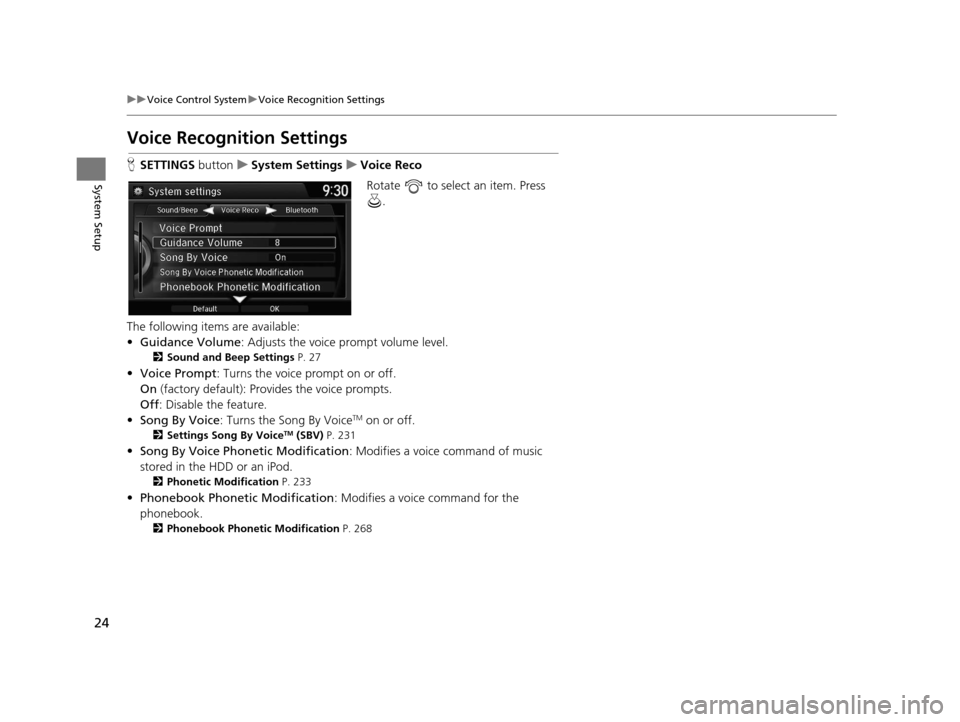
Voice Recognition Settings
H SETTINGS buttonuSystem Settings uVoice Reco
Rotate to select an item. Press .
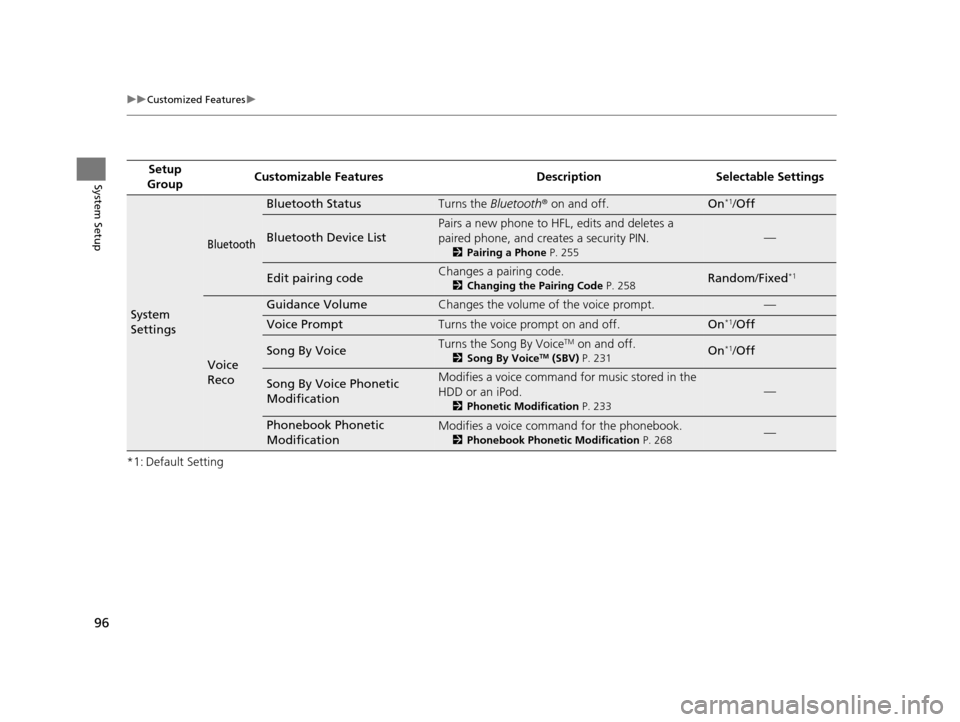
The following items are available:
• Guidance Volume : Adjusts the voice prompt volume level.
2Sound and Beep Settings P. 27
•Voice Prompt: Turns the voice prompt on or off.
On (factory default): Provides the voice prompts.
Off : Disable the feature.
• Song By Voice : Turns the Song By Voice
TM on or off.
2Settings Song By VoiceTM (SBV) P. 231
•Song By Voice Phon etic Modification: Modifies a voice command of music
stored in the HDD or an iPod.
2 Phonetic Modification P. 233
•Phonebook Phonetic Modification : Modifies a voice command for the
phonebook.
2 Phonebook Phonetic Modification P. 268
16 ACURA RDX NAVI-31TX48300.book 24 ページ 2015年3月6日 金曜日 午後1時26分
Page 94 of 363
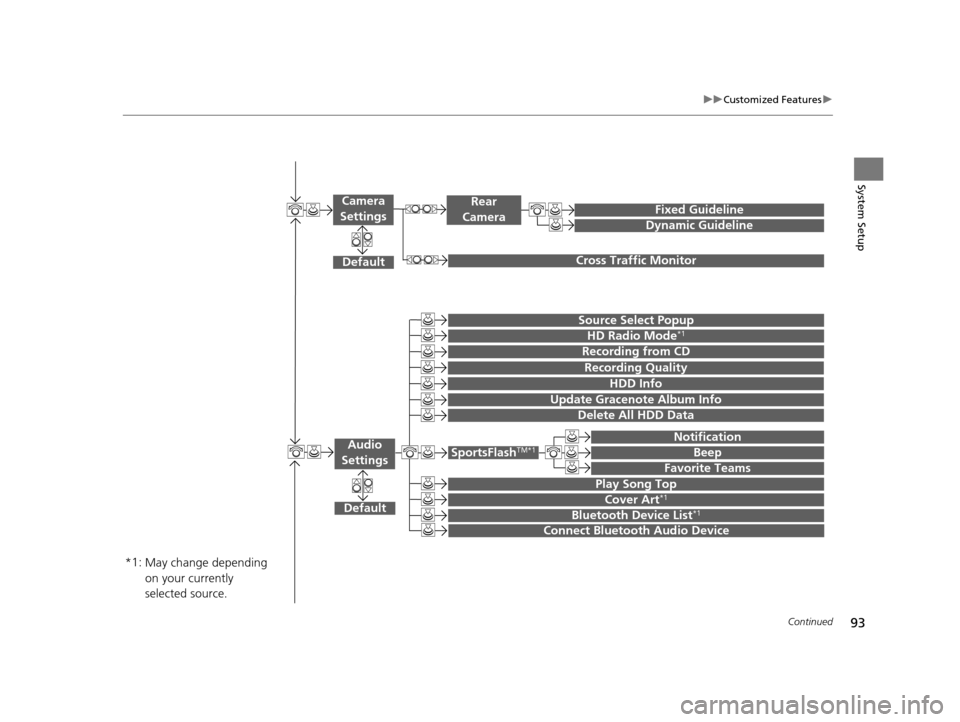
93
uuCustomized Features u
Continued
System Setup
Default
Source Select Popup
HD Radio Mode*1
Audio
Settings
Cover Art*1
Bluetooth Device List*1
Recording from CD
SportsFlashTM*1
Notification
Beep
Favorite Teams
Play Song Top
Recording Quality
HDD Info
Connect Bluetooth Audio Device
Update Gracenote Album Info
Delete All HDD Data
Fixed Guideline
Dynamic Guideline
Cross Traffic Monitor
Rear
Camera
Default
Camera
Settings
May change depending
on your currently
selected source.
*1:
16 ACURA RDX NAVI-31TX48300.book 93 ページ 2015年3月6日 金曜日 午後1時26分
Page 97 of 363
96
uuCustomized Features u
System Setup
*1: Default SettingSetup
Group Customizable Features Desc
ription Selectable Settings
System
Settings
Bluetooth
Bluetooth StatusTurns the Bluetooth® on and off.On*1/Off
Bluetooth Device List
Pairs a new phone to HFL, edits and deletes a
paired phone, and creates a security PIN.
2 Pairing a Phone P. 255
—
Edit pairing codeChanges a pairing code.
2Changing the Pairing Code P. 258Random/Fixed*1
Voice
Reco
Guidance VolumeChanges the volume of the voice prompt.—
Voice PromptTurns the voice prompt on and off.On*1/Off
Song By VoiceTurns the Song By VoiceTM on and off.
2 Song By VoiceTM (SBV) P. 231On*1/Off
Song By Voice Phonetic
ModificationModifies a voice command for music stored in the
HDD or an iPod.
2 Phonetic Modification P. 233
—
Phonebook Phonetic
ModificationModifies a voice command for the phonebook.
2Phonebook Phonetic Modification P. 268—
16 ACURA RDX NAVI-31TX48300.book 96 ページ 2015年3月6日 金曜日 午後1時26分
Page 109 of 363
108
uuCustomized Features u
System Setup
*1: Default SettingSetup
Group Customizable Features Desc
ription Selectable Settings
Audio
Settings
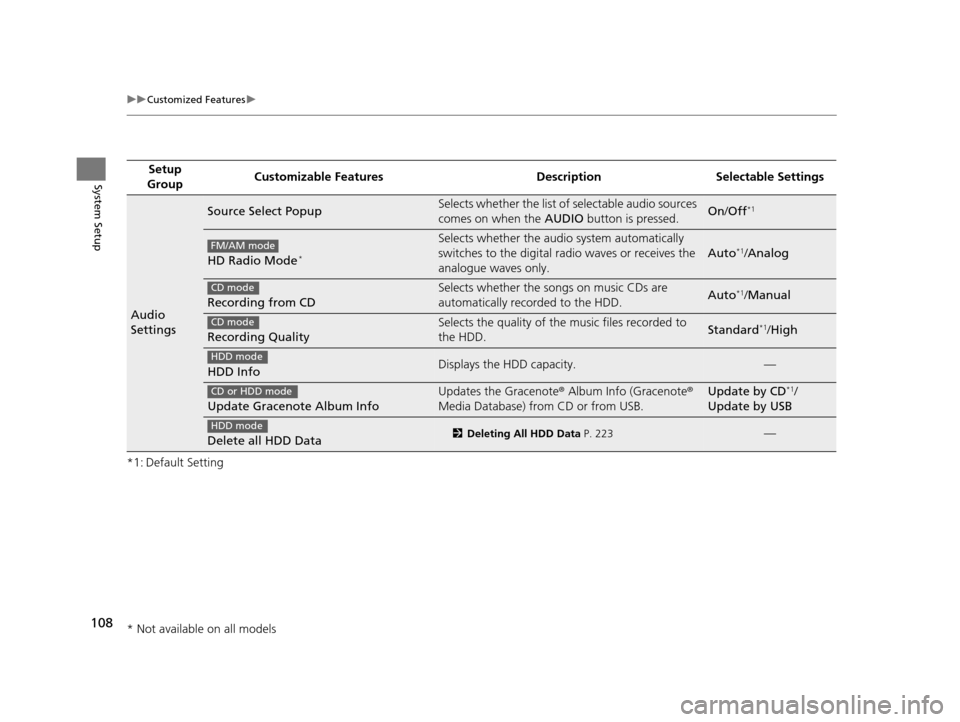
Source Select PopupSelects whether the list of selectable audio sources
comes on when the AUDIO button is pressed.On/Off*1
HD Radio Mode*
Selects whether the audi o system automatically
switches to the digital radio waves or receives the
analogue waves only.
Auto*1/ Analog
Recording from CD
Selects whether the songs on music CDs are
automatically recorded to the HDD.Auto*1/Manual
Recording Quality
Selects the quality of the music files recorded to
the HDD.Standard*1/High
HDD InfoDisplays the HDD capacity.—
Update Gracenote Album Info
Updates the Gracenote ® Album Info (Gracenote ®
Media Database) from CD or from USB.Update by CD*1/
Update by USB
Delete all HDD Data2 Deleting All HDD Data P. 223—
FM/AM mode
CD mode
CD mode
HDD mode
CD or HDD mode
HDD mode
* Not available on all models
16 ACURA RDX NAVI-31TX48300.book 108 ページ 2015年3月6日 金曜日 午後1時26分
Page 174 of 363
173
Audio
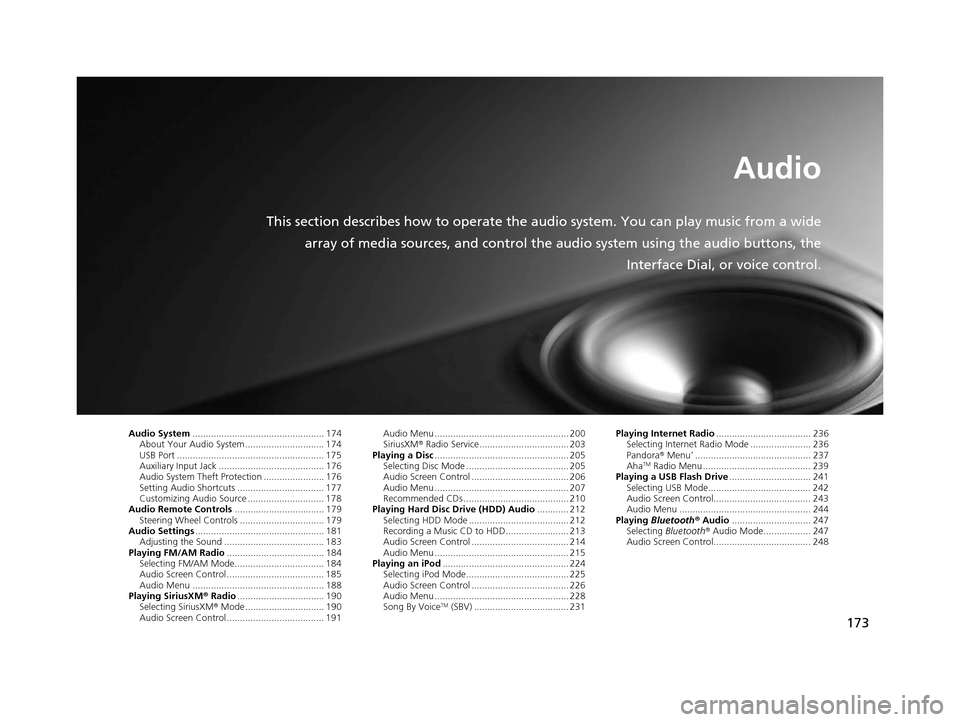
This section describes how to operate the audio system. You can play music from a wide
array of media sources, and control the audio system using the audio buttons, the
Interface Dial, or voice control.
Audio System.................................................. 174
About Your Audio System .............................. 174
USB Port ........................................................ 175
Auxiliary Input Jack ......... .......................... ..... 176
Audio System Theft Protection ....................... 176
Setting Audio Shortcuts ................................. 177
Customizing Audio Source ............................. 178
Audio Remote Controls .................................. 179
Steering Wheel Controls ................................ 179
Audio Settings ................................................. 181
Adjusting the Sound ...................................... 183
Playing FM/AM Radio ..................................... 184
Selecting FM/AM Mode.................................. 184
Audio Screen Control ..................................... 185
Audio Menu .................................................. 188
Playing SiriusXM ® Radio ................................. 190
Selecting SiriusXM ® Mode .............................. 190
Audio Screen Control ..................................... 191 Audio Menu ................................................... 200
SiriusXM®
Radio Service.................................. 203
Playing a Disc ................................................... 205
Selecting Disc Mode ....................................... 205
Audio Screen Control ..................................... 206
Audio Menu ................................................... 207
Recommended CDs ........................................ 210
Playing Hard Disc Drive (HDD) Audio ............ 212
Selecting HDD Mode ...................................... 212
Recording a Music CD to HDD........................ 213
Audio Screen Control ..................................... 214
Audio Menu ................................................... 215
Playing an iPod ................................................ 224
Selecting iPod Mode....................................... 225
Audio Screen Control ..................................... 226
Audio Menu ................................................... 228
Song By Voice
TM (SBV) .................................... 231 Playing Internet Radio
.................................... 236
Selecting Internet Radio Mode ....................... 236
Pandora ® Menu
*............................................ 237
AhaTM Radio Menu ......................................... 239
Playing a USB Flash Drive ............................... 241
Selecting USB Mode....................................... 242
Audio Screen Control..................................... 243
Audio Menu .................................................. 244
Playing Bluetooth ® Audio .............................. 247
Selecting Bluetooth ® Audio Mode.................. 247
Audio Screen Control..................................... 248
16 ACURA RDX NAVI-31TX48300.book 173 ページ 2015年3月6日 金曜日 午後1時26分
Page 175 of 363
174
Audio
Audio System
About Your Audio System
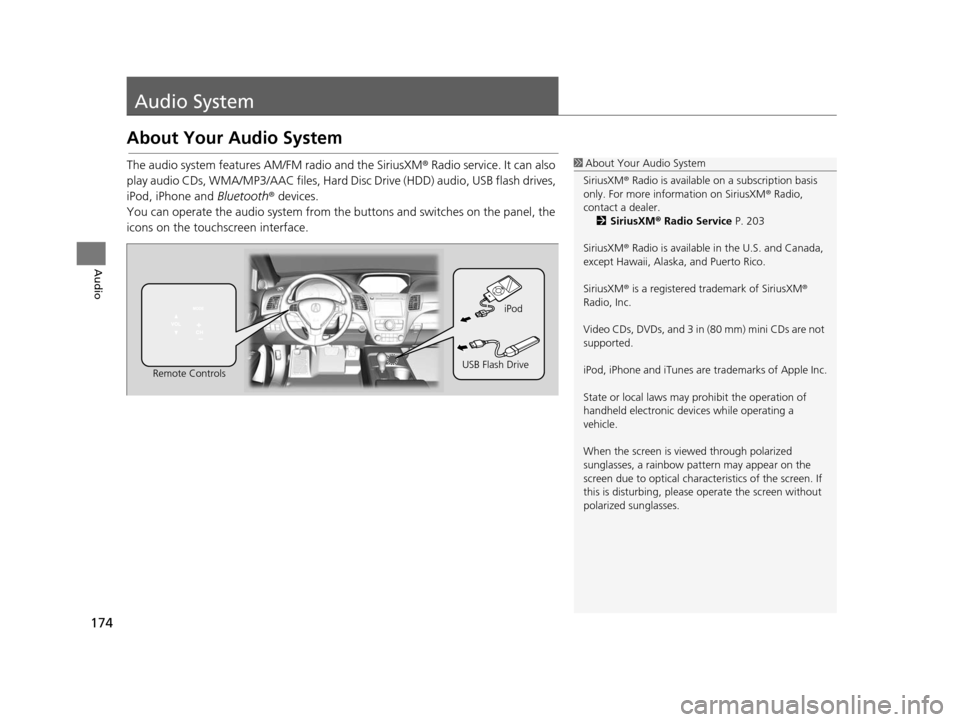
The audio system features AM/FM radio and the SiriusXM® Radio service. It can also
play audio CDs, WMA/MP3/AAC files, Hard Disc Drive (HDD) audio, USB flash drives,
iPod, iPhone and Bluetooth® devices.
You can operate the audio system from the buttons and switches on the panel, the
icons on the touc hscreen interface.1About Your Audio System
SiriusXM ® Radio is available on a subscription basis
only. For more information on SiriusXM ® Radio,
contact a dealer. 2 SiriusXM ® Radio Service P. 203
SiriusXM ® Radio is available in the U.S. and Canada,
except Hawaii, Alaska, and Puerto Rico.
SiriusXM ® is a registered trademark of SiriusXM ®
Radio, Inc.
Video CDs, DVDs, and 3 in (80 mm) mini CDs are not
supported.
iPod, iPhone and iTunes are trademarks of Apple Inc.
State or local laws may prohibit the operation of
handheld electronic devices while operating a
vehicle.
When the screen is vi ewed through polarized
sunglasses, a rainbow pa ttern may appear on the
screen due to optical characteristics of the screen. If
this is disturbing, please operate the screen without
polarized sunglasses.
Remote Controls iPod
USB Flash Drive
16 ACURA RDX NAVI-31TX48300.book 174 ページ 2015年3月6日 金曜日 午後1時26分
Page 178 of 363
177
uuAudio System uSetting Audio Shortcuts
Continued
Audio
Setting Audio Shortcuts
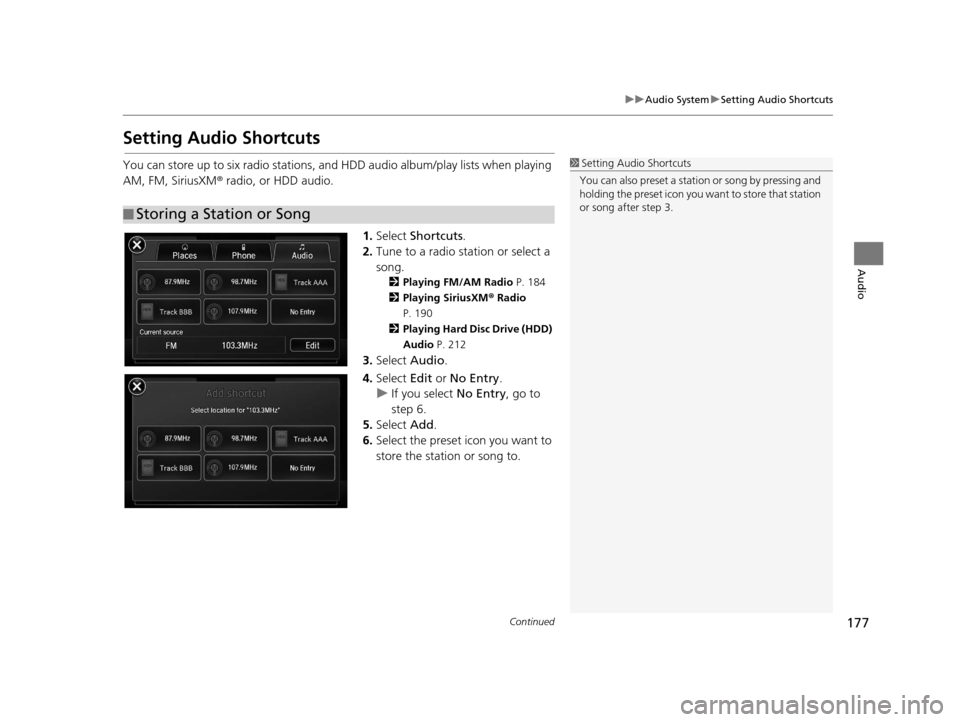
You can store up to six radio stations, and HDD audio album/play lists when playing
AM, FM, SiriusXM ® radio, or HDD audio.
1.Select Shortcuts .
2. Tune to a radio station or select a
song.
2 Playing FM/AM Radio P. 184
2 Playing SiriusXM ® Radio
P. 190
2 Playing Hard Disc Drive (HDD)
Audio P. 212
3.Select Audio .
4. Select Edit or No Entry .
u If you select No Entry, go to
step 6.
5. Select Add.
6. Select the preset icon you want to
store the station or song to.
■Storing a Station or Song
1
Setting Audio Shortcuts
You can also preset a stat ion or song by pressing and
holding the preset icon you want to store that station
or song after step 3.
16 ACURA RDX NAVI-31TX48300.book 177 ページ 2015年3月6日 金曜日 午後1時26分