Change Acura RDX 2019 Owner's Manual
[x] Cancel search | Manufacturer: ACURA, Model Year: 2019, Model line: RDX, Model: Acura RDX 2019Pages: 649, PDF Size: 33 MB
Page 475 of 649

uuAcuraWatchTMuLane Keeping Assist System (LKAS)
474
Driving
3. Keep your vehicle near the center of the
lane while driving.
u The dotted outer lines change to solid
ones once the system starts operating
after detecting the left and right lane
markings.
To cancel the LKAS:
Press the MAIN or LKAS button.
The LKAS is turned off every time you stop the
engine, even if you turned it on the last time
you drove the vehicle.
■To Cancel1 To Cancel
Pressing the MAIN button also turns ACC with LSF
on and off.
MAIN Button
LKAS Button
19 ACURA RDX-31TJB6000.book 474 ページ 2018年4月26日 木曜日 午後4時51分
Page 476 of 649

475
uuAcuraWatchTMuLane Keeping Assist System (LKAS)
Continued
Driving
■The system operation is suspended if
you:
• Set the wipers to HI.
u Turning the wipers o ff or setting it to LO
resumes the LKAS.
• Set the wiper switch to AUTO and the
wipers operate at high speed.
u The LKAS resumes when the wipers stop
or operate at low speed.
• Decrease the vehicle speed to about 40 mph
(64 km/h) or less.
u Increasing the vehicle speed to about
45 mph (72 km/h) or more resumes the
LKAS.
• Depress the brake pedal.
u The LKAS resumes and starts detecting
the lane lines again once you release the
brake pedal.
■The LKAS may automatica lly be suspended when:
• The system fails to detect lane lines.
• The steering wheel is quickly turned.
• You fail to steer the vehicle.
• Driving through a sharp curve.
• Driving at a speed in excess of approximately 90 mph (145 km/h).
Once these conditions no longer exist, the LKAS automatically resumes.
When the LKAS is suspended,
the lane lines on the multi-
information display change to
contour lines, and the beeper
sounds (if activated).
Models with automatic intermittent wipers
All models
19 ACURA RDX-31TJB6000.book 475 ページ 2018年4月26日 木曜日 午後4時51分
Page 477 of 649
476
uuAcuraWatchTMuLane Keeping Assist System (LKAS)
Driving
■The LKAS may automatically be canceled when:
• The camera temperature gets extremely high or low.
• The camera behind the rearview mirror, or the area around the camera, including
the windshield, gets dirty.
• The ABS or VSA ® system engages.
The beeper sounds if the LKAS is automatically canceled.
The system may not detect lane markings and therefore may not keep the vehicle in
the middle of a lane under certain conditions, including the following:
■Environmental conditions
• Driving in bad weather (rain, fog, snow, etc.).
• Sudden changes between light and dark, such as an entrance or exit of a tunnel.
• There is little contrast between la ne lines and the roadway surface.
• Driving into low sunlight (e.g., at dawn or dusk).
• Strong light is reflected onto the roadway.
• Driving in the shadows of trees, buildings, etc.
• Shadows of adjacent objects are parallel to lane markings.
• Roadway objects or structures are misinterpreted as lane markers.
• Reflections on the interi or of the windshield.
• Driving at night or in a dark condition such as a tunnel.
■LKAS Conditions and Limitations
19 ACURA RDX-31TJB6000.book 476 ページ 2018年4月26日 木曜日 午後4時51分
Page 482 of 649
Continued481
uuAcuraWatchTMuRoad Departure Mitigation (RDM) System
Driving
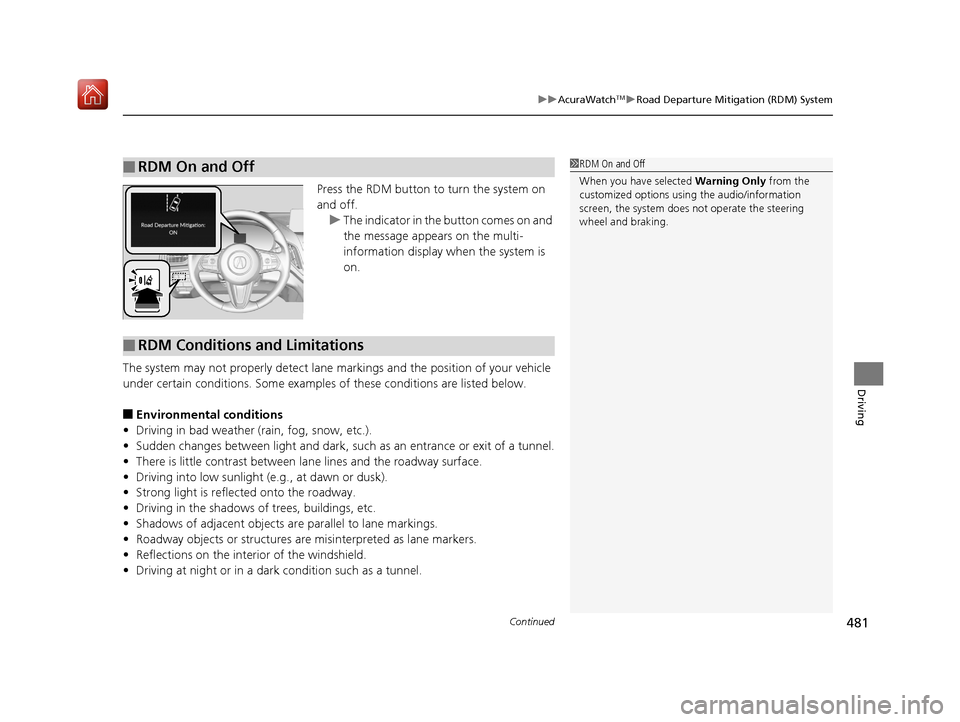
Press the RDM button to turn the system on
and off.
u The indicator in the button comes on and
the message appears on the multi-
information display when the system is
on.
The system may not properly detect lane ma rkings and the position of your vehicle
under certain conditions. Some examples of these conditions are listed below.
■Environmental conditions
• Driving in bad weather (rain, fog, snow, etc.).
• Sudden changes between light and dark, such as an entrance or exit of a tunnel.
• There is little contrast between lane lines and the roadway surface.
• Driving into low sunlight (e.g., at dawn or dusk).
• Strong light is reflec ted onto the roadway.
• Driving in the shadows of trees, buildings, etc.
• Shadows of adjacent objects are parallel to lane markings.
• Roadway objects or structures are misinterpreted as lane markers.
• Reflections on the interi or of the windshield.
• Driving at night or in a dark condition such as a tunnel.
■RDM On and Off1RDM On and Off
When you have selected Warning Only from the
customized options using the audio/information
screen, the system does not operate the steering
wheel and braking.
■RDM Conditions and Limitations
19 ACURA RDX-31TJB6000.book 481 ページ 2018年4月26日 木曜日 午後4時51分
Page 493 of 649
uuBraking uBrake System
492
Driving
■The system automatically cancels when:
• You depress the brake pedal and change to
(P or (R.
• You engage the parking brake.
■The system automatically cancels and the parking brake is applied when:
• Braking is kept for more than 10 minutes.
• The driver’s seat belt is unfastened.
• The engine is turned off.
• Brake Hold System Problem. Appl y Brake When Stopped. See Your
Dealer. appears on the multi-information display.
• There is a problem with au tomatic brake hold system.
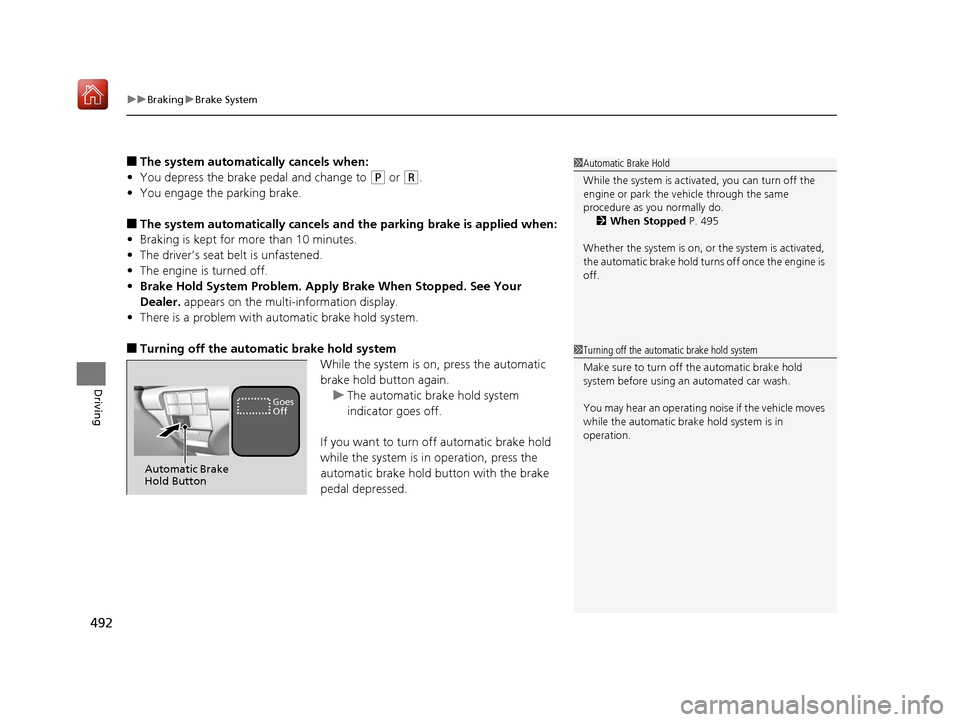
■Turning off the automatic brake hold system
While the system is on, press the automatic
brake hold button again.u The automatic brake hold system
indicator goes off.
If you want to turn off automatic brake hold
while the system is in operation, press the
automatic brake hold button with the brake
pedal depressed.
1 Automatic Brake Hold
While the system is activated, you can turn off the
engine or park the ve hicle through the same
procedure as you normally do. 2 When Stopped P. 495
Whether the system is on, or the system is activated,
the automatic brake hold turn s off once the engine is
off.
1 Turning off the automatic brake hold system
Make sure to turn off the automatic brake hold
system before using an automated car wash.
You may hear an operating noi se if the vehicle moves
while the automatic brake hold system is in
operation.
Automatic Brake
Hold Button
Goes
Off
19 ACURA RDX-31TJB6000.book 492 ページ 2018年4月26日 木曜日 午後4時51分
Page 496 of 649
495Continued
Driving
Parking Your Vehicle
When Stopped
1.Depress the brake pedal firmly.
2. With the brake pedal depressed, press th e electric parking brake switch slowly,
but fully.
3. Change the shift position to
(P.
4. Turn off the engine.
The Parking Brake and Brake System indica tor (red) goes off in about 30 seconds.
1Parking Your Vehicle
Do not park your vehicle near flammable objects,
such as dry grass, oil, or timber.
Heat from the exhaust can cause a fire.
1 When Stopped
NOTICE
The following can dama ge the transmission:•Depressing the accelerator and brake pedals
simultaneously.
•Holding the vehicle in place when facing uphill by
depressing the accelerator pedal.
•Changing into ( P before the vehicle stops
completely.
3WARNING
The vehicle can roll aw ay if left unattended
without confirming that Park is engaged.
A vehicle that rolls away could cause a crash
resulting in serious injury or death.
Always keep your foot on the brake pedal
until you have confirmed that
( P is shown
on the gear position Indicator.
19 ACURA RDX-31TJB6000.book 495 ページ 2018年4月26日 木曜日 午後4時51分
Page 504 of 649
Continued503
uuParking Your Vehicle uCross Traffic Monitor*
Driving
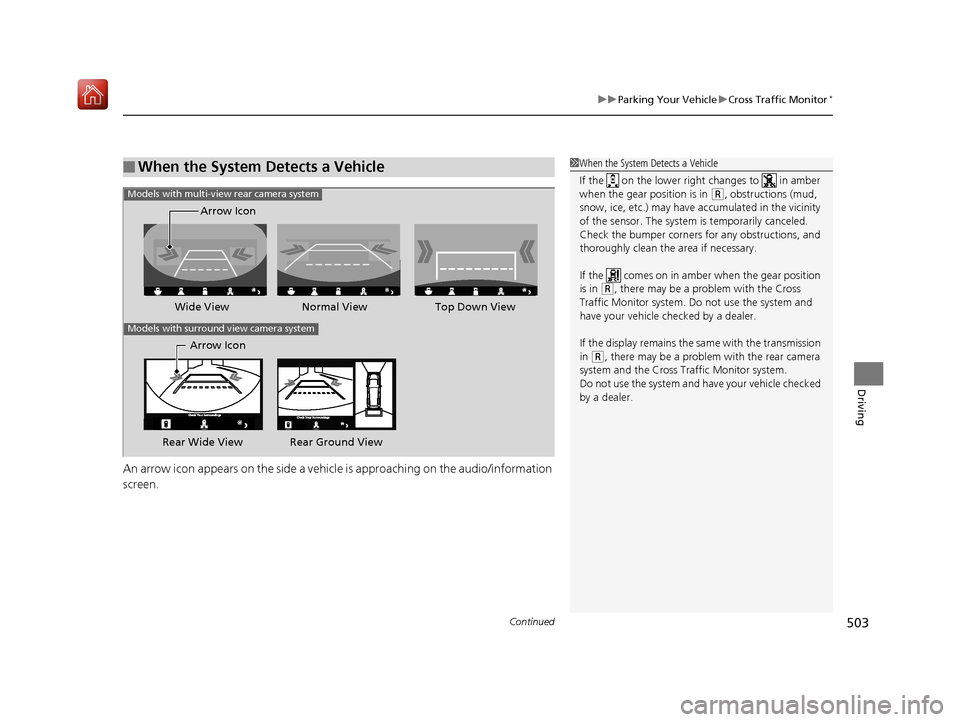
An arrow icon appears on the side a vehicle is approaching on the audio/information
screen.
■When the System Detects a Vehicle1 When the System Detects a Vehicle
If the on the lower right changes to in amber
when the gear position is in
( R, obstructions (mud,
snow, ice, etc.) may have ac cumulated in the vicinity
of the sensor. The system is temporarily canceled.
Check the bumper corners for any obstructions, and
thoroughly clean the area if necessary.
If the comes on in ambe r when the gear position
is in
( R, there may be a problem with the Cross
Traffic Monitor system. Do not use the system and
have your vehicle ch ecked by a dealer.
If the display remains the same with the transmission
in
( R, there may be a problem with the rear camera
system and the Cross Traffic Monitor system.
Do not use the system and have your vehicle checked
by a dealer.
Wide View Normal View
Arrow IconTop Down View
Models with multi-view rear camera system
Models with surround view camera system
Arrow Icon
Rear Wide View Rear Ground View
19 ACURA RDX-31TJB6000.book 503 ページ 2018年4月26日 木曜日 午後4時51分
Page 506 of 649
505Continued
Driving
Multi-View Rear Camera
About Your Multi-View Rear Camera
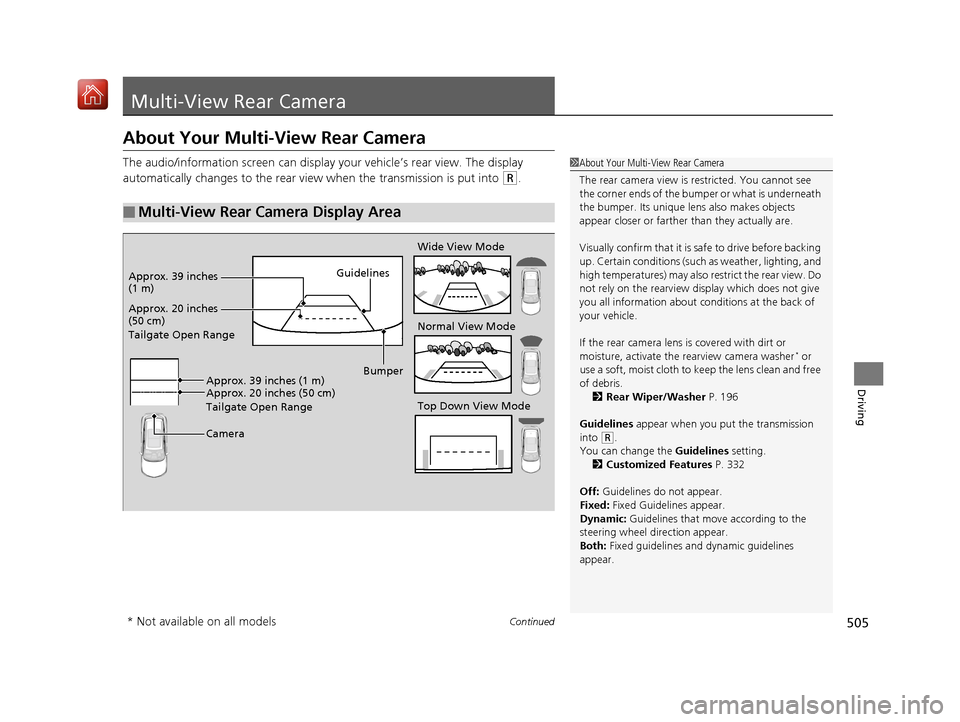
The audio/information screen can display your vehicle’s rear view. The display
automatically changes to the rear view when the transmission is put into
(R.
■Multi-View Rear Camera Display Area
1About Your Multi-View Rear Camera
The rear camera view is restricted. You cannot see
the corner ends of the bum per or what is underneath
the bumper. Its unique le ns also makes objects
appear closer or farther than they actually are.
Visually confirm that it is safe to drive before backing
up. Certain conditions (such as weather, lighting, and
high temperatures) may also re strict the rear view. Do
not rely on the rearview display which does not give
you all information about conditions at the back of
your vehicle.
If the rear camera lens is covered with dirt or
moisture, activate the rearview camera washer
* or
use a soft, moist cloth to keep the lens clean and free
of debris. 2 Rear Wiper/Washer P. 196
Guidelines appear when you put the transmission
into
( R.
You can change the Guidelines setting. 2 Customized Features P. 332
Off: Guidelines do not appear.
Fixed: Fixed Guidelines appear.
Dynamic: Guidelines that move according to the
steering wheel direction appear.
Both: Fixed guidelines and dynamic guidelines
appear.
Guidelines
Bumper
Camera
Approx. 20 inches
(50 cm)
Tailgate Open Range Approx. 39 inches
(1 m)
Wide View Mode
Normal View Mode
Top Down View Mode
Approx. 20 inches (50 cm)
Tailgate Open Range Approx. 39 inches (1 m)
* Not available on all models
19 ACURA RDX-31TJB6000.book 505 ページ 2018年4月26日 木曜日 午後4時51分
Page 507 of 649
506
uuMulti-View Rear Camera uAbout Your Multi-View Rear Camera
Driving
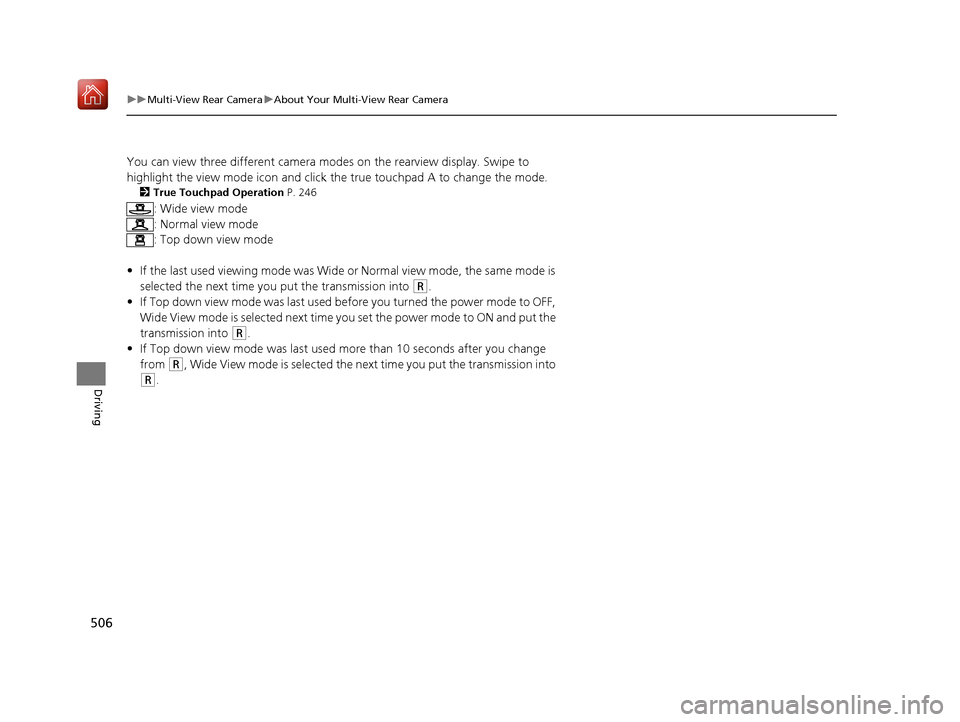
You can view three different camera mode s on the rearview display. Swipe to
highlight the view mode icon and click the true touchpad A to change the mode.
2 True Touchpad Operation P. 246
: Wide view mode
: Normal view mode
: Top down view mode
• If the last used viewing mo de was Wide or Normal view mode, the same mode is
selected the next time you put the transmission into
(R.
• If Top down view mode was last used be fore you turned the power mode to OFF,
Wide View mode is selected next time you set the power mode to ON and put the
transmission into
(R.
• If Top down view mode was last used more than 10 second s after you change
from
(R, Wide View mode is selected the ne xt time you put the transmission into
(R.
19 ACURA RDX-31TJB6000.book 506 ページ 2018年4月26日 木曜日 午後4時51分
Page 509 of 649
508
uuSurround View Camera System*uDisplaying an Image From the Surround View Cameras
Driving
Displaying an Image From the Surround View
Cameras
■For frontal views:
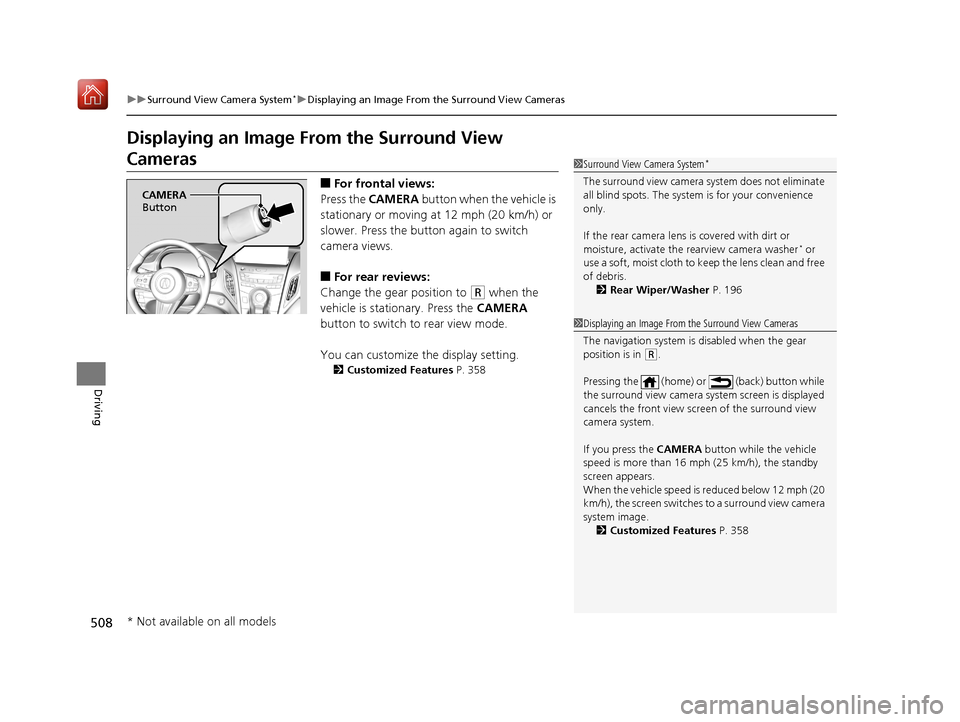
Press the CAMERA button when the vehicle is
stationary or moving at 12 mph (20 km/h) or
slower. Press the butto n again to switch
camera views.
■For rear reviews:
Change the gear position to
(R when the
vehicle is stationary. Press the CAMERA
button to switch to rear view mode.
You can customize the display setting.
2 Customized Features P. 358
1Surround View Camera System*
The surround view ca mera system does not eliminate
all blind spots. The system is for your convenience
only.
If the rear camera lens is covered with dirt or
moisture, activate the rearview camera washer
* or
use a soft, moist cloth to keep the lens clean and free
of debris.
2 Rear Wiper/Washer P. 196
CAMERA
Button
1 Displaying an Image From the Surround View Cameras
The navigation system is disabled when the gear
position is in
(R.
Pressing the (home) or (back) button while
the surround view camera system screen is displayed
cancels the front view sc reen of the surround view
camera system.
If you press the CAMERA button while the vehicle
speed is more than 16 mph (25 km/h), the standby
screen appears.
When the vehicle speed is reduced below 12 mph (20
km/h), the screen switches to a surround view camera
system image. 2 Customized Features P. 358
* Not available on all models
19 ACURA RDX-31TJB6000.book 508 ページ 2018年4月26日 木曜日 午後4時51分