Change Acura RDX 2019 Owners Manual
[x] Cancel search | Manufacturer: ACURA, Model Year: 2019, Model line: RDX, Model: Acura RDX 2019Pages: 649, PDF Size: 33 MB
Page 369 of 649
uuBluetooth ® HandsFreeLink ®u HFL Menus
368
Features
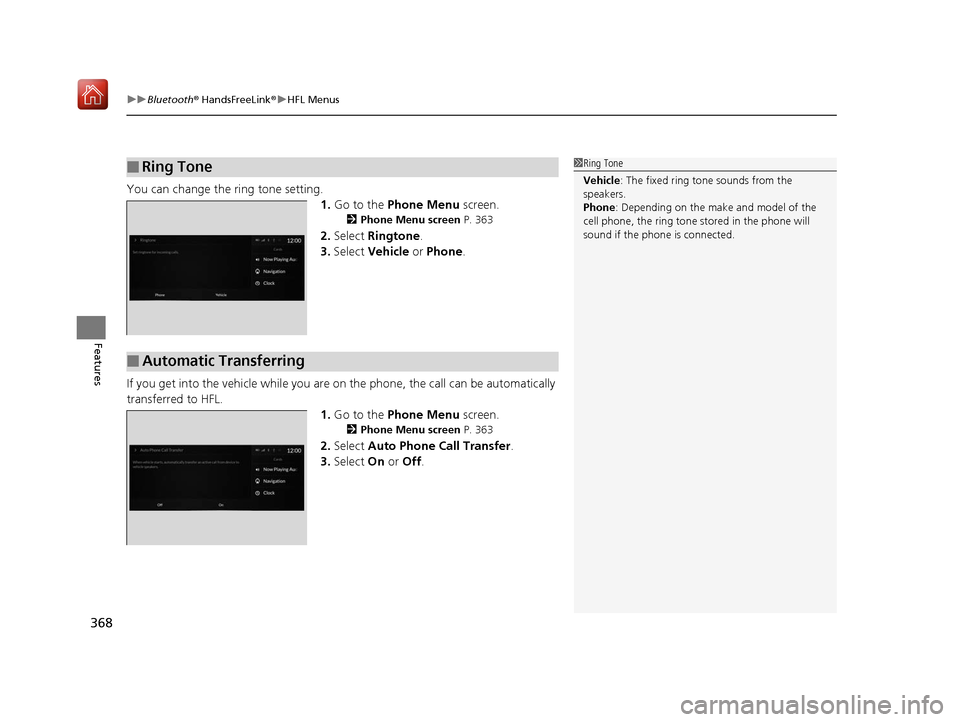
You can change the ring tone setting.
1.Go to the Phone Menu screen.
2Phone Menu screen P. 363
2.Select Ringtone .
3. Select Vehicle or Phone .
If you get into the vehicle while you are on the phone, the call can be automatically
transferred to HFL.
1.Go to the Phone Menu screen.
2Phone Menu screen P. 363
2.Select Auto Phone Call Transfer .
3. Select On or Off .
■Ring Tone1Ring Tone
Vehicle : The fixed ring tone sounds from the
speakers.
Phone : Depending on the make and model of the
cell phone, the ring tone st ored in the phone will
sound if the phone is connected.
■Automatic Transferring
19 ACURA RDX-31TJB6000.book 368 ページ 2018年4月26日 木曜日 午後4時51分
Page 381 of 649

uuBluetooth ® HandsFreeLink ®u Text Message
380
Features
You can select one from the Bluetooth® device list to be active and receive
notifications. 1.Press the (home) button.
2. Select Messages .
3. Select MENU .
4. Select Change Connected Phone .
5. Change a desired phone.
2 To change the currently paired phone
P. 366
■Selecting a Phone1 Selecting a Phone
You can only receive notifications from one phone at
a time.
You can only connect one de vice to use both text
message function and Bluetooth® hands-free phone
function.
19 ACURA RDX-31TJB6000.book 380 ページ 2018年4月26日 木曜日 午後4時51分
Page 389 of 649
uuAcuraLink ®u
388
Features
■To link with AcuraLink
You may see the connection guide screen
after launching AcuraLink when there is no
phone connecti on available.
Continue Without Connecting: Displays
the AcuraLink menu screen without phone
connection.
Connect Phone: Displays the Bluetooth®
setup screen.
2 To change the currently paired phone
P. 366
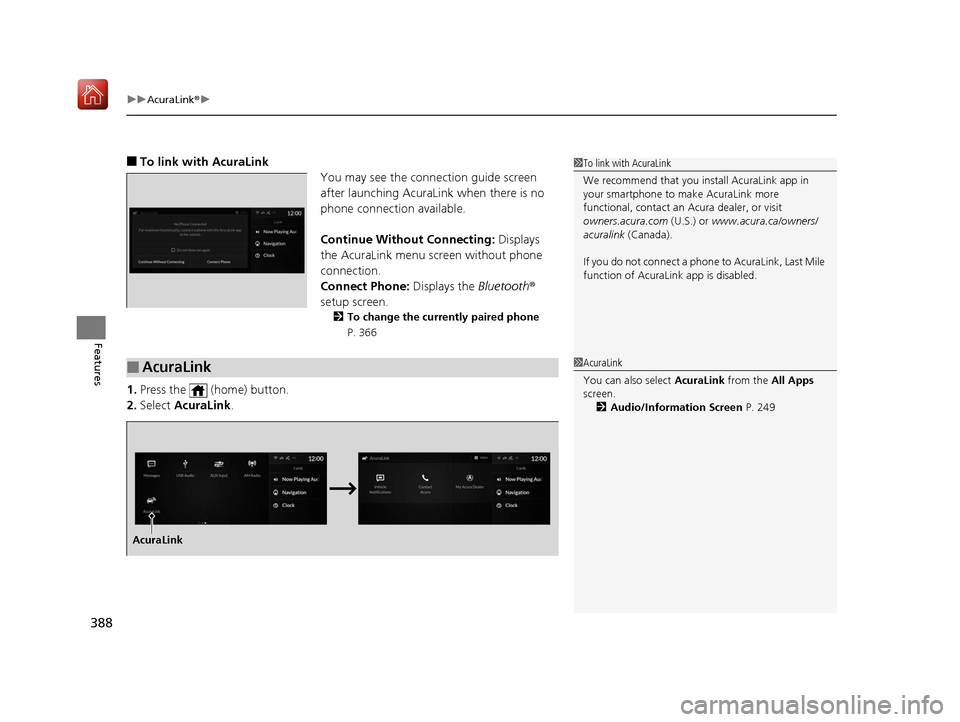
1.Press the (home) button.
2. Select AcuraLink .
1To link with AcuraLink
We recommend that you install AcuraLink app in
your smartphone to make AcuraLink more
functional, contact an Acura dealer, or visit
owners.acura.com (U.S.) or www.acura.ca/owners/
acuralink (Canada).
If you do not connect a phone to AcuraLink, Last Mile
function of AcuraLink app is disabled.
■AcuraLink1 AcuraLink
You can also select AcuraLink from the All Apps
screen.
2 Audio/Information Screen P. 249
AcuraLink
19 ACURA RDX-31TJB6000.book 388 ページ 2018年4月26日 木曜日 午後4時51分
Page 390 of 649
Continued389
uuAcuraLink ®u
Features
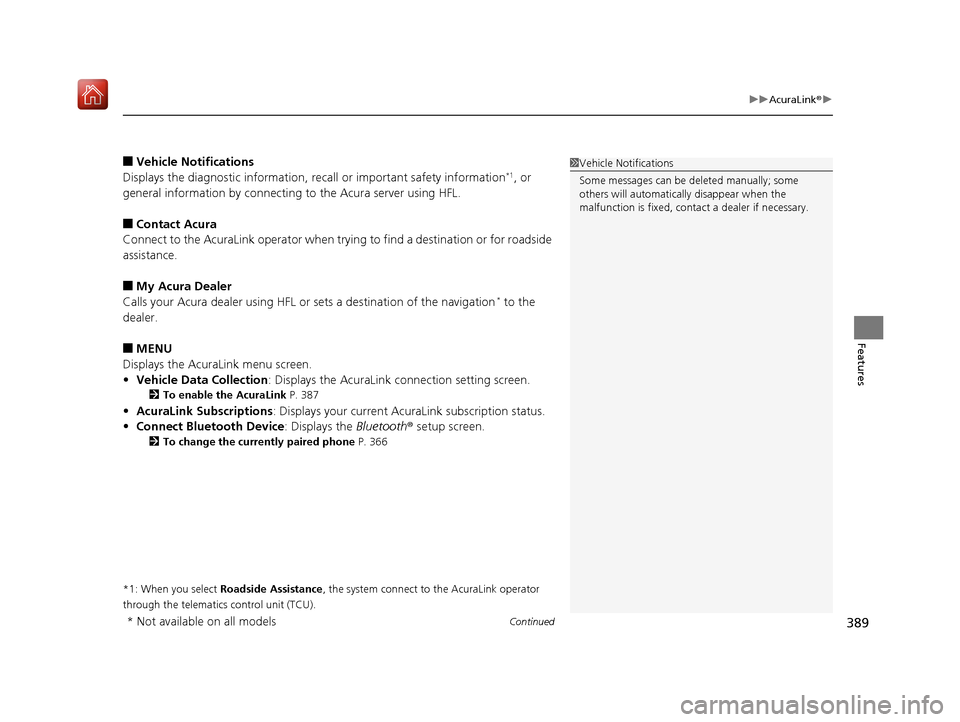
■Vehicle Notifications
Displays the diagnostic information, recall or impo rtant safety information*1, or
general information by connecting to the Acura server using HFL.
■Contact Acura
Connect to the AcuraLink operator when trying to find a destination or for roadside
assistance.
■My Acura Dealer
Calls your Acura dealer using HFL or sets a destination of the navigation* to the
dealer.
■MENU
Displays the AcuraLink menu screen.
• Vehicle Data Collection : Displays the AcuraLink connection setting screen.
2To enable the AcuraLink P. 387
•AcuraLink Subscriptions : Displays your current AcuraLink subscription status.
• Connect Bluetooth Device: Displays the Bluetooth® setup screen.
2To change the currently paired phone P. 366
*1: When you select Roadside Assistance, the system connect to the AcuraLink operator
through the telematics control unit (TCU).
1 Vehicle Notifications
Some messages can be deleted manually; some
others will automatica lly disappear when the
malfunction is fixed, cont act a dealer if necessary.
* Not available on all models
19 ACURA RDX-31TJB6000.book 389 ページ 2018年4月26日 木曜日 午後4時51分
Page 392 of 649
Continued391
uuAcuraLink ®u
Features
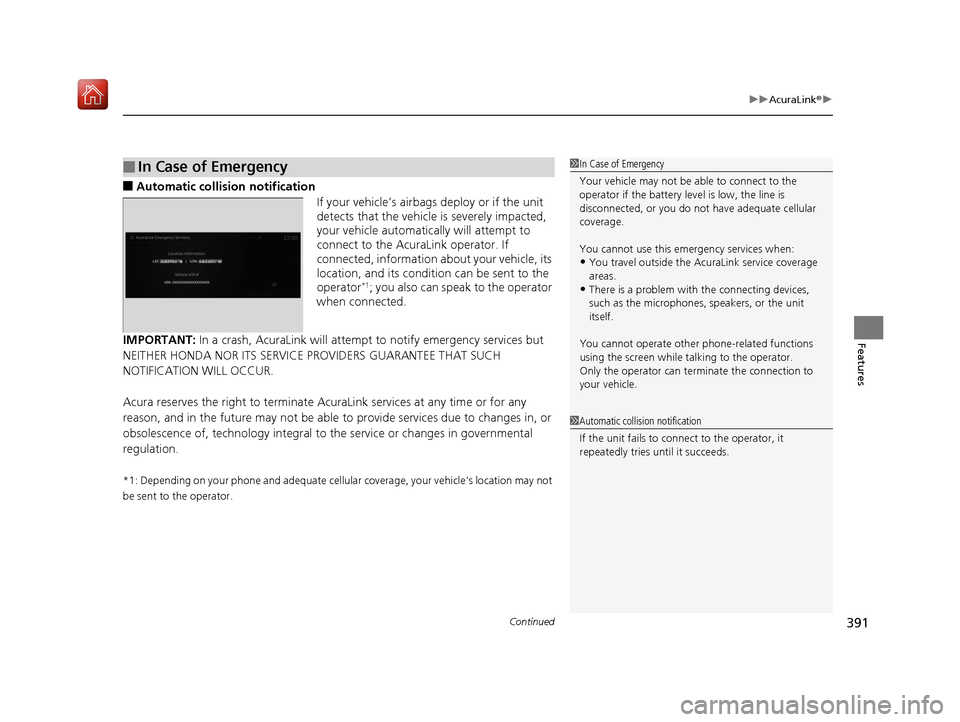
■Automatic collis ion notification
If your vehicle’s airbags deploy or if the unit
detects that the vehicle is severely impacted,
your vehicle automatically will attempt to
connect to the AcuraLink operator. If
connected, information about your vehicle, its
location, and its condition can be sent to the
operator
*1; you also can speak to the operator
when connected.
IMPORTANT: In a crash, AcuraLink will attemp t to notify emergency services but
NEITHER HONDA NOR ITS SERVICE PROVIDERS GUARANTEE THAT SUCH
NOTIFICATION WILL OCCUR.
Acura reserves the right to terminate Acur aLink services at any time or for any
reason, and in the future may not be able to provide services due to changes in, or
obsolescence of, technology integral to the service or changes in governmental
regulation.
*1: Depending on your phone and adequate cellular coverage, your vehicle’s location may not
be sent to the operator.
■In Case of Emergency1 In Case of Emergency
Your vehicle may not be able to connect to the
operator if the battery level is low, the line is
disconnected, or you do not have adequate cellular
coverage.
You cannot use this emergency services when:
•You travel outside the AcuraLink service coverage
areas.
•There is a problem with the connecting devices,
such as the microphones, speakers, or the unit
itself.
You cannot operate othe r phone-related functions
using the screen while talking to the operator.
Only the operator can terminate the connection to
your vehicle.
1 Automatic collision notification
If the unit fails to connect to the operator, it
repeatedly tries until it succeeds.
19 ACURA RDX-31TJB6000.book 391 ページ 2018年4月26日 木曜日 午後4時51分
Page 416 of 649
415
uuWhen Driving uStarting the Engine
Driving
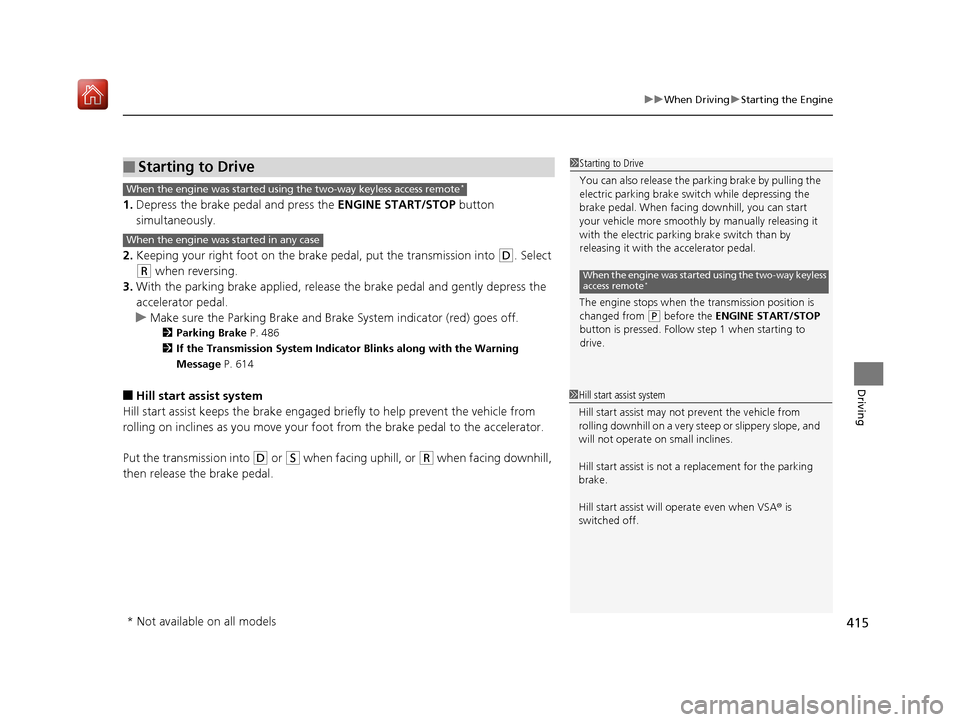
1. Depress the brake pedal and press the ENGINE START/STOP button
simultaneously.
2. Keeping your right foot on the br ake pedal, put the transmission into
(D. Select
(R when reversing.
3. With the parking brake applied, release the brake pedal and gently depress the
accelerator pedal.
u Make sure the Parking Brake and Brake System indicator (red) goes off.
2Parking Brake P. 486
2 If the Transmission System Indicator Blinks along with the Warning
Message P. 614
■Hill start assist system
Hill start assist keeps the brake engaged br iefly to help prevent the vehicle from
rolling on inclines as you move your foot from the brake pedal to the accelerator.
Put the transmission into
(D or (S when facing uphill, or (R when facing downhill,
then release the brake pedal.
■Starting to Drive1 Starting to Drive
You can also release the parking brake by pulling the
electric parking brake sw itch while depressing the
brake pedal. When facing downhill, you can start
your vehicle more smoothly by manually releasing it
with the electric parki ng brake switch than by
releasing it with th e accelerator pedal.
The engine stops when the transmission position is
changed from
( P before the ENGINE START/STOP
button is pressed. Follow step 1 when starting to
drive.
When the engine was started using the two-way keyless
access remote*
When the engine was started using the two-way keyless access remote*
When the engine was started in any case
1 Hill start assist system
Hill start assist may not prevent the vehicle from
rolling downhill on a very steep or slippe ry slope, and
will not operate on small inclines.
Hill start assist is not a replacement for the parking
brake.
Hill start assist will operate even when VSA ® is
switched off.
* Not available on all models
19 ACURA RDX-31TJB6000.book 415 ページ 2018年4月26日 木曜日 午後4時51分
Page 417 of 649
416
uuWhen Driving uPrecautions While Driving
Driving
Precautions While Driving
Utility vehicles have a significantly higher rollover rate than other types of vehicles.
To prevent rollovers or loss of control:
• Take corners at slower speeds than yo u would with a passenger vehicle.
• Avoid sharp turns and abrupt maneuvers whenever possible.
• Do not modify your vehicle in any way that you would raise the center of gravity.
• Do not carry heavy cargo on the roof.
Never carry more than 165 lbs (75 kg) of cargo on the roof rack (Acura accessory).
Avoid driving in deep water and on flooded roads. This can damage the engine or
driveline, or cause elec trical component failure.
If there is a strong impact with something under the vehicle, stop in a safe location.
Check the underside of the vehicle for damage or any fluid leaks.
■Driving Guidelines for Your Utility Vehicle
■In Rain
■Other Precautions
1 Precautions While Driving
NOTICE
Do not change the transmi ssion while pressing the
accelerator pedal. You could damage the transmission.
NOTICE
If you repeatedly turn the steering wheel at an
extremely low speed, or hold the steering wheel in the
full left or right position for a while, the electric power
steering (EPS) system heats up . The system goes into a
protective mode, and limits its performance. The
steering wheel becomes harder and harder to operate.
Once the system cools down, the EPS system is restored.
Repeated operation under these conditions can
eventually damage the system.
If the power mode is set to ACCESSORY while
driving, the engine will shut down and all steering
and brake power assist functi ons will stop, making it
difficult to control the vehicle.
Do not put the transmission into
( N, as you will lose
engine braking (and acce leration) performance.
During the first 600 miles (1,000 km) of operation,
avoid sudden acceleration or full throttle operation so
as not to damage the engine or powertrain.
Avoid hard braking for the first 200 miles (300 km). You
should also follow this when the brake pads are replaced.
1Driving Guidelines for Your Utility Vehicle
Failure to operate your vehicle correctly might result
in a crash or a rollover. 2 Important Handling Information P. 32
19 ACURA RDX-31TJB6000.book 416 ページ 2018年4月26日 木曜日 午後4時51分
Page 419 of 649
418
uuWhen Driving uShifting
Driving
Shifting
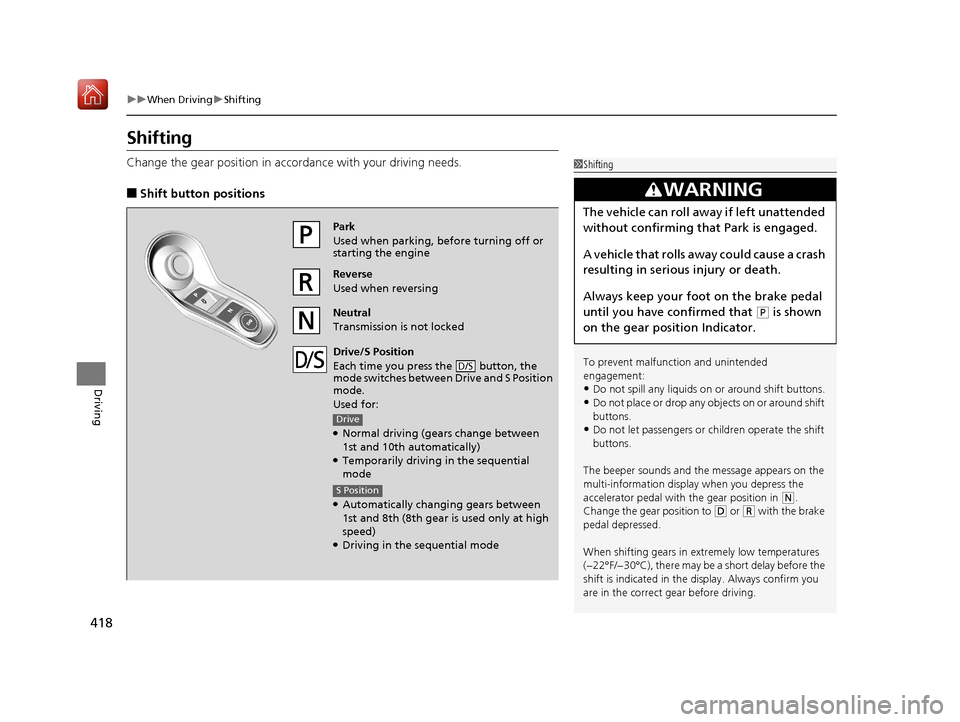
Change the gear position in acco rdance with your driving needs.
■Shift button positions
1Shifting
To prevent malfunc tion and unintended
engagement:
•Do not spill any liquids on or around shift buttons.
•Do not place or drop any objects on or around shift
buttons.
•Do not let passengers or ch ildren operate the shift
buttons.
The beeper sounds and the message appears on the
multi-information display when you depress the
accelerator pedal with the gear position in
( N.
Change the gear position to ( D or (R with the brake
pedal depressed.
When shifting gears in extremely low temperatures
(−22°F/−30°C), there may be a short delay before the
shift is indicated in the di splay. Always confirm you
are in the correct gear before driving.
3WARNING
The vehicle can roll aw ay if left unattended
without confirming that Park is engaged.
A vehicle that rolls away could cause a crash
resulting in serious injury or death.
Always keep your foot on the brake pedal
until you have confirmed that
( P is shown
on the gear position Indicator.
Reverse
Used when reversing
Park
Used when parking, be fore turning off or
starting the engine
Neutral
Transmission is not locked
Drive/S Position
Each time you press the button, the
mode switches between Drive and S Position
mode.
Used for:
●Normal driving (gears change between
1st and 10th automatically)
●Temporarily driving in the sequential
mode
●Automatically changing gears between
1st and 8th (8th gear is used only at high
speed)
●Driving in the sequential mode
D/S
Drive
S Position
19 ACURA RDX-31TJB6000.book 418 ページ 2018年4月26日 木曜日 午後4時51分
Page 420 of 649
419
uuWhen Driving uShifting
Continued
Driving
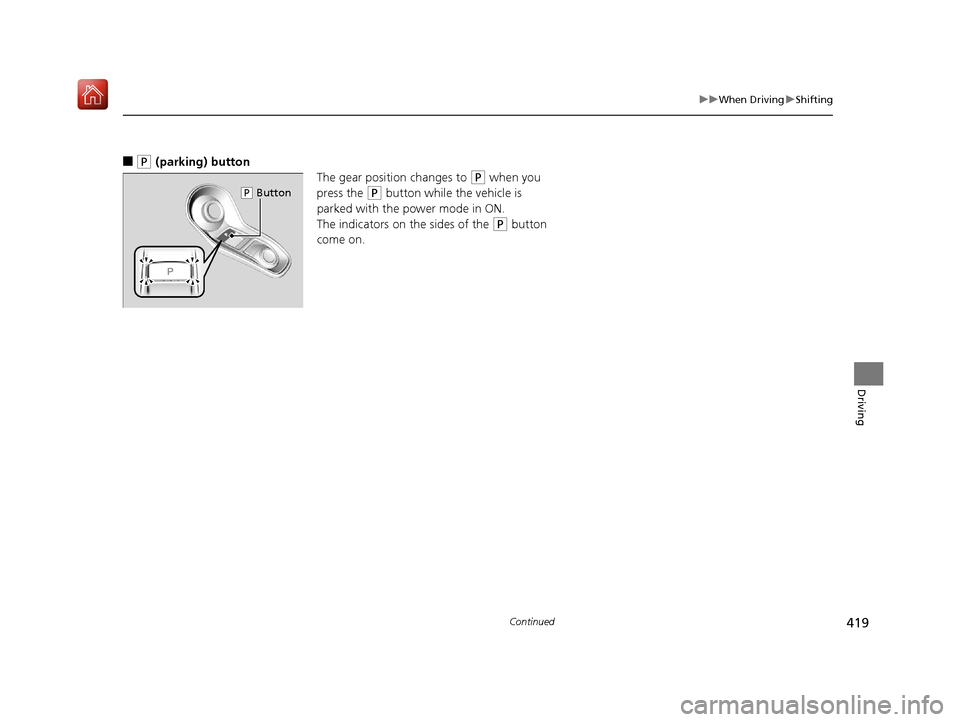
■(P (parking) button
The gear position changes to
(P when you
press the
(P button while the vehicle is
parked with the power mode in ON.
The indicators on the sides of the
(P button
come on.
( P Button
19 ACURA RDX-31TJB6000.book 419 ページ 2018年4月26日 木曜日 午後4時51分
Page 421 of 649
uuWhen Driving uShifting
420
Driving
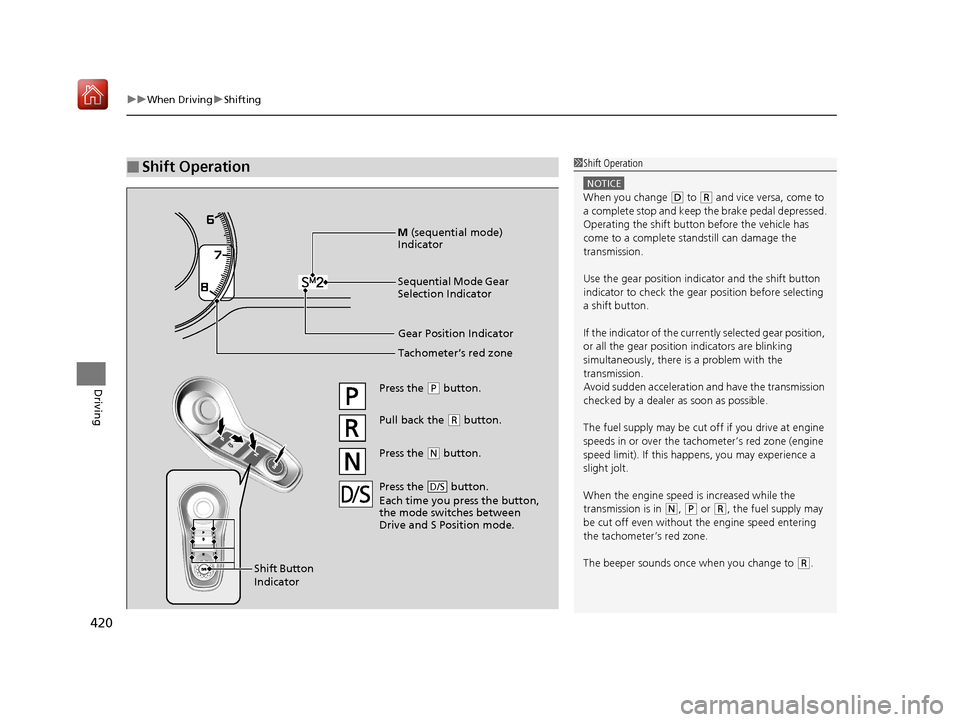
■Shift Operation1Shift Operation
NOTICE
When you change (D to (R and vice versa, come to
a complete stop and keep the brake pedal depressed.
Operating the shift button before the vehicle has
come to a complete standstill can damage the
transmission.
Use the gear position indicator and the shift button
indicator to check the gear position before selecting
a shift button.
If the indicator of the curren tly selected gear position,
or all the gear position indicators are blinking
simultaneously, there is a problem with the
transmission.
Avoid sudden acceleration and have the transmission
checked by a dealer as soon as possible.
The fuel supply may be cut of f if you drive at engine
speeds in or over the tachometer’s red zone (engine
speed limit). If this happe ns, you may experience a
slight jolt.
When the engine speed is increased while the
transmission is in
( N, (P or (R, the fuel supply may
be cut off even without the engine speed entering
the tachometer’s red zone.
The beeper sounds once when you change to
( R.
Gear Position Indicator
Tachometer’s red zone
Press the (P button.
Pull back the (R button.
Press the
( N button.
Shift Button
Indicator M
(sequential mode)
Indicator
Sequential Mode Gear
Selection Indicator
Press the button.
Each time you press the button,
the mode switches between
Drive and S Position mode.D/S
19 ACURA RDX-31TJB6000.book 420 ページ 2018年4月26日 木曜日 午後4時51分