Change Acura RDX 2019 Service Manual
[x] Cancel search | Manufacturer: ACURA, Model Year: 2019, Model line: RDX, Model: Acura RDX 2019Pages: 649, PDF Size: 33 MB
Page 257 of 649
uuAudio System Basic Operation uAudio/Information Screen
256
Features
■To add shortcut icons to the home screen and the head-up display*
Shortcut icons for items stored in Favorite can be added to the home screen and the
head-up display.
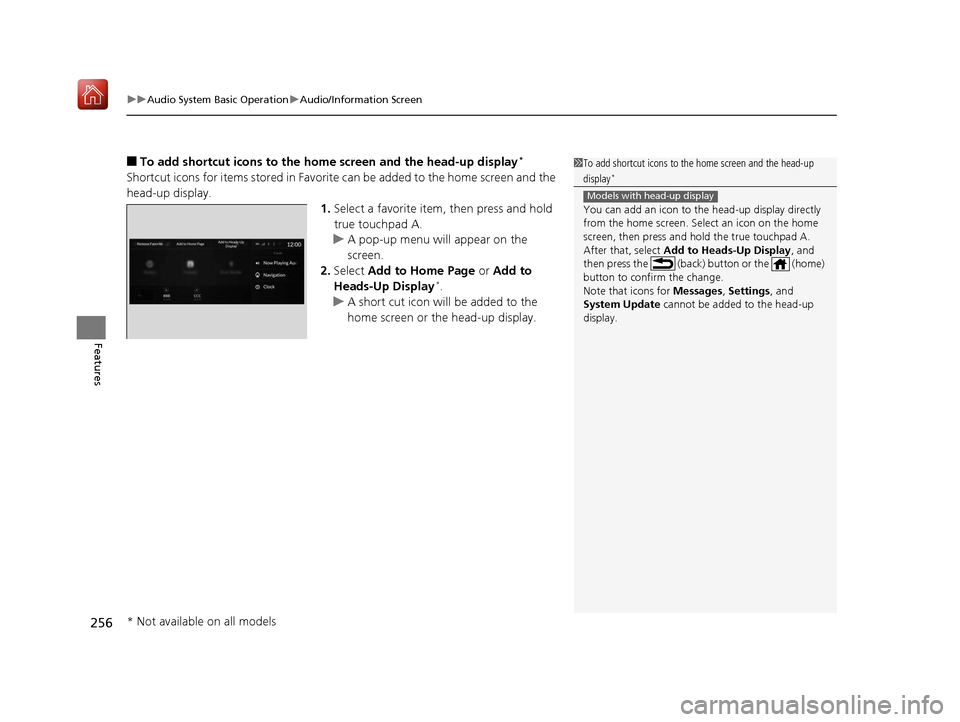
1.Select a favorite item, then press and hold
true touchpad A.
u A pop-up menu will appear on the
screen.
2. Select Add to Home Page or Add to
Heads-Up Display
*.
u A short cut icon will be added to the
home screen or the head-up display.
1To add shortcut icons to the home screen and the head-up
display*
You can add an icon to the head-up display directly
from the home screen. Select an icon on the home
screen, then press and hold the true touchpad A.
After that, select Add to Heads-Up Display , and
then press the (back) button or the (home)
button to confirm the change.
Note that icons for Messages, Settings, and
System Update cannot be added to the head-up
display.
Models with head-up display
* Not available on all models
19 ACURA RDX-31TJB6000.book 256 ページ 2018年4月26日 木曜日 午後4時51分
Page 258 of 649
Continued257
uuAudio System Basic Operation uAudio/Information Screen
Features
■To move icons on the home screen
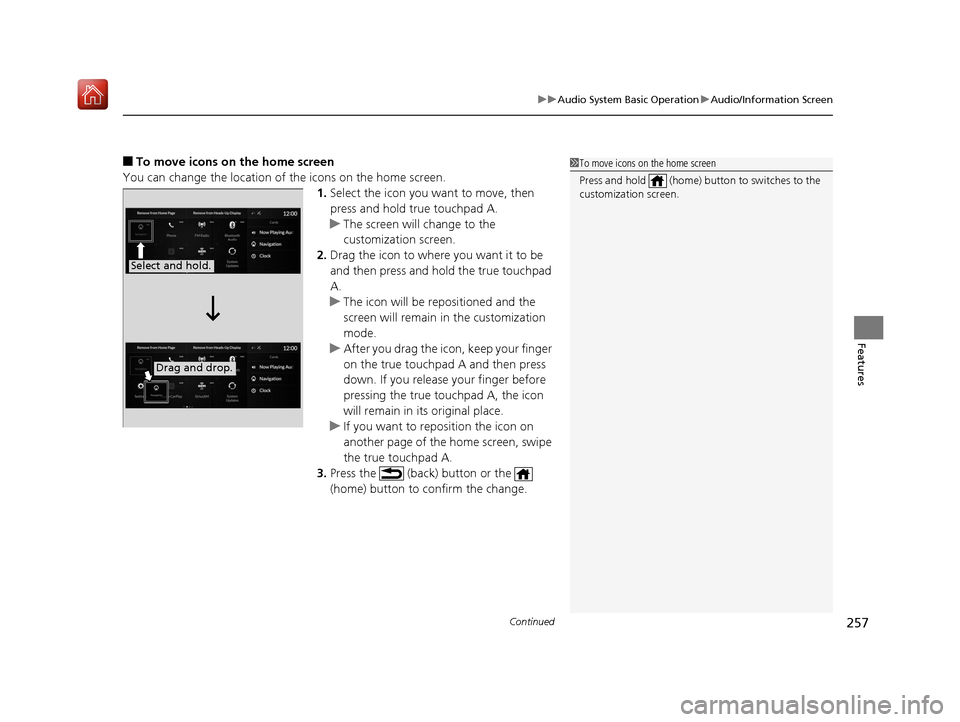
You can change the location of the icons on the home screen. 1.Select the icon you wa nt to move, then
press and hold true touchpad A.
u The screen will change to the
customization screen.
2. Drag the icon to where you want it to be
and then press and hold the true touchpad
A.
u The icon will be repositioned and the
screen will remain in the customization
mode.
u After you drag the icon, keep your finger
on the true touchpad A and then press
down. If you release your finger before
pressing the true touchpad A, the icon
will remain in its original place.
u If you want to reposition the icon on
another page of the home screen, swipe
the true touchpad A.
3. Press the (back) button or the
(home) button to confirm the change.1To move icons on the home screen
Press and hold (home) button to switches to the
customization screen.
Select and hold.
Drag and drop.
19 ACURA RDX-31TJB6000.book 257 ページ 2018年4月26日 木曜日 午後4時51分
Page 259 of 649
uuAudio System Basic Operation uAudio/Information Screen
258
Features
■To remove icons from the home screen and the head-up display*
You can remove icons from the home screen and the head-up display.
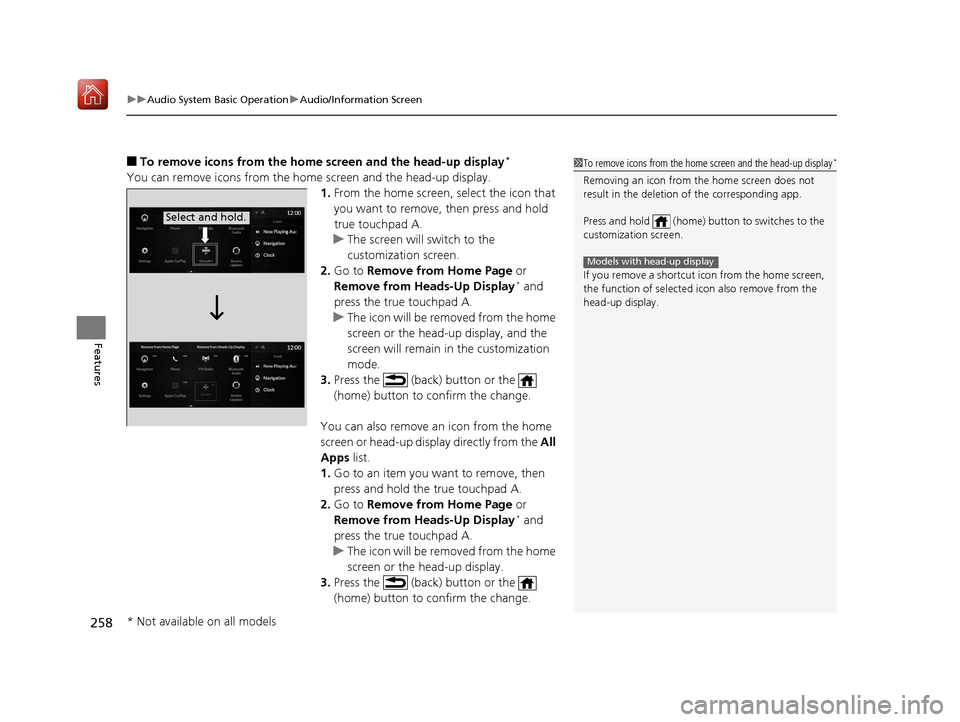
1.From the home screen, select the icon that
you want to remove, then press and hold
true touchpad A.
u The screen will switch to the
customization screen.
2. Go to Remove from Home Page or
Remove from Heads-Up Display
* and
press the true touchpad A.
u The icon will be removed from the home
screen or the head-up display, and the
screen will remain in the customization
mode.
3. Press the (back) button or the
(home) button to confirm the change.
You can also remove an icon from the home
screen or head-up display directly from the All
Apps list.
1. Go to an item you want to remove, then
press and hold the true touchpad A.
2. Go to Remove from Home Page or
Remove from Heads-Up Display
* and
press the true touchpad A.
u The icon will be removed from the home
screen or the head-up display.
3. Press the (back) button or the
(home) button to confirm the change.
1To remove icons from the home screen and the head-up display*
Removing an icon from the home screen does not
result in the deletion of the corresponding app.
Press and hold (home) button to switches to the
customization screen.
If you remove a shortcut icon from the home screen,
the function of selected icon also remove from the
head-up display.
Models with head-up display
Select and hold.
* Not available on all models
19 ACURA RDX-31TJB6000.book 258 ページ 2018年4月26日 木曜日 午後4時51分
Page 264 of 649
263
uuAudio System Basic Operation uSystem Updates
Continued
Features
System Updates
The audio system’s firmware can be updated with the telematics control unit (TCU)
through the subscrip tion-based service.
■Wireless connection mode setup
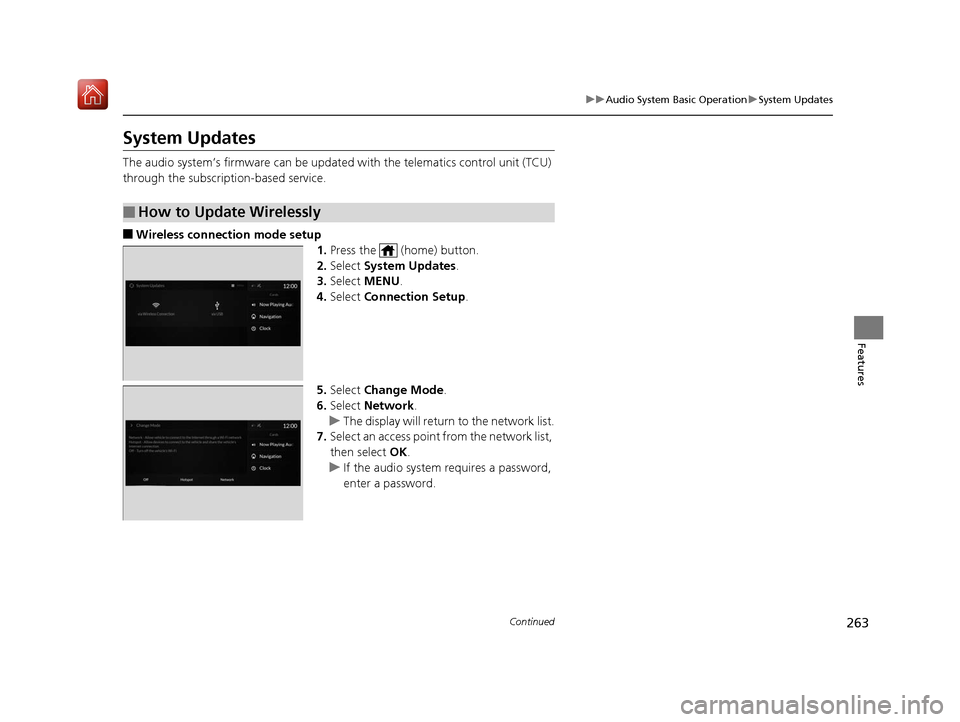
1.Press the (home) button.
2. Select System Updates .
3. Select MENU .
4. Select Connection Setup.
5. Select Change Mode .
6. Select Network .
u The display will return to the network list.
7. Select an access point from the network list,
then select OK.
u If the audio system requires a password,
enter a password.
■How to Update Wirelessly
19 ACURA RDX-31TJB6000.book 263 ページ 2018年4月26日 木曜日 午後4時51分
Page 267 of 649
266
uuAudio System Basic Operation uSystem Updates
Features
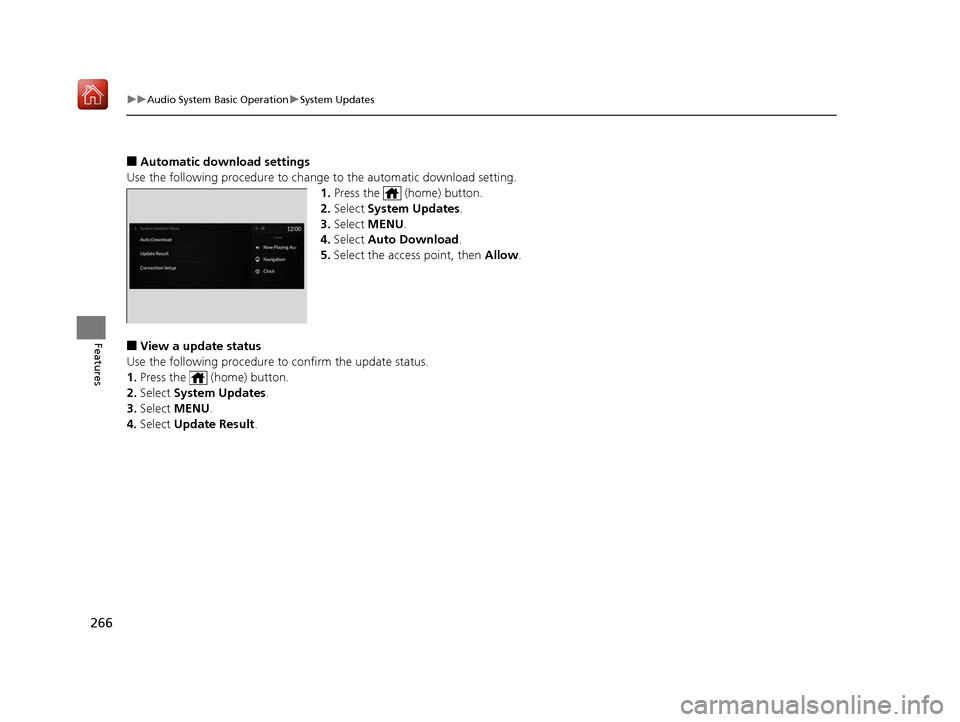
■Automatic download settings
Use the following procedure to change to the automatic download setting.
1. Press the (home) button.
2. Select System Updates .
3. Select MENU .
4. Select Auto Download .
5. Select the access point, then Allow .
■View a update status
Use the following procedure to confirm the update status.
1. Press the (home) button.
2. Select System Updates .
3. Select MENU .
4. Select Update Result .
19 ACURA RDX-31TJB6000.book 266 ページ 2018年4月26日 木曜日 午後4時51分
Page 270 of 649
269
uuAudio System Basic Operation uAdjusting the Sound
Features
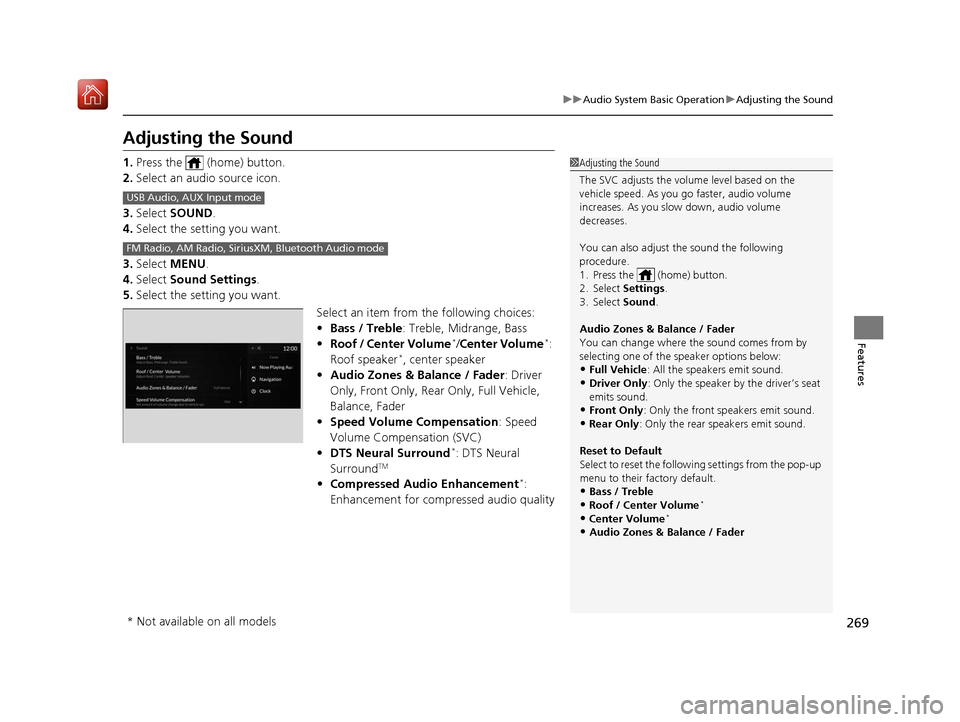
Adjusting the Sound
1. Press the (home) button.
2. Select an audio source icon.
3. Select SOUND.
4. Select the setting you want.
3. Select MENU .
4. Select Sound Settings.
5. Select the setting you want.
Select an item from the following choices:
•Bass / Treble : Treble, Midrange, Bass
• Roof / Center Volume
*/Center Volume*:
Roof speaker*, center speaker
• Audio Zones & Balance / Fader : Driver
Only, Front Only, Rear Only, Full Vehicle,
Balance, Fader
• Speed Volume Compensation : Speed
Volume Compensation (SVC)
• DTS Neural Surround
*: DTS Neural
SurroundTM
• Compressed Audio Enhancement*:
Enhancement for compressed audio quality
1 Adjusting the Sound
The SVC adjusts the volume level based on the
vehicle speed. As you go faster, audio volume
increases. As you slow down, audio volume
decreases.
You can also adjust the sound the following
procedure.
1. Press the (home) button.
2. Select Settings .
3. Select Sound.
Audio Zones & Balance / Fader
You can change where the sound comes from by
selecting one of the speaker options below:
•Full Vehicle: All the speakers emit sound. •Driver Only: Only the speaker by the driver’s seat
emits sound.
•Front Only : Only the front speakers emit sound.•Rear Only: Only the rear speakers emit sound.
Reset to Default
Select to reset the follow ing settings from the pop-up
menu to their factory default.
•Bass / Treble•Roof / Center Volume*
•Center Volume*
•Audio Zones & Balance / Fader
USB Audio, AUX Input mode
FM Radio, AM Radio, Siri usXM, Bluetooth Audio mode
* Not available on all models
19 ACURA RDX-31TJB6000.book 269 ページ 2018年4月26日 木曜日 午後4時51分
Page 271 of 649
270
uuAudio System Basic Operation uDisplay Setup
Features
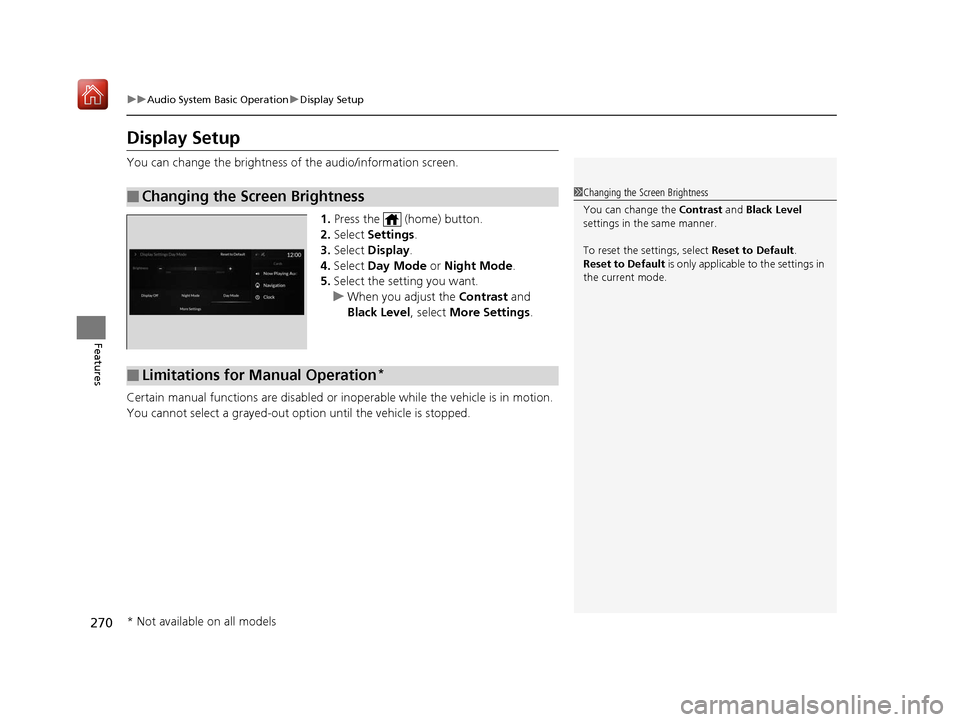
Display Setup
You can change the brightness of the audio/information screen.
1.Press the (home) button.
2. Select Settings .
3. Select Display .
4. Select Day Mode or Night Mode .
5. Select the setting you want.
u When you adjust the Contrast and
Black Level , select More Settings .
Certain manual functions are disabled or inoperable while the vehicle is in motion.
You cannot select a grayed-out option until the vehicle is stopped.
■Changing the Screen Brightness1 Changing the Screen Brightness
You can change the Contrast and Black Level
settings in the same manner.
To reset the settings, select Reset to Default.
Reset to Default is only applicable to the settings in
the current mode.
■Limitations for Manual Operation*
* Not available on all models
19 ACURA RDX-31TJB6000.book 270 ページ 2018年4月26日 木曜日 午後4時51分
Page 272 of 649
271
uuAudio System Basic Operation uVoice Control Operation
Continued
Features
Voice Control Operation
Your vehicle has a voice control syst em that allows hands-free operation.
The voice control system uses the (tal k) and (back) buttons on the steering
wheel and a microphone near the map lights on the ceiling.
To achieve optimum voice recognition when using the voice control system:
• The system recognize a natural langua ge and accept your free form voice
command.
An example of voice commands:
2 Voice Recognition Screen P. 272
•Close the windows and panoramic roof.
• Adjust the dashboard and side vents so air does not blow onto the microphone
on the ceiling.
• Speak clearly in a clear, natural speaking voice without pausing between words.
• Reduce any background noise if possible. The system may misinterpret your
command if more than one person is speaking at the same time.
■Voice Recognition
1Voice Control Operation
When you press the button, the system beeps and
the display changes to the voice recognition screen.
Press the (home) button, (back) button on
the true touchpad or APPS button on the steering
wheel to cancel a voice recognition function.
19 ACURA RDX-31TJB6000.book 271 ページ 2018年4月26日 木曜日 午後4時51分
Page 277 of 649
uuAudio System Basic Operation uPlaying AM/FM Radio
276
Features
Lists the strongest stations on the selected band.
1. Select Station List to display a list.
2. Select the station.
■Manual update
Updates your available station list at any time.
1. Select Station List to display a list.
2. Select Refresh .
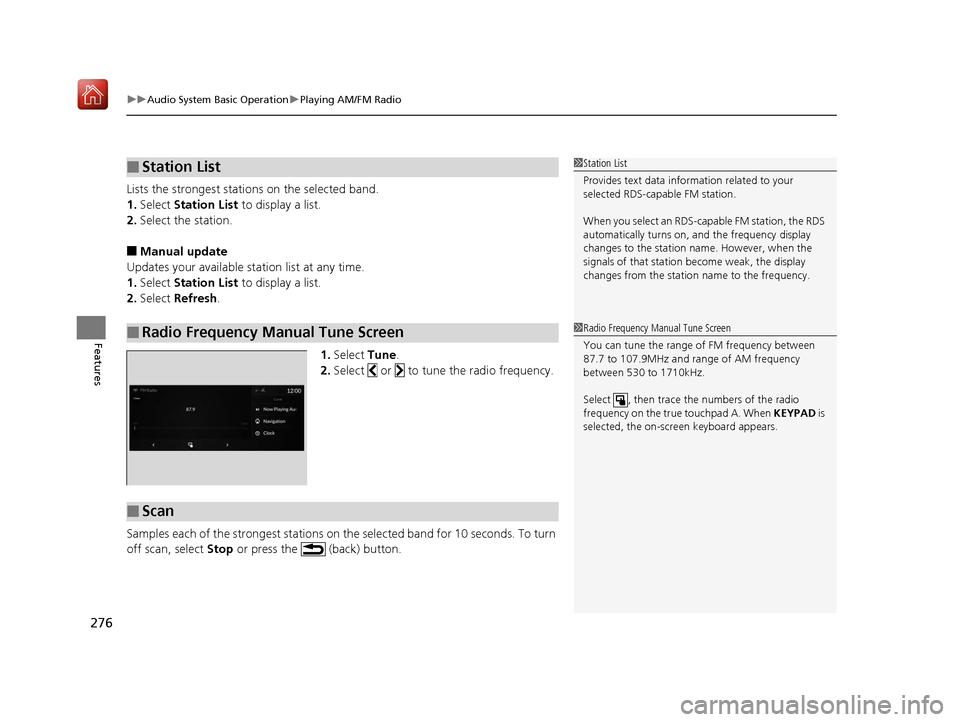
1.Select Tune.
2. Select or to tune the radio frequency.
Samples each of the strongest stations on the selected band for 10 seconds. To turn
off scan, select Stop or press the (back) button.
■Station List
■Radio Frequency Manual Tune Screen
1Station List
Provides text data information related to your
selected RDS-capable FM station.
When you select an RDS-capable FM station, the RDS
automatically turns on, and the frequency display
changes to the station name. However, when the
signals of that station become weak, the display
changes from the statio n name to the frequency.
1Radio Frequency Manual Tune Screen
You can tune the range of FM frequency between
87.7 to 107.9MHz and range of AM frequency
between 530 to 1710kHz.
Select , then trace the numbers of the radio
frequency on the true touchpad A. When KEYPAD is
selected, the on-scre en keyboard appears.
■Scan
19 ACURA RDX-31TJB6000.book 276 ページ 2018年4月26日 木曜日 午後4時51分
Page 278 of 649
277
uuAudio System Basic Operation uPlaying AM/FM Radio
Features
Displays the subchannel list when an HD RadioTM station is selected while listening to
an FM station.
1. Select icon.
2. Select the channel number.
Change the AM/FM settings.
1. Select MENU .
2. Select HD Radio Setting .
3. Select Automatic or Analog Only .
■HD Subchannel
■AM/FM Settings
19 ACURA RDX-31TJB6000.book 277 ページ 2018年4月26日 木曜日 午後4時51分