Econ Acura RDX 2019 Manual PDF
[x] Cancel search | Manufacturer: ACURA, Model Year: 2019, Model line: RDX, Model: Acura RDX 2019Pages: 649, PDF Size: 33 MB
Page 240 of 649
239
uuAudio System uUSB Ports
Continued
Features
USB Ports
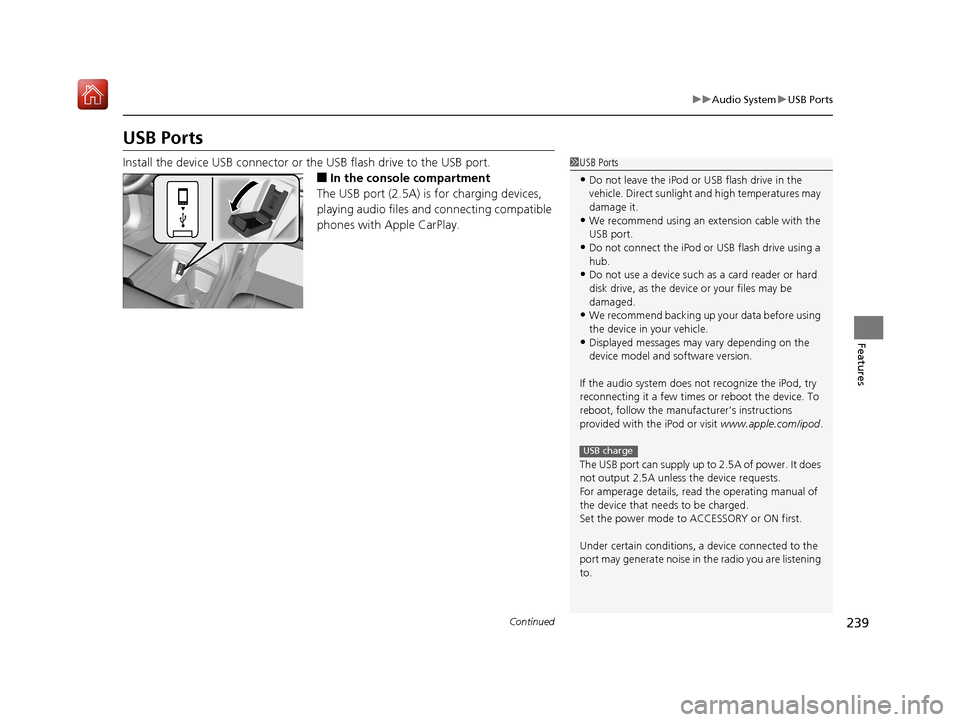
Install the device USB connector or the USB flash drive to the USB port.
■In the consol e compartment
The USB port (2.5A) is for charging devices,
playing audio files and connecting compatible
phones with Apple CarPlay.
1 USB Ports
•Do not leave the iPod or USB flash drive in the
vehicle. Direct sunlight and high temperatures may
damage it.
•We recommend using an extension cable with the
USB port.
•Do not connect the iPod or USB flash drive using a
hub.
•Do not use a device such as a card reader or hard
disk drive, as the device or your files may be
damaged.
•We recommend backing up yo ur data before using
the device in your vehicle.
•Displayed messages may vary depending on the
device model and software version.
If the audio system does not recognize the iPod, try
reconnecting it a few times or reboot the device. To
reboot, follow the manufac turer’s instructions
provided with the iPod or visit www.apple.com/ipod.
The USB port can supply up to 2.5A of power. It does
not output 2.5A unless the device requests.
For amperage details, read the operating manual of
the device that ne eds to be charged.
Set the power mode to ACCESSORY or ON first.
Under certain condi tions, a device connected to the
port may generate noise in the radio you are listening
to.
USB charge
19 ACURA RDX-31TJB6000.book 239 ページ 2018年4月26日 木曜日 午後4時51分
Page 243 of 649
242
uuAudio System uAudio System Theft Protection
Features
Audio System Theft Protection
The audio system is disabled when it is di sconnected from the power source, such as
when the battery is disconnected or goes dead. In certain conditions, the system
may display a code entry screen. If this occurs, reactivate the audio system.
■Reactivating the audio system
1. Set the power mode to ON.
2. Turn on the audio system.
3. Press and hold the audio system power knob for more than two seconds.
u The audio system is reac tivated when the audio co ntrol unit establishes a
connection with the vehicle control unit. If the control unit fails to recognize
the audio unit, you must go to a dealer and have the audio unit checked.
19 ACURA RDX-31TJB6000.book 242 ページ 2018年4月26日 木曜日 午後4時51分
Page 246 of 649
245
Features
Audio System Basic Operation
You can use the audio system for 30 minutes when the power mode to VEHICLE OFF
(LOCK) with the driver’s door closed, the system will then turn off automatically.
If you want to keep using it, we recomme nd that you turn the power mode to
ACCESSORY or ON.
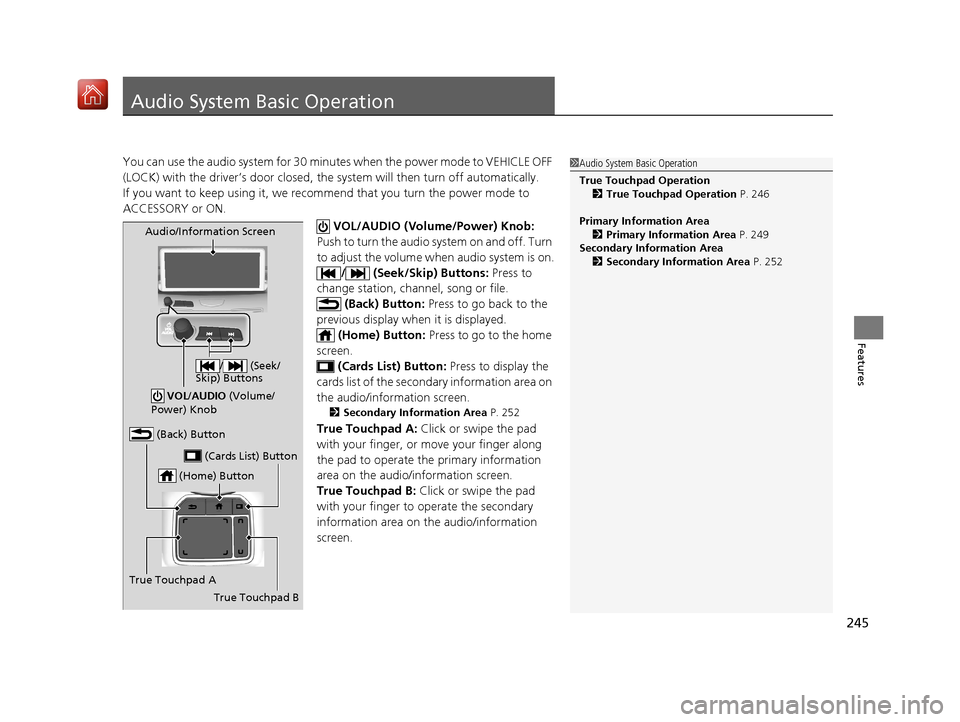
VOL/AUDIO (Volume/Power) Knob:
Push to turn the audio sy stem on and off. Turn
to adjust the volume wh en audio system is on.
/ (Seek/Skip) Buttons: Press to
change station, channel, song or file.
(Back) Button: Press to go back to the
previous display when it is displayed. (Home) Button: Press to go to the home
screen. (Cards List) Button: Press to display the
cards list of the secondary information area on
the audio/information screen.
2 Secondary Information Area P. 252
True Touchpad A: Click or swipe the pad
with your finger, or move your finger along
the pad to operate the primary information
area on the audio/information screen.
True Touchpad B: Click or swipe the pad
with your finger to operate the secondary
information area on the audio/information
screen.
1 Audio System Basic Operation
True Touchpad Operation
2 True Touchpad Operation P. 246
Primary Information Area 2 Primary Information Area P. 249
Secondary Information Area 2 Secondary Information Area P. 252
(Home) Button
(Back) Button
True Touchpad A (Cards List) Button
Audio/Information Screen
/ (Seek/
Skip) Buttons
VOL /AUDIO (Volume/
Power) Knob
True Touchpad B
19 ACURA RDX-31TJB6000.book 245 ページ 2018年4月26日 木曜日 午後4時51分
Page 249 of 649
248
uuAudio System Basic Operation uTrue Touchpad Operation
Features
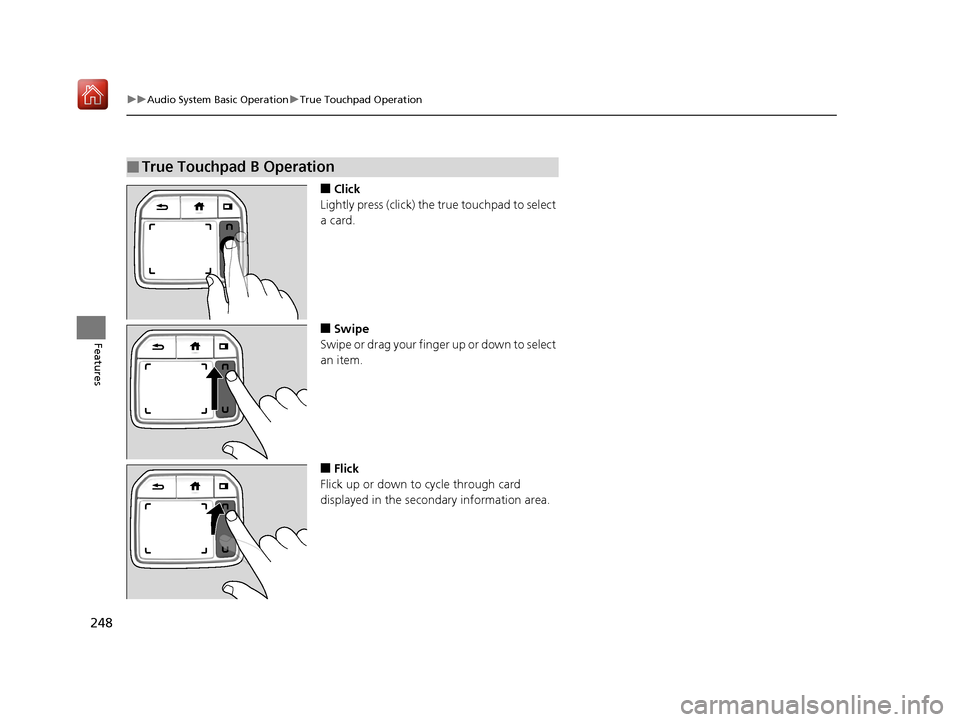
■Click
Lightly press (click) the true touchpad to select
a card.
■Swipe
Swipe or drag your finger up or down to select
an item.
■Flick
Flick up or down to cycle through card
displayed in the secondary information area.
■True Touchpad B Operation
19 ACURA RDX-31TJB6000.book 248 ページ 2018年4月26日 木曜日 午後4時51分
Page 253 of 649
uuAudio System Basic Operation uAudio/Information Screen
252
Features
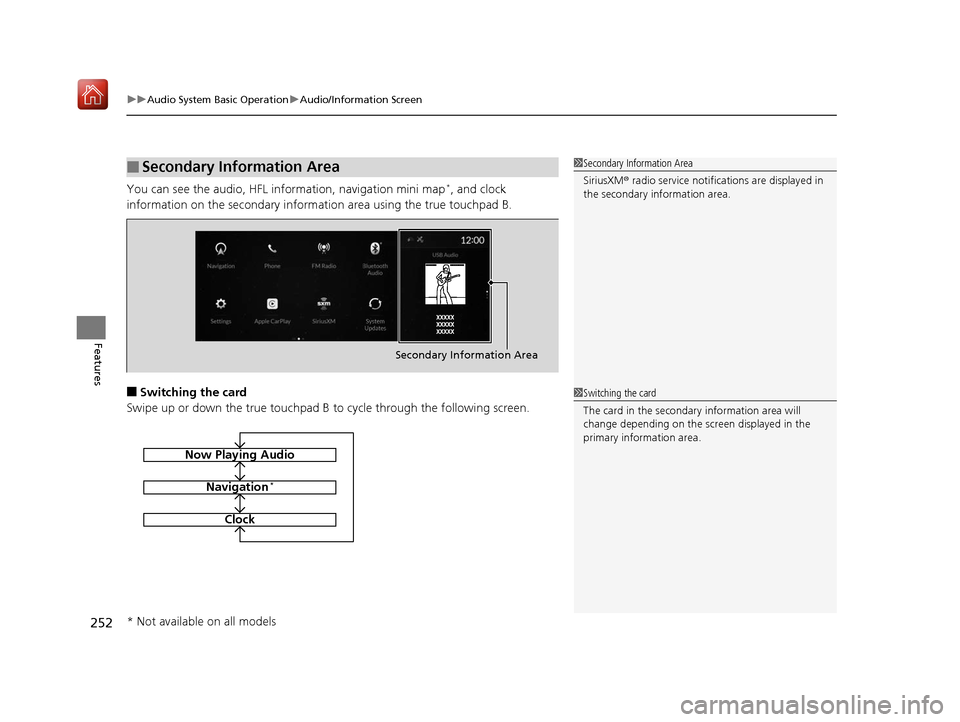
You can see the audio, HFL information, navigation mini map*, and clock
information on the secondary information area using the true touchpad B.
■Switching the card
Swipe up or down the true touchpad B to cycle through the following screen.
■Secondary Information Area1Secondary Information Area
SiriusXM ® radio service notifications are displayed in
the secondary information area.
Secondary Information Area
1 Switching the card
The card in the secondary information area will
change depending on the sc reen displayed in the
primary information area.
Now Playing Audio
Navigation*
Clock
* Not available on all models
19 ACURA RDX-31TJB6000.book 252 ページ 2018年4月26日 木曜日 午後4時51分
Page 277 of 649
uuAudio System Basic Operation uPlaying AM/FM Radio
276
Features
Lists the strongest stations on the selected band.
1. Select Station List to display a list.
2. Select the station.
■Manual update
Updates your available station list at any time.
1. Select Station List to display a list.
2. Select Refresh .
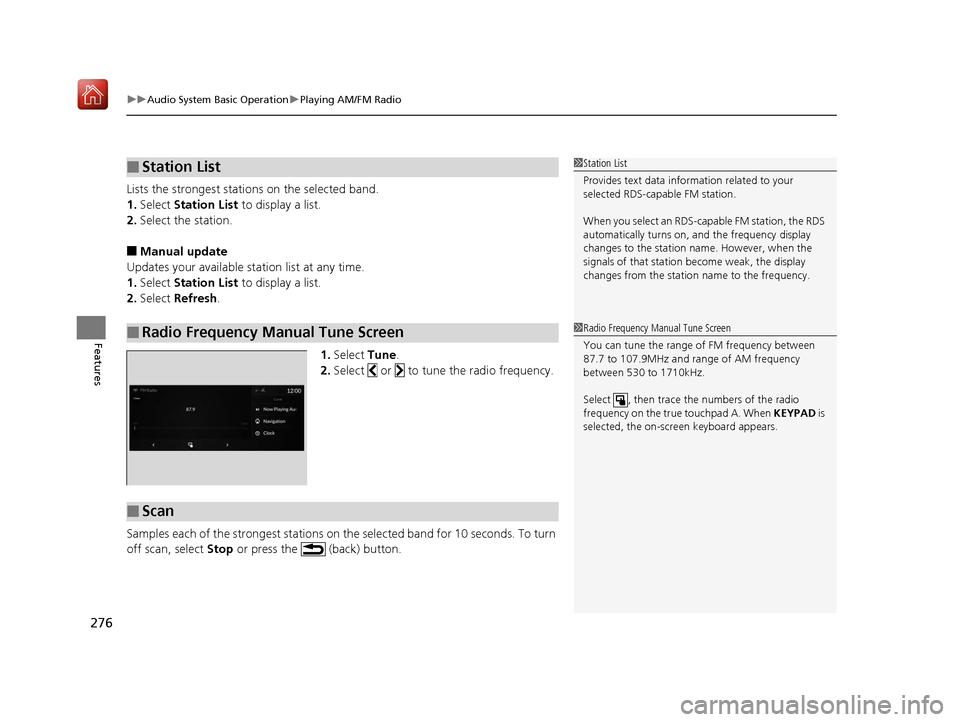
1.Select Tune.
2. Select or to tune the radio frequency.
Samples each of the strongest stations on the selected band for 10 seconds. To turn
off scan, select Stop or press the (back) button.
■Station List
■Radio Frequency Manual Tune Screen
1Station List
Provides text data information related to your
selected RDS-capable FM station.
When you select an RDS-capable FM station, the RDS
automatically turns on, and the frequency display
changes to the station name. However, when the
signals of that station become weak, the display
changes from the statio n name to the frequency.
1Radio Frequency Manual Tune Screen
You can tune the range of FM frequency between
87.7 to 107.9MHz and range of AM frequency
between 530 to 1710kHz.
Select , then trace the numbers of the radio
frequency on the true touchpad A. When KEYPAD is
selected, the on-scre en keyboard appears.
■Scan
19 ACURA RDX-31TJB6000.book 276 ページ 2018年4月26日 木曜日 午後4時51分
Page 286 of 649
Continued285
uuAudio System Basic Operation uPlaying SiriusXM ® Radio
Features
You can receive a sports channel notificati on when registered sports team start
playing.
■To set up a game start notification
1. Select MENU .
2. Select SiriusXM Settings.
3. Select Sports Notification Setup .
4. Select Game Notifications .
5. Select On.
■Receiving a game start notification
1. A pop-up appears on the secondary inform ation area and notifies you of a game
start notification.
2. Select the system status area then press the true touchpad B.
u The status items appear on the primary information area.
3. Select a SiriusXM ® notification item using true touchpad A to see the details.
■Game Start Notification1Game Start Notification
Before receiving a game start notification, register a
favorite sports team.
2 To set up a favorite team P. 284
19 ACURA RDX-31TJB6000.book 285 ページ 2018年4月26日 木曜日 午後4時51分
Page 287 of 649
uuAudio System Basic Operation uPlaying SiriusXM ® Radio
286
Features
You can receive traffic and weather information.
1. Select MENU .
2. Select SiriusXM Settings .
3. Select Traffic & Weather Setup .
4. Select Selected City .
5. Select the region.
■Receiving a traffic and weather information
1. A pop-up will appear in the secondary information area to notify you that new
traffic and weather information is available.
2. Select the system status area, then press true touchpad B.
u The status area will appear in the primary information area.
3. To see the details, select an item using true touchpad A.
u The traffic and weather information will appear in the secondary information
area.
u Select Keep Listening to continue receiving traffic and weather information.
u Select Return to (function name) to stop viewing traffic and weather
information.
■Traffic and Weather Information1 Traffic and Weather Information
When traffic and weather information is received, a
notification is displayed in the secondary information
area.
2 Secondary Information Area P. 252
19 ACURA RDX-31TJB6000.book 286 ページ 2018年4月26日 木曜日 午後4時51分
Page 290 of 649
Continued289
uuAudio System Basic Operation uPlaying SiriusXM ® Radio
Features
Sample each channel on the selected mode for 10 seconds.
1. Select More.
2. Select Scan.
You can change a scan mode by the following procedure.
1. Select MENU .
2. Select SiriusXM Settings.
3. Select Scan Mode .
4. Select Channels or Favorites.
To turn off scan, select Stop.
■Scan1Scan
The favorites scan func tion is based on TuneScan
TM
technology of SiriusXM ®.
The “Featured Channels ” function is based on
Featured Favorites
TM technology of SiriusXM ®.
TuneScan
TM and Featured FavoritesTM are registered
trademarks of SiriusXM ® Radio, Inc.
19 ACURA RDX-31TJB6000.book 289 ページ 2018年4月26日 木曜日 午後4時51分
Page 293 of 649
uuAudio System Basic Operation uPlaying an iPod
292
Features
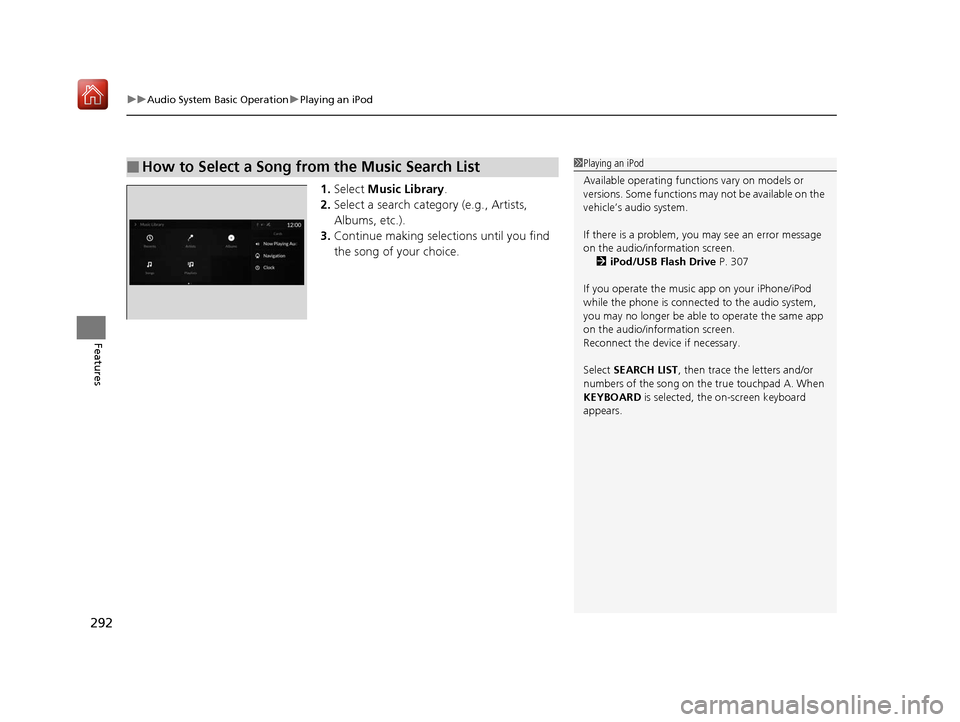
1. Select Music Library.
2. Select a search catego ry (e.g., Artists,
Albums, etc.).
3. Continue making selections until you find
the song of your choice.
■How to Select a Song from the Music Search List1Playing an iPod
Available operating functi ons vary on models or
versions. Some functions ma y not be available on the
vehicle’s audio system.
If there is a problem, you may see an error message
on the audio/information screen. 2 iPod/USB Flash Drive P. 307
If you operate the musi c app on your iPhone/iPod
while the phone is connected to the audio system,
you may no longer be able to operate the same app
on the audio/information screen.
Reconnect the devi ce if necessary.
Select SEARCH LIST , then trace the letters and/or
numbers of the song on the true touchpad A. When
KEYBOARD is selected, the on-screen keyboard
appears.
19 ACURA RDX-31TJB6000.book 292 ページ 2018年4月26日 木曜日 午後4時51分