on mode Acura RDX 2020 Owner's Manual
[x] Cancel search | Manufacturer: ACURA, Model Year: 2020, Model line: RDX, Model: Acura RDX 2020Pages: 657, PDF Size: 33.2 MB
Page 430 of 657
429
uuWhen Driving uIntegrated Dynamics System
Driving
When the power mode is turned off, the driv e mode that the vehicle was in is registered with the vehicle. When the vehicle is driven the
next time, it detects which remote transmitt er is being used and then reactivates or changes the drive mode that the vehicle wa s in the last
time the same transmitter was used.
• If Comfort mode or Sport mode was previously registered, Comfort mode or Sport mode will be reactivated.
• If Snow mode was previously registered, the drive mode will be changed to Comfort mode.
• If Sport+ mode was previously registered, th e drive mode will be changed to Sport mode.
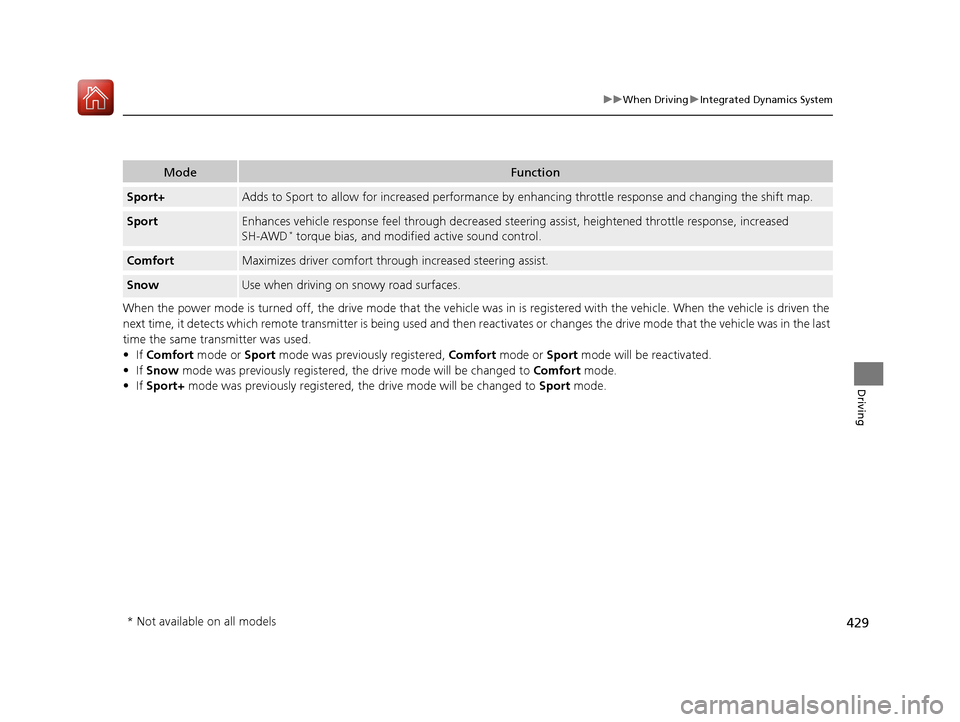
ModeFunction
Sport+Adds to Sport to allow for increased performance by enhancing throttle response and changing the shift map.
SportEnhances vehicle response feel thr ough decreased steering assist, height ened throttle response, increased
SH-AWD* torque bias, and modifi ed active sound control.
ComfortMaximizes driver comfort thro ugh increased steering assist.
SnowUse when driving on snowy road surfaces.
* Not available on all models
20 ACURA RDX-31TJB6111.book 429 ページ 2020年2月11日 火曜日 午後2時6分
Page 433 of 657
uuWhen Driving uAuto Idle Stop
432
Driving
The vehicle stops with the gear position in (D and the brake pedal depressed.
■Auto Idle Stop does not activate when:
• The Auto Idle Stop OFF button is pressed.
• The driver’s seat belt is not fastened.
• The engine coolant temperature is low or high.
• The transmission fluid temperature is low or high.
• The vehicle comes to a stop again befo re the vehicle speed reaches 3 mph (5
km/h) after the engine starts.
• Stopped on a steep incline.
• The transmission is in a position other than
(D.
• The engine is started with the hood open.
u Turn off the engine. Close the hood before you restart the engine to activate
Auto Idle Stop.
• The battery charge is low.
• The internal temperature of the ba ttery is 14°F (−10°C). or less.
• The climate control system is in use, an d the outside temperature is below −4°F
(−20°C) or over 104°F (40°C).
• The climate control system is in use, and the temperature is set to the Hi or Lo.
• is ON (indicator on).
• The dynamic mode is changed to Snow or Sport+ mode.
■Auto Idle Stop Activates When:1Auto Idle Stop Activates When:
Do not open the hood while the Auto Idle Stop
function is activated. If the hood is opened, the
engine will not re start automatically.
In this case, restart the engine with the ENGINE
START/STOP button.
2 Starting the Engine P. 413
When ACC with Low Speed Follow is in operation,
the vehicle stops without de pressing the brake pedal
and Auto Idle Stop may activate.
Pressing the ENGINE START/STOP button changes
the power mode to OFF even while Auto Idle Stop is
in operation. Once in O FF, the engine no longer
restarts automatically. Follow the standard procedure
to start the engine. 2 Starting the Engine P. 413
20 ACURA RDX-31TJB6111.book 432 ページ 2020年2月11日 火曜日 午後2時6分
Page 435 of 657
uuWhen Driving uAuto Idle Stop
434
Driving
• The brake pedal is released (without the automatic brake hold system activated).
• The accelerator pedal is depressed (with the automatic brake hold system
activated).
2 Automatic Brake Hold P. 497
■The engine restarts even if the brake pedal is depressed*1 when:
• The Auto Idle Stop OFF button is pressed.
• A steering wheel is operated.
• The transmission is put into
(R, (S, and (P, or taken out of (N and put into (D.
• The pressure on the brake pedal is redu ced and the vehicle starts moving while
stopped on an incline.
• The brake pedal is released slightly during a stop.
• The battery charge becomes low.
• The accelerator pedal is depressed.
• The driver’s seat belt is unlatched.
• is ON (indicator on).
• The climate control system is in us e, and the difference between the set
temperature and actual interior temperature becomes significant.
• The climate control system is bein g used to dehumidify the interior.
• The vehicle ahead of you starts again when your vehicle stops automatically with
ACC with Low Speed Follow.
• The dynamic mode is changed to Snow or Sport+ mode.
■The Engine Automatically Restarts When:1The Engine Automatically Restarts When:
If you are using an electroni c device during Auto Idle
Stop, the device may tempor arily be turned off when
the engine restarts.
1 The engine restarts even if the brake pedal is depressed*1 when:
*1: With the automatic brake hold system activated,
you can release the brake pe dal during Auto Idle Stop
is in operation.
If the automatic brake hold system has been turned
off, or if there is a problem with the system, the
engine will restart automatically when you release
the brake pedal. 2 Automatic Brake Hold P. 497
20 ACURA RDX-31TJB6111.book 434 ページ 2020年2月11日 火曜日 午後2時6分
Page 439 of 657
438
uuWhen Driving uAgile Handling Assist
Driving
Agile Handling Assist
Lightly brakes each of the front and rear wheels, as needed, when you turn the
steering wheel, and helps support the vehicle’s stability and performance during
cornering.
Lightly brakes the front wheel s, as needed, when you turn the steering wheel, and
helps support the vehicle’s stability and performance during cornering.
1 Agile Handling Assist
The agile handling assist ca nnot enhance stability in
all driving situations. You still need to drive and
corner at speeds appropriate for the conditions and
always leave a sufficient margin of safety.
When the VSA ® system indicator comes on and stays
on while driving, the agil e handling assist does not
activate.
You may hear a sound coming from the engine
compartment while the agile handling assist is
activated. This is normal.AWD models
2WD models
20 ACURA RDX-31TJB6111.book 438 ページ 2020年2月11日 火曜日 午後2時6分
Page 440 of 657
439
uuWhen Driving uSuper Handling-All Wheel DriveTM (SH-AWD ®)*
Driving
Super Handling-All Wheel DriveTM (SH-AWD ®)*
The system controls and trans fers varying amounts of engine torque to each wheel
in accordance with the driving conditions.
SH-AWD ® helps to enhance driving stability, and lets you handle situations like
slippery surfaces, such as snow, sand, mud, and steep hill, better than when driving
with two wheel drive. However, the system does not help to enhance braking. Be
precautious about the following:
• It is still your responsibility to drive sa fely when you steer, accelerate, and apply
brakes.
• Leave a sufficient margin when braking on slippery surfaces.1Super Handling-All Wheel DriveTM (SH-AWD ®)*
The SH-AWD ® system may not function properly if
tire type and size are mixed.
Make sure to use the same size and type of tire, and
the air pressures as specified. 2 Tire and Wheel Replacement P. 566
Do not continuously spin the front tires of your
vehicle. Continuously spinning the front tires can
cause damage to the transmission and SH-AWD ®
unit.
If the Super Handling-All Wheel Drive
TM (SH-AWD® )
indicator blinks while driving, it indicates the
differential temperature is too high. If this happens,
pull to the side of the road when it is safe, change the
gear position to
( P, and idle the engine until the
indicator goes out.
* Not available on all models
20 ACURA RDX-31TJB6111.book 439 ページ 2020年2月11日 火曜日 午後2時6分
Page 442 of 657
441
uuWhen Driving uTire Pressure Monitoring System (TPMS) with Tire Fill Assist
Driving
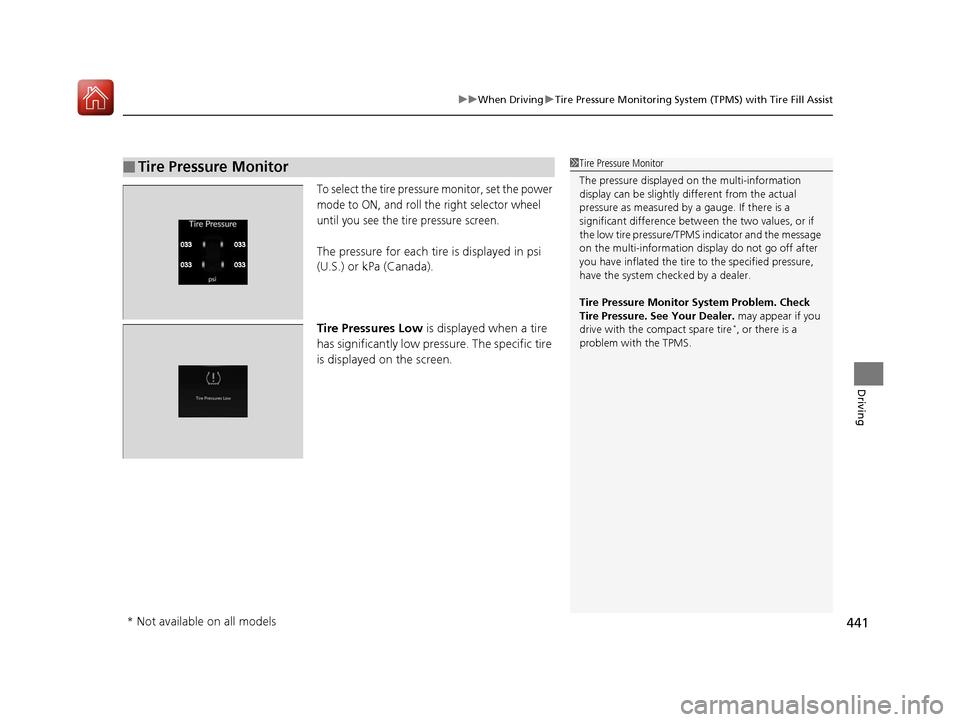
To select the tire pressure monitor, set the power
mode to ON, and roll the right selector wheel
until you see the tire pressure screen.
The pressure for each tire is displayed in psi
(U.S.) or kPa (Canada).
Tire Pressures Low is displayed when a tire
has significantly low pressure. The specific tire
is displayed on the screen.
■Tire Pressure Monitor1 Tire Pressure Monitor
The pressure displayed on the multi-information
display can be slightly different from the actual
pressure as measured by a gauge. If there is a
significant di fference between the two values, or if
the low tire pressure/TPMS indicator and the message
on the multi-information di splay do not go off after
you have inflated the tire to the specified pressure,
have the system checked by a dealer.
Tire Pressure Monitor System Problem. Check
Tire Pressure. See Your Dealer. may appear if you
drive with the compact spare tire
*, or there is a
problem with the TPMS.
* Not available on all models
20 ACURA RDX-31TJB6111.book 441 ページ 2020年2月11日 火曜日 午後2時6分
Page 445 of 657

444
uuWhen Driving uBlind spot information System*
Driving
Blind spot information System*
Is designed to detect vehicles in specified alert zones adjacent to your vehicle,
particularly in harder to see areas commonly known as “blind spots.”
When the system detects vehi cles approaching from behind in adjacent lanes, the
appropriate indicator comes on for a few se conds, providing assistance when you
change lanes.
■How the system works
1 Blind spot information System*
Important Safety Reminder
Like all assistance systems, blind spot information
system has limitations. Over reliance on blind spot
information system may result in a collision.
The blind spot information system alert indicator may
not come on under the following conditions:
•A vehicle does not stay in the alert zone for more
than two seconds.
•A vehicle is parked in a side lane.
•The speed difference betw een your vehicle and the
vehicle you are passing is greater than 6 mph (10
km/h).
•An object not detected by the radar sensors
approaches or passes your vehicle.
•A vehicle running in the adjacent lane is a
motorcycle or other small vehicle.
3WARNING
Failure to visually confirm that it is safe to
change lanes before doing so may result in
a crash and serious injury or death.
Do not rely only on the blind spot
information system wh en changing lanes.
Always look in your mi rrors, to either side
of your vehicle, and behind you for other
vehicles before changing lanes.
●The transmission is in
( D or (S.●Your vehicle speed is
between 20 mph (32
km/h) and 100 mph
(160 km/h)
Alert zone range
A: Approx. 1.6 ft. (0.5 m)
B: Approx. 10 ft. (3 m)
C: Approx. 10 ft. (3 m) Radar Sensors:
underneath the
rear bumper
corners
Alert Zone
A
B
C
* Not available on all models
20 ACURA RDX-31TJB6111.book 444 ページ 2020年2月11日 火曜日 午後2時6分
Page 446 of 657

Continued445
uuWhen Driving uBlind spot information System*
Driving
■When the system detects a vehicle
Blind spot information System Alert Indicator:
Located near the pillar on both sides.
Comes on when:
•A vehicle enters the alert zone from behind
to overtake you with a speed difference of
no more than 31 mph (50 km/h) from your
vehicle.
• You pass a vehicle with a speed difference
of no more than 12 mph (20 km/h).
Blinks and a beeper sounds when:
You move the turn signal lever in the direction
of the detected vehicle. The beeper sounds
three times.1 Blind spot information System*
The system is for your convenience only. Even if an
object is within the alert zone, the following
situations may occur.
•The blind spot informatio n system alert indicator
may not come on due to obstruction (splashes,
etc.) even without the Blind Spot Information
System Not Available multi-information display
appearing.
•The blind spot informatio n system alert indicator
may come on even with the message appearing.
The system does not operate when in
( R.
You can turn off the audible al ert, or all the blind spot
information system alert using the audio/information
screen. 2 Customized Features P. 335
Turn the system off when towing a trailer.
The system may not work properly for the following
reasons:
•The added mass tilts the vehicle and changes the
radar coverage.
•The trailer itself can be detected by the radar
sensors, causing the blind spot information system
alert indicators to come on.
Comes On
Blinks
Blind spot information
System Alert Indicator
* Not available on all models
20 ACURA RDX-31TJB6111.book 445 ページ 2020年2月11日 火曜日 午後2時6分
Page 447 of 657

uuWhen Driving uBlind spot information System*
446
Driving
1Blind spot information System*
Blind spot information sy stem may be adversely
affected when:
•Objects (guard rails, poles, trees, etc,.) are
detected.
•An object that does not re flect radio waves well,
such as a motorcycle, is in the alert zone.
•Driving on a curved road.•A vehicle is moving from a far lane to the adjacent
lane.
•The system picks up external electrical interference.•The rear bumper or the sens ors have been improperly
repaired or the rear bu mper has been deformed.
•The orientation of the sensors has been changed.•In bad weather (Heavy rain, snow, and fog).
For a proper blind spot in formation system operation:
•Always keep the rear bumper corner area clean.
•Do not cover the rear bumper corner area with
labels or stickers of any kind.
•Take your vehicle to a dealer if you need the rear
bumper corner area or the radar sensors to be
repaired, or the re ar bumper corner area is strongly
impacted.
* Not available on all models
20 ACURA RDX-31TJB6111.book 446 ページ 2020年2月11日 火曜日 午後2時6分
Page 449 of 657
448
uuAcuraWatchTMu
Driving
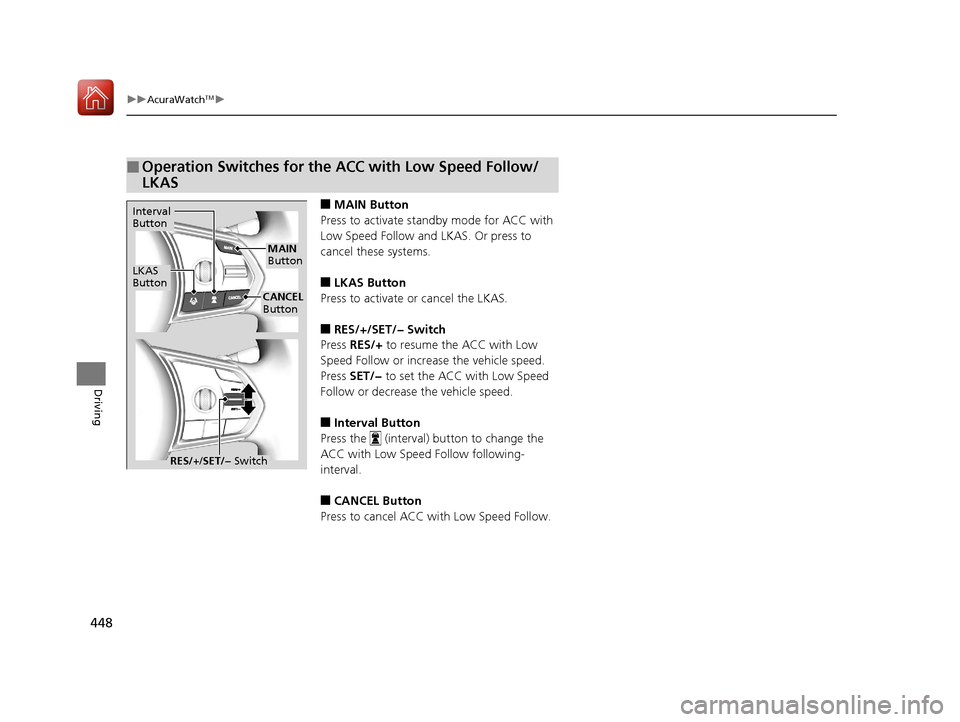
■MAIN Button
Press to activate standby mode for ACC with
Low Speed Follow and LKAS. Or press to
cancel these systems.
■LKAS Button
Press to activate or cancel the LKAS.
■RES/+/SET/− Switch
Press RES/+ to resume the ACC with Low
Speed Follow or increase the vehicle speed.
Press SET/− to set the ACC with Low Speed
Follow or decrease the vehicle speed.
■Interval Button
Press the (interval) button to change the
ACC with Low Speed Follow following-
interval.
■CANCEL Button
Press to cancel ACC with Low Speed Follow.
■Operation Switches for the ACC with Low Speed Follow/
LKAS
Interval
Button
LKAS
Button
MAIN
Button
CANCEL
Button
RES/+ /SET/− Switch
20 ACURA RDX-31TJB6111.book 448 ページ 2020年2月11日 火曜日 午後2時6分