on mode Acura RDX 2020 Owner's Manual
[x] Cancel search | Manufacturer: ACURA, Model Year: 2020, Model line: RDX, Model: Acura RDX 2020Pages: 657, PDF Size: 33.2 MB
Page 535 of 657
534
uuMaintenance MinderTMuTo Use Maintenance MinderTM
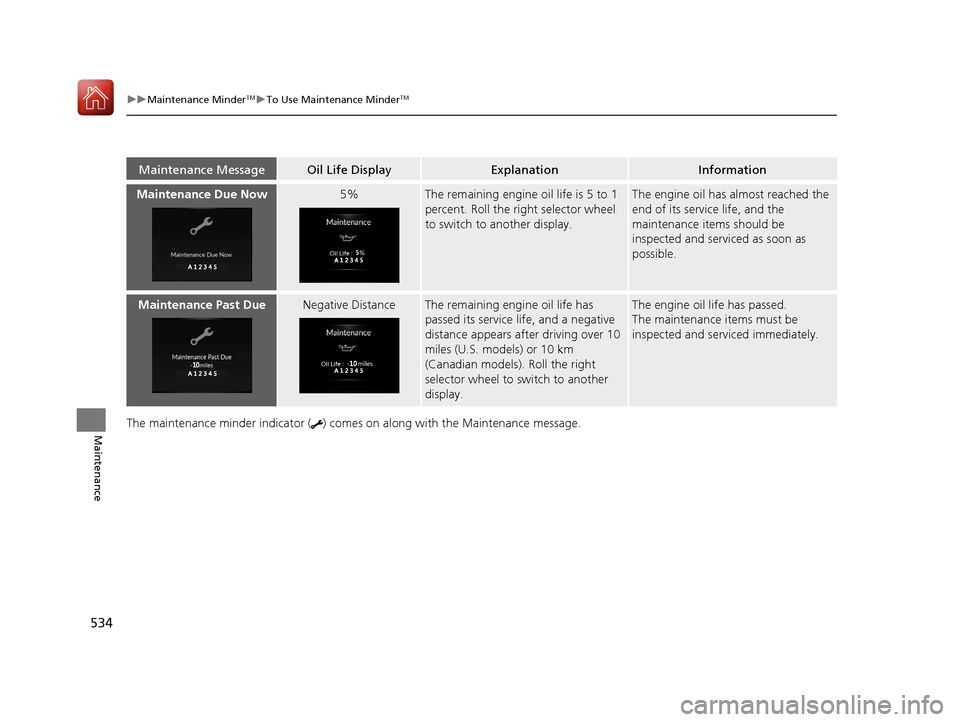
MaintenanceThe maintenance minder indicator ( ) come s on along with the Maintenance message.
Maintenance MessageOil Life DisplayExplanationInformation
Maintenance Due Now5%The remaining engine oil life is 5 to 1
percent. Roll the right selector wheel
to switch to another display.The engine oil has almost reached the
end of its service life, and the
maintenance items should be
inspected and serviced as soon as
possible.
Maintenance Past DueNegative DistanceThe remaining engine oil life has
passed its service life, and a negative
distance appears after driving over 10
miles (U.S. models) or 10 km
(Canadian models). Roll the right
selector wheel to switch to another
display.The engine oil life has passed.
The maintenance items must be
inspected and serviced immediately.
20 ACURA RDX-31TJB6111.book 534 ページ 2020年2月11日 火曜日 午後2時6分
Page 536 of 657
535
uuMaintenance MinderTMuTo Use Maintenance MinderTM
Continued
Maintenance
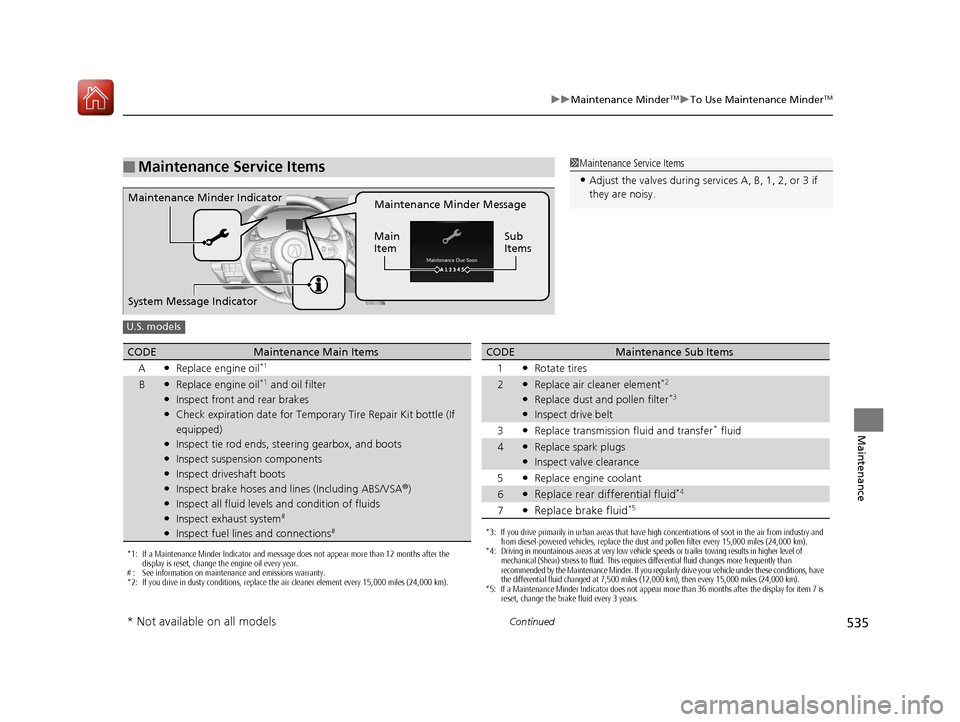
■Maintenance Service Items1Maintenance Service Items
•Adjust the valves during services A, B, 1, 2, or 3 if
they are noisy.
Maintenance Minder Message
Main
Item Sub
ItemsMaintenance Minder Indicator
System Message Indicator
U.S. models
*1: If a Maintenance Minder Indicator and message does not appear more than 12 months after the
display is reset, change the engine oil every year.
# : See information on maintenance and emissions warranty.
*2: If you drive in dusty conditions, replace the air cleaner element every 15,000 miles (24,000 km).
CODEMaintenance Main Items
A
●Replace engine oil*1
B●Replace engine oil*1 and oil filter●Inspect front and rear brakes●Check expiration date for Temporary Tire Repair Kit bottle (If
equipped)
●Inspect tie rod ends, steering gearbox, and boots●Inspect suspension components●Inspect driveshaft boots●Inspect brake hoses and lin es (Including ABS/VSA®)●Inspect all fluid levels and condition of fluids●Inspect exhaust system#
●Inspect fuel lines and connections#*3: If you drive primarily in urban areas that have high concentrations of soot in the air from industry and
from diesel-powered vehicles, replace the dust and pollen filter every 15,000 miles (24,000 km).
*4: Driving in mountainous areas at very low vehicle speeds or trailer towing results in higher level of
mechanical (Shear) stress to fluid. This requires differential fluid changes more frequently than
recommended by the Maintenance Minder. If you regularly drive your vehicle under these conditions, have
the differential fluid changed at 7,500 miles (12,000 km), then every 15,000 miles (24,000 km).
*5: If a Maintenance Minder Indicator does not appear more than 36 months after the display for item 7 is reset, change the brake fluid every 3 years.
CODEMaintenance Sub Items
1
●Rotate tires
2●Replace air cleaner element*2
●Replace dust and pollen filter*3
●Inspect drive belt
3
●Replace transmission fluid and transfer* fluid
4●Replace spark plugs●Inspect valve clearance
5
●Replace engine coolant
6●Replace rear differential fluid*4
7●Replace brake fluid*5
* Not available on all models
20 ACURA RDX-31TJB6111.book 535 ページ 2020年2月11日 火曜日 午後2時6分
Page 537 of 657
536
uuMaintenance MinderTMuTo Use Maintenance MinderTM
Maintenance
1Maintenance Service Items
•Adjust the valves during services A, 0, 9, 1, 2, or 3
if they are noisy.
Canadian models
*1: If a Maintenance Minder Indicator and message does not appear more than 12 months after the
display is reset, change the engine oil every year.
*2: If you drive in dusty conditions, replace every 24,000 km (15,000 miles).
*3: If you drive primarily in urban areas that have high concentrations of soot in the air from industry and
from diesel-powered vehicles, replace every 24,000 km (15,000 miles).
*4: Driving in mountainous areas at very low vehicle speeds or trailer towing results in higher level of mechanical (Shear) stress to fluid. This requires differential fluid changes more frequently than
recommended by the Maintenance Minder.
If you regularly drive your vehicle under these conditions, have the differential fluid changed at 12,000
km (7,500 miles), then every 24,000 km (15,000 miles).
*5: If a Maintenance Minder Indicator does not appear more than 36 months after the display for item 7 is reset, change the brake fluid every 3 years.
# : See information on maintenance and emissions warranty.
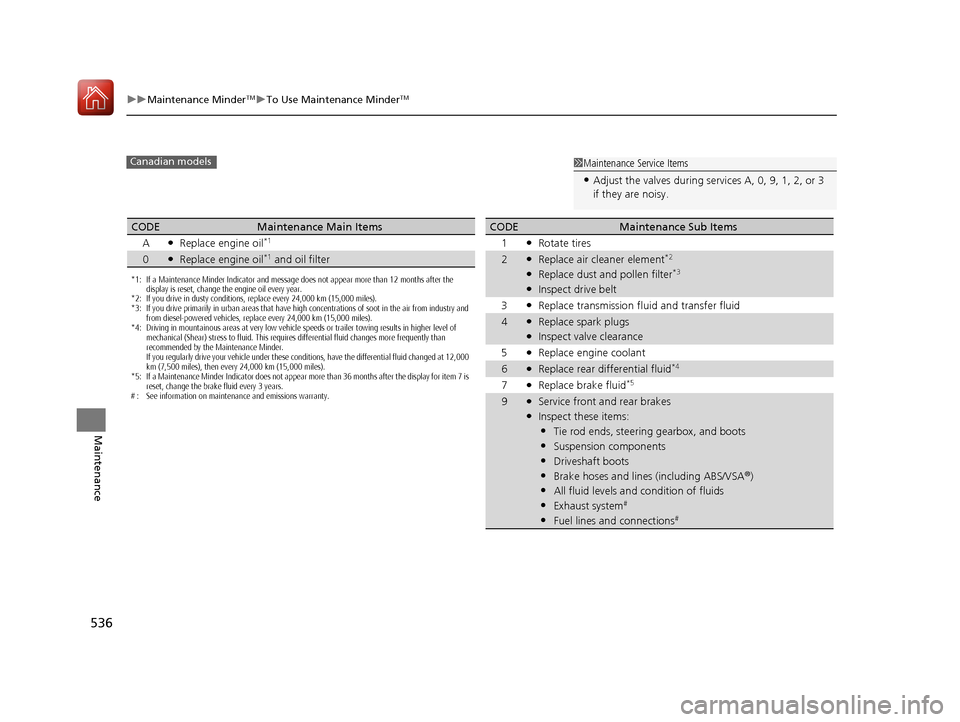
CODEMaintenance Main Items
A
●Replace engine oil*1
0●Replace engine oil*1 and oil filter
CODEMaintenance Sub Items
1
●Rotate tires
2●Replace air cleaner element*2
●Replace dust and pollen filter*3
●Inspect drive belt
3
●Replace transmission fl uid and transfer fluid
4●Replace spark plugs●Inspect valve clearance
5
●Replace engine coolant
6●Replace rear differential fluid*4
7●Replace brake fluid*5
9●Service front and rear brakes●Inspect these items:
•Tie rod ends, steeri ng gearbox, and boots
•Suspension components
•Driveshaft boots
•Brake hoses and lines (including ABS/VSA®)
•All fluid levels and condition of fluids
•Exhaust system#
•Fuel lines and connections#
20 ACURA RDX-31TJB6111.book 536 ページ 2020年2月11日 火曜日 午後2時6分
Page 538 of 657
537
uuMaintenance MinderTMuTo Use Maintenance MinderTM
Maintenance
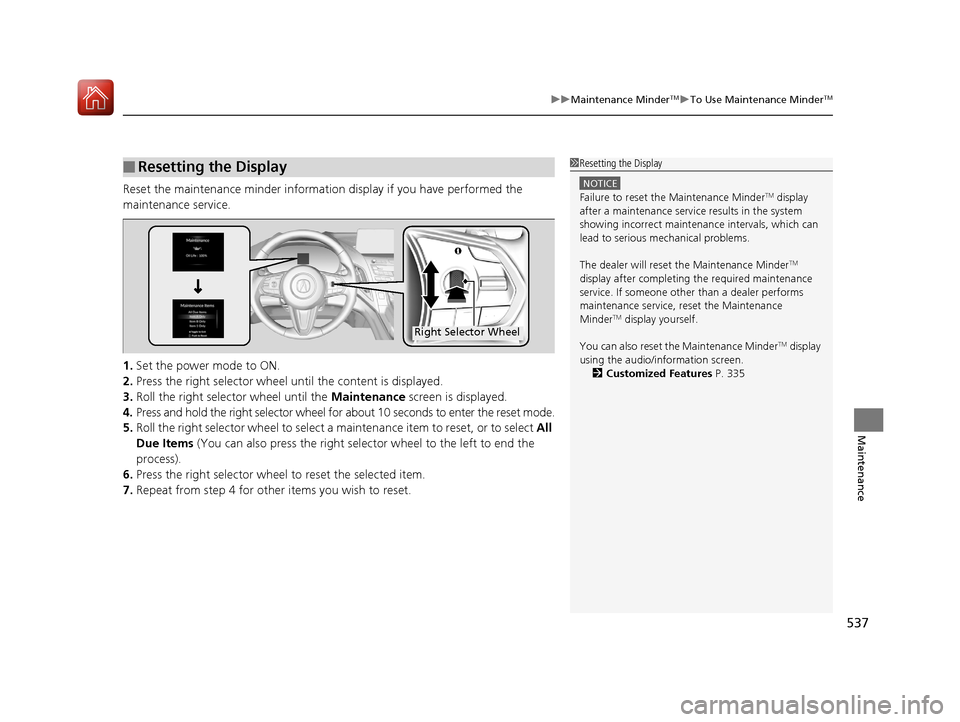
Reset the maintenance minder information display if you have performed the
maintenance service.
1. Set the power mode to ON.
2. Press the right selector wheel until the content is displayed.
3. Roll the right selector wheel until the Maintenance screen is displayed.
4. Press and hold the right selector wheel for about 10 seconds to enter the reset mode.
5. Roll the right selector wheel to select a ma intenance item to reset, or to select All
Due Items (You can also press the right selector wheel to the left to end the
process).
6. Press the right selector wheel to reset the selected item.
7. Repeat from step 4 for other items you wish to reset.
■Resetting the Display1Resetting the Display
NOTICE
Failure to reset the Maintenance MinderTM display
after a maintenance servic e results in the system
showing incorrect maintenance intervals, which can
lead to serious mechanical problems.
The dealer will reset the Maintenance Minder
TM
display after completing th e required maintenance
service. If someone other than a dealer performs
maintenance service, reset the Maintenance
Minder
TM display yourself.
You can also reset the Maintenance Minder
TM display
using the audio/information screen. 2 Customized Features P. 335
Right Selector Wheel
20 ACURA RDX-31TJB6111.book 537 ページ 2020年2月11日 火曜日 午後2時6分
Page 551 of 657
550
uuMaintenance Under the Hood uRefilling Window Washer Fluid
Maintenance
Refilling Window Washer Fluid
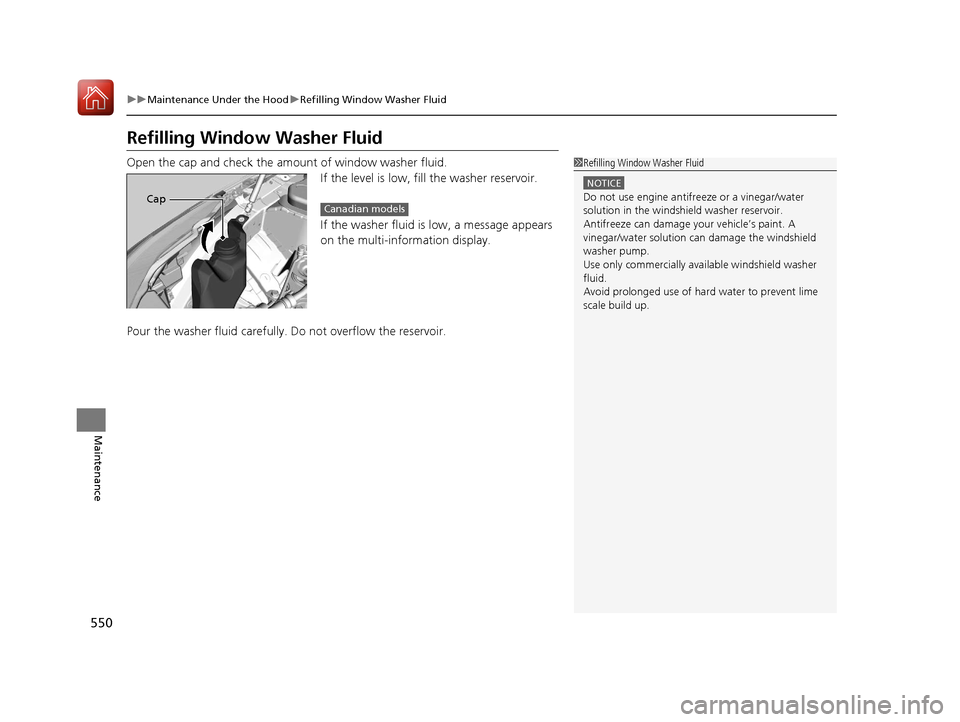
Open the cap and check the amount of window washer fluid.
If the level is low, fill the washer reservoir.
If the washer fluid is low, a message appears
on the multi-information display.
Pour the washer fluid carefully. Do not overflow the reservoir.1Refilling Window Washer Fluid
NOTICE
Do not use engine antifreeze or a vinegar/water
solution in the windshield washer reservoir.
Antifreeze can damage y our vehicle’s paint. A
vinegar/water solution ca n damage the windshield
washer pump.
Use only commercially avai lable windshield washer
fluid.
Avoid prolonged use of hard water to prevent lime
scale build up.CapCanadian models
20 ACURA RDX-31TJB6111.book 550 ページ 2020年2月11日 火曜日 午後2時6分
Page 552 of 657
551
Maintenance
Replacing Light Bulbs
Headlights
Headlights are LED type. Have an authorized Acura dealer inspect and replace the
light assembly.
Front Turn Signal, Parking/Daytime Running and
Front Side Marker Lights
Front turn signal, parking/daytime running and front side marker lights are LED type.
Have an authorized Acura dealer in spect and replace the light assembly.
Fog Lights*
Fog lights are LED type. Have an authoriz ed Acura dealer inspect and replace the
light assembly.
Side Turn Signal/Emer gency Indicator Lights
Door mirror side turn lights are LED type. Have an authorized Acura dealer inspect
and replace the light assembly.
1 Headlights
The headlight aim is set by the factory, and does not
need to be adjusted. Howeve r, if you regularly carry
heavy items in the cargo area or tow a trailer, have
the aiming readjusted at a dealer or by a qualified
technician.
* Not available on all models
20 ACURA RDX-31TJB6111.book 551 ページ 2020年2月11日 火曜日 午後2時6分
Page 555 of 657
554
uuReplacing Light Bulbs uTaillights/Brake and Back-Up Lights
Maintenance
Taillights/Brake an d Back-Up Lights
Taillights/brake and back-up li ghts are LED type. Have an authorized Acura dealer
inspect and replace the light assembly.
Rear License Plate Light
Rear license plate light is LED type. Have an authorized Acura dealer inspect and
replace the light assembly.
High-Mount Brake Light
High-mount brake light is LED type. Have an authorized Acura dealer inspect and
replace the light assembly.
Puddle Lights*
Puddle lights are LED type. Have an author ized Acura dealer inspect and replace the
light assembly.
* Not available on all models
20 ACURA RDX-31TJB6111.book 554 ページ 2020年2月11日 火曜日 午後2時6分
Page 556 of 657
555Continued
Maintenance
Checking and Maintaining Wiper Blades
Checking Wiper Blades
If the wiper blade rubber has deteriorated, it will leave streaks and the hard surfaces
of the blade may scratch the window glass.
Changing the Front Wiper Blade Rubber
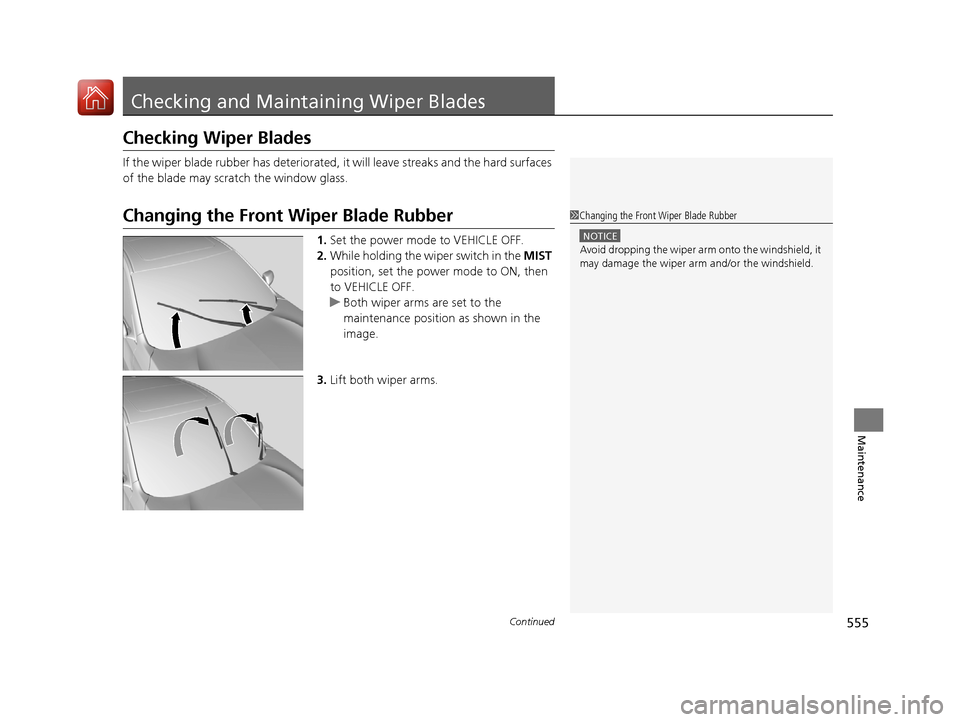
1.Set the power mode to VEHICLE OFF.
2. While holding the wiper switch in the MIST
position, set the power mode to ON, then
to VEHICLE OFF.
u Both wiper arms are set to the
maintenance position as shown in the
image.
3. Lift both wiper arms.
1Changing the Front Wiper Blade Rubber
NOTICE
Avoid dropping the wiper arm onto the windshield, it
may damage the wiper arm and/or the windshield.
20 ACURA RDX-31TJB6111.book 555 ページ 2020年2月11日 火曜日 午後2時6分
Page 558 of 657
557
uuChecking and Maintaining Wiper Blades uChanging the Front Wiper Blade Rubber
Maintenance
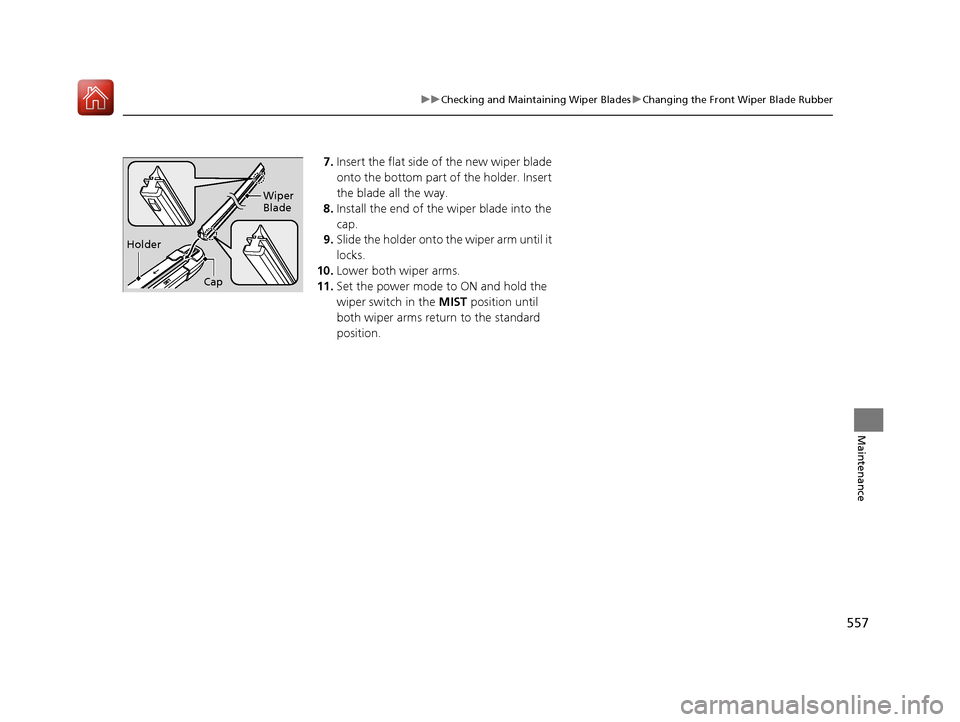
7. Insert the flat side of the new wiper blade
onto the bottom part of the holder. Insert
the blade all the way.
8. Install the end of the wiper blade into the
cap.
9. Slide the holder onto the wiper arm until it
locks.
10. Lower both wiper arms.
11. Set the power mode to ON and hold the
wiper switch in the MIST position until
both wiper arms return to the standard
position.
Holder Wiper
Blade
Cap
20 ACURA RDX-31TJB6111.book 557 ページ 2020年2月11日 火曜日 午後2時6分
Page 561 of 657
560
Maintenance
Checking and Maintaining Tires
Checking Tires
To safely operate your vehicle, your tires must be of the proper type and size, in
good condition with adequate tread, and properly inflated.
■Inflation guidelines
Properly inflated tires provide the best combination of handling, tread life, and comfort.
Refer to the driver’s doorjamb label or spec ifications page for the specified pressure.
Underinflated tires wear unevenly, adversely affect handling and fuel economy, and
are more likely to fail from overheating.
Overinflated tires make your vehicle ride harshly, are more prone to road hazards,
and wear unevenly.
Every day before you drive, look at each of the tires. If one looks lower than the
others, check the pressure with a tire gauge.
At least once a month or before long trips, use a gauge to measure the pressure in
all tires, including the spare
*. Even tires in good condition can lose 1–2 psi (10–20
kPa, 0.1–0.2 kgf/cm2) per month.
■Inspection guidelines
Every time you check inflation, also examine the tires and valve stems.
Look for:
• Bumps or bulges on the side or in the tread. Replace the tire if you find any cuts,
splits, or cracks in the si de of the tire. Replace it if you see fabric or cord.
• Remove any foreign objects and inspect for air leaks.
• Uneven tread wear. Have a deal er check the wheel alignment.
• Excessive tread wear.
2 Wear Indicators P. 565
•Cracks or other damage around valve stem.
1Checking Tires
Measure the air pressure when tires are cold. This
means the vehicle has been parked for at least three
hours, or driven less than 1 mile (1.6 km). If
necessary, add or releas e air until the specified
pressure is reached.
If checked when hot, tire pressure can be as much as
4–6 psi (30–40 kPa, 0.3–0.4 kgf/cm
2) higher than if
checked when cold.
Have a dealer check the tires if you feel a consistent
vibration while driving. Ne w tires and any that have
been removed and reinst alled should be properly
balanced.
3WARNING
Using tires that are excessively worn or
improperly inflated can cause a crash in
which you can be seriously hurt or killed.
Follow all instruction s in this owner’s
manual regarding ti re inflation and
maintenance.
* Not available on all models
20 ACURA RDX-31TJB6111.book 560 ページ 2020年2月11日 火曜日 午後2時6分