ON mode Acura RDX 2020 Service Manual
[x] Cancel search | Manufacturer: ACURA, Model Year: 2020, Model line: RDX, Model: Acura RDX 2020Pages: 657, PDF Size: 33.2 MB
Page 87 of 657
86
uuIndicators u
Instrument Panel
IndicatorNameOn/BlinkingExplanationMessage
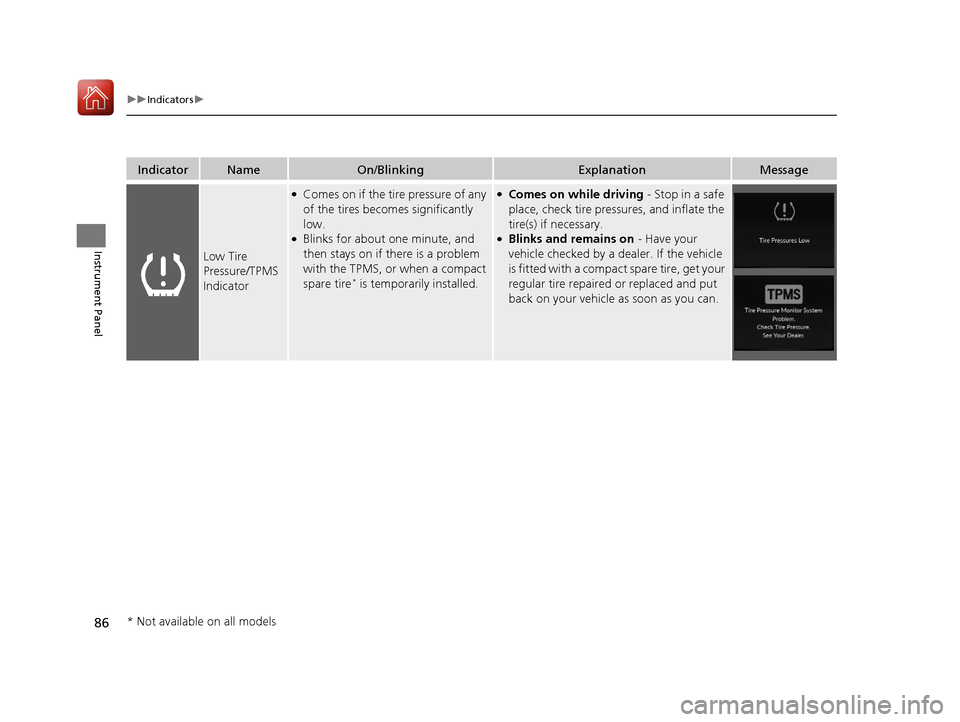
Low Tire
Pressure/TPMS
Indicator
●Comes on if the tire pressure of any
of the tires becomes significantly
low.
●Blinks for about one minute, and
then stays on if there is a problem
with the TPMS, or when a compact
spare tire
* is temporarily installed.
●Comes on while driving - Stop in a safe
place, check tire pressures, and inflate the
tire(s) if necessary.
●Blinks and remains on - Have your
vehicle checked by a dealer. If the vehicle
is fitted with a compact spare tire, get your
regular tire repaired or replaced and put
back on your vehicle as soon as you can.
* Not available on all models
20 ACURA RDX-31TJB6111.book 86 ページ 2020年2月11日 火曜日 午後2時6分
Page 88 of 657
87
uuIndicators u
Continued
Instrument Panel
IndicatorNameOn/BlinkingExplanationMessage
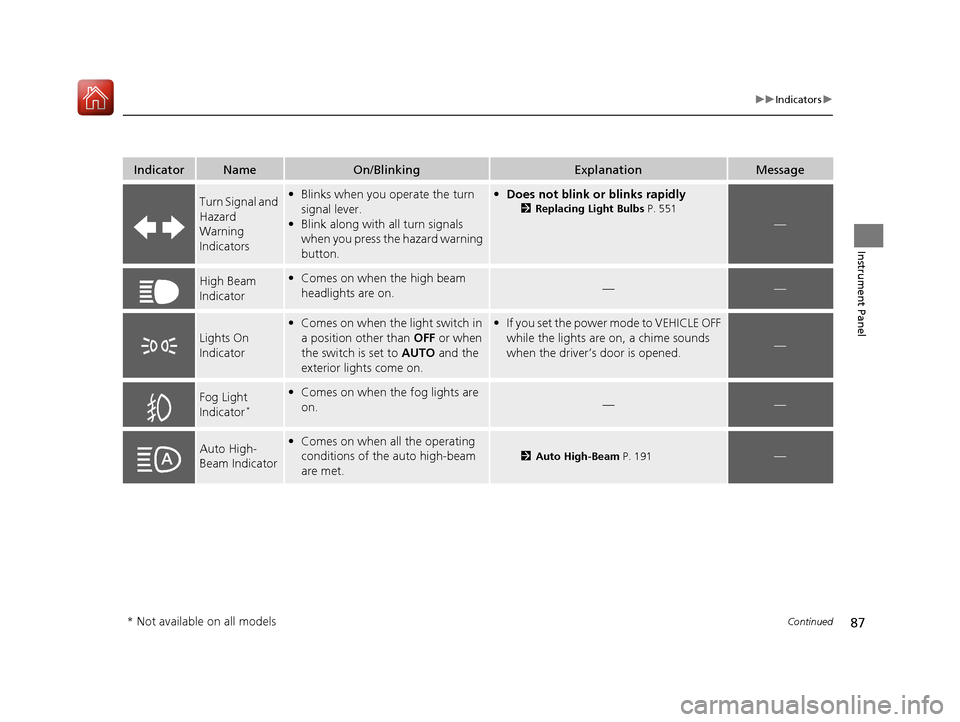
Turn Signal and
Hazard
Warning
Indicators•Blinks when you operate the turn
signal lever.
• Blink along with all turn signals
when you press the hazard warning
button.•Does not blink or blinks rapidly
2 Replacing Light Bulbs P. 551
—
High Beam
Indicator•Comes on when the high beam
headlights are on.——
Lights On
Indicator
•Comes on when the light switch in
a position other than OFF or when
the switch is set to AUTO and the
exterior lights come on.• If you set the power mode to VEHICLE OFF
while the lights are on, a chime sounds
when the driver’s door is opened.
—
Fog Light
Indicator*
•Comes on when the fog lights are
on.——
Auto High-
Beam Indicator•Comes on when all the operating
conditions of the auto high-beam
are met.
2 Auto High-Beam P. 191—
* Not available on all models
20 ACURA RDX-31TJB6111.book 87 ページ 2020年2月11日 火曜日 午後2時6分
Page 89 of 657
88
uuIndicators u
Instrument Panel
*1:Canadian models only: Apply and hold the brake pedal before selecting the ON mode.
IndicatorNameOn/BlinkingExplanationMessage*1
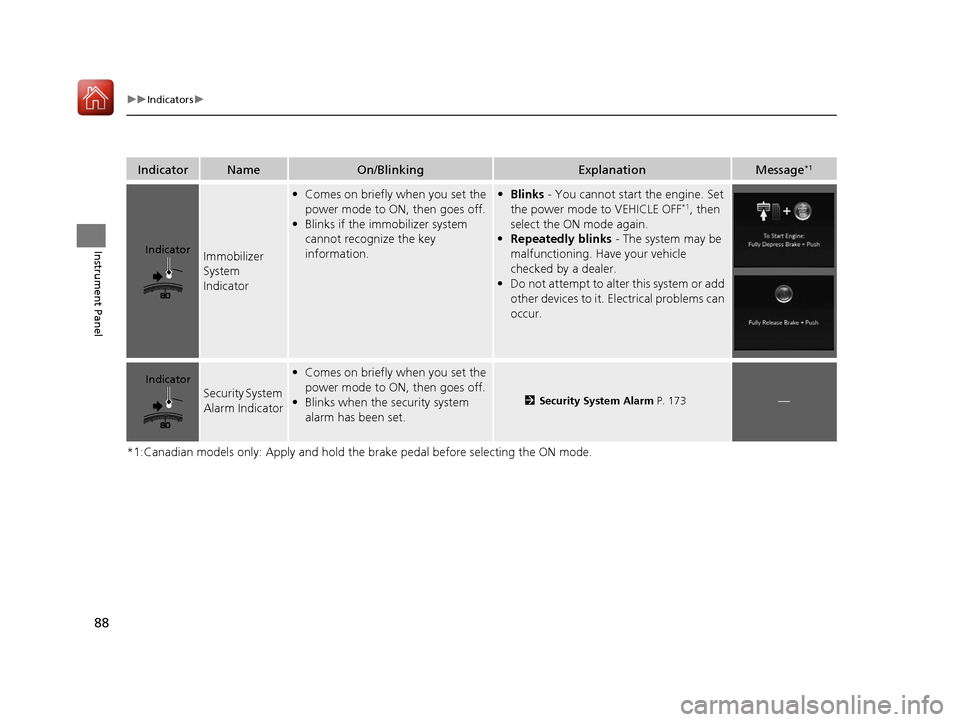
Immobilizer
System
Indicator
•Comes on briefly when you set the
power mode to ON, then goes off.
• Blinks if the immobilizer system
cannot recognize the key
information.• Blinks - You cannot start the engine. Set
the power mode to VEHICLE OFF*1, then
select the ON mode again.
• Repeatedly blinks - The system may be
malfunctioning. Have your vehicle
checked by a dealer.
• Do not attempt to alter this system or add
other devices to it. Electrical problems can
occur.
Security System
Alarm Indicator
•Comes on briefly when you set the
power mode to ON, then goes off.
• Blinks when the security system
alarm has been set.
2 Security System Alarm P. 173—
Indicator
Indicator
20 ACURA RDX-31TJB6111.book 88 ページ 2020年2月11日 火曜日 午後2時6分
Page 91 of 657
90
uuIndicators u
Instrument Panel
IndicatorNameOn/BlinkingExplanationMessage
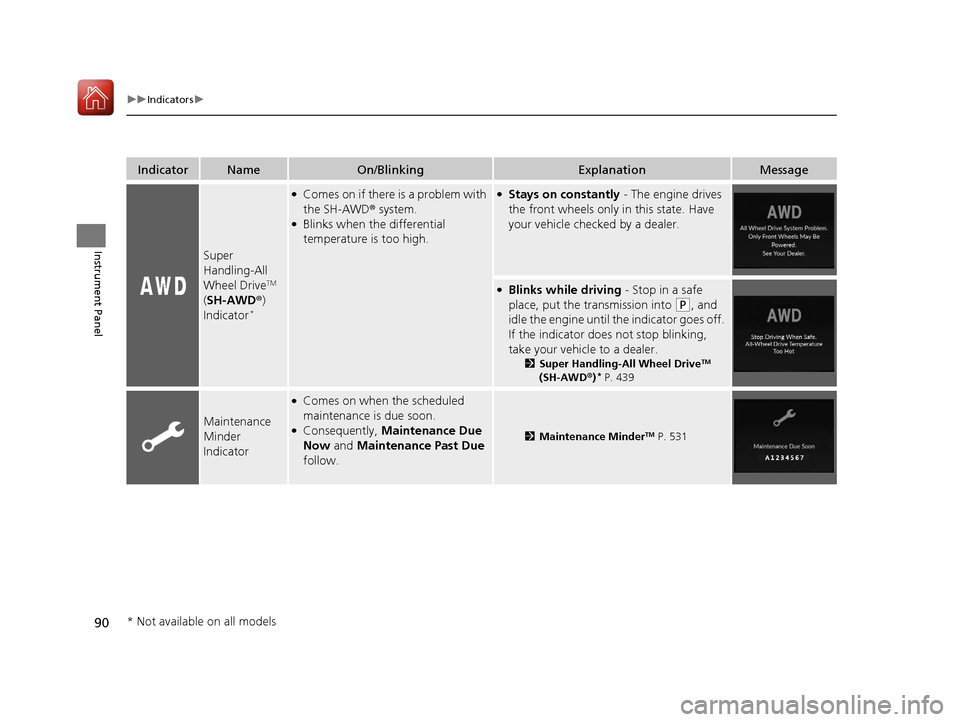
Super
Handling-All
Wheel Drive
TM
( SH-AWD ®)
Indicator
*
●Comes on if there is a problem with
the SH-AWD ® system.
●Blinks when the differential
temperature is too high.
●Stays on constantly - The engine drives
the front wheels only in this state. Have
your vehicle checked by a dealer.
●Blinks while driving - Stop in a safe
place, put the transmission into
(P, and
idle the engine until the indicator goes off.
If the indicator does not stop blinking,
take your vehicle to a dealer.
2 Super Handling-All Wheel DriveTM
(SH-AWD ®)* P. 439
Maintenance
Minder
Indicator
●Comes on when the scheduled
maintenance is due soon.
●Consequently, Maintenance Due
Now and Maintenance Past Due
follow.2 Maintenance MinderTM P. 531
* Not available on all models
20 ACURA RDX-31TJB6111.book 90 ページ 2020年2月11日 火曜日 午後2時6分
Page 97 of 657

96
uuIndicators u
Instrument Panel
IndicatorNameOn/BlinkingExplanationMessage
Blind spot
information
System
Indicator
*
●Stays on while blind spot
information system is turned off.
2Customized Features P. 335
●Comes on when mud, snow, or ice
accumulates in the vicinity of
sensor.●Comes on while driving - Remove the
obstacle in the vicinity of sensor.
2 Blind spot information System*
P. 444
●Comes on if there is a problem with
the system.●Comes on while driving - Have your
vehicle checked by a dealer.
* Not available on all models
20 ACURA RDX-31TJB6111.book 96 ページ 2020年2月11日 火曜日 午後2時6分
Page 98 of 657
97
uuIndicators uMulti-Information Display Warning and Information Messages
Continued
Instrument Panel
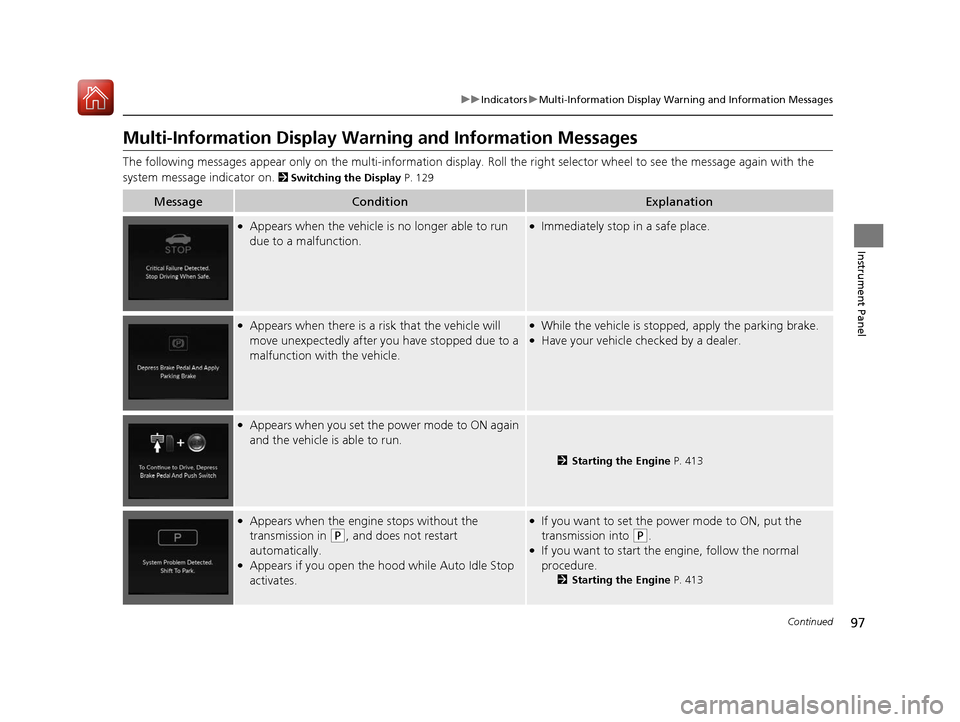
Multi-Information Display Warn ing and Information Messages
The following messages appear only on the multi-information display. Roll the right selector wheel to see the message again with the
system message indicator on.
2 Switching the Display P. 129
MessageConditionExplanation
●Appears when the vehicle is no longer able to run
due to a malfunction.●Immediately stop in a safe place.
●Appears when there is a ri sk that the vehicle will
move unexpectedly after you have stopped due to a
malfunction with the vehicle.●While the vehicle is stopped, apply the parking brake.●Have your vehicle checked by a dealer.
●Appears when you set the power mode to ON again
and the vehicle is able to run.
2 Starting the Engine P. 413
●Appears when the engine stops without the
transmission in
(P, and does not restart
automatically.
●Appears if you open the hood while Auto Idle Stop
activates.
●If you want to set the power mode to ON, put the
transmission into
(P.●If you want to start the engine, follow the normal
procedure.
2 Starting the Engine P. 413
20 ACURA RDX-31TJB6111.book 97 ページ 2020年2月11日 火曜日 午後2時6分
Page 99 of 657
98
uuIndicators uMulti-Information Display Warn ing and Information Messages
Instrument Panel
MessageConditionExplanation
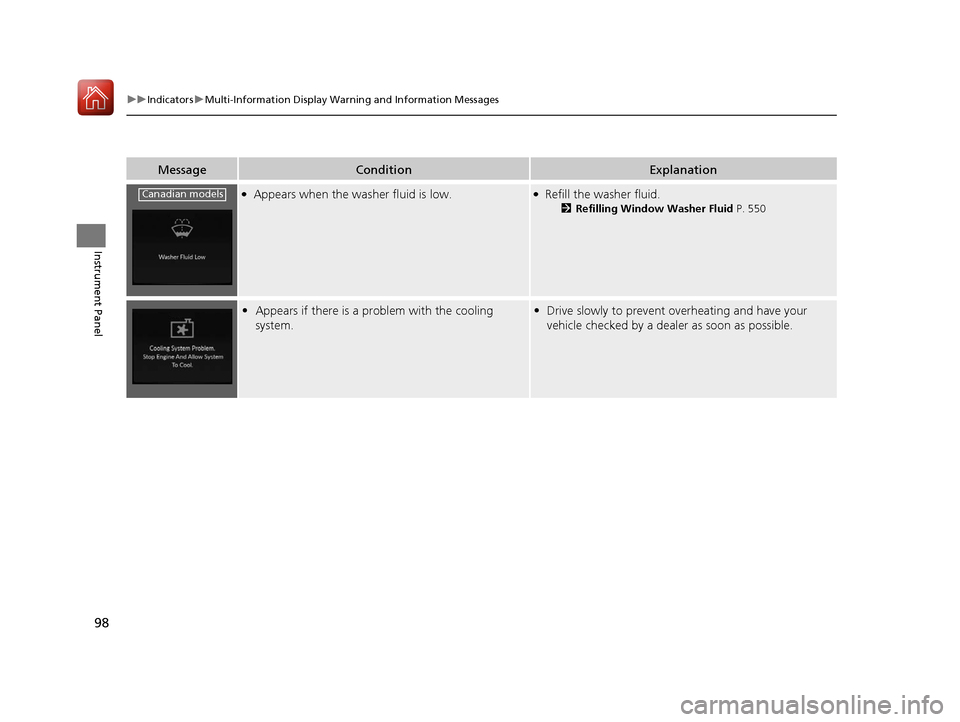
●Appears when the washer fluid is low.●Refill the washer fluid.
2Refilling Window Washer Fluid P. 550
•Appears if there is a problem with the cooling
system.•Drive slowly to prevent overheating and have your
vehicle checked by a dealer as soon as possible.
Canadian models
20 ACURA RDX-31TJB6111.book 98 ページ 2020年2月11日 火曜日 午後2時6分
Page 103 of 657
102
uuIndicators uMulti-Information Display Warn ing and Information Messages
Instrument Panel
MessageConditionExplanation
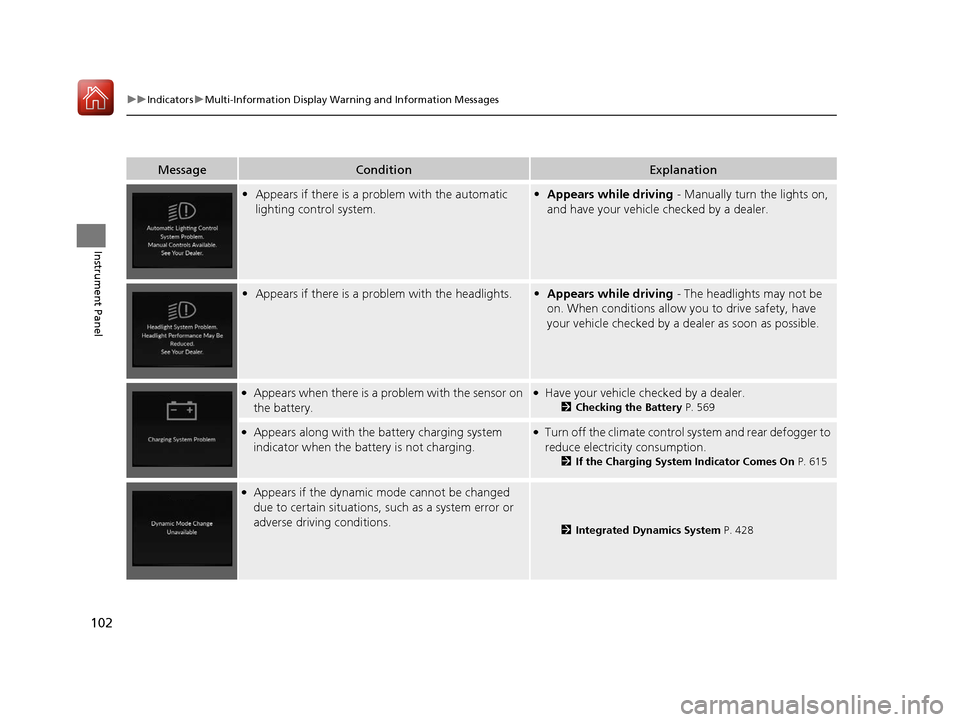
•Appears if there is a problem with the automatic
lighting control system.•Appears while driving - Manually turn the lights on,
and have your vehicle checked by a dealer.
• Appears if there is a problem with the headlights.•Appears while driving - The headlights may not be
on. When conditions allow you to drive safety, have
your vehicle checked by a de aler as soon as possible.
●Appears when there is a problem with the sensor on
the battery.●Have your vehicle checked by a dealer.
2 Checking the Battery P. 569
●Appears along with the battery charging system
indicator when the batte ry is not charging.●Turn off the climate control system and rear defogger to
reduce electricity consumption.
2If the Charging System Indicator Comes On P. 615
●Appears if the dynamic mode cannot be changed
due to certain situations, such as a system error or
adverse driving conditions.
2Integrated Dynamics System P. 428
20 ACURA RDX-31TJB6111.book 102 ページ 2020年2月11日 火曜日 午後2時6分
Page 106 of 657
105
uuIndicators uMulti-Information Display Warning and Information Messages
Continued
Instrument Panel
MessageConditionExplanation
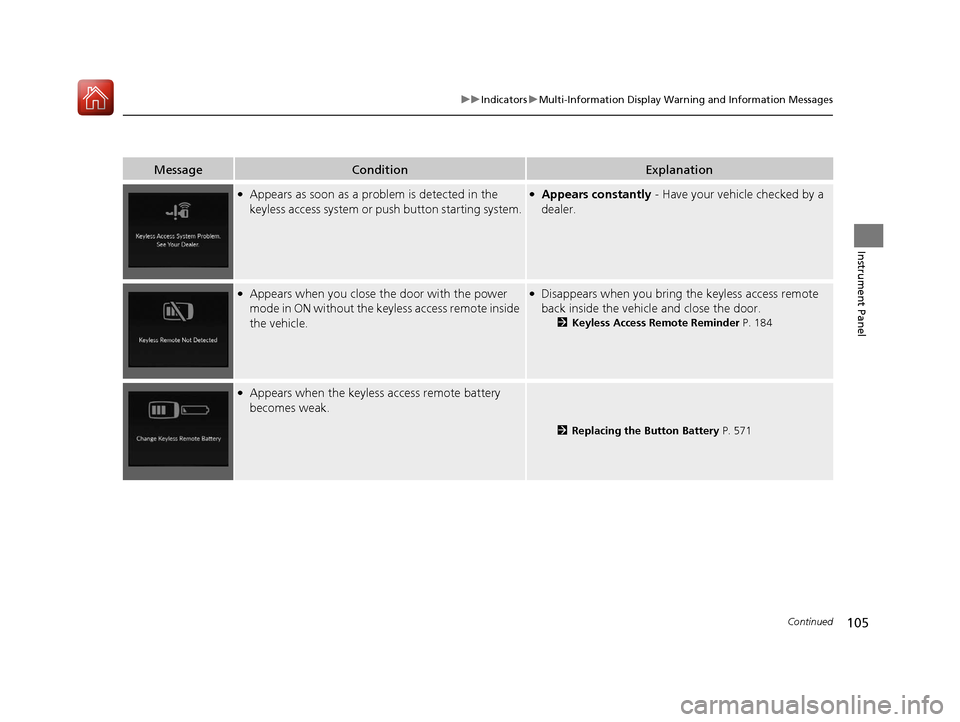
●Appears as soon as a problem is detected in the
keyless access system or push button starting system.●Appears constantly - Have your vehicle checked by a
dealer.
●Appears when you close th e door with the power
mode in ON without the keyless access remote inside
the vehicle.●Disappears when you bring the keyless access remote
back inside the vehicle and close the door.
2 Keyless Access Remote Reminder P. 184
●Appears when the keyless access remote battery
becomes weak.
2 Replacing the Button Battery P. 571
20 ACURA RDX-31TJB6111.book 105 ページ 2020年2月11日 火曜日 午後2時6分
Page 107 of 657
106
uuIndicators uMulti-Information Display Warn ing and Information Messages
Instrument Panel
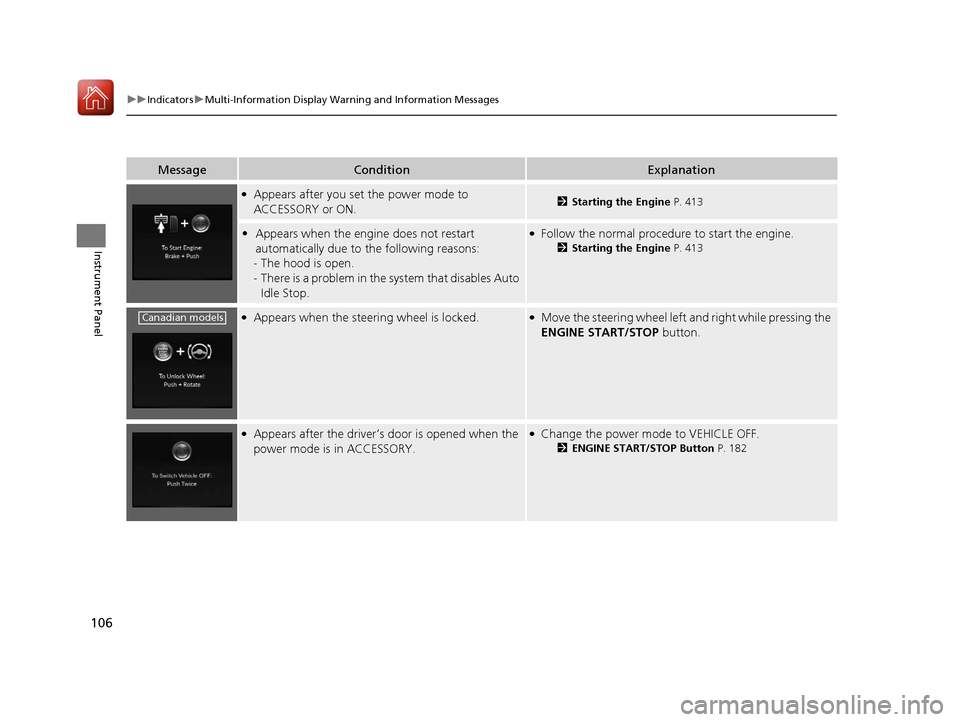
MessageConditionExplanation
●Appears after you set the power mode to
ACCESSORY or ON.2Starting the Engine P. 413
•Appears when the engine does not restart
automatically due to the following reasons:
- The hood is open.
- There is a problem in the sy stem that disables Auto
Idle Stop.●Follow the normal procedure to start the engine.
2 Starting the Engine P. 413
●Appears when the steering wheel is locked.●Move the steering wheel left and right while pressing the
ENGINE START/STOP button.
●Appears after the driver’s door is opened when the
power mode is in ACCESSORY.●Change the power mode to VEHICLE OFF.
2ENGINE START/STOP Button P. 182
Canadian models
20 ACURA RDX-31TJB6111.book 106 ページ 2020年2月11日 火曜日 午後2時6分