wipers Acura TLX 2017 User Guide
[x] Cancel search | Manufacturer: ACURA, Model Year: 2017, Model line: TLX, Model: Acura TLX 2017Pages: 553, PDF Size: 33.77 MB
Page 379 of 553
uuWhen Driving uRoad Departure Mitigation (RDM) System*
378
Driving
The system becomes ready to start sear ching for lane markings when all the
following conditions are met:
• The vehicle is traveling between about 45 and 90 mph (72 and 145 km/h).
• The vehicle is on a straight or slightly curved road.
• The turn signals are off.
• The brake pedal is not depressed.
• The wipers are not in continuous operation.
• The vehicle is not accelerating or braking, and the steering wheel is not being
turned.
• The system makes a determination that the driver is not actively accelerating,
braking or steering.
■How the System Activates1How the System Activates
The RDM system may automa tically shut off and the
indicator comes and stays on.
2 Indicators P. 87
RDM system function can be impacted when the
vehicle is:
•Not driven within a traffic lane.
•Driven on the inside edge of a curve, or outside of
a lane.
•Driven in a narrow lane.
17 ACURA TLX-31TZ36200.book 378 ページ 2016年6月10日 金曜日 午後6時39分
Page 385 of 553
uuWhen Driving uLane Keeping Assist System (LKAS)*
384
Driving
The system can be used when the following conditions are met.
• The lane in which you are driving has dete ctable lane markers on both sides, and
your vehicle is in the center of the lane.
• The vehicle speed is be tween about 45 and 90 mph (72 and 145 km/h).
• You are driving on a straight or slightly curved road.
• The turn signals are off.
• The brake pedal is not depressed.
• The wipers are not in continuous operation.
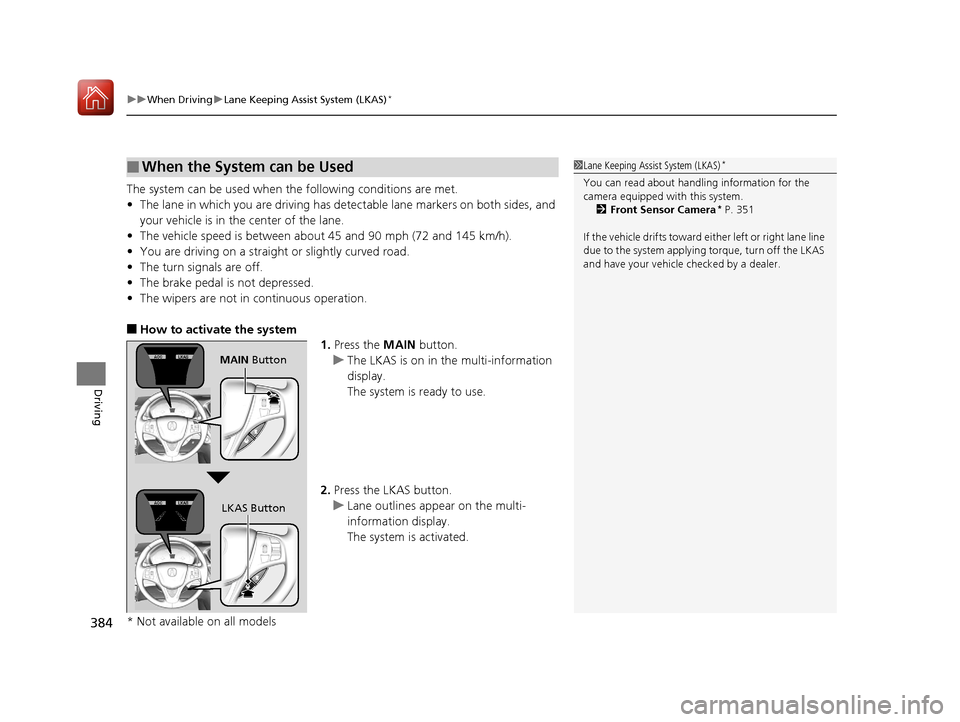
■How to activate the system
1.Press the MAIN button.
u The LKAS is on in the multi-information
display.
The system is ready to use.
2. Press the LKAS button.
u Lane outlines appear on the multi-
information display.
The system is activated.
■When the System can be Used1Lane Keeping Assist System (LKAS)*
You can read about handling information for the
camera equipped with this system.
2 Front Sensor Camera
* P. 351
If the vehicle drifts toward ei th e r l ef t o r r ight lane line
due to the system applying torque, turn off the LKAS
and have your vehicle checked by a dealer.
MAIN Button
LKAS Button
* Not available on all models
17 ACURA TLX-31TZ36200.book 384 ページ 2016年6月10日 金曜日 午後6時39分
Page 387 of 553
386
uuWhen Driving uLane Keeping Assist System (LKAS)*
Driving
■The system operation is suspended if
you:
• Set the wipers to continuous operation.
u Turning the wipers off resumes the
LKAS.
• Decrease the vehicle speed to about 40
mph (64 km/h) or less.
u Increasing the vehicle speed to about 45
mph (72 km/h) or more resumes the
LKAS.
• Depress the brake pedal.
u The LKAS resumes and starts detecting
the lane lines again once you release the
brake pedal.
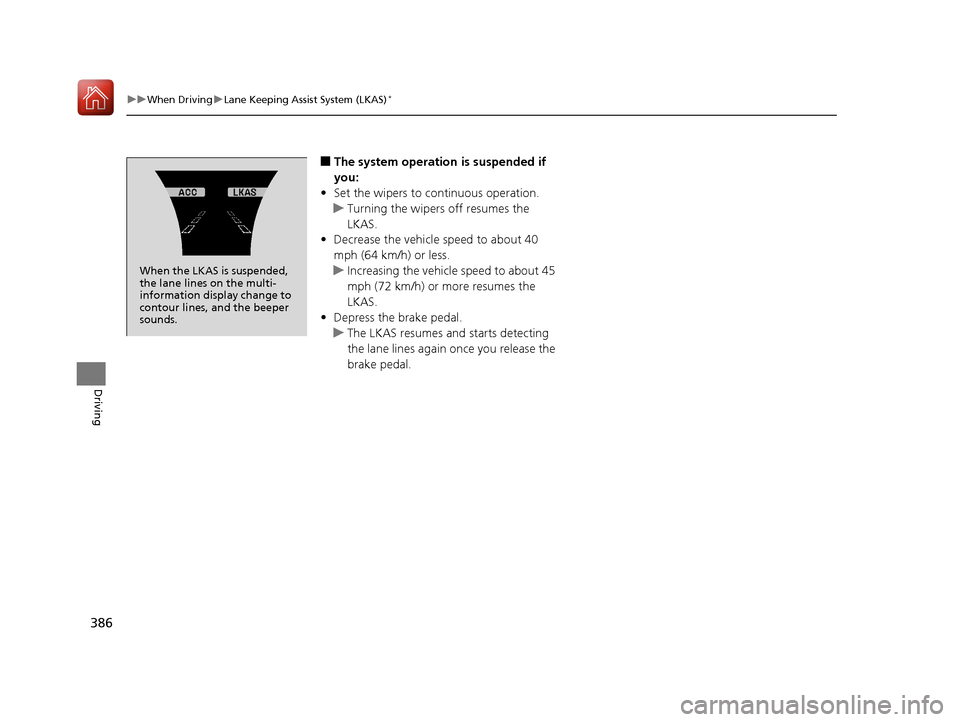
When the LKAS is suspended,
the lane lines on the multi-
information disp lay change to
contour lines, and the beeper
sounds.
17 ACURA TLX-31TZ36200.book 386 ページ 2016年6月10日 金曜日 午後6時39分
Page 443 of 553

442
uuMaintenance Under the Hood uOpening the Hood
Maintenance
Opening the Hood
1. Park the vehicle on a level surface, and set
the parking brake.
2. Pull the hood release handle under the
driver’s side lower co rner of the dashboard.
u The hood will pop up slightly.
3. Slide the hood latch lever in the center of
the hood to release the lock mechanism,
and then open the hood.
4. Lift the hood up most of the way.
u The hydraulic supports will lift it up the
rest of the way and hold it up.
When closing, lower it to approximately 12
inches (30 cm), then pr ess down firmly with
your hands.1 Opening the Hood
NOTICE
Do not open the hood when the wiper arms are
raised.
The hood will strike the wipers, and may damage
either the hood or the wipers.
When closing the hood, check that the hood is
securely latched.
If the hood latch lever moves stiffly, or if you can
open the hood without lifti ng the lever, the latch
mechanism should be cleaned and lubricated.
Do not open the hood while the Auto Idle Stop
function is activated.
Models with Auto Idle Stop
Pull
Hood Release Handle
Lever
17 ACURA TLX-31TZ36200.book 442 ページ 2016年6月10日 金曜日 午後6時39分
Page 478 of 553
477
uuCleaning uInterior Care
Maintenance
Wipe using a glass cleaner.
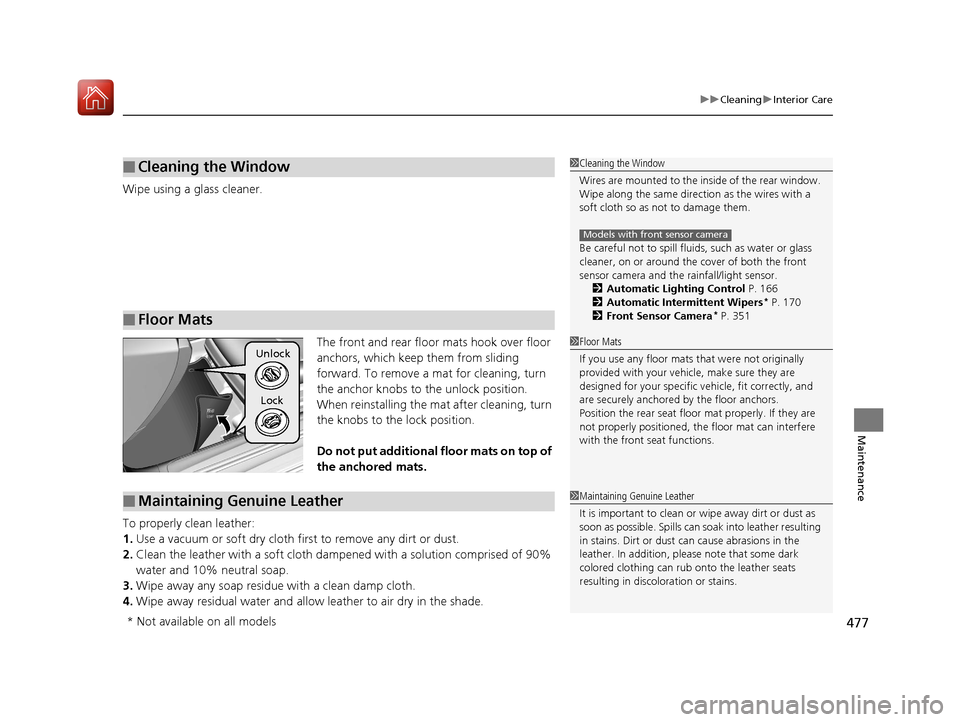
The front and rear floor mats hook over floor
anchors, which keep them from sliding
forward. To remove a mat for cleaning, turn
the anchor knobs to the unlock position.
When reinstalling the mat after cleaning, turn
the knobs to the lock position.
Do not put additional floor mats on top of
the anchored mats.
To properly clean leather:
1. Use a vacuum or soft dry cloth first to remove any dirt or dust.
2. Clean the leather with a soft cloth dampen ed with a solution comprised of 90%
water and 10% neutral soap.
3. Wipe away any soap residu e with a clean damp cloth.
4. Wipe away residual water and allo w leather to air dry in the shade.
■Cleaning the Window
■Floor Mats
1Cleaning the Window
Wires are mounted to the in side of the rear window.
Wipe along the same direct ion as the wires with a
soft cloth so as not to damage them.
Be careful not to spill flui ds, such as water or glass
cleaner, on or around the co ver of both the front
sensor camera and the rainfall/light sensor.
2 Automatic Lighting Control P. 166
2 Automatic Intermittent Wipers
* P. 170
2 Front Sensor Camera* P. 351
Models with front sensor camera
1Floor Mats
If you use any floor mats that were not originally
provided with your vehicle, make sure they are
designed for your specific ve hicle, fit correctly, and
are securely anchored by the floor anchors.
Position the rear seat floor mat properly. If they are
not properly positioned, th e floor mat can interfere
with the front seat functions.Unlock
Lock
■Maintaining Genuine Leather1 Maintaining Genuine Leather
It is important to clean or wipe away dirt or dust as
soon as possible. Spills can soak into leather resulting
in stains. Dirt or dust ca n cause abrasions in the
leather. In addition, pl ease note that some dark
colored clothing can rub onto the leather seats
resulting in discol oration or stains.
* Not available on all models
17 ACURA TLX-31TZ36200.book 477 ページ 2016年6月10日 金曜日 午後6時39分
Page 479 of 553
478
uuCleaning uExterior Care
Maintenance
Exterior Care
Dust off the vehicle body after you drive.
Regularly inspect your vehi cle for scratches on painted surfaces. A scratch on a
painted surface can result in body rust. If you find a scratch, promptly repair it.
Wash the vehicle regularly. Wash more frequently when driving in the following
conditions:
• If driving on roads with road salt.
• If driving in coastal areas.
• If tar, soot, bird droppings, insects, or tree sap are stuck to painted surfaces.
• Make sure to follow the instructions indicated on the automated car wash.
• Fold in the door mirrors.
• Automatic intermittent wiper equipmen t vehicles, wipers switch to OFF.
• Keep sufficient distance between the cleaning nozzl e and the vehicle body.
• Take particular care around the windows. Standing too close may cause water to
enter the vehicle interior.
• Do not spray high pressure water directly into the engine compartment. Instead,
use low pressure water and a mild detergent.
■Washing the Vehicle
■Using an Automated Car Wash
■Using High Pressure Cleaners
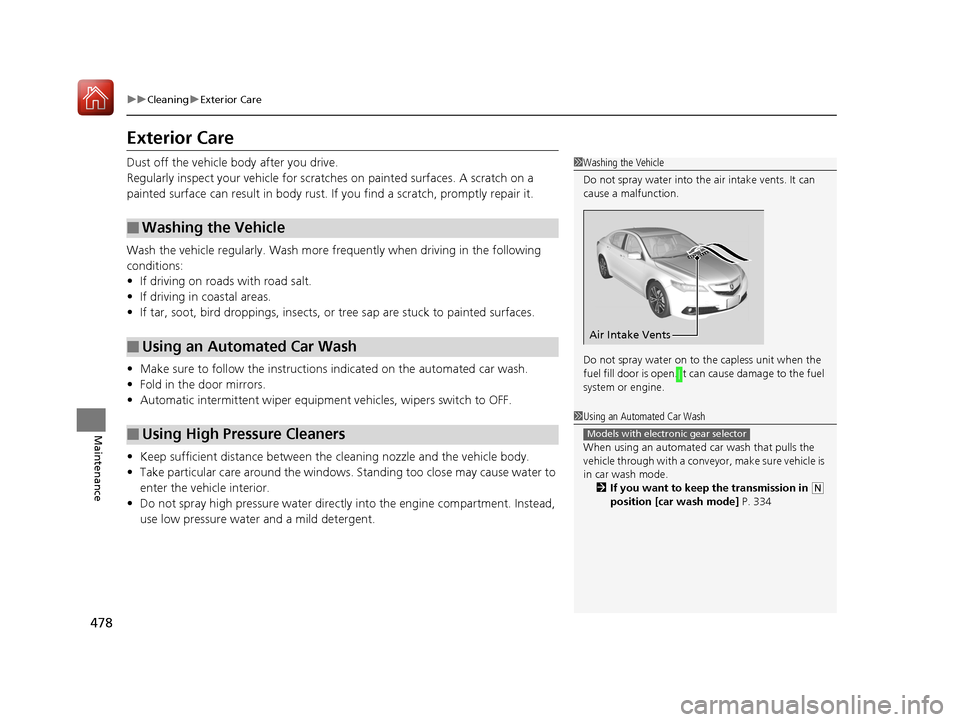
1 Washing the Vehicle
Do not spray water into the air intake vents. It can
cause a malfunction.
Do not spray water on to the capless unit when the
fuel fill door is open. It ca n cause damage to the fuel
system or engine.
Air Intake Vents
1 Using an Automated Car Wash
When using an automated car wash that pulls the
vehicle through with a conveyor, make sure vehicle is
in car wash mode. 2 If you want to keep the transmission in
(N
position [car wash mode] P. 334
Models with electronic gear selector
17 ACURA TLX-31TZ36200.book 478 ページ 2016年6月10日 金曜日 午後6時39分
Page 551 of 553
550
Index
Trunk......................................................... 152
Lid ........................................................... 152
Light Bulbs............................................... 530
Main Switch ............................................ 154
Open Indicator........................................... 81
Open Message......................................... 102
Unable to Open ....................................... 527
Turn Signals ............................................... 164
Indicators (Instrum ent Panel) ...................... 83
Turn-by-Turn Directions ........................... 124
Two-way Keyless Access Remote ..... 147, 325
U
Under-Floor Storage Area........................ 194
Unlocking the Doors ................................. 142
Unlocking the Fron t Doors from the
Inside ................................................. 13, 148
USB Flash Drives ........................................ 256
USB Port .................................................... 209
Using the Keyless Access System .............. 142
V
Valet Mode............................................... 154
Vanity Mirrors ............................................... 7
Vehicle Identification Number ................. 532
Vehicle Stability Assist (VSA ®).................. 390
Off Button ............................................... 391
Off Indicator ...................................... 81, 391
System Indicator ................................ 81, 390 Viscosity (Oil)
.................................... 443, 531
VSA ® (Vehicle Stability Assist) .................. 390
W
Wallpaper................................................. 221
Warning and Information Messages ......... 95
Warning Indicator On/Blinking ............... 514
Warning Labels ........................................... 67
Warranties (Warranty Manual provided
separately) .............................................. 537
Watts ......................................................... 530
Wear Indicators (Tire) .............................. 467
Wheel Nut Wrench (Jack Handle) ........... 500
Window Washers ..................................... 169
Adding/Refilling Fluid .............................. 452
Switch ..................................................... 169
Windows (Opening and Closing) ............ 158
Windshield Cleaning ......................................... 477, 479
Defrosting/Defogging .............................. 205
Washer Fluid ........................................... 452
Wiper Blades ........................................... 460
Wipers and Washers................................ 169
Winter Tires .............................................. 470
Snow Tires .............................................. 470
Tire Chains .............................................. 470
Wipers and Washers ................................. 169
Checking and Replacing Wiper Blades ..... 460
WMA ................................................. 232, 242
Worn Tires ................................................ 462
17 ACURA TLX-31TZ36200.book 550 ページ 2016年6月10日 金曜日 午後6時39分