two Acura TLX 2019 Owner's Guide
[x] Cancel search | Manufacturer: ACURA, Model Year: 2019, Model line: TLX, Model: Acura TLX 2019Pages: 591, PDF Size: 34.5 MB
Page 206 of 591
uuInterior Lights/Interior Convenience Items uInterior Convenience Items
204
Controls
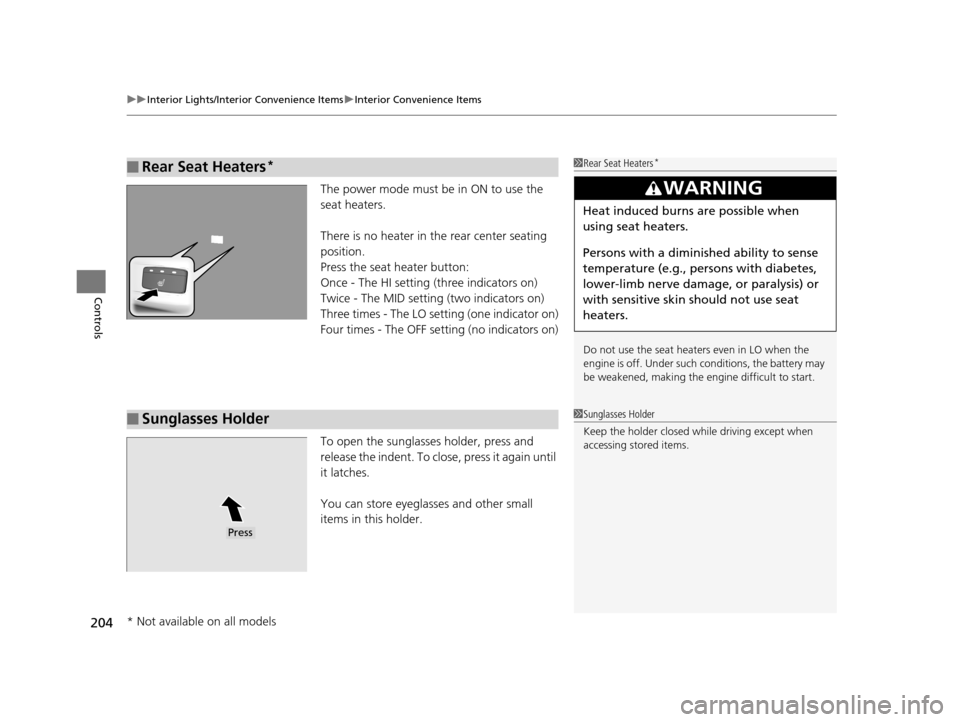
The power mode must be in ON to use the
seat heaters.
There is no heater in the rear center seating
position.
Press the seat heater button:
Once - The HI setting (three indicators on)
Twice - The MID setting (two indicators on)
Three times - The LO setting (one indicator on)
Four times - The OFF se tting (no indicators on)
To open the sunglasses holder, press and
release the indent. To close, press it again until
it latches.
You can store eyeglasses and other small
items in this holder.
■Rear Seat Heaters*1 Rear Seat Heaters*
Do not use the seat heaters even in LO when the
engine is off. Under such conditions, the battery may
be weakened, making the engine difficult to start.
3WARNING
Heat induced burns are possible when
using seat heaters.
Persons with a diminished ability to sense
temperature (e.g., persons with diabetes,
lower-limb nerve damage, or paralysis) or
with sensitive skin should not use seat
heaters.
■Sunglasses Holder1Sunglasses Holder
Keep the holder closed wh ile driving except when
accessing stored items.
Press
* Not available on all models
19 ACURA TLX-31TZ36400.book 204 ページ 2018年2月16日 金曜日 午後12時22分
Page 218 of 591
216
uuAudio System uAuxiliary Input Jack
Features
Auxiliary Input Jack
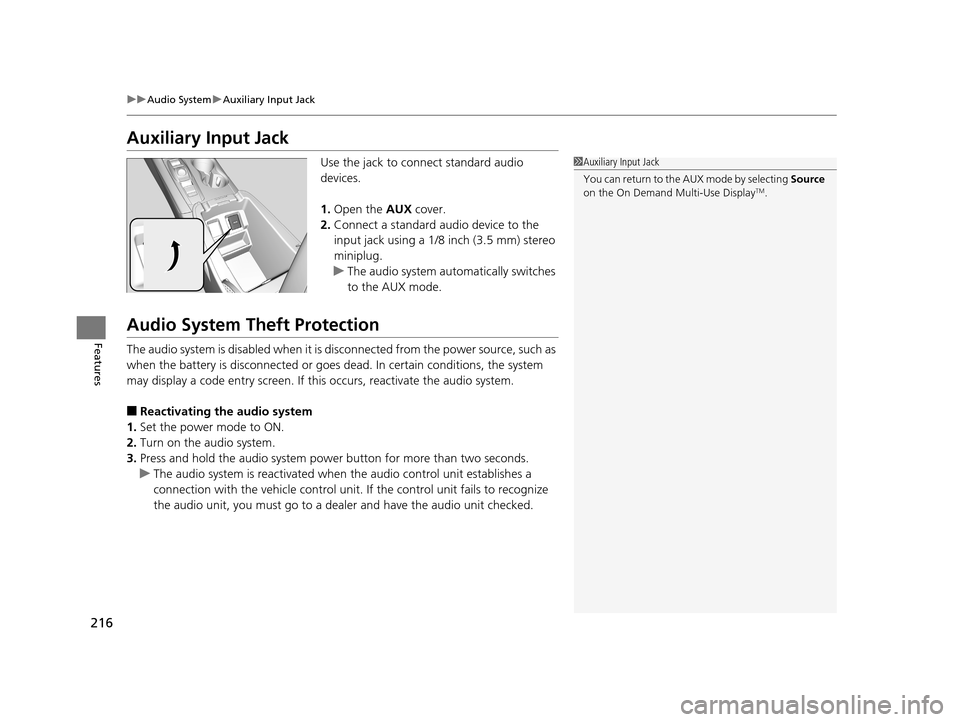
Use the jack to connect standard audio
devices.
1. Open the AUX cover.
2. Connect a standard audio device to the
input jack using a 1/8 inch (3.5 mm) stereo
miniplug.
u The audio system automatically switches
to the AUX mode.
Audio System Theft Protection
The audio system is disabled when it is di sconnected from the power source, such as
when the battery is disconnected or goes dead. In certain conditions, the system
may display a code entry screen. If this occurs, reactivate the audio system.
■Reactivating th e audio system
1. Set the power mode to ON.
2. Turn on the audio system.
3. Press and hold the audio system power button for more than two seconds.
u The audio system is reac tivated when the audio co ntrol unit establishes a
connection with the vehicle control unit. If the control unit fails to recognize
the audio unit, you must go to a dealer and have the audio unit checked.
1 Auxiliary Input Jack
You can return to the AUX mode by selecting Source
on the On Demand Multi-Use Display
TM.
19 ACURA TLX-31TZ36400.book 216 ページ 2018年2月16日 金曜日 午後12時22分
Page 222 of 591

220
uuAudio System Basic Operation uOn Demand Multi-Use DisplayTM
Features
On Demand Multi-Use DisplayTM
Use the On Demand Multi-Use DisplayTM to operate the audio system.
Select Source , then select an item on the source list to switch the audio source.
Select Audio Menu to display the menu items.
■Selecting an Audio Source
1On Demand Multi-Use DisplayTM
Icons that appear on the screen vary by the source
selected.
Select or to go back to the previous screen.
Use the / icons to turn the page.
X
1Selecting an Audio Source
You can change the order of source list displayed.
1. Select Audio Menu, then Edit Source Order .
2. Select or .
You can also change the source order by pressing
and holding the source on the source list for two
seconds.
■Displaying the Menu Items
Select Source .
Source List
Select Audio Menu .
Menu Items
19 ACURA TLX-31TZ36400.book 220 ページ 2018年2月16日 金曜日 午後12時22分
Page 253 of 591
251
uuAudio System Basic Operation uPlaying Pandora ®
Features
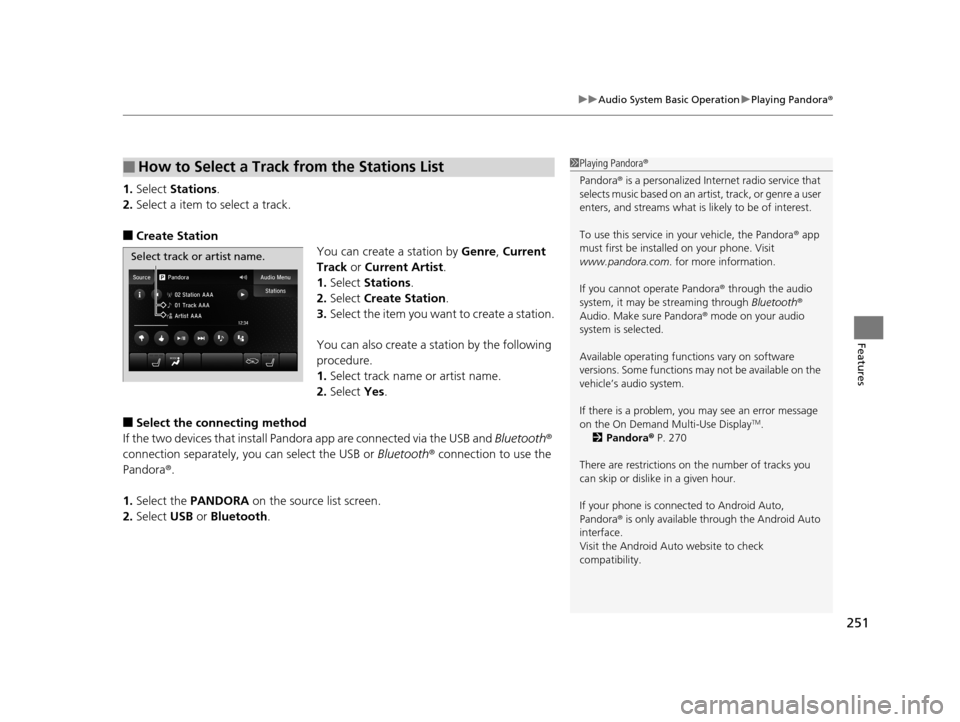
1.Select Stations .
2. Select a item to select a track.
■Create Station
You can create a station by Genre, Current
Track or Current Artist .
1. Select Stations .
2. Select Create Station.
3. Select the item you want to create a station.
You can also create a station by the following
procedure.
1. Select track name or artist name.
2. Select Yes.
■Select the conn ecting method
If the two devices that install Pandora app are c onnected via the USB and Bluetooth®
connection separately, you can select the USB or Bluetooth® connection to use the
Pandora ®.
1. Select the PANDORA on the source list screen.
2. Select USB or Bluetooth .
■How to Select a Track from the Stations List1Playing Pandora ®
Pandora ® is a personalized Intern et radio service that
selects music based on an arti st, track, or genre a user
enters, and streams what is likely to be of interest.
To use this service in your vehicle, the Pandora ® app
must first be installed on your phone. Visit
www.pandora.com . for more information.
If you cannot operate Pandora ® through the audio
system, it may be streaming through Bluetooth®
Audio. Make sure Pandora ® mode on your audio
system is selected.
Available operating functi ons vary on software
versions. Some functions ma y not be available on the
vehicle’s audio system.
If there is a problem, you may see an error message
on the On Demand Multi-Use Display
TM.
2 Pandora ® P. 270
There are restrictions on the number of tracks you
can skip or dislike in a given hour.
If your phone is connec ted to Android Auto,
Pandora ® is only available through the Android Auto
interface.
Visit the Android Auto website to check
compatibility.
Select track or artist name.
19 ACURA TLX-31TZ36400.book 251 ページ 2018年2月16日 金曜日 午後12時22分
Page 273 of 591
271
uuAudio Error Messages uPandora ®
Features
Error MessageSolution
The PANDORA app version on your device is not supported.
When safe, please update the app and try again later.Appears when Pandora® version is not supported. Update
Pandora ® to the latest version.
PANDORA is performing system maintenance. Please try
again later.Appears when the Pandora ® server is in maintenance. Try again
later.
The system cannot connect to PANDORA. When safe, please
check your device.
Appears when Pandora® is unable to play music. Check your
device.
The system is unable to play PANDORA. When safe, login to
PANDORA.
The maximum number of stations that can be created is 100.
To create more, please delete on e or more previously created
stations.Appears when the number of created stations reaches the
limitation. Delete one or more created stations from Pandora ® app
on the connected device.
The system is unable to create a new station. Please try again.Appears when there is a temporar y error with the audio system.
Try again later.
The system is unable to play PANDORA. Please try again later.Appears when your connected device has network problems.
Check your device.
When safe, please check your device.
Appears when your connected device has some kind of problem
such as being out of the service area.
Check that the connected device is within the service area, and
then try again to play Pandora ®. If the problem persists, consult a
dealer.
The system is unable to play PANDORA.
Music licensing restricts play in this area.Appears when you try playing the Pandora ® in the country where
the service is not available.
19 ACURA TLX-31TZ36400.book 271 ページ 2018年2月16日 金曜日 午後12時22分
Page 287 of 591
285
uuGeneral Information on the Audio System uHonda App License Agreement
Continued
Features
2. Limitation on HONDA and PROVIDER liability. Neither HONDA nor PROVIDERS will be liable to you or any other party for consequential,
indirect, incidental, special, or punitive damages (including withou t limitation lost profits) in connection with your use of the SOFTWARE
or SERVICES, even if HONDA or PROVIDERS are aware of the possib ility of such damages. These limitations apply to all claims, including,
without limitation, claims in contract and tort (such as neglig ence, product liability and strict liability). To the extent that a jurisdiction does
not permit the exclusion or limitation of liability as set forth herein our liability is limited to the maximum extent permitte d by law in such
states. If HONDA or PROVIDERS are found liable to you for any reas on, you agree that the aggregate liability of all these parties to you for
any claim is limited to ten U.S. dollars (U S $10.00). Neither HONDA nor any PROVIDER w ould have agreed to provide the SOFTWARE or
SERVICES to you if you did not agree to this limitation. This amount is the sole and exclusive liability of HONDA and PROVIDERS to you,
and is payable as liquidated damages and not as a penalty. Except where prohibited by law, you may not bring any claim against HONDA
or any third-party beneficiary more than two (2) years after th e claim arises. We do not have any liability for SOFTWARE or SER VICES
interruptions of any length.
(a) Release of HONDA and PROVIDERS
For yourself and anyone else claiming under you, you agree to release and discharge HONDA,
PROVIDERS, their respective officers, dire ctors, and employees, and each third-party beneficiary from all claims, liabilities a nd losses in
connection with the SOFTWARE or SERVICES, including, but not limited to claims for personal injury or property damage arising from the
total or partial failure of performance of the SOFTWARE or SERVIC ES, even if caused by or based upon the negligence, gross negligence,
strict products liability, Deceptive Trade Practices Act violations, bad faith, or breach of warranty of us or the malfunction of the SOFTWARE
or SOFTWARE SERVICES. YOU AGREE TO WAIVE TO THE FULL EST EXTENT ALLOWED BY LAW, ANY CLAIM FOR DAMAGES OTHER THAN
DIRECT, COMPENSATORY DAMAGES AS LIMITED IN THIS AGRE EMENT. YOU HEREBY RELEASE AND DISCHARGE HONDA AND ITS
LICENSORS AND CONTRACTORS (INCLUDING ANY TH IRD PARTIES PROVIDING ALL OR PART OF THE SOFTWARE OR SERVICES) FROM AND
AGAINST ANY CLAIMS, DAMAGES, EXPENSES AND LI ABILITY ARISING FROM OR RELATED TO ANY INJURIES, DAMAGES, OR LOSSES TO
ANY PERSON (INCLUDING DEATH) OR PROPERTY OF ANY KIND RESULTING IN WHOLE OR PART, DIRECTLY OR INDIRECTLY, FROM YOUR
USE OF THE SOFTWARE OR SERVICES.
H. Survival. You agree that the limitations of liability and indemnities in this AGREEMENT will survive even after the AGREEMENT has
ended. These limitations of liability apply not only to you, but to anyone using the SOFTWARE or SERVICES via your VEHICLE, to anyone
making a claim on your behalf, and to any claims made by your fa mily, employees, customers, or others arising out of or relating to your
VEHICLE, the SOFTWARE, or SERVICES.
19 ACURA TLX-31TZ36400.book 285 ページ 2018年2月16日 金曜日 午後12時22分
Page 317 of 591
315
uuHomeLink ® Universal Transceiver uTraining HomeLink
Continued
Features
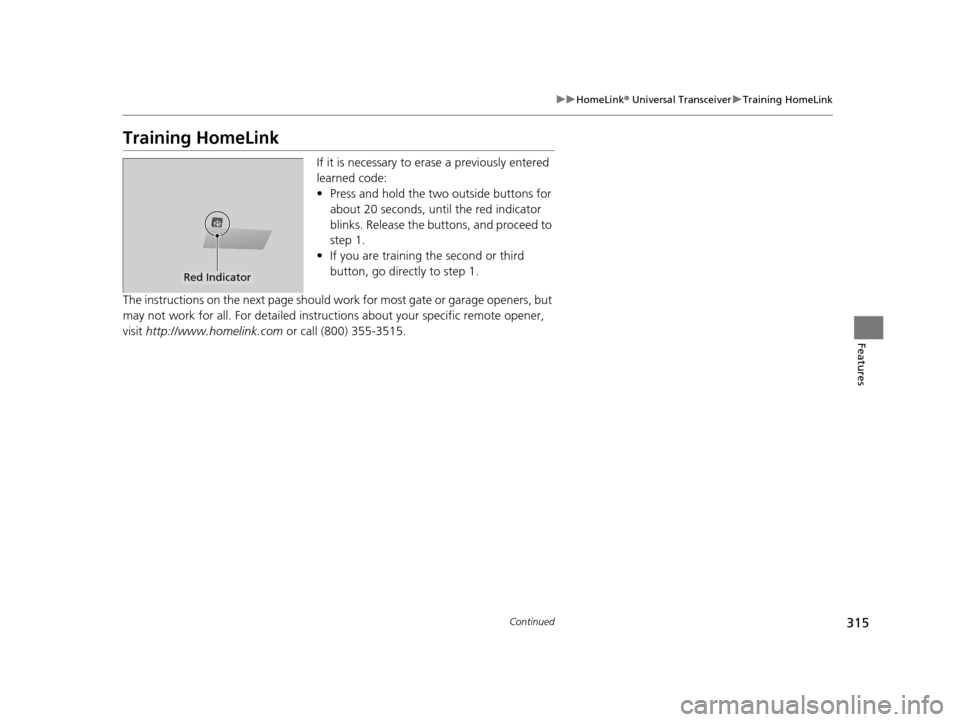
Training HomeLink
If it is necessary to er ase a previously entered
learned code:
• Press and hold the two outside buttons for
about 20 seconds, until the red indicator
blinks. Release the bu ttons, and proceed to
step 1.
• If you are training the second or third
button, go directly to step 1.
The instructions on the next page should work for most gate or garage openers, but
may not work for all. For detailed instructions about your specific remote opener,
visit http://www.homelink.com or call (800) 355-3515.
Red Indicator
19 ACURA TLX-31TZ36400.book 315 ページ 2018年2月16日 金曜日 午後12時22分
Page 318 of 591
uuHomeLink ® Universal Transceiver uTraining HomeLink
316
Features
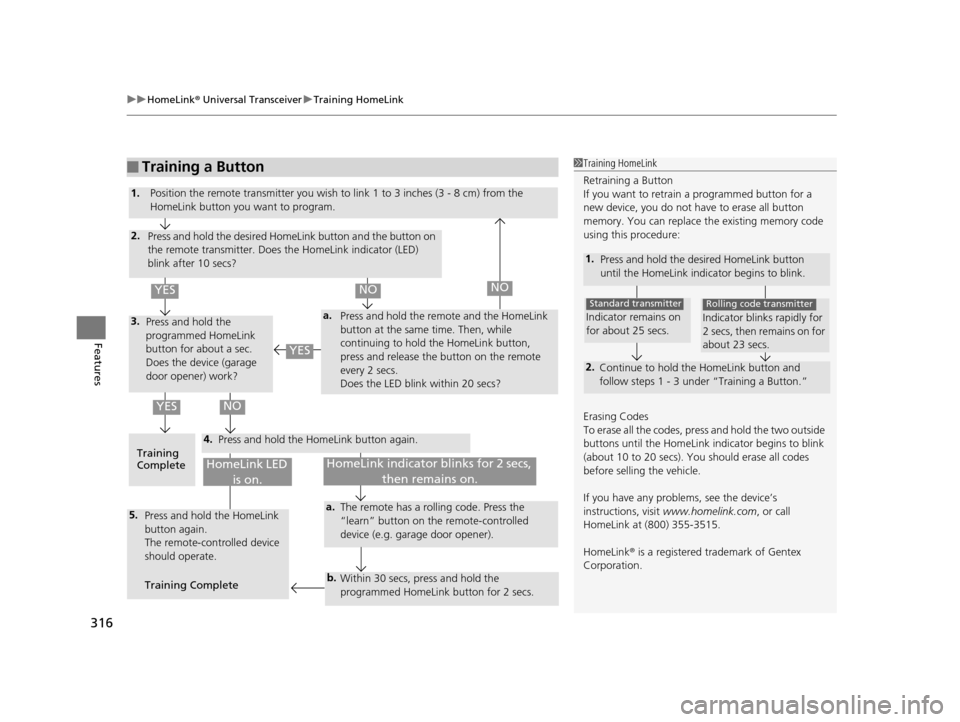
■Training a Button1Training HomeLink
Retraining a Button
If you want to retrain a programmed button for a
new device, you do not ha ve to erase all button
memory. You can replace the existing memory code
using this procedure:
1. Press and hold the de sired HomeLink button
until the HomeLink indi cator begins to blink.
2.
Continue to hold the HomeLink button and
follow steps 1 - 3 unde r “Training a Button.”
Indicator remains on
for about 25 secs.
Standard transmitter
Indicator blinks rapidly for
2 secs, then remains on for
about 23 secs.
Rolling code transmitter
Erasing Codes
To erase all the codes, press and hold the two outside
buttons until the HomeLink i ndicator begins to blink
(about 10 to 20 secs). You should erase all codes
before selling the vehicle.
If you have any problems, see the device’s
instructions, visit www.homelink.com , or call
HomeLink at (800) 355-3515.
HomeLink® is a registered tra demark of Gentex
Corporation.
4.
a.3.
2.
5.a.
b.
1. Position the remote transmitter you wish to link 1 to 3 inches (3 - 8 cm) from the
HomeLink button you want to program.
Press and hold the desired Ho meLink button and the button on
the remote transmitter. Does the HomeLink indicator (LED)
blink after 10 secs?
Press and hold the
programmed HomeLink
button for about a sec.
Does the device (garage
door opener) work? Press and hold the remo
te and the HomeLink
button at the same time. Then, while
continuing to hold the HomeLink button,
press and release the button on the remote
every 2 secs.
Does the LED blink within 20 secs?
Training
Complete Press and hold the HomeLink button again.
Press and hold the HomeLink
button again.
The remote-controlled device
should operate.
Training Complete The remote has a rolling code. Press the
“learn” button on the remote-controlled
device (e.g. garage door opener).
Within 30 secs, press and hold the
programmed HomeLink button for 2 secs.
HomeLink indicator blinks for 2 secs,
then remains on.HomeLink LED is on.
YESNO
YES
YESNONO
19 ACURA TLX-31TZ36400.book 316 ページ 2018年2月16日 金曜日 午後12時22分
Page 327 of 591
Continued325
uuBluetooth ® HandsFreeLink ®u HFL Menus
Features
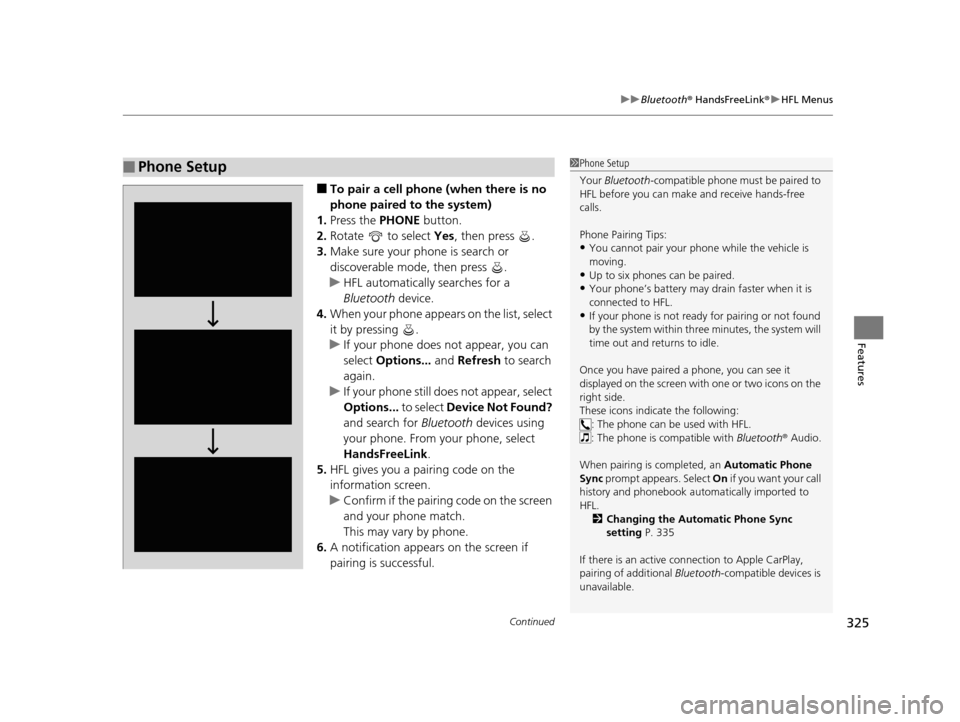
■To pair a cell phone (when there is no
phone paired to the system)
1. Press the PHONE button.
2. Rotate to select Yes, then press .
3. Make sure your phone is search or
discoverable mode, then press .
u HFL automatically searches for a
Bluetooth device.
4. When your phone appears on the list, select
it by pressing .
u If your phone does not appear, you can
select Options... and Refresh to search
again.
u If your phone still do es not appear, select
Options... to select Device Not Found?
and search for Bluetooth devices using
your phone. From your phone, select
HandsFreeLink .
5. HFL gives you a pairing code on the
information screen.
u Confirm if the pairing code on the screen
and your phone match.
This may vary by phone.
6. A notification appears on the screen if
pairing is successful.
■Phone Setup1Phone Setup
Your Bluetooth -compatible phone must be paired to
HFL before you can make and receive hands-free
calls.
Phone Pairing Tips:
•You cannot pair your phone while the vehicle is
moving.
•Up to six phones can be paired.
•Your phone’s battery may dr ain faster when it is
connected to HFL.
•If your phone is not ready for pairing or not found
by the system within three minutes, the system will
time out and returns to idle.
Once you have paired a phone, you can see it
displayed on the screen with one or two icons on the
right side.
These icons indicate the following: : The phone can be used with HFL.
: The phone is compatible with Bluetooth® Audio.
When pairing is completed, an Automatic Phone
Sync prompt appears. Select On if you want your call
history and phonebook au tomatically imported to
HFL. 2 Changing the Automatic Phone Sync
setting P. 335
If there is an active c onnection to Apple CarPlay,
pairing of additional Bluetooth-compatible devices is
unavailable.
19 ACURA TLX-31TZ36400.book 325 ページ 2018年2月16日 金曜日 午後12時22分
Page 354 of 591
352
Features
Compass*
When you set the power mode to ON, the compass self-calibrates, and the compass
display appears.
Compass Calibration
If the compass indicates the wrong direction, or the CAL indicator blinks, you need
to manually calibrate the system.
1. Set the power mode to ON.
2. On the top screen of any source, press and hold for five seconds.
u The display switches to the Compass Settings screen.
3. Rotate to select Calibration, then press .
4. When the display changes to Calibration Start, press .
5. Drive the vehicle slowly in two circles.
u The compass starts to show a dire ction after the calibration. The CAL indicator
goes off.
1 Compass*
Compass operation can be affected under the
following conditions:
•Driving near power lines or stations•Crossing a bridge
•Passing a large vehicle, or driving near a large
object that can cause a magnetic disturbance
•When accessories such as antennas and roof racks
are mounted by magnets
1 Compass Calibration
Calibrate the compass in an open area.
While setting the compass, press the BACK button to
cancel the setting mode a nd return to the previous
screen.
Models with navigation self -calibrate using GPS. The
compass in the multi-information display and the
direction arrow on the ma p screen (when Heading-
Up view selected) may not be in sync when first
starting the vehicle, but should correct themselves as
you drive.
If the compass in the multi-information display
continues to indicate an in correct direction, please
see your Acura dealer.
Models with navigation system
* Not available on all models
19 ACURA TLX-31TZ36400.book 352 ページ 2018年2月16日 金曜日 午後12時22分