mirror ACURA ZDX 2010 User Guide
[x] Cancel search | Manufacturer: ACURA, Model Year: 2010, Model line: ZDX, Model: ACURA ZDX 2010Pages: 645, PDF Size: 17.13 MB
Page 183 of 645
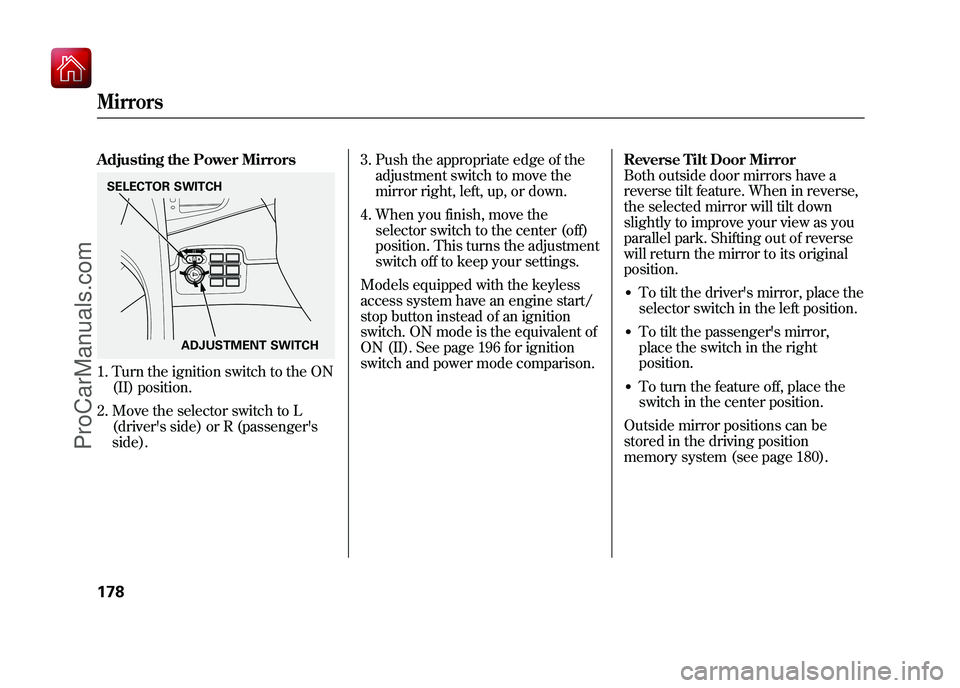
Adjusting the Power Mirrors1. Turn the ignition switch to the ON(II) position.
2. Move the selector switch to L (driver's side) or R (passenger's
side). 3. Push the appropriate edge of the
adjustment switch to move the
mirror right, left, up, or down.
4. When you finish, move the selector switch to the center (off)
position. This turns the adjustment
switch off to keep your settings.
Models equipped with the keyless
access system have an engine start/
stop button instead of an ignition
switch. ON mode is the equivalent of
ON (II). See page 196 for ignition
switch and power mode comparison. Reverse Tilt Door Mirror
Both outside door mirrors have a
reverse tilt feature. When in reverse,
the selected mirror will tilt down
slightly to improve your view as you
parallel park. Shifting out of reverse
will return the mirror to its original
position.
●To tilt the driver's mirror, place the
selector switch in the left position.●To tilt the passenger's mirror,
place the switch in the right
position.●To turn the feature off, place the
switch in the center position.
Outside mirror positions can be
stored in the driving position
memory system (see page 180).
SELECTOR SWITCH
ADJUSTMENT SWITCHMirrors17809/10/28 17:15:37 10 ACURA ZDX KA KC New North America Own 50 31SZN600 enu
ProCarManuals.com
Page 184 of 645
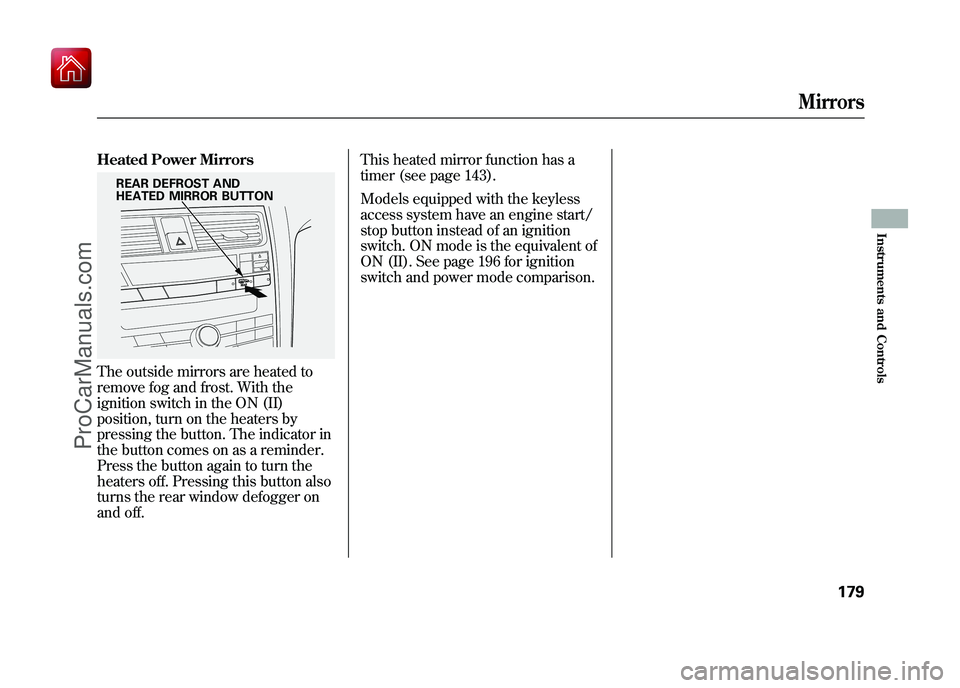
Heated Power MirrorsThe outside mirrors are heated to
remove fog and frost. With the
ignition switch in the ON (II)
position, turn on the heaters by
pressing the button. The indicator in
the button comes on as a reminder.
Press the button again to turn the
heaters off. Pressing this button also
turns the rear window defogger on
and off.This heated mirror function has a
timer (see page 143).
Models equipped with the keyless
access system have an engine start/
stop button instead of an ignition
switch. ON mode is the equivalent of
ON (II). See page 196 for ignition
switch and power mode comparison.
REAR DEFROST AND
HEATED MIRROR BUTTON
Mirrors
179
Instruments and Controls
09/10/28 17:15:37 10 ACURA ZDX KA KC New North America Own 50 31SZN600 enu
ProCarManuals.com
Page 185 of 645
Your vehicle has a memory feature
for the steering wheel, driver's seat,
and outside mirror positions.
Seat, except for power lumbar,
steering wheel and outside mirror
positions can be stored in separate
memories. You select a memorized
position by pushing the appropriate
button or using the appropriate
remote transmitter or the keyless
access remote (Driver 1 or Driver 2).Storing a Driving Position in
Memory
Store a driving position only when
the vehicle is parked.
1. Turn the ignition switch to the ON
(II) position. You cannot add a new
driving position to the memory
unless the ignition switch is in the
ON (II) position. You can recall a
memorized position with the
ignition switch in any position.
Models equipped with the keyless
access system have an engine
start/stop button instead of an
ignition switch. ON mode is the
equivalent of ON (II). See page
196 for ignition switch and power
mode comparison. 2. Adjust the seat to a comfortable
position (see page 161).
Adjust the steering wheel to a
comfortable position (see page
145).
Adjust the outside mirrors for best
visibility (see page 178).Driving Position Memory System18009/10/28 17:15:37 10 ACURA ZDX KA KC New North America Own 50 31SZN600 enu
ProCarManuals.com
Page 186 of 645
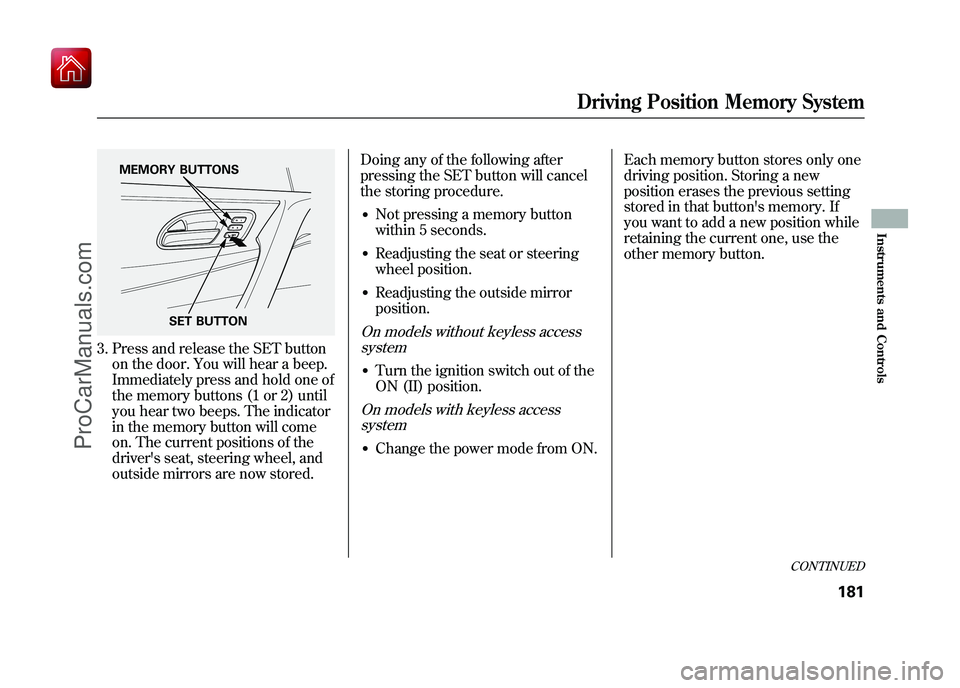
3. Press and release the SET buttonon the door. You will hear a beep.
Immediately press and hold one of
the memory buttons (1 or 2) until
you hear two beeps. The indicator
in the memory button will come
on. The current positions of the
driver's seat, steering wheel, and
outside mirrors are now stored. Doing any of the following after
pressing the SET button will cancel
the storing procedure.
●Not pressing a memory button
within 5 seconds.●Readjusting the seat or steering
wheel position.●Readjusting the outside mirror
position.On models without keyless access
system●Turn the ignition switch out of the
ON (II) position.On models with keyless accesssystem●Change the power mode from ON. Each memory button stores only one
driving position. Storing a new
position erases the previous setting
stored in that button's memory. If
you want to add a new position while
retaining the current one, use the
other memory button.
SET BUTTON
MEMORY BUTTONS
CONTINUED
Driving Position Memory System
181
Instruments and Controls
09/10/28 17:15:37 10 ACURA ZDX KA KC New North America Own 50 31SZN600 enu
ProCarManuals.com
Page 187 of 645
Selecting a Memorized Position
To select a memorized position, do
this:1. Make sure the shift lever is in Park.
2. Press the desired memory button (1 or 2) until you hear a beep, then
release the button.
The system will move the seat,
steering wheel, and outside mirrors
to the memorized positions. The
indicator in the selected memory
button will flash during movement.
When the adjustments are complete,
you will hear two beeps, and the
indicator will remain on.
To change the ‘‘MEMORY
POSITION LINK ’’setting, see page
115. To stop the system's automatic
adjustment, do any of these actions:
●Press any button on the control
panel: SET, 1, or 2.●Push any of the adjustment
switches for the seat or steering
wheel.●Shift out of Park.●Adjust the outside mirrors.
If desired, you can use the
adjustment switches to change the
positions of the seat, steering wheel
or outside mirrors after they are in
their memorized position. If you
change the memorized position, the
indicator in the memory button will
go out. To keep this driving position
for later use, you must store it in the
driving position memory.
Driving Position Memory System18209/10/28 17:15:37 10 ACURA ZDX KA KC New North America Own 50 31SZN600 enu
ProCarManuals.com
Page 217 of 645
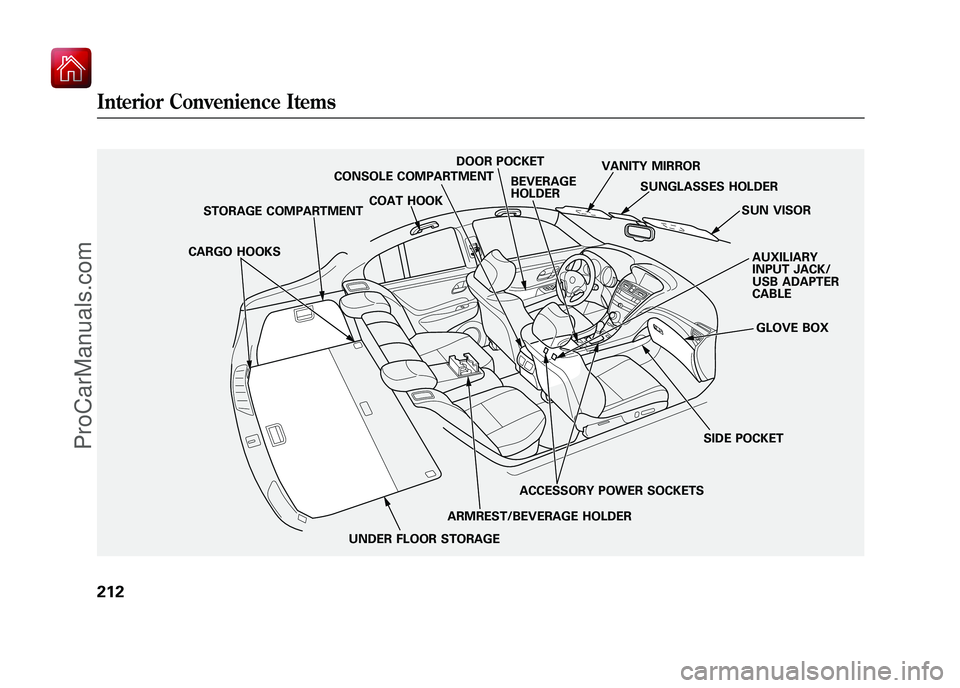
SUN VISOR
SUNGLASSES HOLDER
COAT HOOK
STORAGE COMPARTMENT VANITY MIRROR
GLOVE BOX
SIDE POCKET AUXILIARY
INPUT JACK/
USB ADAPTER
CABLE
CONSOLE COMPARTMENT
ARMREST/BEVERAGE HOLDERACCESSORY POWER SOCKETS
BEVERAGE
HOLDER
UNDER FLOOR STORAGE
CARGO HOOKS
DOOR POCKET
Interior Convenience Items21209/10/28 17:15:37 10 ACURA ZDX KA KC New North America Own 50 31SZN600 enu
ProCarManuals.com
Page 221 of 645
Some larger styles of sunglasses may
not fit in the holder.
You may also store small items in
this holder. Make sure they are small
enough to let the holder close and
latch, and that they are not heavy
enough to cause the holder to pop
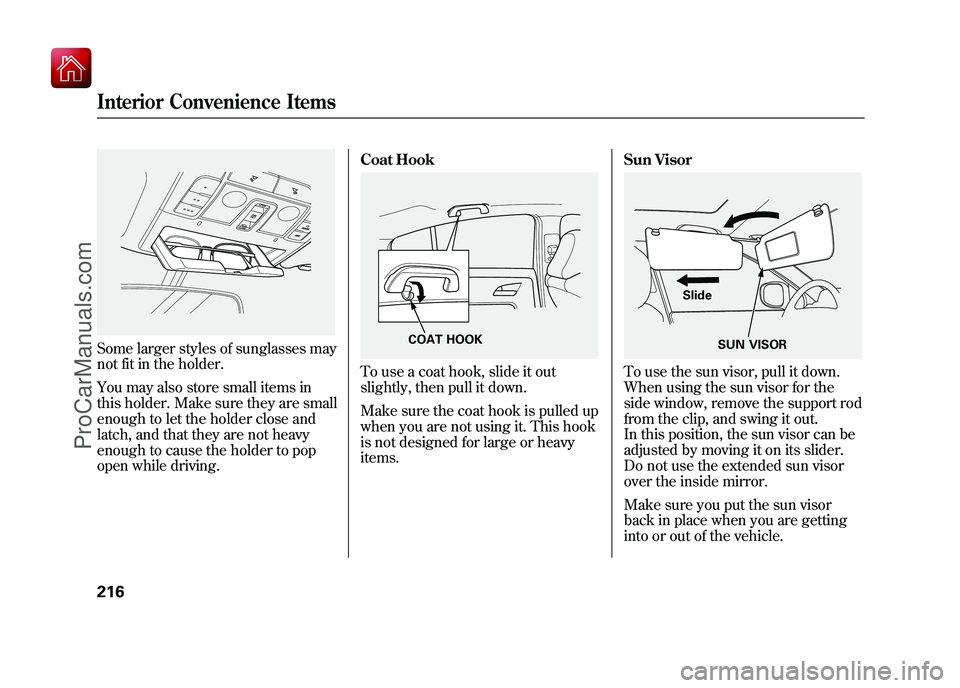
open while driving.Coat Hook
To use a coat hook, slide it out
slightly, then pull it down.
Make sure the coat hook is pulled up
when you are not using it. This hook
is not designed for large or heavy
items.
Sun Visor
To use the sun visor, pull it down.
When using the sun visor for the
side window, remove the support rod
from the clip, and swing it out.
In this position, the sun visor can be
adjusted by moving it on its slider.
Do not use the extended sun visor
over the inside mirror.
Make sure you put the sun visor
back in place when you are getting
into or out of the vehicle.
COAT HOOK
SUN VISOR
Slide
Interior Convenience Items21609/10/28 17:15:37 10 ACURA ZDX KA KC New North America Own 50 31SZN600 enu
ProCarManuals.com
Page 222 of 645
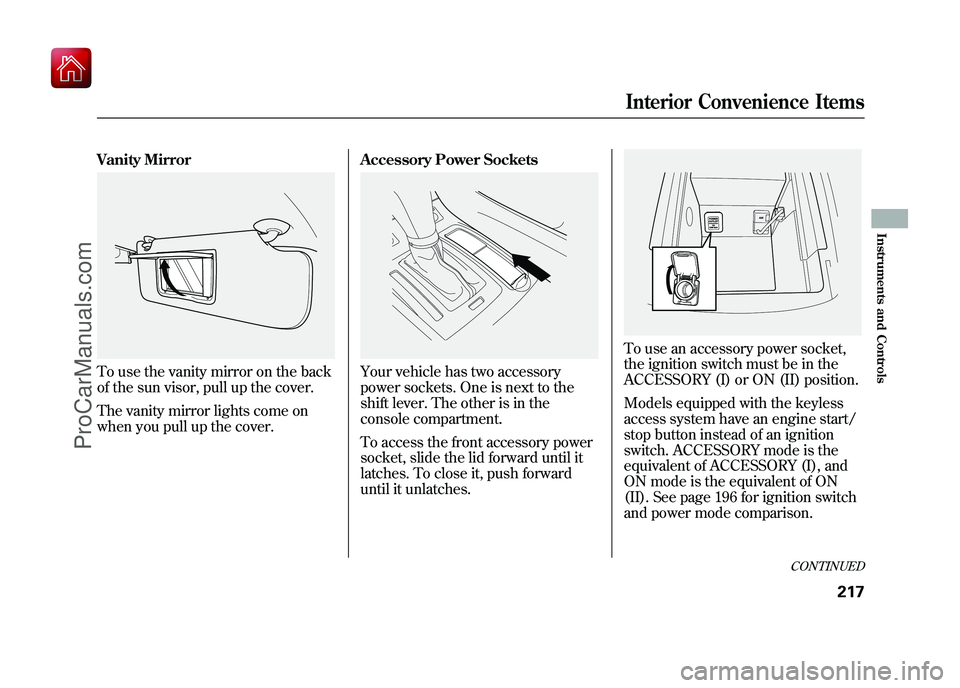
Vanity MirrorTo use the vanity mirror on the back
of the sun visor, pull up the cover.
The vanity mirror lights come on
when you pull up the cover.Accessory Power Sockets
Your vehicle has two accessory
power sockets. One is next to the
shift lever. The other is in the
console compartment.
To access the front accessory power
socket, slide the lid forward until it
latches. To close it, push forward
until it unlatches.
To use an accessory power socket,
the ignition switch must be in the
ACCESSORY (I) or ON (II) position.
Models equipped with the keyless
access system have an engine start/
stop button instead of an ignition
switch. ACCESSORY mode is the
equivalent of ACCESSORY (I), and
ON mode is the equivalent of ON
(II). See page 196 for ignition switch
and power mode comparison.
CONTINUED
Interior Convenience Items
217
Instruments and Controls
09/10/28 17:15:37 10 ACURA ZDX KA KC New North America Own 50 31SZN600 enu
ProCarManuals.com
Page 224 of 645
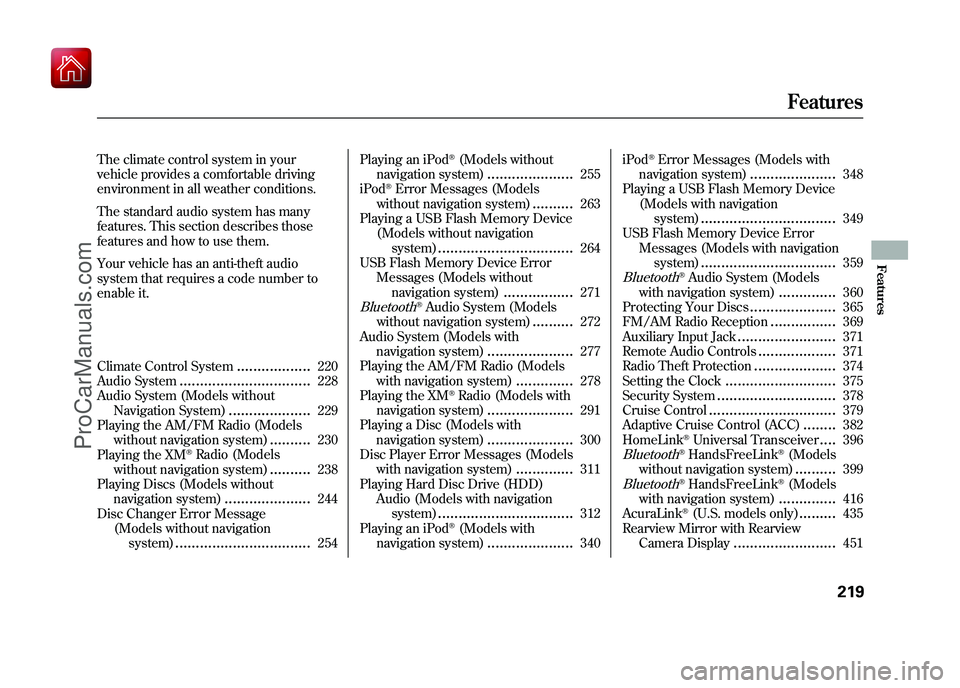
The climate control system in your
vehicle provides a comfortable driving
environment in all weather conditions.
The standard audio system has many
features. This section describes those
features and how to use them.
Your vehicle has an anti-theft audio
system that requires a code number to
enable it.
Climate Control System
..................
220
Audio System
................................
228
Audio System (Models without Navigation System)
....................
229
Playing the AM/FM Radio (Models
without navigation system)
..........
230
Playing the XM
®Radio (Models
without navigation system)
..........
238
Playing Discs (Models without navigation system)
.....................
244
Disc Changer Error Message (Models without navigationsystem)
.................................
254 Playing an iPod
®(Models without
navigation system)
.....................
255
iPod
®Error Messages (Models
without navigation system)
..........
263
Playing a USB Flash Memory Device
(Models without navigationsystem)
.................................
264
USB Flash Memory Device Error
Messages (Models withoutnavigation system)
.................
271
Bluetooth
®Audio System (Models
without navigation system)
..........
272
Audio System (Models with navigation system)
.....................
277
Playing the AM/FM Radio (Models with navigation system)
..............
278
Playing the XM
®Radio (Models with
navigation system)
.....................
291
Playing a Disc (Models with navigation system)
.....................
300
Disc Player Error Messages (Models with navigation system)
..............
311
Playing Hard Disc Drive (HDD)
Audio (Models with navigationsystem)
.................................
312
Playing an iPod
®(Models with
navigation system)
.....................
340 iPod
®Error Messages (Models with
navigation system)
.....................
348
Playing a USB Flash Memory Device (Models with navigationsystem)
.................................
349
USB Flash Memory Device Error Messages (Models with navigationsystem)
.................................
359
Bluetooth
®Audio System (Models
with navigation system)
..............
360
Protecting Your Discs
.....................
365
FM/AM Radio Reception
................
369
Auxiliary Input Jack
........................
371
Remote Audio Controls
...................
371
Radio Theft Protection
....................
374
Setting the Clock
...........................
375
Security System
.............................
378
Cruise Control
...............................
379
Adaptive Cruise Control (ACC)
........
382
HomeLink
®Universal Transceiver
....
396
Bluetooth
®HandsFreeLink
®(Models
without navigation system)..........
399
Bluetooth
®HandsFreeLink
®(Models
with navigation system)..............
416
AcuraLink
®(U.S. models only)
.........
435
Rearview Mirror with Rearview
Camera Display
.........................
451
Features
219
Features
09/10/28 17:15:37 10 ACURA ZDX KA KC New North America Own 50 31SZN600 enu
ProCarManuals.com
Page 225 of 645
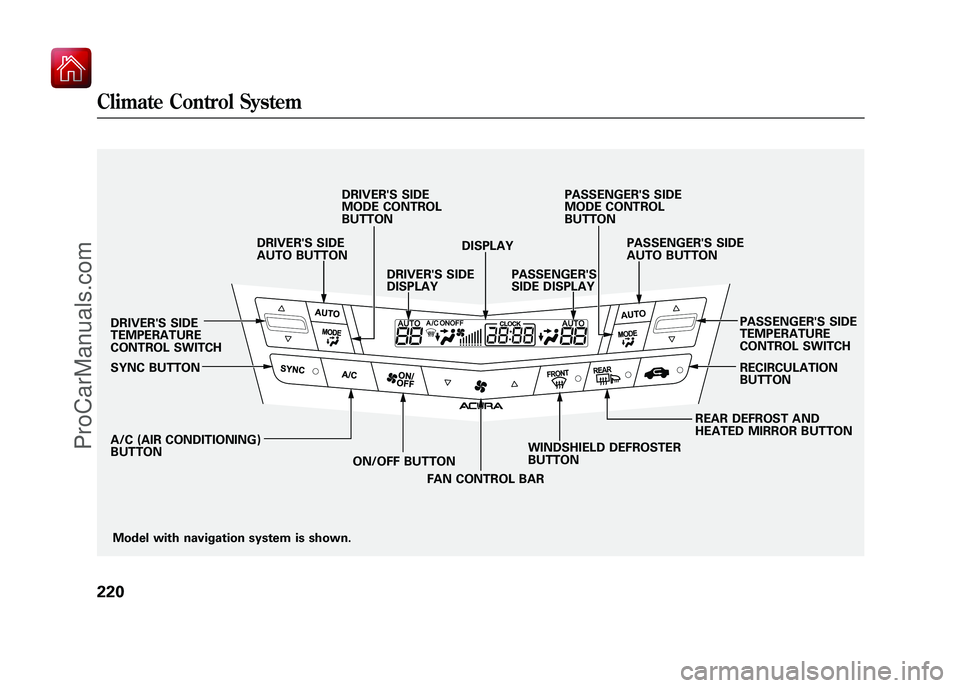
Model with navigation system is shown.
DRIVER'S SIDE
TEMPERATURE
CONTROL SWITCH
SYNC BUTTON
A/C (AIR CONDITIONING)
BUTTON
ON/OFF BUTTON
FAN CONTROL BAR WINDSHIELD DEFROSTER
BUTTON REAR DEFROST AND
HEATED MIRROR BUTTONRECIRCULATION
BUTTON PASSENGER'S SIDE
TEMPERATURE
CONTROL SWITCH
DRIVER'S SIDE
AUTO BUTTON
DRIVER'S SIDE
MODE CONTROL
BUTTON
DRIVER'S SIDE
DISPLAY DISPLAY
PASSENGER'S
SIDE DISPLAY PASSENGER'S SIDE
AUTO BUTTON
PASSENGER'S SIDE
MODE CONTROL
BUTTON
Climate Control System22009/10/28 17:15:37 10 ACURA ZDX KA KC New North America Own 50 31SZN600 enu
ProCarManuals.com