lock ACURA ZDX 2010 Owner's Guide
[x] Cancel search | Manufacturer: ACURA, Model Year: 2010, Model line: ZDX, Model: ACURA ZDX 2010Pages: 645, PDF Size: 17.13 MB
Page 134 of 645
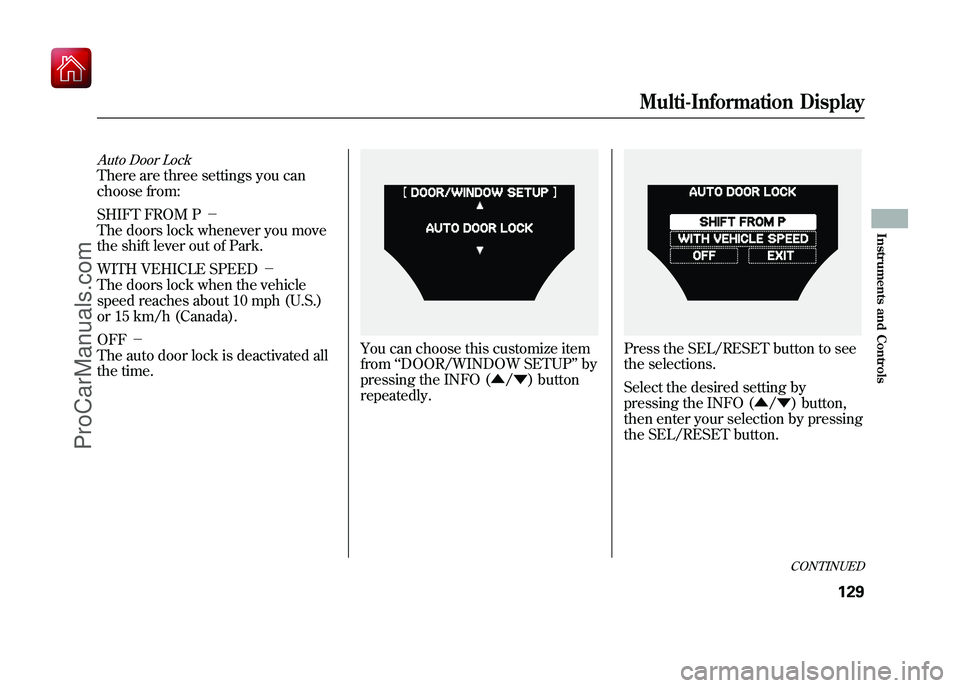
Auto Door LockThere are three settings you can
choose from:
SHIFT FROM P-
The doors lock whenever you move
the shift lever out of Park.
WITH VEHICLE SPEED -
The doors lock when the vehicle
speed reaches about 10 mph (U.S.)
or 15 km/h (Canada).
OFF -
The auto door lock is deactivated all
the time.
You can choose this customize item
from ‘‘DOOR/WINDOW SETUP ’’by
pressing the INFO (▲ /▼ ) button
repeatedly.
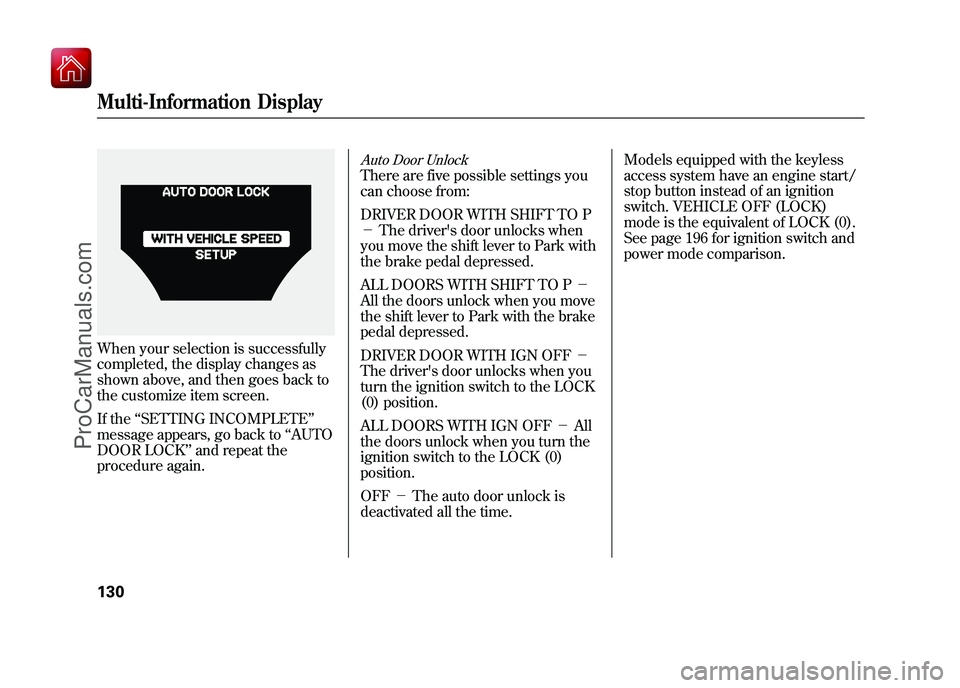
Press the SEL/RESET button to see
the selections.
Select the desired setting by
pressing the INFO (▲ /▼ ) button,
then enter your selection by pressing
the SEL/RESET button.
CONTINUED
Multi-Information Display
129
Instruments and Controls
09/10/28 17:15:37 10 ACURA ZDX KA KC New North America Own 50 31SZN600 enu
ProCarManuals.com
Page 135 of 645
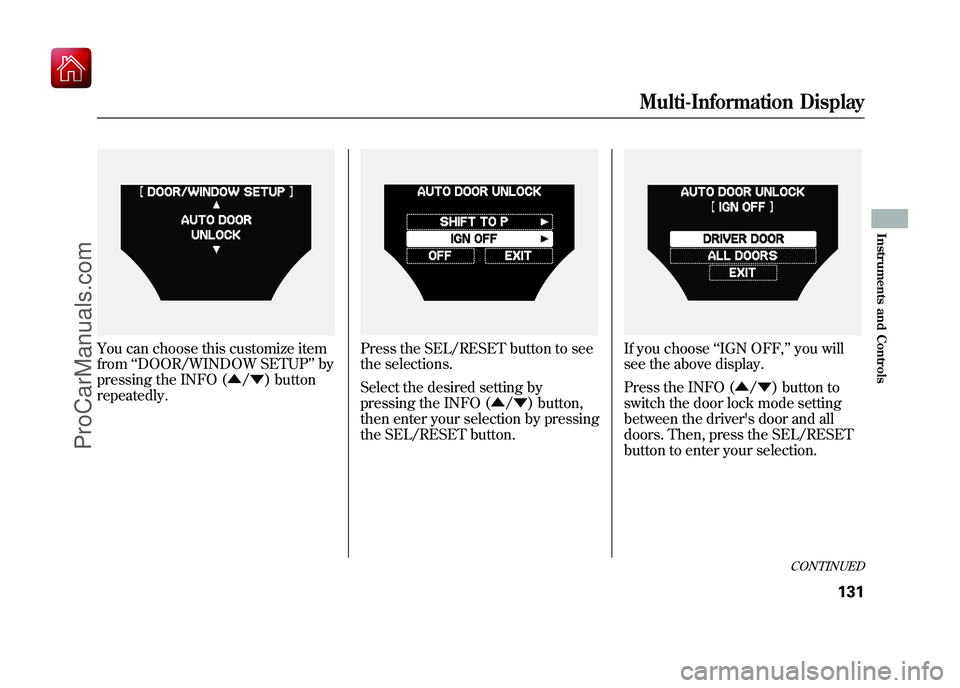
When your selection is successfully
completed, the display changes as
shown above, and then goes back to
the customize item screen.
If the‘‘SETTING INCOMPLETE ’’
message appears, go back to ‘‘AUTO
DOOR LOCK ’’and repeat the
procedure again.
Auto Door UnlockThere are five possible settings you
can choose from:
DRIVER DOOR WITH SHIFT TO P
- The driver's door unlocks when
you move the shift lever to Park with
the brake pedal depressed.
ALL DOORS WITH SHIFT TO P -
All the doors unlock when you move
the shift lever to Park with the brake
pedal depressed.
DRIVER DOOR WITH IGN OFF -
The driver's door unlocks when you
turn the ignition switch to the LOCK
(0) position.
ALL DOORS WITH IGN OFF -All
the doors unlock when you turn the
ignition switch to the LOCK (0)
position.
OFF -The auto door unlock is
deactivated all the time. Models equipped with the keyless
access system have an engine start/
stop button instead of an ignition
switch. VEHICLE OFF (LOCK)
mode is the equivalent of LOCK (0).
See page 196 for ignition switch and
power mode comparison.
Multi-Information Display13009/10/28 17:15:37 10 ACURA ZDX KA KC New North America Own 50 31SZN600 enu
ProCarManuals.com
Page 136 of 645
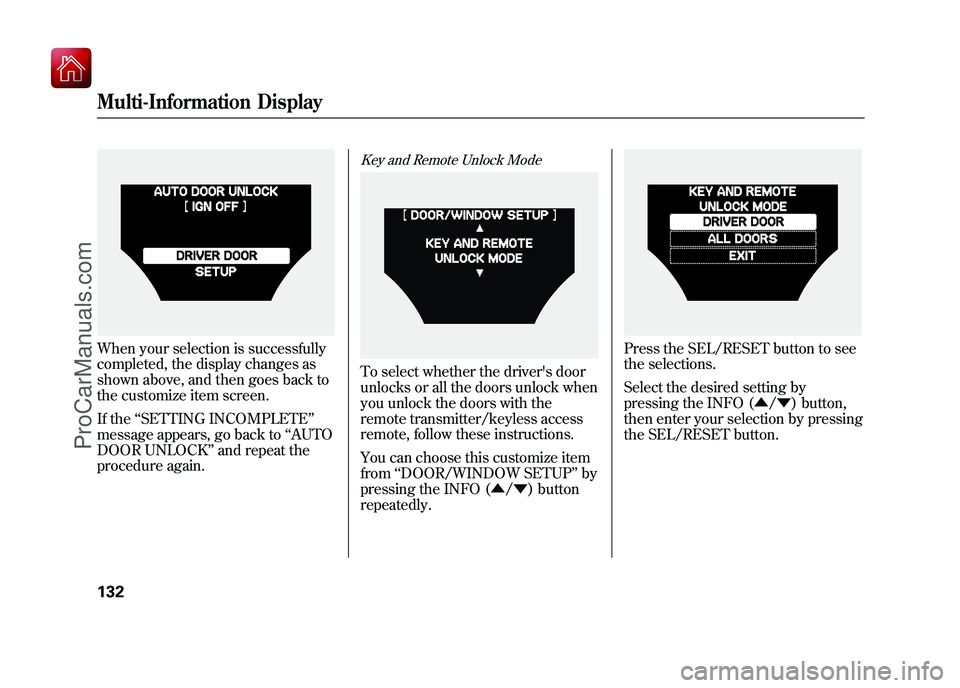
You can choose this customize item
from‘‘DOOR/WINDOW SETUP ’’by
pressing the INFO (▲ /▼ ) button
repeatedly.
Press the SEL/RESET button to see
the selections.
Select the desired setting by
pressing the INFO (▲ /▼ ) button,
then enter your selection by pressing
the SEL/RESET button.
If you choose ‘‘IGN OFF, ’’you will
see the above display.
Press the INFO (▲ /▼ ) button to
switch the door lock mode setting
between the driver's door and all
doors. Then, press the SEL/RESET
button to enter your selection.
CONTINUED
Multi-Information Display
131
Instruments and Controls
09/10/28 17:15:37 10 ACURA ZDX KA KC New North America Own 50 31SZN600 enu
ProCarManuals.com
Page 137 of 645
When your selection is successfully
completed, the display changes as
shown above, and then goes back to
the customize item screen.
If the‘‘SETTING INCOMPLETE ’’
message appears, go back to ‘‘AUTO
DOOR UNLOCK ’’and repeat the
procedure again.
Key and Remote Unlock ModeTo select whether the driver's door
unlocks or all the doors unlock when
you unlock the doors with the
remote transmitter/keyless access
remote, follow these instructions.
You can choose this customize item
from ‘‘DOOR/WINDOW SETUP ’’by
pressing the INFO (▲ /▼ ) button
repeatedly.
Press the SEL/RESET button to see
the selections.
Select the desired setting by
pressing the INFO (▲ /▼ ) button,
then enter your selection by pressing
the SEL/RESET button.
Multi-Information Display13209/10/28 17:15:37 10 ACURA ZDX KA KC New North America Own 50 31SZN600 enu
ProCarManuals.com
Page 138 of 645
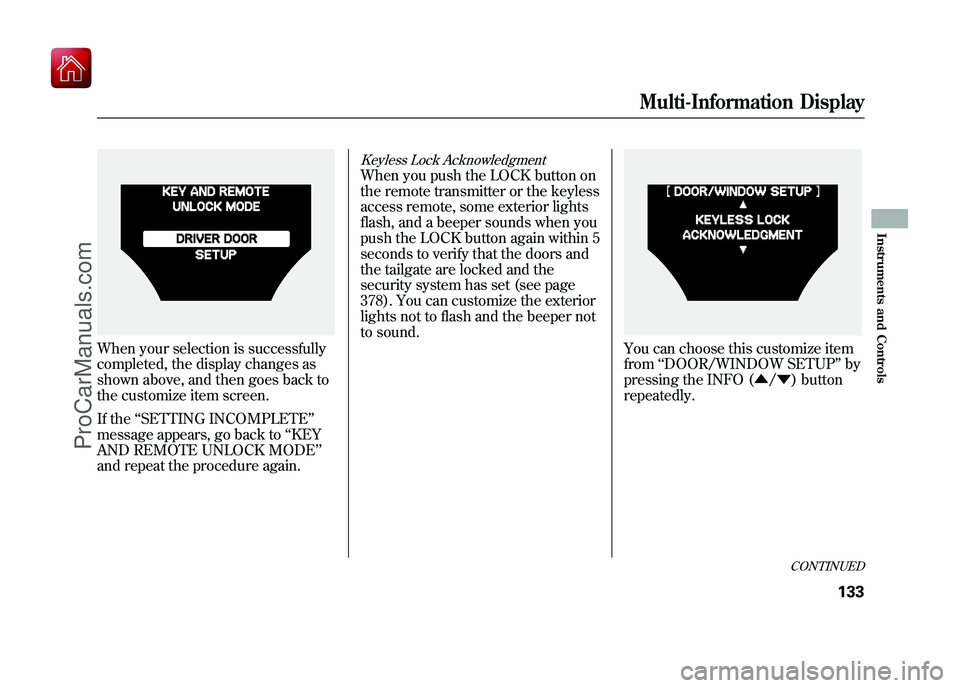
When your selection is successfully
completed, the display changes as
shown above, and then goes back to
the customize item screen.
If the‘‘SETTING INCOMPLETE ’’
message appears, go back to ‘‘KEY
AND REMOTE UNLOCK MODE’’
and repeat the procedure again.
Keyless Lock AcknowledgmentWhen you push the LOCK button on
the remote transmitter or the keyless
access remote, some exterior lights
flash, and a beeper sounds when you
push the LOCK button again within 5
seconds to verify that the doors and
the tailgate are locked and the
security system has set (see page
378). You can customize the exterior
lights not to flash and the beeper not
to sound.
You can choose this customize item
from ‘‘DOOR/WINDOW SETUP ’’by
pressing the INFO (▲ /▼ ) button
repeatedly.
CONTINUED
Multi-Information Display
133
Instruments and Controls
09/10/28 17:15:37 10 ACURA ZDX KA KC New North America Own 50 31SZN600 enu
ProCarManuals.com
Page 139 of 645
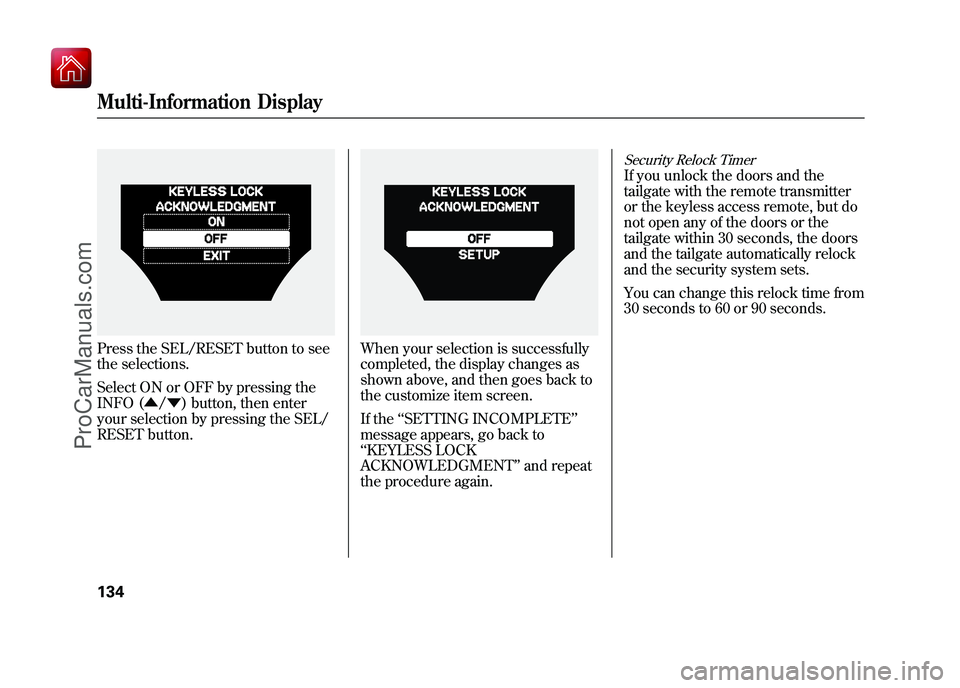
Press the SEL/RESET button to see
the selections.
Select ON or OFF by pressing the
INFO (▲/▼ ) button, then enter
your selection by pressing the SEL/
RESET button.
When your selection is successfully
completed, the display changes as
shown above, and then goes back to
the customize item screen.
If the ‘‘SETTING INCOMPLETE ’’
message appears, go back to
‘‘ KEYLESS LOCK
ACKNOWLEDGMENT ’’and repeat
the procedure again.
Security Relock TimerIf you unlock the doors and the
tailgate with the remote transmitter
or the keyless access remote, but do
not open any of the doors or the
tailgate within 30 seconds, the doors
and the tailgate automatically relock
and the security system sets.
You can change this relock time from
30 seconds to 60 or 90 seconds.
Multi-Information Display13409/10/28 17:15:37 10 ACURA ZDX KA KC New North America Own 50 31SZN600 enu
ProCarManuals.com
Page 140 of 645
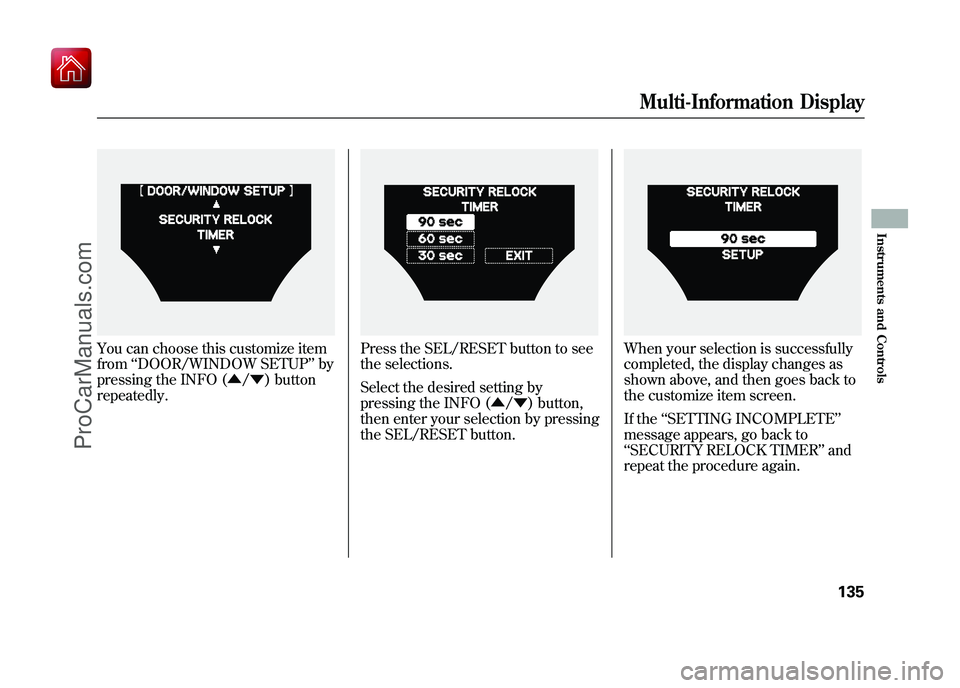
You can choose this customize item
from‘‘DOOR/WINDOW SETUP ’’by
pressing the INFO (▲ /▼ ) button
repeatedly.
Press the SEL/RESET button to see
the selections.
Select the desired setting by
pressing the INFO (▲ /▼ ) button,
then enter your selection by pressing
the SEL/RESET button.
When your selection is successfully
completed, the display changes as
shown above, and then goes back to
the customize item screen.
If the ‘‘SETTING INCOMPLETE ’’
message appears, go back to
‘‘ SECURITY RELOCK TIMER ’’and
repeat the procedure again.
Multi-Information Display
135
Instruments and Controls
09/10/28 17:15:37 10 ACURA ZDX KA KC New North America Own 50 31SZN600 enu
ProCarManuals.com
Page 144 of 645

1. Turn signal
2. Off
3. Parking and instrument panel
lights
4. AUTO
5. Headlights on
6. High beams
7. Flash high beams
8. Fog lights off
9. Fog lights onTurn Signal
-Push down on the
lever to signal a left turn and up to
signal a right turn. To signal a lane
change, push lightly on the lever,
and hold it. The lever will return to
center when you release it or
complete a turn.
Headlights On -Turning the
switch to the ‘‘
’’position turns on
the parking lights, taillights,
instrument panel lights, side-marker
lights, and rear license plate lights.
Turning the switch to the ‘‘
’’
position turns on the headlights. When the light switch is in either of
these positions, the lights on
indicator comes on as a reminder.
This indicator stays on if you leave
the lights on and turn the ignition
switch to the ACCESSORY (I) or
LOCK (0) position.
Models equipped with the keyless
access system have an engine start/
stop button instead of an ignition
switch. ACCESSORY mode is the
equivalent of ACCESSORY (I), and
ON mode is the equivalent of ON
(II). See page 196 for ignition switch
and power mode comparison.
If you leave the lights on with the key
removed from the ignition switch, or
with the power mode in VEHICLE
OFF (LOCK), you will hear a
reminder chime when you open the
driver's door.
CONTINUED
Turn Signal and Headlights
139
Instruments and Controls
09/10/28 17:15:37 10 ACURA ZDX KA KC New North America Own 50 31SZN600 enu
ProCarManuals.com
Page 147 of 645

If you see a‘‘CHECK DRL SYSTEM ’’
message on the multi-information
display, there is a problem with the
daytime running light system. Take
your vehicle to a dealer to have it
checked.
When the multi-information display
shows a ‘‘DRL OFF ’’message, the
daytime running lights are off. DRL
will turn on when the parking brake
is released. Automatic Lighting Off Feature
This feature turns off the headlights,
all other exterior lights, and the
instrument panel lights within 15
seconds after you remove the key
and close the driver's door.
To change the
‘‘HEADLIGHT AUTO
OFF TIMER ’’setting, see page 125.
The automatic lighting off feature
activates if you remove the key (or
the vehicle is in VEHICLE OFF
mode on models with keyless access
system), and open or close driver's
door with the headlight switch in the
‘‘
’’ or ‘‘
’’position, or the
lights turned on in the ‘‘AUTO ’’
position. If you turn the ignition switch to the
LOCK (0) position with the headlight
switch on, but do not open the door,
the lights turn off after 10 minutes (3
minutes, if the switch is in the
‘‘
AUTO ’’position).
The lights turn on again when you
unlock or open the driver's door.
If you unlock the door, but do not
open it within 15 seconds, the lights
go off. With the driver's door open,
you will hear a lights-on reminder
chime.
Models equipped with the keyless
access system have an engine start/
stop button instead of an ignition
switch. VEHICLE OFF (LOCK)
mode is the equivalent of LOCK (0).
See page 196 for ignition switch and
power mode comparison.
Turn Signal and Headlights14209/10/28 17:15:37 10 ACURA ZDX KA KC New North America Own 50 31SZN600 enu
ProCarManuals.com
Page 148 of 645
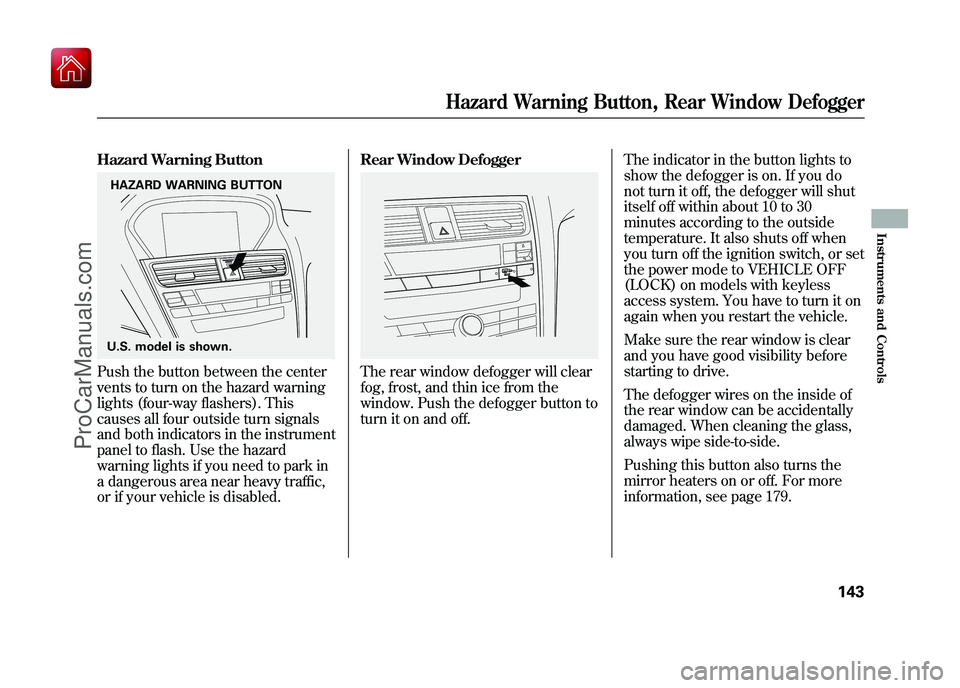
Hazard Warning ButtonPush the button between the center
vents to turn on the hazard warning
lights (four-way flashers). This
causes all four outside turn signals
and both indicators in the instrument
panel to flash. Use the hazard
warning lights if you need to park in
a dangerous area near heavy traffic,
or if your vehicle is disabled.Rear Window Defogger
The rear window defogger will clear
fog, frost, and thin ice from the
window. Push the defogger button to
turn it on and off.
The indicator in the button lights to
show the defogger is on. If you do
not turn it off, the defogger will shut
itself off within about 10 to 30
minutes according to the outside
temperature. It also shuts off when
you turn off the ignition switch, or set
the power mode to VEHICLE OFF
(LOCK) on models with keyless
access system. You have to turn it on
again when you restart the vehicle.
Make sure the rear window is clear
and you have good visibility before
starting to drive.
The defogger wires on the inside of
the rear window can be accidentally
damaged. When cleaning the glass,
always wipe side-to-side.
Pushing this button also turns the
mirror heaters on or off. For more
information, see page 179.
HAZARD WARNING BUTTON
U.S. model is shown.
Hazard Warning Button, Rear Window Defogger
143
Instruments and Controls
09/10/28 17:15:37 10 ACURA ZDX KA KC New North America Own 50 31SZN600 enu
ProCarManuals.com