brake Acura ZDX 2012 User Guide
[x] Cancel search | Manufacturer: ACURA, Model Year: 2012, Model line: ZDX, Model: Acura ZDX 2012Pages: 370, PDF Size: 10.06 MB
Page 73 of 370
71
uuIndicators u
Continued
Instrument Panel
*1: Models with the keyless access system have an ENGINE START/STOP button instead of an ignition switch.
IndicatorNameOn/BlinkingExplanationMessage
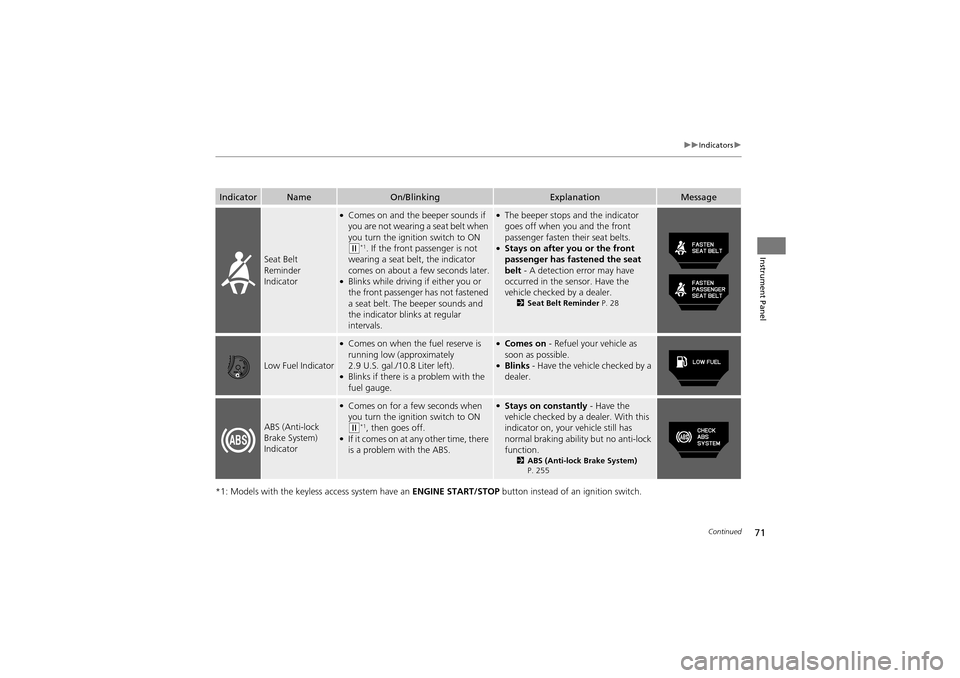
Seat Belt
Reminder
Indicator
●Comes on and the beeper sounds if
you are not wearing a seat belt when
you turn the ignition switch to ON
(w*1. If the front passenger is not
wearing a seat belt, the indicator
comes on about a few seconds later.
●Blinks while driving if either you or
the front passenger has not fastened
a seat belt. The beeper sounds and
the indicator blinks at regular
intervals.
●The beeper stops and the indicator
goes off when you and the front
passenger fasten their seat belts.
●Stays on after you or the front
passenger has fastened the seat
belt - A detection error may have
occurred in the sensor. Have the
vehicle checked by a dealer.
2 Seat Belt Reminder P. 28
Low Fuel Indicator
●Comes on when the fuel reserve is
running low (approximately
2.9 U.S. gal./10.8 Liter left).
●Blinks if there is a problem with the
fuel gauge.
●Comes on - Refuel your vehicle as
soon as possible.
●Blinks - Have the vehicle checked by a
dealer.
ABS (Anti-lock
Brake System)
Indicator
●Comes on for a fe w seconds when
you turn the igniti on switch to ON
(w*1, then goes off.●If it comes on at any other time, there
is a problem with the ABS.
●Stays on constantly - Have the
vehicle checked by a dealer. With this
indicator on, your vehicle still has
normal braking ability but no anti-lock
function.
2 ABS (Anti-lock Brake System)
P. 255
Page 81 of 370
79
uuIndicators u
Instrument Panel
IndicatorNameOn/BlinkingExplanationMessage
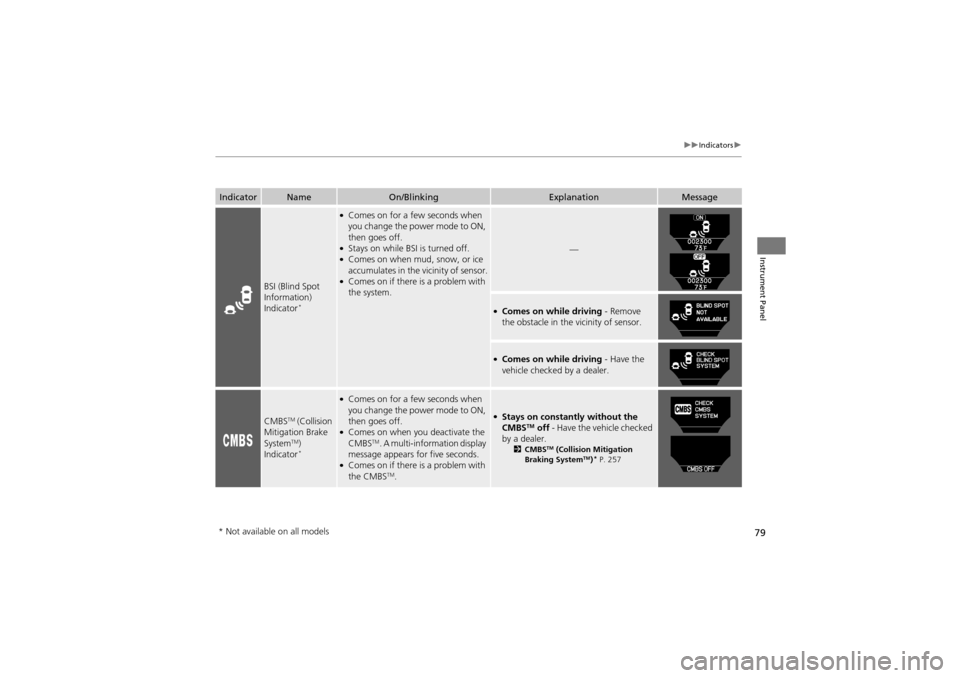
BSI (Blind Spot
Information)
Indicator
*
●Comes on for a fe w seconds when
you change the power mode to ON,
then goes off.
●Stays on while BSI is turned off.●Comes on when mud, snow, or ice
accumulates in the vicinity of sensor.
●Comes on if there is a problem with
the system.
—
●Comes on while driving - Remove
the obstacle in the vicinity of sensor.
●Comes on while driving - Have the
vehicle checked by a dealer.
CMBSTM (Collision
Mitigation Brake
System
TM)
Indicator*
●Comes on for a fe w seconds when
you change the power mode to ON,
then goes off.
●Comes on when you deactivate the
CMBSTM. A multi-information display
message appears for five seconds.
●Comes on if there is a problem with
the CMBSTM.
●Stays on constantly without the
CMBSTM off - Have the vehicle checked
by a dealer.
2 CMBSTM (Collision Mitigation
Braking SystemTM)* P. 257
* Not available on all models
Page 84 of 370
82
uuIndicators uMulti-Information Display Warning and Information Messages
Instrument Panel
MessageConditionExplanation
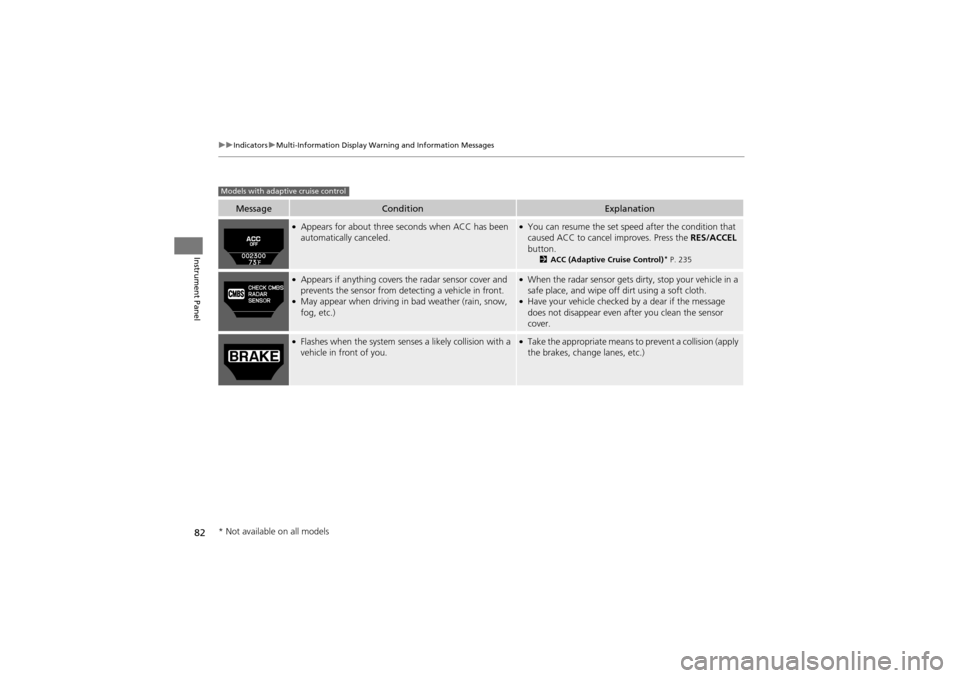
●Appears for about three seconds when ACC has been
automatically canceled.●You can resume the set speed after the condition that
caused ACC to cancel improves. Press the RES/ACCEL
button.
2 ACC (Adaptive Cruise Control)* P. 235
●Appears if anything covers the radar sensor cover and
prevents the sensor from de tecting a vehicle in front.
●May appear when driving in bad weather (rain, snow,
fog, etc.)
●When the radar sensor gets dirty, stop your vehicle in a
safe place, and wipe off dirt using a soft cloth.
●Have your vehicle checked by a dear if the message
does not disappear even a fter you clean the sensor
cover.
●Flashes when the system senses a likely collision with a
vehicle in front of you.●Take the appropriate means to prevent a collision (apply
the brakes, change lanes, etc.)
Models with adaptive cruise control
* Not available on all models
Page 87 of 370
85
uuIndicators uMulti-Information Display Warning and Information Messages
Continued
Instrument Panel
MessageConditionExplanation
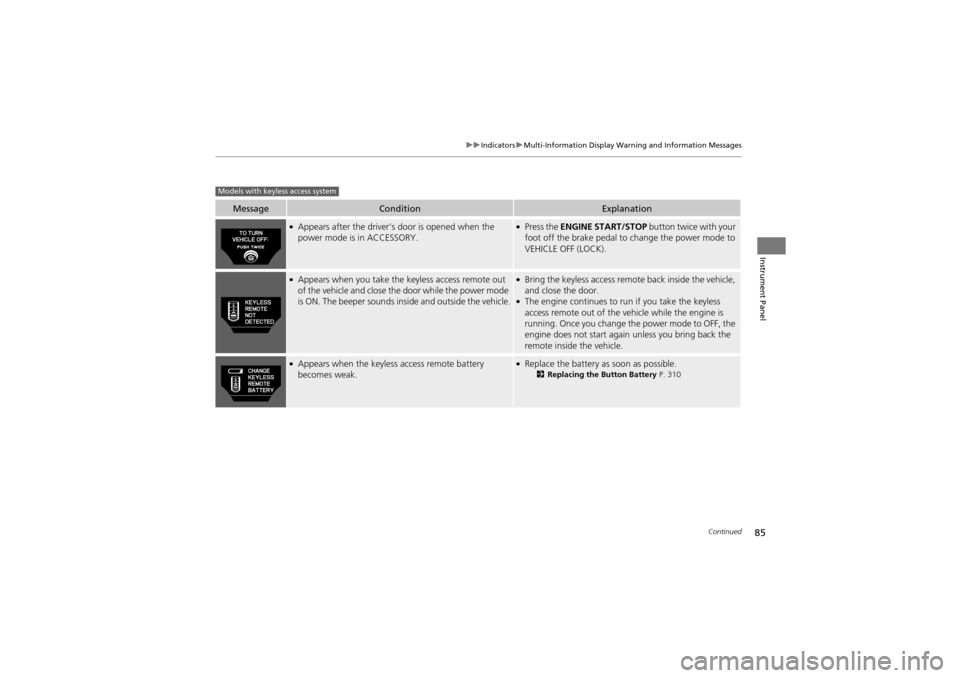
●Appears after the driver’s door is opened when the
power mode is in ACCESSORY.●Press the ENGINE START/STOP button twice with your
foot off the brake pedal to change the power mode to
VEHICLE OFF (LOCK).
●Appears when you take the keyless access remote out
of the vehicle and close the door while the power mode
is ON. The beeper sounds inside and outside the vehicle.●Bring the keyless access remote back inside the vehicle,
and close the door.
●The engine continues to run if you take the keyless
access remote out of the vehicle while the engine is
running. Once you change the power mode to OFF, the
engine does not start again unless you bring back the
remote inside the vehicle.
●Appears when the keyless access remote battery
becomes weak.●Replace the battery as soon as possible.2Replacing the Button Battery P. 310
Models with keyless access system
Page 115 of 370
113
uuLocking and Unlocking the Doors uAuto Door Locking/Unlocking
Controls
Auto Door Locking/Unlocking
Your vehicle locks all doors and unlocks the driver’s door automatically when a
certain condition is met.
■Drive lock mode
All doors, the tailgate, and th e fuel fill door lock when the vehicle’s speed reaches
about 10 mph (15 km/h).
■Park unlock mode
The driver’s door unlocks when the shift lever is moved into
P with the brake pedal
depressed.
The settings can be changed to unlock all doors.
■Auto Door Locking
■Auto Door Unlocking
1 Auto Door Locking/Unlocking
You can turn off or change to another auto door
locking/unlocking setting using the multi-information
display.
2 Customized Features P. 94
Page 135 of 370
133
uuOperating the Switches Around the Steering Wheel uFog Lights
Controls
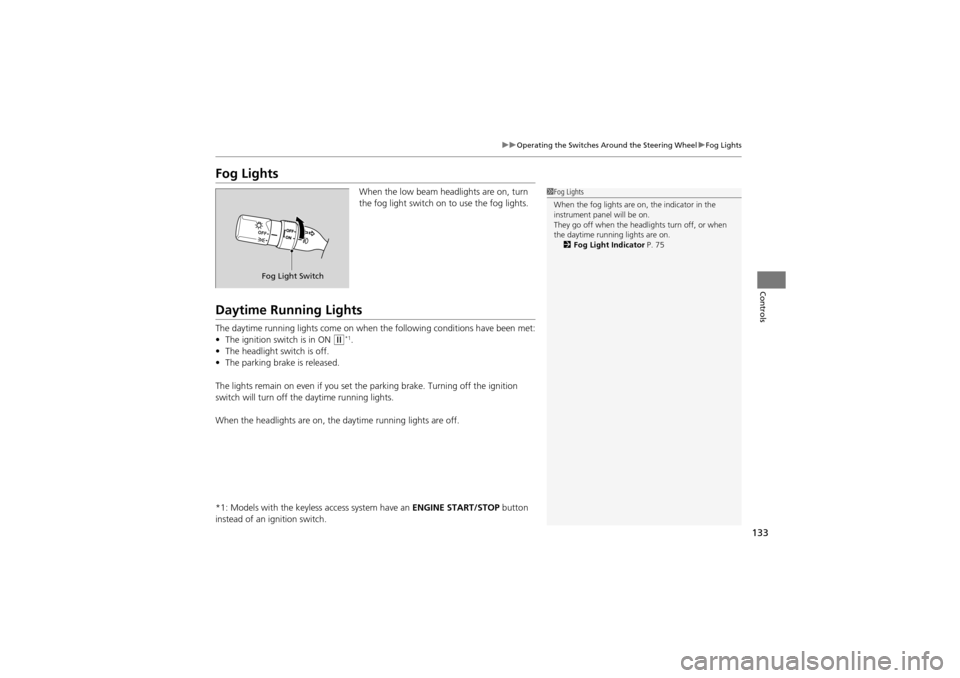
Fog Lights
When the low beam head lights are on, turn
the fog light switch on to use the fog lights.
Daytime Running Lights
The daytime running lights come on when the following conditions have been met:
• The ignition switch is in ON
w*1.
• The headlight switch is off.
• The parking brake is released.
The lights remain on even if you set th e parking brake. Turning off the ignition
switch will turn off th e daytime running lights.
When the headlights are on, the daytime running lights are off.
*1: Models with the keyless access system have an ENGINE START/STOP button
instead of an ig nition switch.
1Fog Lights
When the fog lights are on, the indicator in the
instrument panel will be on.
They go off when the headlights turn off, or when
the daytime running lights are on.
2 Fog Light Indicator P. 75
Fog Light Switch
Page 141 of 370
139
uuOperating the Switches Around the Steering Wheel uDriving Position Memory System
Controls
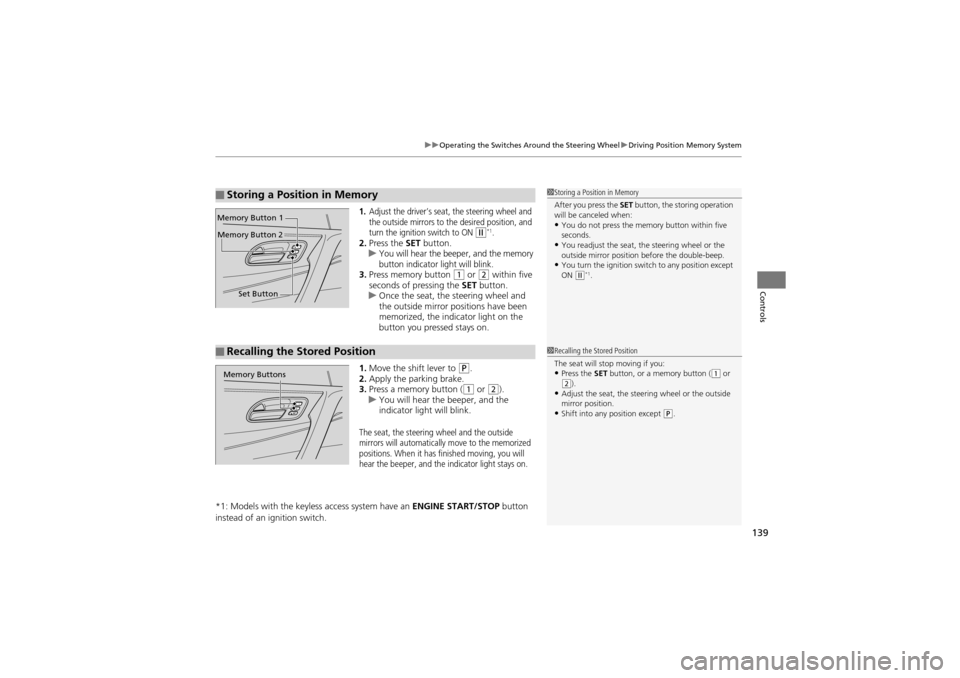
1.Adjust the driver’s seat, the steering wheel and
the outside mirrors to the desired position, and
turn the ignition switch to ON
w*1.2. Press the SET button.
uYou will hear the beeper, and the memory
button indicator light will blink.
3. Press memory button 1 or 2 within five
seconds of pressing the SET button.
u Once the seat, the steering wheel and
the outside mirror pos itions have been
memorized, the indi cator light on the
button you pressed stays on.
1. Move the shift lever to
P.
2. Apply the parking brake.
3. Press a memory button (
1 or 2).
u You will hear the beeper, and the
indicator light will blink.
The seat, the steering wheel and the outside
mirrors will automatically move to the memorized
positions. When it has finished moving, you will
hear the beeper, and the indicator light stays on.
*1: Models with the keyless access system have an ENGINE START/STOP button
instead of an ig nition switch.
■Storing a Position in Memory1Storing a Position in Memory
After you press the SET button, the storing operation
will be canceled when:
•You do not press the memory button within five
seconds.
•You readjust the seat, the steering wheel or the
outside mirror position before the double-beep.
•You turn the ignition switch to any position except
ON (w*1.
Set Button
Memory Button 1
Memory Button 2
■Recalling the Stored Position1
Recalling the Stored Position
The seat will stop moving if you:
•Press the SET button, or a memory button ((1 or (2).•Adjust the seat, the steer ing wheel or the outside
mirror position.
•Shift into any position except (P.
Memory Buttons
Page 151 of 370
149
uuAdjusting the Seats uRear Seats
Controls
Rear Seats
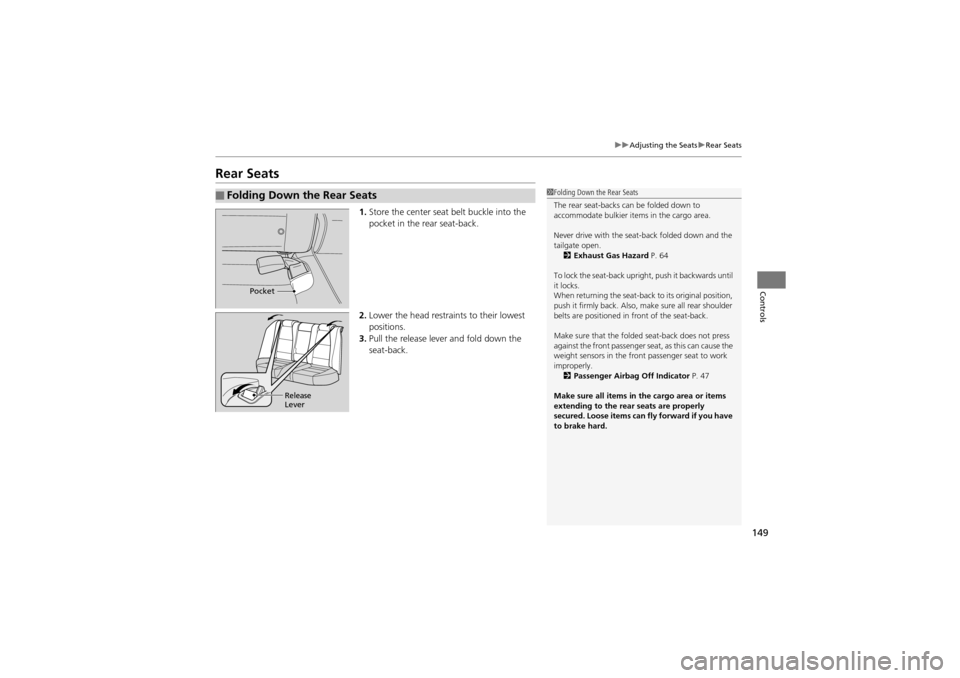
1. Store the center seat belt buckle into the
pocket in the rear seat-back.
2. Lower the head restrain ts to their lowest
positions.
3. Pull the release lever and fold down the
seat-back.
■Folding Down the Rear Seats1Folding Down the Rear Seats
The rear seat-backs can be folded down to
accommodate bulkier it ems in the cargo area.
Never drive with the seat-back folded down and the
tailgate open. 2 Exhaust Gas Hazard P. 64
To lock the seat-back uprig ht, push it backwards until
it locks.
When returning the seat-back to its original position,
push it firmly back. Also, ma ke sure all rear shoulder
belts are positioned in front of the seat-back.
Make sure that the folded seat-back does not press
against the front passenger seat, as this can cause the
weight sensors in the front passenger seat to work
improperly. 2 Passenger Airbag Off Indicator P. 47
Make sure all items in th e cargo area or items
extending to th e rear seats are properly
secured. Loose items can fly forward if you have
to brake hard.
Pocket
Release
Lever
Page 211 of 370
209
Driving
This chapter discusses driving, refueling, an d information on items such as accessories.
Before Driving
Driving Preparation .......................... 210
Maximum Load Limit........................ 213
Towing a Trailer Towing Preparation ..... ..................... 215
Driving Safely with a Trailer .............. 218
Towing Your Vehicle ........................ 219
Off-Highway Driving Guidelines General Information ......................... 220
Important Safety Prec autions............ 220
Avoiding Trouble ......... .................... 221
When Driving Starting the Engine .......................... 223
Precautions While Driving ................ 226
Automatic Transmission ................... 227
Shifting ............................................ 228
Cruise Control
*............................... 232
ACC (Adaptive Cruise Control)*....... 235VSA® (Vehicle Stability Assist), aka ESC
(Electronic Stability Control), System ...... 243
SH-AWD ® (Super Handling-All Wheel
DriveTM) .......................................... 245
BSI (Blind Spot Information)*........... 246TPMS (Tire Pressure Monitoring System) .. 248IDS (Integrated Dynamics System)*... 252 Braking
Brake System ................................... 253
ABS (Anti-lock Brake System) ........... 255
Brake Assist System ......................... 256
CMBS
TM (Collision Mitigation Braking
SystemTM)*..................................... 257
Parking Your Vehicle ........................ 261
Rearview Camera
*............................ 262
Refueling ........................................... 263
Fuel Economy .................................... 266
Accessories and Modifications ........ 267
* Not available on all models
Page 213 of 370
Continued211
uuBefore Driving uDriving Preparation
Driving
• Store or secure all items on board properly.
u Carrying too much cargo, or improperly storing it, can affect your vehicle’s
handling, stability, stopping distan ce, and tires, and make it unsafe.
2Maximum Load Limit P. 213
•Do not pile items higher than the seat height.
u They can block your view and may be thrown forward in the event of sudden
braking.
• Do not place anything in th e front seat footwells. Make sure to secure the floor
mat.
u An object or unsecured floor mat can inte rfere with your brake and accelerator
pedal operation while driving.
• If you have any animals on board, do not let them move around in the vehicle.
u They may interfere with driv ing and a crash could occur.
• Securely close and lock a ll doors and the tailgate.
2Locking/Unlocking the Doors from the Inside P. 111
•Adjust your seating position properly.
u Adjust the head restraint, too.
2 Adjusting the Seats P. 143
2 Adjusting the Head Restraints P. 145
•Adjust the mirrors and steering wheel properly for your driving.
u Adjust them while sitting in the proper driving position.
2 Adjusting the Mirrors P. 141
2 Adjusting the Steering Wheel P. 140
■Interior Checks1Interior Checks
The headlight aim is set by the factory, and does not
need to be adjusted. However, if you regularly carry
heavy items in the cargo ar ea or tow a trailer, have
the aiming readjusted at a dealer or by a qualified
technician.