light Acura ZDX 2012 Owner's Guide
[x] Cancel search | Manufacturer: ACURA, Model Year: 2012, Model line: ZDX, Model: Acura ZDX 2012Pages: 370, PDF Size: 10.06 MB
Page 105 of 370
103Continued
Controls
Locking and Unlocking the Doors
Key Types and Functions
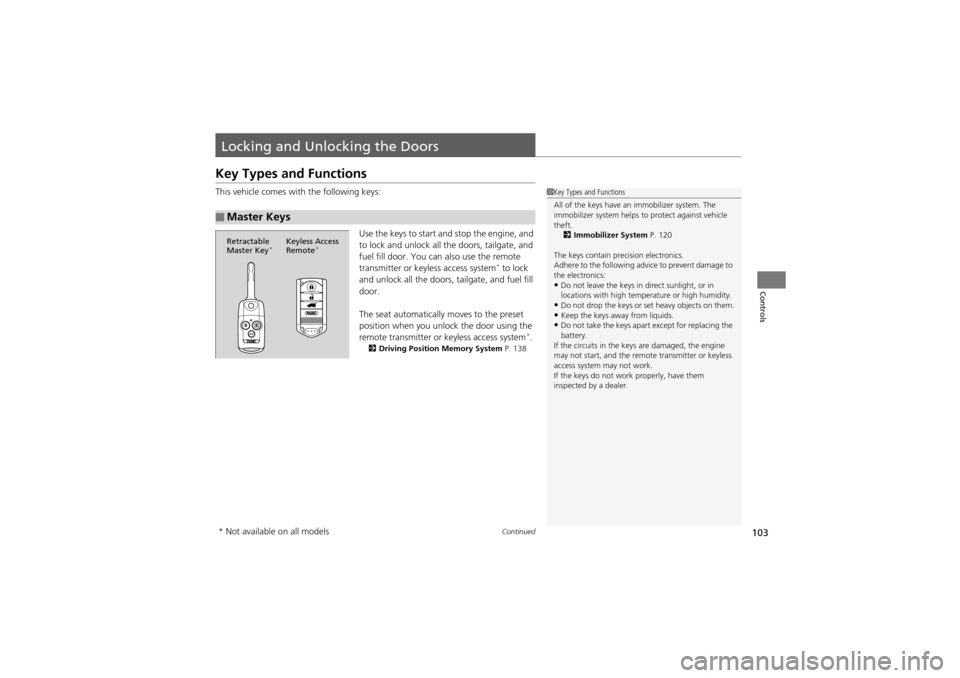
This vehicle comes with the following keys:Use the keys to start and stop the engine, and
to lock and unlock all the doors, tailgate, and
fuel fill door. You can also use the remote
transmitter or keyless access system
* to lock
and unlock all the doors, tailgate, and fuel fill
door.
The seat automatically moves to the preset
position when you unlock the door using the
remote transmitter or keyless access system
*.2 Driving Position Memory System P. 138
■Master Keys
1Key Types and Functions
All of the keys have an immobilizer system. The
immobilizer system helps to protect against vehicle
theft.
2 Immobilizer System P. 120
The keys contain precision electronics.
Adhere to the following advice to prevent damage to
the electronics:
•Do not leave the keys in direct sunlight, or in
locations with high temperature or high humidity.
•Do not drop the keys or set heavy objects on them.•Keep the keys away from liquids.•Do not take the keys apa rt except for replacing the
battery.
If the circuits in the keys are damaged, the engine
may not start, and the remo te transmitter or keyless
access system may not work.
If the keys do not work properly, have them
inspected by a dealer.
Retractable
Master Key*Keyless Access
Remote*
* Not available on all models
Page 108 of 370
106
uuLocking and Unlocking the Doors uLocking/Unlocking the Doors from the Outside
Controls
Locking/Unlocking the Doors from the Outside
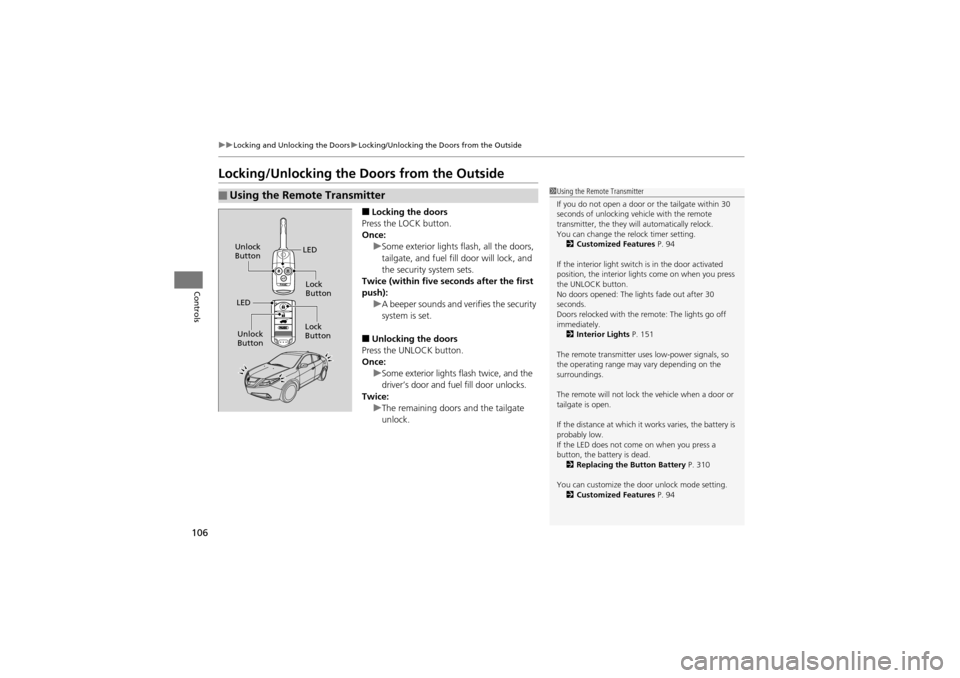
■Locking the doors
Press the LOCK button.
Once: uSome exterior lights flash, all the doors,
tailgate, and fuel fill door will lock, and
the security system sets.
Twice (within five seconds after the first
push): uA beeper sounds and verifies the security
system is set.
■Unlocking the doors
Press the UNLOCK button.
Once: uSome exterior lights flash twice, and the
driver’s door and fuel fill door unlocks.
Twice: uThe remaining doors and the tailgate
unlock.
■Using the Remote Transmitter1Using the Remote Transmitter
If you do not open a door or the tailgate within 30
seconds of unlocking vehicle with the remote
transmitter, the they will automatically relock.
You can change the relock timer setting.
2 Customized Features P. 94
If the interior light switch is in the door activated
position, the interior light s come on when you press
the UNLOCK button.
No doors opened: The lights fade out after 30
seconds.
Doors relocked with the remote: The lights go off
immediately.
2 Interior Lights P. 151
The remote transmitter uses low-power signals, so
the operating range may vary depending on the
surroundings.
The remote will not lock the vehicle when a door or
tailgate is open.
If the distance at which it works varies, the battery is
probably low.
If the LED does not come on when you press a
button, the battery is dead. 2 Replacing the Button Battery P. 310
You can customize the door unlock mode setting. 2 Customized Features P. 94
LED
Unlock
Button
Lock
Button
LED
Lock
Button
Unlock
Button
Page 110 of 370
uuLocking and Unlocking the Doors uLocking/Unlocking the Doors from the Outside
108
Controls
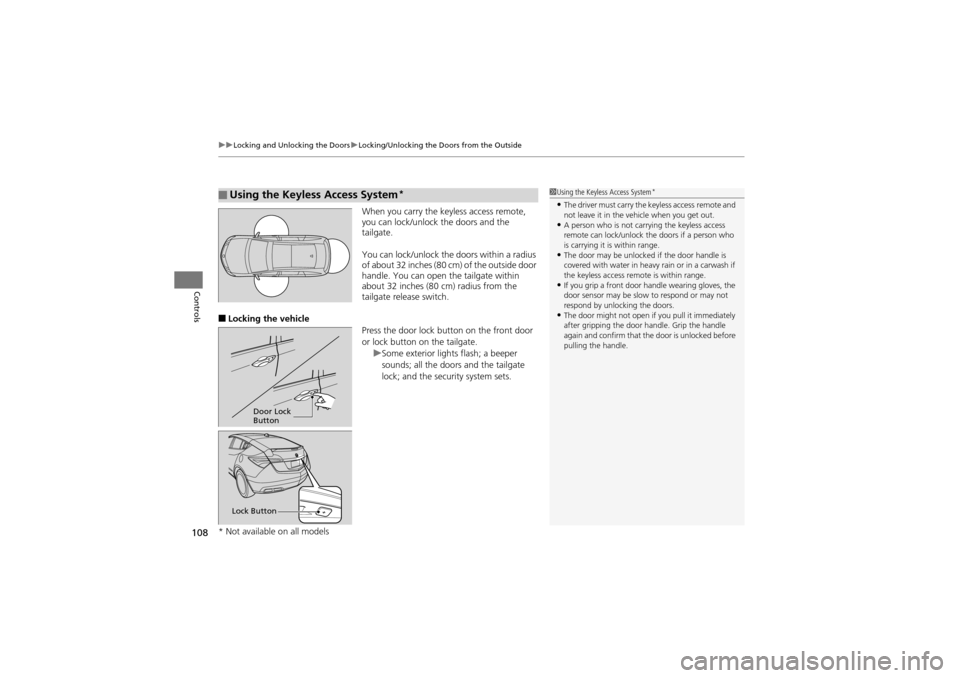
When you carry the keyless access remote,
you can lock/unlock the doors and the
tailgate.
You can lock/unlock the doors within a radius
of about 32 inches (80 cm) of the outside door
handle. You can open the tailgate within
about 32 inches (80 cm) radius from the
tailgate release switch.
■Locking the vehicle
Press the door lock button on the front door
or lock button on the tailgate.uSome exterior lights flash; a beeper
sounds; all the doors and the tailgate
lock; and the security system sets.
■Using the Keyless Access System*1Using the Keyless Access System*
•The driver must carry the keyless access remote and
not leave it in the vehicle when you get out.
•A person who is not carrying the keyless access
remote can lock/unlock the doors if a person who
is carrying it is within range.
•The door may be unlocked if the door handle is
covered with water in heavy rain or in a carwash if
the keyless access remo te is within range.
•If you grip a front door handle wearing gloves, the
door sensor may be slow to respond or may not
respond by unlocking the doors.
•The door might not open if you pull it immediately
after gripping the door handle. Grip the handle
again and confirm that the door is unlocked before
pulling the handle.
Door Lock
Button
Lock Button
* Not available on all models
Page 111 of 370
109
uuLocking and Unlocking the Doors uLocking/Unlocking the Doors from the Outside
Controls
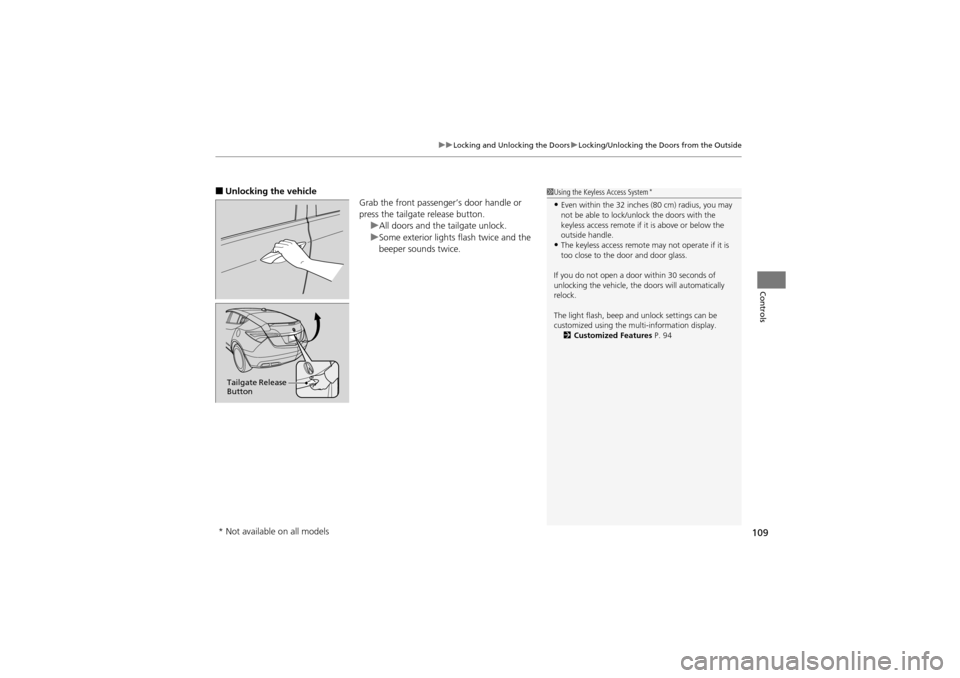
■Unlocking the vehicle
Grab the front passenger’s door handle or
press the tailgate release button.uAll doors and the tailgate unlock.
u Some exterior lights flash twice and the
beeper sounds twice.1 Using the Keyless Access System*
•Even within the 32 inches (80 cm) radius, you may
not be able to lock/unlock the doors with the
keyless access remote if it is above or below the
outside handle.
•The keyless access remote may not operate if it is
too close to the door and door glass.
If you do not open a door within 30 seconds of
unlocking the vehicle, the doors will automatically
relock.
The light flash, beep and unlock settings can be
customized using the multi-information display. 2 Customized Features P. 94
Tailgate Release
Button
* Not available on all models
Page 119 of 370
Continued117
uuOpening and Closing the Tailgate uOpening/Closing the Power Tailgate
Controls
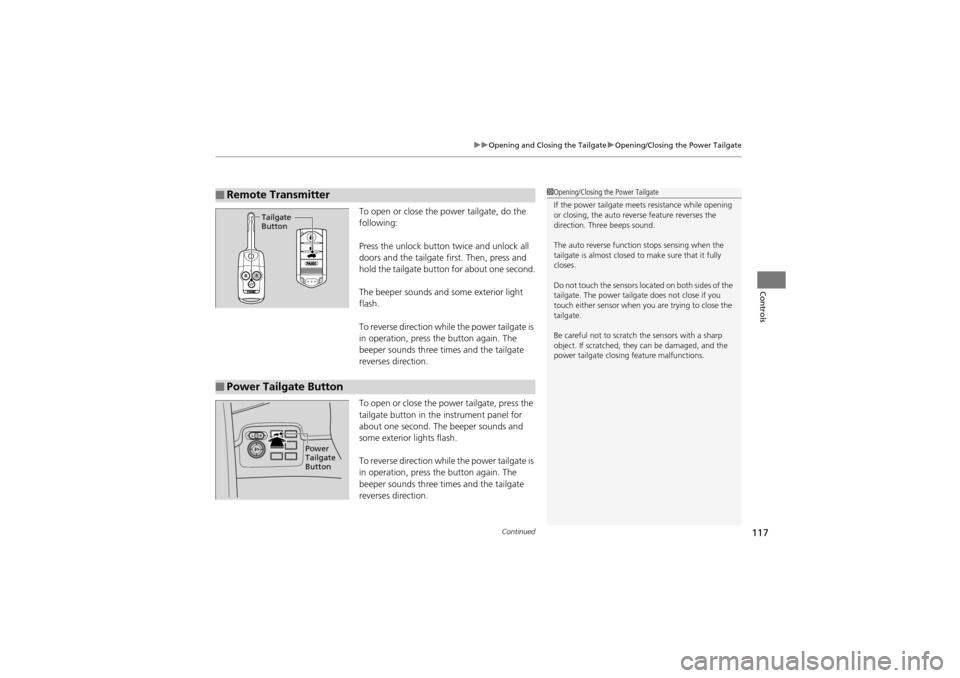
To open or close the power tailgate, do the
following:
Press the unlock button twice and unlock all
doors and the tailgate first. Then, press and
hold the tailgate button for about one second.
The beeper sounds and some exterior light
flash.
To reverse direction whil e the power tailgate is
in operation, press the button again. The
beeper sounds three times and the tailgate
reverses direction.
To open or close the power tailgate, press the
tailgate button in the instrument panel for
about one second. The beeper sounds and
some exterior lights flash.
To reverse direction whil e the power tailgate is
in operation, press the button again. The
beeper sounds three times and the tailgate
reverses direction.
■Remote Transmitter1 Opening/Closing the Power Tailgate
If the power tailgate meets resistance while opening
or closing, the auto reve rse feature reverses the
direction. Thr ee beeps sound.
The auto reverse function stops sensing when the
tailgate is almost closed to make sure that it fully
closes.
Do not touch the sensors located on both sides of the
tailgate. The power tailgat e does not close if you
touch either sensor when you are trying to close the
tailgate.
Be careful not to scratch the sensors with a sharp
object. If scratched, they can be damaged, and the
power tailgate closing feature malfunctions.
Tailgate
Button
■Power Tailgate Button
Power
Tailgate
Button
Page 122 of 370
120
Controls
Security System
Immobilizer System
The immobilizer system prevents a key that has not been pre-registered from
starting the engine. Each key contains electronic transmitters that use electronic
signals to verify the key.
Pay attention to the following when inserti ng the key into the ignition switch or
selecting the ACCESSORY mode with an ENGINE START/STOP button
*:
• Do not allow objects that emit strong radio waves near the ignition switch.
• Make sure the key is not covered by or touching a metal object.
• Do not bring a key from another vehicle’s immobilizer system near the ignition
switch.
Security System Alarm
The security system alarm activates when the doors, tailgate, or hood are opened
without the key, remote transmitt er or keyless access remote*.
■When the security system alarm activates
The horn sounds intermittently and all of the exterior lights flash.
■To deactivate the security system alarm
Unlock the vehicle using the key, remo te transmitter or keyless access system*. The
system, along with the horn and flashing lights, is deactivated.
1 Immobilizer System
NOTICELeaving the ignition key in the vehicle can result in
theft or accidental movement of the vehicle.
Always take the ignition key with you whenever you
leave the vehicle unattended.
Do not alter the system or add other devices to it.
Doing so may damage the system and make your
vehicle inoperable.
1 Security System Alarm
The security alarm continues for a maximum of two
minutes until the security system deactivates.
* Not available on all models
Page 124 of 370
122
uuSecurity System uSecurity System Alarm
Controls
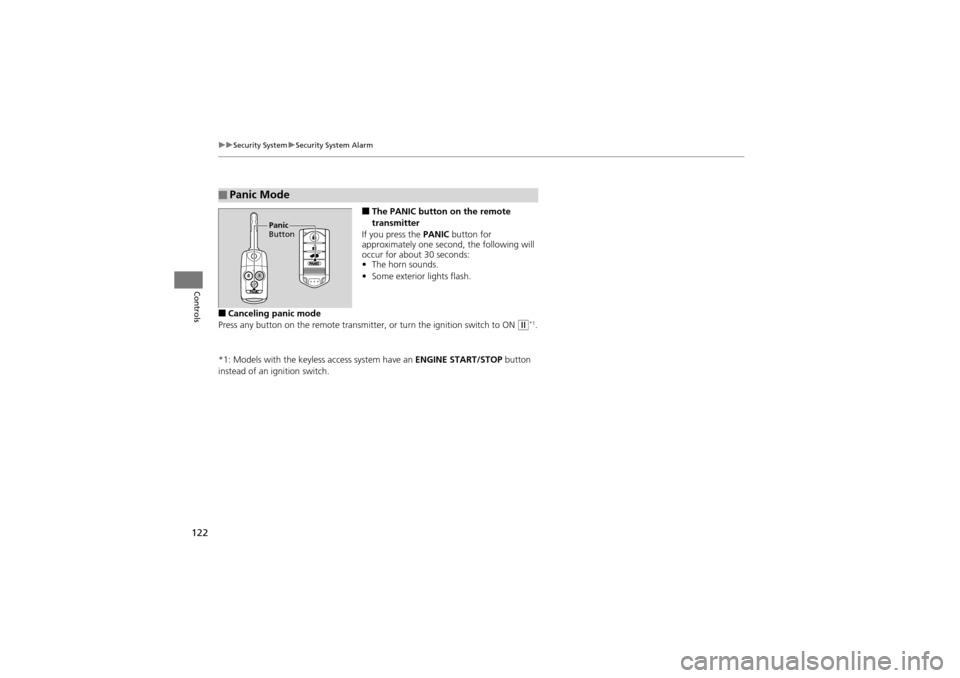
■The PANIC button on the remote
transmitter
If you press the PANIC button for
approximately one second, the following will
occur for about 30 seconds:
• The horn sounds.
• Some exterior lights flash.
■Canceling panic mode
Press any button on the remo te transmitter, or turn the ignition switch to ON
w*1.
*1: Models with the keyless access system have an ENGINE START/STOP button
instead of an ignition switch.
■Panic Mode
Panic
Button
Page 125 of 370
123Continued
Controls
Opening and Closing the Windows
Opening/Closing the Power Windows
The power windows can be opened and closed when the ignition switch is in ON
w*1, using the switches on the doors. The driver side switches can be used to open
and close all of the windows.
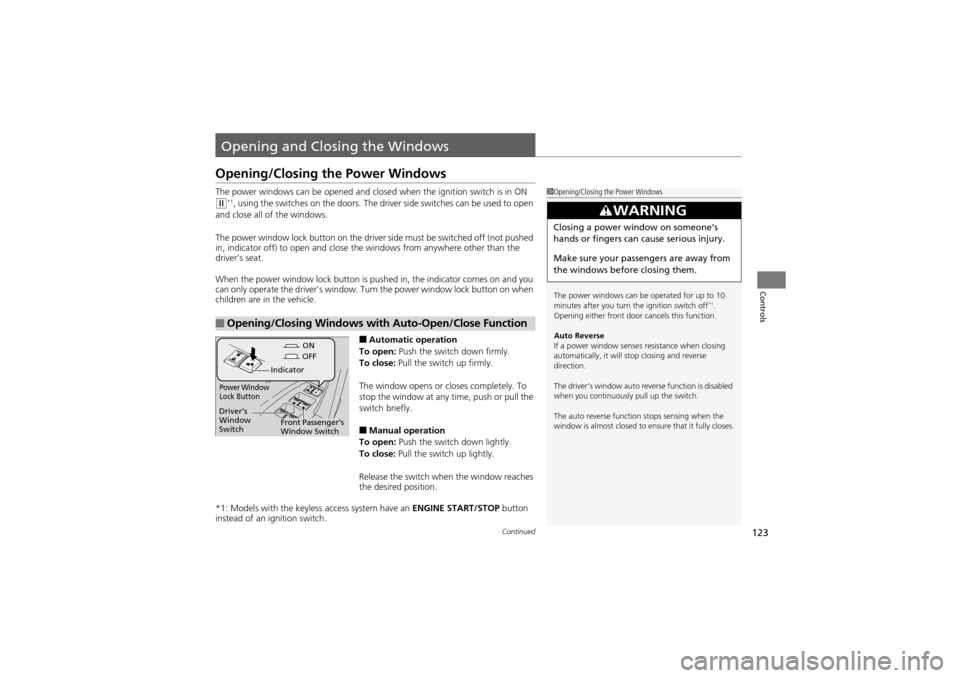
The power window lock button on the driver side must be switched off (not pushed
in, indicator off) to open and close th e windows from anywhere other than the
driver’s seat.
When the power window lock button is pushed in, the indicator comes on and you
can only operate the driver’s window. Turn the power window lock button on when
children are in the vehicle.
■Automatic operation
To open: Push the switch down firmly.
To close: Pull the switch up firmly.
The window opens or closes completely. To
stop the window at any time, push or pull the
switch briefly.
■Manual operation
To open: Push the switch down lightly.
To close: Pull the switch up lightly.
Release the switch when the window reaches
the desired position.
*1: Models with the keyless access system have an ENGINE START/STOP button
instead of an ig nition switch.
■Opening/Closing Windows with Auto-Open/Close Function
1Opening/Closing the Power Windows
The power windows can be operated for up to 10
minutes after you turn the ignition switch off
*1.
Opening either front door cancels this function.
Auto Reverse
If a power window senses resistance when closing
automatically, it will stop closing and reverse
direction.
The driver’s window auto reverse function is disabled
when you continuously pull up the switch.
The auto reverse function stops sensing when the
window is almost closed to ensure that it fully closes.
3WARNING
Closing a power window on someone’s
hands or fingers can cause serious injury.
Make sure your passengers are away from
the windows before closing them.
ON
OFF
Power Window
Lock Button
Indicator
Driver’s
Window
Switch
Front Passenger’s
Window Switch
Page 128 of 370
126
Controls
Opening and Closing the Panoramic Glass Roof
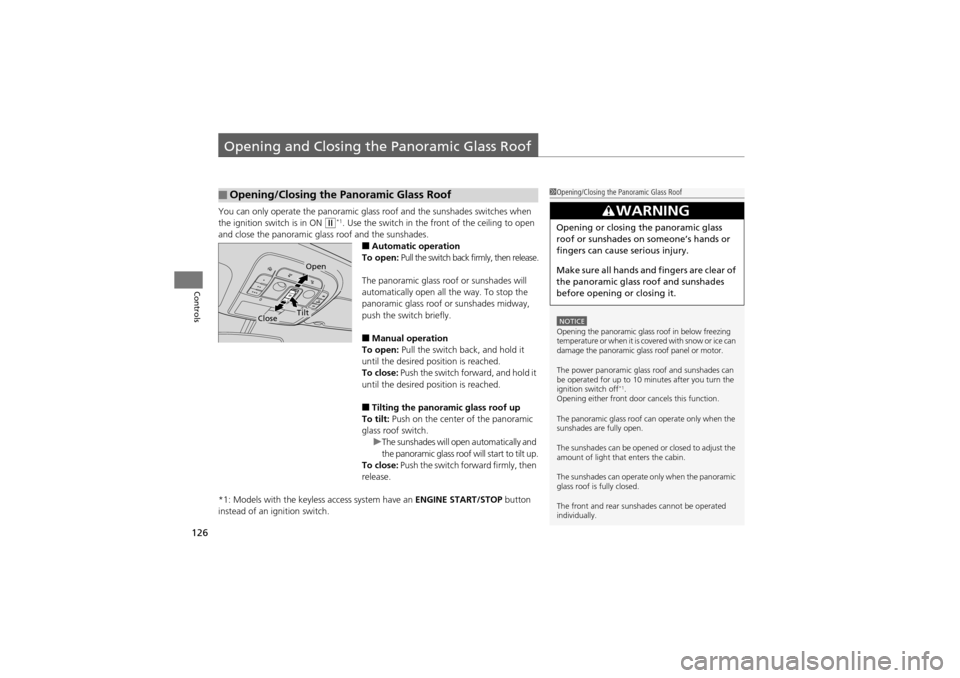
You can only operate the panoramic glass roof and the sunshades switches when
the ignition switch is in ON
w*1. Use the switch in the front of the ceiling to open
and close the panoramic glass roof and the sunshades.
■Automatic operation
To open: Pull the switch back firmly, then release.
The panoramic glass roof or sunshades will
automatically open all the way. To stop the
panoramic glass roof or sunshades midway,
push the switch briefly.
■Manual operation
To open: Pull the switch back, and hold it
until the desired position is reached.
To close: Push the switch forward, and hold it
until the desired position is reached.
■Tilting the panoramic glass roof up
To tilt: Push on the center of the panoramic
glass roof switch. uThe sunshades will open automatically and
the panoramic glass roof will start to tilt up.
To close: Push the switch fo rward firmly, then
release.
*1: Models with the keyless access system have an ENGINE START/STOP button
instead of an ignition switch.
■Opening/Closing the Panoramic Glass Roof1 Opening/Closing the Panoramic Glass Roof
NOTICEOpening the panoramic glas s roof in below freezing
temperature or when it is covered with snow or ice can
damage the panoramic glas s roof panel or motor.
The power panoramic glass roof and sunshades can
be operated for up to 10 minutes after you turn the
ignition switch off
*1.
Opening either front door cancels this function.
The panoramic glass roof can operate only when the
sunshades are fully open.
The sunshades can be opened or closed to adjust the
amount of light that enters the cabin.
The sunshades can operate only when the panoramic
glass roof is fully closed.
The front and rear sunshades cannot be operated
individually.
3WARNING
Opening or closing the panoramic glass
roof or sunshades on someone’s hands or
fingers can cause serious injury.
Make sure all hands and fingers are clear of
the panoramic glass roof and sunshades
before opening or closing it.
Open
CloseTilt
Page 133 of 370
131
uuOperating the Switches Around the Steering Wheel uTurn Signals
Continued
Controls
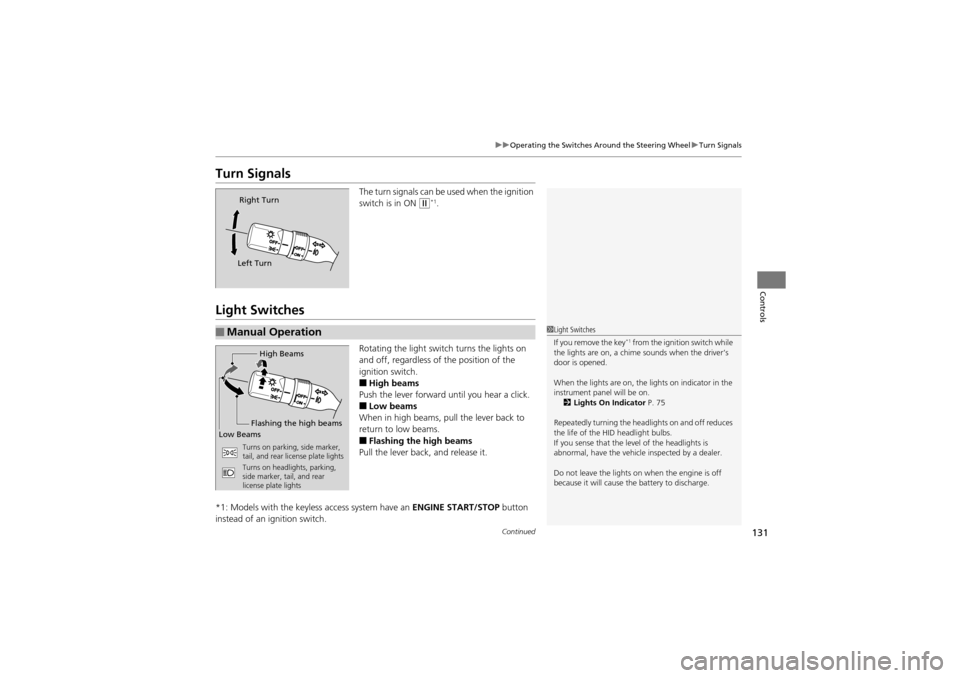
Turn Signals
The turn signals can be used when the ignition
switch is in ON
w*1.
Light Switches
Rotating the light swit ch turns the lights on
and off, regardless of the position of the
ignition switch.
■High beams
Push the lever forward until you hear a click.
■Low beams
When in high beams, pull the lever back to
return to low beams.
■Flashing the high beams
Pull the lever back, and release it.
*1: Models with the keyless access system have an ENGINE START/STOP button
instead of an ig nition switch.
Right Turn
Left Turn
■Manual Operation1 Light Switches
If you remove the key*1 from the ignition switch while
the lights are on, a chime sounds when the driver’s
door is opened.
When the lights are on, the lights on indicator in the
instrument panel will be on. 2 Lights On Indicator P. 75
Repeatedly turning the headlights on and off reduces
the life of the HID headlight bulbs.
If you sense that the level of the headlights is
abnormal, have the vehicle inspected by a dealer.
Do not leave the lights on when the engine is off
because it will cause th e battery to discharge.High Beams
Flashing the high beams
Low Beams
Turns on parking, side marker,
tail, and rear license plate lights
Turns on headlights, parking,
side marker, tail, and rear
license plate lights