light Acura ZDX 2012 Service Manual
[x] Cancel search | Manufacturer: ACURA, Model Year: 2012, Model line: ZDX, Model: Acura ZDX 2012Pages: 370, PDF Size: 10.06 MB
Page 157 of 370
155
uuInterior Lights/Inter ior Convenience Items uInterior Convenience Items
Continued
Controls
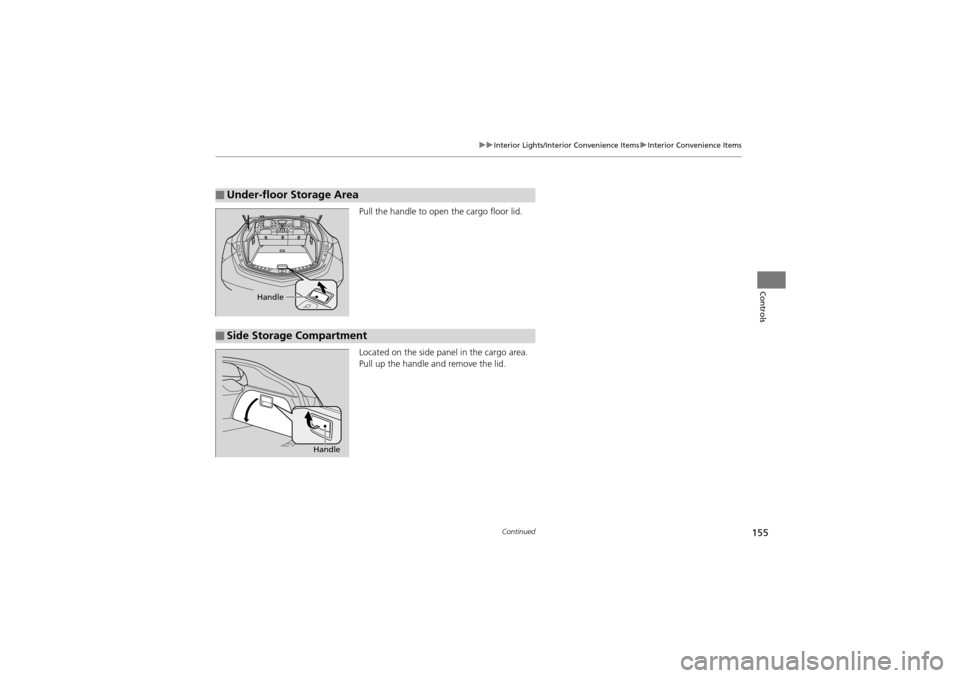
Pull the handle to open the cargo floor lid.
Located on the side panel in the cargo area.
Pull up the handle and remove the lid.
■Under-floor Storage Area
Handle
■Side Storage Compartment
Handle
Page 158 of 370
uuInterior Lights/Interior Convenience Items uInterior Convenience Items
156
Controls
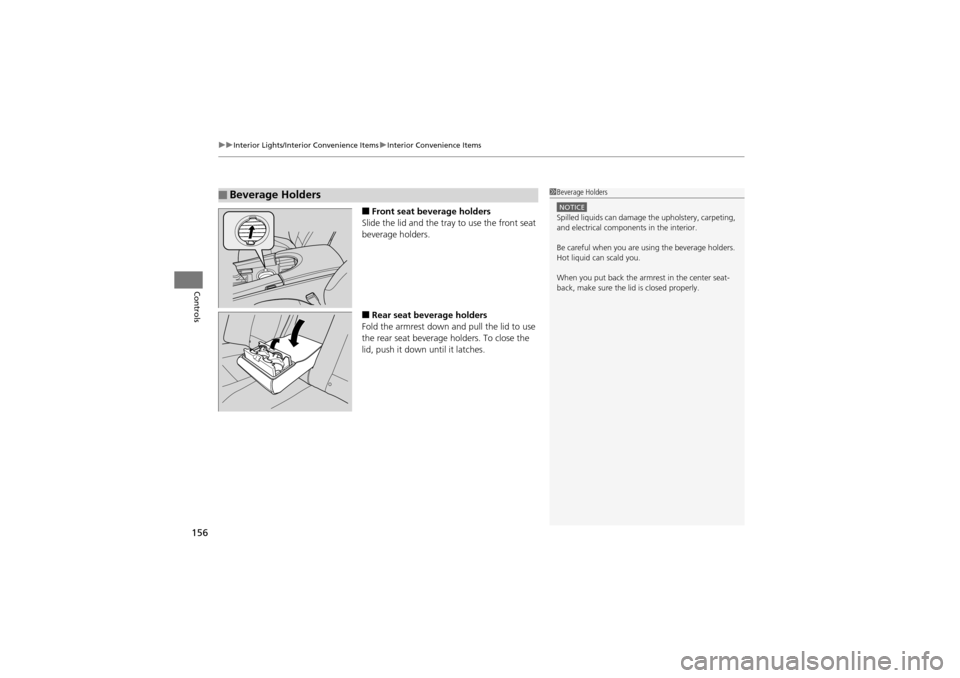
■Front seat beverage holders
Slide the lid and the tray to use the front seat
beverage holders.
■Rear seat beverage holders
Fold the armrest down and pull the lid to use
the rear seat beverage holders. To close the
lid, push it down until it latches.
■Beverage Holders1 Beverage Holders
NOTICESpilled liquids can damage th e upholstery, carpeting,
and electrical components in the interior.
Be careful when you are using the beverage holders.
Hot liquid can scald you.
When you put back the armrest in the center seat-
back, make sure the lid is closed properly.
Page 159 of 370
Continued157
uuInterior Lights/Inter ior Convenience Items uInterior Convenience Items
Controls
The accessory power sockets can be used when the ignition switch is in ACCESSORY
q or ON w*1.
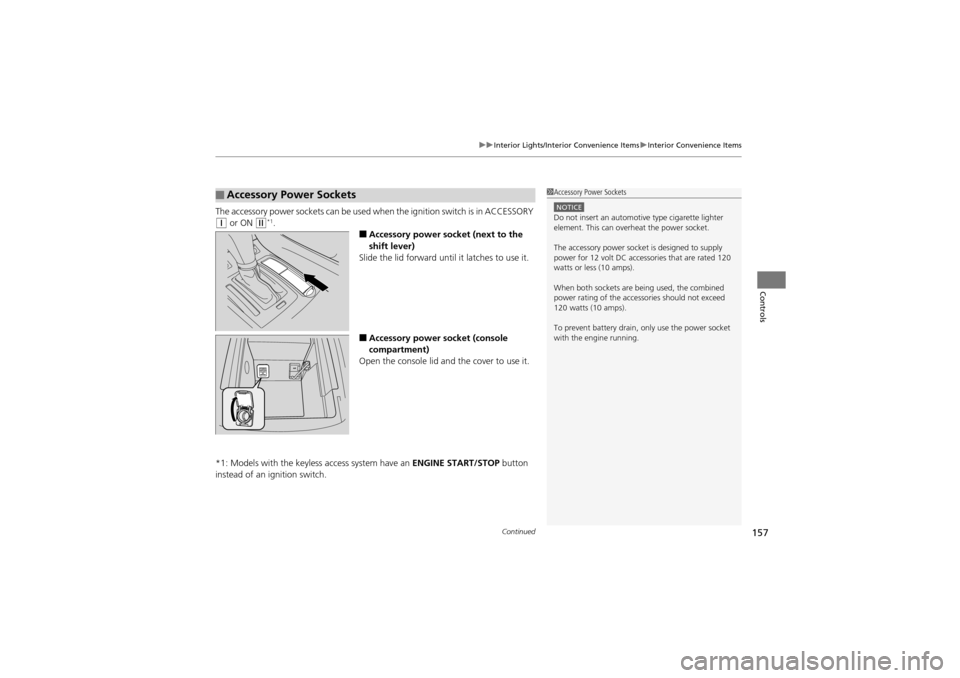
■Accessory power socket (next to the
shift lever)
Slide the lid forward until it latches to use it.
■Accessory power socket (console
compartment)
Open the console lid and the cover to use it.
*1: Models with the keyless access system have an ENGINE START/STOP button
instead of an ig nition switch.
■Accessory Power Sockets1Accessory Power Sockets
NOTICEDo not insert an automotive type cigarette lighter
element. This can overheat the power socket.
The accessory power socket is designed to supply
power for 12 volt DC accessories that are rated 120
watts or less (10 amps).
When both sockets are being used, the combined
power rating of the accessories should not exceed
120 watts (10 amps).
To prevent battery drain, only use the power socket
with the engine running.
Page 160 of 370
uuInterior Lights/Interior Convenience Items uInterior Convenience Items
158
Controls
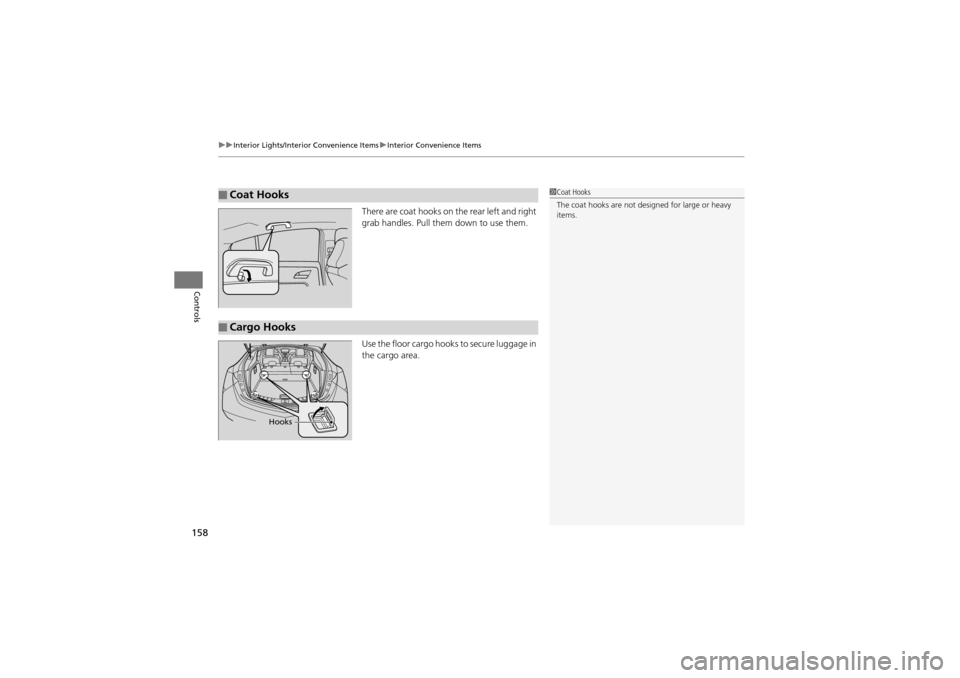
There are coat hooks on the rear left and right
grab handles. Pull them down to use them.
Use the floor cargo hooks to secure luggage in
the cargo area.
■Coat Hooks1Coat Hooks
The coat hooks are not designed for large or heavy
items.
■Cargo Hooks
Hooks
Page 161 of 370
Continued159
uuInterior Lights/Inter ior Convenience Items uInterior Convenience Items
Controls
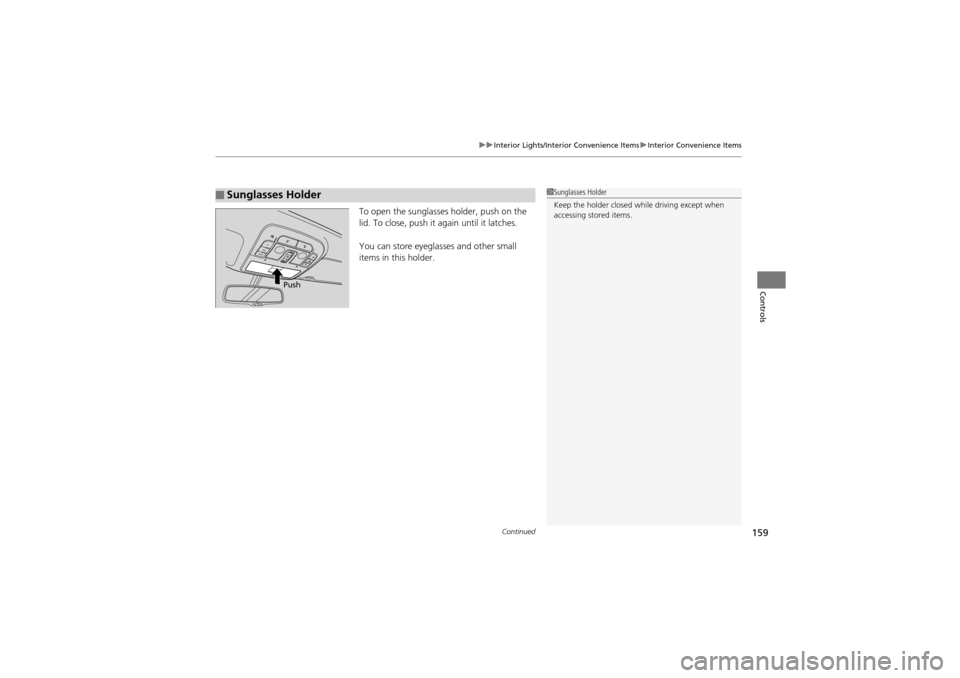
To open the sunglasses holder, push on the
lid. To close, push it again until it latches.
You can store eyeglasses and other small
items in this holder.
■Sunglasses Holder1 Sunglasses Holder
Keep the holder closed while driving except when
accessing stored items.
Push
Page 162 of 370
uuInterior Lights/Interior Convenience Items uInterior Convenience Items
160
Controls
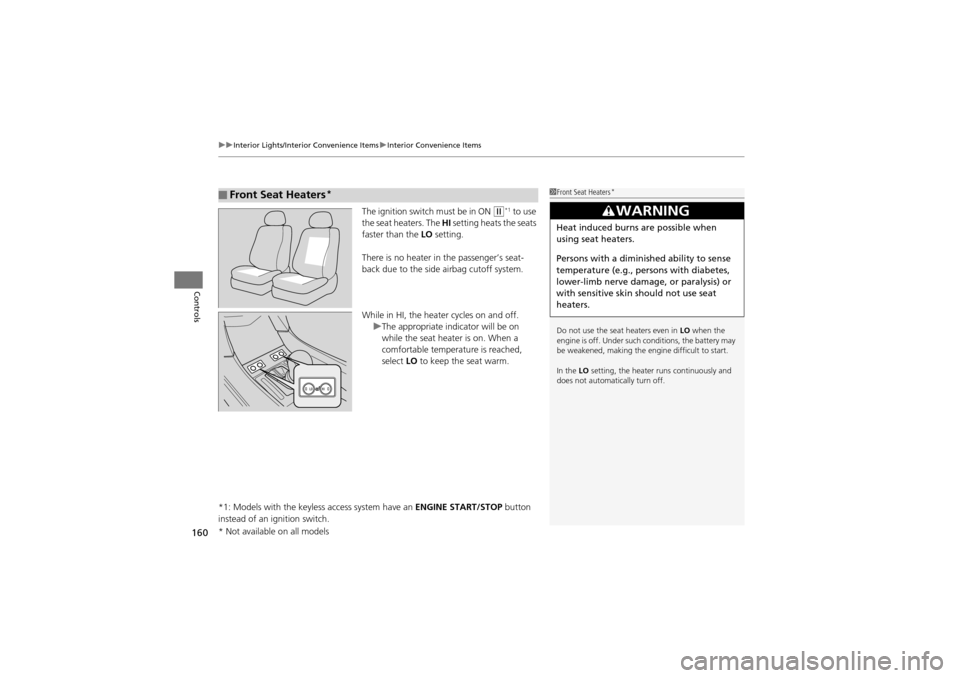
The ignition switch must be in ON w*1 to use
the seat heaters. The HI setting heats the seats
faster than the LO setting.
There is no heater in the passenger’s seat-
back due to the side airbag cutoff system.
While in HI, the heater cycles on and off. uThe appropriate indicator will be on
while the seat heater is on. When a
comfortable temperature is reached,
select LO to keep the seat warm.
*1: Models with the keyless access system have an ENGINE START/STOP button
instead of an ignition switch.
■Front Seat Heaters*1 Front Seat Heaters*
Do not use the seat heaters even in LO when the
engine is off. Under such conditions, the battery may
be weakened, making the engine difficult to start.
In the LO setting, the heater runs continuously and
does not automatically turn off.
3WARNING
Heat induced burns are possible when
using seat heaters.
Persons with a diminished ability to sense
temperature (e.g., persons with diabetes,
lower-limb nerve damage, or paralysis) or
with sensitive skin should not use seat
heaters.
* Not available on all models
Page 163 of 370
Continued161
uuInterior Lights/Inter ior Convenience Items uInterior Convenience Items
Controls
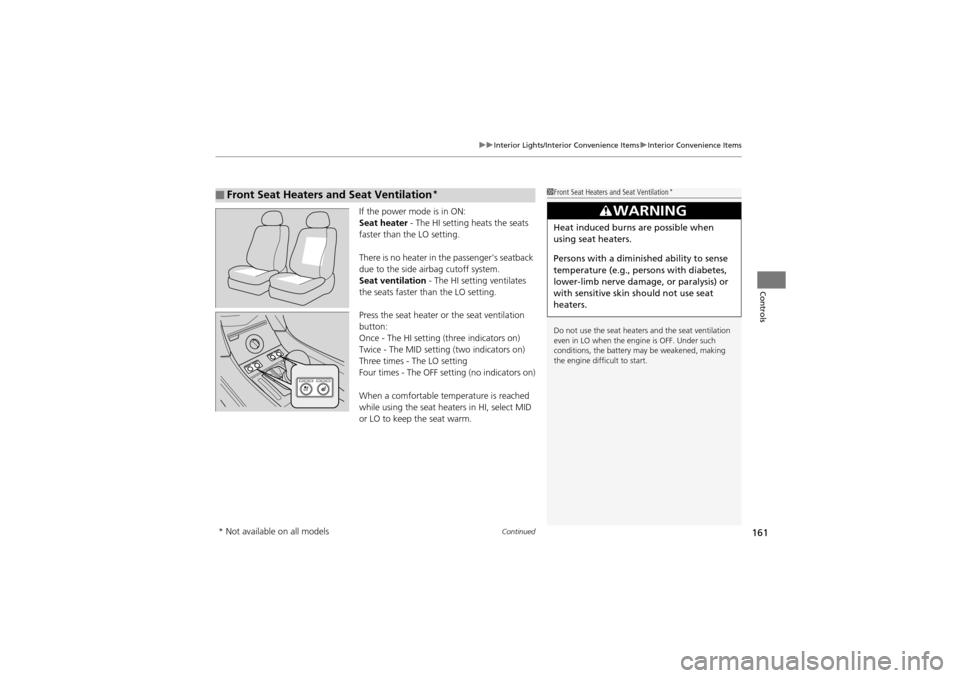
If the power mode is in ON:
Seat heater - The HI setting heats the seats
faster than the LO setting.
There is no heater in the passenger’s seatback
due to the side airbag cutoff system.
Seat ventilation - The HI setting ventilates
the seats faster than the LO setting.
Press the seat heater or the seat ventilation
button:
Once - The HI setting (three indicators on)
Twice - The MID setting (two indicators on)
Three times - The LO setting
Four times - The OFF setti ng (no indicators on)
When a comfortable temperature is reached
while using the seat heat ers in HI, select MID
or LO to keep the seat warm.
■Front Seat Heaters and Seat Ventilation*1 Front Seat Heaters and Seat Ventilation*
Do not use the seat heater s and the seat ventilation
even in LO when the engine is OFF. Under such
conditions, the battery ma y be weakened, making
the engine difficult to start.
3WARNING
Heat induced burns are possible when
using seat heaters.
Persons with a diminished ability to sense
temperature (e.g., persons with diabetes,
lower-limb nerve damage, or paralysis) or
with sensitive skin should not use seat
heaters.
* Not available on all models
Page 164 of 370
uuInterior Lights/Interior Convenience Items uInterior Convenience Items
162
Controls
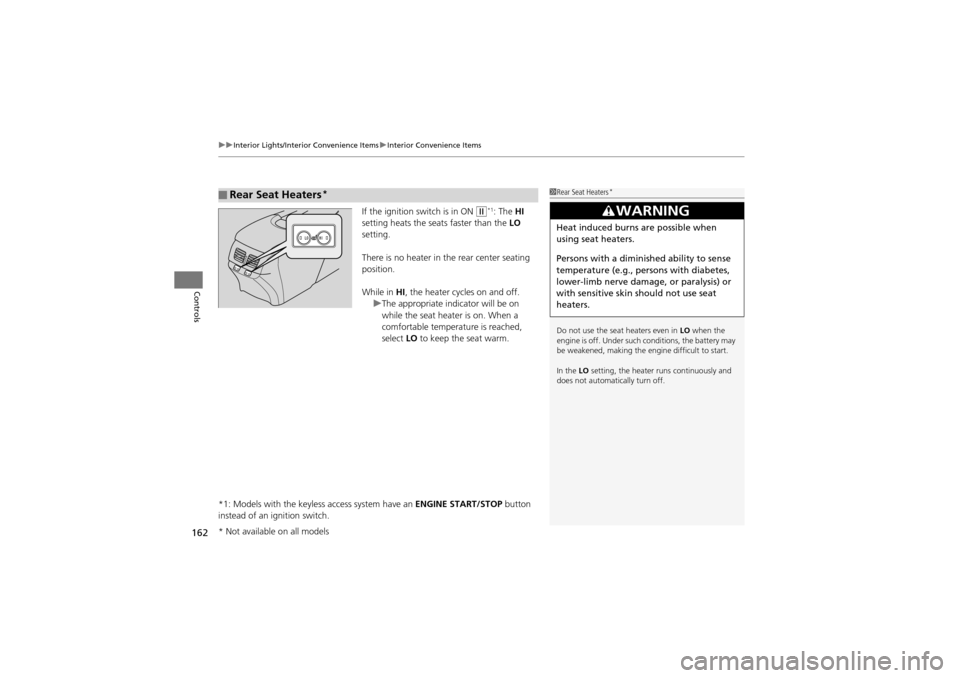
If the ignition switch is in ON w*1: The HI
setting heats the seats faster than the LO
setting.
There is no heater in the rear center seating
position.
While in HI, the heater cycles on and off.
u The appropriate indicator will be on
while the seat heater is on. When a
comfortable temperature is reached,
select LO to keep the seat warm.
*1: Models with the keyless access system have an ENGINE START/STOP button
instead of an ignition switch.
■Rear Seat Heaters*1 Rear Seat Heaters*
Do not use the seat heaters even in LO when the
engine is off. Under such conditions, the battery may
be weakened, making the engine difficult to start.
In the LO setting, the heater runs continuously and
does not automatically turn off.
3WARNING
Heat induced burns are possible when
using seat heaters.
Persons with a diminished ability to sense
temperature (e.g., persons with diabetes,
lower-limb nerve damage, or paralysis) or
with sensitive skin should not use seat
heaters.
* Not available on all models
Page 168 of 370
166
uuClimate Control System uAutomatic Climate Control Sensors
Controls
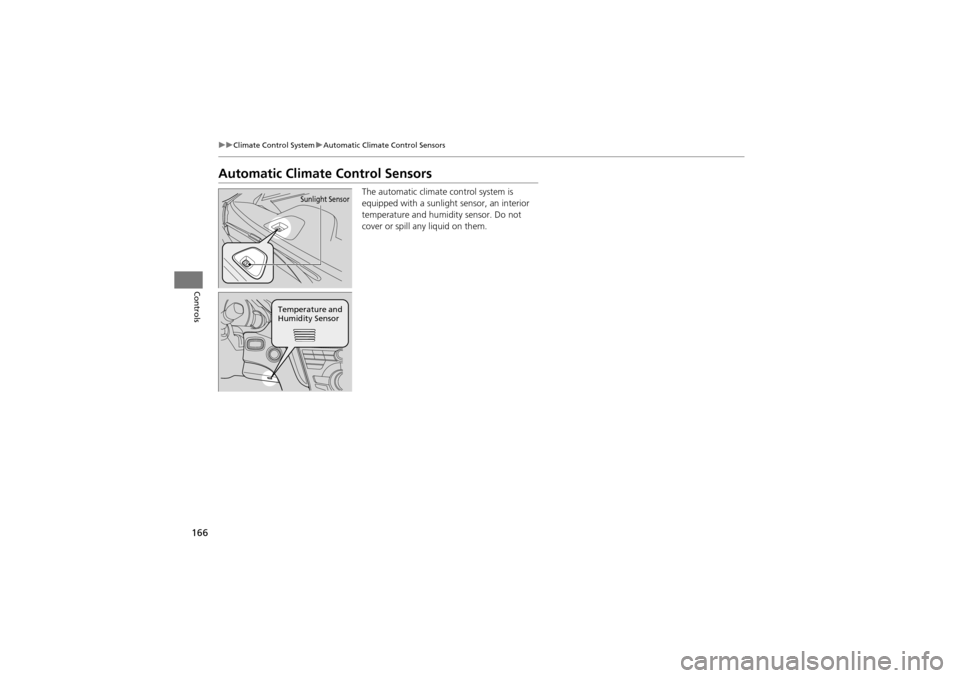
Automatic Climat e Control Sensors
The automatic climate control system is
equipped with a sunlight sensor, an interior
temperature and humidity sensor. Do not
cover or spill any liquid on them.Sunlight Sensor
Temperature and
Humidity Sensor
Page 171 of 370
169
uuAudio System uUSB Adapter Cable
Features
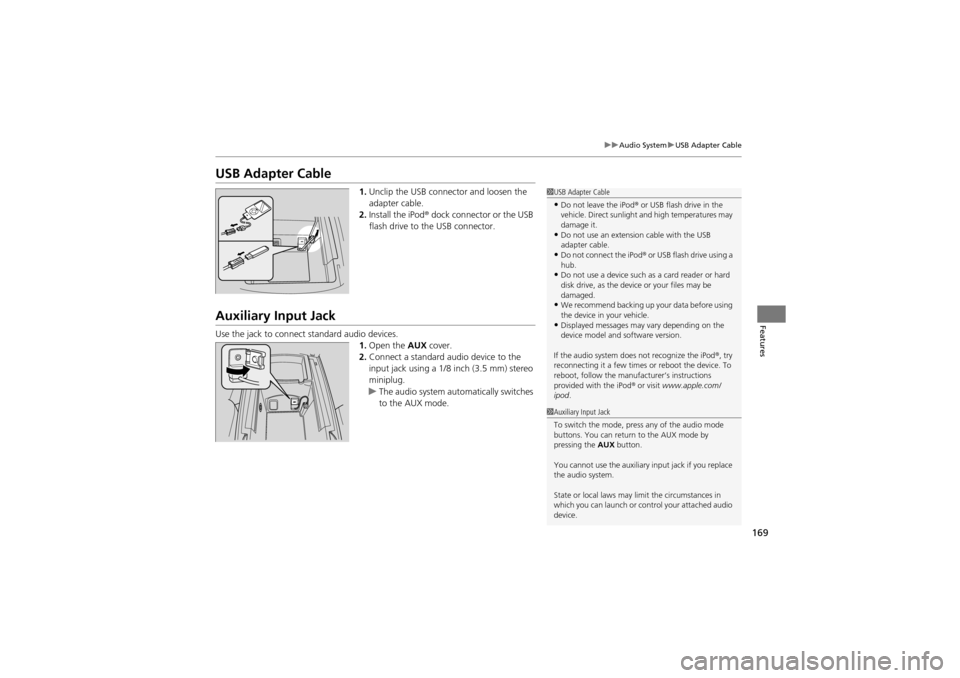
USB Adapter Cable
1. Unclip the USB connector and loosen the
adapter cable.
2. Install the iPod ® dock connector or the USB
flash drive to the USB connector.
Auxiliary Input Jack
Use the jack to connect standard audio devices. 1.Open the AUX cover.
2. Connect a standard audio device to the
input jack using a 1/8 inch (3.5 mm) stereo
miniplug.
u The audio system auto matically switches
to the AUX mode.
1 USB Adapter Cable
•Do not leave the iPod ® or USB flash drive in the
vehicle. Direct sunlight and high temperatures may
damage it.
•Do not use an extension cable with the USB
adapter cable.
•Do not connect the iPod ® or USB flash drive using a
hub.
•Do not use a device such as a card reader or hard
disk drive, as the device or your files may be
damaged.
•We recommend backing up your data before using
the device in your vehicle.
•Displayed messages may va ry depending on the
device model and software version.
If the audio system does not recognize the iPod ®, try
reconnecting it a few times or reboot the device. To
reboot, follow the manufa cturer’s instructions
provided with the iPod ® or visit www.apple.com/
ipod .
1Auxiliary Input Jack
To switch the mode, pre ss any of the audio mode
buttons. You can return to the AUX mode by
pressing the AUX button.
You cannot use the auxiliary input jack if you replace
the audio system.
State or local laws may limit the circumstances in
which you can launch or control your attached audio
device.