steering Acura ZDX 2012 Owner's Guide
[x] Cancel search | Manufacturer: ACURA, Model Year: 2012, Model line: ZDX, Model: Acura ZDX 2012Pages: 370, PDF Size: 10.06 MB
Page 134 of 370
uuOperating the Switches Around the Steering Wheel uLight Switches
132
Controls
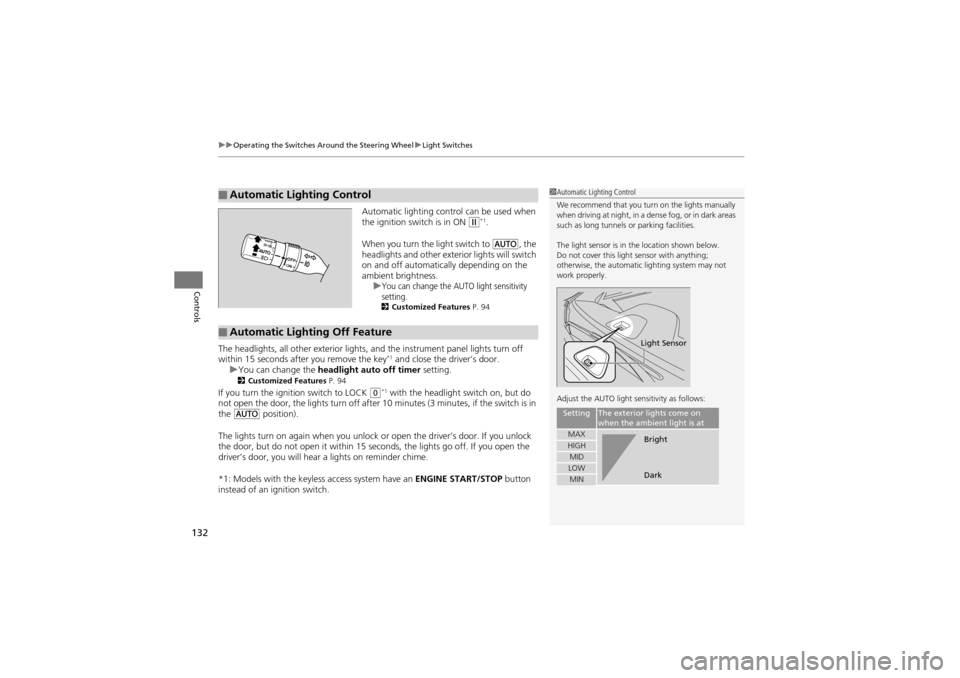
Automatic lighting control can be used when
the ignition switch is in ON w*1.
When you turn the light switch to
Y, the
headlights and other exterior lights will switch
on and off automatically depending on the
ambient brightness. u
You can change the AUTO light sensitivity
setting.
2 Customized Features P. 94
The headlights, all other exterior lights, and the instrument panel lights turn off
within 15 seconds a fter you remove the key*1 and close the driver’s door.
u You can change the headlight auto off timer setting.
2Customized Features P. 94
If you turn the ignition switch to LOCK 0*1 with the headlight switch on, but do
not open the door, the lights turn off after 10 minutes (3 minutes, if the switch is in
the
Y position).
The lights turn on again when you unlock or open the driver’s door. If you unlock
the door, but do not open it within 15 seconds, the lights go off. If you open the
driver’s door, you will hear a lights on reminder chime.
*1: Models with the keyless access system have an ENGINE START/STOP button
instead of an ignition switch.
■Automatic Lighting Control1 Automatic Lighting Control
We recommend that you turn on the lights manually
when driving at night, in a dense fog, or in dark areas
such as long tunnels or parking facilities.
The light sensor is in the location shown below.
Do not cover this light sensor with anything;
otherwise, the automatic lighting system may not
work properly.
Adjust the AUTO light sensitivity as follows:
SettingThe exterior lights come on
when the ambien t light is at
MAXHIGHMIDLOWMIN
Light Sensor
Bright
Dark
■Automatic Lighting Off Feature
Page 135 of 370
133
uuOperating the Switches Around the Steering Wheel uFog Lights
Controls
Fog Lights
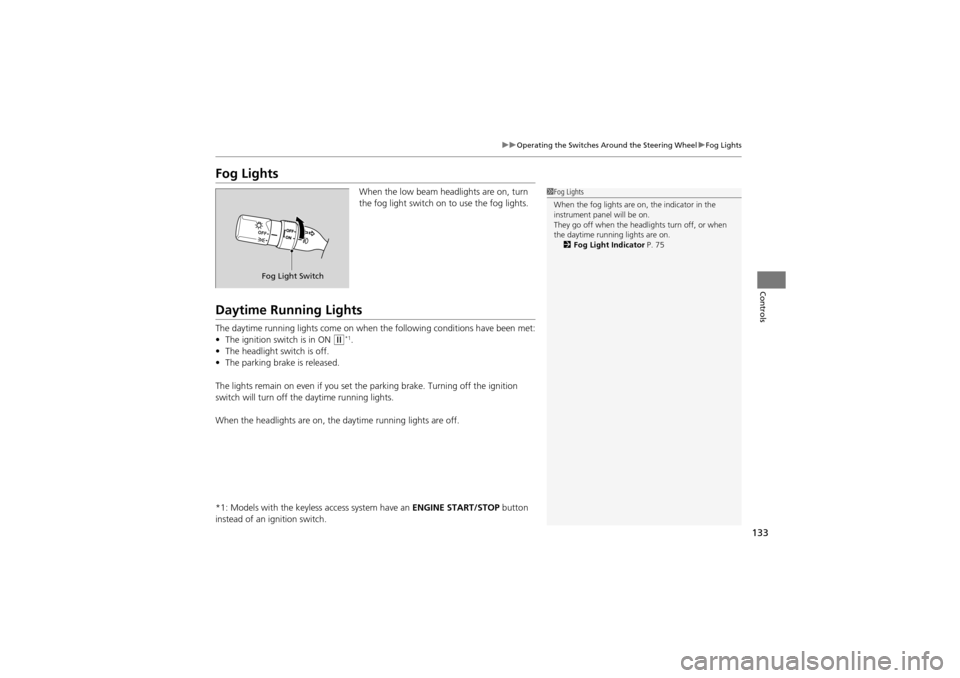
When the low beam head lights are on, turn
the fog light switch on to use the fog lights.
Daytime Running Lights
The daytime running lights come on when the following conditions have been met:
• The ignition switch is in ON
w*1.
• The headlight switch is off.
• The parking brake is released.
The lights remain on even if you set th e parking brake. Turning off the ignition
switch will turn off th e daytime running lights.
When the headlights are on, the daytime running lights are off.
*1: Models with the keyless access system have an ENGINE START/STOP button
instead of an ig nition switch.
1Fog Lights
When the fog lights are on, the indicator in the
instrument panel will be on.
They go off when the headlights turn off, or when
the daytime running lights are on.
2 Fog Light Indicator P. 75
Fog Light Switch
Page 136 of 370
134
uuOperating the Switches Around the Steering Wheel uWipers and Washers
Controls
Wipers and Washers
The windshield wipers and washers can be
used when the ignition switch is in ON
w*1.
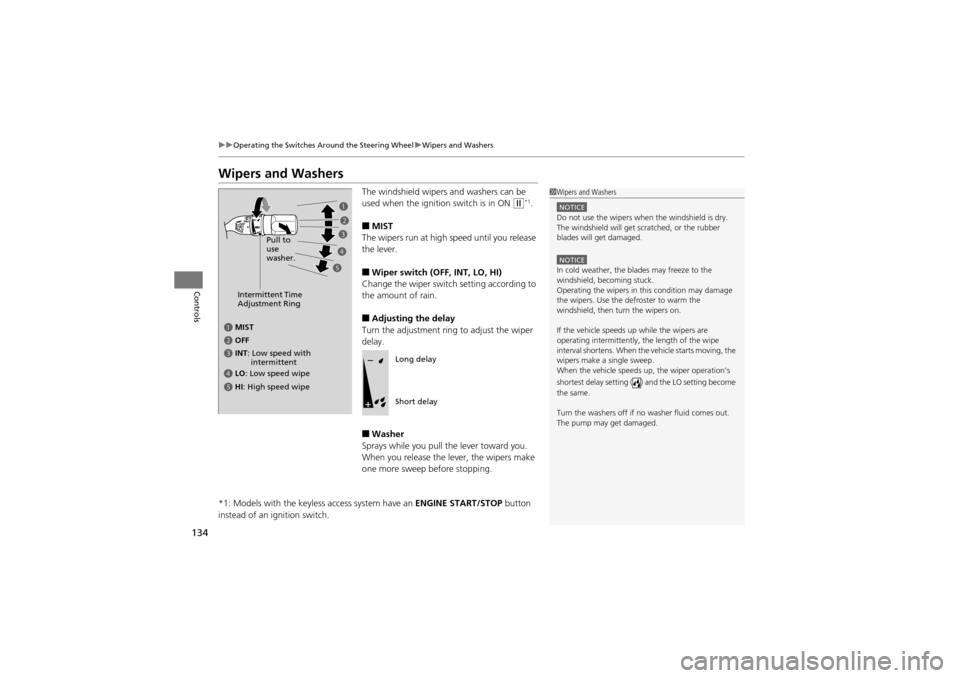
■MIST
The wipers run at high speed until you release
the lever.
■Wiper switch (OFF, INT, LO, HI)
Change the wiper switch setting according to
the amount of rain.
■Adjusting the delay
Turn the adjustment ring to adjust the wiper
delay.
■Washer
Sprays while you pull the lever toward you.
When you release the le ver, the wipers make
one more sweep before stopping.
*1: Models with the keyless access system have an ENGINE START/STOP button
instead of an ignition switch.
1 Wipers and Washers
NOTICEDo not use the wipers when the windshield is dry.
The windshield will get scratched, or the rubber
blades will get damaged.
NOTICEIn cold weather, the bl ades may freeze to the
windshield, becoming stuck.
Operating the wipers in this condition may damage
the wipers. Use the defroster to warm the
windshield, then turn the wipers on.
If the vehicle speeds up while the wipers are
operating intermittently, the length of the wipe
interval shortens. When the vehicle starts moving, the
wipers make a single sweep.
When the vehicle speeds up, the wiper operation’s
shortest delay setting ( ) and the LO setting become
the same.
Turn the washers off if no washer fluid comes out.
The pump may get damaged.
Intermittent Time
Adjustment Ring
a MIST
c INT : Low speed with
intermittent
b OFF
d LO : Low speed wipe
e HI : High speed wipe Pull to
use
washer.
a
b
c
d
e
Long delay
Short delay
Page 137 of 370
135
uuOperating the Switches Around the Steering Wheel uWipers and Washers
Controls
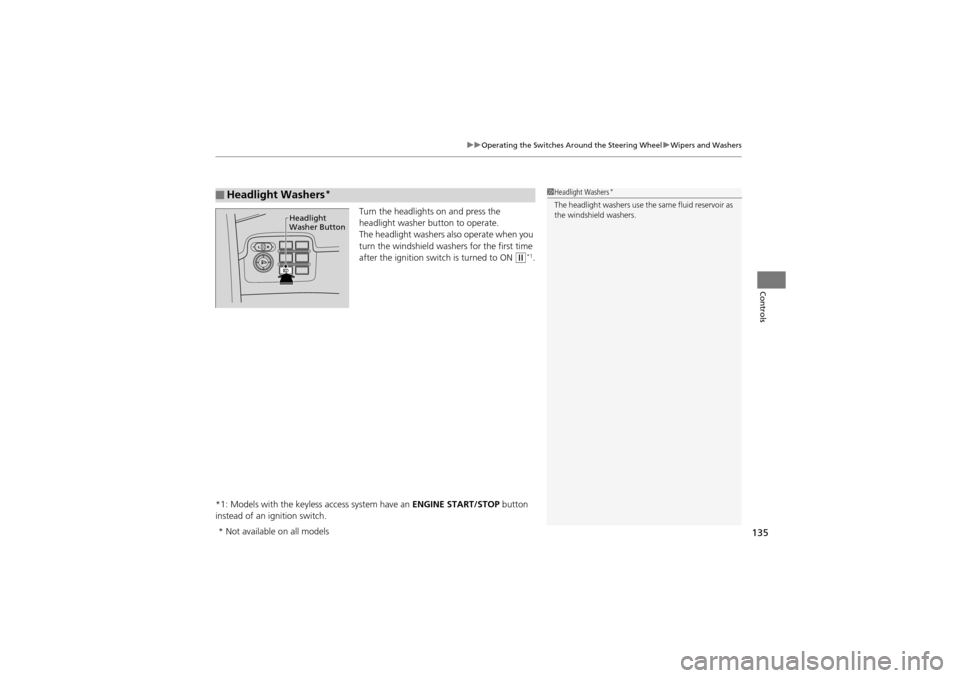
Turn the headlights on and press the
headlight washer button to operate.
The headlight washers al so operate when you
turn the windshield wash ers for the first time
after the ignition switch is turned to ON
w*1.
*1: Models with the keyless access system have an ENGINE START/STOP button
instead of an ig nition switch.
■Headlight Washers*1Headlight Washers*
The headlight washers use the same fluid reservoir as
the windshield washers.
Headlight
Washer Button
* Not available on all models
Page 138 of 370
136
uuOperating the Switches Around the Steering Wheel uBrightness Control
Controls
Brightness Control
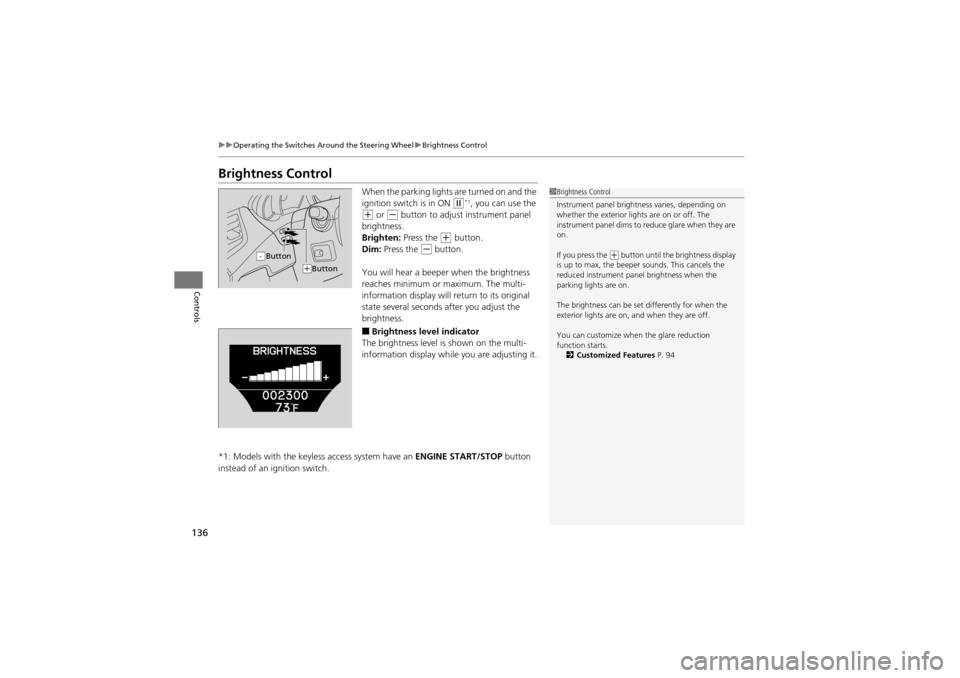
When the parking lights are turned on and the
ignition switch is in ON
w*1, you can use the
+ or - button to adjust instrument panel
brightness.
Brighten: Press the
+ button.
Dim: Press the
- button.
You will hear a beeper when the brightness
reaches minimum or maximum. The multi-
information display will return to its original
state several seconds after you adjust the
brightness.
■Brightness level indicator
The brightness level is shown on the multi-
information display while you are adjusting it.
*1: Models with the keyless access system have an ENGINE START/STOP button
instead of an ignition switch.
1 Brightness Control
Instrument panel brightne ss varies, depending on
whether the exterior lights are on or off. The
instrument panel dims to reduce glare when they are
on.
If you press the
(+ button until the brightness display
is up to max, the beeper sounds. This cancels the
reduced instrument pane l brightness when the
parking lights are on.
The brightness can be set differently for when the
exterior lights are on, and when they are off.
You can customize when the glare reduction
function starts. 2 Customized Features P. 94Button-
(+Button
Page 139 of 370
137
uuOperating the Switches Around the Steering Wheel uRear Defogger/Heated Door Mirror Button
Controls
Rear Defogger/Heated Door Mirror Button
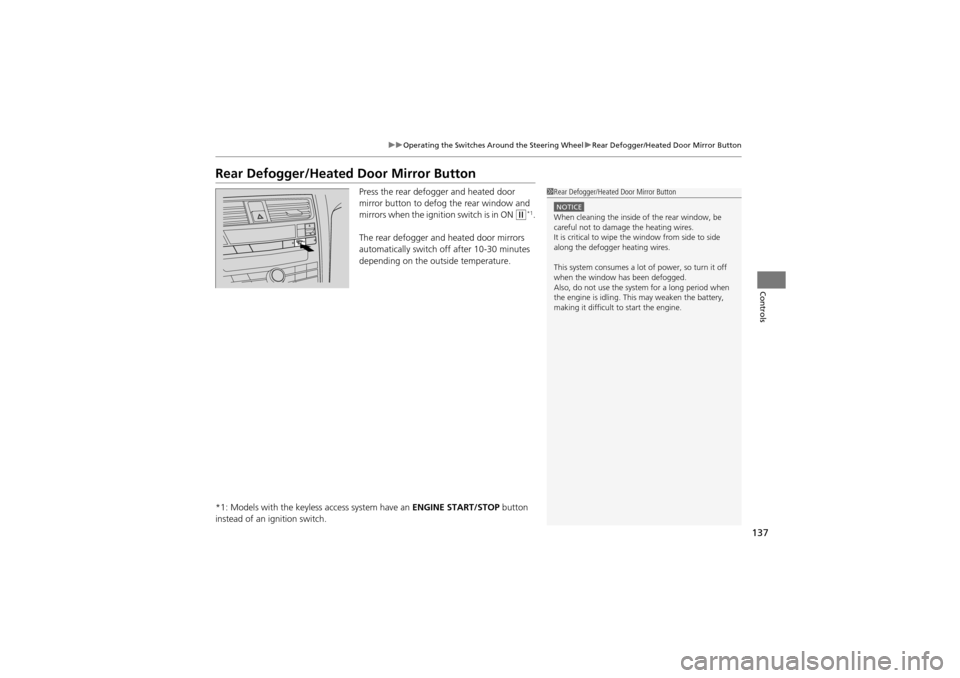
Press the rear defogger and heated door
mirror button to defog the rear window and
mirrors when the igniti on switch is in ON
w*1.
The rear defogger and heated door mirrors
automatically switch of f after 10-30 minutes
depending on the outside temperature.
*1: Models with the keyless access system have an ENGINE START/STOP button
instead of an ig nition switch.
1Rear Defogger/Heated Door Mirror Button
NOTICEWhen cleaning the inside of the rear window, be
careful not to damage the heating wires.
It is critical to wipe the window from side to side
along the defogger heating wires.
This system consumes a lot of power, so turn it off
when the window has been defogged.
Also, do not use the system for a long period when
the engine is idling. This may weaken the battery,
making it difficult to start the engine.
Page 140 of 370
138
uuOperating the Switches Around the Steering Wheel uDriving Position Memory System
Controls
Driving Position Memory System
You can store two driver’s seat (excep t for power lumbar), steering wheel and
outside mirror positions with the driving position memory system.
When you unlock and open the driver’s door with a remote transmitter, or keyless
access system
*, the seat and outside mirrors adjust automatically to one of the two
preset positions.
The steering wheel will move to the stored position when you insert the key into the
ignition switch.
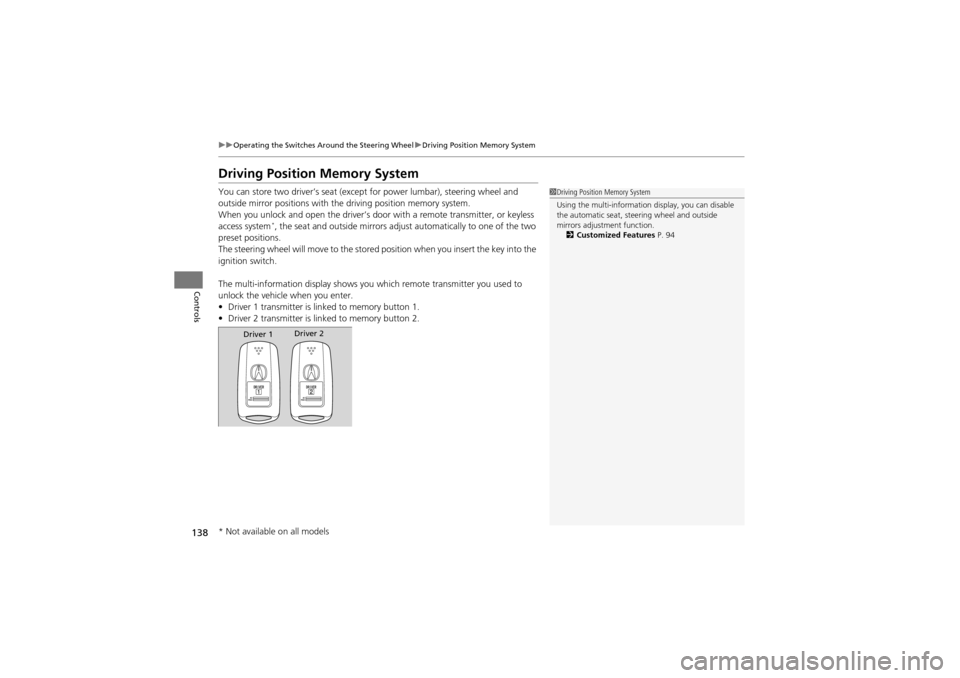
The multi-information disp lay shows you which remote transmitter you used to
unlock the vehicle when you enter.
• Driver 1 transmitter is lin ked to memory button 1.
• Driver 2 transmitter is lin ked to memory button 2.
1Driving Position Memory System
Using the multi-information display, you can disable
the automatic seat, steering wheel and outside
mirrors adjustment function.
2 Customized Features P. 94
Driver 1Driver 2
* Not available on all models
Page 141 of 370
139
uuOperating the Switches Around the Steering Wheel uDriving Position Memory System
Controls
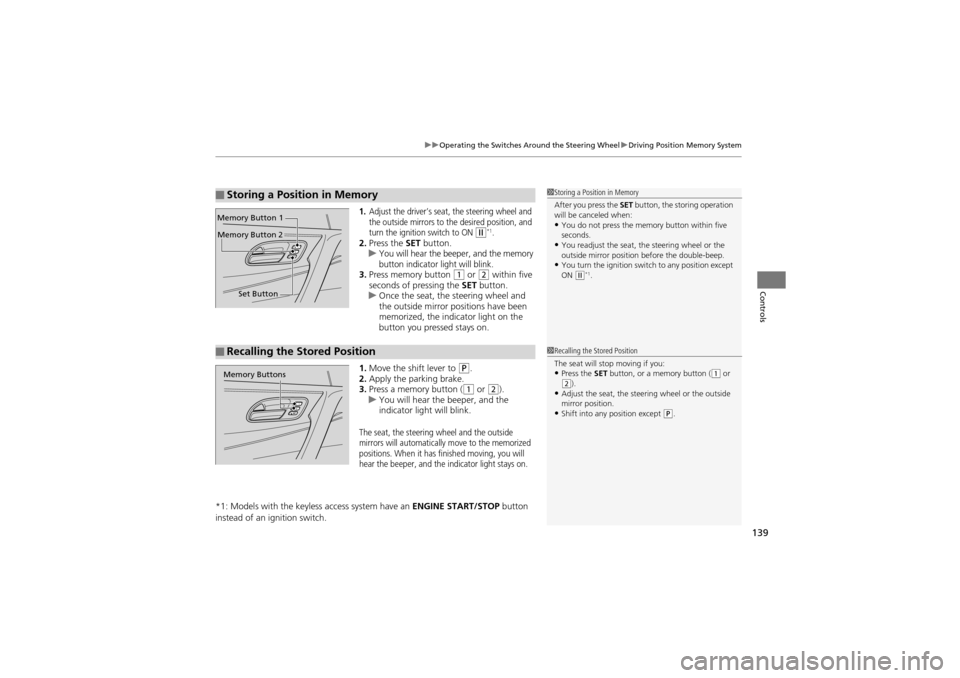
1.Adjust the driver’s seat, the steering wheel and
the outside mirrors to the desired position, and
turn the ignition switch to ON
w*1.2. Press the SET button.
uYou will hear the beeper, and the memory
button indicator light will blink.
3. Press memory button 1 or 2 within five
seconds of pressing the SET button.
u Once the seat, the steering wheel and
the outside mirror pos itions have been
memorized, the indi cator light on the
button you pressed stays on.
1. Move the shift lever to
P.
2. Apply the parking brake.
3. Press a memory button (
1 or 2).
u You will hear the beeper, and the
indicator light will blink.
The seat, the steering wheel and the outside
mirrors will automatically move to the memorized
positions. When it has finished moving, you will
hear the beeper, and the indicator light stays on.
*1: Models with the keyless access system have an ENGINE START/STOP button
instead of an ig nition switch.
■Storing a Position in Memory1Storing a Position in Memory
After you press the SET button, the storing operation
will be canceled when:
•You do not press the memory button within five
seconds.
•You readjust the seat, the steering wheel or the
outside mirror position before the double-beep.
•You turn the ignition switch to any position except
ON (w*1.
Set Button
Memory Button 1
Memory Button 2
■Recalling the Stored Position1
Recalling the Stored Position
The seat will stop moving if you:
•Press the SET button, or a memory button ((1 or (2).•Adjust the seat, the steer ing wheel or the outside
mirror position.
•Shift into any position except (P.
Memory Buttons
Page 142 of 370
140
uuOperating the Switches Around the Steering Wheel uAdjusting the Steering Wheel
Controls
Adjusting the Steering Wheel
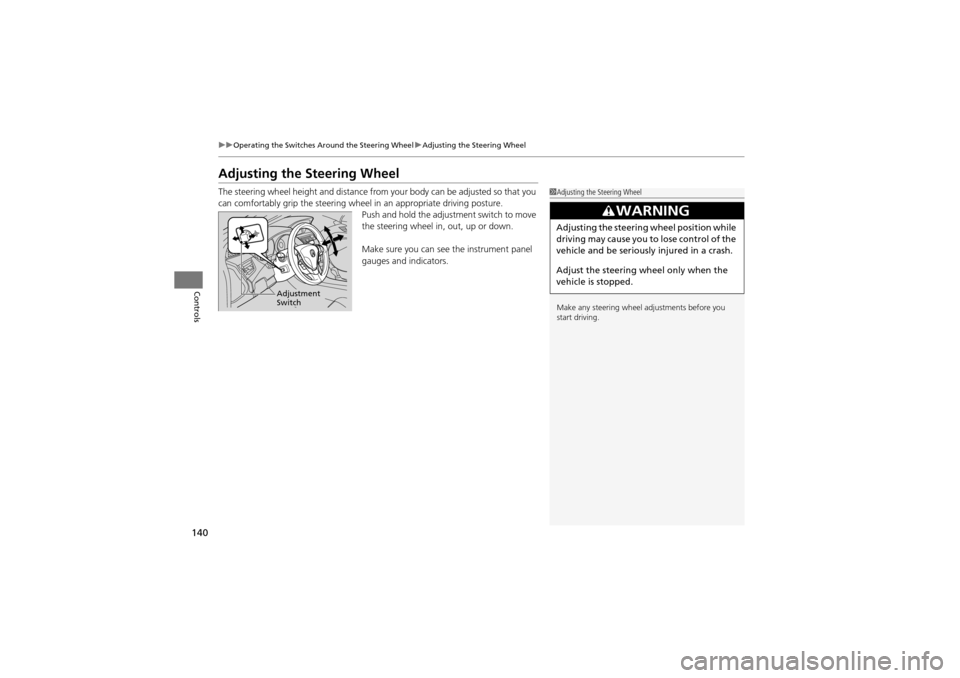
The steering wheel height and distance from your body can be adjusted so that you
can comfortably grip the st eering wheel in an appropriate driving posture.
Push and hold the adjus tment switch to move
the steering wheel in, out, up or down.
Make sure you can see the instrument panel
gauges and indicators.1 Adjusting the Steering Wheel
Make any steering wheel adjustments before you
start driving.
3WARNING
Adjusting the steering wheel position while
driving may cause you to lose control of the
vehicle and be seriously injured in a crash.
Adjust the steering wheel only when the
vehicle is stopped.
Adjustment
Switch
Page 145 of 370
143Continued
Controls
Adjusting the Seats
Adjusting the Seat Positions
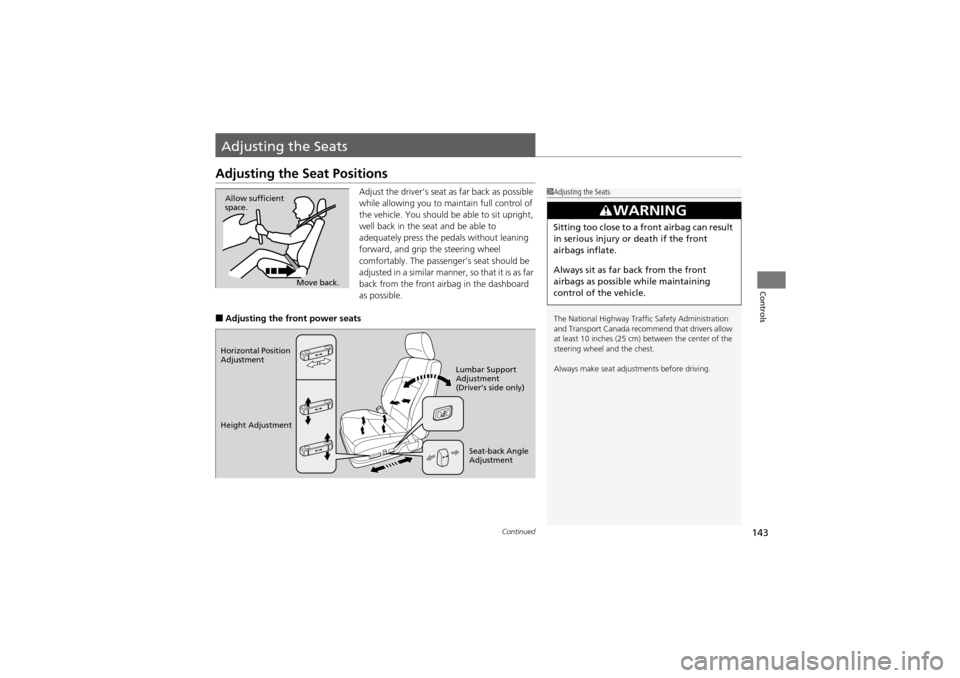
Adjust the driver’s seat as far back as possible
while allowing you to maintain full control of
the vehicle. You should be able to sit upright,
well back in the seat and be able to
adequately press the pedals without leaning
forward, and grip the steering wheel
comfortably. The passenger’s seat should be
adjusted in a similar manner, so that it is as far
back from the front airbag in the dashboard
as possible.
■Adjusting the front power seats
1 Adjusting the Seats
The National Highway Traffi c Safety Administration
and Transport Canada recommend that drivers allow
at least 10 inches (25 cm) between the center of the
steering wheel and the chest.
Always make seat adjust ments before driving.
3WARNING
Sitting too close to a front airbag can result
in serious injury or death if the front
airbags inflate.
Always sit as far back from the front
airbags as possible while maintaining
control of the vehicle.
Move back.
Allow sufficient
space.
Horizontal Position
Adjustment
Height Adjustment
Seat-back Angle
Adjustment
Lumbar Support
Adjustment
(Driver’s side only)