ECO mode Acura ZDX 2013 Owner's Guide
[x] Cancel search | Manufacturer: ACURA, Model Year: 2013, Model line: ZDX, Model: Acura ZDX 2013Pages: 324, PDF Size: 8.58 MB
Page 84 of 324
83
uuIndicatorsuMulti-Information Display Warning and Information Messages
Continued
Instrument Panel
Message
Condition
Explanation
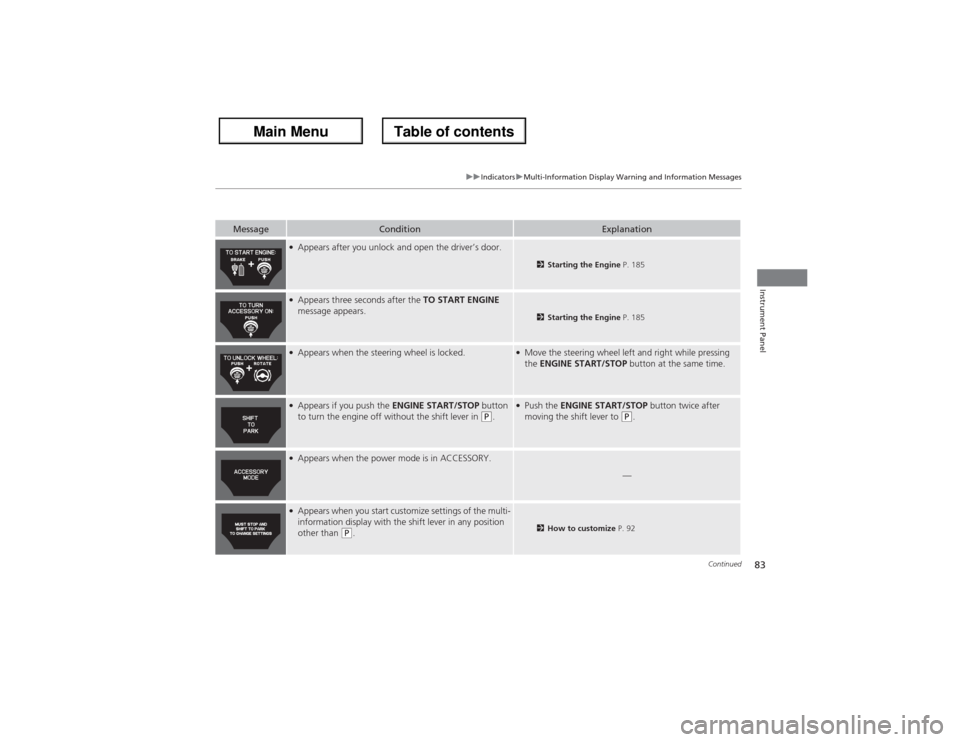
●Appears after you unlock and open the driver’s door.
2Starting the Engine P. 185
●Appears three seconds after the TO START ENGINE
message appears.
2Starting the Engine P. 185
●Appears when the steering wheel is locked.
●Move the steering wheel left and right while pressing
the ENGINE START/STOP button at the same time.
●Appears if you push the ENGINE START/STOP button
to turn the engine off without the shift lever in
(P.
●Push the ENGINE START/STOP button twice after
moving the shift lever to
(P.
●Appears when the power mode is in ACCESSORY.
—
●Appears when you start customize settings of the multi-
information display with the shift lever in any position
other than
(P.
2How to customize P. 92
Page 85 of 324
84
uuIndicatorsuMulti-Information Display Warning and Information Messages
Instrument Panel
Message
Condition
Explanation
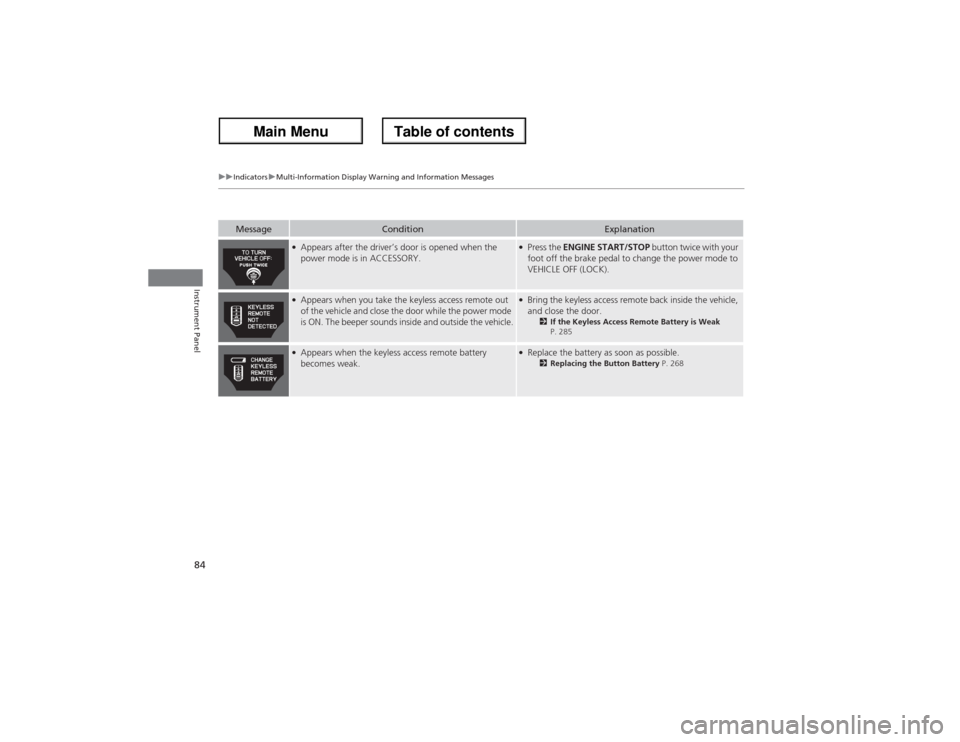
●Appears after the driver’s door is opened when the
power mode is in ACCESSORY.
●Press the ENGINE START/STOP button twice with your
foot off the brake pedal to change the power mode to
VEHICLE OFF (LOCK).
●Appears when you take the keyless access remote out
of the vehicle and close the door while the power mode
is ON. The beeper sounds inside and outside the vehicle.
●Bring the keyless access remote back inside the vehicle,
and close the door.
2If the Keyless Access Remote Battery is Weak
P. 285
●Appears when the keyless access remote battery
becomes weak.
●Replace the battery as soon as possible.
2Replacing the Button Battery P. 268
Page 109 of 324
108
uuLocking and Unlocking the DoorsuLocking/Unlocking the Doors from the Outside
Controls
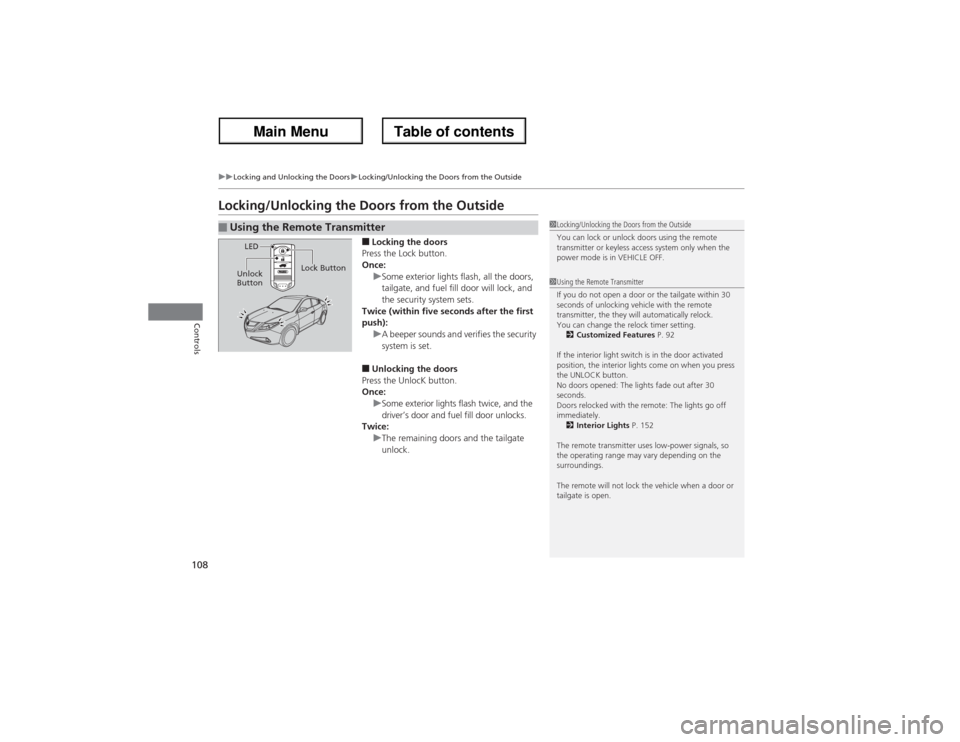
Locking/Unlocking the Doors from the Outside
■Locking the doors
Press the Lock button.
Once:
uSome exterior lights flash, all the doors,
tailgate, and fuel fill door will lock, and
the security system sets.
Twice (within five seconds after the first
push):
uA beeper sounds and verifies the security
system is set.■Unlocking the doors
Press the UnlocK button.
Once:
uSome exterior lights flash twice, and the
driver’s door and fuel fill door unlocks.
Twice:
uThe remaining doors and the tailgate
unlock.
■Using the Remote Transmitter
1Locking/Unlocking the Doors from the Outside
You can lock or unlock doors using the remote
transmitter or keyless access system only when the
power mode is in VEHICLE OFF.1Using the Remote Transmitter
If you do not open a door or the tailgate within 30
seconds of unlocking vehicle with the remote
transmitter, the they will automatically relock.
You can change the relock timer setting.
2Customized Features P. 92
If the interior light switch is in the door activated
position, the interior lights come on when you press
the UNLOCK button.
No doors opened: The lights fade out after 30
seconds.
Doors relocked with the remote: The lights go off
immediately.
2Interior Lights P. 152
The remote transmitter uses low-power signals, so
the operating range may vary depending on the
surroundings.
The remote will not lock the vehicle when a door or
tailgate is open.
LED
Unlock
ButtonLock Button
Page 112 of 324
111
uuLocking and Unlocking the DoorsuLocking/Unlocking the Doors from the Outside
Controls
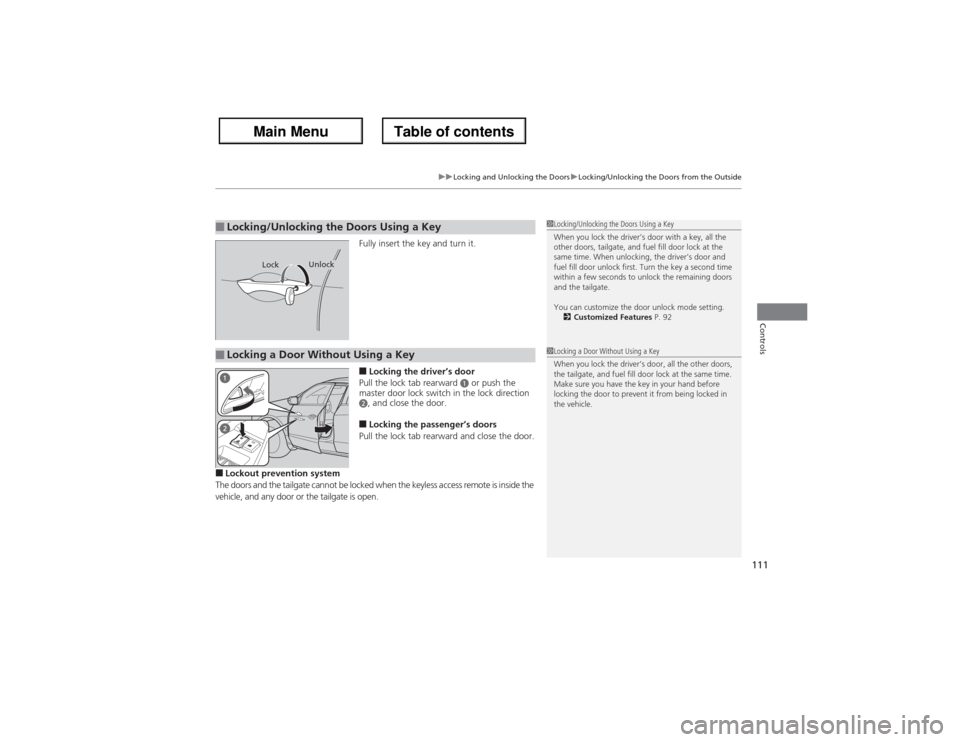
Fully insert the key and turn it.■Locking the driver’s door
Pull the lock tab rearward
a or push the
master door lock switch in the lock direction
b, and close the door.■Locking the passenger’s doors
Pull the lock tab rearward and close the door.
■Lockout prevention system
The doors and the tailgate cannot be locked when the keyless access remote is inside the
vehicle, and any door or the tailgate is open.■Locking/Unlocking the Doors Using a Key
1Locking/Unlocking the Doors Using a Key
When you lock the driver’s door with a key, all the
other doors, tailgate, and fuel fill door lock at the
same time. When unlocking, the driver’s door and
fuel fill door unlock first. Turn the key a second time
within a few seconds to unlock the remaining doors
and the tailgate.
You can customize the door unlock mode setting.
2Customized Features P. 92
Lock
Unlock
■Locking a Door Without Using a Key
1Locking a Door Without Using a Key
When you lock the driver’s door, all the other doors,
the tailgate, and fuel fill door lock at the same time.
Make sure you have the key in your hand before
locking the door to prevent it from being locked in
the vehicle.
Page 124 of 324
Continued
123
uuSecurity SystemuSecurity System Alarm
Controls
■Setting the security system alarm
The security system alarm automatically sets when the following conditions have
been met:
•The power mode is in VEHICLE OFF (LOCK).
•The hood is closed.
•All doors and the tailgate are locked from outside with the key, remote
transmitter, or keyless access system.■When the security system alarm sets
The security system alarm indicator in the instrument panel blinks. When the
blinking interval changes after about 15 seconds, the security system is set.■To cancel the security system alarm
The security system is cancelled when the vehicle is unlocked using the keyless
remote, or set the power mode to ON. The security system alarm indicator goes off
at the same time.
1Security System Alarm
Do not set the security system alarm when someone
is in the vehicle or a window is open. The system can
accidentally activate when:•Unlocking the door with the lock tab or the master
door lock switch.•Opening the tailgate with the power tailgate
button in the instrument panel.
If the battery goes dead after you have set the
security system alarm, the security alarm may go off
once the battery is recharged or replaced.
If this occurs, deactivate the security system alarm by
unlocking a door using the key, remote transmitter or
keyless access system.
Do not attempt to alter this system or add another
device to it.
Page 125 of 324
124
uuSecurity SystemuSecurity System Alarm
Controls
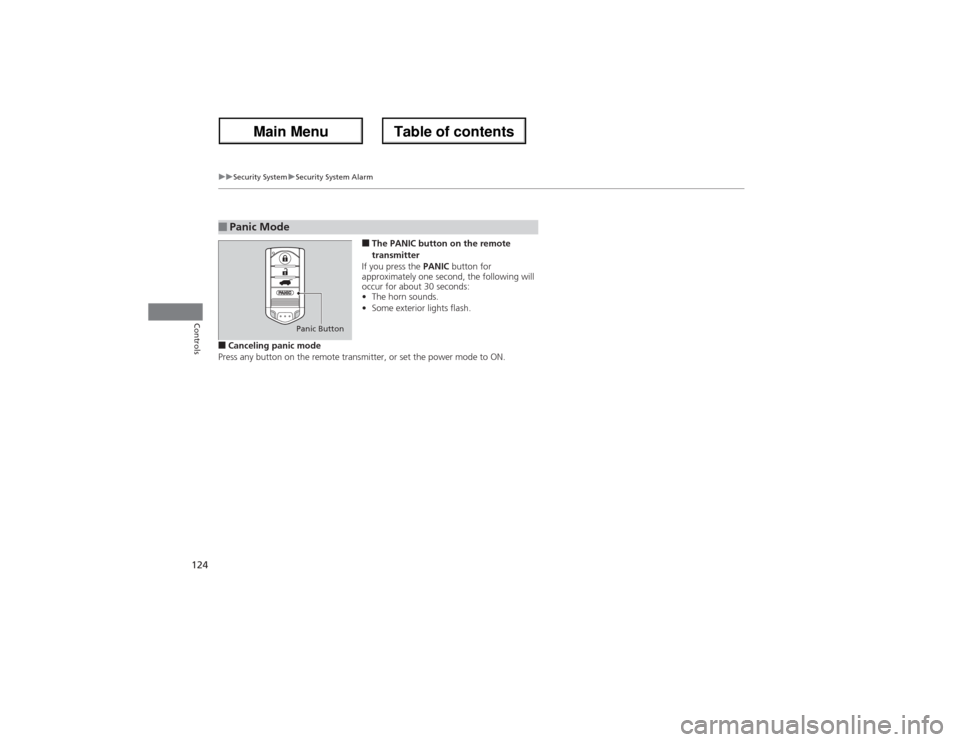
■The PANIC button on the remote
transmitter
If you press the PANIC button for
approximately one second, the following will
occur for about 30 seconds:
•The horn sounds.
•Some exterior lights flash.
■Canceling panic mode
Press any button on the remote transmitter, or set the power mode to ON.■Panic Mode
Panic Button
Page 134 of 324
133
uuOperating the Switches Around the Steering WheeluLight Switches
Controls
Automatic lighting control can be used when
the power mode is in ON.
When you turn the light switch to AUTO, the
headlights and other exterior lights will switch
on and off automatically depending on the
ambient brightness.
u
You can change the AUTO light sensitivity
setting.2Customized Features P. 92
The headlights, all other exterior lights, and the instrument panel lights turn off
within 15 seconds after you set the power mode to VEHICLE OFF (LOCK), take the
remote with you, and close the driver's door.
uYou can change the HEADLIGHT AUTO OFF TIMER setting.
2Customized Features P. 92
If you set the power mode to VEHICLE OFF (LOCK) with the headlight switch on, but
do not open the door, the lights turn off after 10 minutes (3 minutes, if the switch
is in the AUTO position).
The lights turn on again when you unlock or open the driver’s door. If you unlock
the door, but do not open it within 15 seconds, the lights go off. If you open the
driver’s door, you will hear a lights on reminder chime.■Automatic Lighting Control
1Automatic Lighting Control
We recommend that you turn on the lights manually
when driving at night, in a dense fog, or in dark areas
such as long tunnels or parking facilities.
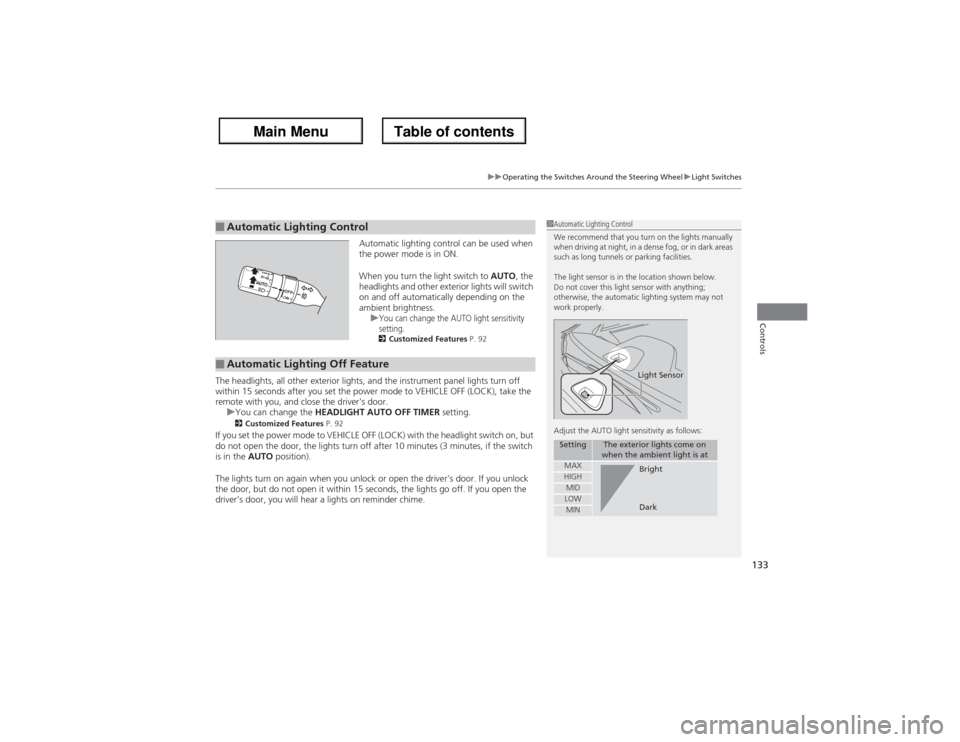
The light sensor is in the location shown below.
Do not cover this light sensor with anything;
otherwise, the automatic lighting system may not
work properly.
Adjust the AUTO light sensitivity as follows:
Setting
The exterior lights come on
when the ambient light is at
MAXHIGHMIDLOWMIN
Light SensorBright
Dark
■Automatic Lighting Off Feature
Page 136 of 324
135
uuOperating the Switches Around the Steering WheeluWipers and Washers
Continued
Controls
Wipers and Washers
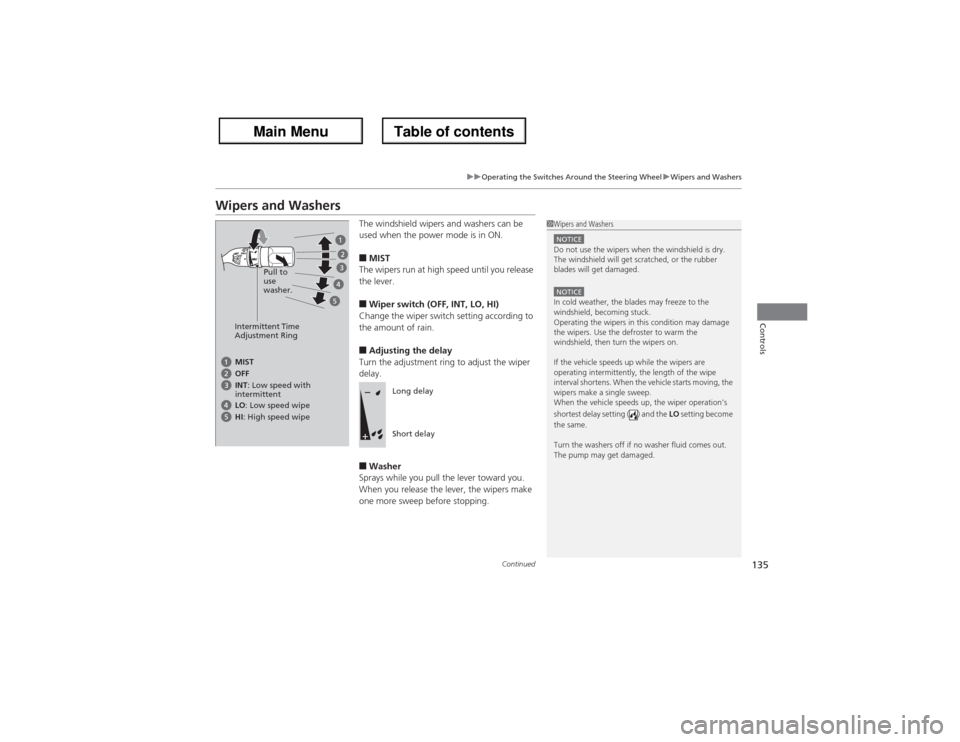
The windshield wipers and washers can be
used when the power mode is in ON.■MIST
The wipers run at high speed until you release
the lever.■Wiper switch (OFF, INT, LO, HI)
Change the wiper switch setting according to
the amount of rain.■Adjusting the delay
Turn the adjustment ring to adjust the wiper
delay.■Washer
Sprays while you pull the lever toward you.
When you release the lever, the wipers make
one more sweep before stopping.
1Wipers and WashersNOTICEDo not use the wipers when the windshield is dry.
The windshield will get scratched, or the rubber
blades will get damaged.NOTICEIn cold weather, the blades may freeze to the
windshield, becoming stuck.
Operating the wipers in this condition may damage
the wipers. Use the defroster to warm the
windshield, then turn the wipers on.
If the vehicle speeds up while the wipers are
operating intermittently, the length of the wipe
interval shortens. When the vehicle starts moving, the
wipers make a single sweep.
When the vehicle speeds up, the wiper operation’s
shortest delay setting ( ) and the LO setting become
the same.
Turn the washers off if no washer fluid comes out.
The pump may get damaged.
Intermittent Time
Adjustment RingPull to
use
washer.MIST
INT: Low speed with
intermittent OFF
LO: Low speed wipe
HI: High speed wipe
Long delay
Short delay
Page 138 of 324
137
uuOperating the Switches Around the Steering WheeluBrightness Control
Controls
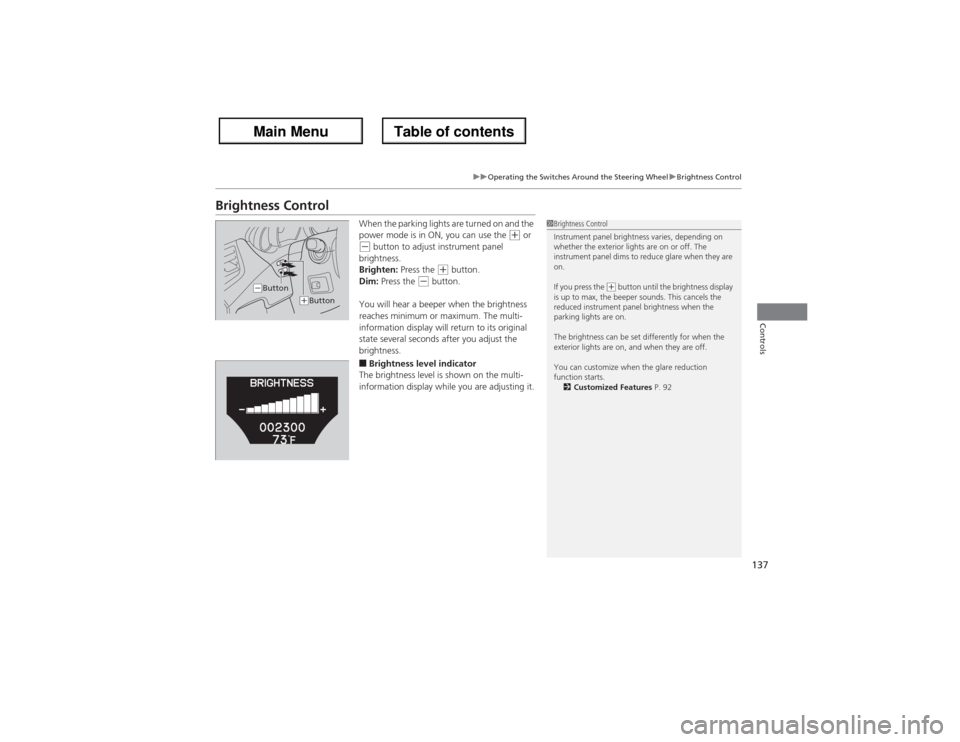
Brightness Control
When the parking lights are turned on and the
power mode is in ON, you can use the
(+ or
(- button to adjust instrument panel
brightness.
Brighten: Press the
(+ button.
Dim: Press the
(- button.
You will hear a beeper when the brightness
reaches minimum or maximum. The multi-
information display will return to its original
state several seconds after you adjust the
brightness.
■Brightness level indicator
The brightness level is shown on the multi-
information display while you are adjusting it.
1Brightness Control
Instrument panel brightness varies, depending on
whether the exterior lights are on or off. The
instrument panel dims to reduce glare when they are
on.
If you press the
(+ button until the brightness display
is up to max, the beeper sounds. This cancels the
reduced instrument panel brightness when the
parking lights are on.
The brightness can be set differently for when the
exterior lights are on, and when they are off.
You can customize when the glare reduction
function starts.
2Customized Features P. 92
(-Button
(+Button
Page 141 of 324
uuOperating the Switches Around the Steering WheeluDriving Position Memory System
140Controls
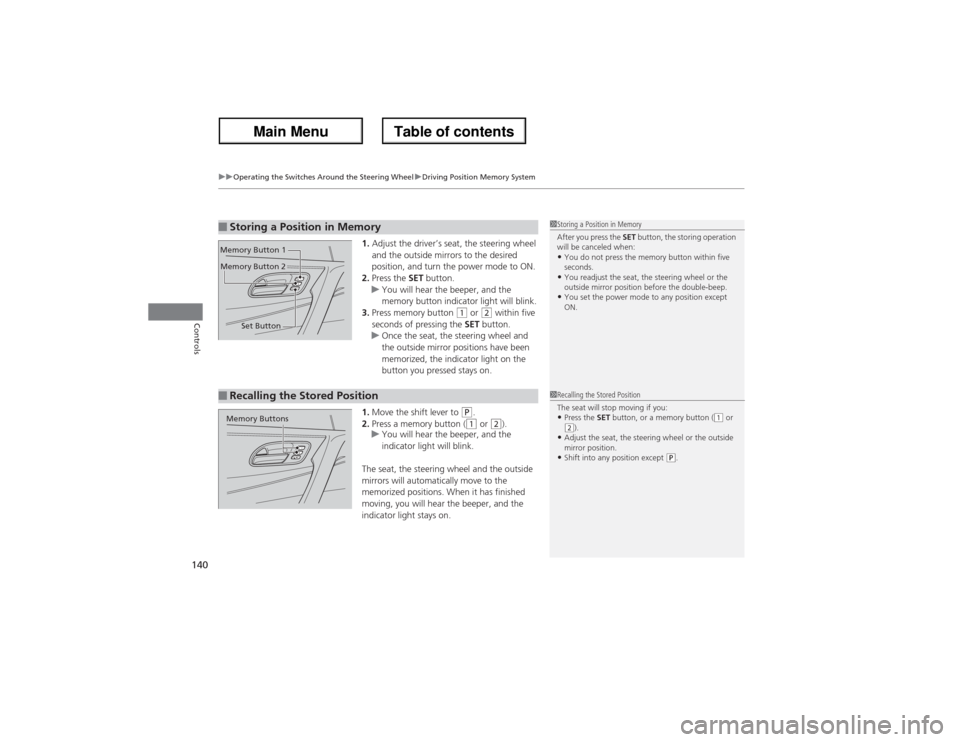
1.Adjust the driver’s seat, the steering wheel
and the outside mirrors to the desired
position, and turn the power mode to ON.
2.Press the SET button.
uYou will hear the beeper, and the
memory button indicator light will blink.
3.Press memory button
(1 or
(2 within five
seconds of pressing the SET button.
uOnce the seat, the steering wheel and
the outside mirror positions have been
memorized, the indicator light on the
button you pressed stays on.
1.Move the shift lever to
(P.
2.Press a memory button ((1 or
(2).
uYou will hear the beeper, and the
indicator light will blink.
The seat, the steering wheel and the outside
mirrors will automatically move to the
memorized positions. When it has finished
moving, you will hear the beeper, and the
indicator light stays on.
■Storing a Position in Memory
1Storing a Position in Memory
After you press the SET button, the storing operation
will be canceled when:•You do not press the memory button within five
seconds.•You readjust the seat, the steering wheel or the
outside mirror position before the double-beep.•You set the power mode to any position except
ON.
Set Button Memory Button 1
Memory Button 2■Recalling the Stored Position
1Recalling the Stored Position
The seat will stop moving if you:•Press the SET button, or a memory button (
(1 or
(2).
•Adjust the seat, the steering wheel or the outside
mirror position.•Shift into any position except
(P.
Memory Buttons