light Alfa Romeo Giulia 2016 User Guide
[x] Cancel search | Manufacturer: ALFA ROMEO, Model Year: 2016, Model line: Giulia, Model: Alfa Romeo Giulia 2016Pages: 204, PDF Size: 4.95 MB
Page 29 of 204
The first time the main beam headlights
are activated (pushing the left lever), the
function is activated (the warning light
or thesymbol comes on in the
instrument panel).
If the main beam headlights are actually
on, the blue icon/warning light
will
also come on in the instrument panel.
DIRECTION INDICATORS
Move the left lever fig. 30 as far as
possible (unstable position):
up: right direction signal activated, the
warning light
flashes on the
instrument panel;
down: left direction signal activated,
the warning light
flashes on the
instrument panel;
The direction indicators are switched off
automatically when the steering wheel is
straightened.
"Lane Change" function
When you want to signal the change of
the driving lane, move the lever until the
first impulse (about half stroke).
The direction indicator on the side
selected will flash five times and then
switch off automatically.
SBL FUNCTION (Static Bending Light)(where provided)
The SBL LEDs activate in order to better
illuminate the street and increase the
light angle while turning. This function isenabled by rotating the light switch to
position
orAUTO. The SBL LEDs
activate if the speed exceeds 12 mph
(20 km/h) and the steering radius is
below 1640 ft (500 m).
HEADLIGHT ALIGNMENT ADJUSTMENT
Headlight alignment corrector
(where provided)
This device is not available on vehicles
equipped with Xenon headlights
(Bi-Xenon 35 W headlamp version), as
they require an automatic alignment
correction system.
It only operates with the ignition device
at ON.
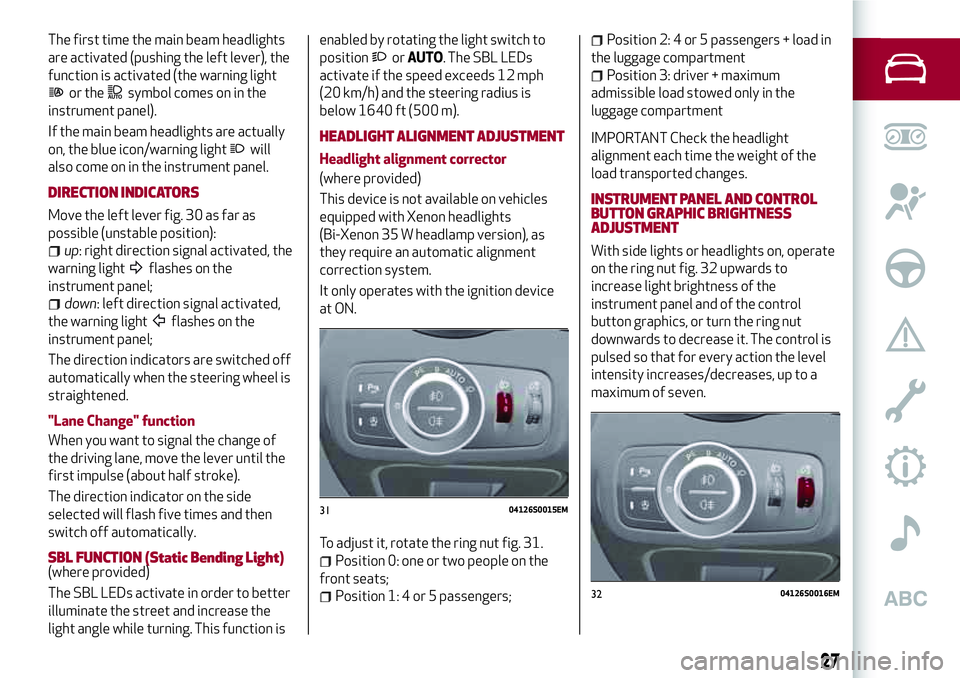
To adjust it, rotate the ring nut fig. 31.
Position 0: one or two people on the
front seats;
Position 1: 4 or 5 passengers;
Position 2: 4 or 5 passengers + load in
the luggage compartment
Position 3: driver + maximum
admissible load stowed only in the
luggage compartment
IMPORTANT Check the headlight
alignment each time the weight of the
load transported changes.
INSTRUMENT PANEL AND CONTROL
BUTTON GRAPHIC BRIGHTNESS
ADJUSTMENT
With side lights or headlights on, operate
on the ring nut fig. 32 upwards to
increase light brightness of the
instrument panel and of the control
button graphics, or turn the ring nut
downwards to decrease it. The control is
pulsed so that for every action the level
intensity increases/decreases, up to a
maximum of seven.
3104126S0015EM
3204126S0016EM
27
Page 30 of 204
WARNING
17)The daytime running lights are an
alternative to the dipped headlights for
driving during the daytime in countries
where it is compulsory to have lights on
during the day; where it is not compulsory,
the use of daytime running lights is
permitted.
18)Daytime running lights cannot replace
dipped beam headlights when driving at
night or through tunnels. The use of daytime
running lights is governed by the highway
code of the country in which you are driving.
Comply with legal requirements.
INTERIOR LIGHTS
FRONT CEILING LIGHT
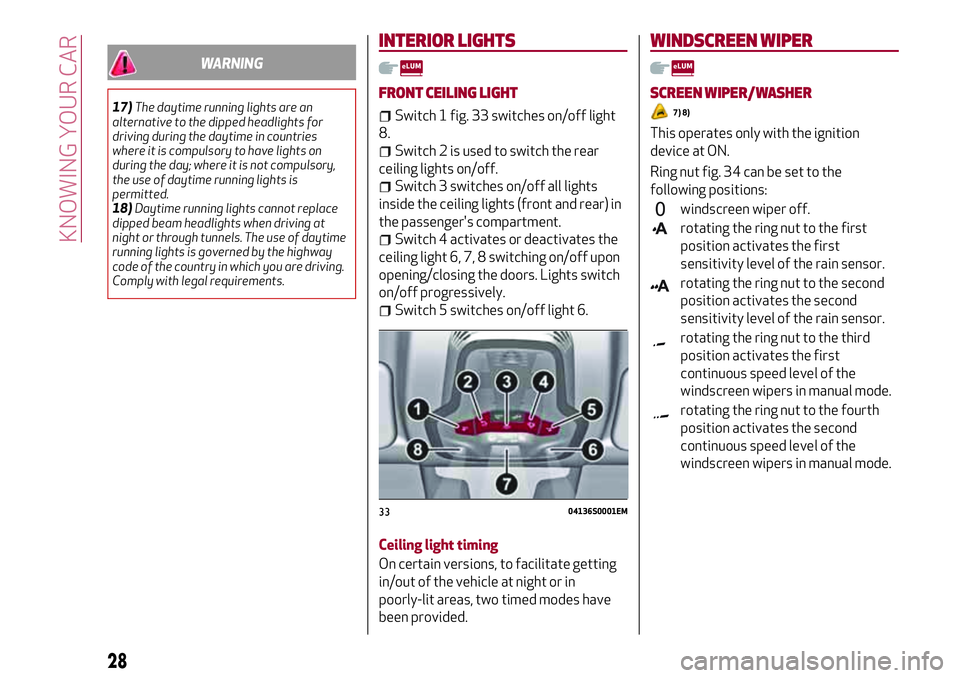
Switch 1 fig. 33 switches on/off light
8.
Switch 2 is used to switch the rear
ceiling lights on/off.
Switch 3 switches on/off all lights
inside the ceiling lights (front and rear) in
the passenger's compartment.
Switch 4 activates or deactivates the
ceiling light 6, 7, 8 switching on/off upon
opening/closing the doors. Lights switch
on/off progressively.
Switch 5 switches on/off light 6.
Ceiling light timing
On certain versions, to facilitate getting
in/out of the vehicle at night or in
poorly-lit areas, two timed modes have
been provided.
WINDSCREEN WIPER
SCREEN WIPER/WASHER
7) 8)
This operates only with the ignition
device at ON.
Ring nut fig. 34 can be set to the
following positions:
windscreen wiper off.
rotating the ring nut to the first
position activates the first
sensitivity level of the rain sensor.
rotating the ring nut to the second
position activates the second
sensitivity level of the rain sensor.
rotating the ring nut to the third
position activates the first
continuous speed level of the
windscreen wipers in manual mode.
rotating the ring nut to the fourth
position activates the second
continuous speed level of the
windscreen wipers in manual mode.
3304136S0001EM
28
KNOWING YOUR CAR
Page 33 of 204
Air flow to the windscreen and front
side window vents to
demist/defrost them.
Air flow at central and side
dashboard vents to ventilate the
chest and the face during the hot
season.
Air flow to the front and rear
footwell vents. This air distribution
setting heats the passenger
compartment most quickly, giving a
prompt sensation of warmth.
Air flow distributed between
footwell vents (hotter air) and
central and side dashboard vents
(cooler air). This air distribution
setting is useful in spring and
autumn on sunny days.
Air flow distributed between
footwell vents and windscreen and
front side window defrosting/
demisting vents. This distribution
setting allows the passenger
compartment to be warmed up
efficiently and prevents the
windows from misting up.
Air flow distribution between
windscreen demisting/defrosting
vents and side and central
dashboard vents. This allows air to
be sent to the windscreen in
conditions of strong sunlight.
Air flow distribution to all diffusers
on the vehicle.
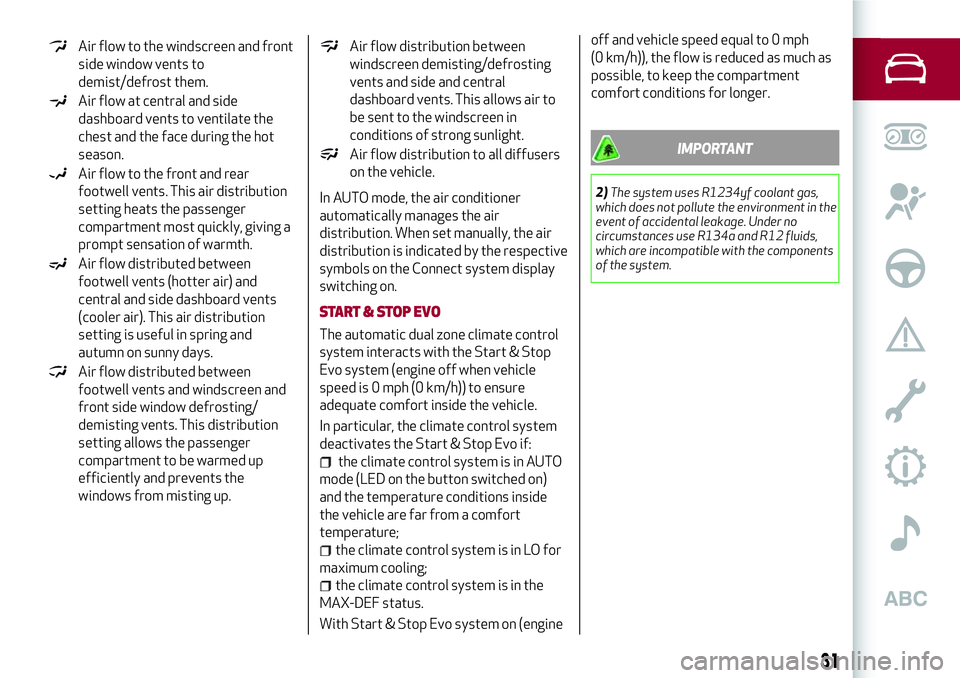
In AUTO mode, the air conditioner
automatically manages the air
distribution. When set manually, the air
distribution is indicated by the respective
symbols on the Connect system display
switching on.
START & STOP EVO
The automatic dual zone climate control
system interacts with the Start & Stop
Evo system (engine off when vehicle
speed is 0 mph (0 km/h)) to ensure
adequate comfort inside the vehicle.
In particular, the climate control system
deactivates the Start & Stop Evo if:
the climate control system is in AUTO
mode (LED on the button switched on)
and the temperature conditions inside
the vehicle are far from a comfort
temperature;
the climate control system is in LO for
maximum cooling;
the climate control system is in the
MAX-DEF status.
With Start & Stop Evo system on (engineoff and vehicle speed equal to 0 mph
(0 km/h)), the flow is reduced as much as
possible, to keep the compartment
comfort conditions for longer.
IMPORTANT
2)The system uses R1234yf coolant gas,
which does not pollute the environment in the
event of accidental leakage. Under no
circumstances use R134a and R12 fluids,
which are incompatible with the components
of the system.
31
Page 36 of 204
ANTI-PINCH SAFETY DEVICE
The sun roof has an anti-pinch safety
system capable of detecting the
presence of an obstacle during the
closing movement: if this happens, the
system intervenes and the movement of
the roof is immediately reversed into
opening.
INITIALISATION PROCEDURE
Automatic operation of the sunroof must
be initialised again in case of faulty
sunroof operation.
Proceed as follows:
press button 1 next to thesymbol
to bring the roof into completely closed
position;
bring the ignition device to STOP and
wait at least 10 seconds;
set the ignition device to AVV;
hold button 1 down for at least
10 seconds, then you should hear the
mechanical stop of the roof motor;
within 5 seconds hold button 1 down:
the roof will perform a complete
automatic opening and closing cycle (to
indicate that the initialisation procedure
has been successful). If this does not
occur, the procedure must be restarted
from the beginning.
WARNING
21)When leaving the vehicle, make sure to
take the key with you to avoid the risk of
injury to those still inside the car due to
accidental operation of the sunroof.
Improper use of the roof can be dangerous.
Before and during operation, always check
that no-one is exposed to the risk of being
injured by the moving sunroof or by objects
getting caught or hit by it.
IMPORTANT
11)Do not open the sun roof if a roof rack or
crossbars are fitted. Do not open the sun
roof if there is snow or ice on it: you may
damage it.
BONNET
OPENING
22) 23)
Proceed as follows:
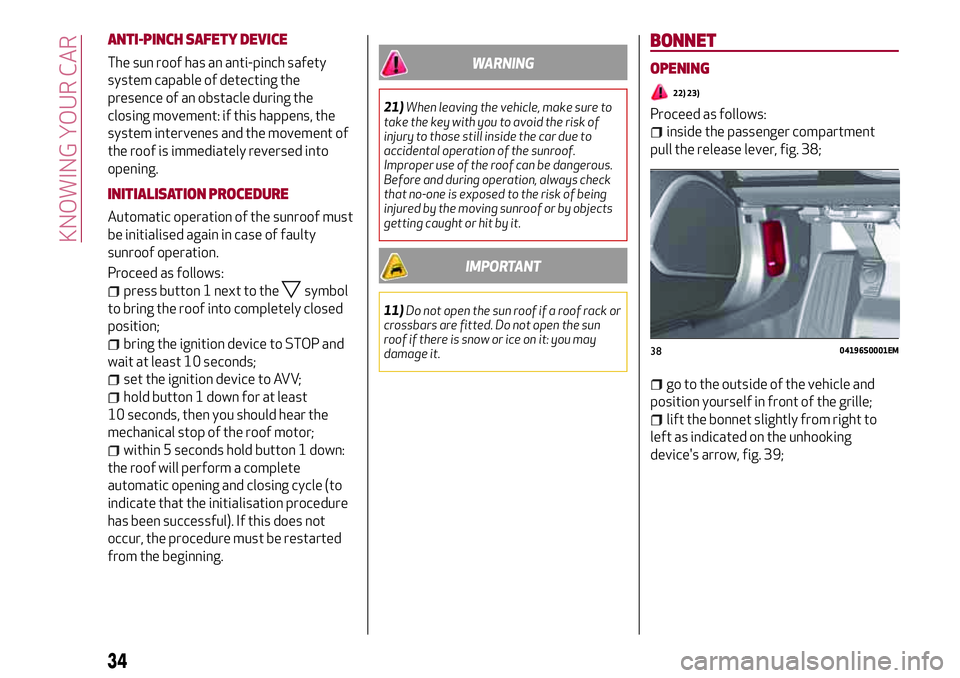
inside the passenger compartment
pull the release lever, fig. 38;
go to the outside of the vehicle and
position yourself in front of the grille;
lift the bonnet slightly from right to
left as indicated on the unhooking
device's arrow, fig. 39;
3804196S0001EM
34
KNOWING YOUR CAR
Page 37 of 204
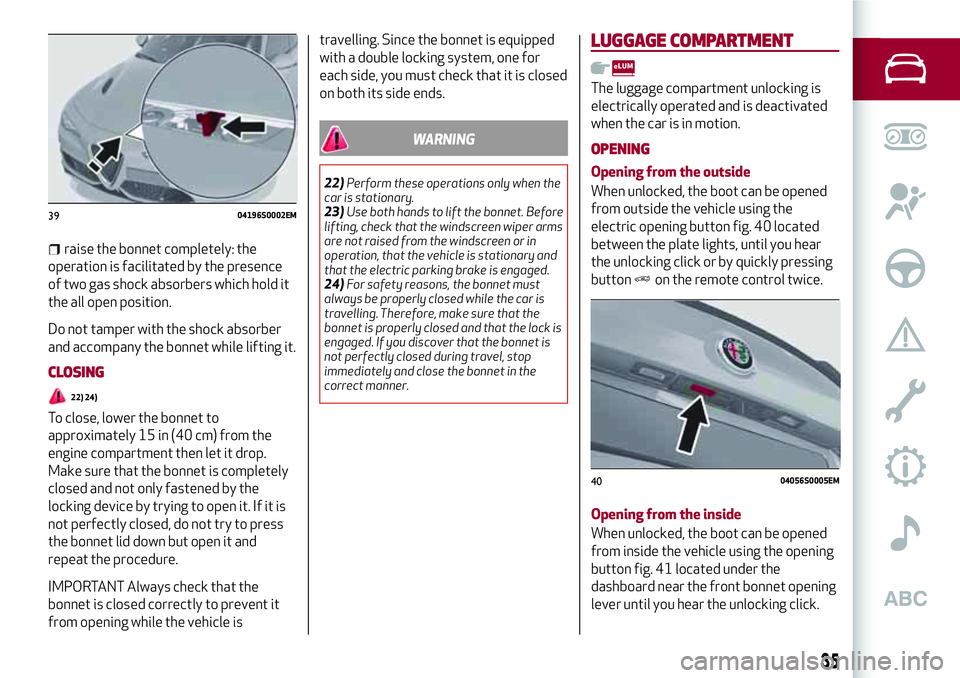
raise the bonnet completely: the
operation is facilitated by the presence
of two gas shock absorbers which hold it
the all open position.
Do not tamper with the shock absorber
and accompany the bonnet while lifting it.
CLOSING
22) 24)
To close, lower the bonnet to
approximately 15 in (40 cm) from the
engine compartment then let it drop.
Make sure that the bonnet is completely
closed and not only fastened by the
locking device by trying to open it. If it is
not perfectly closed, do not try to press
the bonnet lid down but open it and
repeat the procedure.
IMPORTANT Always check that the
bonnet is closed correctly to prevent it
from opening while the vehicle istravelling. Since the bonnet is equipped
with a double locking system, one for
each side, you must check that it is closed
on both its side ends.
WARNING
22)Perform these operations only when the
car is stationary.
23)Use both hands to lift the bonnet. Before
lifting, check that the windscreen wiper arms
are not raised from the windscreen or in
operation, that the vehicle is stationary and
that the electric parking brake is engaged.
24)For safety reasons, the bonnet must
always be properly closed while the car is
travelling. Therefore, make sure that the
bonnet is properly closed and that the lock is
engaged. If you discover that the bonnet is
not perfectly closed during travel, stop
immediately and close the bonnet in the
correct manner.
LUGGAGE COMPARTMENT
The luggage compartment unlocking is
electrically operated and is deactivated
when the car is in motion.
OPENING
Opening from the outside
When unlocked, the boot can be opened
from outside the vehicle using the
electric opening button fig. 40 located
between the plate lights, until you hear
the unlocking click or by quickly pressing
button
on the remote control twice.
Opening from the inside
When unlocked, the boot can be opened
from inside the vehicle using the opening
button fig. 41 located under the
dashboard near the front bonnet opening
lever until you hear the unlocking click.
3904196S0002EM
4004056S0005EM
35
Page 39 of 204
This section of the handbook gives you all the information you
need to understand, interpret and use the instrument panel
correctly.
KNOWING THE INSTRUMENT PANEL
CONTROL PANEL AND ON-BOARD INSTRUMENTS .........38
DISPLAY....................................40
WARNING LIGHTS AND MESSAGES . ..................47
Page 40 of 204
CONTROL PANEL AND ON-BOARD INSTRUMENTS
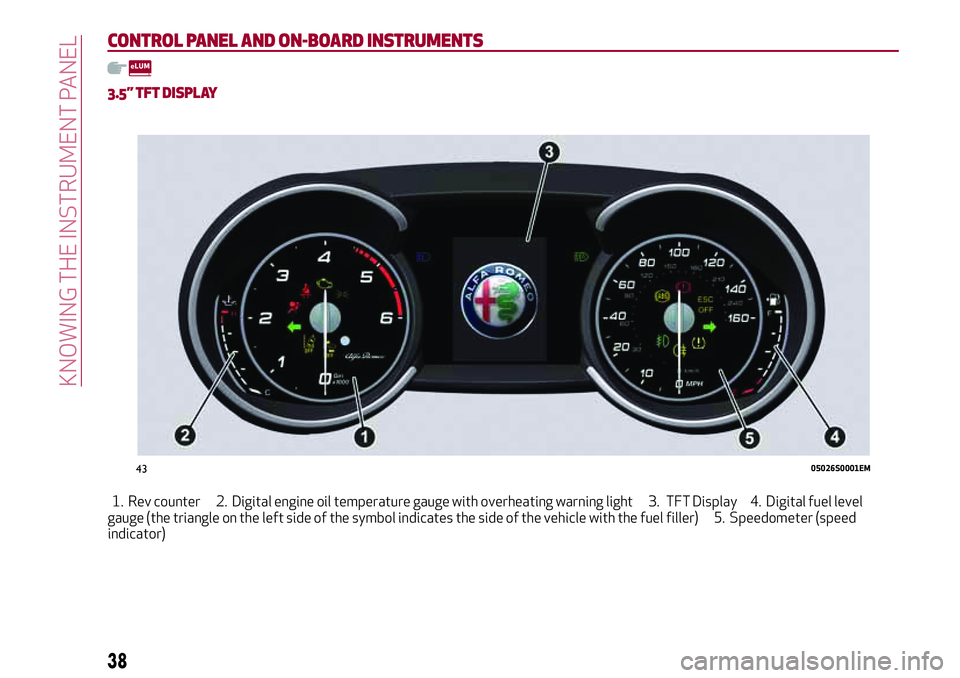
3.5” TFT DISPLAY
1. Rev counter 2. Digital engine oil temperature gauge with overheating warning light 3. TFT Display 4. Digital fuel level
gauge (the triangle on the left side of the symbol indicates the side of the vehicle with the fuel filler) 5. Speedometer (speed
indicator)
4305026S0001EM
38
KNOWING THE INSTRUMENT PANEL
Page 41 of 204
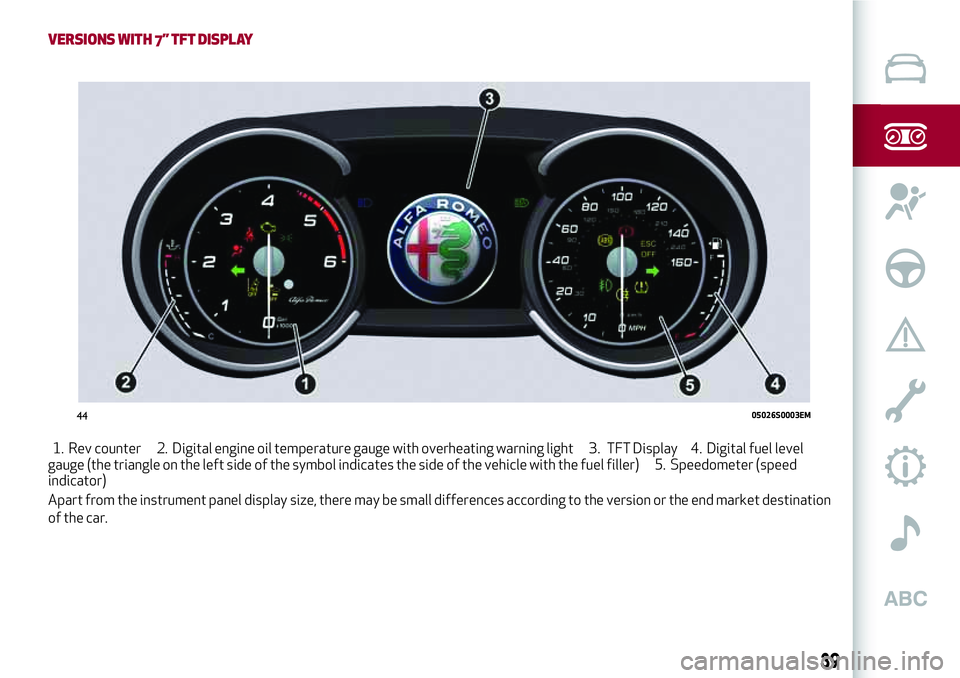
VERSIONS WITH 7” TFT DISPLAY
1. Rev counter 2. Digital engine oil temperature gauge with overheating warning light 3. TFT Display 4. Digital fuel level
gauge (the triangle on the left side of the symbol indicates the side of the vehicle with the fuel filler) 5. Speedometer (speed
indicator)
Apart from the instrument panel display size, there may be small differences according to the version or the end market destination
of the car.
4405026S0003EM
39
Page 43 of 204
1 Gearbox Information
Automatic transmission
Displays the following information
regarding the gearbox operation:
gearbox operation mode (M, P, R, N, D).
In D mode, when changing gear using the
steering wheel lever (where present), or
manually M, it also show the gear
engaged with a number. In M mode, it
indicates whether it needs to be shifted
by one gear (single arrow suggests one
gear) or by two gears (double arrow
suggests two gears) both up and down.
Manual gearbox
Displays the following information
regarding the gearbox operation:
the gear engaged (1, 2, 3, 4, 5, 6, N or
R) and indicates whether it needs to be
shifted by one gear (single arrow
suggests one gear) or by two gears
(double arrow suggests two gears) both
up and down.
2 Front, side anti-collision systems,
Cruise Control
Displays the operation the following
modes:
Forward Collision Warning (FCW);
Lane Departure Warning (LDW);
Cruise Control (CC) or Active Cruise
Control (ACC) (where provided).
For further information, see relevant
paragraphs.3 Speed limit warning light
Shows information regarding the Speed
Limiter function.
For further information, see relevant
paragraph.
4 Reconfigurable main area
Can display the following screens:
Home.
Trip A.
Trip B (can be activated/deactivated
on the Connect system)
Performance.
The screens can be selected, on rotation,
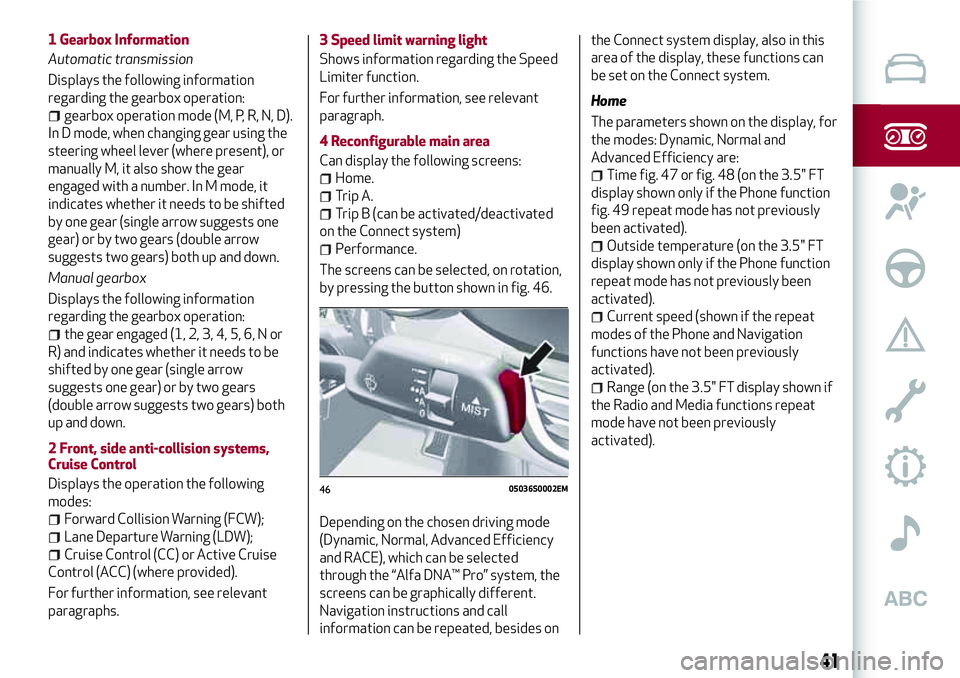
by pressing the button shown in fig. 46.
Depending on the chosen driving mode
(Dynamic, Normal, Advanced Efficiency
and RACE), which can be selected
through the “Alfa DNA™ Pro” system, the
screens can be graphically different.
Navigation instructions and call
information can be repeated, besides onthe Connect system display, also in this
area of the display, these functions can
be set on the Connect system.
Home
The parameters shown on the display, for
the modes: Dynamic, Normal and
Advanced Efficiency are:
Time fig. 47 or fig. 48 (on the 3.5" FT
display shown only if the Phone function
fig. 49 repeat mode has not previously
been activated).
Outside temperature (on the 3.5" FT
display shown only if the Phone function
repeat mode has not previously been
activated).
Current speed (shown if the repeat
modes of the Phone and Navigation
functions have not been previously
activated).
Range (on the 3.5" FT display shown if
the Radio and Media functions repeat
mode have not been previously
activated).
4605036S0002EM
41
Page 46 of 204
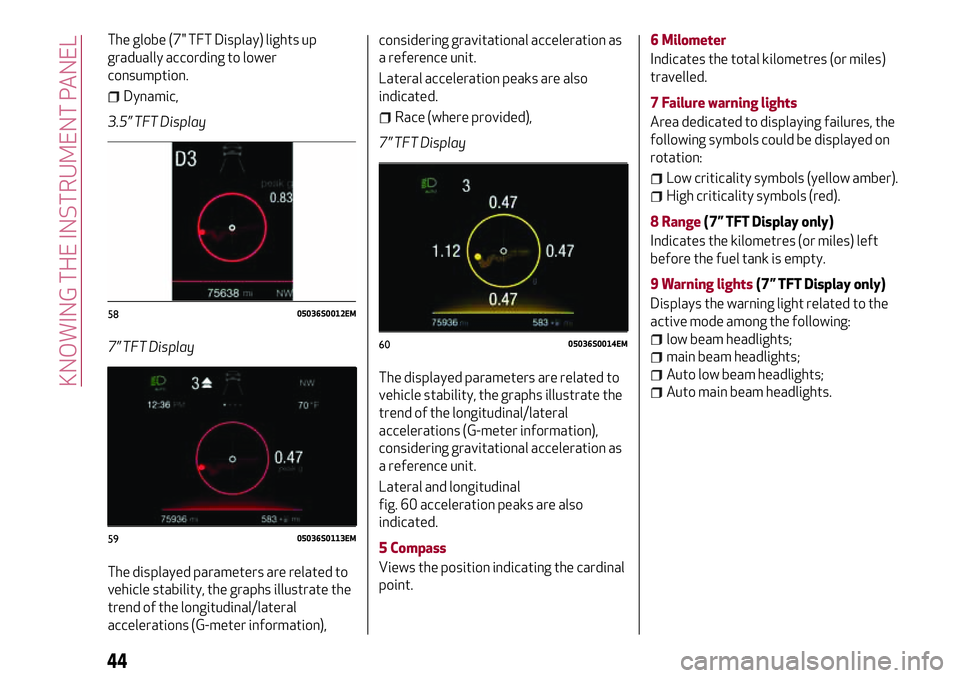
The globe (7" TFT Display) lights up
gradually according to lower
consumption.
Dynamic,
3.5” TFT Display
7” TFT Display
The displayed parameters are related to
vehicle stability, the graphs illustrate the
trend of the longitudinal/lateral
accelerations (G-meter information),considering gravitational acceleration as
a reference unit.
Lateral acceleration peaks are also
indicated.
Race (where provided),
7” TFT Display
The displayed parameters are related to
vehicle stability, the graphs illustrate the
trend of the longitudinal/lateral
accelerations (G-meter information),
considering gravitational acceleration as
a reference unit.
Lateral and longitudinal
fig. 60 acceleration peaks are also
indicated.
5 Compass
Views the position indicating the cardinal
point.6 Milometer
Indicates the total kilometres (or miles)
travelled.
7 Failure warning lights
Area dedicated to displaying failures, the
following symbols could be displayed on
rotation:
Low criticality symbols (yellow amber).
High criticality symbols (red).
8 Range(7” TFT Display only)
Indicates the kilometres (or miles) left
before the fuel tank is empty.
9 Warning lights(7” TFT Display only)
Displays the warning light related to the
active mode among the following:
low beam headlights;
main beam headlights;
Auto low beam headlights;
Auto main beam headlights.
5805036S0012EM
5905036S0113EM
6005036S0014EM
44
KNOWING THE INSTRUMENT PANEL