brake Alfa Romeo Giulia 2017 Owner's Guide
[x] Cancel search | Manufacturer: ALFA ROMEO, Model Year: 2017, Model line: Giulia, Model: Alfa Romeo Giulia 2017Pages: 268, PDF Size: 18.64 MB
Page 104 of 268
Forward Collision
Warning (FCW) System
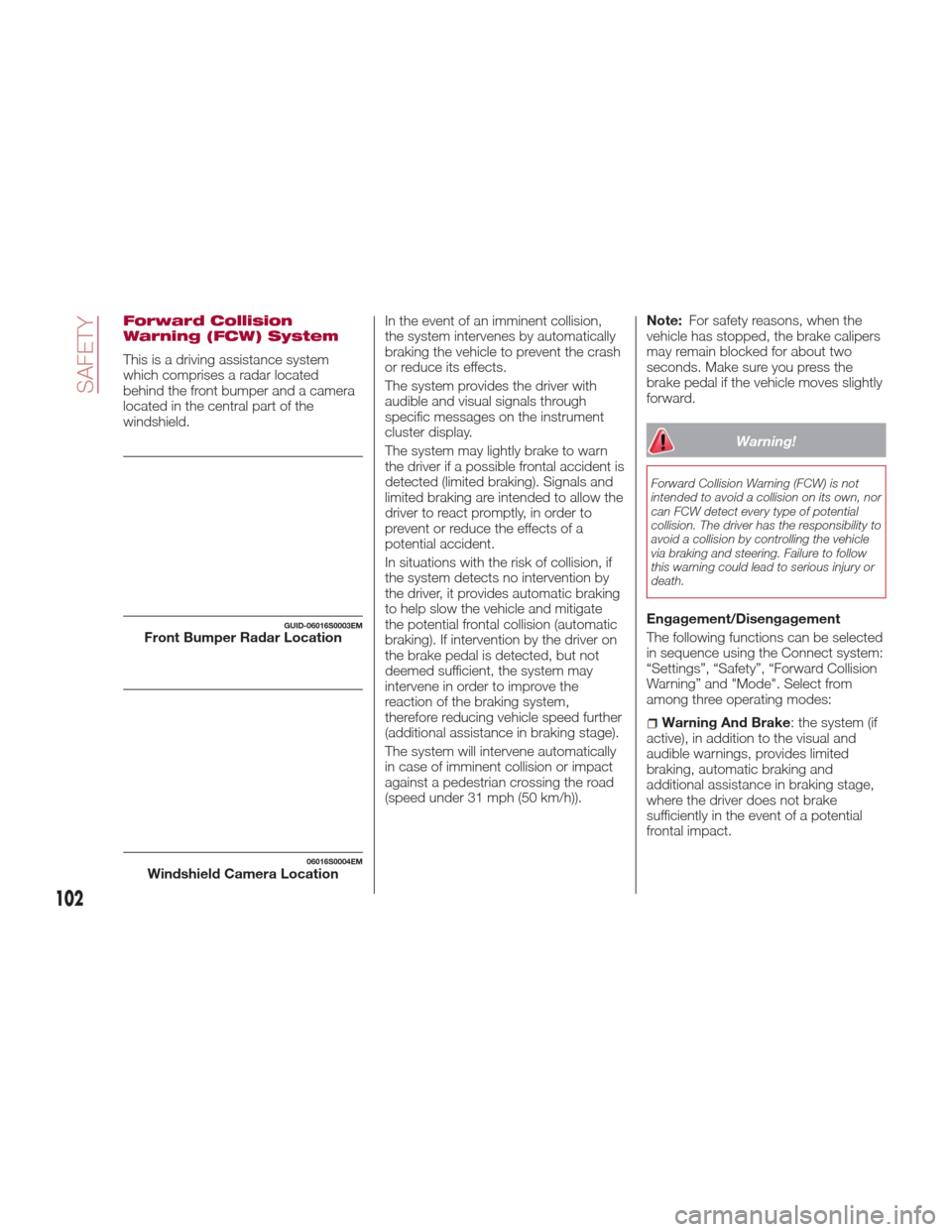
This is a driving assistance system
which comprises a radar located
behind the front bumper and a camera
located in the central part of the
windshield.In the event of an imminent collision,
the system intervenes by automatically
braking the vehicle to prevent the crash
or reduce its effects.
The system provides the driver with
audible and visual signals through
specific messages on the instrument
cluster display.
The system may lightly brake to warn
the driver if a possible frontal accident is
detected (limited braking). Signals and
limited braking are intended to allow the
driver to react promptly, in order to
prevent or reduce the effects of a
potential accident.
In situations with the risk of collision, if
the system detects no intervention by
the driver, it provides automatic braking
to help slow the vehicle and mitigate
the potential frontal collision (automatic
braking). If intervention by the driver on
the brake pedal is detected, but not
deemed sufficient, the system may
intervene in order to improve the
reaction of the braking system,
therefore reducing vehicle speed further
(additional assistance in braking stage).
The system will intervene automatically
in case of imminent collision or impact
against a pedestrian crossing the road
(speed under 31 mph (50 km/h)).Note:
For safety reasons, when the
vehicle has stopped, the brake calipers
may remain blocked for about two
seconds. Make sure you press the
brake pedal if the vehicle moves slightly
forward.
Warning!
Forward Collision Warning (FCW) is not
intended to avoid a collision on its own, nor
can FCW detect every type of potential
collision. The driver has the responsibility to
avoid a collision by controlling the vehicle
via braking and steering. Failure to follow
this warning could lead to serious injury or
death.
Engagement/Disengagement
The following functions can be selected
in sequence using the Connect system:
“Settings”, “Safety”, “Forward Collision
Warning” and "Mode". Select from
among three operating modes:
Warning And Brake : the system (if
active), in addition to the visual and
audible warnings, provides limited
braking, automatic braking and
additional assistance in braking stage,
where the driver does not brake
sufficiently in the event of a potential
frontal impact.
GUID-06016S0003EMFront Bumper Radar Location
06016S0004EMWindshield Camera Location
102
SAFETY
Page 105 of 268
Only Warning: the system, if active,
does not provide limited braking, but
guarantees automatic braking or
additional assistance in braking stage,
where the driver does not brake at all or
not sufficiently in the event of a potential
frontal impact. The visual and audible
warnings are deactivated, and will not
be provided.
Disable: the system does not
provide visual and audible warnings,
limited braking, automatic braking or
additional assistance in braking stage.
The system will therefore provide no
indication of a possible accident.
Activation/Deactivation
The Forward Collision Warning system
is activated whenever the engine is
started regardless of what is shown on
the Connect system.
Following a deactivation, the system will
not warn the driver about the possible
collision with the preceding vehicle,
regardless of the setting selected with
the Connect system.
Note: Each time the engine is started,
the system is activated regardless of
what setting was selected when it was
previously switched off.
This function is not active at a speed
lower than 4 mph (7 km/h) or higher
than 124 mph (200 km/h). The system is active when:
The engine is started.
Is active (on) in the Connect system.
The ignition is in the ON position.
The vehicle speed is between 4 mph
(7 km/h) and 124 mph (200 km/h).
The front seat belts are fastened.
The "Alfa DNA Pro" selector is not in
RACE position (where present).
Changing The System Sensitivity
The sensitivity of the system can be
changed through the Connect system
menu, choosing from one of the
following three options: "Near", "Med"
or "Far". Refer to the description in the
“Connect System Supplement” for how
to change the settings.
The pre-set option is "Med". With this
setting, the system warns the driver of a
possible collision with the vehicle in
front when that vehicle is at a standard
distance, between that of the other two
settings.
With the system sensitivity set to "Far",
the system will warn the driver of a
possible collision with the vehicle in
front when that vehicle is at a greater
distance, thus providing the possibility
of acting on the brakes more lightly and
gradually. This setting provides the
drivers with the maximum possible
reaction time to prevent a potential
accident. With the option set to "Near", the
system will alert the driver of a possible
collision with the vehicle in front when
that vehicle is close. This setting offers
the driver a lower reaction time
compared to the "Med" and "Far"
settings, in the event of a potential
collision, but permits more dynamic
driving of the vehicle.
The system sensitivity setting is kept in
the memory when the engine is
switched off.
System Limited Operation Signal
If the dedicated message is displayed,
a condition limiting the system
operation may have occurred. The
possible reasons of this limitation are
something blocking the camera view or
a fault.
If an obstruction is signaled, clean the
area of the windshield indicated in.
Although the vehicle can still be driven
in normal conditions, the system may
be not completely available.
When the conditions limiting the system
functions end, this will go back to
normal and complete operation. Should
the fault persist, contact an authorized
dealer.
System Failure Signaling
If the system switches off and a
dedicated message is shown on the
display, it means that there is a fault on
the system.
103
Page 106 of 268

In this case, it is still possible to drive
the vehicle, but you are advised to
contact an authorized dealer as soon
as possible.
Radar Indication Not Available
If conditions are such that the radar
cannot detect obstacles correctly, the
system is deactivated and a dedicated
message appears on the display. This
generally occurs in the event of poor
visibility, such as when it is snowing or
raining heavily.
The system can also be temporarily
dimmed due to obstructions such as
mud, dirt or ice on the bumper. In such
cases, a dedicated message will be
shown on the display and the system
will be deactivated. This message can
sometimes appear in conditions of high
reflectivity (e.g. tunnels with reflective
tiles or ice or snow). When the
conditions limiting the system functions
end, this will go back to normal and
complete operation.
In certain particular cases, this
dedicated message could be displayed
when the radar is not detecting any
vehicles or objects within its view range.
If atmospheric conditions are not the
real reason behind this message, check
if the sensor is dirty. It could be
necessary to clean or remove any
obstructions in the area.
If the message appears often, even in
the absence of atmospheric conditions
such as snow, rain, mud or otherobstructions, contact an authorized
dealer for a sensor alignment check.
In the absence of visible obstructions,
manually removing the decorative cover
trim and cleaning the radar surface
could be required. Have this operation
performed at an authorized dealer.
Note:
It is recommended that you do
not install devices, accessories or
aerodynamic attachments in front of the
sensor or darken it in any way, as this
can compromise the correct functioning
of the system.
Frontal Collision Alarm With Active
Braking — If Equipped
If this function is selected, the brakes
are operated to reduce the speed of the
vehicle in the event of potential frontal
impact.
This function applies an additional
braking pressure if the braking pressure
applied by the driver does not suffice to
prevent potential frontal impact.
The function is active with speed above
4 mph (7 km/h).
Driving In Special Conditions
In certain driving conditions, such as,
for example:
Driving close to a bend.
The vehicle ahead is leaving a
roundabout.
Vehicles with small dimensions
and/or not aligned in the driving lane.
Lane change by other vehicles.
Vehicles travelling at right angles to
the vehicle.
System intervention might be
unexpected or delayed. The driver must
therefore be very careful, keeping
control of the vehicle to drive in
complete safety.
Note: In particularly complex traffic
conditions, the driver can deactivate the
system manually through the Connect
system.
Driving Close To A Bend
When entering or leaving a wide bend,
the system may detect a vehicle in front
you, but not driving on the same driving
lane. In cases such as these, the
system may intervene.
06016S0005EMDriving Around Wide Curves
104
SAFETY
Page 125 of 268
Event Data Recorder (EDR)
This vehicle is equipped with an event
data recorder (EDR). The main purpose
of an EDR is to record, in certain crash
or near crash-like situations, such as an
air bag deployment or hitting a road
obstacle, data that will assist in
understanding how a vehicle’s systems
performed. The EDR is designed to
record data related to vehicle dynamics
and safety systems for a short period of
time, typically 30 seconds or less. The
EDR in this vehicle is designed to
record such data as:
How various systems in your vehicle
were operating;
Whether or not the driver and
passenger safety belts were
buckled/fastened;
How far (if at all) the driver was
depressing the accelerator and/or
brake pedal; and,
How fast the vehicle was traveling.
These data can help provide a better
understanding of the circumstances in
which crashes and injuries occur.
Note: EDR data are recorded by your
vehicle only if a non-trivial crash
situation occurs; no data are recorded
by the EDR under normal driving
conditions and no personal data (e.g.,
name, gender, age, and crash location)
are recorded. However, other parties,
such as law enforcement, could combine the EDR data with the type of
personally identifying data routinely
acquired during a crash investigation.
To read data recorded by an EDR, special
equipment is required, and access to the
vehicle or the EDR is needed. In addition
to the vehicle manufacturer, other parties,
such as law enforcement, that have the
special equipment, can read the
information if they have access to the
vehicle or the EDR.
Child Restraints
Everyone in your vehicle needs to be
buckled up at all times, including babies
and children. Every state in the United
States, and every Canadian province,
requires that small children ride in
proper restraint systems. This is the
law, and you can be prosecuted for
ignoring it.
Children 12 years or younger should
ride properly buckled up in a rear seat,
if available. According to crash
statistics, children are safer when
properly restrained in the rear seats
rather than in the front.
Warning!
In a collision, an unrestrained child can
become a projectile inside the vehicle. The
force required to hold even an infant on
your lap could become so great that you could not hold the child, no matter how
strong you are. The child and others could
be badly injured. Any child riding in your
vehicle should be in a proper restraint for
the child’s size.
There are different sizes and types of
restraints for children from newborn size
to the child almost large enough for an
adult safety belt. Always check the child
seat Owner’s Manual to make sure you
have the correct seat for your child.
Carefully read and follow all the
instructions and warnings in the child
restraint Owner’s Manual and on all the
labels attached to the child restraint.
Before buying any restraint system,
make sure that it has a label certifying
that it meets all applicable Safety
Standards. You should also make sure
that you can install it in the vehicle
where you will use it.
Note:
For additional information, refer to
Safecar or call:
1–888–327–4236
Canadian residents should refer to
Transport Canada’s website for additional
information: Child Car Seat Safety Link
123
Page 136 of 268

STARTING AND OPERATING
Let’s get to the core of the vehicle, and
see how you can explore its fullest
potential. We’ll look at how to drive
safely in any situation, making it a
welcome companion with our comfort
and wallets in mind.STARTINGTHEENGINE .......135
ELECTRIC PARK BRAKE.......138
AUTOMATIC TRANSMISSION . . . .140
ALFA DNA PRO SYSTEM .......146
ALFA ACTIVE SUSPENSION
(AAS) — IF EQUIPPED .........149
STOP/START EVO ...........150
SPEED LIMITER .............152
ELECTRONIC SPEED
CONTROL ................153
ADAPTIVE CRUISE CONTROL
(ACC) — IF EQUIPPED ........156PARKSENSE SYSTEM —
IF EQUIPPED
...............163
LANE DEPARTURE WARNING
(LDW) SYSTEM .............167
REAR BACK-UP
CAMERA / DYNAMIC
GRIDLINES — IF EQUIPPED . . . .170
REFUELING THE VEHICLE ......172
VEHICLE LOADING ..........173
TRAILER TOWING ...........175
SUGGESTIONS FOR DRIVING. . . .175
134
STARTING AND OPERATING
Page 137 of 268
STARTING THE
ENGINE
Starting The Engine
Before starting the engine, be sure to
adjust the seat, the interior rear view
mirrors, and the door mirrors, and
fasten the seat belt correctly.
Never press the accelerator pedal
before starting the engine.
If necessary, messages indicating the
starting procedure can be shown in the
display.
Warning!
When leaving the vehicle, always remove
the key fob from the vehicle and lock your
vehicle.
Never leave children alone in a vehicle,
or with access to an unlocked vehicle.
Allowing children to be in a vehicle
unattended is dangerous for a number of
reasons. A child or others could be
seriously or fatally injured. Children should
be warned not to touch the parking brake,
brake pedal or the transmission gear
selector.
Do not leave the key fob in or near the
vehicle, or in a location accessible to
children. A child could operate power
windows, other controls, or move the
vehicle.
Do not leave children or animals inside
parked vehicles in hot weather. Interior heat
build-up may cause serious injury or death.
Starting Procedure
Proceed as follows:
1. Apply the electric park brake and set
the gear selector to PARK (P) or
NEUTRAL (N).
2. Fully depress the brake pedal
without touching the accelerator.
3. Briefly push the ignition button.
4. If the engine doesn't start within a
few seconds, you need to repeat the
procedure.
If the problem persists, contact an
authorized dealer.
Warning!
Never pour fuel or other flammable liquid
into the throttle body air inlet opening in an
attempt to start the vehicle. This could
result in flash fire causing serious personal
injury.
Do not attempt to push or tow your
vehicle to get it started. Vehicles equipped
with an automatic transmission cannot be
started this way. Unburned fuel could enter
the catalytic converter and once the engine
has started, ignite and damage the
converter and vehicle.
If the vehicle has a discharged battery,
booster cables may be used to obtain a
start from a booster battery or the battery
in another vehicle. This type of start can be
dangerous if done improperly. Refer to
“Emergency Starting” in “In Case Of
Emergency” for further information.
Caution!
To prevent damage to the starter, do not
continuously crank the engine for more
than 25 seconds at a time. Wait
60 seconds before trying again.
Remote Starting System
— If Equipped
This system uses the key fob to start
the engine conveniently from outside
the vehicle while still maintaining
security. The system has a range of at
least 300 feet (91 meters).
The remote starting system also
activates the climate control (if
equipped), the heated seats (if
equipped), and the heated steering
wheel (if equipped), depending on
temperatures outside and inside of the
car.
Note:
The vehicle must be equipped with
an automatic transmission in order to
include remote start.
Obstructions between the vehicle
and key fob may reduce this range.
135
Page 138 of 268
How to use Remote Start
All of the following conditions must be
met before the engine will remote start:
Gear selector in PARK (P).
Doors closed.
Hood closed.
Trunk closed.
Hazard switch off.
Brake switch inactive (brake pedal
not pressed).
Battery at an acceptable charge
level.
PANIC button not pushed.
System not disabled from previous
remote start event.
Vehicle alarm system indicator
flashing.
Ignition in the OFF mode (if equipped
with keyless ignition system).
Fuel level meets minimum
requirement.
Remote Start Comfort Systems — If
Equipped
When Remote Start is activated, the
heated steering wheel and driver
heated seat features will automatically
turn on in cold weather.
These features will stay on through the
duration of remote start also until the
ignition is cycled to the ON/RUN mode. Remote Start Windshield Wiper
De–Icer Activation — If Equipped
When remote start is active and the
outside ambient temperature is less
than 39°F (4°C), the Windshield Wiper
De-Icer will be enabled. Exiting remote
start will resume previous operation,
except if the Windshield Wiper De-Icer
is active.
The Windshield Wiper De-Icer timer and
operation will continue.
Extended Park Starting
If the vehicle has not been started or
driven for at least 35 days, it is advisable
to follow the indications below.
To start the engine, proceed as follows:
1. Briefly push the ignition button
2. If the engine does not start, wait five
seconds and let the starter cool down
and then repeat the starting procedure
3. If the engine does not start after
eight attempts, let the starter cool down
for at least 10 seconds, and then repeat
the starting procedure
If the problem persists, contact your
authorized dealer.
Note:
After prolonged vehicle inactivity,
very difficult starting, that can be
noticed through rapid fatigue of the
starter, might also be due to a partially
flat battery. In this case, see the
"Emergency Starting" section in the "In
Case Of Emergency" chapter.
If Engine Fails To Start
Starting the Engine with Key Fob
Battery Run Down or Drained
If the ignition does not respond when
the button is pushed, the key fob
battery might be run down or drained.
Therefore, the system does not detect
the presence of the key fob in the
vehicle, and will display a dedicated
message.
In this case, follow the instructions
outlined in "Starting With A Discharged
Key Fob Battery" in the "Getting To
Know Your Vehicle" chapter, and start
the engine normally.
Warning!
Never pour fuel or other flammable liquid
into the throttle body air inlet opening in an
attempt to start the vehicle. This could
result in flash fire causing serious personal
injury.
Do not attempt to push or tow your
vehicle to get it started. Vehicles equipped
with an automatic transmission cannot be
started this way. Unburned fuel could enter
the catalytic converter and once the engine
has started, ignite and damage the
converter and vehicle.
136
STARTING AND OPERATING
Page 140 of 268
ELECTRIC PARK
BRAKE
The vehicle is equipped with electric
park brake to guarantee better use and
optimal performance compared to a
manually operated park brake.
The electric parking brake features a
switch located on the central console, a
motor with caliper for each rear wheel,
and an electronic control module.
The electric parking brake can be
engaged in two ways:
Manually, by pulling the switch on the
center console.
Automatically, in "Safe Hold" or "Auto
Park Brake" conditions. Note:
Normally, the electric parking brake is
engaged automatically when the engine
is stopped. This function can be
deactivated/activated on the Connect
system by selecting the following items
in sequence on the main menu:
"Settings", "Driver Assistance" and
"Automatic Parking Brake".
In addition to engaging the electric park
brake, along with steering and
positioning chocks in front of the
wheels (when on a steep slope), you
must always place the vehicle in the
PARK (P) mode before leaving.
Should the vehicle battery be faulty, the
battery must be replaced in order to
unlock the electric park brake.
Engaging The Park Brake Manually
Briefly pull the switch located on the
center console to manually engage the
electric park brake when the vehicle is
stationary.
Noise may be heard from the rear of the
vehicle when engaging the electric
parking brake.
A slight movement of the brake pedal
may be detected when engaging the
electric parking brake with the brake
pedal pressed.
With the electric parking brake
engaged, the BRAKE warning light on
the instrument panel and the switch will
illuminate.
Caution!
With the Electronic Parking Brake failure
warning light on, some functions of the
electric parking brake are deactivated. In
this case the driver is responsible for brake
activation and vehicle parking in complete
safety conditions.
If, under exceptional circumstances, the
use of the brake is required with the
vehicle in motion, keep the switch on
the center console pulled as long as the
brake action is necessary.
The BRAKE warning light may switch
on with the hydraulic system
temporarily unavailable, in this case
braking is controlled by the motors.
The brake lights will also automatically
switch on in the same way as for
normal braking with the use of the
brake pedal.
Release the switch on the center
console to stop the braking action with
the vehicle in motion.
If, through this procedure, the vehicle is
braked until a speed below 1.9 mph
(3 km/h) is reached and the switch is
kept pulled, the park brake will
definitively engage.
Note:
Driving the vehicle with the electric
parking brake engaged, or using it
07046S0001EMElectric Park Brake Switch
138
STARTING AND OPERATING
Page 141 of 268
several times to slow down the vehicle,
may cause severe damage to the
braking system.
Disengaging The Electric Park
Brake Manually
In order to manually release the park
brake, the ignition should be in the ON
mode. Press the brake pedal, and then
press the switch on the center console
briefly.
Noise may be heard from the rear of the
vehicle, and a slight movement of the
brake pedal may be detected during
disengagement.
After disengaging the electric parking
brake, the BRAKE warning light on the
instrument panel and the light on the
switch will turn off.
If the BRAKE warning light on the
instrument panel remains on with the
electric parking brake disengaged, this
indicates a fault: in this case, contact an
authorized dealer.
Warning!
Never leave children alone in a vehicle,
or with access to an unlocked vehicle.
Allowing children to be in a vehicle
unattended is dangerous for a number of
reasons. A child or others could be
seriously or fatally injured. Children should
be warned not to touch the park brake,
brake pedal or the gear selector.
Do not leave the key fob in or near the
vehicle or in a location accessible to
children. A child could operate power
windows, other controls, or move the
vehicle.
Be sure the park brake is fully
disengaged before driving; failure to do so
can lead to brake failure and a collision.
Always fully apply the park brake when
leaving your vehicle, or it may roll and
cause damage or injury.
Caution!
Never use gear position PARK (P) instead
of the electric parking brake. Always
engage the electric parking brake when
parking the vehicle to prevent injury or
damage caused by the unexpected
movement of the vehicle.
Electric Park Brake
Operating Modes
The electric park brake may operate as
follows:
"Dynamic Operating Mode": this
mode is activated by pulling the switch
repeatedly while driving.
"Static Engagement and Release
Mode": with the vehicle stationary, the
electric park brake can be activated by
pulling the switch on the central tunnel
once. On the other hand, push the switch and the brake pedal at the same
time to disengage the brake.
"Drive Away Release" — if equipped:
the electric park brake will automatically
disengage with the driver side seat belt
fastened and the detection of an action
performed by the driver to move the
vehicle (forward gear or reverse gear).
"Safe Hold": if the vehicle speed is
lower than 1.9 mph (3 km/h), the gear
selector is not in PARK (P) position and
the driver's intention of leaving the
vehicle is detected, the electric park
brake will automatically engage to hold
the vehicle in safety conditions.
"Auto Park Brake": if the vehicle
speed is below 1.9 mph (3 km/h), the
electric park brake will automatically
engage when the gear selector is in
PARK (P) position. The light on the
switch located on the center console
switches on together with the BRAKE
warning light on the instrument panel
when the park brake is engaged and
applied to the wheels. Each automatic
park brake engagement can be
cancelled by pressing the switch on the
center console and at the same time
moving the gear selector for the
transmission to position PARK (P).
139
Page 142 of 268
Safe Hold
Safe Hold is a safety function that
automatically engages the electric park
brake in the event of a dangerous
condition for the vehicle.
The electric park brake engages
automatically to prevent vehicle
movement if:
The vehicle speed is below 2 mph
(3 km/h).
A transmission operating mode
different from PARK (P) is activated.
The driver's seat belt is not fastened.
The driver side door is open.
No attempts to apply pressure on the
brake pedal have been detected.
The “Safe Hold” function can be
temporarily disabled by pressing the
switch located on the central console
and the brake pedal at the same time,
with the vehicle stationary and the
driver side door open.
Once disabled, the function will activate
again when the vehicle speed reaches
12 mph (20 km/h) or the ignition is
cycled to STOP and then to ON.
AUTOMATIC
TRANSMISSION
Automatic Transmission
Operation
The vehicle can be equipped with an
electronically controlled 8-speed
automatic transmission where gear
shifting automatically takes place,
depending on the vehicle usage
instantaneous parameters (vehicle
speed, grade, and accelerator pedal
position).
The new transmission is an absolute
innovation, as it can match the
Stop/Start Evo system with the
traditional automatic transmissions with
built-in torque converter. For further
information, refer to the “Stop/Start
Evo” section within this chapter.
Manual gear shifting can still occur
thanks to the "sequential mode"
position for the gear selector.
Warning!
It is dangerous to shift out of PARK or
NEUTRAL if the engine speed is higher
than idle speed. If your foot is not firmly
pressing the brake pedal, the vehicle could
accelerate quickly forward or in reverse.
You could lose control of the vehicle and hit
someone or something. Only shift into gear
when the engine is idling normally and your
foot is firmly pressing the brake pedal.
Unintended movement of a vehicle
could injure those in or near the vehicle. As
with all vehicles, you should never exit a
vehicle while the engine is running. Before
exiting a vehicle, always apply the park
brake, shift the transmission into PARK,
and turn the ignition STOP/OFF. When the
ignition is in the STOP/OFF mode, the
transmission is locked in PARK, securing
the vehicle against unwanted movement.
When leaving the vehicle, always make
sure the ignition is in the STOP/OFF mode,
remove the key fob from the vehicle, and
lock the vehicle.
Never leave children alone in a vehicle,
or with access to an unlocked vehicle.
Allowing children to be in a vehicle
unattended is dangerous for a number of
reasons. A child or others could be
seriously or fatally injured. Children should
be warned not to touch the parking brake,
brake pedal or the transmission gear
selector.
Do not leave the key fob in or near the
vehicle (or in a location accessible to
children), and do not leave the ignition in
the AVV or ON mode. A child could
operate power windows, other controls, or
move the vehicle.
140
STARTING AND OPERATING