ignition Alfa Romeo Giulia 2018 Workshop Manual
[x] Cancel search | Manufacturer: ALFA ROMEO, Model Year: 2018, Model line: Giulia, Model: Alfa Romeo Giulia 2018Pages: 260, PDF Size: 6 MB
Page 153 of 260
Recalling The Speed
Once the system has been deactivated,
but not canceled, the previously set
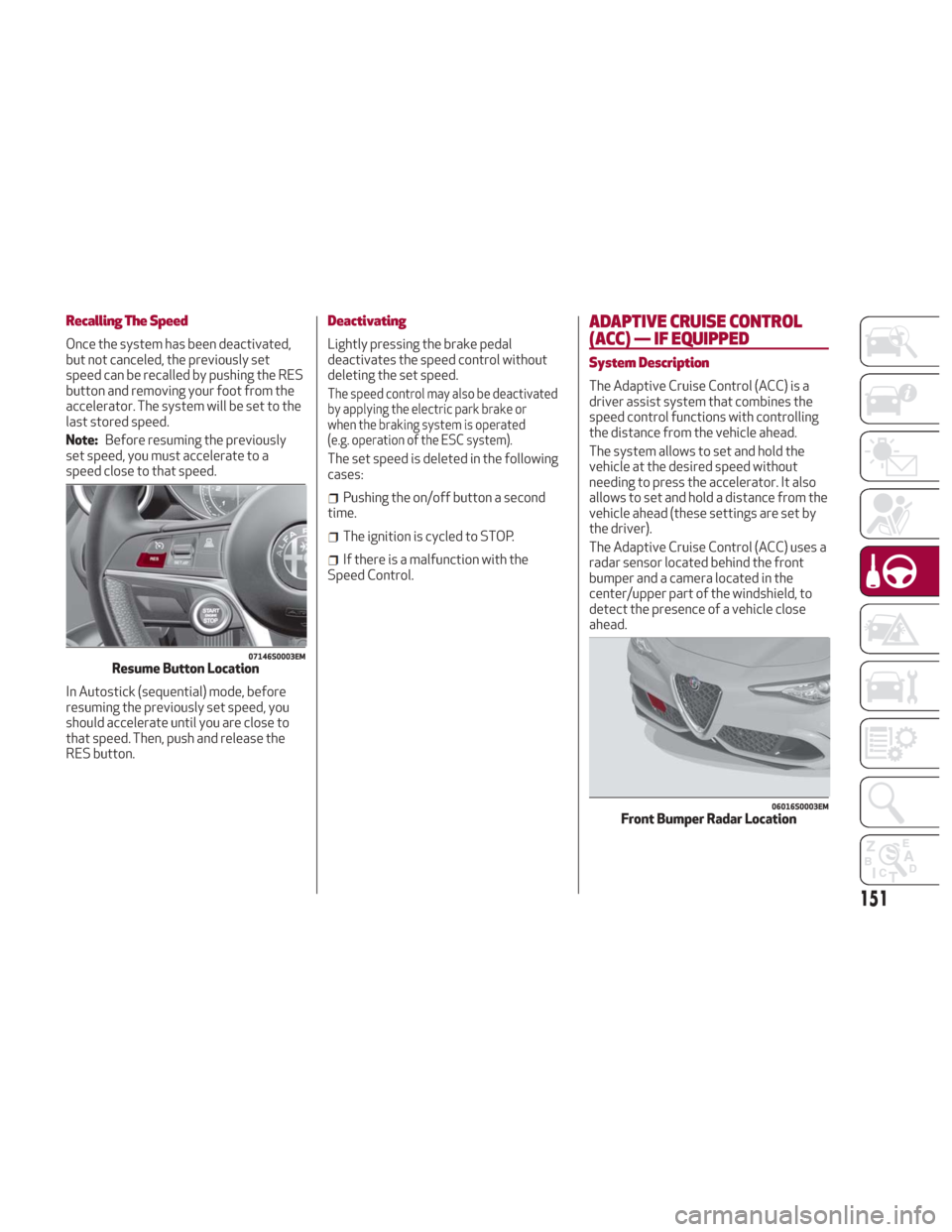
speed can be recalled by pushing the RES
button and removing your foot from the
accelerator. The system will be set to the
last stored speed.
Note:Before resuming the previously
set speed, you must accelerate to a
speed close to that speed.
In Autostick (sequential) mode, before
resuming the previously set speed, you
should accelerate until you are close to
that speed. Then, push and release the
RES button.
Deactivating
Lightly pressing the brake pedal
deactivates the speed control without
deleting the set speed.
The speed control may also be deactivated
by applying the electric park brake or
when the braking system is operated
(e.g. operation of the ESC system).
The set speed is deleted in the following
cases:
Pushing the on/off button a second
time.
The ignition is cycled to STOP.
If there is a malfunction with the
Speed Control.
ADAPTIVE CRUISE CONTROL
(ACC) — IF EQUIPPED
System Description
The Adaptive Cruise Control (ACC) is a
driver assist system that combines the
speed control functions with controlling
the distance from the vehicle ahead.
The system allows to set and hold the
vehicle at the desired speed without
needing to press the accelerator. It also
allows to set and hold a distance from the
vehicle ahead (these settings are set by
the driver).
The Adaptive Cruise Control (ACC) uses a
radar sensor located behind the front
bumper and a camera located in the
center/upper part of the windshield, to
detect the presence of a vehicle close
ahead.
07146S0003EMResume Button Location
06016S0003EMFront Bumper Radar Location
151
Page 158 of 260
The distance setting is changed.
The Adaptive Cruise Control system is
deactivated/paused.
Warning!
The maximum breaking applied by the
system is limited. The driver may apply the
brakes in all cases if needed.
If the system predicts that the braking
level is insufficient to hold the set distance,
either “BRAKE!” or a dedicated message is
displayed to warn the driver of approaching
the vehicle ahead. An acoustic signal is also
emitted. In this case, it is advised to brake
immediately as necessary to hold a safe
distance from the vehicle ahead.
The driver is responsible for ensuring that
there are no pedestrians, other vehicles or
objectives along the direction of the vehicle.
Failure to comply with these precautions
may cause serious accidents and injuries.
The driver is fully responsible for holding
a safe distance from the vehicle ahead
respecting the highway code in force in the
respective country.
“Stop And Go” Function
The “Stop and Go” operating strategy
allows you to maintain a safe distance
from the vehicle ahead until the vehicle
has completely stopped. It will also
restart the vehicle automatically if the vehicle ahead drives away within two
seconds, otherwise it is necessary to
press the accelerator pedal or push the
RES button to restart.
Warning!
When the ACC system is resumed, the driver
must ensure that there are no pedestrians,
vehicles or objects in the path of the vehicle.
Failure to follow these warnings can result in
a collision and death or serious personal
injury.
Deactivation
The system is deactivated and the set
speed is canceled if:
Thebutton on the Adaptive Cruise
Control is pushed (with the system
enabled or paused).
The ignition is cycled to STOP.
RACE mode is activated.
The system is canceled (the set speed
and distance are stored):
When the system is paused (refer to
the “Activation / Deactivation” section).
When the conditions shown in the
“Setting The Desired Speed” section
occur.
Limited Operation Warning
If the dedicated message is shown on the
display, a condition limiting the Adaptive
Cruise Control operation may have
occurred.
This could be due to an obstruction of the
vehicle’s sensor or camera. It could also
be due to a fault in the system. If an
obstruction is detected, clean the area of
the windshield opposite the interior rear
view mirror, where the camera is located,
as well as the area of the front bumper
where the sensor is located. Then check
that the message has disappeared.
When the conditions limiting the system
functions end, normal operation will
resume.
Should the fault persist, contact an
authorized dealer.
Precautions While Driving
The system may not work correctly in
some driving conditions (see below).
The driver must control the vehicle at all
times.
Vehicle Not Aligned
The system may not detect a vehicle
traveling in the same lane, in the same
direction, but is not aligned. It also may
not detect a vehicle which is cutting in
from a side lane. Sufficient distance
from the vehicles ahead may not be
guaranteed in these cases.
156
STARTING AND OPERATING
Page 161 of 260
Engagement/Disengagement
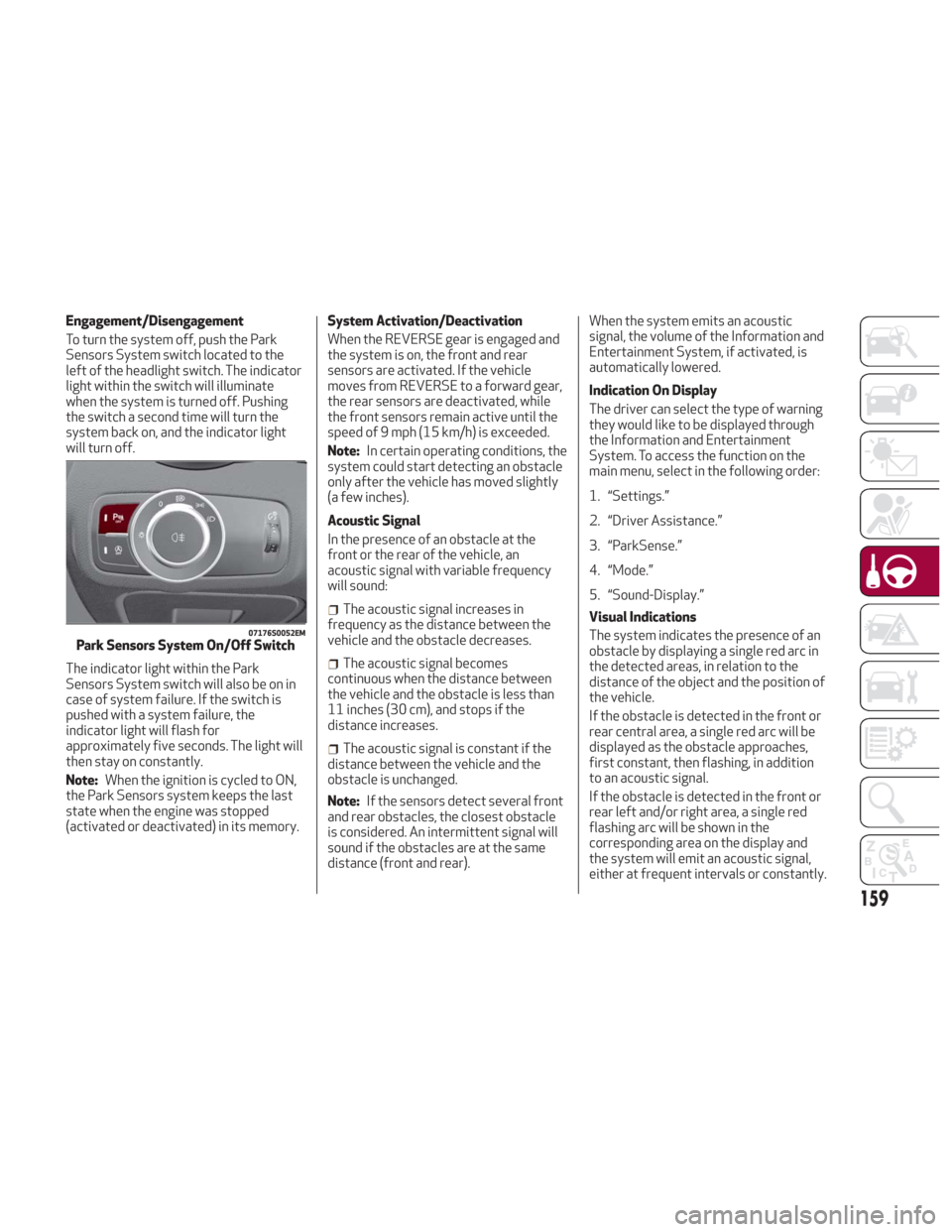
To turn the system off, push the Park
Sensors System switch located to the
left of the headlight switch. The indicator
light within the switch will illuminate
when the system is turned off. Pushing
the switch a second time will turn the
system back on, and the indicator light
will turn off.
The indicator light within the Park
Sensors System switch will also be on in
case of system failure. If the switch is
pushed with a system failure, the
indicator light will flash for
approximately five seconds. The light will
then stay on constantly.
Note:When the ignition is cycled to ON,
the Park Sensors system keeps the last
state when the engine was stopped
(activated or deactivated) in its memory. System Activation/Deactivation
When the REVERSE gear is engaged and
the system is on, the front and rear
sensors are activated. If the vehicle
moves from REVERSE to a forward gear,
the rear sensors are deactivated, while
the front sensors remain active until the
speed of 9 mph (15 km/h) is exceeded.
Note:
In certain operating conditions, the
system could start detecting an obstacle
only after the vehicle has moved slightly
(a few inches).
Acoustic Signal
In the presence of an obstacle at the
front or the rear of the vehicle, an
acoustic signal with variable frequency
will sound:
The acoustic signal increases in
frequency as the distance between the
vehicle and the obstacle decreases.
The acoustic signal becomes
continuous when the distance between
the vehicle and the obstacle is less than
11 inches (30 cm), and stops if the
distance increases.
The acoustic signal is constant if the
distance between the vehicle and the
obstacle is unchanged.
Note: If the sensors detect several front
and rear obstacles, the closest obstacle
is considered. An intermittent signal will
sound if the obstacles are at the same
distance (front and rear). When the system emits an acoustic
signal, the volume of the Information and
Entertainment System, if activated, is
automatically lowered.
Indication On Display
The driver can select the type of warning
they would like to be displayed through
the Information and Entertainment
System. To access the function on the
main menu, select in the following order:
1. “Settings.”
2. “Driver Assistance.”
3. “ParkSense.”
4. “Mode.”
5. “Sound-Display.”
Visual Indications
The system indicates the presence of an
obstacle by displaying a single red arc in
the detected areas, in relation to the
distance of the object and the position of
the vehicle.
If the obstacle is detected in the front or
rear central area, a single red arc will be
displayed as the obstacle approaches,
first constant, then flashing, in addition
to an acoustic signal.
If the obstacle is detected in the front or
rear left and/or right area, a single red
flashing arc will be shown in the
corresponding area on the display and
the system will emit an acoustic signal,
either at frequent intervals or constantly.
07176S0052EMPark Sensors System On/Off Switch
159
Page 162 of 260
If several obstacles are detected
simultaneously in the front and rear area,
the display will show all of them,
regardless of the area in which they were
detected.
In general, the vehicle is closer to the
obstacle when a single or several flashing
arcs are shown on the display and the
acoustic signal becomes continuous.
It is not possible to exit from the display
screen while the vehicle is in REVERSE.
Fault Indication
Parking sensor faults, if any, will be
indicated by a message on the display on
the instrument cluster. Refer to "Warning
Lights And Messages" in "Getting To
Know Your Instrument Panel" for further
information.
Messages On The Display
In case of system failure, a dedicated
message appears on the instrument
cluster for about five seconds.
Cleaning The Front Or Rear Sensors:
If the display shows a message requiring
the sensors to be cleaned, make sure that
the outer surface and the underside of
the front and rear bumpers are free of
debris (e.g. snow, mud, ice, etc.). Once
these areas are clear, cycle the ignition to
STOP. Then, return it to ON mode. If the
message is still displayed, contact you
authorized dealer.
Audio System Not Available : If the
display shows a message that the audio
system is not available, it means that the
acoustic signal will be emitted by the
instrument panel, and not through the
vehicles speakers.
Note: Some conditions may influence
the performance of the Park Sensors
System:
Reduced sensor sensitivity could be
due to the presence of ice, snow, mud, or
thick paint on the surface of the sensor.
The sensors may detect a false
obstacle (echo interference) due to
mechanical interference, for example
when washing the vehicle or in extreme
weather.
The signals sent by the sensors can
be altered by the presence of ultrasonic
systems (e.g. pneumatic brake systems
of trucks or pneumatic drills) near the
vehicle.
System performance can be
influenced by the position of the
sensors. For example, due to a change in
the ride setting (caused by wear to the
shock absorbers or suspension), by
changing tires, overloading the vehicle or
operations that require the vehicle to be
lowered.
Be sure not to place bumper stickers
or other adhesives over the sensors as
this will affect system performance.
Warning!
Drivers must be careful when backing up
even when using the Parking Sensor system.
Always check carefully behind your vehicle,
and be sure to check for pedestrians,
animals, other vehicles, obstructions, or
blind spots before backing up. You are
responsible for the safety of your
surroundings and must continue to pay
attention while backing up. Failure to do so
can result in serious injury or death.
Caution!
The Parking Sensor system is only a
parking aid and it is unable to recognize
every obstacle, including small obstacles.
Parking curbs might be temporarily detected
or not detected at all. Obstacles located
above or below the sensors will not be
detected when they are in close proximity
The vehicle must be driven slowly when
using the Parking Sensor system in order to
be able to stop in time when an obstacle is
detected. It is recommended that the driver
looks over his/her shoulder when using the
Parking Sensor system.
160
STARTING AND OPERATING
Page 174 of 260
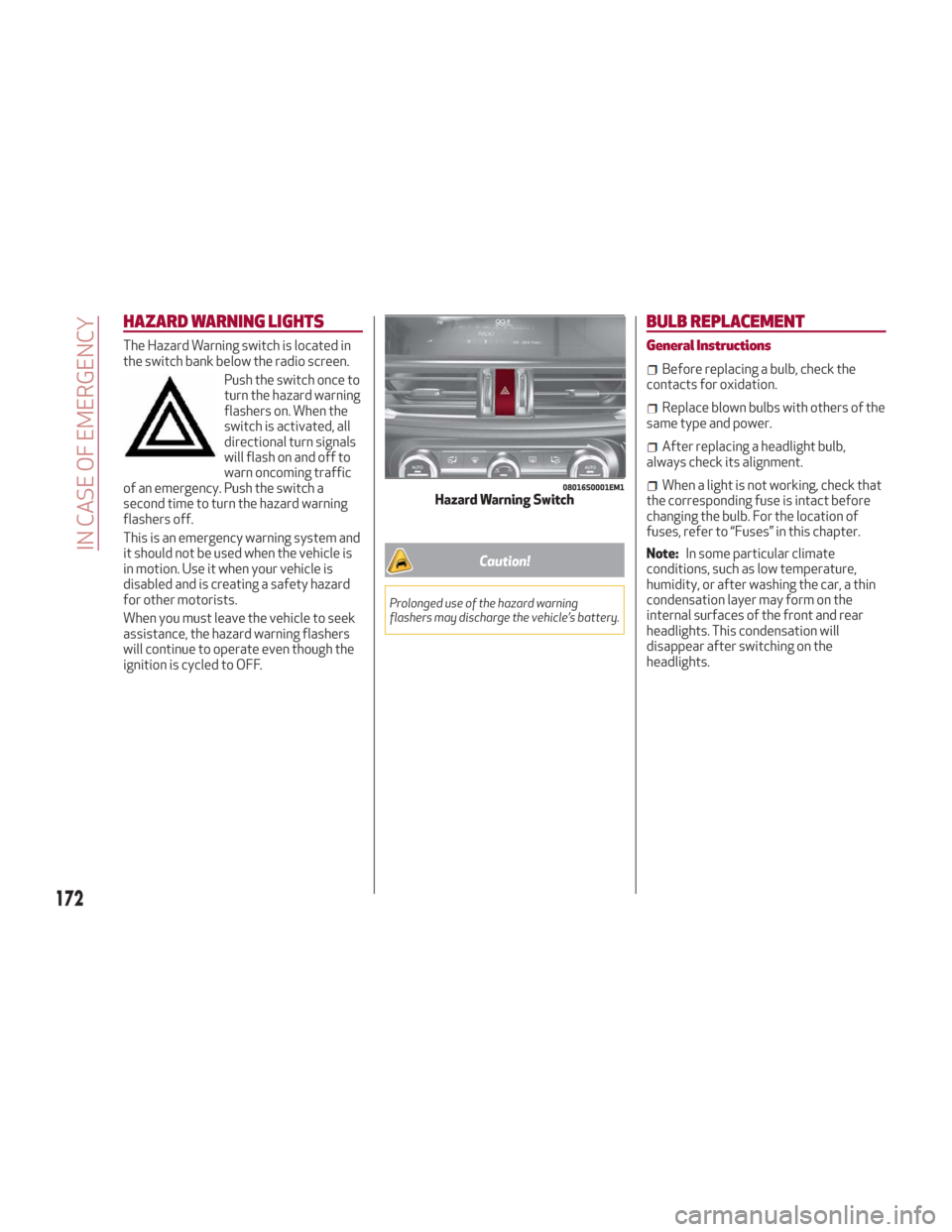
HAZARD WARNING LIGHTS
The Hazard Warning switch is located in
the switch bank below the radio screen.Push the switch once to
turn the hazard warning
flashers on. When the
switch is activated, all
directional turn signals
will flash on and off to
warn oncoming traffic
of an emergency. Push the switch a
second time to turn the hazard warning
flashers off.
This is an emergency warning system and
it should not be used when the vehicle is
in motion. Use it when your vehicle is
disabled and is creating a safety hazard
for other motorists.
When you must leave the vehicle to seek
assistance, the hazard warning flashers
will continue to operate even though the
ignition is cycled to OFF.
Caution!
Prolonged use of the hazard warning
flashers may discharge the vehicle’s battery.
BULB REPLACEMENT
General Instructions
Before replacing a bulb, check the
contacts for oxidation.
Replace blown bulbs with others of the
same type and power.
After replacing a headlight bulb,
always check its alignment.
When a light is not working, check that
the corresponding fuse is intact before
changing the bulb. For the location of
fuses, refer to “Fuses” in this chapter.
Note: In some particular climate
conditions, such as low temperature,
humidity, or after washing the car, a thin
condensation layer may form on the
internal surfaces of the front and rear
headlights. This condensation will
disappear after switching on the
headlights.08016S0001EM1Hazard Warning Switch
172
IN CASE OF EMERGENCY
Page 180 of 260
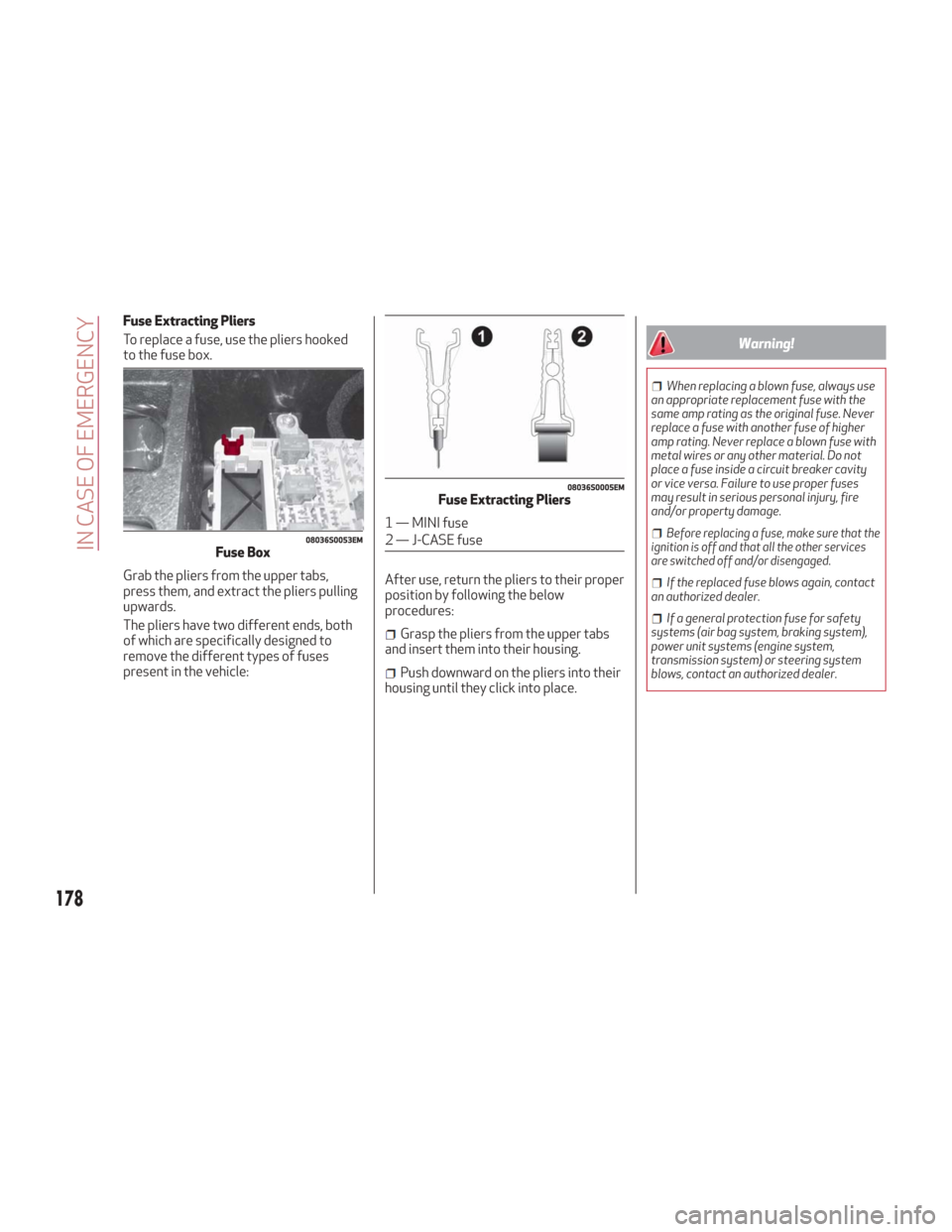
Fuse Extracting Pliers
To replace a fuse, use the pliers hooked
to the fuse box.
Grab the pliers from the upper tabs,
press them, and extract the pliers pulling
upwards.
The pliers have two different ends, both
of which are specifically designed to
remove the different types of fuses
present in the vehicle:After use, return the pliers to their proper
position by following the below
procedures:
Grasp the pliers from the upper tabs
and insert them into their housing.
Push downward on the pliers into their
housing until they click into place.
Warning!
When replacing a blown fuse, always use
an appropriate replacement fuse with the
same amp rating as the original fuse. Never
replace a fuse with another fuse of higher
amp rating. Never replace a blown fuse with
metal wires or any other material. Do not
place a fuse inside a circuit breaker cavity
or vice versa. Failure to use proper fuses
may result in serious personal injury, fire
and/or property damage.
Before replacing a fuse, make sure that the
ignition is off and that all the other services
are switched off and/or disengaged.
If the replaced fuse blows again, contact
an authorized dealer.
If a general protection fuse for safety
systems (air bag system, braking system),
power unit systems (engine system,
transmission system) or steering system
blows, contact an authorized dealer.
08036S0053EMFuse Box
08036S0005EMFuse Extracting Pliers
1 — MINI fuse
2 — J-CASE fuse
178
IN CASE OF EMERGENCY
Page 189 of 260
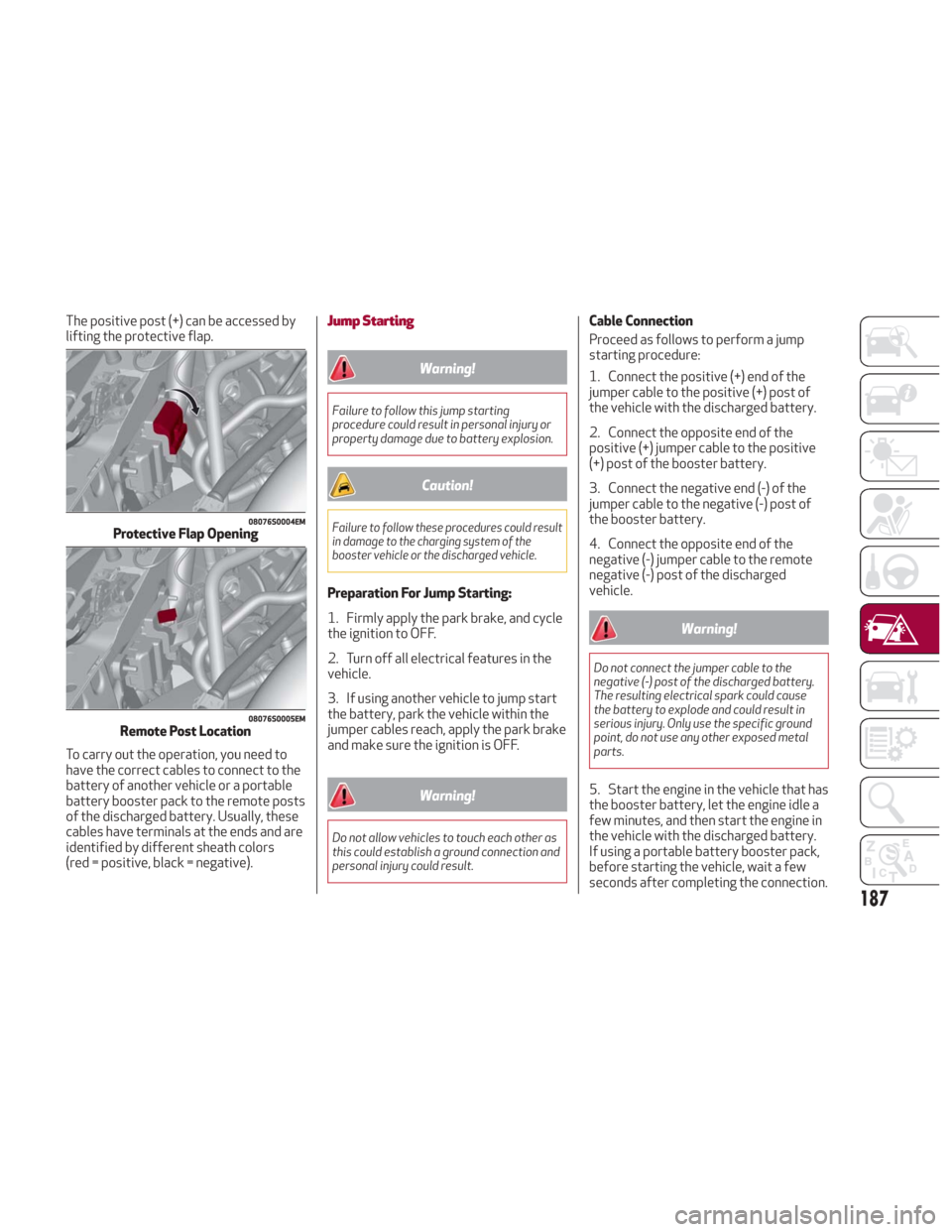
The positive post (+) can be accessed by
lifting the protective flap.
To carry out the operation, you need to
have the correct cables to connect to the
battery of another vehicle or a portable
battery booster pack to the remote posts
of the discharged battery. Usually, these
cables have terminals at the ends and are
identified by different sheath colors
(red = positive, black = negative).Jump Starting
Warning!
Failure to follow this jump starting
procedure could result in personal injury or
property damage due to battery explosion.
Caution!
Failure to follow these procedures could result
in damage to the charging system of the
booster vehicle or the discharged vehicle.
Preparation For Jump Starting:
1. Firmly apply the park brake, and cycle
the ignition to OFF.
2. Turn off all electrical features in the
vehicle.
3. If using another vehicle to jump start
the battery, park the vehicle within the
jumper cables reach, apply the park brake
and make sure the ignition is OFF.
Warning!
Do not allow vehicles to touch each other as
this could establish a ground connection and
personal injury could result.
Cable Connection
Proceed as follows to perform a jump
starting procedure:
1. Connect the positive (+) end of the
jumper cable to the positive (+) post of
the vehicle with the discharged battery.
2. Connect the opposite end of the
positive (+) jumper cable to the positive
(+) post of the booster battery.
3. Connect the negative end (-) of the
jumper cable to the negative (-) post of
the booster battery.
4. Connect the opposite end of the
negative (-) jumper cable to the remote
negative (-) post of the discharged
vehicle.
Warning!
Do not connect the jumper cable to the
negative (-) post of the discharged battery.
The resulting electrical spark could cause
the battery to explode and could result in
serious injury. Only use the specific ground
point, do not use any other exposed metal
parts.
5. Start the engine in the vehicle that has
the booster battery, let the engine idle a
few minutes, and then start the engine in
the vehicle with the discharged battery.
If using a portable battery booster pack,
before starting the vehicle, wait a few
seconds after completing the connection.
08076S0004EMProtective Flap Opening
08076S0005EMRemote Post Location
187
Page 201 of 260
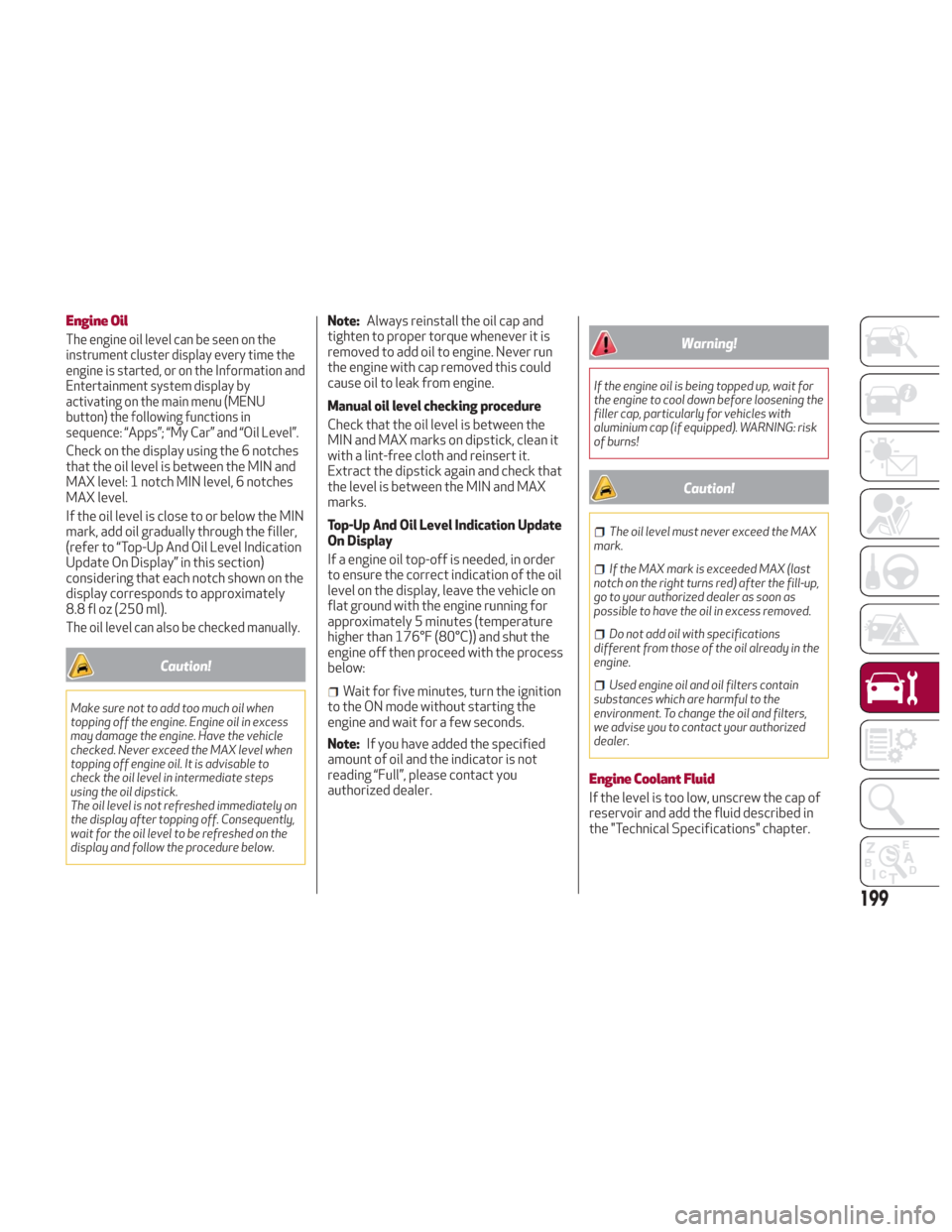
Engine Oil
The engine oil level can be seen on the
instrument cluster display every time the
engine is started, or on the Information and
Entertainment system display by
activating on the main menu (MENU
button) the following functions in
sequence: “Apps”; “My Car” and “Oil Level”.
Check on the display using the 6 notches
that the oil level is between the MIN and
MAX level: 1 notch MIN level, 6 notches
MAX level.
If the oil level is close to or below the MIN
mark, add oil gradually through the filler,
(refer to “Top-Up And Oil Level Indication
Update On Display” in this section)
considering that each notch shown on the
display corresponds to approximately
8.8floz(250ml).
The oil level can also be checked manually.
Caution!
Make sure not to add too much oil when
topping off the engine. Engine oil in excess
may damage the engine. Have the vehicle
checked. Never exceed the MAX level when
topping off engine oil. It is advisable to
check the oil level in intermediate steps
using the oil dipstick.
The oil level is not refreshed immediately on
the display after topping off. Consequently,
wait for the oil level to be refreshed on the
display and follow the procedure below.
Note:Always reinstall the oil cap and
tighten to proper torque whenever it is
removed to add oil to engine. Never run
the engine with cap removed this could
cause oil to leak from engine.
Manual oil level checking procedure
Check that the oil level is between the
MIN and MAX marks on dipstick, clean it
with a lint-free cloth and reinsert it.
Extract the dipstick again and check that
the level is between the MIN and MAX
marks.
Top-Up And Oil Level Indication Update
On Display
If a engine oil top-off is needed, in order
to ensure the correct indication of the oil
level on the display, leave the vehicle on
flat ground with the engine running for
approximately 5 minutes (temperature
higher than 176°F (80°C)) and shut the
engine off then proceed with the process
below:
Wait for five minutes, turn the ignition
to the ON mode without starting the
engine and wait for a few seconds.
Note: If you have added the specified
amount of oil and the indicator is not
reading “Full”, please contact you
authorized dealer.
Warning!
If the engine oil is being topped up, wait for
the engine to cool down before loosening the
filler cap, particularly for vehicles with
aluminium cap (if equipped). WARNING: risk
of burns!
Caution!
The oil level must never exceed the MAX
mark.
If the MAX mark is exceeded MAX (last
notch on the right turns red) after the fill-up,
go to your authorized dealer as soon as
possible to have the oil in excess removed.
Do not add oil with specifications
different from those of the oil already in the
engine.
Used engine oil and oil filters contain
substances which are harmful to the
environment. To change the oil and filters,
we advise you to contact your authorized
dealer.
Engine Coolant Fluid
If the level is too low, unscrew the cap of
reservoir and add the fluid described in
the "Technical Specifications" chapter.
199
Page 206 of 260
Warning!
Driving with worn windshield wiper blades is
a serious hazard, because visibility is
reduced in bad weather conditions.
Note:The life of the windshield wiper
blades varies according to the usage
frequency. In any case, it is advised to
replace the blades approximately once a
year. When the blades are worn, noise,
marks on the glass or streaks of water
may be noticed. In the presence of these
conditions, clean the windshield wiper
blades or, if necessary, replace them.
Raising The Windshield Wiper Blades
("Service Position" Function)
The "service position" function allows the
driver to replace the windshield wiper
blades more easily. It is also
recommended to activate this function
when it is snowing and to make it easier
to remove any dirt deposits in the area
where the blades are normally
positioned, when washing.
Activation Of The Function
To activate this function, disable the
windshield wiper before setting the
ignition device to STOP.
This function can only be activated within
two minutes of cycling the ignition to
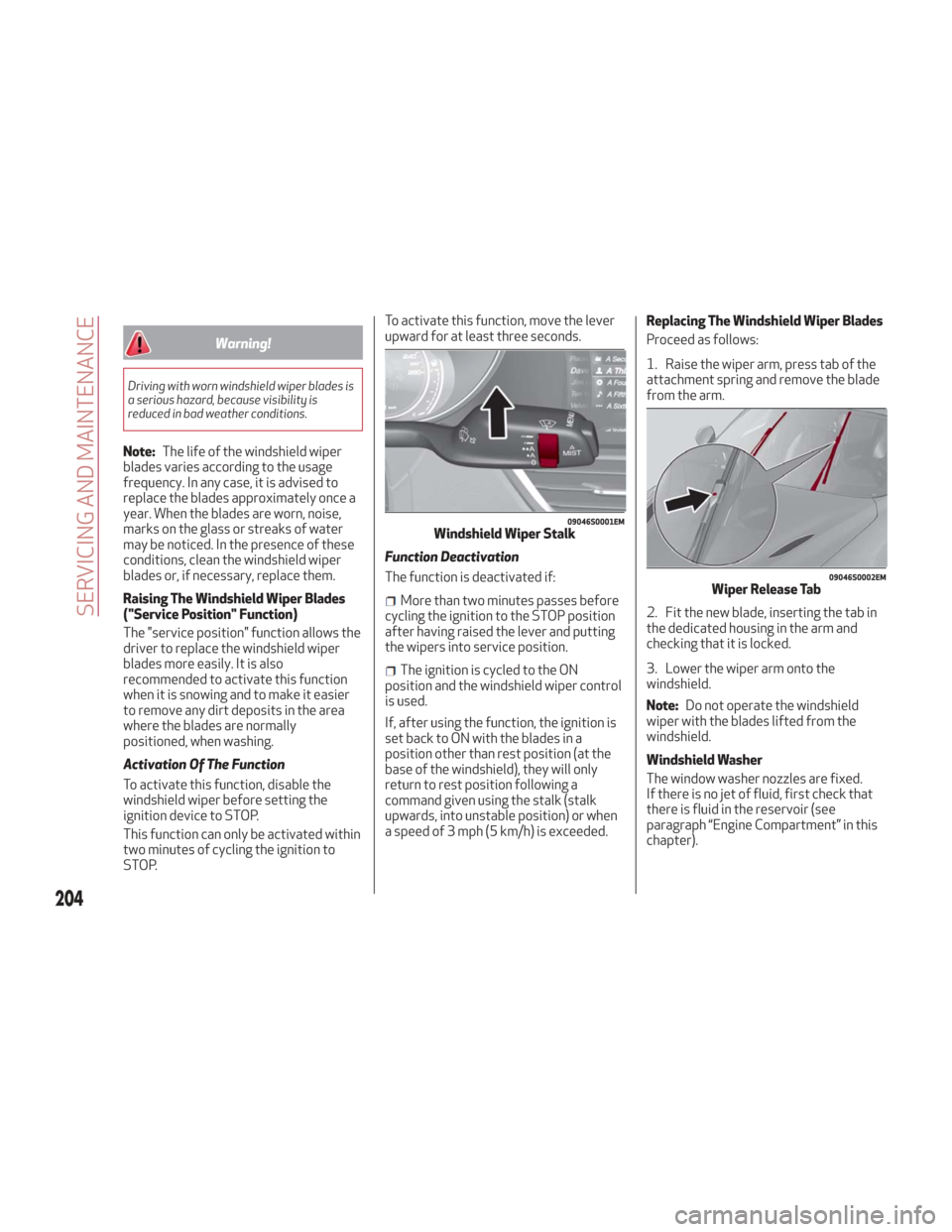
STOP. To activate this function, move the lever
upward for at least three seconds.
Function Deactivation
The function is deactivated if:
More than two minutes passes before
cycling the ignition to the STOP position
after having raised the lever and putting
the wipers into service position.
The ignition is cycled to the ON
position and the windshield wiper control
is used.
If, after using the function, the ignition is
set back to ON with the blades in a
position other than rest position (at the
base of the windshield), they will only
return to rest position following a
command given using the stalk (stalk
upwards, into unstable position) or when
a speed of 3 mph (5 km/h) is exceeded. Replacing The Windshield Wiper Blades
Proceed as follows:
1. Raise the wiper arm, press tab of the
attachment spring and remove the blade
from the arm.
2. Fit the new blade, inserting the tab in
the dedicated housing in the arm and
checking that it is locked.
3. Lower the wiper arm onto the
windshield.
Note:
Do not operate the windshield
wiper with the blades lifted from the
windshield.
Windshield Washer
The window washer nozzles are fixed.
If there is no jet of fluid, first check that
there is fluid in the reservoir (see
paragraph “Engine Compartment” in this
chapter).
09046S0001EMWindshield Wiper Stalk
09046S0002EMWiper Release Tab
204
SERVICING AND MAINTENANCE
Page 207 of 260
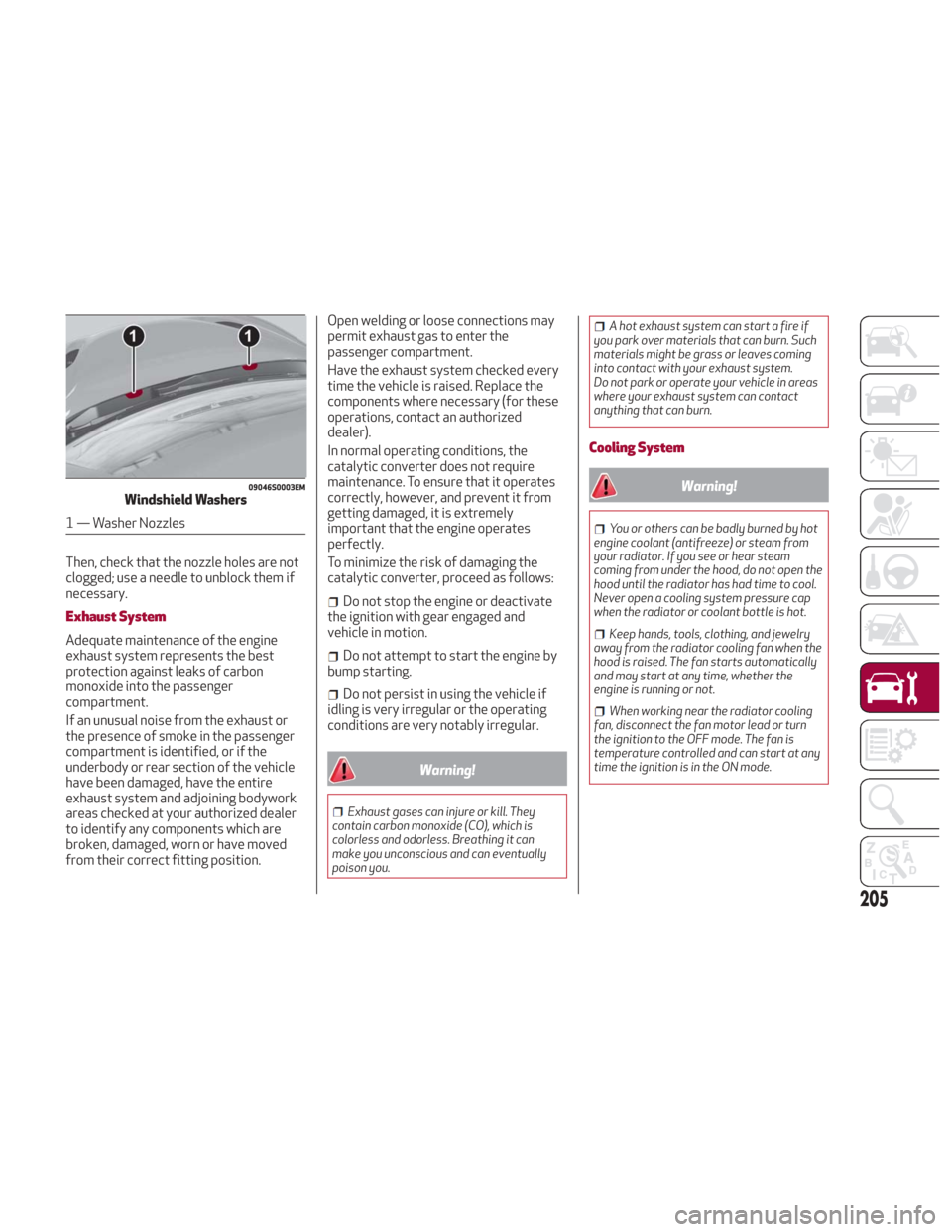
Then, check that the nozzle holes are not
clogged; use a needle to unblock them if
necessary.
Exhaust System
Adequate maintenance of the engine
exhaust system represents the best
protection against leaks of carbon
monoxide into the passenger
compartment.
If an unusual noise from the exhaust or
the presence of smoke in the passenger
compartment is identified, or if the
underbody or rear section of the vehicle
have been damaged, have the entire
exhaust system and adjoining bodywork
areas checked at your authorized dealer
to identify any components which are
broken, damaged, worn or have moved
from their correct fitting position.Open welding or loose connections may
permit exhaust gas to enter the
passenger compartment.
Have the exhaust system checked every
time the vehicle is raised. Replace the
components where necessary (for these
operations, contact an authorized
dealer).
In normal operating conditions, the
catalytic converter does not require
maintenance. To ensure that it operates
correctly, however, and prevent it from
getting damaged, it is extremely
important that the engine operates
perfectly.
To minimize the risk of damaging the
catalytic converter, proceed as follows:
Do not stop the engine or deactivate
the ignition with gear engaged and
vehicle in motion.
Do not attempt to start the engine by
bump starting.
Do not persist in using the vehicle if
idling is very irregular or the operating
conditions are very notably irregular.
Warning!
Exhaust gases can injure or kill. They
contain carbon monoxide (CO), which is
colorless and odorless. Breathing it can
make you unconscious and can eventually
poison you.
A hot exhaust system can start a fire if
you park over materials that can burn. Such
materials might be grass or leaves coming
into contact with your exhaust system.
Do not park or operate your vehicle in areas
where your exhaust system can contact
anything that can burn.
Cooling System
Warning!
You or others can be badly burned by hot
engine coolant (antifreeze) or steam from
your radiator. If you see or hear steam
coming from under the hood, do not open the
hood until the radiator has had time to cool.
Never open a cooling system pressure cap
when the radiator or coolant bottle is hot.
Keep hands, tools, clothing, and jewelry
away from the radiator cooling fan when the
hood is raised. The fan starts automatically
and may start at any time, whether the
engine is running or not.
When working near the radiator cooling
fan, disconnect the fan motor lead or turn
the ignition to the OFF mode. The fan is
temperature controlled and can start at any
time the ignition is in the ON mode.
09046S0003EMWindshield Washers
1 — Washer Nozzles
205