ECO mode Alfa Romeo Giulietta 2014 User Guide
[x] Cancel search | Manufacturer: ALFA ROMEO, Model Year: 2014, Model line: Giulietta, Model: Alfa Romeo Giulietta 2014Pages: 280, PDF Size: 6.65 MB
Page 95 of 280
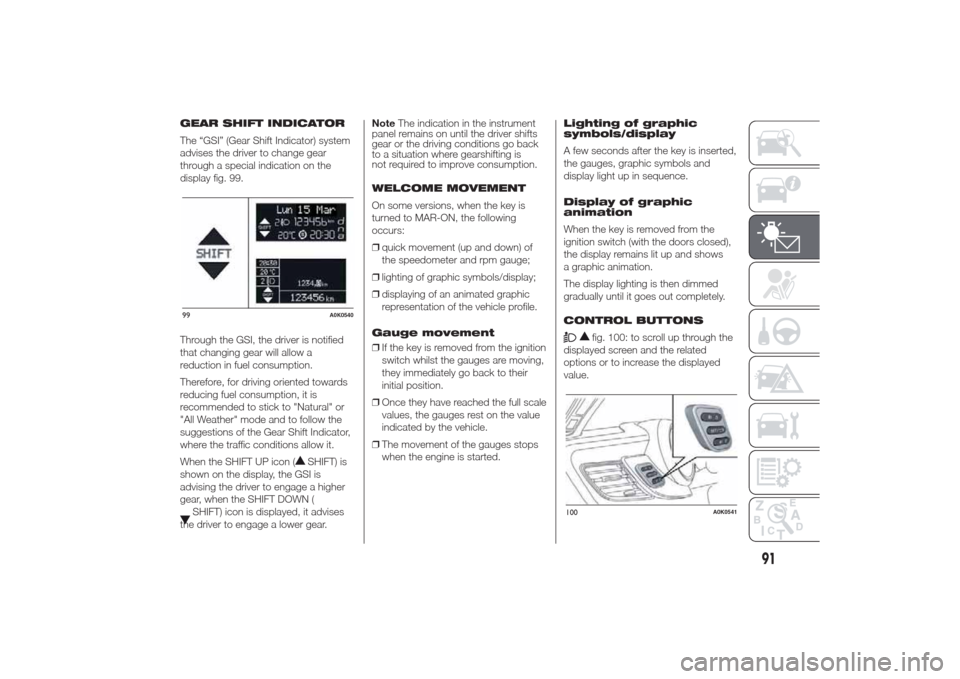
GEAR SHIFT INDICATOR
The “GSI” (Gear Shift Indicator) system
advises the driver to change gear
through a special indication on the
display fig. 99.
Through the GSI, the driver is notified
that changing gear will allow a
reduction in fuel consumption.
Therefore, for driving oriented towards
reducing fuel consumption, it is
recommended to stick to "Natural" or
"All Weather" mode and to follow the
suggestions of the Gear Shift Indicator,
where the traffic conditions allow it.
When the SHIFT UP icon (
SHIFT) is
shown on the display, the GSI is
advising the driver to engage a higher
gear, when the SHIFT DOWN (
SHIFT) icon is displayed, it advises
the driver to engage a lower gear.NoteThe indication in the instrument
panel remains on until the driver shifts
gear or the driving conditions go back
to a situation where gearshifting is
not required to improve consumption.
WELCOME MOVEMENT
On some versions, when the key is
turned to MAR-ON, the following
occurs:
❒quick movement (up and down) of
the speedometer and rpm gauge;
❒lighting of graphic symbols/display;
❒displaying of an animated graphic
representation of the vehicle profile.
Gauge movement
❒If the key is removed from the ignition
switch whilst the gauges are moving,
they immediately go back to their
initial position.
❒Once they have reached the full scale
values, the gauges rest on the value
indicated by the vehicle.
❒The movement of the gauges stops
when the engine is started.Lighting of graphic
symbols/display
A few seconds after the key is inserted,
the gauges, graphic symbols and
display light up in sequence.
Display of graphic
animation
When the key is removed from the
ignition switch (with the doors closed),
the display remains lit up and shows
a graphic animation.
The display lighting is then dimmed
gradually until it goes out completely.
CONTROL BUTTONS
fig. 100: to scroll up through the
displayed screen and the related
options or to increase the displayed
value.
99
A0K0540
100
A0K0541
91
Page 97 of 280
MENU ITEMSIMPORTANT WithUconnect™5"radio
system (for versions/markets where
provided), orUconnect™ 6.5" Radio
Nav system (for versions/markets, where
provided), some Menu items are displayed
and managed by the latter and not by
the instrument panel (refer to the
dedicated supplement).
Menu
This item allows you to access the
Setup Menu.
Press the "
"or"
" button to
select the various Menu items. Hold
down the SET/
button to return to
the standard screen.Lighting (Car interior
lighting adjustment)
(only with side lights on)
This function is used to set the
brightness of the instrument panel,
UConnect™ system controls (for
versions/markets where provided) and
automatic climate control system controls
(for versions/markets where provided)
to 8 levels.
Proceed as follows to adjust the light
intensity:
❒press button SET/
briefly. The
level set previously flashes on the
display;
❒press button "
"or"
"to
set the required brightness level;
❒briefly press the SET/
button to
go back to the menu screen or hold
the button down to go back to the
standard screen without saving.
NoteOn versions with reconfigurable
multifunction display, adjustment can
be made both with lights off ("Daytime"
mode brightness level) and with lights
on ("Nighttime" mode brightness level).Speed Beep
(Speed limit)
With this function it is possible to set
the car speed limit (km/h or mph); when
this limit is exceeded the driver is
alerted.
To set the desired speed limit, proceed
as follows:
❒briefly press the SET/
button: the
display will show the wording "Speed
Beep";
❒press button "
"or"
"to
select speed limit activation ("On")
or deactivation ("Off");
❒if the function is On, press ""or
"
" to select the required speed
limit and then press the
SET/button to confirm.
IMPORTANT Setting is possible
between 30 and 200 km/h, or 20 and
125 mph, according to the previously
set unit. See the "Unit of Measurement"
paragraph described below. The
setting will increase/decrease by five
units each time button
/
is
pressed. Hold down the
/
button to automatically
increase/decrease the setting rapidly.
Complete the setting by single pressing
the button when you approach the
required value.
93
Page 114 of 280
Warning lights on
panelWhat it means What to do
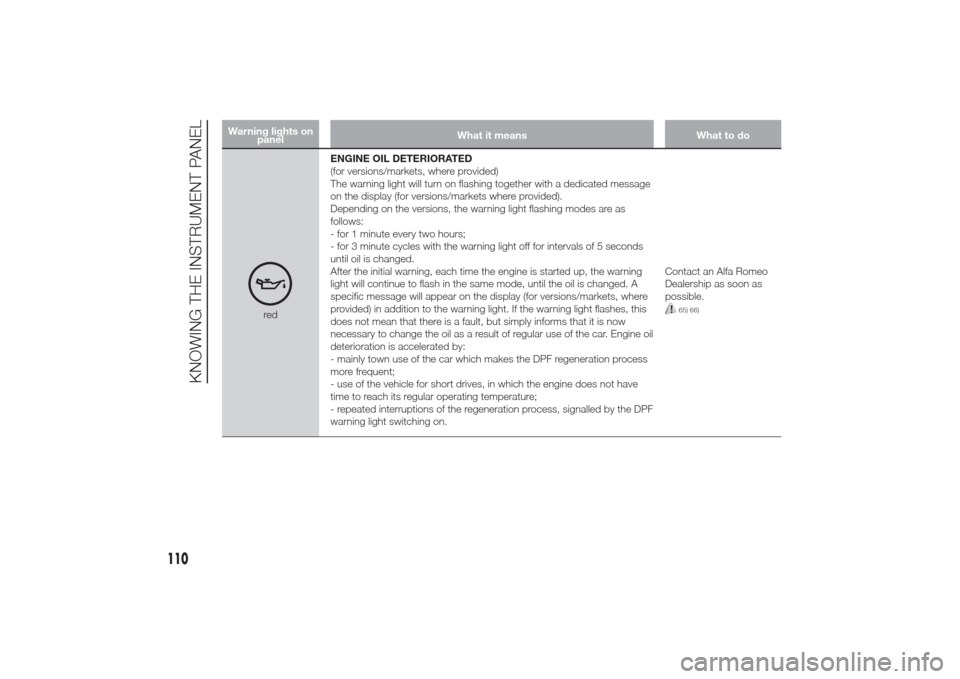
redENGINE OIL DETERIORATED
(for versions/markets, where provided)
The warning light will turn on flashing together with a dedicated message
on the display (for versions/markets where provided).
Depending on the versions, the warning light flashing modes are as
follows:
- for 1 minute every two hours;
- for 3 minute cycles with the warning light off for intervals of 5 seconds
until oil is changed.
After the initial warning, each time the engine is started up, the warning
light will continue to flash in the same mode, until the oil is changed. A
specific message will appear on the display (for versions/markets, where
provided) in addition to the warning light. If the warning light flashes, this
does not mean that there is a fault, but simply informs that it is now
necessary to change the oil as a result of regular use of the car. Engine oil
deterioration is accelerated by:
- mainly town use of the car which makes the DPF regeneration process
more frequent;
- use of the vehicle for short drives, in which the engine does not have
time to reach its regular operating temperature;
- repeated interruptions of the regeneration process, signalled by the DPF
warning light switching on.Contact an Alfa Romeo
Dealership as soon as
possible.
65) 66)
110
KNOWING THE INSTRUMENT PANEL
Page 136 of 280
Symbol on the
displayWhat it means What to do
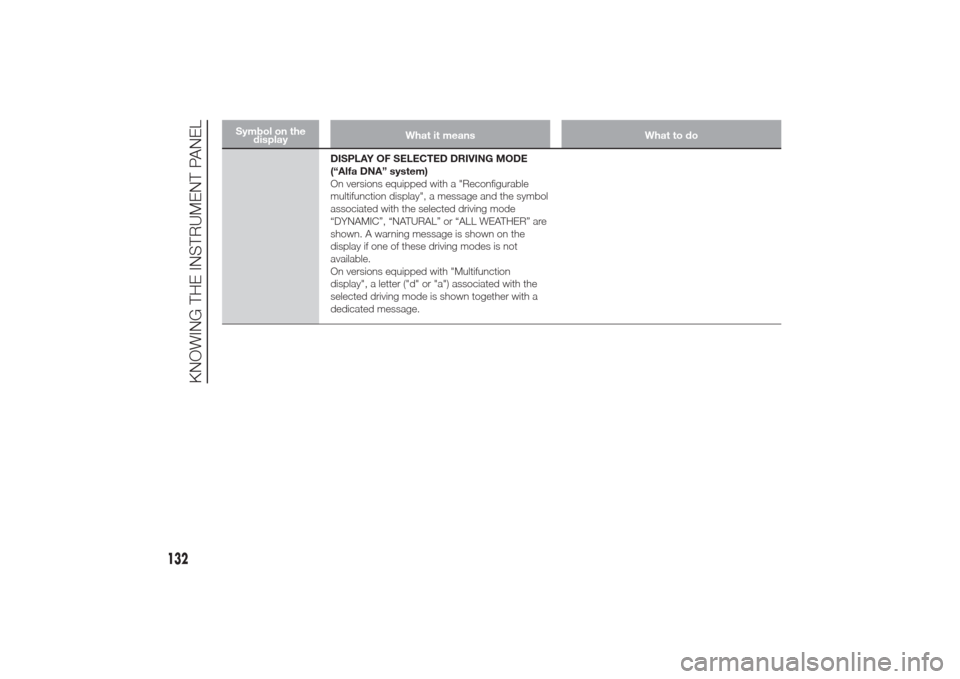
DISPLAY OF SELECTED DRIVING MODE
(“Alfa DNA” system)
On versions equipped with a "Reconfigurable
multifunction display", a message and the symbol
associated with the selected driving mode
“DYNAMIC”, “NATURAL” or “ALL WEATHER” are
shown. A warning message is shown on the
display if one of these driving modes is not
available.
On versions equipped with "Multifunction
display", a letter ("d" or "a") associated with the
selected driving mode is shown together with a
dedicated message.
132
KNOWING THE INSTRUMENT PANEL
Page 164 of 280
ENGINE SWITCHING OFF
Engine can be switched off in any
position of the gear lever.
Versions with
Start&Stop system
To switch the engine off, you need to
stop the car by pressing the brake
pedal properly; if the pressure is not
enough, the engine will not be switched
off.
This feature can be exploited so that
the engine does not switch off in
particular traffic conditions.
Ignition key removal
The ignition key can be removed only if
the gear lever is in position P:
❒if the engine is switched off with the
gear lever in position P: the ignition
key can be removed within 30
seconds;
❒if the engine is switched off with the
gear lever in a position other than P:
the P letter on the display and on
the gear lever trim flashes for 5
seconds and an acoustic signal will
be emitted at the same time. Move
the lever to P within 5 seconds; then
it will be possible to remove the
ignition key for about 30 seconds.In both cases, if the described
conditions and times are not respected,
the ignition key will be automatically
locked.
To remove the key, turn it to MAR-ON
and then to STOP.
IMPORTANT If the battery is flat and the
ignition key is engaged, the latter is
locked in position. To remove the key
manually, pull up the handbrake and
insert the screwdriver supplied in the
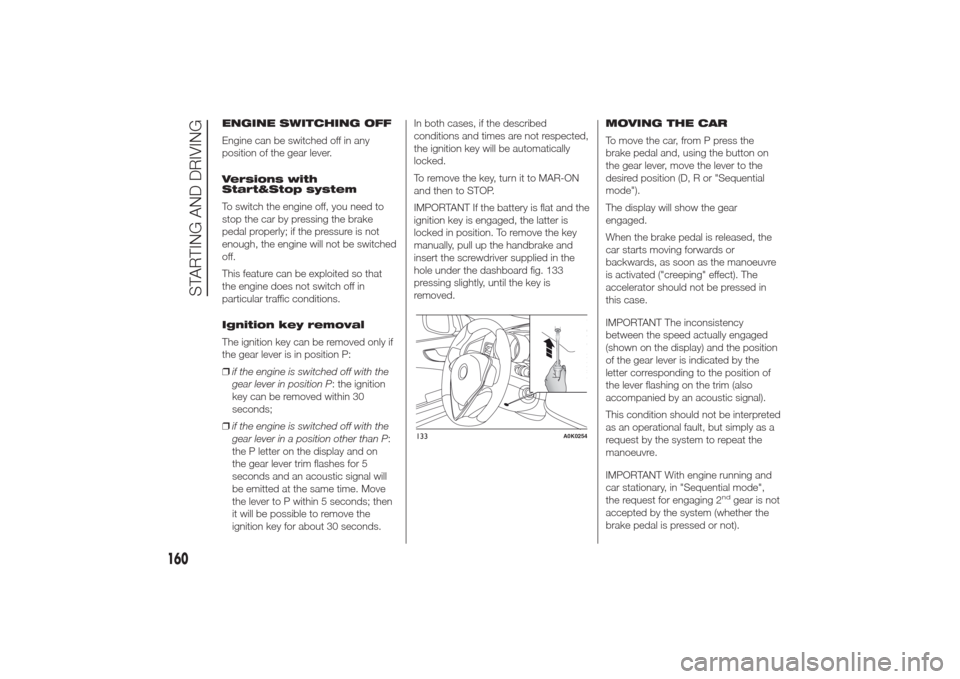
hole under the dashboard fig. 133
pressing slightly, until the key is
removed.MOVING THE CAR
To move the car, from P press the
brake pedal and, using the button on
the gear lever, move the lever to the
desired position (D, R or "Sequential
mode").
The display will show the gear
engaged.
When the brake pedal is released, the
car starts moving forwards or
backwards, as soon as the manoeuvre
is activated ("creeping" effect). The
accelerator should not be pressed in
this case.
IMPORTANT The inconsistency
between the speed actually engaged
(shown on the display) and the position
of the gear lever is indicated by the
letter corresponding to the position of
the lever flashing on the trim (also
accompanied by an acoustic signal).
This condition should not be interpreted
as an operational fault, but simply as a
request by the system to repeat the
manoeuvre.
IMPORTANT With engine running and
car stationary, in "Sequential mode",
the request for engaging 2
nd
gear is not
accepted by the system (whether the
brake pedal is pressed or not).
133
A0K0254
160
STARTING AND DRIVING
Page 165 of 280
If, with 1
stgear or reverse (R) engaged,
the following conditions occur:
❒road slope over 5%;
❒clutch overheated;
❒engine torque constant for a given
period (e.g. if the car hits the
pavement or is parked downhill/
uphill);
car movement is achieved by pressing
the accelerator pedal.
IMPORTANT With handbrake released
and brake pedal released, engine at
idling speed and gear lever in position
D, R or sequential, pay the utmost care
because the car can move even
without the operation of the accelerator
pedal. This condition can be used
with the car on a level surface during
tight parking manoeuvres using the
brake pedal only.
AUTOMATIC DRIVING
MODE
D can be selected from sequential
operation in any driving conditions.
In automatic driving mode, the best
ratio is selected by the electronic
transmission control unit depending on
speed, engine load (accelerator pedal
position) and gradient of the road.“Kick-Down” function
To resume speed quickly, when the
accelerator pedal is pressed fully, the
transmission control system downshifts
("Kick-down" function).
IMPORTANT When driving on roads
with poor grip conditions (snow, ice,
etc.) avoid activating the kick-down
function.
Integration with "Alfa
DNA" system
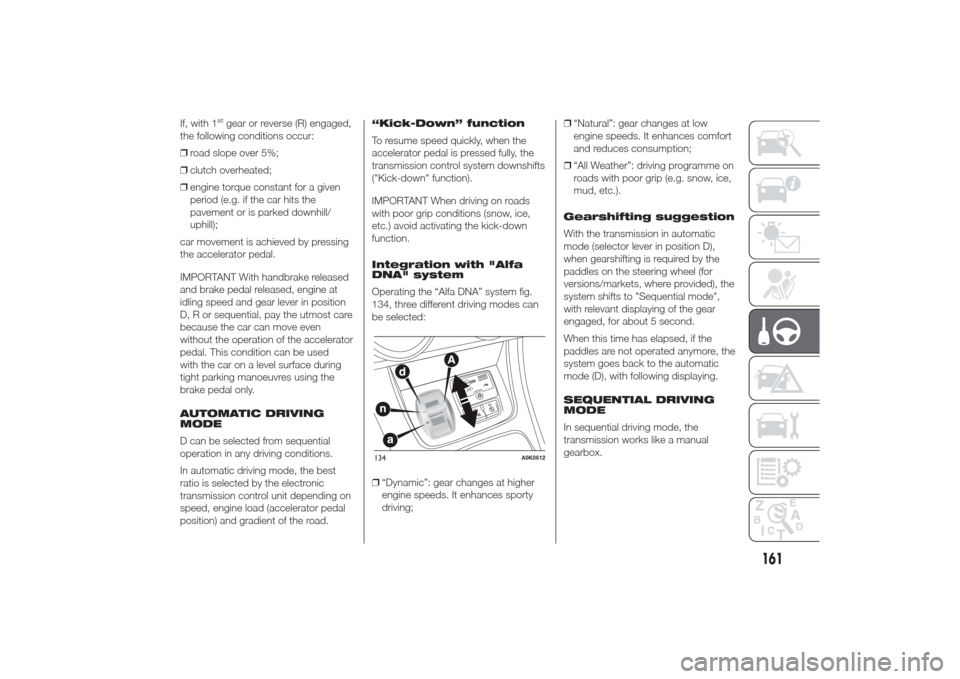
Operating the “Alfa DNA” system fig.
134, three different driving modes can
be selected:
❒“Dynamic”: gear changes at higher
engine speeds. It enhances sporty
driving;❒“Natural”: gear changes at low
engine speeds. It enhances comfort
and reduces consumption;
❒“All Weather”: driving programme on
roads with poor grip (e.g. snow, ice,
mud, etc.).
Gearshifting suggestion
With the transmission in automatic
mode (selector lever in position D),
when gearshifting is required by the
paddles on the steering wheel (for
versions/markets, where provided), the
system shifts to "Sequential mode",
with relevant displaying of the gear
engaged, for about 5 second.
When this time has elapsed, if the
paddles are not operated anymore, the
system goes back to the automatic
mode (D), with following displaying.
SEQUENTIAL DRIVING
MODE
In sequential driving mode, the
transmission works like a manual
gearbox.
134
A0K0612
161
Page 228 of 280
IDENTIFICATION
DATAThe identification data of the car are:
❒V.I.N. plate;
❒Chassis marking;
❒Body paintwork identification plate;
❒Engine marking.
V.I.N. PLATE
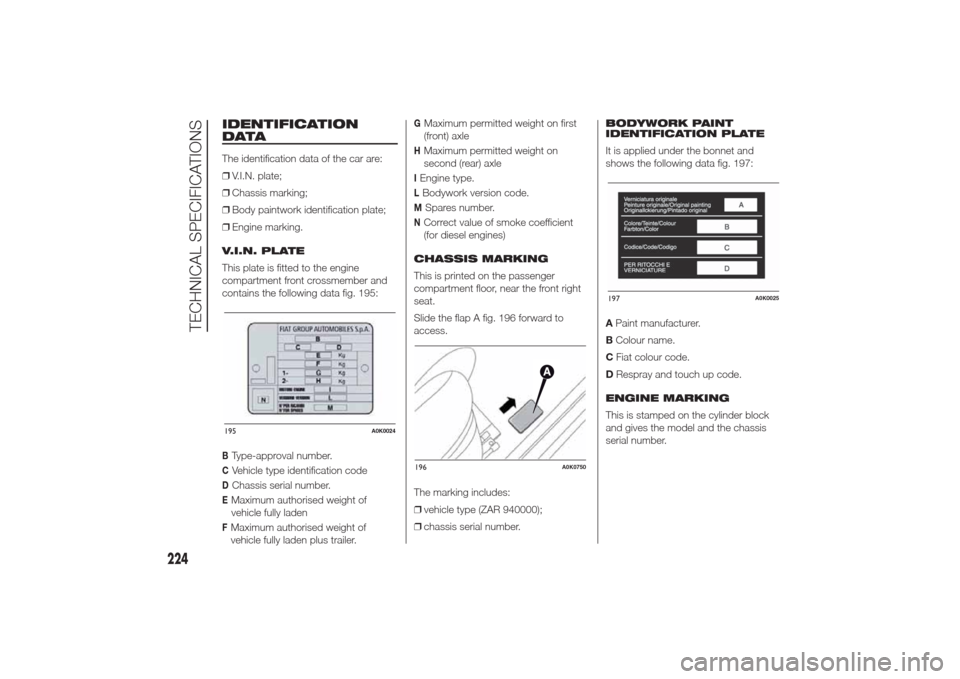
This plate is fitted to the engine
compartment front crossmember and
contains the following data fig. 195:BType-approval number.CVehicle type identification codeDChassis serial number.EMaximum authorised weight of
vehicle fully ladenFMaximum authorised weight of
vehicle fully laden plus trailer.
GMaximum permitted weight on first
(front) axleHMaximum permitted weight on
second (rear) axleIEngine type.LBodywork version code.M
Spares number.
NCorrect value of smoke coefficient
(for diesel engines)
CHASSIS MARKING
This is printed on the passenger
compartment floor, near the front right
seat.
Slide the flap A fig. 196 forward to
access.
The marking includes:
❒vehicle type (ZAR 940000);
❒chassis serial number.BODYWORK PAINT
IDENTIFICATION PLATE
It is applied under the bonnet and
shows the following data fig. 197:
APaint manufacturer.
BColour name.
CFiat colour code.
DRespray and touch up code.
ENGINE MARKING
This is stamped on the cylinder block
and gives the model and the chassis
serial number.
195
A0K0024
197
A0K0025
224
TECHNICAL SPECIFICATIONS
196
A0K0750
Page 274 of 280
INDEX
ABS .............................................. 65
Additional heater ............................ 35
AFS adaptive lights (Adaptive
Frontlight System) ........................ 38
Air cleaner ...................................... 213
Alarm ............................................. 14“Alfa DNA” system ........................ 69
– Driving modes ........................... 70
– Engagement/disengagement
of "All Weather" mode ............... 72
– Engagement/disengagement
of "Dynamic" mode ................... 71
– "Natural" Mode.......................... 70Alfa Romeo Code system ............. 10
ALFA TCT ...................................... 157
Ashtray .......................................... 50
ASR system (Anti-Slip
Regulation) ................................... 66
Automatic dual zone climate
control ......................................... 28Battery .......................................... 214
– advice for extending lifetime ...... 214
– replacement .............................. 214
Battery (recharging) ........................ 196
Bodywork
– maintenance ............................. 218
– protection against
atmospheric agents................... 218
– warranty .................................... 218Bonnet ........................................... 62
– Closing ...................................... 62
– Opening .................................... 62
Brakes ........................................... 233
– brake fluid level.......................... 212
bulb replacement ........................... 184
Bulb replacement
– exterior lights ............................. 183
– interior lights .............................. 186
Bulbs
– types of bulbs ........................... 181
Carrying children safely ................. 139
CBC (Cornering Brake Control)
system ......................................... 66
Central locking ............................... 46
Changing a bulb............................. 179
– General instructions................... 179
Changing a wheel .......................... 171
Checking levels .............................. 208
Cigar lighter.................................... 50
Cleaning and maintenance
– bodywork .................................. 218
– car interior ................................. 220
– front headlights ......................... 219
– leather parts .............................. 221
– leather seats.............................. 220
– plastic and coated parts ............ 221
– seats and fabric parts ................ 220
Climate control ............................... 22– Central air diffusers.................... 22
– Rear air diffuser ......................... 22
– Side air diffusers ........................ 22
– Upper air diffusers ..................... 22
Climatic comfort ............................. 23
– Diffusers .................................... 23
Clutch ............................................ 232
CO2 emissions............................... 252
CODE Card .................................... 11
Control buttons .............................. 91
Control panel and instruments ....... 100
– Multifunction display .................. 100
– Reconfigurable multifunction
display....................................... 101
Controls ......................................... 45
Courtesy light
– bulb replacement ...................... 187
Cruise Control ................................ 41
Daytime running lights (DRL) ......... 36
Diesel filter ..................................... 213
Dimensions .................................... 240
Dipped beam headlights
– bulb replacement ...................... 183
Direction indicators ................... 37-184
– bulb replacement ...................... 184
– “Lane change” function ............. 37
Display ........................................... 90
Doors ............................................. 54
– Child safety device .................... 55