light Alfa Romeo Stelvio 2018 User Guide
[x] Cancel search | Manufacturer: ALFA ROMEO, Model Year: 2018, Model line: Stelvio, Model: Alfa Romeo Stelvio 2018Pages: 276, PDF Size: 5.79 MB
Page 25 of 276
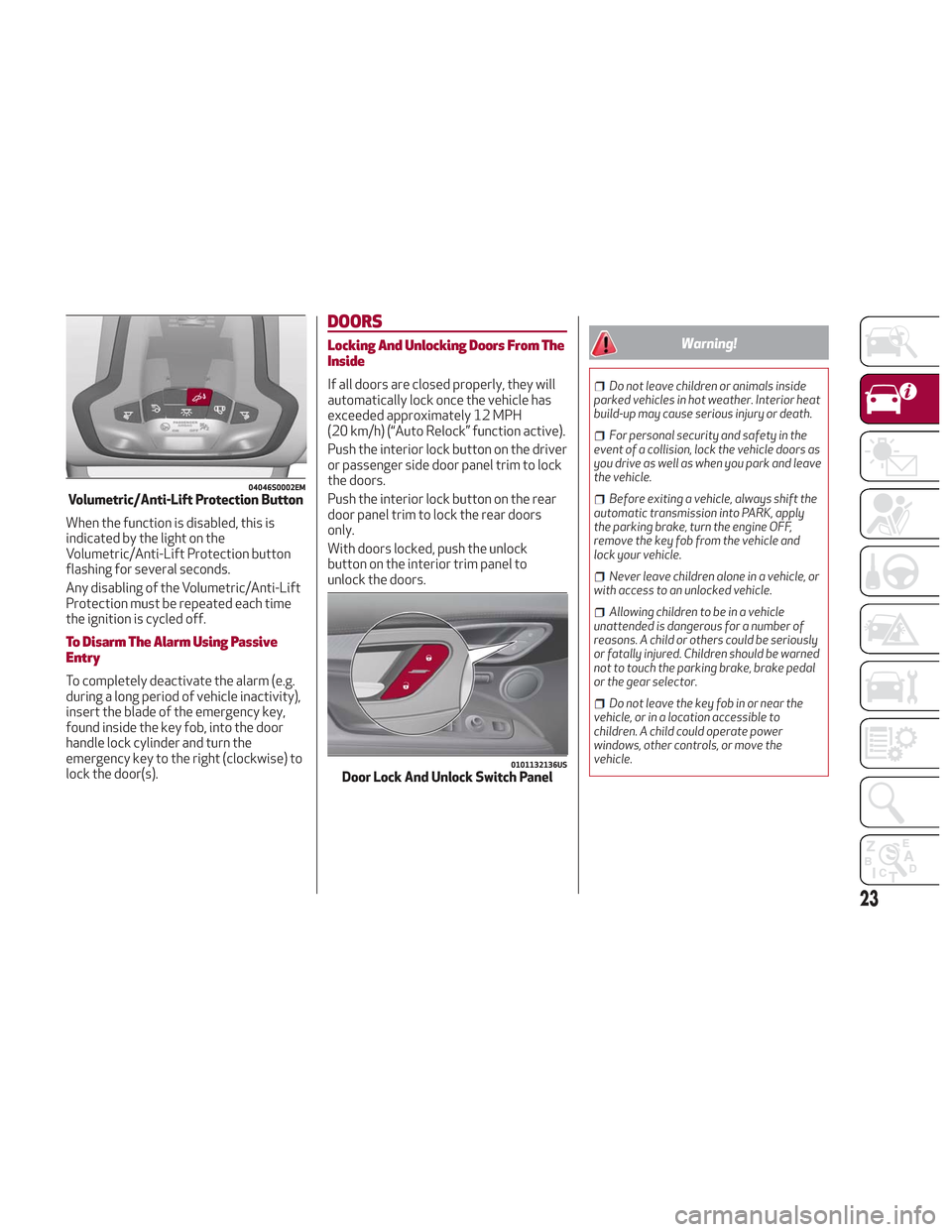
When the function is disabled, this is
indicated by the light on the
Volumetric/Anti-Lift Protection button
flashing for several seconds.
Any disabling of the Volumetric/Anti-Lift
Protection must be repeated each time
the ignition is cycled off.
To Disarm The Alarm Using Passive
Entry
To completely deactivate the alarm (e.g.
during a long period of vehicle inactivity),
insert the blade of the emergency key,
found inside the key fob, into the door
handle lock cylinder and turn the
emergency key to the right (clockwise) to
lock the door(s).
DOORS
Locking And Unlocking Doors From The
Inside
If all doors are closed properly, they will
automatically lock once the vehicle has
exceeded approximately 12 MPH
(20 km/h) (“Auto Relock” function active).
Push the interior lock button on the driver
or passenger side door panel trim to lock
the doors.
Push the interior lock button on the rear
door panel trim to lock the rear doors
only.
With doors locked, push the unlock
button on the interior trim panel to
unlock the doors.
Warning!
Do not leave children or animals inside
parked vehicles in hot weather. Interior heat
build-up may cause serious injury or death.
For personal security and safety in the
event of a collision, lock the vehicle doors as
you drive as well as when you park and leave
the vehicle.
Before exiting a vehicle, always shift the
automatic transmission into PARK, apply
the parking brake, turn the engine OFF,
remove the key fob from the vehicle and
lock your vehicle.
Never leave children alone in a vehicle, or
with access to an unlocked vehicle.
Allowing children to be in a vehicle
unattended is dangerous for a number of
reasons. A child or others could be seriously
or fatally injured. Children should be warned
not to touch the parking brake, brake pedal
or the gear selector.
Do not leave the key fob in or near the
vehicle, or in a location accessible to
children. A child could operate power
windows, other controls, or move the
vehicle.
04046S0002EMVolumetric/Anti-Lift Protection Button
0101132136USDoor Lock And Unlock Switch Panel
23
Page 28 of 276
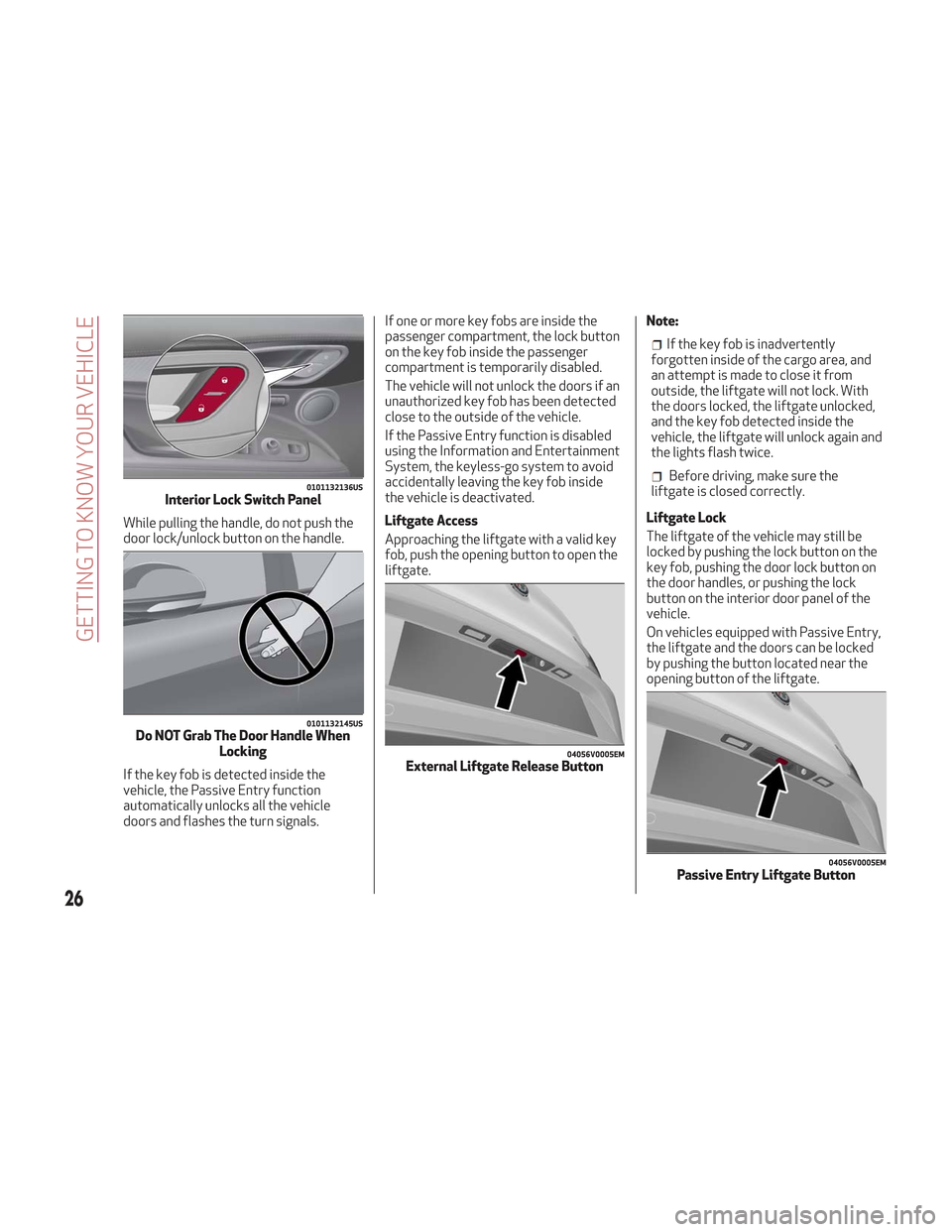
While pulling the handle, do not push the
door lock/unlock button on the handle.
If the key fob is detected inside the
vehicle, the Passive Entry function
automatically unlocks all the vehicle
doors and flashes the turn signals.If one or more key fobs are inside the
passenger compartment, the lock button
on the key fob inside the passenger
compartment is temporarily disabled.
The vehicle will not unlock the doors if an
unauthorized key fob has been detected
close to the outside of the vehicle.
If the Passive Entry function is disabled
using the Information and Entertainment
System, the keyless-go system to avoid
accidentally leaving the key fob inside
the vehicle is deactivated.
Liftgate Access
Approaching the liftgate with a valid key
fob, push the opening button to open the
liftgate.
Note:
If the key fob is inadvertently
forgotten inside of the cargo area, and
an attempt is made to close it from
outside, the liftgate will not lock. With
the doors locked, the liftgate unlocked,
and the key fob detected inside the
vehicle, the liftgate will unlock again and
the lights flash twice.
Before driving, make sure the
liftgate is closed correctly.
Liftgate Lock
The liftgate of the vehicle may still be
locked by pushing the lock button on the
key fob, pushing the door lock button on
the door handles, or pushing the lock
button on the interior door panel of the
vehicle.
On vehicles equipped with Passive Entry,
the liftgate and the doors can be locked
by pushing the button located near the
opening button of the liftgate.0101132136USInterior Lock Switch Panel
0101132145USDo NOT Grab The Door Handle When Locking
04056V0005EMExternal Liftgate Release Button
04056V0005EMPassive Entry Liftgate Button
26
GETTING TO KNOW YOUR VEHICLE
Page 35 of 276
2. Place the seat belt so that it doesn't
impede the movement of the backrest
while tilting it.
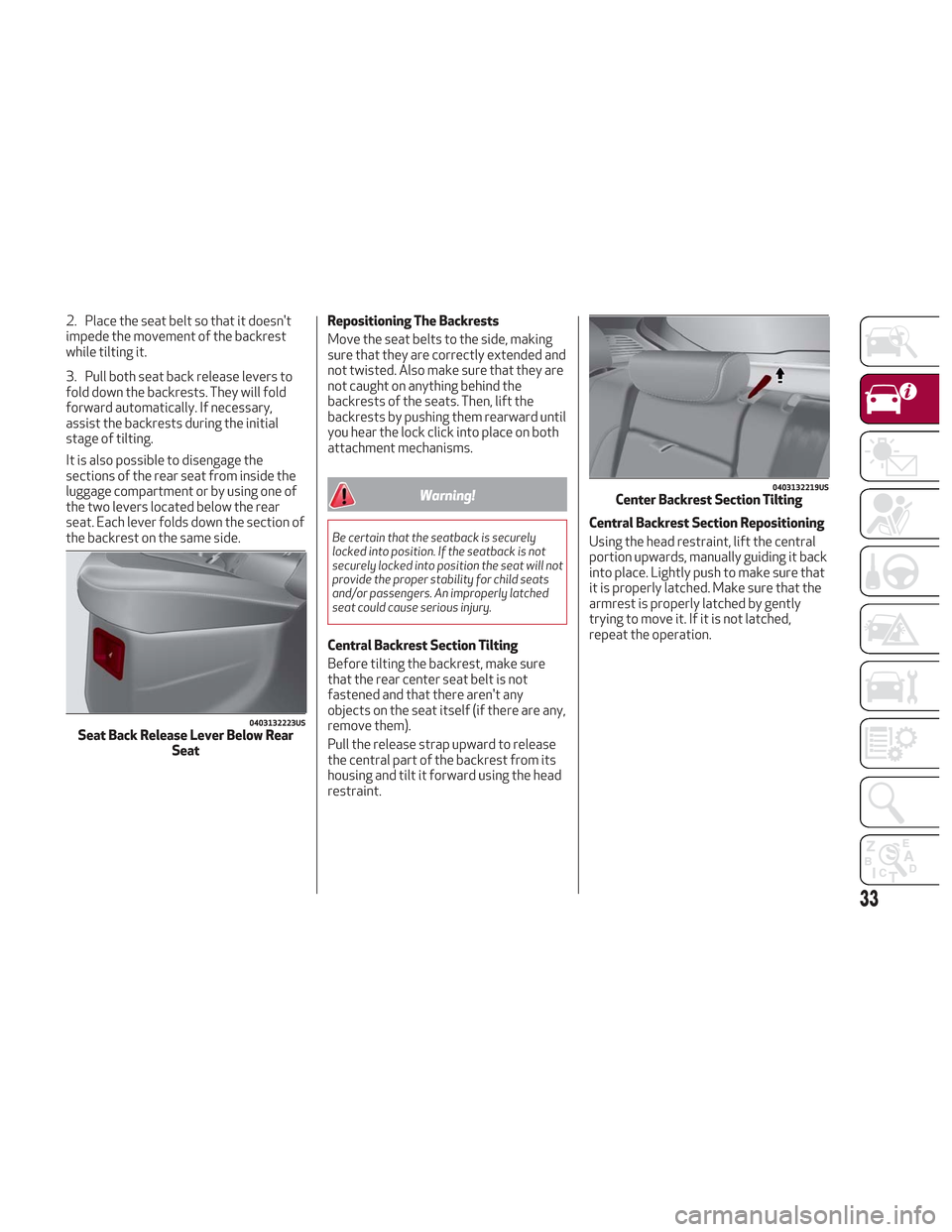
3. Pull both seat back release levers to
fold down the backrests. They will fold
forward automatically. If necessary,
assist the backrests during the initial
stage of tilting.
It is also possible to disengage the
sections of the rear seat from inside the
luggage compartment or by using one of
the two levers located below the rear
seat. Each lever folds down the section of
the backrest on the same side.Repositioning The Backrests
Move the seat belts to the side, making
sure that they are correctly extended and
not twisted. Also make sure that they are
not caught on anything behind the
backrests of the seats. Then, lift the
backrests by pushing them rearward until
you hear the lock click into place on both
attachment mechanisms.
Warning!
Be certain that the seatback is securely
locked into position. If the seatback is not
securely locked into position the seat will not
provide the proper stability for child seats
and/or passengers. An improperly latched
seat could cause serious injury.
Central Backrest Section Tilting
Before tilting the backrest, make sure
that the rear center seat belt is not
fastened and that there aren't any
objects on the seat itself (if there are any,
remove them).
Pull the release strap upward to release
the central part of the backrest from its
housing and tilt it forward using the head
restraint.Central Backrest Section Repositioning
Using the head restraint, lift the central
portion upwards, manually guiding it back
into place. Lightly push to make sure that
it is properly latched. Make sure that the
armrest is properly latched by gently
trying to move it. If it is not latched,
repeat the operation.
0403132223USSeat Back Release Lever Below Rear
Seat
0403132219USCenter Backrest Section Tilting
33
Page 39 of 276
Heated Steering Wheel
With the ignition in the ON position, push
the heated steering wheelbutton on
the instrument panel.
The indicator on the button will illuminate
when this feature is enabled.
Warning!
Persons who are unable to feel pain to the
skin because of advanced age, chronic
illness, diabetes, spinal cord injury,
medication, alcohol use, exhaustion, or other
physical conditions must exercise care when
using the steering wheel heater. It may
cause burns even at low temperatures,
especially if used for long periods.
Do not place anything on the steering
wheel that insulates against heat, such as a
blanket or steering wheel covers of any type
and material. This may cause the steering
wheel heater to overheat.
MIRRORS
Electrochromic Mirror
This mirror automatically adjusts for
headlight glare from vehicles behind you.
The electrochromic mirror has a power
button to activate/deactivate the
automatic dimming/anti-glare function.
When the vehicle is in REVERSE, the
automatic dimming feature is
deactivated.
Outside Power Mirrors
Power Adjustment
The power mirrors can only be adjusted
with the ignition ON.
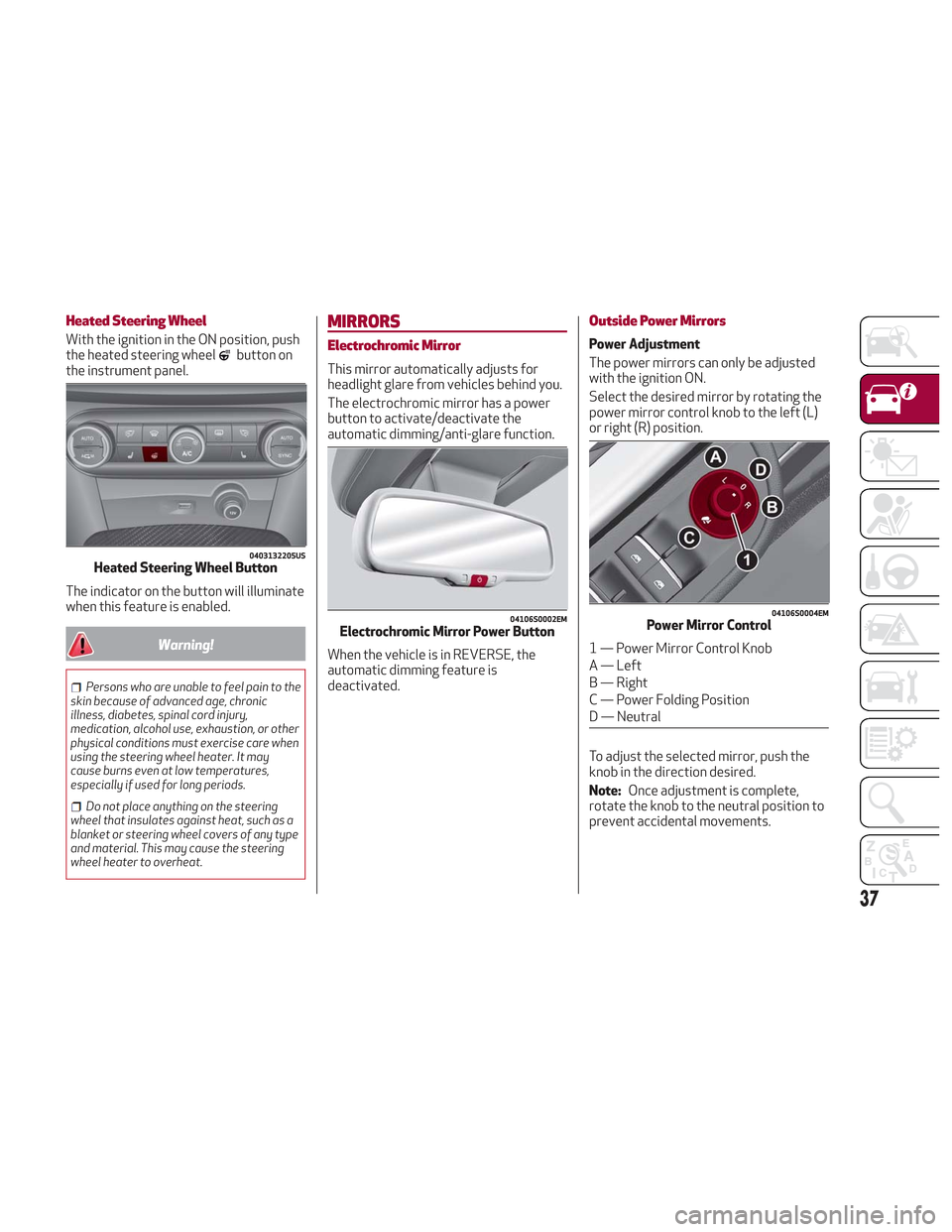
Select the desired mirror by rotating the
power mirror control knob to the left (L)
or right (R) position.
To adjust the selected mirror, push the
knob in the direction desired.
Note: Once adjustment is complete,
rotate the knob to the neutral position to
prevent accidental movements.
0403132205USHeated Steering Wheel Button
04106S0002EMElectrochromic Mirror Power Button
04106S0004EMPower Mirror Control
1 — Power Mirror Control Knob
A — Left
B — Right
C — Power Folding Position
D — Neutral
37
Page 40 of 276
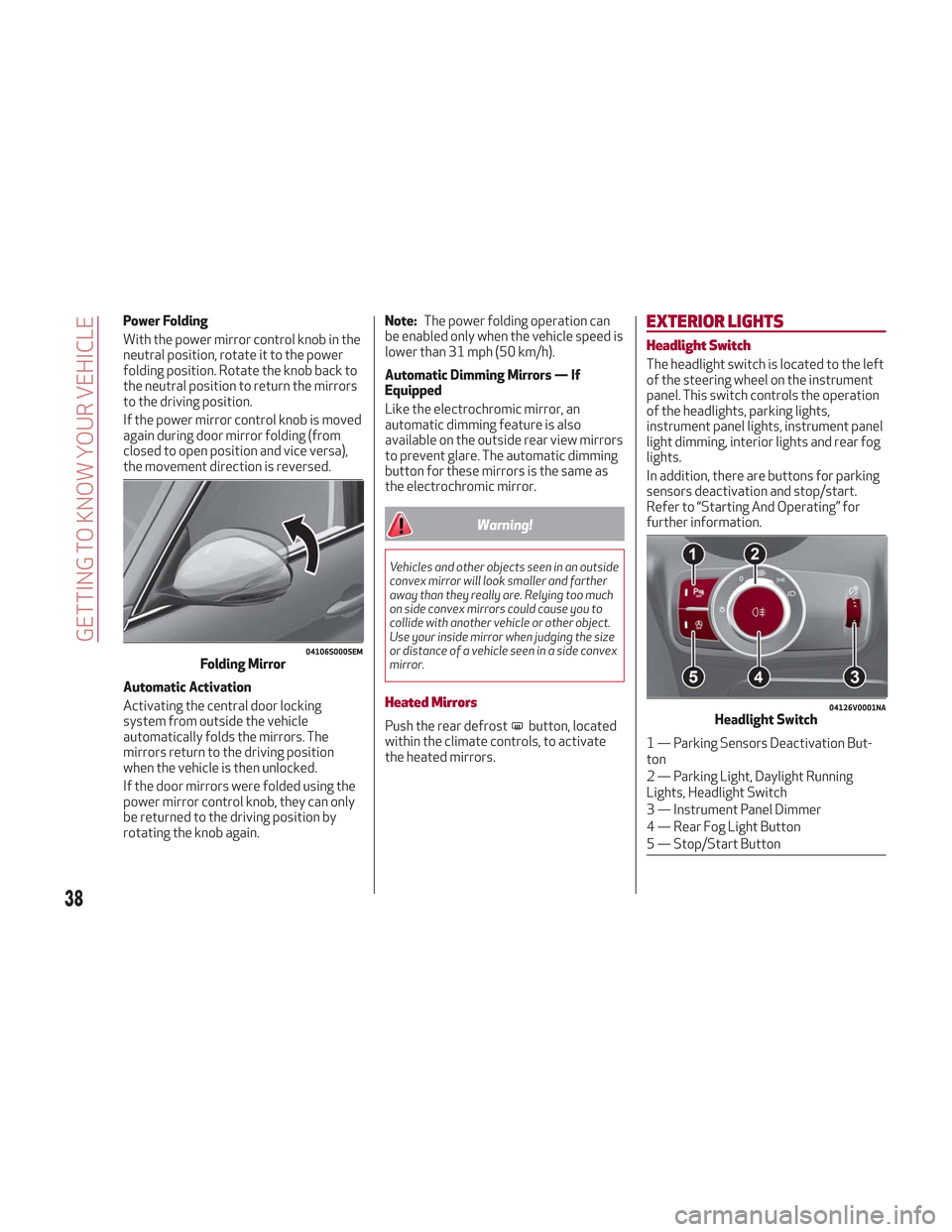
Power Folding
With the power mirror control knob in the
neutral position, rotate it to the power
folding position. Rotate the knob back to
the neutral position to return the mirrors
to the driving position.
If the power mirror control knob is moved
again during door mirror folding (from
closed to open position and vice versa),
the movement direction is reversed.
Automatic Activation
Activating the central door locking
system from outside the vehicle
automatically folds the mirrors. The
mirrors return to the driving position
when the vehicle is then unlocked.
If the door mirrors were folded using the
power mirror control knob, they can only
be returned to the driving position by
rotating the knob again.Note:
The power folding operation can
be enabled only when the vehicle speed is
lower than 31 mph (50 km/h).
Automatic Dimming Mirrors — If
Equipped
Like the electrochromic mirror, an
automatic dimming feature is also
available on the outside rear view mirrors
to prevent glare. The automatic dimming
button for these mirrors is the same as
the electrochromic mirror.
Warning!
Vehicles and other objects seen in an outside
convex mirror will look smaller and farther
away than they really are. Relying too much
on side convex mirrors could cause you to
collide with another vehicle or other object.
Use your inside mirror when judging the size
or distance of a vehicle seen in a side convex
mirror.
Heated Mirrors
Push the rear defrostbutton, located
within the climate controls, to activate
the heated mirrors.
EXTERIOR LIGHTS
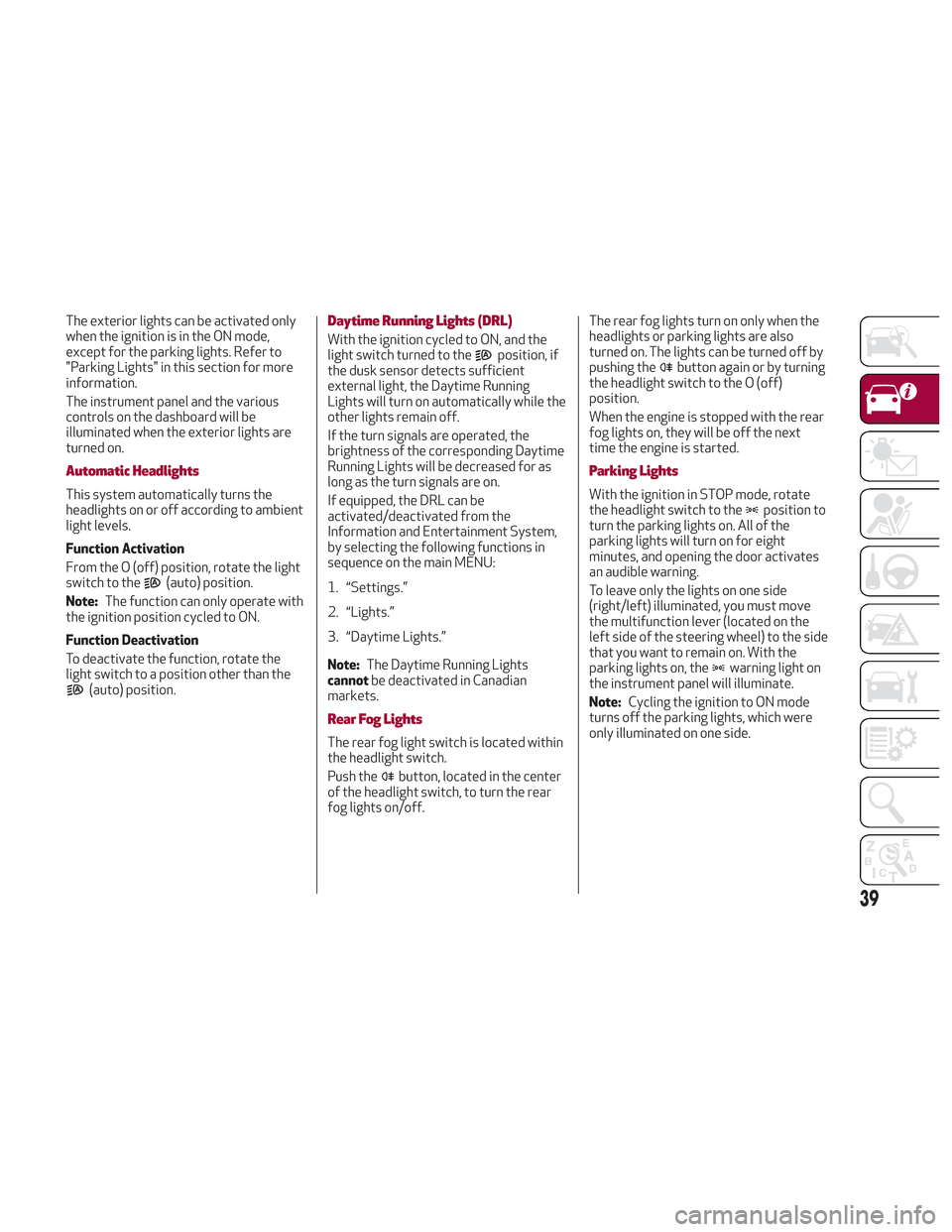
Headlight Switch
The headlight switch is located to the left
of the steering wheel on the instrument
panel. This switch controls the operation
of the headlights, parking lights,
instrument panel lights, instrument panel
light dimming, interior lights and rear fog
lights.
In addition, there are buttons for parking
sensors deactivation and stop/start.
Refer to “Starting And Operating” for
further information.
04106S0005EMFolding Mirror
04126V0001NAHeadlight Switch
1 — Parking Sensors Deactivation But-
ton
2 — Parking Light, Daylight Running
Lights, Headlight Switch
3 — Instrument Panel Dimmer
4 — Rear Fog Light Button
5 — Stop/Start Button
38
GETTING TO KNOW YOUR VEHICLE
Page 41 of 276
The exterior lights can be activated only
when the ignition is in the ON mode,
except for the parking lights. Refer to
"Parking Lights" in this section for more
information.
The instrument panel and the various
controls on the dashboard will be
illuminated when the exterior lights are
turned on.
Automatic Headlights
This system automatically turns the
headlights on or off according to ambient
light levels.
Function Activation
From the O (off) position, rotate the light
switch to the
(auto) position.
Note: The function can only operate with
the ignition position cycled to ON.
Function Deactivation
To deactivate the function, rotate the
light switch to a position other than the
(auto) position.
Daytime Running Lights (DRL)
With the ignition cycled to ON, and the
light switch turned to theposition, if
the dusk sensor detects sufficient
external light, the Daytime Running
Lights will turn on automatically while the
other lights remain off.
If the turn signals are operated, the
brightness of the corresponding Daytime
Running Lights will be decreased for as
long as the turn signals are on.
If equipped, the DRL can be
activated/deactivated from the
Information and Entertainment System,
by selecting the following functions in
sequence on the main MENU:
1. “Settings.”
2. “Lights.”
3. “Daytime Lights.”
Note: The Daytime Running Lights
cannot be deactivated in Canadian
markets.
Rear Fog Lights
The rear fog light switch is located within
the headlight switch.
Push the
button, located in the center
of the headlight switch, to turn the rear
fog lights on/off. The rear fog lights turn on only when the
headlights or parking lights are also
turned on. The lights can be turned off by
pushing the
button again or by turning
the headlight switch to the O (off)
position.
When the engine is stopped with the rear
fog lights on, they will be off the next
time the engine is started.
Parking Lights
With the ignition in STOP mode, rotate
the headlight switch to theposition to
turn the parking lights on. All of the
parking lights will turn on for eight
minutes, and opening the door activates
an audible warning.
To leave only the lights on one side
(right/left) illuminated, you must move
the multifunction lever (located on the
left side of the steering wheel) to the side
that you want to remain on. With the
parking lights on, the
warning light on
the instrument panel will illuminate.
Note: Cycling the ignition to ON mode
turns off the parking lights, which were
only illuminated on one side.
39
Page 42 of 276
Headlight Off Delay
The “Headlight Off Delay” function delays
the turning off of the headlights after the
vehicle’s engine has been stopped.
The function can be activated from the
Information and Entertainment System
by selecting the following functions in
sequence on the main menu:
1. “Settings.”
2. “Lights.”
3. “Headlight Off Delay.”
The side lights and the headlights stay on
for a time that can be set between 30,
60, and 90 seconds.
Function Activation
With the headlights on, cycle the ignition
to STOP mode and the timer will start.
Note:To activate this function, the
headlights must be deactivated within
two minutes after the ignition has been
cycled to the STOP mode.
Function Deactivation
This function is deactivated by turning on
the headlights, the side lights, or by
cycling the ignition to ON mode.
Adaptive Headlight System (AFS)
This is a system combined with Xenon
headlights (Bi-Xenon 35 W headlamp if
equipped) which directs the headlights
horizontally, and continuously and
automatically adapts them to the driving
conditions around bends or when
cornering.
The system directs the headlights to light
up the road in the best way, taking into
account the speed of the vehicle and the
bend or corner angle, as well as the speed
of steering.
The adaptive lights are automatically
activated when the vehicle is started.
High Beam Headlights
To activate the fixed high beam
headlights, push the multifunction lever,
located on the left side of the steering
wheel, towards the instrument panel. The
headlight switch must first be turned to
the
(auto) or(on) position.
With high beam headlights on, the
High Beam Indicator on the
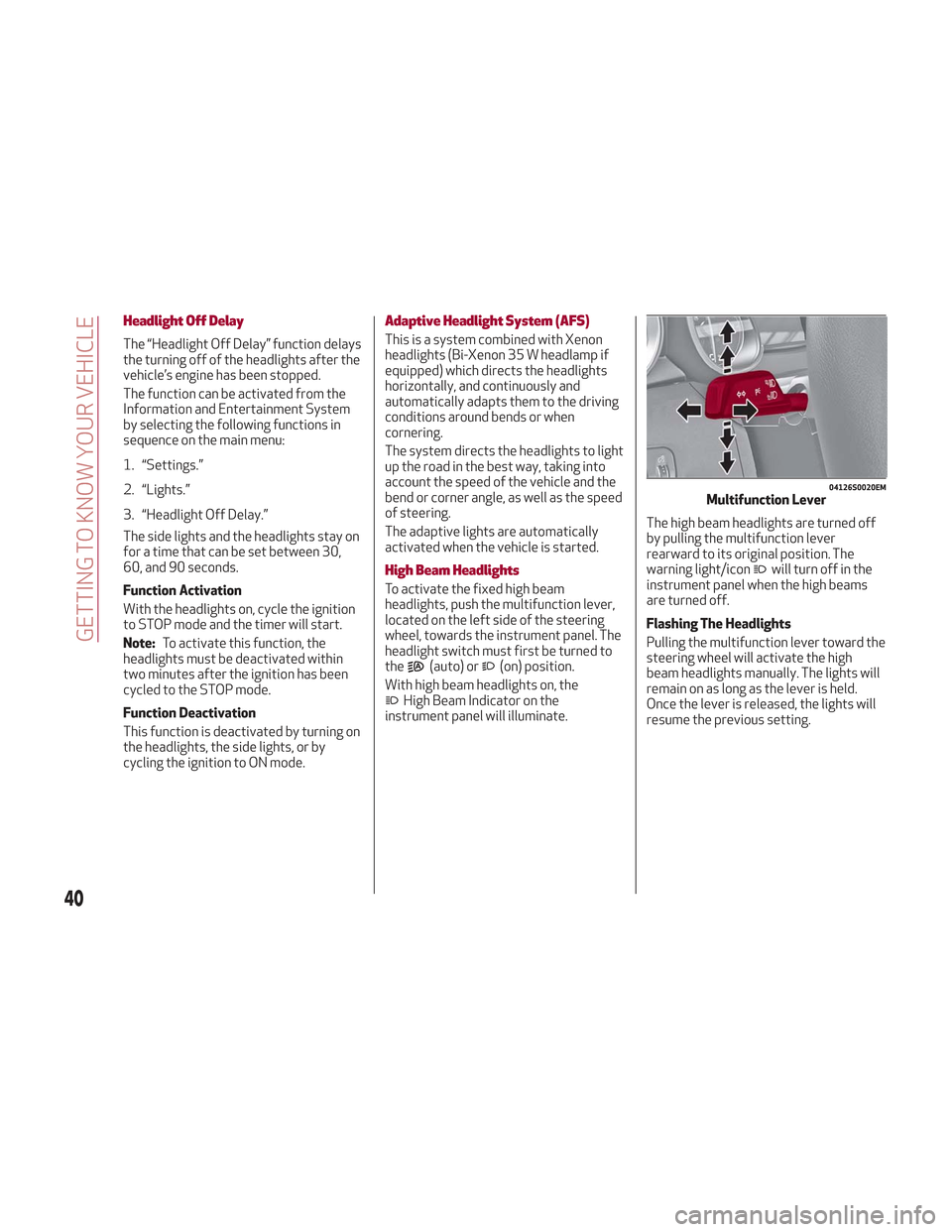
instrument panel will illuminate. The high beam headlights are turned off
by pulling the multifunction lever
rearward to its original position. The
warning light/icon
will turn off in the
instrument panel when the high beams
are turned off.
Flashing The Headlights
Pulling the multifunction lever toward the
steering wheel will activate the high
beam headlights manually. The lights will
remain on as long as the lever is held.
Once the lever is released, the lights will
resume the previous setting.
04126S0020EMMultifunction Lever
40
GETTING TO KNOW YOUR VEHICLE
Page 43 of 276
Automatic High Beam Headlights — If
Equipped
The Automatic High Beam Headlights
system provides increased forward
lighting at night by automating high beam
control through the use of a digital
camera mounted on the windshield. This
camera detects vehicle specific light and
automatically turns from high beams to
low beams until the approaching vehicle
is out of view.
This function is enabled with the
Information and Entertainment System,
and can only be activated with the light
switch turned to the
(auto) position.
If the high beam headlights are on, the
blue icon/warning light
will illuminate
in the instrument panel.
When the speed is higher than 37 mph
(60 km/h) and the function is active, the
lights will turn off if the multifunction
lever is pushed again.
When the speed is lower than 15 mph
(25 km/h) and the function is active, the
function turns the high beam headlights
off.
If the high beam headlights are operated
again (pushing the multifunction lever
towards the instrument panel), the
warning light/icon
will illuminate in the
instrument panel, and the main beam
headlights only will be on until the speed
exceeds 37 mph (60 km/h).
When the speed of 37 mph (60 km/h) is
exceeded again, the automatic
functioning is reactivated. If the multifunction lever is pushed again
with the Automatic High Beam
Headlights activated, the function
deactivates.
This feature can also be deactivated by
rotating the headlight switch to the
position.
Note: If the system recognizes heavy
traffic areas, the automatic functions
remain disabled independently of the
vehicle’s speed.
Turn Signals
To activate the turn signals, move the
multifunction lever, located on the left
side of the steering wheel, up or down
until it reaches the detent. Moving the
lever upward flashes the right turn signal
and moving the lever downward will flash
the left turn signal.
The
orturn signal will blink on the
instrument panel.
The turn signals turn off automatically
when the vehicle is brought back onto a
straight course.
“Lane Change” Function
Tap the lever up or down once, without
moving beyond the detent, and the turn
signal (right or left) will flash five times.
Then, the turn signal (right or left) will
automatically turn off.
To turn off the flashing before the end of
the cycle, move the lever in the opposite
direction until the first click (about half
way).
INTERIOR LIGHTS
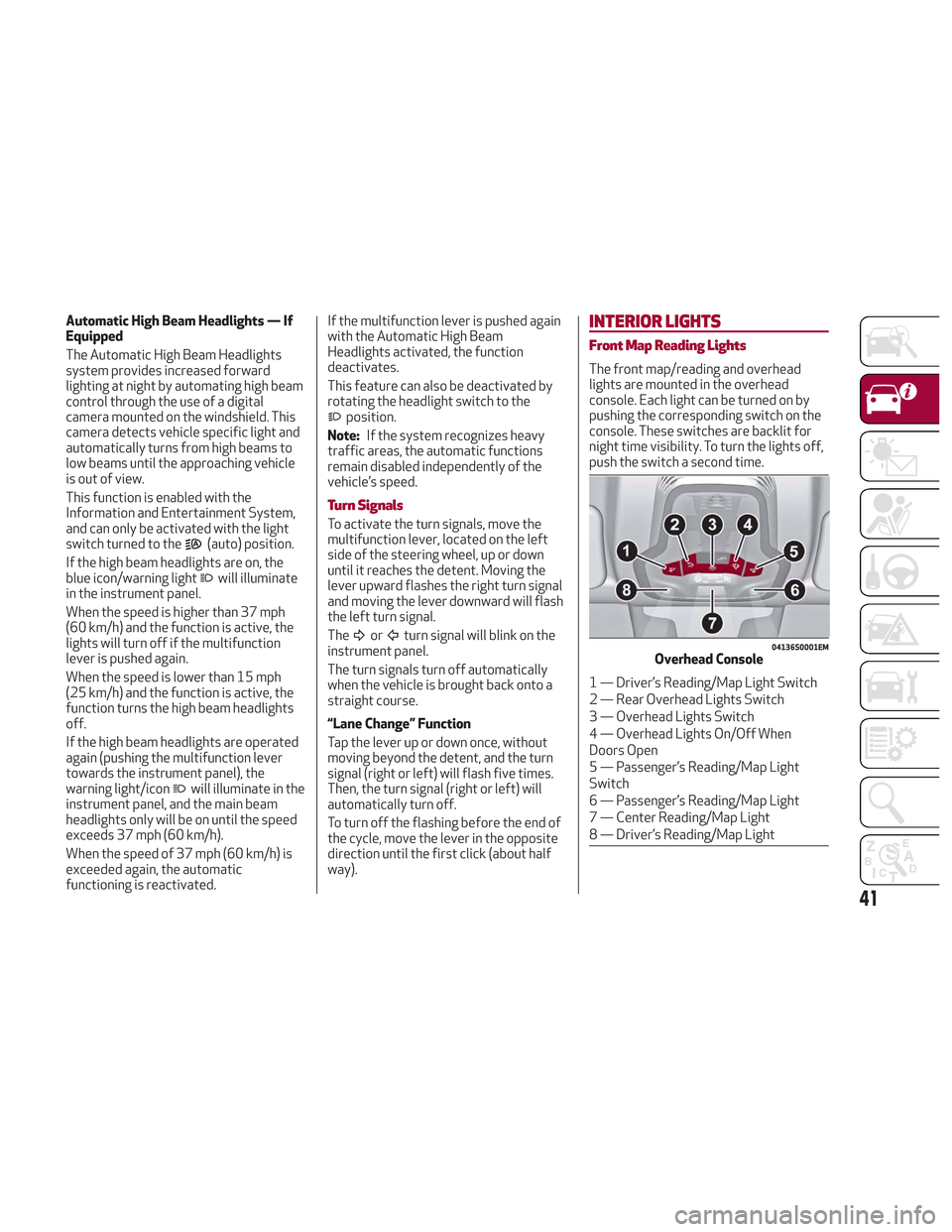
Front Map Reading Lights
The front map/reading and overhead
lights are mounted in the overhead
console. Each light can be turned on by
pushing the corresponding switch on the
console. These switches are backlit for
night time visibility. To turn the lights off,
push the switch a second time.
04136S0001EMOverhead Console
1 — Driver’s Reading/Map Light Switch
2 — Rear Overhead Lights Switch
3 — Overhead Lights Switch
4 — Overhead Lights On/Off When
Doors Open
5 — Passenger’s Reading/Map Light
Switch
6 — Passenger’s Reading/Map Light
7 — Center Reading/Map Light
8 — Driver’s Reading/Map Light
41
Page 44 of 276
Note:Before exiting the vehicle, ensure
that the overhead lights are off. This will
prevent the battery from discharging
once the doors are closed. If a light is left
on accidently, the overhead lights will
turn off automatically approximately
15 minutes after the engine has been
cycled OFF.
Overhead Light Timing
On certain models, to assist getting in
and out of the vehicle at night or in
poorly-lit areas, two timed modes have
been provided.
Timing While Getting Into The Vehicle
— The overhead lights turn on according
to the following modes:
Will illuminate for a few seconds when
the doors are unlocked.
Will illuminate for approximately three
minutes when one of the doors is opened.
Will illuminate for a few seconds when
the doors are locked.
Timing is interrupted when the ignition is
cycled to ON mode.
Three Modes Are Available For Turning
Off Overhead Lighting:
When all doors are closed after
entering the vehicle, the three-minute
timer will stop and a seconds timer will
start for the interior lights. This timing
will stop when the ignition is cycled to ON
mode.
When doors are locked (either with key
fob or with key inserted on driver side
door), the overhead light turns off.
The interior lights will turn off after
15 minutes to preserve the battery.
Timing While Getting Out Of The
Vehicle — After cycling the ignition to
STOP mode, the overhead lights will turn
on as follows:
For a few seconds after the engine
stops.
For approximately three minutes when
one of the doors is opened.
For a few seconds when the last door
is closed.
The timing stops automatically when the
doors are locked.
Vanity Mirror Lights — If Equipped
On the driver and passenger sun visor,
there is a light that illuminates the sun
visor mirror when the sun visor is folded
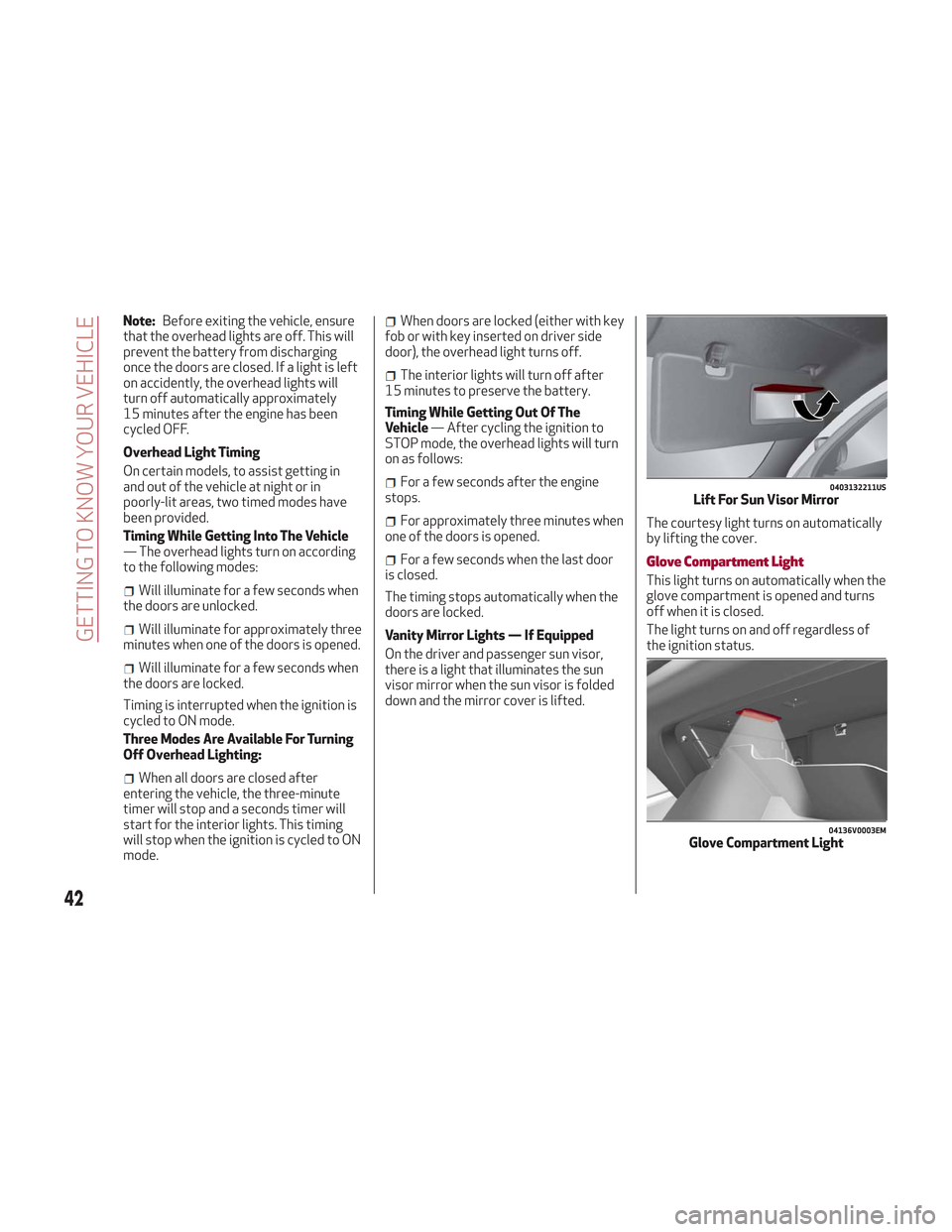
down and the mirror cover is lifted. The courtesy light turns on automatically
by lifting the cover.Glove Compartment Light
This light turns on automatically when the
glove compartment is opened and turns
off when it is closed.
The light turns on and off regardless of
the ignition status.
0403132211USLift For Sun Visor Mirror
04136V0003EMGlove Compartment Light
42
GETTING TO KNOW YOUR VEHICLE
Page 45 of 276
Interior Ambient Lighting
The brightness of the interior passenger
compartment lights can be adjusted
through the Information and
Entertainment System.
To access the adjustment function, on the
main menu select the following items in
sequence:
1. "Settings."
2. "Interior Ambient Lighting."
3. "Lights."
The lights can be adjusted to seven
different levels of brightness.
Door Light
This vehicle is equipped with courtesy
door light that illuminate the entry for the
driver or passenger when the door is
opened, and turns off when it is closed.
The light turns on and off regardless of
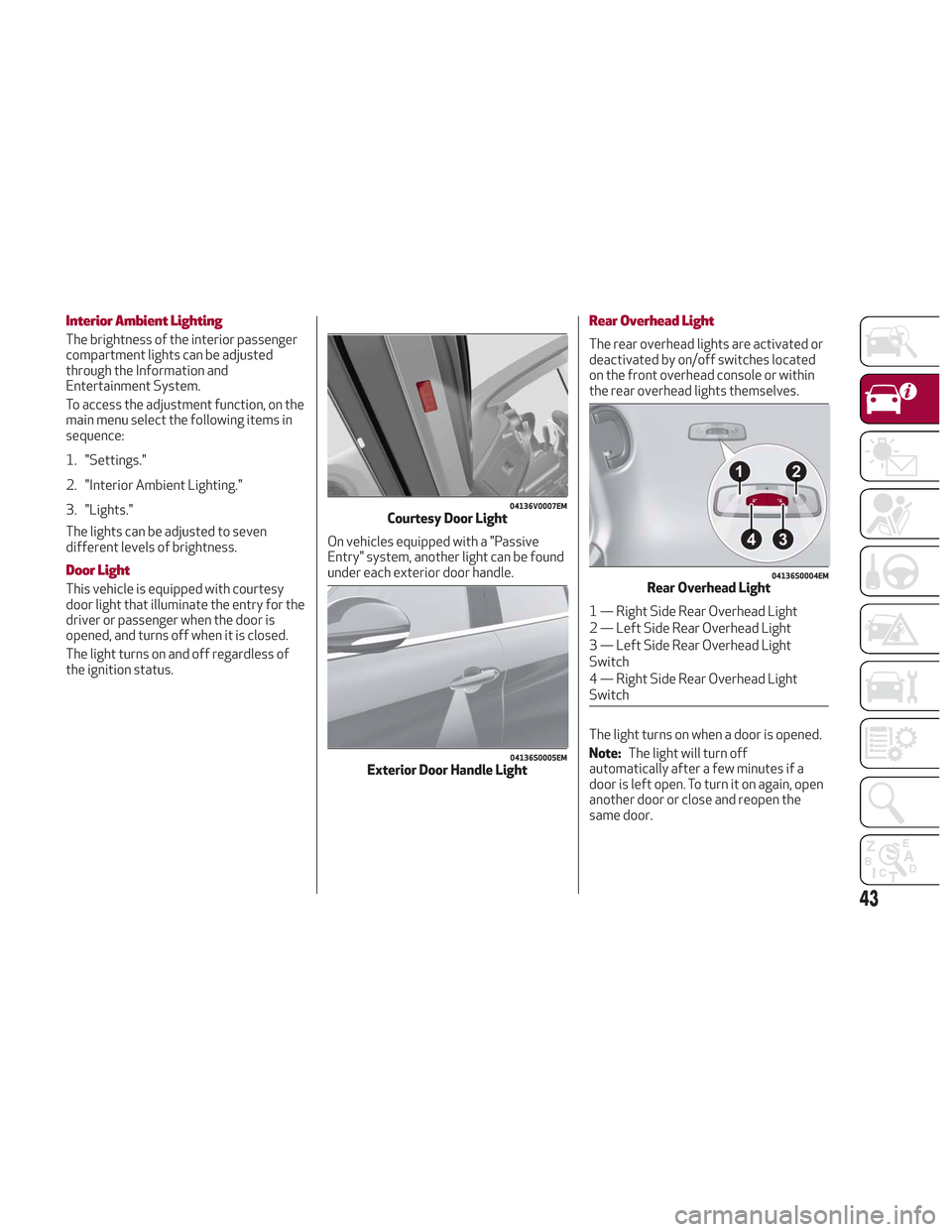
the ignition status.On vehicles equipped with a "Passive
Entry" system, another light can be found
under each exterior door handle.
Rear Overhead Light
The rear overhead lights are activated or
deactivated by on/off switches located
on the front overhead console or within
the rear overhead lights themselves.
The light turns on when a door is opened.
Note:
The light will turn off
automatically after a few minutes if a
door is left open. To turn it on again, open
another door or close and reopen the
same door.
04136V0007EMCourtesy Door Light
04136S0005EMExterior Door Handle Light
04136S0004EMRear Overhead Light
1 — Right Side Rear Overhead Light
2 — Left Side Rear Overhead Light
3 — Left Side Rear Overhead Light
Switch
4 — Right Side Rear Overhead Light
Switch
43