infotainment AUDI A3 2020 Owner´s Manual
[x] Cancel search | Manufacturer: AUDI, Model Year: 2020, Model line: A3, Model: AUDI A3 2020Pages: 400, PDF Size: 107.47 MB
Page 225 of 400
8V2012721BK
Media
Rewind/Fast forward
Turn the control knob to the left or right, or move
your finger on the MMI touch control pad* from
the left to the right.
Shuffle!)
With the function switched on, all files in the
playlist are played and shown in random order.
Repeat track!)
When the function is switched on, the current
track repeats.
Back to 'Playback'
The options menu is closed. The track currently
playing appears in the playlist.
Play similar music*
The track currently playing is quickly analyzed for
features such as artist, genres, mood, and beat,
and a smart playlist with similar tracks will be
shown.
Play more...
A smart playlist is shown based on the track cur-
rently playing. You can select between a playlist
with more tracks by this artist, from this album
or of this genre.
Copy to jukebox*
See > page 213, Adding files to the Jukebox.
Set as ringtone*
Requirement: a mobile device must be connected
to the MMI. The track currently playing must be
in the Jukebox* > page 213.
The selected track will be used as the ringtone
for incoming calls.
Gracenote online database*
Requirement: the MMI must be connected to the
Internet.
) The function automatically switches off when the source is
changed.
2) This function is not available for all cell phones.
Depending on availability, various information
will load about the track currently playing when
this function is switched on™.
Favorites
See > page 222.
Additional options
Requirement: the vehicle must be stationary and
a video file* or a DVD* must be playing.
Parental control*
Playback of video DVDs can be restricted using
parental control.
Enter the password for parental control. Pass-
word set at the factory: 1234. You have the fol-
lowing options:
— Protection level: select and confirm the protec-
tion level (for example, Level 5). Eight different
protection levels can be set for parental con-
trol. If you set the parental control level at Lev-
el 5, all DVDs from levels 1-5 can be played.
Video DVDs with a higher level will not play. Se-
lect Unrestricted to remove all of the restric-
tions.
— Change password: edit the current password.
Switch to full screen
The video image is displayed. Turn the control
knob to display the playlist, or press the [BACK
button.
Replay video)
When this function is switched on, the current
video will replay.
Show DVD menu
The DVD main menu opens in the Infotainment
system display.
223
Page 226 of 400
Media
— Selecting a menu item: select and confirm a
menu item, or move your finger on the MMI
touch control pad* and press the control knob.
Audio track!)
You can manually set the audio track (language
and audio format). The language and audio for-
mat options depend on the video DVD.
Subtitles»)
You can manually select subtitles for playback.
The languages available depend on the DVD.
Aspect
Audi recommends the Automatic setting for the
picture format. You can set the picture format
depending on the active file or source (for exam-
ple video file*, DVD*).
Aspect ra-
tio
Description
Original The image is displayed in the ratio
of the source format. Select this
option if the image is distorted or a
section of the image is cut off
when Auto is selected.
4:3 The image is set to the 4:3 picture
format. Black bars are shown on
the sides of the Infotainment sys-
tem display.
16:9 The image is set to the 16:9 picture
format. Black bars are shown in the
upper and lower edges of the Info-
tainment system display.
Aspect ra- |Description
tio
Automatic |The MMI detects the picture for-
mat of the source and displays the
image in the optimum ratio. Black
bars may appear on the sides of
the display, depending on the
source format and the Infotain-
ment system display that is instal-
led.
Zoom The image is enlarged to fill the en-
tire Infotainment system display.
Switch the function off if the image
is distorted.
Cinema- Use this setting for films in cinema
scope format 21:9. Black bars are shown
in the upper and lower edges of the
Infotainment system display.
@) Tips
— Not all video DVDs have parental control.
— The protection levels for the Parental con-
trol are based on the US standards from the
Motion Picture Association of America
(MPAA). Note that the age levels for video
DVDs in European countries may differ.
— Password entry for Parental control will be
locked for approximately one minute if you
enter the incorrect password three times in
a row. The password can only be reset by an
authorized Audi dealer.
Supported media and file formats
LO TaV TN]
The following audio/video file properties are sup-
ported by the DVD drive*, the Jukebox”, the SD
)) Depending on the DVD, this may not be possible during
playback.
224
card reader and the USB storage device* connec-
tion:
Page 233 of 400

8V2012721BK
System settings
Switch off pop-up: when the function is switched
on [M, the messages in the Infotainment system
display regarding the charging status of your cell
phone in the Audi phone box are hidden. The re-
minder not to forget your cell phone when leav-
ing the vehicle is also switched off.
Tool tips
When this function is switched on M, your MMI
shows you tips for input. The frequency of how
often it displays decreases with time.
Speech dialog system
Applies to: vehicles with voice recognition system
Depending on vehicle equipment, the following
functions
may be available:
Command display: when this function is switch-
ed on [M, the MMI will show you the possible
commands for voice input in the respective
menu.
Short dialog: when this function is switched on
, a shorter form of the prompts is used.
Command during voice output: this function is
switched on at the factory. When this function is
switched on M, you can say new commands dur-
ing announcements. You do not need to wait for
the signal tone (beep) during an announcement.
When the function is switched off (J, you need to
wait for the signal tone (beep) to say a new com-
mand.
Volume: you can adjust the volume of the
prompts by turning the control knob.
Individual speech training (only when the vehi-
cle is stationary): you can adapt the voice recog-
nition system to your voice or pronunciation in or-
der to improve the system's ability to recognize
your speech. Individual speech training is com-
prised of 20 speech entries that consist of com-
mands and sequences of numbers. You can de-
lete the programmed voice training with the Re-
set individual speech training function.
Display brightness
You can adjust the brightness of the Infotain-
ment system display by turning the control knob.
Factory settings
Depending on the vehicle equipment, the follow-
ing functions can be reset to factory settings:
— Sound settings
— Radio
— Media settings
— Jukebox
— Directory
— Telephone
— Bluetooth and Wi-Fi
— Navigation settings
— Navigation and online memory
— Speech dialog system
— Message settings
— Apps
—Tool tips
— Audi connect
— Audi smartphone interface
You can select the desired functions individually
or all at once with the option Select all entries.
Select and confirm Restore factory settings.
@ Tips
Make sure that not only the settings were de-
leted but also the stored data, if necessary.
Connection manager
Introduction
The connection manager provides an overview of
your connected devices and their network status:
> Select: [MENU] button > Settings > left control
button > MMI settings > Connection manager.
> Select and confirm a menu item.
If a mobile device was already connected and you
select
and confirm the corresponding menu item,
the device name and connection status are dis-
played under the menu item.
You can individually connect () or disconnect
(L)) a paired device.
Requirement: the vehicle must be stationary and
the ignition must be switched on. The Bluetooth
settings will open on your mobile device during
the connection setup. The Bluetooth function and >
231
Page 234 of 400
System settings
visibility of the MMI > page 233 and mobile de-
vice must be switched on. The mobile device to
be connected must not be connected to any other
Bluetooth device.
aeluatleva daeyit
Applies to: vehicles with telephone
> Connect new device: search for and connect a
cell phone.
> List of devices already paired: select your cell
phone from the list of all the devices that are
already paired.
Toate Tava en
Applies to: vehicles with telephone, and Audi phone box
> Connect new device: search for and connect a
cell phone.
> List of devices already paired: select your cell
phone from the list of all the devices that are
already paired.
PELE Mel a-Vaaleya)
Applies to: vehicles with Audi connect Infotainment
The data connection is made using the embedded
SIM card ) > page 183. You do not need to ad-
just any additional settings.
@) Note
Always follow the information found in 9@ in
General information on page 182.
myAudi app
Applies to: vehicles with Audi connect Infotainment
Requirement: the myAudi app must be installed
and open on your mobile device.
> Connect new device: search for and connect a
mobile device (such as a smartphone).
> List of devices already paired: select your mo-
bile device from the list of all the devices that
are already paired.
D_ SIM card installed in the vehicle at the factory.
232
Audio player
Applies to: vehicles with Bluetooth or Wi-Fi audio player
Bluetooth player
Requirement: the Bluetooth function and visibili-
ty must be switched on in the MMI > page 233
and on the Bluetooth audio player.
> Connect new device: press the control knob.
> Select Bluetooth audio player.
» Search for and connect a mobile device.
> List of devices already paired: select a Blue-
tooth device from the list of all the devices that
are already paired.
Wi-Fi audio player
Requirement: the Wi-Fi hotspot on the MMI
=> page 187 and on your Wi-Fi audio player must
be switched on.
> Connect new device: press the control knob.
Search for and connect a Wi-Fi capable device.
> Disconnecting the Wi-Fi audio player: deacti-
vate the Wi-Fi on your Wi-Fi capable device. The
device will be automatically removed from the
list.
() Note
Always follow the information found in S@ in
General information on page 182.
Applies to: vehicles with telephone
Display contacts from a cell phone (or an addi-
tional cell phone).
Requirement: no cell phones can be connected to
the MMI using the Handsfree profile.
> Connect new device: search for and connect a
new cell phone.
> List of devices already paired: select your cell
phone from the list of all the cell phones that
are already paired.
Page 320 of 400
Checking and Filling
Service interval display
The service interval display detects when your ve-
hicle is due for service.
The service interval display works in two stages:
— Inspection or oil change reminder: after driv-
ing a certain distance, a message appears in the
instrument cluster display each time the igni-
tion is switched on or off. The remaining dis-
tance or time is displayed briefly.
— Inspection or oil change due: if your vehicle
has reached an inspection or oil change interval
or both intervals at the same time, the mes-
sage Inspection due! or Oil change due! or Oil
change and inspection due! appears briefly af-
ter switching the ignition on/off.
Checking service intervals
You can check the remaining distance or time un-
til the next oil change or next inspection in the
Infotainment system. Select in the Infotainment
system: the [MENU] button > Vehicle > left con-
trol button > Service & checks > Service inter-
vals.
Resetting the indicator
An authorized Audi dealer or authorized Audi
Service Facility will reset the service interval dis-
play after performing service.
If you have changed the oil yourself, you must re-
set the oil change interval.
To reset the display, select in the Infotainment
system: the [MENU] button > Vehicle > left con-
trol button > Service & checks > Service intervals
> Reset oil change interval.
@ Note
— Only reset the oil change indicator if the oil
was changed.
— Following the service intervals is critical to
maintaining the function, service life, and
value of your vehicle, especially the engine.
Even if the mileage on the vehicle is low, do
not exceed the time for the next service.
318
Page 332 of 400
![AUDI A3 2020 Owner´s Manual Wheels
SU c=w yee)
oO oS
o 2
Pd e ]
Fig. 259 Driver's side B-pillar: tire pres-
sure label
B8K-1151
ARRIERE
‘SPARE
DE SECOURS
Fig. 260 Tire pressur](/img/6/40265/w960_40265-331.png "AUDI A3 2020 Owner´s Manual Wheels
SU c=w yee)
oO oS
o 2
Pd e ]
Fig. 259 Driver's side B-pillar: tire pres-
sure label
B8K-1151
ARRIERE
‘SPARE
DE SECOURS
Fig. 260 Tire pressur")
Wheels
SU c=w yee)
oO oS
o 2
Pd e ]
Fig. 259 Driver's side B-pillar: tire pres-
sure label
B8K-1151
ARRIERE
‘SPARE
DE SECOURS
Fig. 260 Tire pressure label
The correct tire pressure for tires
mounted at the factory and for
the spare tire* is indicated on a la-
bel. The label is located on the B-
pillar > fig. 259, > fig. 260. The
location may vary depending on
the model.
Use the tire pressure specified for
a normal vehicle load when the
vehicle is partially loaded > table
on page 331. If driving the vehi-
cle when fully loaded, you must
increase the tire pressure to the
maximum specified pressure > A.
330
Checking and correcting tire
pressure
>Check the tire pressure at least
once per month and also check it
before every long drive.
> Always check the tire pressure
when the tires are cold. Do not
reduce the pressure if it increas-
es when the tires are warm.
>Refer to the sticker > fig. 260
for the correct tire pressure.
>Correct the tire pressure if nec-
essary.
> Store the new tire pressure in
the Infotainment system
> page 338 or > page 341.
> Check the pressure in the emer-
gency tire*/spare tire*. Always
maintain the maximum temper-
ature that is specified for the
tire.
Z\ WARNING
Always adapt the tire pressure
to your driving style and the ve-
hicle load.
—Overloading can lead to loss of
vehicle control and increase
the risk of an accident. Read
and follow the important safe-
ty precautions in > page 332,
Tires and vehicle load limits. |»
Page 340 of 400
Wheels
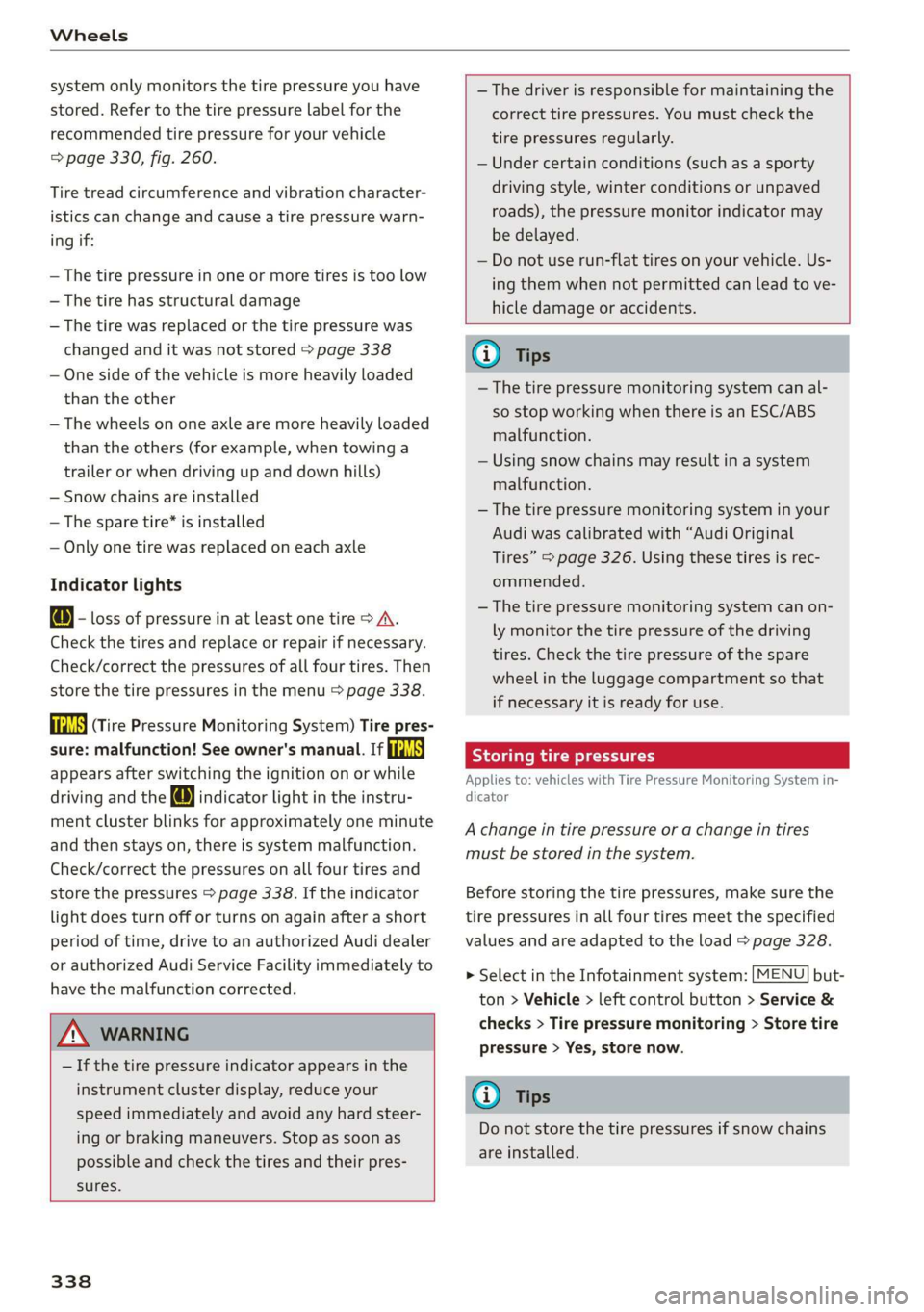
system only monitors the tire pressure you have
stored. Refer to the tire pressure label for the
recommended tire pressure for your vehicle
=> page 330, fig. 260.
Tire tread circumference and vibration character-
istics can change and cause a tire pressure warn-
ing if:
— The tire pressure in one or more tires is too low
—The tire has structural damage
— The tire was replaced or the tire pressure was
changed and it was not stored > page 338
— One side of the vehicle is more heavily loaded
than the other
— The wheels on one axle are more heavily loaded
than the others (for example, when towing a
trailer or when driving up and down hills)
— Snow chains are installed
— The spare tire* is installed
— Only one tire was replaced on each axle
Indicator lights
@ - loss of pressure in at least one tire > A\.
Check the tires and replace or repair if necessary.
Check/correct the pressures of all four tires. Then
store the tire pressures in the menu > page 338.
is (Tire Pressure Monitoring System) Tire pres-
sure: malfunction! See owner's manual. If
appears after switching the ignition on or while
driving and the @ indicator light in the instru-
ment cluster blinks for approximately one minute
and then stays on, there is system malfunction.
Check/correct the pressures on all four tires and
store the pressures > page 338. If the indicator
light does turn off or turns on again after a short
period of time, drive to an authorized Audi dealer
or authorized Audi Service Facility immediately to
have the malfunction corrected.
ZX WARNING
— If the tire pressure indicator appears in the
instrument cluster display, reduce your
speed immediately and avoid any hard steer-
ing or braking maneuvers. Stop as soon as
possible and check the tires and their pres-
sures.
338
— The driver is responsible for maintaining the
correct tire pressures. You must check the
tire pressures regularly.
— Under certain conditions (such as a sporty
driving style, winter conditions or unpaved
roads), the pressure monitor indicator may
be delayed.
— Do not use run-flat tires on your vehicle. Us-
ing them when not permitted can lead to ve-
hicle damage or accidents.
(i) Tips
—The tire pressure monitoring system can al-
so stop working when there is an ESC/ABS
malfunction.
— Using snow chains may result in a system
malfunction.
— The tire pressure monitoring system in your
Audi was calibrated with “Audi Original
Tires” > page 326. Using these tires is rec-
ommended.
—The tire pressure monitoring system can on-
ly monitor the tire pressure of the driving
tires. Check the tire pressure of the spare
wheel in the luggage compartment so that
if necessary it is ready for use.
Storing tire pressures
Applies to: vehicles with Tire Pressure Monitoring System in-
dicator
A change in tire pressure or a change in tires
must be stored in the system.
Before storing the tire pressures, make sure the
tire pressures in all four tires meet the specified
values and are adapted to the load > page 328.
> Select in the Infotainment system: [MENU] but-
ton > Vehicle > left control button > Service &
checks > Tire pressure monitoring > Store tire
pressure > Yes, store now.
(i) Tips
Do not store the tire pressures if snow chains
are installed.
Page 341 of 400
8V2012721BK
Wheels
Tire pressure monitoring
system
(1) General notes
Each tire, including the spare (if provided),
should be checked monthly when cold and inflat-
ed to the inflation pressure recommended by the
vehicle manufacturer on the vehicle placard or
tire
inflation pressure label. (If your vehicle has
tires of a different size than the size indicated on
the vehicle placard or tire inflation pressure la-
bel, you should determine the proper tire infla-
tion pressure for those tires).
As an added safety feature, your vehicle has been
equipped with a tire pressure monitoring system
(TPMS) that illuminates a Low tire pressure tell-
tale when one or more of your tires is significant-
ly under-inflated. Accordingly, when the low tire
pressure telltale illuminates, you should stop and
check your tires as soon as possible, and inflate
them to the proper pressure. Driving ona signifi-
cantly under-inflated tire causes the tire to over-
heat and can lead to tire failure. Under-inflation
also reduces fuel efficiency and tire tread life,
and may affect the vehicle's handling and stop-
ping ability.
Please note that the TPMS is not a substitute for
proper tire maintenance, and it is the driver's re-
sponsibility to maintain correct tire pressure,
even if under-inflation has not reached the level
to trigger illumination of the TPMS low tire pres-
sure telltale.
Your vehicle has also been equipped with a TPMS
malfunction indicator to indicate when the sys-
tem is not operating properly. The TPMS mal-
function indicator is combined with the low tire
pressure telltale. When the system detects a
malfunction, the telltale will flash for approxi-
mately one minute and then remain continuously
illuminated. This sequence will continue upon
subsequent vehicle start-ups as long as the mal-
function exists.
When the malfunction indicator is illuminated,
the system may not be able to detect or signal
low tire pressure as intended. TPMS malfunctions
may occur for a variety of reasons, including the
installation of replacement or alternate tires or
wheels on the vehicle that prevent the TPMS
from functioning properly. Always check the
TPMS malfunction telltale after replacing one or
more tires or wheels on your vehicle to ensure
that the replacement or alternate tires and
wheels allow the TPMS to continue to function
properly.
Applies to: vehicles with tire pressure monitoring system
The tire pressure monitoring system monitors
the pressure in the four tires when driving.
The system uses sensors that measure the tem-
perature and pressure in the tires. The data is
sent from these sensors to the control module by
radio frequency.
The tire pressure monitoring system shows the
current pressures and temperatures of the tires
in the Infotainment system while driving
= page 340. It also compares the current tire
pressures with the stored tire pressures and gives
a warning if the tire pressure is different from
what is stored > page 340.
The system does not detect if the stored tire
pressures match the recommended tire pres-
sures. You must store the tire pressures again in
each of the following situations > page 341:
— Each time the tire pressures change, for exam-
ple when the load in the vehicle changes
— After replacing a tire
— If wheels with new wheel sensors are used
Z\ WARNING
—The tire pressure monitoring system assists
the driver in monitoring tire pressures. The
driver is responsible for having the tires in-
flated to the correct pressure.
— Do not change the tire pressure when the
temperature of the tire is extremely high.
This could result in serious damage to the
tire and even cause the tire to burst, increas-
ing the risk of an accident.
— A tire with low pressure flexes more. This
heats the tire up too much. This could cause |>
339
Page 342 of 400

Wheels
the tread to separate and even cause the tire
to burst, increasing the risk of an accident.
— The tire pressure monitoring system does
not warn about damage or defects in the
tire construction that could cause the tire to
burst, for example. Inspect your tires regu-
larly.
Note that the tire pressure also depends on the
temperature of the tire. The tire pressure increas-
es as the engine becomes warmer while driving.
Z\ WARNING
Read and follow the important information
and notes > page 339.
@) Tips
— If tires are replaced, the sensors and valves
do not need to be removed or replaced. Only
replace the valve stem and, if necessary, the
valve and the wheel electronics. If you have
questions, see an authorized Audi dealer or
authorized Audi Service Facility.
— An incorrect display or a malfunction in the
tire pressure monitoring system can occur
after using the tire mobility kit. Have the
sensors replaced by an authorized Audi
dealer or authorized Audi Service Facility.
— For an explanation on conformity with the
FCC regulations in the United States and the
Industry Canada regulations, see
=> page 377.
Displaying tire pressures and temperatures
Applies to: vehicles with tire pressure monitoring system
Requirement: you must be driving the vehicle.
> Select in the Infotainment system: the [MENU
button > Vehicle > left control button > Service
& checks > Tire pressure monitoring > Display
tire pressure.
The current tire pressures are shown in green,
yellow or red numbers in the Infotainment sys-
tem:
— Green: the current tire pressure and the speci-
fied tire pressure are approximately the same.
— Yellow: the current tire pressure is lower than
the specified tire pressure.
— Red: the current tire pressure is much lower
than the specified tire pressure.
The specified tire pressure is the last tire pressure
that was stored > page 341.
340
@) Tips
The tire pressure or temperature is not dis-
played while the vehicle is stationary and in
adaptation mode. Dashes --.-- are shown in
place of the pressure and temperature.
ON ic deste oy
Applies to: vehicles with tire pressure monitoring system
If the @ indicator light turns on, the pressure in
at least one tire is too low or new sensors were
not adapted:
@ Indicator light turns on after turning the
ignition on
The tire pressure is too low compared to the
specified pressure.
> Check and store the tire pressure(s) the next
time it is possible > page 341.
@ Indicator light turns on while driving
Wheels with new sensors were not adapted or
the tire pressure has reached a critical level com-
pared to the specified pressure.
> Avoid unnecessary steering and braking maneu-
vers.
> Adapt your driving style to the situation.
> Stop as soon as possible and check the tire(s).
> If it is possible to continue driving, see an au-
thorized Audi dealer or authorized Audi Service
Facility immediately and have your tire(s) re-
paired or replaced.
ZA\ WARNING
Read and follow the important information
and notes > page 339.
Page 343 of 400

8V2012721BK
Wheels
Storing new tire pressures
Applies to: vehicles with tire pressure monitoring system
The tire pressure specifications must be stored
correctly for the tire pressure monitoring system
to function reliably.
It is always necessary to store the tire pressures
when the tire pressures are modified, for exam-
ple due to a change in load or when new sensors
are installed.
> Before storing the tire pressures, make sure the
tire pressures of all four tires meet the speci-
fied values and are adapted to the load
=> page 330, fig. 260. Only correct and store
the pressure in tires whose temperature is ap-
proximately the same as the ambient tempera-
ture. If the temperature of the tire is higher
than the ambient air temperature, the tire
pressure must be increased approximately
3.0 PSI (0.2 bar) above the value on the sticker.
» Switch the ignition on.
> Select in the Infotainment system: [MENU] but-
ton > Vehicle > left control button > Service &
checks > Tire pressure monitoring > Store tire
pressure > Yes, store now. After storing the tire
pressures, the tire pressure monitoring system
measures the current pressures while driving
and stores them as the new specified pressures.
> If the changed tire pressures are not displayed
in the Infotainment system, drive the vehicle
for approximately 10 minutes so that the sen-
sor signal from the wheels is received again.
During this adaptation phase, --.-- is displayed
for the pressure and temperature and the tire
pressure monitoring system is only partially
available. It only provides a warning if one or
more tire pressures is below the minimum per-
mitted specified pressure.
If the @ indicator light turns on and the mes-
sage Tire pressure: wheel change detected.
Please check all tires and store pressures in
MMI also appears, the system has detected that
the position of the sensors has changed because
of a tire rotation, or that new sensors were instal-
led. Store the new tire pressures.
ZX WARNING
Read and follow the important information
and notes > page 339.
Malfunctions
Applies to: vehicles with tire pressure monitoring system
If the tire pressure monitoring system is not
available, the a indicator light appears in the
instrument cluster display along with the mes-
sage Tire pressure: malfunction! See owner's
manual.
If the ia indicator light appears after switching
the ignition on or while driving and the @ indi-
cator light also blinks for approximately one mi-
nute and then stays on, there is a system mal-
function. The following are examples of situa-
tions that could cause a malfunction:
— If the message appears at the end of the adap-
tation phase, the system may not detect one or
several of the wheel sensors necessary for pres-
sure monitoring. This may result from one or
more wheels without wheel sensors or with in-
compatible wheel sensors being installed.
—Awheel sensor or another component has
failed.
— Using snow chains can affect the function of
the system because of the shielding effect of
the chains.
— The tire pressure monitoring system is not
available due to a malfunction.
— Transmitters with the same frequency, such as
headphones or remote-controlled devices, may
cause a temporary system malfunction due to
the strong electromagnetic field.
The ia indicator light and the message turn off
once the tire pressure monitoring system is avail-
able again. If you cannot correct the malfunction
and the ia indicator light stays on, drive imme-
diately to an authorized Audi dealer or author-
ized Audi Service Facility to have the malfunction
repaired.
341