mirror AUDI A3 CABRIOLET 2015 User Guide
[x] Cancel search | Manufacturer: AUDI, Model Year: 2015, Model line: A3 CABRIOLET, Model: AUDI A3 CABRIOLET 2015Pages: 302, PDF Size: 73.83 MB
Page 107 of 302
M N
" > co ,...., \!) ..,.,
,...., ..,., ,....,
-In some situations, the system may not
function or its function may be limited.
For example:
- If vehicles are approaching or being
left behind very quickly. The display
may not turn on in time.
- In poor weather conditions such as
heavy rain, snow or heavy mist.
- On very wide lanes, in tight curves, or if
there is a rise in the road surface.
Vehicles in the adjacent lane may not
be detected because they are outside
of the sensor range.
- Audi side assist cannot detect all vehicles
under all conditions, which can increase
the risk of accidents.
- Please note that side assist only displays approaching vehicles or vehicles in your
blind spot if your vehicle is traveling at
least 19 mph (30 km/h).
- In certain situations, the system may not
work or its function may be limited. For
example:
- The display may not turn on at the
right time if vehicles are approaching
or passing very quickly.
- In poor weather conditions, such as
heavy rain, snow or fog.
- In very wide lanes, in tight curves or
when there are slopes in the roadway,
vehicles in the neighboring lanes may not be detected because they are out
side of the sensor range.
(D Note
The sensors can be displaced by impacts or damage to the bumper, wheel housing and
underbody. This can affect the system. Have an authorized Audi dealer or author
ized Audi Service Facility check their func
tion.
@ Tips
- If the window glass in the driver's door
or front passenger's door has been tint
ed, the display in the exterior mirror may
be misinterpreted .
Audi side assist 105
-For an explanation on conformity with
the FCC regulations in the United States
and the Industry Canada regulations, re
fer to
c> page 285.
Switching on and off
Applies to vehicles : wit h Audi s ide ass ist
The system and be switched on and off in the
MMI.
.,. Select: the
I MENU I button >Car> Systems*
control button > Driver assistance > Audi
side assist.
With Off , the system is switched
off.
An activated system will sig nal every time the
ignition is sw itched on by turning the displays
in the exterior mirrors on briefly.
' Adjusting the display brightness
App lies to vehicles : wit h Audi side ass ist
The display brightness can be adjusted in the
MMI.
.,. Select: the I MENU I button >Car> Systems*
control button > Driver assistance > Audi
side assist .
The display brightness adjusts automatically
to the brightness of the surroundings, both in
the information and in the warning stage. In
very dark or very bright surroundings, the dis
play is already set to the minimum or maxi
mum level by the automatic adjustment . In
such cases, you may notice no change when
adjusting the brightness, or the change may
only be noticeable once the surroundings
change.
Adjust the brightness to a level where the dis
play in the information stage will not disrupt
your view forward.
If you change the bright
ness, the display in the exterior mirror will
briefly show the brightness leve l in the infor
mation stage. The brightness of the warning
stage is linked to the brightness in the infor
mation stage and is adjusted along with the
information stage adjustment .
IIJJ,,
•
Page 121 of 302
M N ,....
> co ,...., \!) 1.1"1 ,...., 1.1"1 ,....,
Parking systems
General information
Appl ies to vehicles: with rea r parking sys te m s/park ing
system pl us/rearv iew camera
Depending on your vehicle's equipment, vari
ous parking aids w ill help you when parking
and maneuvering.
The
r ea r p arking sys te m is an audible parking
aid that warns you of obstacles
behind the ve
hicle
~ page 120 .
T he
p ar kin g syste m plus assists you when
parking by audibly and visually indicat ing ob
jects detected
in front of and behind the vehi
cle
~ page 120.
T he
re ar view came ra shows the area behind
the veh icle in the MMI display . This display as
sists you when you are cross or para llel park
ing. The park ing system plus functions are al
so available
r::!;> page 121.
A WARNING ,-
- Always look for traff ic and check the area
around your vehicle by looking at it di
rectly as well. The parking system cannot
replace the driver 's attent ion. The driver
is always respons ible when entering or
leaving a parking space and during simi
lar maneuvers .
- Please note that some surfaces, such as
clothing, are not detected by the system .
- Sensors and cameras have blind spots in
wh ich people and objects cannot be de
tected . Be especially cautious of small
children and animals.
- Always pay attention to the area around
the vehicle -using the rearview mirror,
too .
- The sensors can be displaced by impacts
or damage to the radiator grille, bumper ,
wheel housing and the unde rbody . The
par king system may become impai red as
a result. Have an authorized Aud i dealer
or authorized Audi Service Facility check
their function .
Parking system s 119
-Make sure the sensors are not obstructed
by st ickers, deposits or other materials.
If they are, the sensor function could be impaired. For additional information on
cleaning, refer to~
page 204 .
(D Note
-Some objects are not detected or dis
played by the system under certain cir
cumstances:
- Objects such as ba rrier chains, trailer
draw bars, vertical po les or fences
- Objects above the senso rs such as wall
extensions
- Objects w ith specific surfaces or st ruc
tures such as chain link fences or pow der snow
- If you continue d riving closer to a low-ly
ing object, it may disappear from the
sensor range . Note that you wi ll no lon
ger be warned about this obstacle.
- T he sensors can be displaced by impacts
or damage to the radiato r grille, bumper,
wheel housing and the underbody. The park ing system may become impaired as
a result. Have an authori zed Audi dealer
or authorized Audi Service Facility check
their function .
{!) Tips
- The system may provide a warning even
though there are no obstacles in the cov
erage area in some situations, such as:
- certain road su rfaces or for long grass.
- externa l ult rason ic sources e.g. from
clean ing vehicles.
- heavy ra in , snow, or thick vehicle ex
haust.
- We recommend that you practice park
ing in a traff ic-free location or par king
lot to become familiar w ith the system.
When doing this , the re should be good
light and weather cond itions.
- Yo u can change the vo lume and pitch of
the signals as we ll as the disp lay
r::!;> page 125.
Page 124 of 302
122 Parking systems
General information
Applies to vehicles: with par king system p lus w it h rear
view ca mera
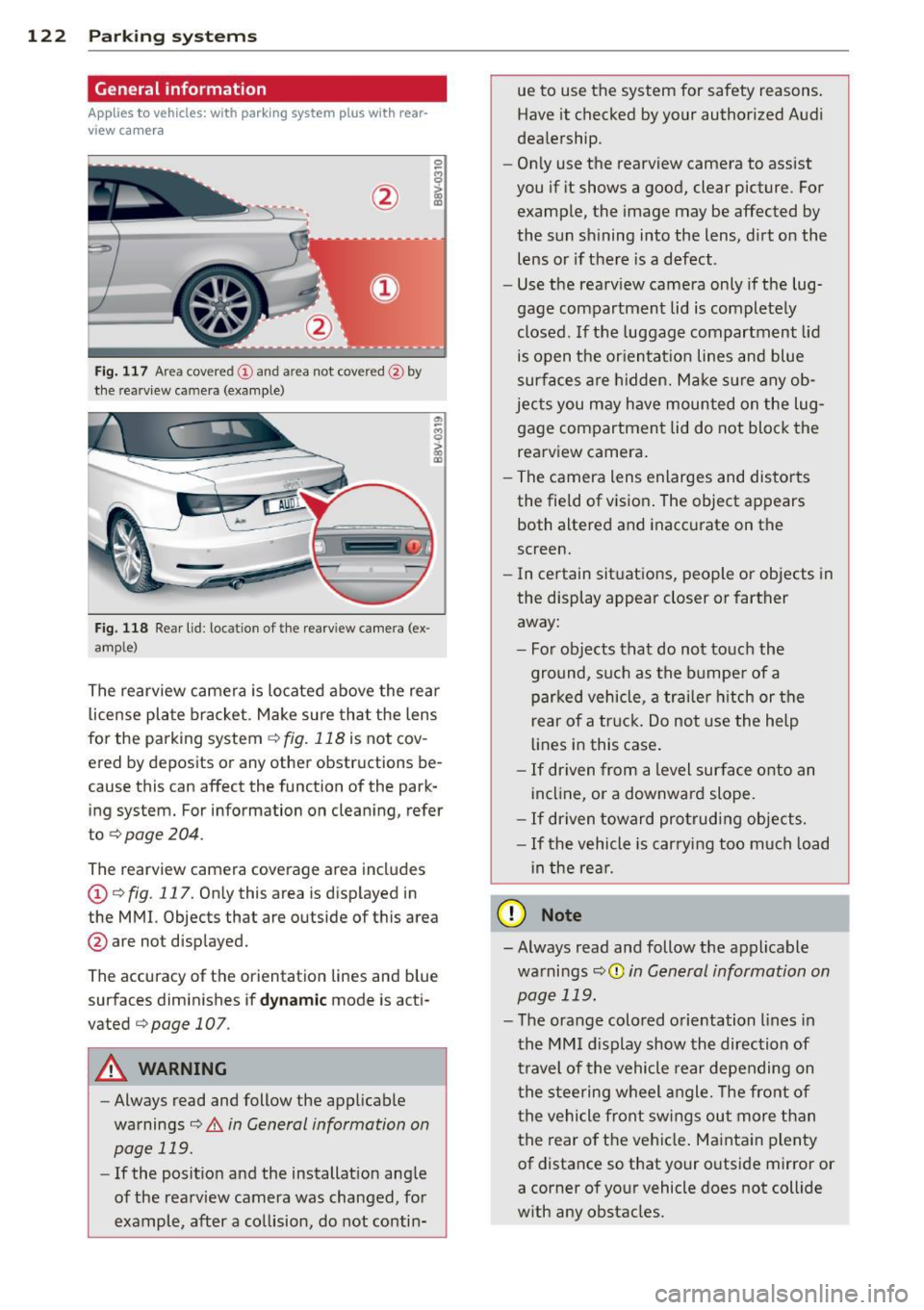
Fig. 117 Area covered
(D and area not covered @by
the rea rview camera (example)
Fig. 118 Rear lid : locat ion of the rearview camera (ex
ample)
0
-8 > "' m
"' §
> «> m
The rearview camera is located above the rear
license plate bracket . Make sure that the lens
for the parking system ¢
fig. 118 is not cov
ered by deposits or any other obstructions be
cause this can affect the function of the park
ing system. For information on clean ing, refer
to
¢ page 204.
The rearview camera coverage area includes
(D ¢ fig. 117. Only this area is displayed in
the MMI. Objects that are outside of this area
@ are not displayed.
The accuracy of the orientation lines and blue
surfaces diminishes if
dynamic mode is acti
vated
¢ page 107 .
_&. WARNING
-Always read and follow the applicable
warnings¢
& in General information on
page
119.
- If the position and the installation ang le
of the rearview camera was changed, for
example, after a collision, do not contin-
-
ue to use the system for safety reasons.
Have it checked by your authorized Audi
dealership.
- Only use the rearview camera to assist
you if it shows a good, clear picture . For
example, the image may be affected by
the sun shining into the lens, dirt on the lens or if there is a defect .
- Use the rearview camera only if the lug
gage compartment lid is completely
closed.
If the luggage compartment lid
is open the orientation lines and blue
surfaces are hidden. Make sure any ob
jects you may have mounted on the lug
gage compartment lid do not block the
rearview camera.
- The camera lens enlarges and distorts
the field of vision. The object appears
both altered and inaccurate on the
screen.
- In certain situations, people or objects in
the display appear closer or farther
away:
- For objects that do not touch the
ground, such as the bumper of a
parked vehicle, a trailer hitch or the
rear of a truck. Do not use the help
lines in this case.
-If driven from a level surface onto an
incline, or a downward slope.
- If driven toward protruding objects.
- If the vehicle is carrying too much load
in the rear.
Q) Note
- Always read and follow the applicable
warnings
¢ (D in General information on
page
119.
- The orange colored orientation lines in
the MMI display show the direction of
travel of the vehicle rear depending on
the steering wheel angle. The front of
the vehicle front swings out more than
the rear of the vehicle. Maintain plenty
of distance so that your outside mirror or
a corner of your vehicle does not collide
with any obstacles.
Page 129 of 302
....,
N
r--. > co
rl I.O
"' rl
"' rl
.. Secure all luggage and other items carefully
r=> page 65, r::!;>page 65.
.. Make sure that nothing can interfere w ith
the pedals .
.. Adjust front seat, head restraint and mirrors
correct ly for your height .
.. Instruct passengers to adjust the head re
stra ints according to their height .
.,. Make sure to use the right child restraint
correctly to protect children
r=> page 169 ,
Child Safety .
.. Sit properly in your seat and make sure that
your passengers do the same
r=:>page 60,
Front seats .
.. Fasten your safety belt and wear it proper ly.
Also instruct your passengers to fasten their
safety belts properly
r=> page 138 .
What impairs driving safety?
Safe driving is directly related to the condi
tion of the vehicle , the driver as well as the
driver's ability to concentrate on the road
without being distracted.
The driver is responsible for the safety of the
vehicle and all of its occupants. If your ability
to drive is impaired, safety r isks for everybody
in the vehicle increase and you a lso become a
hazard to everyone else on the road
r=> ,&..
Therefore:
.,. Do not let you rself be dist racted by passen
gers or by us ing a cellular telephone .
.. NEVE R dr ive when yo ur dr iv ing ability is im
paired (by medicat ions, alcohol, drugs, etc.).
.. Observe all traffic laws, ru les of the road
and speed limits and plain common sense.
.. ALWAYS adjust your speed to road, traffic
and weather conditions .
.. Take frequent breaks on long trips. Do not
drive for more than two hours at a stretch.
.. Do NOT drive when you are t ired, under
pressure or when you are stressed .
A WARNING
Impaired driving safety increases the risk
of serious personal injury and death when
ever a veh icle is being used.
Driving safety 127
Proper occupant
seating positions
Proper seating position for the driver
The proper driver seating position is impor
tant for safe, relaxed driving .
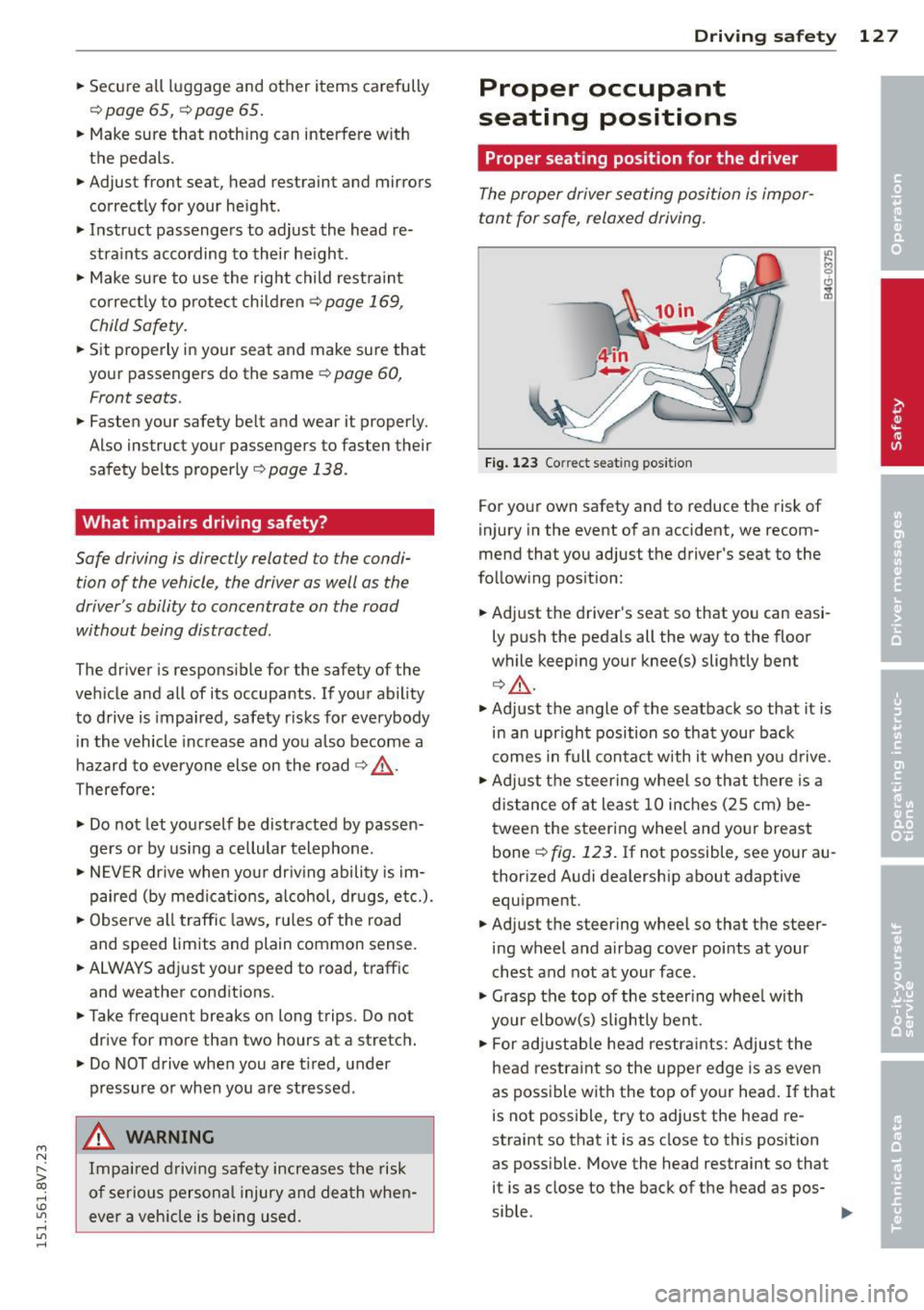
Fig. 123 Correct seat ing pos it ion
For your own safety and to reduce the risk of
injury in the event of an accident, we recom
mend that you adjust the driver's seat to the
follow ing position:
.. Adjust the driver's seat so that you can easi
ly push the pedals all the way to the floor
wh ile keeping your knee(s) slightly bent
r::!;> &,.
.. Adjust the angle of the seatback so that it is
in an upr ight position so that your back
comes in full contact w ith it when you drive.
.. Adjust the steering wheel so that th ere is a
distance of at least 10 inches (25 cm) be
tween the steering wheel and yo ur breast
bone r=:>
fig. 123. If not possible, see your au
thorized Audi dealership about adaptive
equipment .
.. Adjust the steering wheel so that the steer
ing wheel and airbag cover points at your
chest and not at your face .
.,. Grasp the top of the steer ing whee l with
your elbow(s) slightly bent.
.. For adjustable head restra ints: Adjust the
head restraint so the upper edge is as even
as possible with the top of your head. If that
is not possible, try to adjust the head re
straint so that it is as close to this position
as poss ible. Move the head restraint so that
it is as close to the back of the head as pos-
sible . .,.
Page 203 of 302
M N
" > co ,...., \!) ..,.,
,...., ..,., ,....,
Trailer towing Driving with a trailer
General information
Your Audi was designed primarily for passen
ger transportation .
If you plan to tow a tra iler, p lease remember
that the addit ional load will affect durab ility,
economy and performance .
Trailer towing not on ly places more stress on
the vehicle, it also calls for more concentra
tion from the driver.
F or this reason, a lways fo llow the operating
a n d driving instr uctions provided and use
common sense.
Technical requirements
Traile r hitch
Use a weight-carrying hitch conforming to the
gross trailer we ight. The hitch must be suita
b le for your veh icle and trailer and must be
mounted secure ly on t he veh icle's chassis at a
technically sound location . Use only a t railer
h itch w ith a removab le ball moun t. A lways
check with the tr ailer hitch man ufac tur er to
make sure that you are using the correct
hitch.
Do not use a bumper hitch.
T he hitc h must be installed in such a way that
it does not inte rfe re with the impac t-absorb
i ng b umper syst em. No modifica tions should
be made to the vehicle exhaus t and b rake sys
tems . From t ime to time, check that a ll hitch
mo unt ing bolt s remain securely fas tened.
W hen you are not tow ing a trailer, remove the
trai le r hi tch ball moun t. T h is prevents the
hi tch from causing damage sho uld your ve hi
cle be str uck from be hind
¢ &. .
Trailer brakes
If yo ur tra iler is equ ipped w it h a braking sys
tem, check to be su re that it conforms to a ll
r eg ulat io ns .
Trailer towin g 201
The trailer hyd ra ulic bra ke system must not be
direct ly connected to the vehicle's hydraulic
brake system .
Safety chains
Alw ays use saf ety chains between your ve hicle
and t he tra ile r.
Trailer lights
Tra iler lights must meet all reg ulations . Be
su re to check with your Audi dea ler fo r cor re ct
wir ing, swi tches and relays.
Mirrors
If you a re unable to see the traffic behind you
u sing the regula r outside m irrors, then you
must i nsta ll ext ended mir rors . It is important
t h at you
always have clea r vis ion to the rear .
.8, WARNING
-
Afte r removing the trailer hit ch, do no t
s tore i t in yo ur vehicle . In case of sudden
b raking, the h itch cou ld fly forwar d an d in
ju re you or yo ur passengers .
Operating instructions
Maximum trailer weight
A tra ile r fo r you r vehicle is limited to a ty pical
cl ass 1 or class 2 tra ile r.
Trailer load distribution
B e sure the loa d in the tr aile r is held secure ly
i n place to p reven t it from shift ing forw ard,
ba ckward or sideways.
Never allow a passenger to ride in a trailer
¢ &. in Driving instru ctions on page 20 2.
Engine cooling system
Towing a trailer makes the engine work hard
er . It is impo rtant that the cooling system's
perfo rmance is up to the additional load .
Make sure that the coo ling syst em has enough
f lui d.
Tire pressure
When towing a trailer , inflate the tires of your
vehicle to t he cold tire pressure listed under .,..
•
•
•
Page 207 of 302
M N
" > co ,...., \!) ..,.,
,...., ..,., ,....,
Care and cleanin g 205
& WARNING
- Only wash the vehicle when the ignition
is off and follow the instructions from
the car wash operato r to reduce the risk
of accidents.
- To reduce the risk of cuts, protect your
self from sharp metal components when
wash ing the underbody or the inside of
the whee l housings.
- After washing the vehicle, the braking ef
fect may be delayed due to mo isture on
the brake rotors or ice in the winter . The
brakes must be dried first with a few
careful brake applicat io ns.
{[) Note
- If you wash th e vehicle in an automatic
ca r wash, yo u m ust fold the exterior m ir
ro rs in to reduce the r isk of damage to
the mirrors . Power foldi ng exterior m ir
r o rs* must o nly be folded in and out us
i ng the power folding function.
- To prevent pa int damage, do not wash
th e veh icle in direc t sun ligh t. -
To reduce the r is k of damage, do no t
wash the powe r top with a pressure
washer.
- To reduce the r is k of damage to the sur
face, do not use i nsect removing spong
es, kitchen sponges or similar items.
- Matte finish painted vehicle compo
nents:
- To reduce the risk of damage to the
surfac e, do not use polishi ng agents or
ha rd wax.
- Neve r use prot ective wax. It can de
stroy the matte fin is h effect.
- Do not place any stickers o r magnet ic
signs on vehicle parts painted w it h
ma tte fi nish pa in t. The pa int cou ld be
da maged whe n the stickers o r m ag nets
ar e removed.
@ For the sake of the environment
Only wash t he ve hicl e in facili ties spe cially
d es igned for th at p urpose . Th is will re duce
the r is k of d irty wate r contam ina ted with
oil from entering t he sewer system.
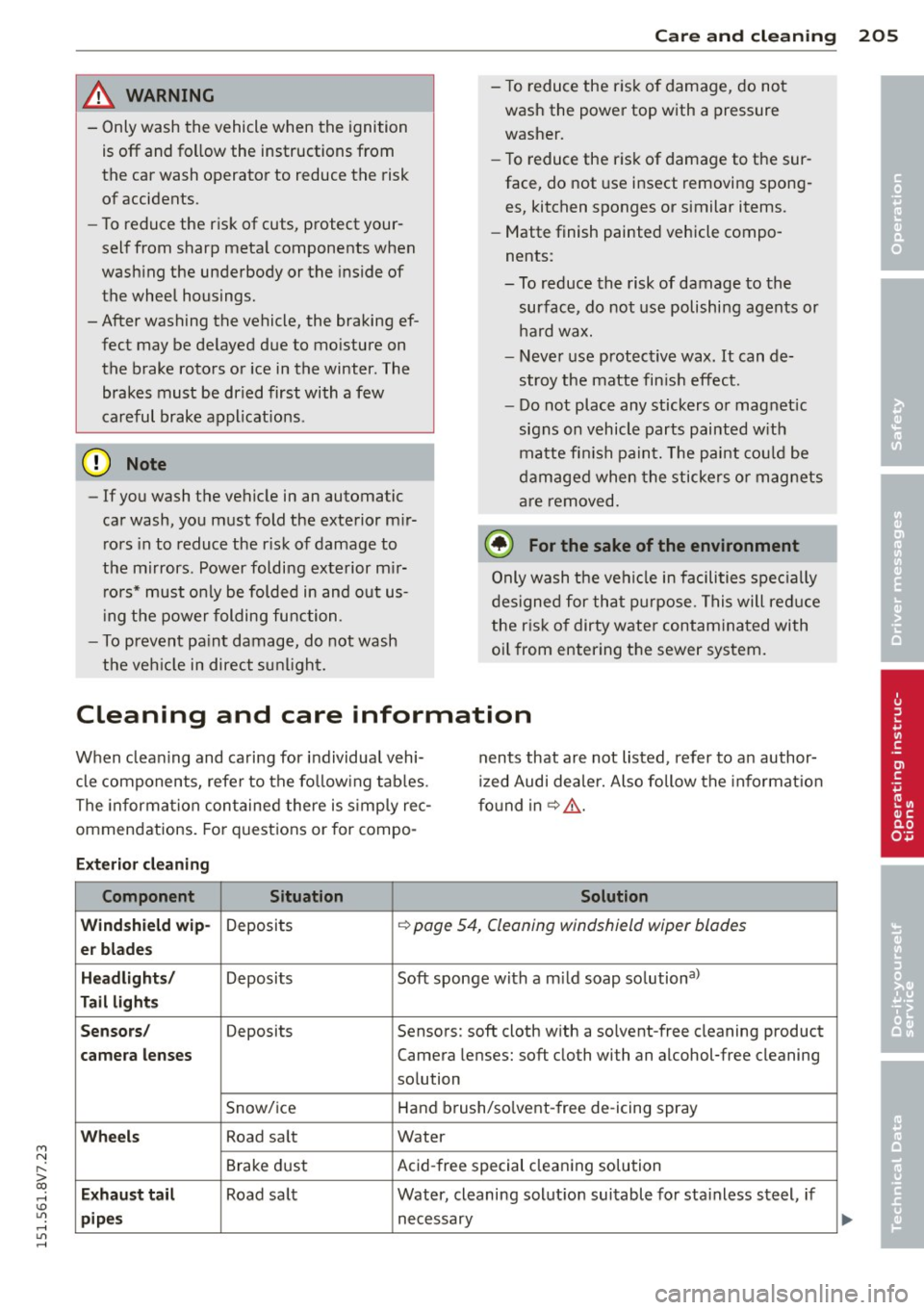
Cleaning and care information
When clea ning and caring for individua l vehi
cle components, refe r to the fo llow ing tab les .
The informa tion contained there is s imp ly rec
ommendations. Fo r quest ions or for compo -n
ents that are not listed , refer to an author
i z ed Audi dea ler. Also follow the info rma tion
fo und in ~ &, .
Exterior cleaning
Component Situation Solution
Wind shield wip-
Deposits ¢ page 54, Cleaning windshield wiper blades
er bl ade s
Headlights /
Deposits Soft sponge with a m ild soap solution3>
Tail lights
Sensors /
Deposits Sensors: soft cloth w ith a so lvent-free cleaning product
camera lenses Camera lenses: soft cloth with an alcohol-free cleaning
so lution
Snow/ ice Hand brush/so
lve nt-free de -icing spray
Wheels Road sa lt Water
Brake dust Acid
-free special cleaning so lu tion
E x haust tail Road sa lt Water, cleaning solut ion suitable for stainless steel, if
pipes necessary •
•
•
Page 210 of 302
208 Care and cleaning
-Never use warm or hot water to re
move snow or ice from the camera
lens. This could cause the lens to crack.
- Never use abrasive cleaning materials
or alcohol to clean the camera lens.
Th is could cause scratches and cracks.
-Power top
- Remove bird droppings immediately.
- Never use gasoline, spot remover, ben-
zene, paint thinner or other solvents to
remove.
- Door windows
- Remove snow and ice on windows and
exterior mirrors with a plastic scraper.
To avoid scratches, move the scraper
only in one direction and not back and
forth.
- Never remove snow or ice from door
windows and mirrors using warm or
hot water because this could cause
cracks to form.
- To avoid damage to the rear window
defogger, do not apply any stickers on
the heating wires on the inside of the
window.
- Decorative parts/trim
- Never use chrome care or cleaning
products.
- Paint
- To reduce the risk of scratches, the ve-
hicle must be free of dirt and dust be
fore polishing or waxing.
- To prevent paint damage, do not polish or wax the vehicle in direct sunlight.
- To reduce the risk of paint damage, do
not polish away rust spots.
- Remove cosmetics and sunscreen im
mediately -these could damage the
paint.
- Displays
-To avoid scratches, do not use dry
cleaning methods on displays.
- Controls
- Make sure that no fluids enter the con-
trols, because this could cause dam
age.
- Safety belts
- Do not remove the safety belts to clean
them.
- Never clean safety belts or their com
ponents chemically or with corrosive
fluids or solvents and never allow sharp objects to come into contact
with the safety belts. This could cause
damage to the belt webbing.
- If there is damage to the webbing, the
connections, the retractors or the buck
les, have them replaced by an author
ized dealer.
- Textiles/artificial leather/Alcantara
- Never treat artificial leather/Alcantara
with leather care products, solvents,
floor polish, shoe polish, spot remove
or similar products.
- Have a specialist remove stubborn
stains to prevent damage.
- Never use steam cleaners, brushes,
hard sponges, etc. when cleaning.
- Do not turn on the seat heating* to dry
the seat.
- Objects with sharp edges such as zip
pers, rivets on clothing or belts can
cause damage to the surface.
- Open hook and loop fasteners, for ex
ample on clothing, can damage seat
covers. Make sure hook and loop fas
teners are closed.
- Natural leather
- Never treat leather with solvents, floor
polish, shoe polish, spot remover or
similar products.
- Objects with sharp edges such as zip
pers, rivets on clothing or belts can
cause damage to the surface.
- Never use steam cleaners, brushes,
hard sponges, etc. when cleaning.
- Do not turn on the seat heating* to dry
the seat.
- To help prevent the leather from fad
ing, do not leave the vehicle in direct
sunlight for long periods of time . If
leaving the vehicle parked for long pe
riods of time, you should cover the
leather to protect it from direct sun-
light. ...
Page 290 of 302
288 Index
Centra l indicator light .... .. .. .. .... . . 1 3
Central locking ............. ... .. .... 3 1
Ce ntr al loc king switch ..... .. .. .... .. 35
Conven ience key . . . . . . . . . . . . . . . . . . . . 34
Emergency locking ........ .. .. .. .. .. 37
Folding the exterior mirrors .. .... .. .. 36
Luggage compartment lid .. .. .. .... . . 38
p . d ower win ows ........... ... .... . . 39
Remote control key ....... .. .. .. .. .. 33
Safety central locking . . . . . . . . . . . . . . . 3 7
Setting .. ................. ...... ..
36
Certification ............. ... .. .... . 285
Changing a wheel ................... 263
Changing engine oil ........ .. .. .. .. . 219
Checking
Tire pressure ..... ......... ... .... .
240
Child restra ints
Danger of us ing c hild restra ints in the
front seat . . . . . . . . . . . . . . . . . . . . . . . .
148
Where can I get addit ional information
about child restraints and their use? ..
187
Ch ild restra int system anchors ... .. ... 183
Child safety .... ............. .. .... . 169
Convertible lo cking retractor .. .. .. ... 180
Important safety instructions for using
ch ild safety seats .............. ....
173
Important things to know when driving
with ch ildren .....................
169
Tether anchors .................... 185
Tether straps . ........... .... .... . 185
Child safety lock
Power wi ndows . . . . . . . . . . . . . . . . . . . .
38
Ch ild safety seats ............ .. .. .. . 175
Booster seats ............ .. .. .... . 178
Convertible child seats .......... .. . 176
Convertible locking retractor . . . . . . . . . 180
H ow do I properly install a child safety
seat in my vehicle? ........ .. .. .. .. .
173
Infant seats ...................... 175
Install ing .. .. ... ..... ..... .. .. .. . 180
Installing a child restraint using the
L ATCH system .... ..... ... .. .. .... .
185
LATCH system .. . ...... ... .. .. .... . 185
Lower anchorages ............ .... . 184
Mount ing and releasing the anchorage
hook .. ... ................... ... .
185
Safety instructions . . . . . . . . . . . . . . . . . 173
Unused safety belts on the rea r seat .. 17 5 Cleaning
Cleaning/removing ice from windows
.. .
Cleaning Alcantara . ... .......... .. . .
204
206
207
Cleaning artificial leather ......... .... 20 7
Cleaning carbon parts . . . . . . . . . . 206, 207
Cleaning contro ls .. ... .. ..... ... .. .. 207
Cleaning decorative parts/trim ........ 206
Cleaning displays .. ............. .... 207
Cleaning exhaust tail pipes .... ... .. .. 205
Cleaning plastic pa rts ............... . 206
Cleaning rims ... .. ... .. ..... ... .. .. 205
Cleaning seat covers ............. .. .. 20 7
Cleaning textiles . .. .......... ....... 207
Cleaning the tail lights . .. ..... ... .. .. 205
Cleaning th e wind deflector ........... 206
Climate control system
Key recogni tion . . . . . . . . . . . . . . . . . . . .
70
Climate control system (automatic)
Adjusting air vents . . . . . . . . . . . . . .
73 , 74
Air distrib ution, air vents ..... ... .. .. . 73
Audi drive select .. ... ...... .... .. .. 107
AUTO (climate control system) ....... . 72
B lower ....... .................... 73
Controls . . . . . . . . . . . . . . . . . . . . . . . . . . 72
Defrost ing the windsh ie ld .......... .. 73
Rea r window defogger .......... .... . 74
Recirc ulat ion mode ............ .... . 73
Setting the temperatu re . . . . . . . . . . . . . 73
synchronizing .... .. ... ..... ... .. .. . 73
Climate control system (manual)
Adjusting air vents ... .......... .
71, 7 4
Adjus ting the temperature ........... 71
Air distrib ution, air vents ...... .... .. . 71
B lowe r ... .... .. .. ... ..... ... .. .. . 71
Defrosting windows ..... .... ... .. .. . 71
Operation . . . . . . . . . . . . . . . . . . . . . . . . . 71
Rear window defogger .......... .. .. . 74
Recirculation mode ............ .... . 72
Clock . ... .. .... .. .. ... ..... ... .. .. . 10
Clos ing
Hood . .... .... .. ............. ....
216
Windows . .. .. .. .... ......... .... . 38
Closing/opening
by remote control . . . . . . . . . . . . . . . . . . 33
with the central locking switch ..... .. .
35
with the conven ience key . . . . . . . . . . . . . 34
with the door lock ........... .... .. . 35
Page 291 of 302
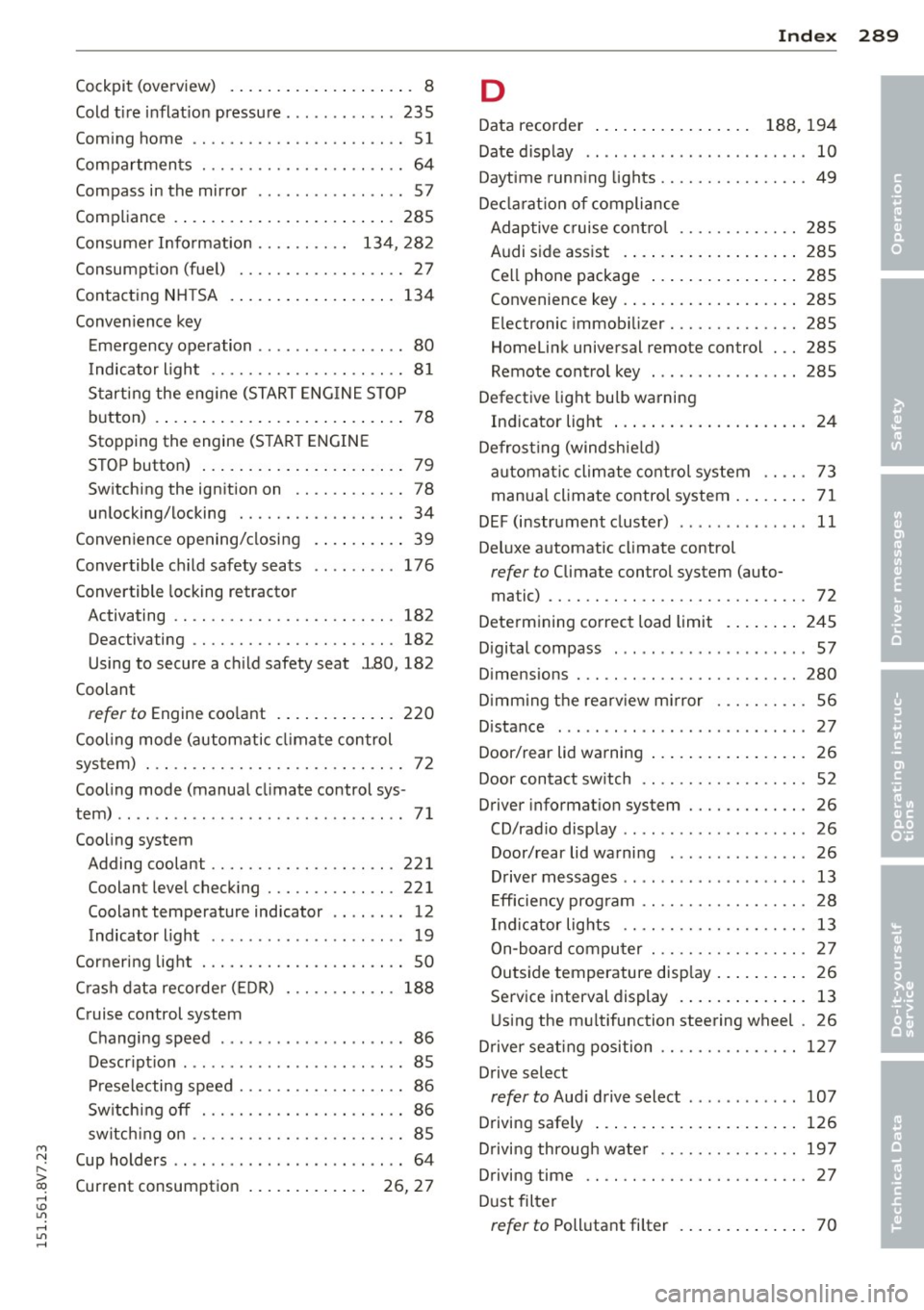
M N ,....
> co ,...., \!) 1.1'1 ,...., 1.1'1 ,....,
Cockpit (overview) . . . . . . . . . . . . . . . . . . . . 8
Cold tire inflation pressure ............ 235
Coming home ...... ..... .. .... .. .. .. 51
Compartments ............ .... .. .. .. 64
Compass in the mirror ........... .... . 57
Compliance .. .. .............. ... ... 285
Consumer Information . . . . . . . . . . 134, 282
Consumption (fuel) ........ .. .. .. .. .. 27
Contacting NH TSA ............ ... .. . 134
Convenience key Emergency operation . . . . . . . . . . . . . . . . 80
Indicator light ........... .. .. .. .. .. 81
Starting the engine (START ENGINE ST OP
button) .... .. .............. ... .... 78
Stopping the engine (S TART ENGINE
STOP button) . . . . . . . . . . . . . . . . . . . . . . 79
Switching the ignition on .. .. .. .. .. .. 78
unlocking/locking ........ .. .. .. .. .. 34
Convenience opening/closing
Convertible child safety seats
Convertible locking retractor .
. .. .. .. .. 39
176
Activating .. ................. .. .. . 182
Deactivating . . . . . . . . . . . . . . . . . . . . . . 182
Using to secure a child safety seat l80, 182
Coolant
refer to Engine coolant ....... ... .. . 220
Cool ing mode (automatic climate control
system) . .. .. ................. .. .. .. 72
Cooling mode (manual climate control sys-
tem) .. .. .. .. .. ........ ... .. .. .. .. .. 71
Cooling system Adding coolant ........... .... .. .. . 221
Coolant level checking ..... .. .. .. .. . 221
Coolant temperature indicator .. ... ... 12
Indicator light ... .. ...... .. .. .. .. .. 19
Cornering light . ........... .. .. .. .. .. 50
C rash data recorde r (EDR) 188
Cruise control system Changing speed . . . . . . . . . . . . . . . . . . . . 86
Description ............... ... ... ... 85
Preselecting speed . . . . . . . . . . . . . . . . . . 86
Sw itching off . ........... .. .. .. .. .. 86
switch ing on ............. .... .. .. .. 85
Cup holders . . . . . . . . . . . . . . . . . . . . . . . . . 64
Current consumption . . . . . . . . . . . . . 26, 27
Index 289
D
Data recorder . . . . . . . . . . . . . . . . . 188, 194
Date display . . . . . . . . . . . . . . . . . . . . . . . . 10
Daytime running lights ........... .... . 49
Decla rat ion of compliance
Adaptive cruise control . . . . . . . . . . . . . 28S
Audi side assist .... .............. . 285
Cell phone package . . . . . . . . . . . . . . . . 285
Convenience key .... .............. . 285
Electronic immobilizer .......... .. .. 285
Homelink universal remote control . .. 285
Remote control key . . . . . . . . . . . . . . . . 285
Defective light bulb warning
Indicator light ... .. ................ 24
Defrost ing (windshield)
automat ic climate control system . . . . . 73
manual climate control system ........ 71
DEF (instrument cluster) ... .. .... .... . 11
Deluxe automatic climate control
refer to Climate control system (auto-
ma tic) ...... .. .. .. . ............... 72
Determining correct load limit ....... . 245
Digital compass . .. .. . ............ .. . 57
Dimensions . .. .. .. ................. 280
D imming the rearv iew mirror ..... .. .. . 56
Distance ......... .. ..... ........... 27
Door/rear lid warning 26
Door contact sw itch . . . . . . . . . . . . . . . . . . 52
Driver information system .......... .. . 26
CD/radio display .. .. . .. .. .. .... .... . 26
Door/rear lid warning ............... 26
Driver messages . . . . . . . . . . . . . . . . . . . . 13
Efficiency program . . . . . . . . . . . . . . . . . . 28
Ind icator lights .. .... ......... .... . 13
On-board computer ............ .. .. . 27
Outside temperature display . . . . . . . . . . 26
Service interval display . . . . . . . . . . . . . . 13
Using the mu ltifunction steering wheel . 26
Driver seating position ........... .... 127
Drive select
refer to Audi drive select ............ 107
Driving safely 126
Driving through water .. ......... .. .. 197
Driving time
Dust filter 27
refer to Pollutant
filter ............ .. 70
•
•
Page 293 of 302
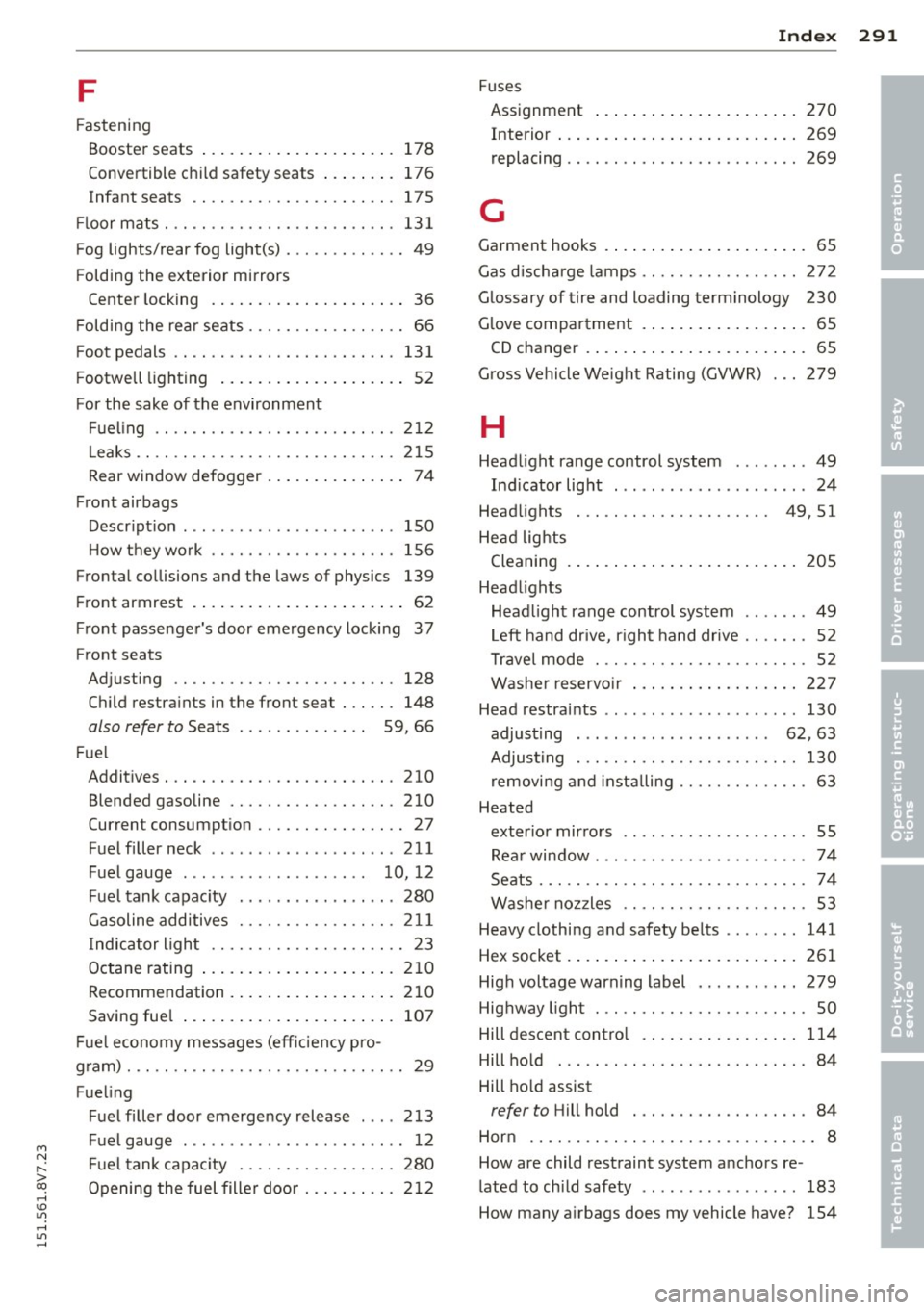
M N
" > co ,...., \!) 1.1'1 ,...., 1.1'1 ,....,
F
Fastening
Booster seats .... ..... ... .. .. .. ... 178
Convertible c hild safety seats . . . . . . . . 176
Infant seats . . . . . . . . . . . . . . . . . . . . . . 17 5
Fl oor m ats . . . . . . . . . . . . . . . . . . . . . . . . . 13 1
Fog lights/rear fog light(s) . .. .. .. ... ... 49
F olding the exterior mirrors
Center locking . ....... ... .. .. .... .. 36
F old ing the rear seats . . . . . . . . . . . . . . . . . 66
Foot pedals ...... .... ... .. .. .. .. .. . 131
F ootwell lighting . . . . . . . . . . . . . . . . . . . . 52
For the sake of the environment Fue ling .. .. ............. .... .. ... 2 12
L eaks .. .. .. .... ......... .. .. .. ... 2 15
Rear window defogger .. ... .. .. .. .. .. 74
Front airbags Descr ipt ion . .. ........ ...... ... ... 150
H owtheywork ........... .. .. .. .. . 156
Fronta l co llisions and t he laws of physics 139
Fr ont armrest . . . . . . . . . . . . . . . . . . . . . . . 62
F ront passenge r's door emergency locking 3 7
Front seats
Adju sting .. ............. .... .. ... 128
C hi ld restra ints in the front seat . .. .. . 148
also refer to Seats . . . . . . . . . . . . . . 59, 66
Fu el
Addit ives . .. .. .. ......... .. .. .. ... 210
Blended gasoline ......... .. .. .. .. . 210
Current consumpt io n ...... .. .. .. .. .. 27
Fue l filler neck ........ .... ... ... .. 211
Fuel gauge . . . . . . . . . . . . . . . . . . . . 10, 12
F uel tank capac ity . .... ... .. .. .. .. . 280
Gasoline additives ........ .. .. .. .. . 211
I ndic ator ligh t . . . . . . . . . . . . . . . . . . . . . 23
Octane rating .... ..... ... .. .. .. ... 210
Recommendation . ..... ... .. .. .. .. . 210
Saving fue l .... .. ..... ... .. .. .. ... 107
F ue l economy messages (eff iciency pro -
gram) . .. .. .. .. .. ............. .. .. .. 29
Fue ling
F uel filler door emerge ncy release . .. . 213
Fue l gauge . . . . . . . . . . . . . . . . . . . . . . . . 12
F ue l tank capac ity ........ .. .. .. .. . 280
Openi ng the fuel filler do or . .. .. .. .. . 21 2
Inde x 291
Fuses
Assignment ... .... . ... ...... ... .. 270
Interior ... .. .. .. .. . .. ... .... ... .. 269
replacing .... .. ................... 269
G
Garment hooks . . . . . . . . . . . . . . . . . . . . . . 65
Gas d ischa rge lamps ................. 272
Glossary of tire and loading terminology 230
G love compar tment . . . . . . . . . . . . . . . . . . 65
CD changer . ..... .. . .. .. ..... ... .. . 65
G ross Vehicle Weight Rating (GVWR) . .. 279
H
Head light range control system ........ 49
Ind icator light ... .. .. .. ...... .... .. 24
Head lights . . . . . . . . . . . . . . . . . . . . . 49, 51
He ad lig hts
Cleaning . ... .... .. . .. .. ..... ... .. 2 05
Head lights
Head light range control system ....... 49
L eft hand dr ive, r igh t h and dr ive . . . . . . . 52
Travel mode . . . . . . . . . . . . . . . . . . . . . . . 52
Washe r reservo ir ... .. ... ..... ... .. 227
Head restraints .. ... .... ... ......... 130
adjust ing . . . . . . . . . . . . . . . . . . . . . 62, 63
Adjust ing . .. .. .. .. .. ........... .. 130
removi ng an d insta lling ......... .... . 63
Heated exter ior mirro rs . . . . . . . . . . . . . . . . . . . . 55
Rea r window . .. .. .. .. .. ...... .... .. 74
Seats ..... .. .. ................... . 74
W ashe r no zzles . . . . . . . . . . . . . . . . . . . . S3
Heavy clothing and safety be lts ... .... . 141
Hex socket . ... .. .... . ... ...... ... .. 261
Hig h voltage warn ing label . .... .. .. .. 279
Hig hway light . .. ................... . SO
Hill des cent con tro l ............... .. 114
Hill ho ld . . . . . . . . . . . . . . . . . . . . . . . . . . . 84
Hill ho ld assist
refer to Hill hold . .. ............... . 84
Hor n .... .... .. .... ... .......... .. .. 8
How are child restraint system anchors re -
lated to ch ild safety .. ... ... ......... 183
How many a irbags does my vehicle have? 154
•
•
•