service AUDI A3 CABRIOLET 2015 User Guide
[x] Cancel search | Manufacturer: AUDI, Model Year: 2015, Model line: A3 CABRIOLET, Model: AUDI A3 CABRIOLET 2015Pages: 302, PDF Size: 73.83 MB
Page 25 of 302
M N ,....
> co ,...., \!) ..,.,
,...., ..,., ,....,
-Vehicles with a conven ience key
¢ page 79, Automatic start malfunction.
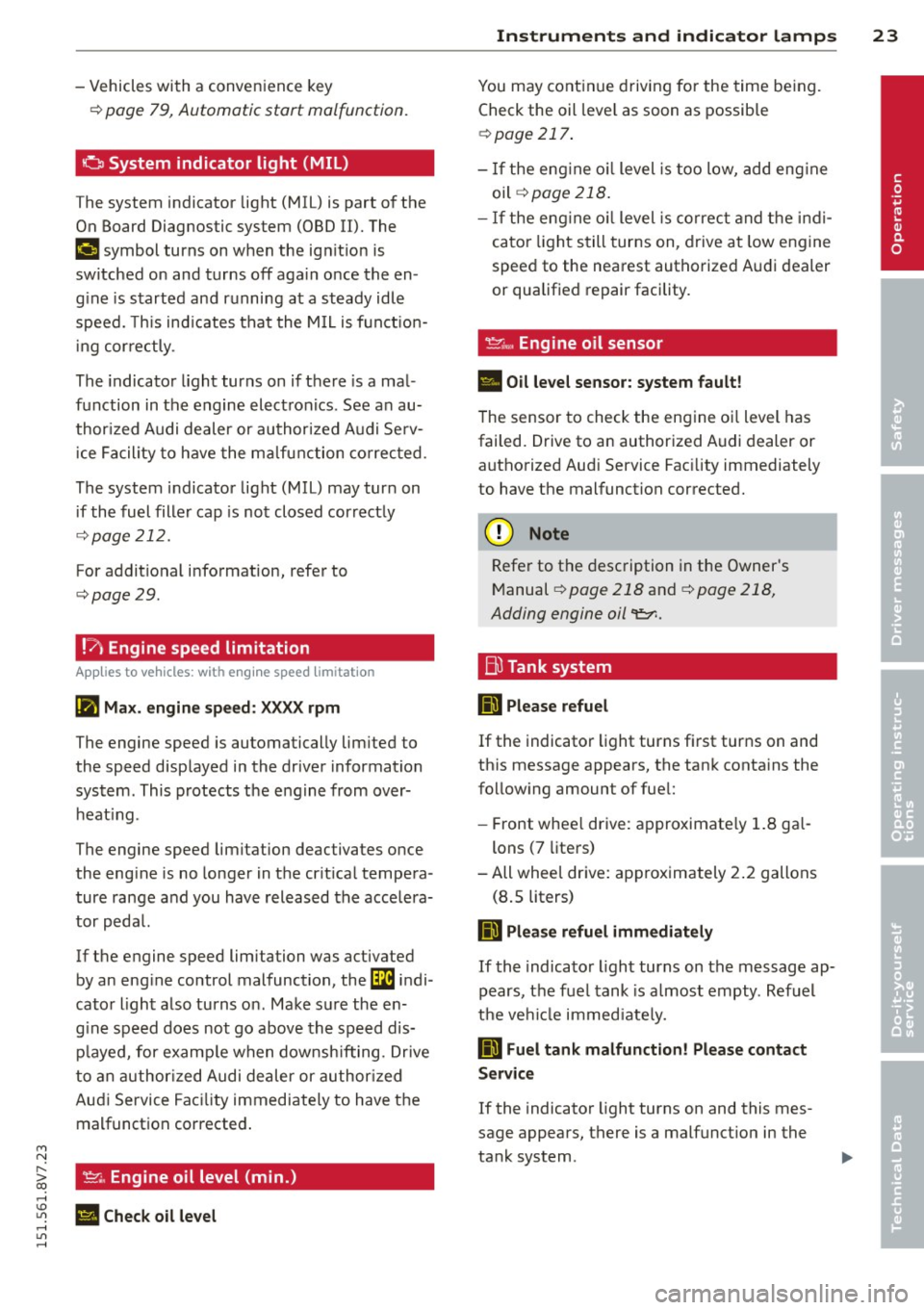
a System indicator light (MIL)
The system indicator light (MIL) is part of the
On Board Diagnostic system (OBD II). The
¢4 symbol turns on when the ign it ion is
switched on and turns off aga in once th e en
g ine is started an d running at a st eady idle
speed. This ind icates that the M IL is funct ion
ing cor rectly .
The indicator light turns on if there is a mal
function in the engine electronics . See an au
thor ized Audi dealer or authorized Audi Se rv
ice Facility to have the malfunction co rrected.
The system indicator light (MIL) may turn on
if the fuel fille r cap is not closed correctly
¢ page 212.
For addit ional i nformation, refer to
¢ page 29.
!?) Engine speed limitation
Appl ies to vehicles: with engine speed limitation
(Ill Max. engine spee d: XXXX rpm
The engine speed is automatically lim ited to
the speed disp layed in the driver information
system. This protects the engine from over heat ing.
The engine speed limitation deactivates once
the eng ine is no longer in the cr it ica l tempera
ture range and you have released the accelera
tor peda l.
If the engine speed limitation was activated by an eng ine control malfunction, the~ indi
cator light also turns on. Make s ure the en
g ine speed does not go above the speed dis
p layed, for examp le when downsh ifting. Drive
to an author ized Audi dealer or author ized
Aud i Service Fac ility immediately to have the
malfunct ion corrected .
'l'.::r., Engine oil level (min.)
II Check oil level
In strum ent s an d indicator lamp s 23
You may cont inue driving for the time be ing.
Check the oil leve l as soon as possib le
¢ page 217.
-If the eng ine o il level is too low, add eng ine
oil ¢page218 .
-If the eng ine o il level is correc t and the indi
cato r light still turns on, drive at low engine
speed to the nearest authorized Audi dealer
or qualified repair facility.
~"" Engine oil sensor
• Oil le vel sensor: system fault!
The sensor to check the engine oi l level has
failed. Drive to an author ized Audi dealer or
authorized Aud i Service Fac ility immediately
to have the malfunction corrected.
(D Note
Refe r to the description in the Owner's
M anual
¢ page 218 and ¢page 218,
Adding engine oil
liD Please refuel
If the indicator light turns fi rst turns on and
th is message appears, the tank conta ins the
follow ing amount of fue l:
- Front whee l drive: approximate ly 1. 8 ga l
lons (7 liters)
-All wheel drive: approximately 2 .2 gallons
(8 . 5 liters)
liD Plea se refuel immediately
If the indicato r light turns on the message ap
pears, the fue l tank is a lmost empty . Refuel
t h e ve hicl e immed iate ly.
liD Fuel tank malfunction! Please contact
Service
If the indicator light turns on and this mes
sage appears, there is a malfunct ion in the
ta nk system .
•
Page 26 of 302
24 Instruments and indicator lamps
Drive to an authorized Audi dea le r o r author
ized Audi Service Facility immediate ly to have
the malfunction corrected.
@ For the sake of the environment
Fuel should never enter the sewer system
or come into contact with the ground.
@ Tips
More info rmation on refueling is available
on page
i:!>poge 211.
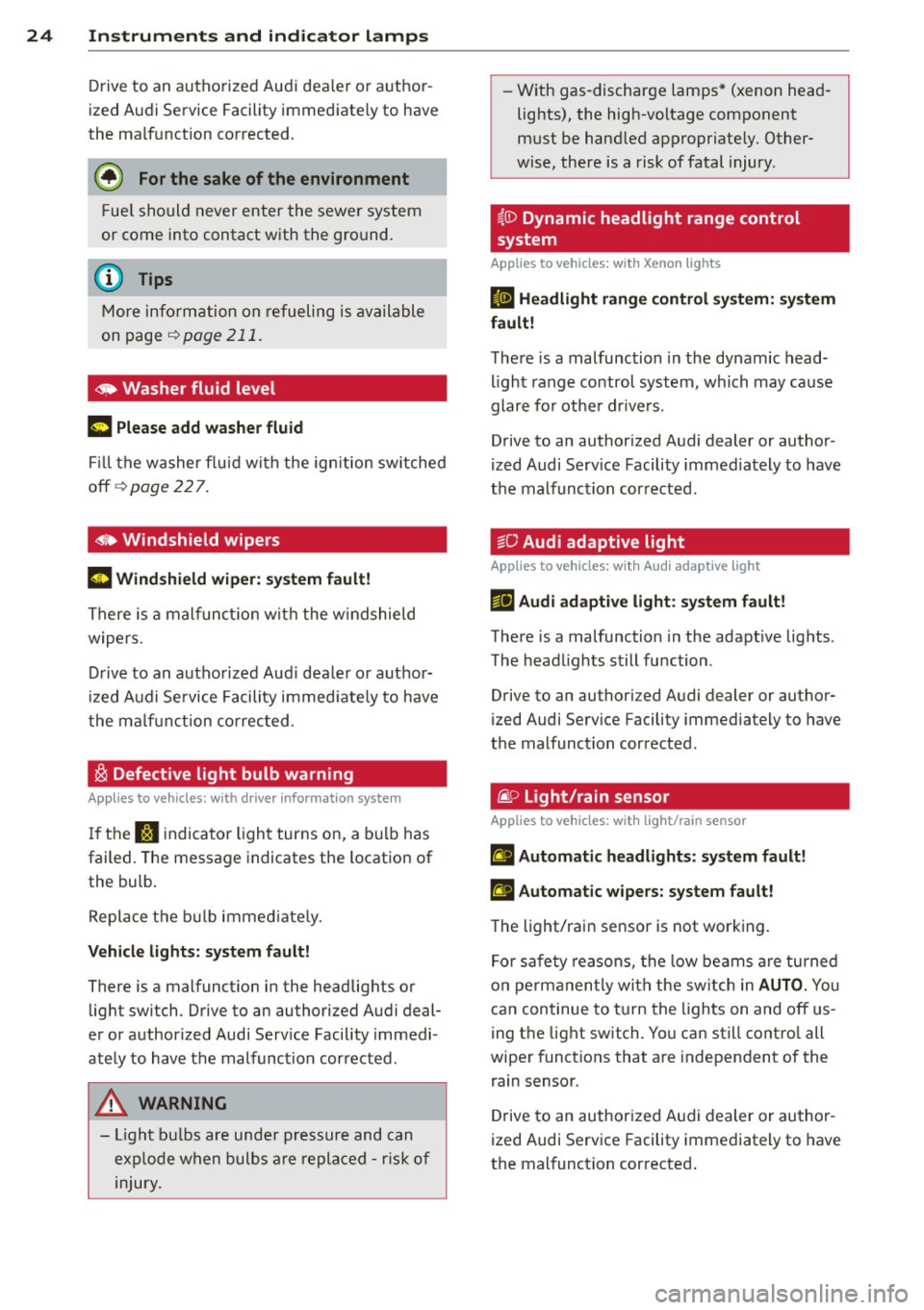
~ Washer fluid level
1- ) Please add washer fluid
Fill the washer fluid with the ign ition switched
off ¢
page 22 7.
6 Windshield wipers
m Windshield wiper: system fault!
There is a malfunct ion with the w indshield
wipers.
Drive to an authorized Aud i dealer or author
ized Audi Service Facility immed iate ly to have
the ma lf uncti on corrected .
~ Defective light bulb warning
Applies to vehicles: with driver informatio n system
If the J:i indicator light turns on, a bulb has
failed. The message indicates the location of
the bulb .
Replace the bulb immed iately.
Vehicle lights: system fault!
There is a malfunction in the headlights or
light switch . Drive to an authorized Audi deal
er or authorized Audi Service Facility immedi
ately to have the malfunction corrected.
A WARNING
-
- Light bulbs are under pressure and can
exp lode when bulbs are replaced -risk of
injury. -
With gas-discharge lamps* (xenon head
lights), the high-voltage component
must be handled appropriately. Other
wise, there is a risk of fatal injury .
i,ID Dynamic headlight range control
system
Applies to vehicles: with Xenon lights
II Headlight range control system: system
fault!
There is a malfunction in the dynamic head
li ght range control system, which may cause
glare for other drivers.
Drive to an authorized Audi dealer or author
ized Audi Serv ice Facility immediately to have
the malfunction corrected.
go Audi adaptive light
Applies to vehicles: with Audi adaptive light
&fl Audi adaptive light: system fault!
There is a malfunction in the adapt ive lights .
The headlights still function .
Drive to an authori zed Audi dealer or author
ized Audi Service Facility immediately to have
the malfunction corrected .
@:> Light/rain sensor
Applies to vehicles : with light/rain sensor
El Automatic hea dlights: system fault!
t!I Automatic wipers: system fault!
The light/rain sensor is not working.
For safety reasons, the low beams are turned
on permanently with the switch in
AUTO. You
can continue to turn the lights on and off us
ing the light switch. You can still contro l all
wiper funct ions that are independent of the
rain sensor .
Drive to an authorized Audi dealer or author
ized Audi Service Facility immediately to have
the malfunction corrected .
Page 27 of 302
M N ,....
> co ,...., \!) 1.1'1 ,...., 1.1'1 ,....,
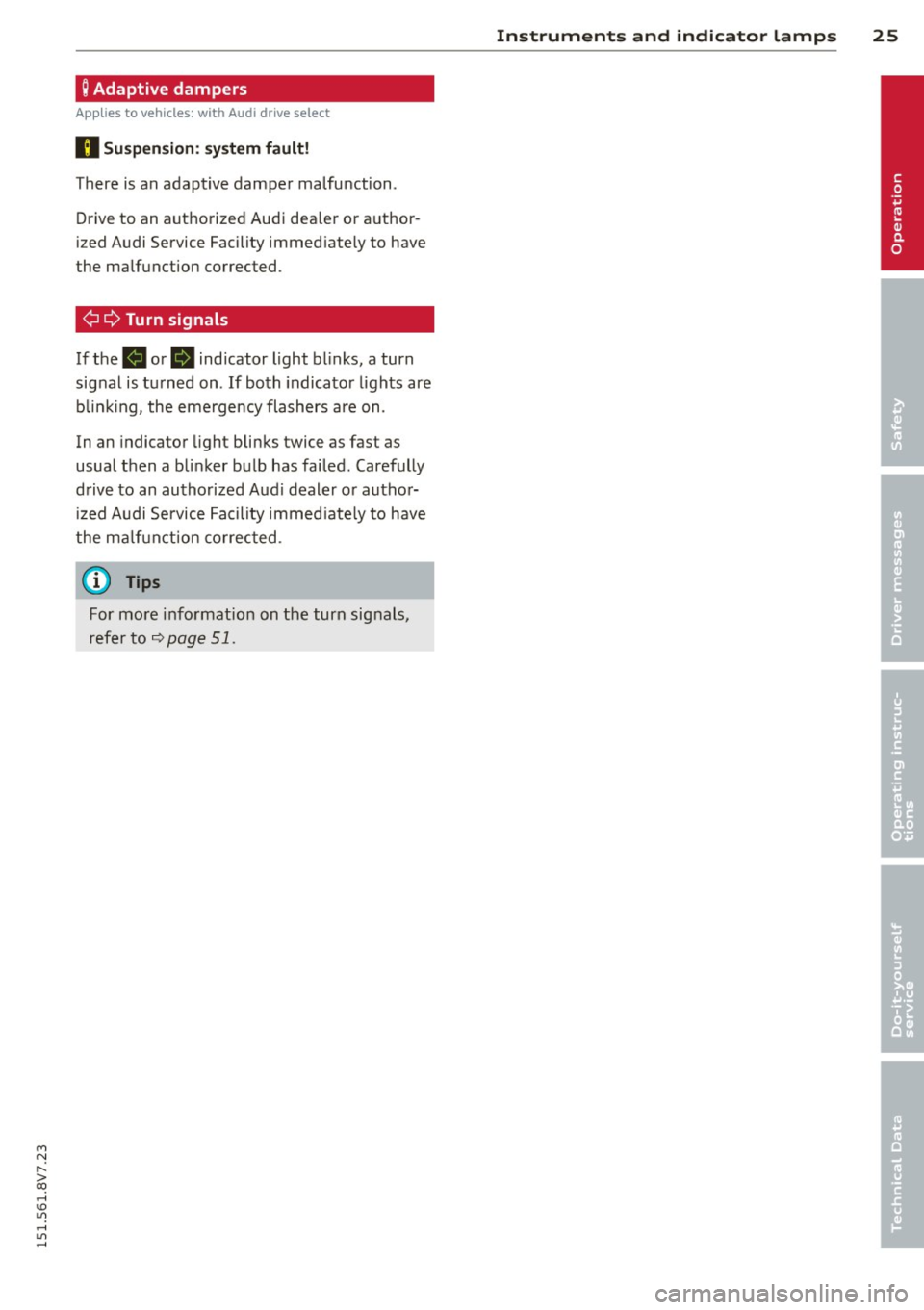
Q Adaptive dampers
Applies to vehicles: with Audi drive select
R Suspen sion : system fault!
There is an adaptive damper malfunction .
Drive to an aut horized Aud i dea le r or a uthor
i zed A udi Service Facility immed iate ly to have
the ma lfunction corrected .
¢¢Turn signals
If the B or B ind icator light b links, a turn
sig nal is tu rned on . If both indica to r li ghts are
b linki ng , the eme rgency flashers a re on .
In an indicator light bli nks twice as fast as
usual then a b linker bu lb has fai led. Carefully
d rive to an au thorized Aud i deale r or autho r
iz ed A udi Service Fac ility i mmed iate ly to have
the m alfu nction co rrec ted .
@ Tips
For mo re i nfo rmation on the tur n sig nals,
refer to
9 page 5 1.
Instruments and indicator lamps 25
•
Page 28 of 302
26 Driver information system
Driver information
system
Overview
Ap plies to vehicles: with d river in format ion syste m
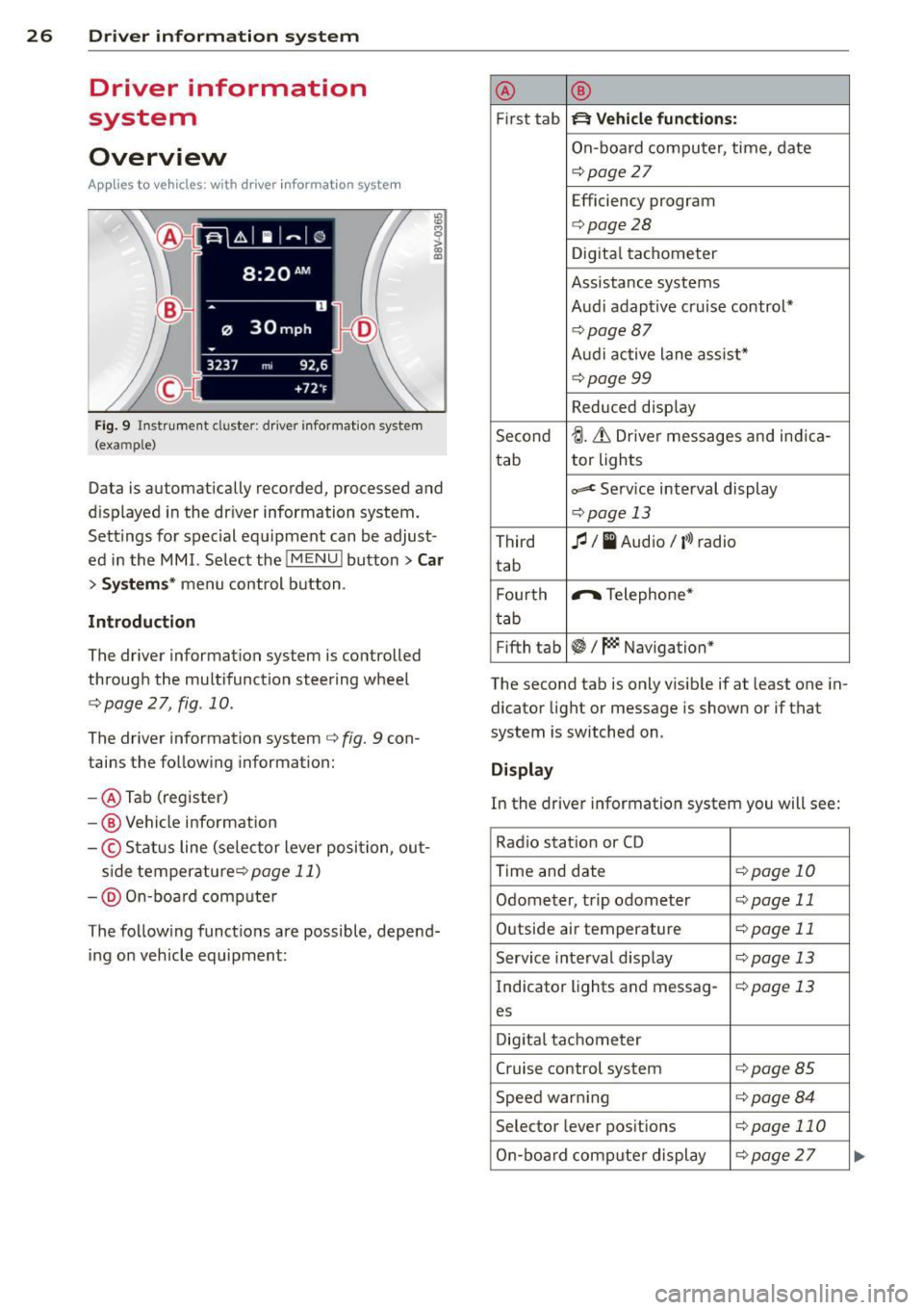
Fig. 9 Instrument cluster: driver informat ion system
(example)
Data is automatically recorded, processed and
d isplayed in the driver information system.
Sett ings for special equipment can be adjust
ed in the MMI. Select the
I MENU ! button> Car
> Systems* menu control button .
Introduction
The driver information system is controlled
through the multifunction steering wheel
c::;, page 2 7, fig. 10.
The driver information system c;, fig. 9 con
tains the following information:
- @ Tab (register)
-@ Vehicle information
-© Status line (se lector lever posi tion, out-
s ide temperaturec:=;,
page 11)
-@ On-board compute r
The following functions are possible, depend ing on vehicle equipment: @
®
First tab ~ Vehicle
functions:
On-board computer, time, date
c:=;,page 27
Efficiency program
c:=;,page28
Digital tachometer
Assistance systems
Audi adaptive cruise control*
¢page87
Audi active lane ass ist*
¢page99
Reduced display
Second
tJ. 6 Driver messages and ind ica-
tab tor lights
c,,..c Service interval display
c:=;,pag
e 13
Third fl I I Audio/ i»> radio
tab
F ourth .,..,.
Telephone*
tab
Fifth tab
~I~ Navigation*
The second tab is only visible if at least one in
dicator light or message is shown or if that
system is switched on .
Display
In the driver information system you will see:
Radio station or CD
Time and date
¢page 10
Odometer, trip odometer ¢page 11
Outside air temperature ¢page 11
Service interval display c::;, page 13
Indicator lights and messag-¢page 13
es
Digital tachometer
Cruise control system
c:=;,page 85
Speed warn ing c:=;,page 84
Selector lever positions c::;, page 110
On-board computer display c::;, page 27 ...
Page 31 of 302
....,
N
r--. > co
rl I.O
"' rl
"' rl
Other equipment
Applies to vehicles: with driver information system
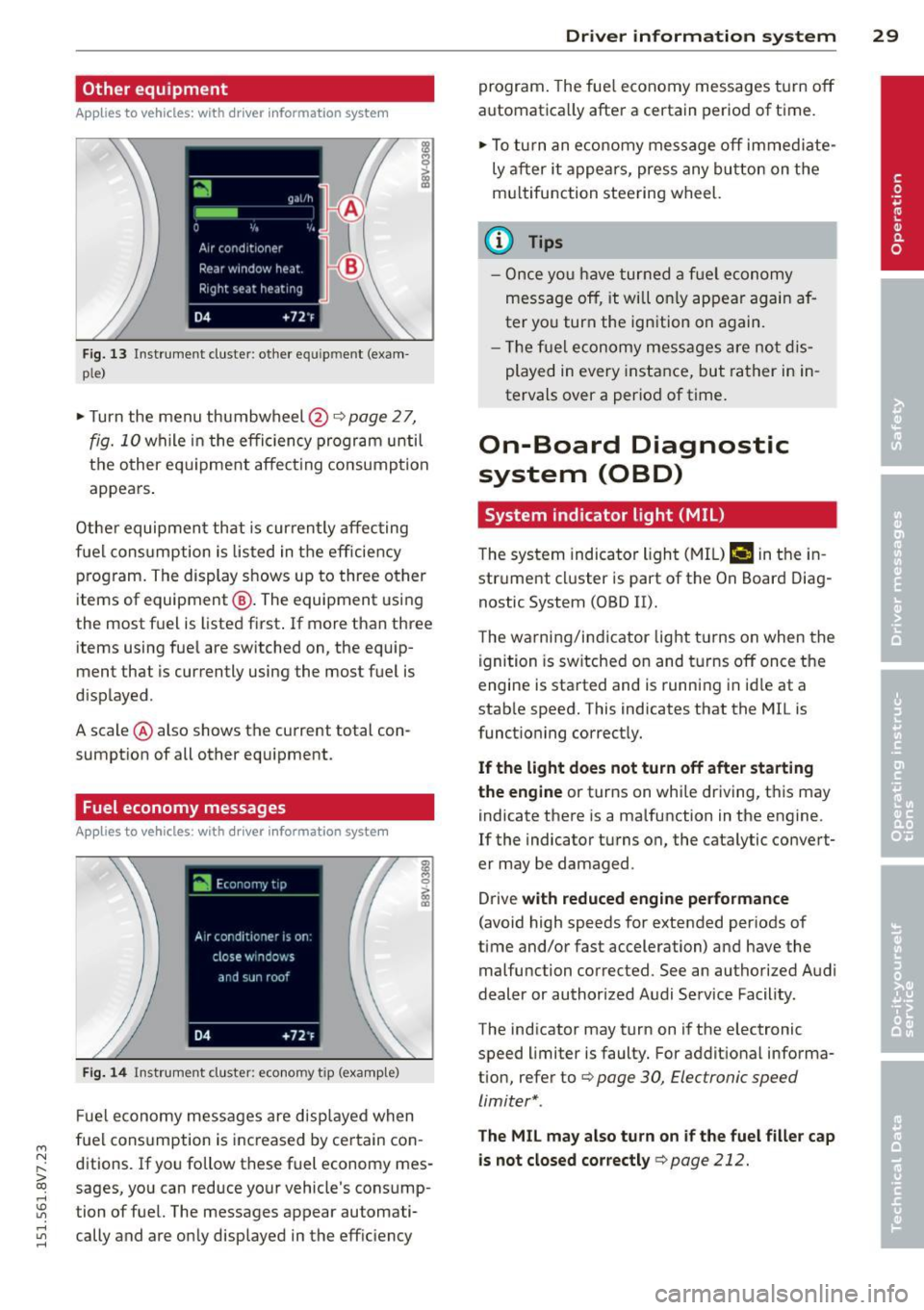
F ig. 13 Instrument cluster : other equ ipment (exam
p le)
~ Turn the menu thumbwheel@Qpage 27,
fig. 10 while in the efficiency program until
t h e other eq uipme nt affect ing consump tion
appears .
Other equipmen t that is curren tly affecting
fuel cons umption is listed in t he eff iciency
p rog ram. The display shows up to three other
items of equipment @. The equipment using
the most f uel is listed first . If more than three
items using fue l are switched on, the equip
ment that is currently using the most fuel is
d isplayed .
A scale @ also shows the current total con
sumpt ion of all other equipment.
Fuel economy messages
App lies to vehicles: with driver information system
Fi g. 14 Instrument cluster : economy tip (examp le)
F ue l economy messages are disp layed when
fuel consumption is inc reased by certain con
ditions. If yo u follo w these fuel economy mes
sages, you can reduce your vehicle's consump
tion of fuel. The messages appear automati cally and are o nly displayed in the eff ic iency
Dr iver in formation system 29
program . The fue l economy messages t urn off
automatica lly after a certain period of time.
~ To tu rn an e conomy me ssage off immed iate
ly a fter it appea rs, press any bu tton on the
m ultifunction stee ring wheel.
(D Tips
- O nce yo u have turned a f uel economy
mess age off, it will o nly appear ag ain a f
ter yo u turn the ign ition on again.
- Th e fu el economy mess ages are no t dis
played in every instance, but rather in in
tervals over a period of time .
On-Board Diagnostic
system (OBD)
System indicator light (MIL)
The system indicator ligh t (M IL) ¢.§ in the in
str ument cl uster is part of the On Board Diag
nostic System (OBD II).
T he warni ng/i ndicator light t urns on when the
ignition is sw itched on and t urns off once the
engine is sta rted and is runn ing in id le at a
stab le speed. This indicates that the MIL is
funct ioning correct ly.
If the light does not turn off after sta rting
the engine
or turns on while driving, t his may
indicate there is a ma lfunction in the engine.
If the indicator turns on, the cata lytic convert
er may be damaged .
Drive
with reduced engine performance
(avoid high speeds for extended periods of
time and/or fast acceleration) and have the
malfunction corrected. See an authorized Audi
dealer or author ized Audi Service Facility.
The indicator may turn on if the electronic
speed limiter is faulty. For addit ional informa
tion, refer to Q
page 30, Electronic speed
limiter* .
The MIL may also turn on if the fuel filler cap
is not closed cor rectly
q page 212.
Page 32 of 302
30 Driver in formation sy ste m
On-Board Diagnostics
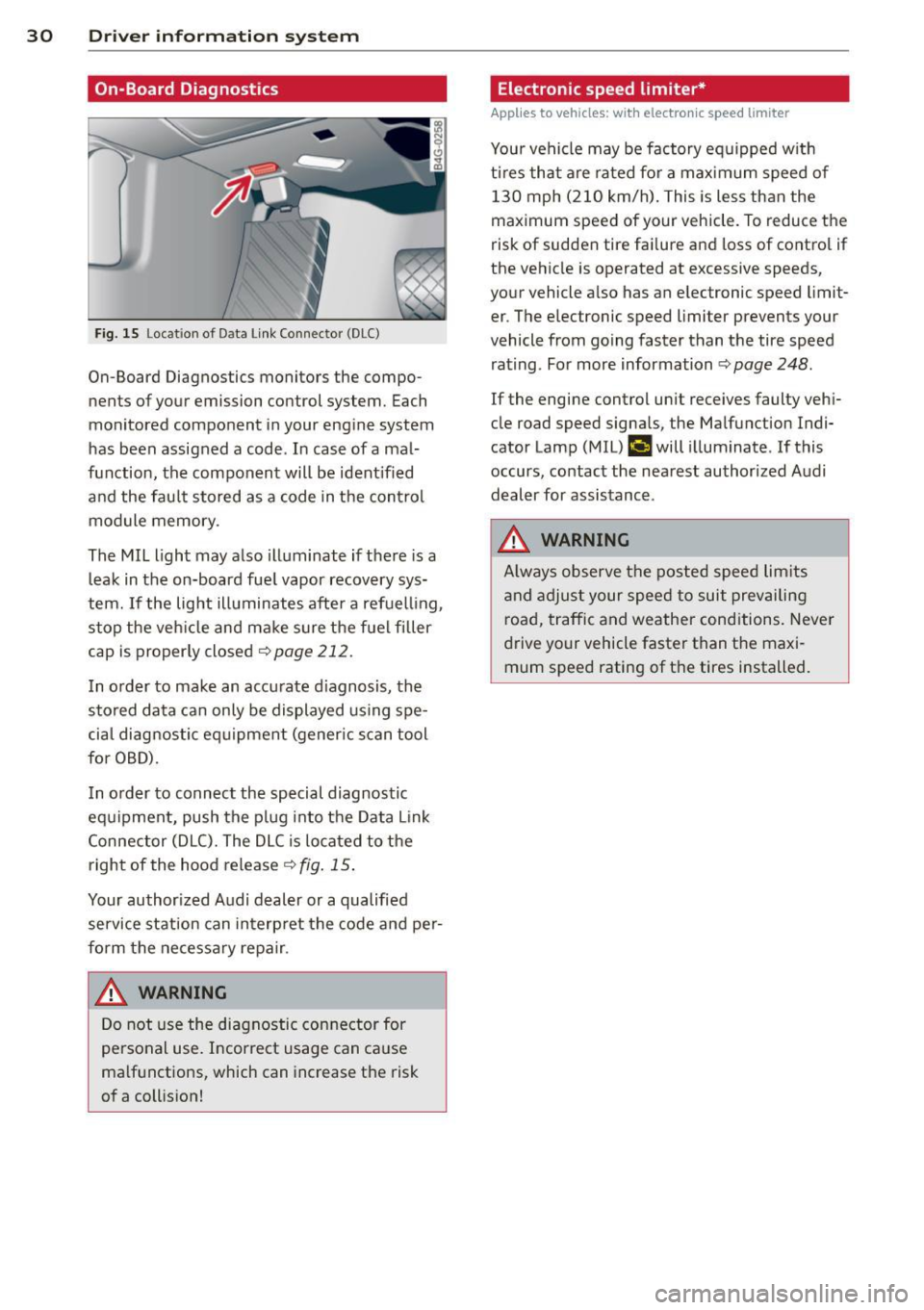
Fig. 15 Lo cat ion of D ata Link Connec tor (D LC)
On-Board Diagnostics monitors the compo
nents of your emission con trol system. Each
monitored component in your engine system
has been assigned a code . In case of a mal
function, the component will be ident ified
and the fau lt stored as a code in the control
module memory .
The MIL light may also illuminate if there is a
leak in the on-board fue l vapor recovery sys
tem.
If the lig ht illuminates after a refuelling ,
stop the veh icle and ma ke sure the fuel filler
cap is proper ly closed
<> page 212.
I n o rder to make an accurate d iagnosis, the
stored data can only be displayed using spe
cia l diagnostic eq uipment (gener ic s can tool
for OBD).
I n o rder to connect the special diagnostic
equipment, push the p lug i nto the Data Link
Connector (DLC). The DLC is located to the
right of the hood release¢
fig. 15 .
Your author ized A udi dealer or a qualified
service station can interp ret the code and pe r
form the necessary repa ir .
A WARNING
Do not use the diagnostic con nector for
personal use. Incorrect usage can ca use
ma lf u nctions, which can increase the risk
of a coll ision!
-
Electronic speed limiter*
Applies to vehicles: with electronic speed limiter
Your vehicle may be factory eq uipped w ith
t ir es that are rated fo r a max imum speed of
130 mph (210 km/h) . This is less than the
maximum speed of your vehicle. To reduce the
risk of sudden tire fa ilure and loss of contro l if
the vehicle is operated at excessive speeds,
your vehicle a lso has an electronic speed limit
er . The elec tronic speed limi ter prevents your
vehicle from going faster than the tire speed rating . For more information ¢
page 248.
If the engine control unit receives faulty veh i
cle road speed signa ls, the Malfunction Ind i
cator Lamp (M IL)
¢..fi will illuminate . If this
occurs, contact the nea rest authorized A udi
dealer for assistance .
A WARNING
Always observe the posted speed lim its
a nd adjust your speed to suit prevai ling
road, traffic and weather cond itions. Never
d rive your vehicle faster than the maxi
mum speed rating of the tires installed. -
Page 33 of 302
M N
" > co ,...., \!) ..,.,
,...., ..,., ,....,
Opening and closing
Central locking
Key set
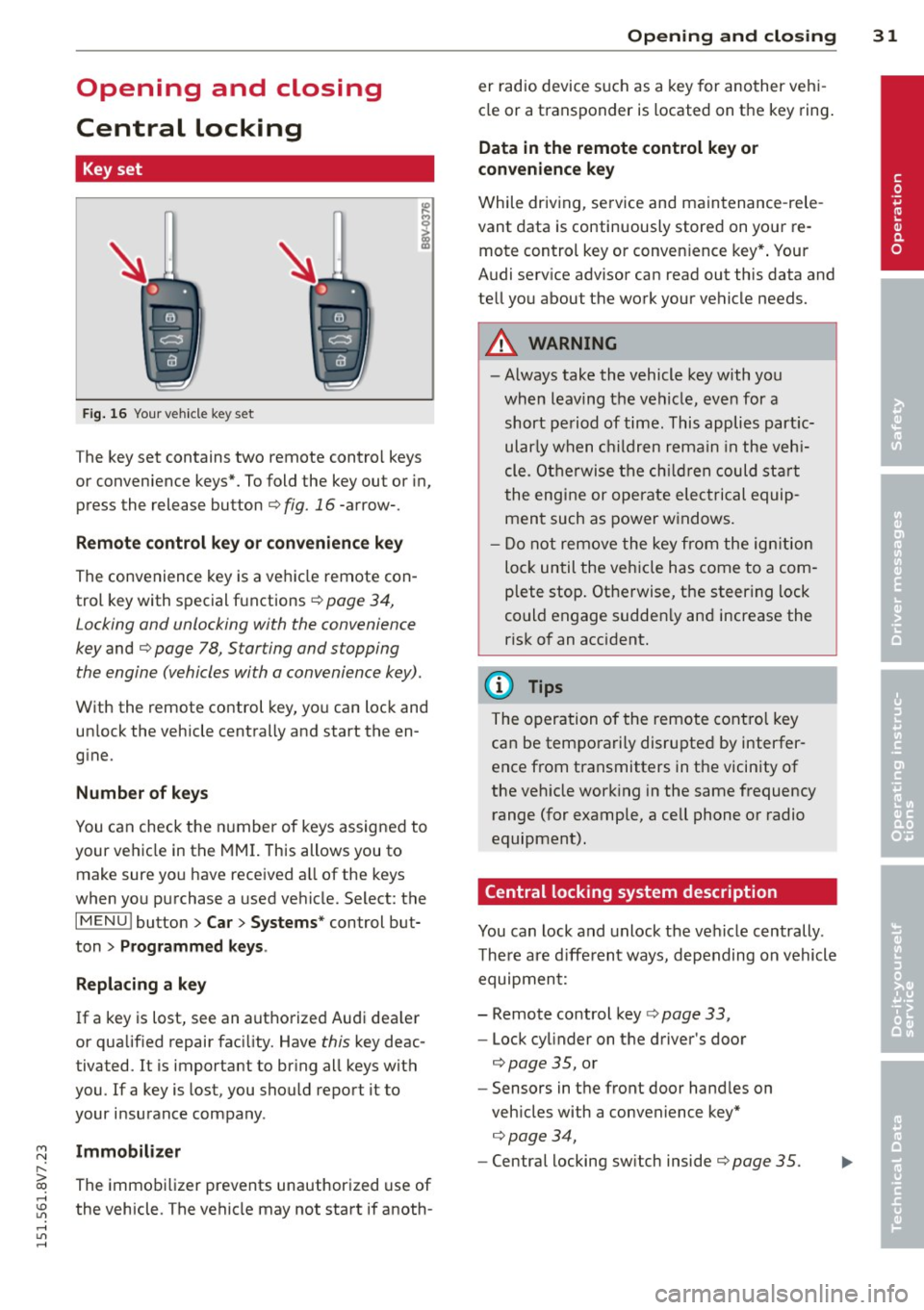
Fig . 16 Your vehicle key set
The key set contains two remote contro l keys
or convenience keys*. To fold the key out or in,
press the release button
q fig. 16 -arrow-.
Remote control key or convenience key
The convenience key is a vehicle remote con
trol key with special functions
q page 34,
Locking and unlocking with the convenience
key and q page 78, Star ting and stopping
the engine (vehicles with a convenience key).
With the remote control key, you can lock and
un lock the vehicle centrally and start the en
gine.
Number of keys
You can check the number of keys assigned to
your vehicle in the MMI. This allows you to
make sure you have received a ll of the keys
when you purchase a used vehicle. Select: the
I MENU I button > Car> Systems* control but
ton
> Programmed keys.
Replacing a key
If a key is lost, see an authorized Audi dea ler
or qualified repair facility. Have this key deac
tivated. It is important to bring all keys with
you.
If a key is lost, you should report it to
your insurance company .
Immobilizer
The immobilizer prevents unauthorized use of
the vehicle . The vehicle may not start if anoth -
Opening and closing 31
er radio device such as a key for another veh i
cle or a transponder is located on the key ring.
Data in the remote control key or
convenience key
While driving , service and maintenance -rele
vant data is continuously stored on your re
mote control key or convenience key*. Your
Audi serv ice advisor can read out this data and
tell you about the work your vehicle needs.
_& WARNING
- Always take the vehicle key with you
when leaving the vehicle, even for a
short period of time. This applies partic
ularly when children remain in the vehi
cle . Otherwise the children could start
the engine or operate electrical equip
ment such as power windows.
- Do not remove the key from the ignition
lock until the vehicle has come to a com
plete stop. Otherwise, the steering lock
could engage sudden ly and increase the
risk of an accident.
{i) Tips
The operation of the remote control key
can be temporarily disrupted by interfer
ence from transmitters in the vicinity of
the veh icle working in the same frequency
range (for example, a cell phone or radio
equipment).
Central locking system description
You can lock and unlock the vehicle centrally .
There are different ways, depending on vehicle
equipment:
- Remote control key
q page 33,
- Lock cylinder on the driver's door
q page 35, or
- Sensors in the front door handles on
veh icles with a convenience key*
q page 34,
- Central locking sw itch inside q page 35.
•
Page 34 of 302
32 Opening and closing
Selective unlocking
The doors and rear lid lock when they close.
You can set in the MMI whether
only the driv
er's door or the entire vehicle should unlock
when unlocking
¢ page 36.
Automatic locking (Auto Lock)
The Auto Lock funct ion locks all doors and the
l uggage compartment lid once the speed has
exceeded approximately 9 mph (15 km/h) .
The car is un locked again once the ignition key
is removed. In addition, the vehicle can be un
l ocked if the opening function in the power
locking system switch is used or one of the
door handles is pulled. The Auto Lock function
can be turned on or off* in the MMI
c::>page36.
In the event of a crash with airbag dep loy
ment, the doors automatically unlock to allow
access to the vehicle.
Anti -theft alarm system*
If the anti-theft alarm system detects a vehi
cle break-in, audio and visual warning signa ls
are triggered .
The anti-theft alarm system turns on auto mat ically when you lock the vehicle.
It deacti
vates when un locking using the remote con
trol key or by touching the sensor on the door
handle (convenience key) .
To switch the alarm off, press them button on
the remote control key or convenience key or
switch the ignition on . The alarm also stops
automatically after a certain amount of time.
Turn signals
The turn signals flash twice when you unlock
the vehicle and once when yo u lock the vehi
cle.
If they do not flash, one of the doors, the lug
gage compartment lid or the hood is not
lock ed or the ignition is still sw itched on (the
latter applies to vehicles with a convenience
key) .
Unintentionally locking yourself out
The following situations prevent you from
locking your remote control key in the vehicle:
- The vehicle does not lock w ith the cent ral
lock ing switc h if the driver's door is open
c::> page 3 5.
-On veh icles with a convenience key* , the lug
gage compartment lid unlocks again after
clos ing if the most recent ly used key is in
the luggage compartment.
Do not lock your veh icle w ith the remote con
trol key or convenience key* until all doors and
the luggage compartment lid are closed. This
helps to prevent from locking yourself out ac
cidentally .
(D Tips
-Do not leave va luab les unattended in the
vehicle. A locked vehicle is not a safe!
- If the LED in the upper edge of the driv
er's door turns on for about 30 seconds
after the vehicle is locked, there is a mal
function in the power locking or the anti
theft alarm system* . Have the problem
corrected by an authorized Audi dea ler or
authorized Audi Service Facility.
Page 44 of 302
42 Power top
-Make sure no one will be injured by the
power top supports and other moving
components when opening and closing
the top.
- The headroom in the rear is reduced
when opening and closing the power top. Make sure the rear passengers keep
enough distance from the power top to
reduce the risk of injury.
- When operating the power top, visibility
to the rear is limited . Avoid operating the
top while driving in reverse.
(D Note
-To prevent damage to the power top:
- do not store any objects in the power
top storage compartment.
- make sure there is enough space above
the vehicle when opening or closing
the power top.
- To reduce the risk of damage, make sure
there are no sensitive objects in the pow
er top storage compartment's range of motion.
@ Tips
- To prevent the battery from draining un
necessarily, do not open or close the
power top repeatedly when the engine is
switched off.
- A message will appear in the instrument
cluster if there is a malfunction in the
power top c:>
page 43.
-The power top can also be operated
manually temporarily if there is a mal
function c:>
page 45, Power top emer
gency operation.
An authorized Audi
dealer or authorized Audi Service Facility
should diagnose and correct the cause of
the malfunction as soon as possible .
- If the vehicle is parked with the power
top open, the vehicle interior is not pro
tected from damaging weather or unau
thorized access. Lock any items you leave
behind in the luggage compartment.
Close the power top before leaving the
vehicle. - The
side windows automatically lower
slightly when opening or closing the
power top.
Power top convenience opening and
closing
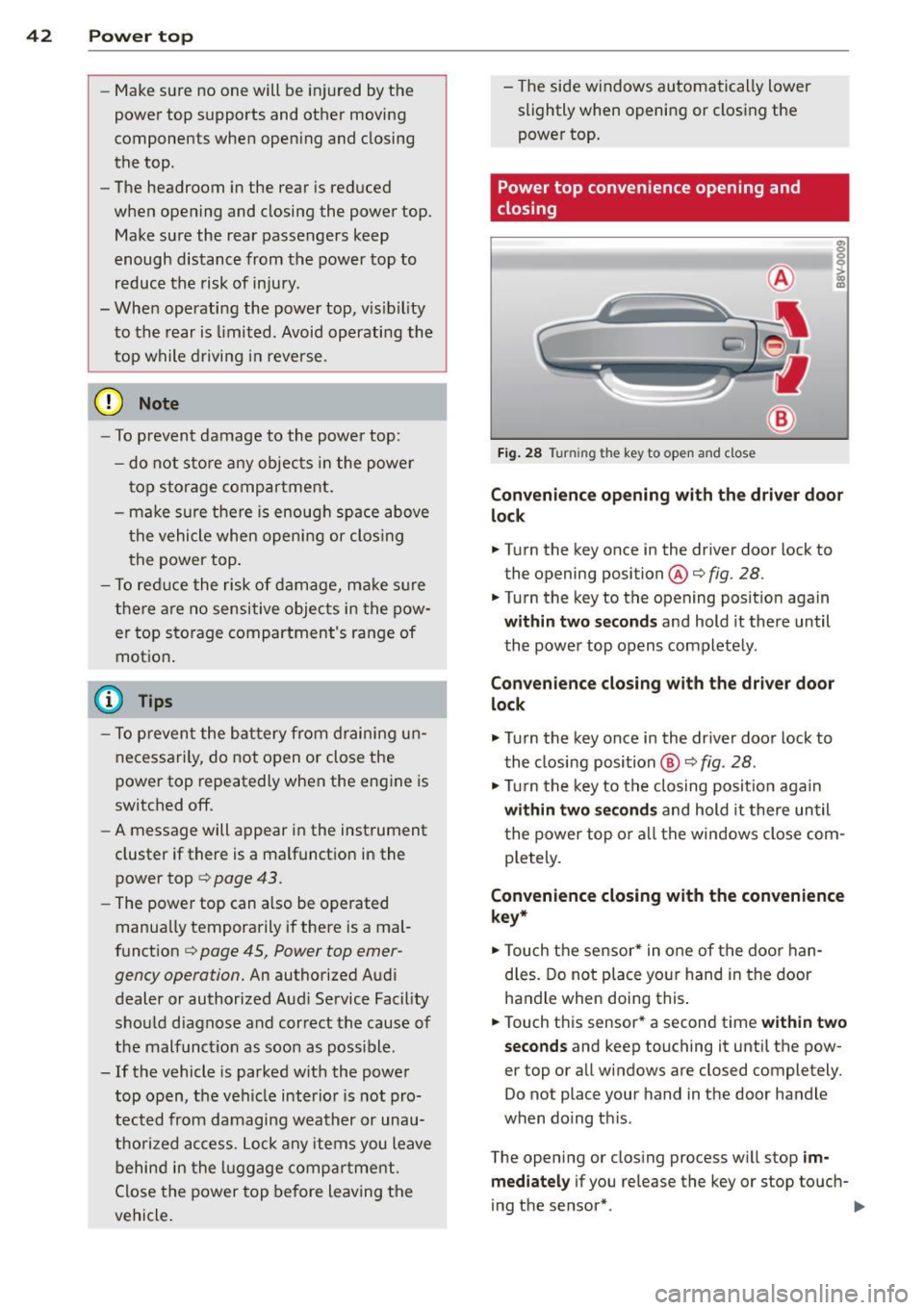
Fig. 28 Tu rnin g the key to open and close
Convenience opening with the driver door
lock
.. Turn the key once in the driver door lock to
the opening position@c:>
fig. 28.
.. Turn the key to the opening position again
within two seconds and hold it there until
the power top opens completely.
Convenience closing with the driver door
lock
.,. Turn the key once in the driver door lock to
the closing position @
c:> fig. 28.
.,. Turn the key to the closing position again
within two seconds and hold it there until
the power top or all the windows close com
pletely .
Convenience closing with the convenience
key*
.. Touch the sensor* in one of the door han
dles. Do not place your hand in the door
handle when doing this.
.. Touch this sensor* a second time
within two
seconds
and keep touching it until the pow
er top or all windows are closed completely .
Do not place your hand in the door handle
when doing this .
The opening or closing process will stop
im
mediately
if you release the key or stop touch-
ing the sensor*. ..,.
Page 46 of 302
44 Power top
Soft top: operation not p ossible. Sp eed t oo
h igh
I f you go above 30 mp h (SO km/h), the power
top cannot be operated due to safety reasons. Reduce the vehicle speed to close or open the
power top.
S oft top: not at limit po siti on. s peed too
high
This m essage appears if you go above 30 mph
(50 km/h) when operati ng the power top. Re
d uce the vehicle speed and opera te the power
top again .
Soft top s ystem malfunction! You can con
tinue dri ving
This message appears if there is a malfunction
in the system . T ry to open or close the power
top again . If the message still appears, have
the ma lf u nction corrected by an aut horized
Aud i dealer o r aut ho rized Aud i Service Fac ility.
Soft top sys tem malfunction! You can con
tinue driving
This message appears if there is a malfunction
in the system . Try to open or close the power
top again.
If the message still appears, then
have an author ized Audi dealer or authorized
Aud i Service Fac ility co rrect the ma lfun ction.
D o not drive more t han 30 mph (50 km/h) u n
til it is corrected.
8_ WARNING
Never drive when the power top is not
locked correctly . The w ind from dr iv ing
co uld cause the power top to open. Th is
can result in injuries and damage to the
vehicle.
-
Wind deflector
App lies to veh icles: w ith wind deflecto r
The wind deflector reduces turbulence in the
passenger compartment and makes driving
more comfortable.
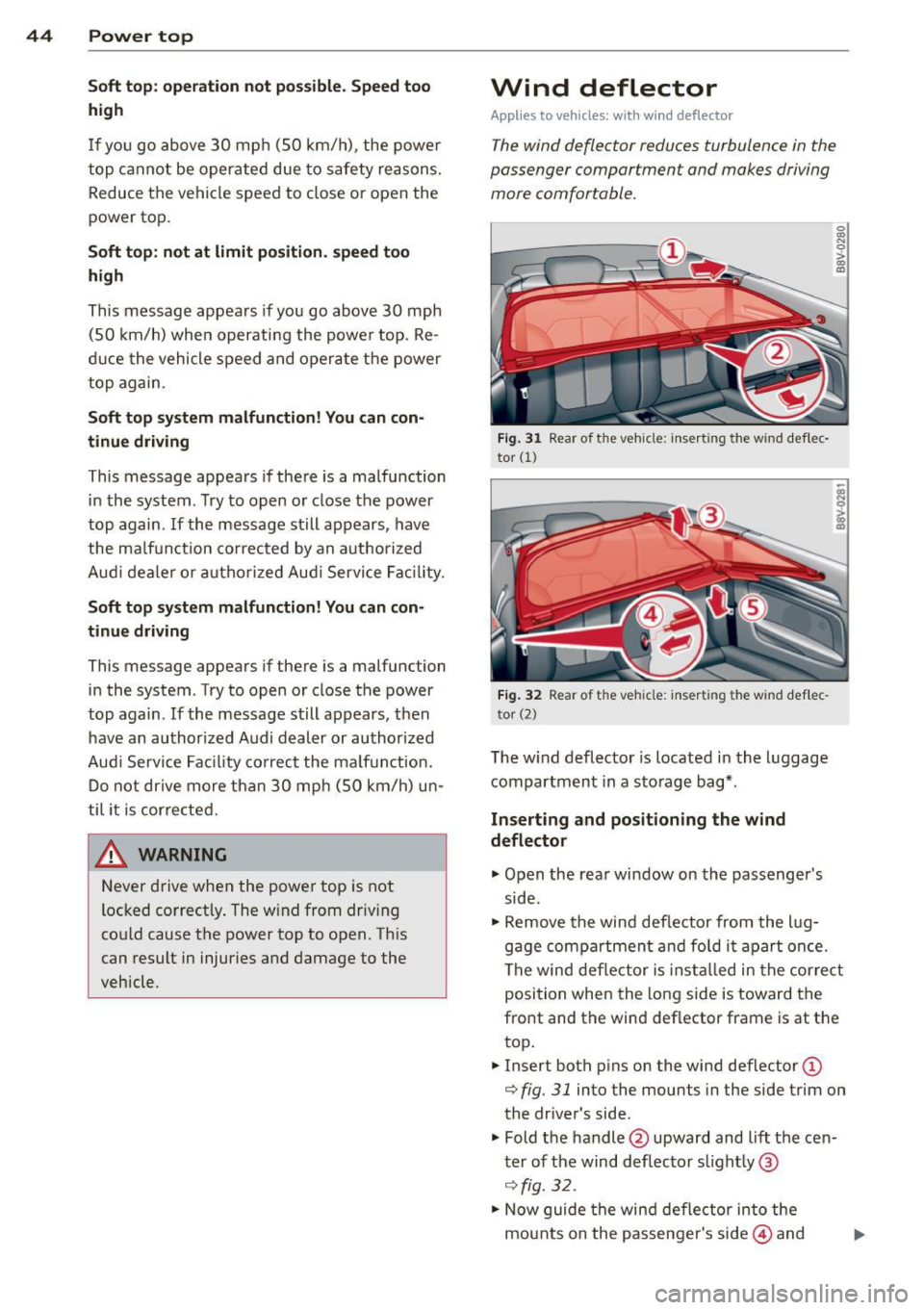
Fig . 31 Rear of t he veh icle: inse rt in g the wind de flec·
tor
(1)
F ig . 32 Rear of t he veh icle: insert ing the wind def lec
to r (2)
The w ind deflector is located in the l uggage
compartm ent in a sto rage bag*.
Inserting and positioning the wind
deflector
"" Open the rear window on the passenger's
side .
~ 0 > a,
"'
.. Remove the wind def lector from the l ug
gage compa rtment and fo ld i t a part once.
The wind deflector is insta lled in the cor re ct
position when the long side is toward the
front and the wind deflector frame is at the
top .
.. Insert both p ins on the wind def lector
(D
r::;, fig. 31 into the mounts in the side trim on
the dr ive r's side.
" Fold the handle @upward and lift the cen
t er of the wind d eflector s light ly @
¢ fig. 32 .
.,_ Now guide the wind deflector into the
mounts on the passenger's side@ and