display AUDI A3 CABRIOLET 2016 User Guide
[x] Cancel search | Manufacturer: AUDI, Model Year: 2016, Model line: A3 CABRIOLET, Model: AUDI A3 CABRIOLET 2016Pages: 272, PDF Size: 67.88 MB
Page 27 of 272
Driver information system
equipment affecting consumption appears in
the display .
Other equipment that is currently affecting fuel
consumption is listed in the efficiency prog ram .
The display shows up to three other equipment
items @. The equipment using the most fuel is
listed first. If more than three items using fuel
are switched on, the equipment that is currently
using the most fuel is displayed .
A chart © also shows you the current total of all
other consumers.
Fuel economy messages
A pp lies to: ve hicles w ith driver informa tion syste m
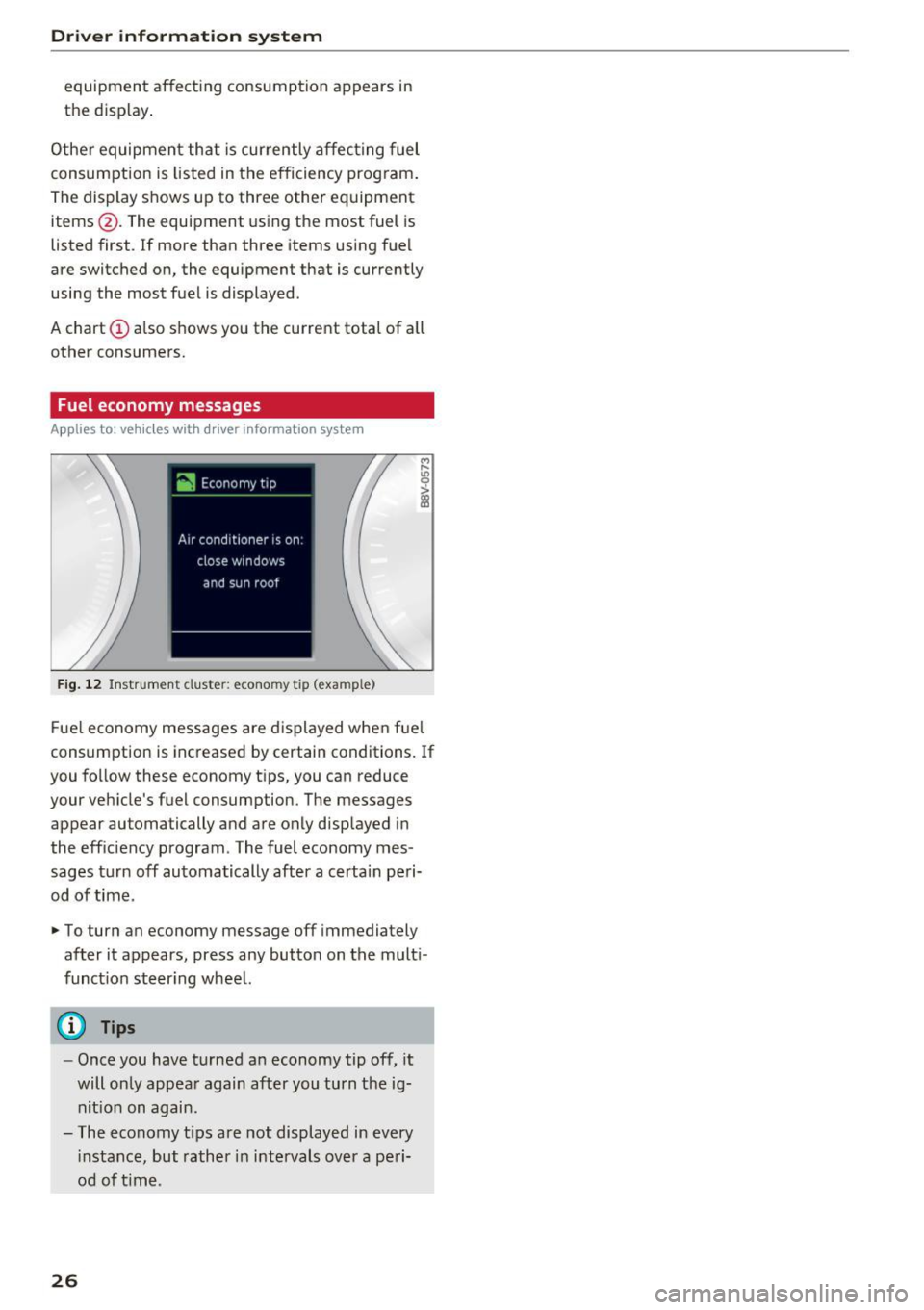
Fig. 12 Instrument clus te r: econo my tip (exa mple)
M r-
"' 0
> ~
Fue l economy messages are displayed when fuel
consumption is increased by certain conditions. If
you follow these economy tips, you can reduce
your vehicle 's fuel consumption. The messages
appear automatically and are only displayed in
the efficiency program . The fuel economy mes
sages turn off automatically after a certain peri
od of time .
.- To turn an economy message off immediately
after it appears, press any button on the multi
funct ion steer ing wheel.
(D Tips
- Once you have turned an economy tip off, it
will only appear again after you turn the ig
nit ion on again .
- The economy tips are not displayed in every
i nstance, but rather in intervals over a peri
od of t ime .
26
Page 30 of 272
<( co ..... N
" N ..... 0 r--. > 00
.. If you press a button longer (convenience open
ing*), the LED blinks several times .
.. If the LED does not blink, the remote control
key battery is dead. The message
Ill Please
change key battery
may also appear in the in
strument cluster display . Replace the battery .
Replacing the remote control key battery
.. Pry the cover @off of the key (Dusing a coin
¢fig . 15 .
.,. Insert the new battery with the "+" facing up .
.. Press the cover back onto the key until it clicks
into place .
We recommend having the battery replaced by
an authorized Audi dealer or authorized Audi
Service Facility .
@ For the sake of the environment
Dead batteries must be disposed of using
methods that will not harm the env ironment.
Do not dispose of them in household trash .
@ Tips
The replacement battery must meet the same
specifications as the orig inal battery.
Remote control key synchronization
The remote control key must be synchronized if
the vehicle does not lock and unlock with the re
mote control.
.. Press the remote control key button~-
1> Insert the key in the driver's door lock within 30
seconds .
.,. Press the~ button or~ button .
Open ing and closing
Unlocking/locking by remote control
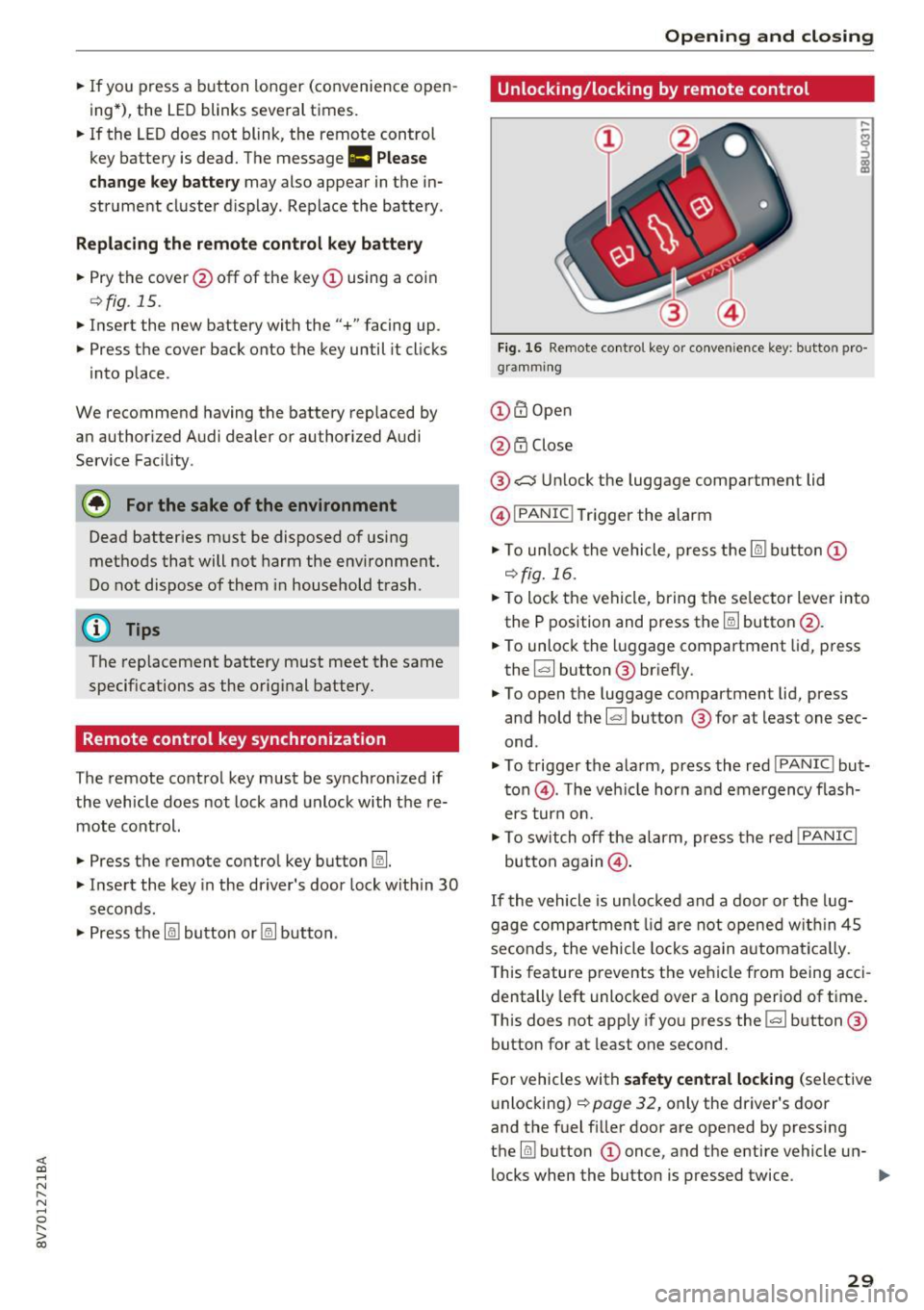
Fig. 16 Remote control key or conve nien ce key : button pro
gramm ing
(D m Open
@ i'.D Close
® .:::::$Unlock the luggage compartment lid
@ I
PANIC ! Trigger the alarm
... To unloc k the vehicle , press the~ but ton (D
c::>fig.16 .
.. To lock the vehicle, bring the selector lever into
the P position and press the~ button @.
.. To unlock the luggage compartment lid, press
the ~ button ® briefly.
.,. To open the luggage compartment lid, press
and hold the~ but ton ® for at least one sec
ond .
... To trigger the alarm, press the red I
PANIC ! but
ton @. T he veh icle horn and emergency flash
ers turn on.
.. To switch off the alarm, press the red
!PANIC I
button again@.
If the vehicle is unlocked and a door or the lug
gage compartment lid are not opened w ithin 45
seconds, the vehicle locks again automat ically.
This feature prevents the vehicle from being acci
dentally left unlocked over a long period of time.
This does not apply if you press the~ button ®
button for at least one second.
For vehicles with
safety central locking (selective
unlocking)
c::> page 32, only the driver's door
and the fuel f iller door are opened by pressing
the ~ button (D once, and the entire vehicle un-
locks when the button is pressed twice .
Ill>
29
Page 39 of 272
Power top
Power top storage compartment
-----
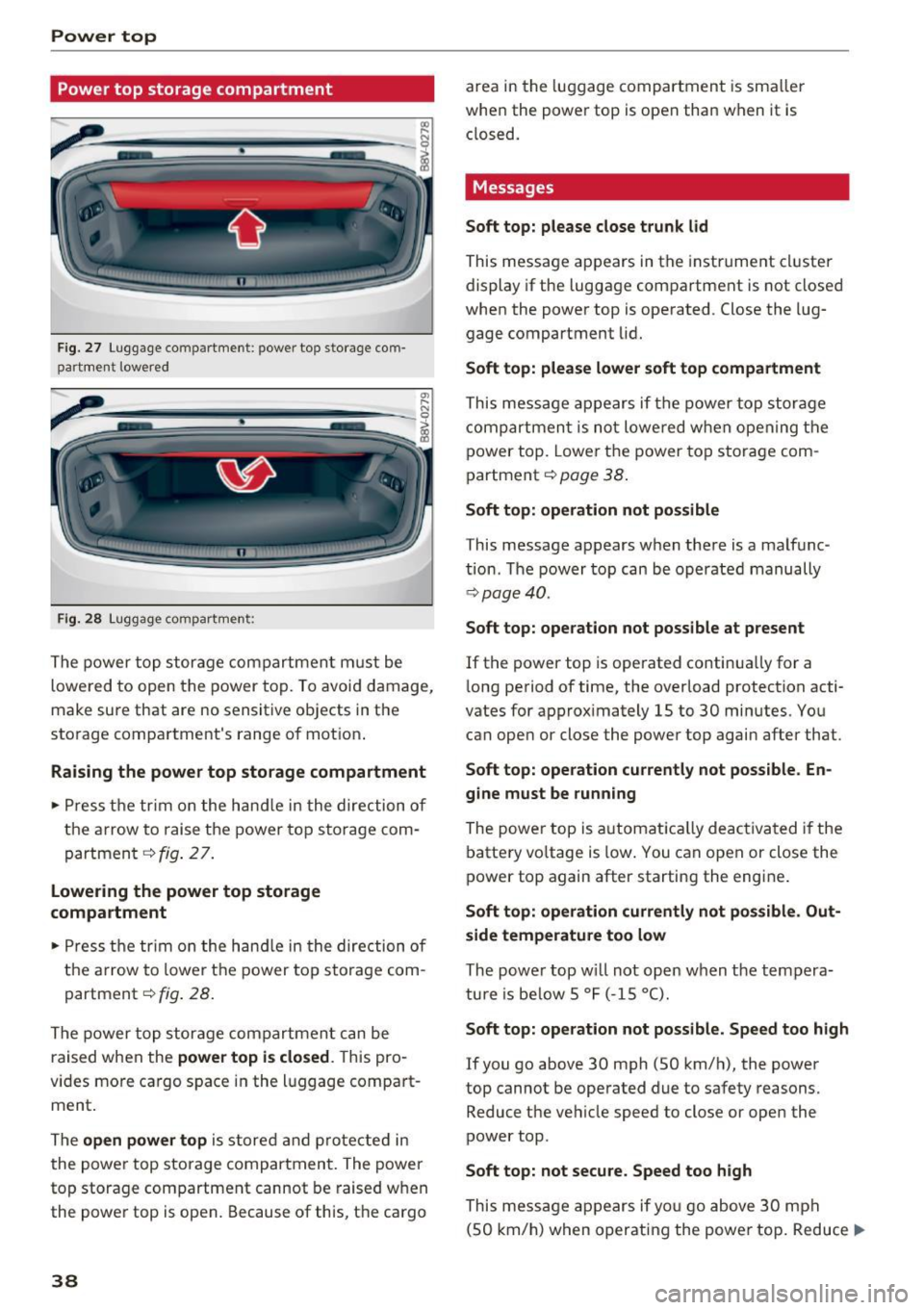
Fig . 27 Luggage comp artment : power top s to rage com
partment lowered
F ig. 2 8 Luggage compartment :
The power top storage compartment m ust be
lowe red to open the power top. To avoid damage,
make sure that are no sensitive objects in the
sto rage compartment's range of mot ion .
Raising the power top storage compartment
.-Press t he tr im on the hand le in the direction of
the a rrow to raise the power top sto rage com
partment
¢ fig . 27 .
lowering the power top storage
compartment
.- Press the tr im on the hand le in the direction of
the a rrow to lowe r th e power top storage com
partment ¢
fig. 28.
The power top storage compartmen t can be
raised when the
power top i s closed . This pro
vides more cargo s pace in the l uggage compart
ment .
The
open power top is store d and pro tected in
the power top storage compartmen t. The power
top storage compartment cannot be raised when
the powe r top is open. Because of this, the cargo
38
area in the luggage compartment is smaller
when the powe r top is open than when it is
closed.
Messages
Soft top: please close trunk lid
This message appears in the instrume nt cluster
display if the luggage compa rtment is not closed
when the power top is operated . Close the lug
gage compartment lid.
Soft top: please lower soft top compartment
This message appears if the power top stor age
compartmen t is not lowe red w hen opening the
power top . Lower the power top s torage com
partment ¢
page 38.
Soft top : operation not possible
This message appears w hen there is a malf unc
tion . T he power top can be operate d manually
¢page 40.
Soft top: opera tion not possible at pre sent
If the power top is operated continua lly for a
l ong period of time, the overload protection acti
vates for approx imately 15 to 30 minutes. You
can ope n or close the power top again after that.
Soft top: operation cu rrentl y not po ss ible . En
gine must be running
The powe r top is a utomat ic all y deac tiva ted i f the
batte ry vo ltage is low . You can open or close the
power top again after starting the engine .
Soft top: operation currently not possible . Out
side temperature too low
The powe r top w ill not open w hen t he tempera
tu re is be low 5
°F ( - 15 °().
Soft top: operation not possible . Speed too high
If you go above 30 mph (SO km/h), the power
top cannot be operated due to safety reasons.
Reduce the ve hicle speed to close or open the
power top.
Soft top: not secu re. Speed too high
This message appears if yo u go above 30 mph
(SO km/h) when operati ng the power top . Reduce ..,.
Page 52 of 272
<( co ..... N
" N ..... 0 r--. > 00
-You should not dr ive your vehicle or press
the windshie ld wiper lever when the wiper
arms are fo lded away from the windshield.
The windshield wipers would move back in
to their original position and could damage
the hood and windshield .
- To prevent damage to the windsh ield wash
er system, a lways loosen wiper blades that
have frozen to the w indshield before turn
i ng the wipers on .
- To prevent damage to the wiper blades, do
not apply gasoline, petroleum, thinning
agents or other solvents on the wiper
blades or near them.
- To prevent damage to the wiper a rms or
other components, do not try to move the
windsh ield wipers by hand.
@ Tips
- Commercial hot wax such as the types used
by car washes make it mo re difficult to
clean the windshield.
- You can also use the service position, fo r ex
ample, if you want to p rote ct the windsh ield
from icing by using a cover.
- You cannot activate the service position
when the hood is open.
Digital compass
Switching the compass on and off
Appl ies to: ve hicl es with digital compass
Fig . 51 Rearview mirror: digital compass activa ted
.. To turn the compass on or off, press the button
@ until the compass in the mirror appears or
disappears .
Lights and V ision
The digita l compass only works when the ignition
is turned on . The directions are indicated with ab
brev iat ions:
N (north), NE (northeast), E (east),
SE (southeast), S (south), SW (southwest), W
(west), NW (northwest).
You must recalibrate the compass if it does not
display the correct direct ion
¢ page 52, Cali
brating the compass.
(D Tips
To p revent inaccurate compass readings, do
not br ing any remote controls, electrical devi
ces or metallic objects near the mirror.
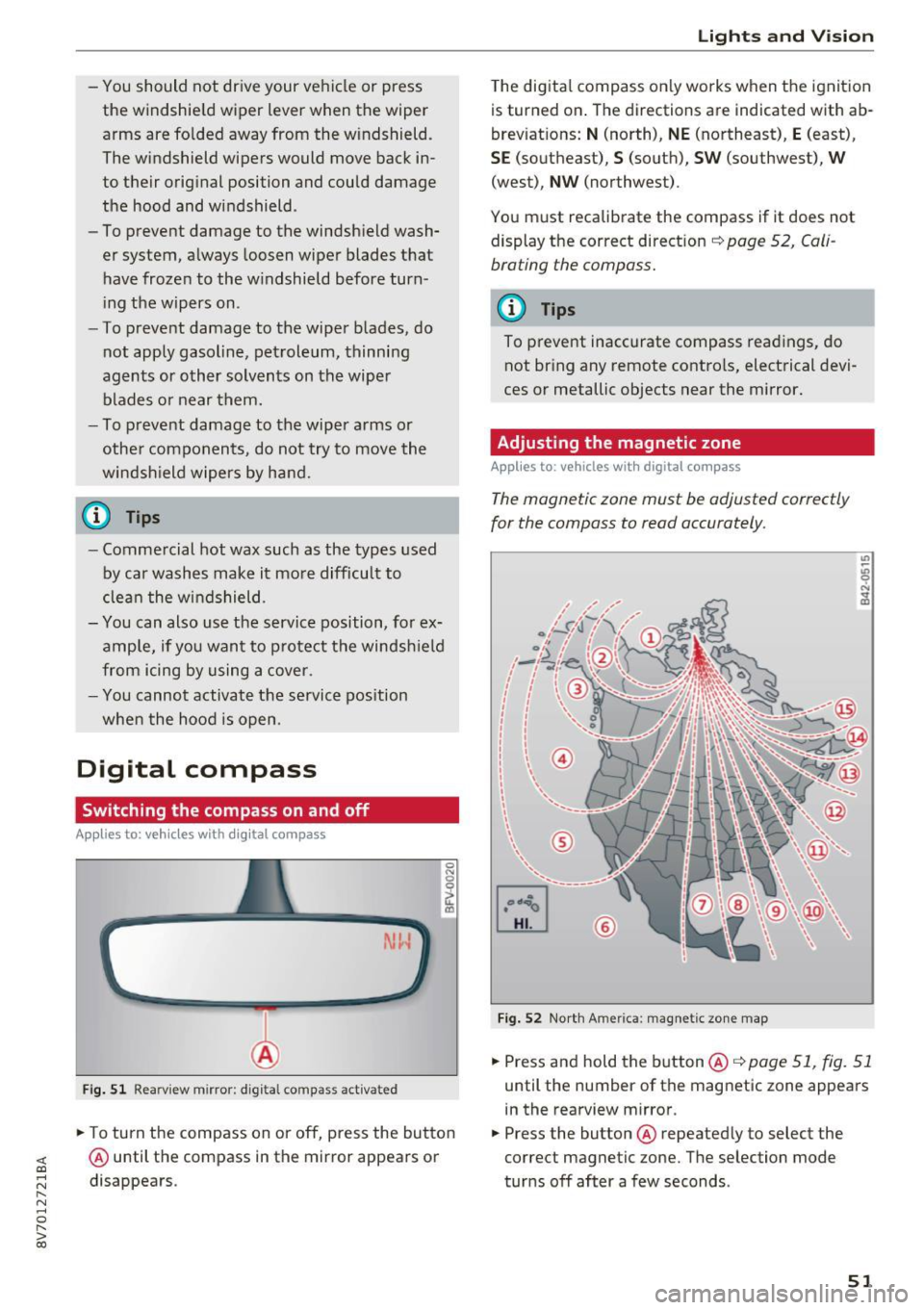
Adjusting the magnetic zone
Appl ies t o: vehicles wit h digita l co mp ass
The magnetic zone must be adjusted correctly
for the compass to read accurately.
®
Fig. 52 North Ame rica: magnetic zone map
.. Press and hold the button@q page 51, fig. 51
until the number of the magnetic zone appears
in the rearview m irror .
.. Press the button @ repeated ly to select the
correct magnetic zone. The selection mode
turns off after a few seconds .
51
Page 53 of 272
Lights and Vi sion
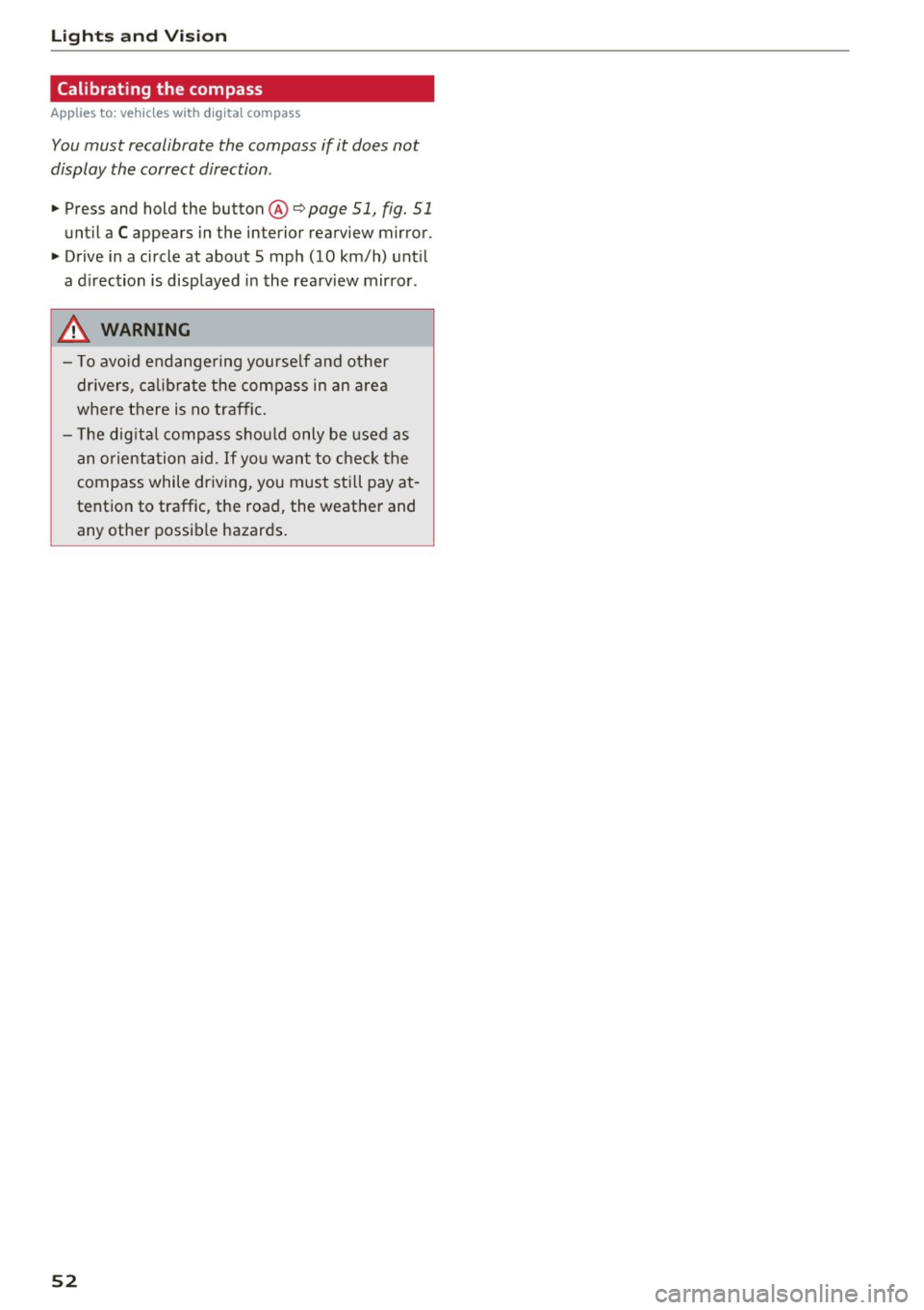
Calibrating the compass
App lies to: ve hicles w ith d ig ital compass
You must recalibrate the compass if it does not
display the correct direction .
.,. Press and hold the button@¢ page 51, fig. 51
until a C appears in the interior rearview mirror .
.,. Drive in a circle at about 5 mph (10 km/h) unt il
a d irection is displayed in the rea rview mirror .
A WARNING
- To avo id endange ring yourse lf and other
dr ivers, ca lib rate the compass in an area
where there is no traffic.
-
- T he dig ita l compass shou ld only be used as
an o rientation aid .
If you want to chec k the
compass while dr iving, you must sti ll pay at
tention to traffic, the road, the weather and any other possible hazards .
52
Page 74 of 272
<( co ..... N
" N ..... 0
" > 00
Please select N or P
This message appears when starting or stopping
the eng ine if the selector lever is not in the Nor P
position . The eng ine will not sta rt/stop.
Shift to P , veh icle can roll away. D oors can onl y
b e loc ked in P
This message appears for safety reasons along
with a warning tone.
It appears if the selector
l ever for the automatic transmission is not in the
P posit ion when switching the ignition off with
the
! STAR T ENGINE ST OPI* button . S hi ft these
l ecto r lever to the P position. Otherwise, the veh i
cle could roll. You also cannot lock the vehicle us
ing the locking sensor on the door handle or us
ing the convenience key .
Electromechanical
parking brake
Operating
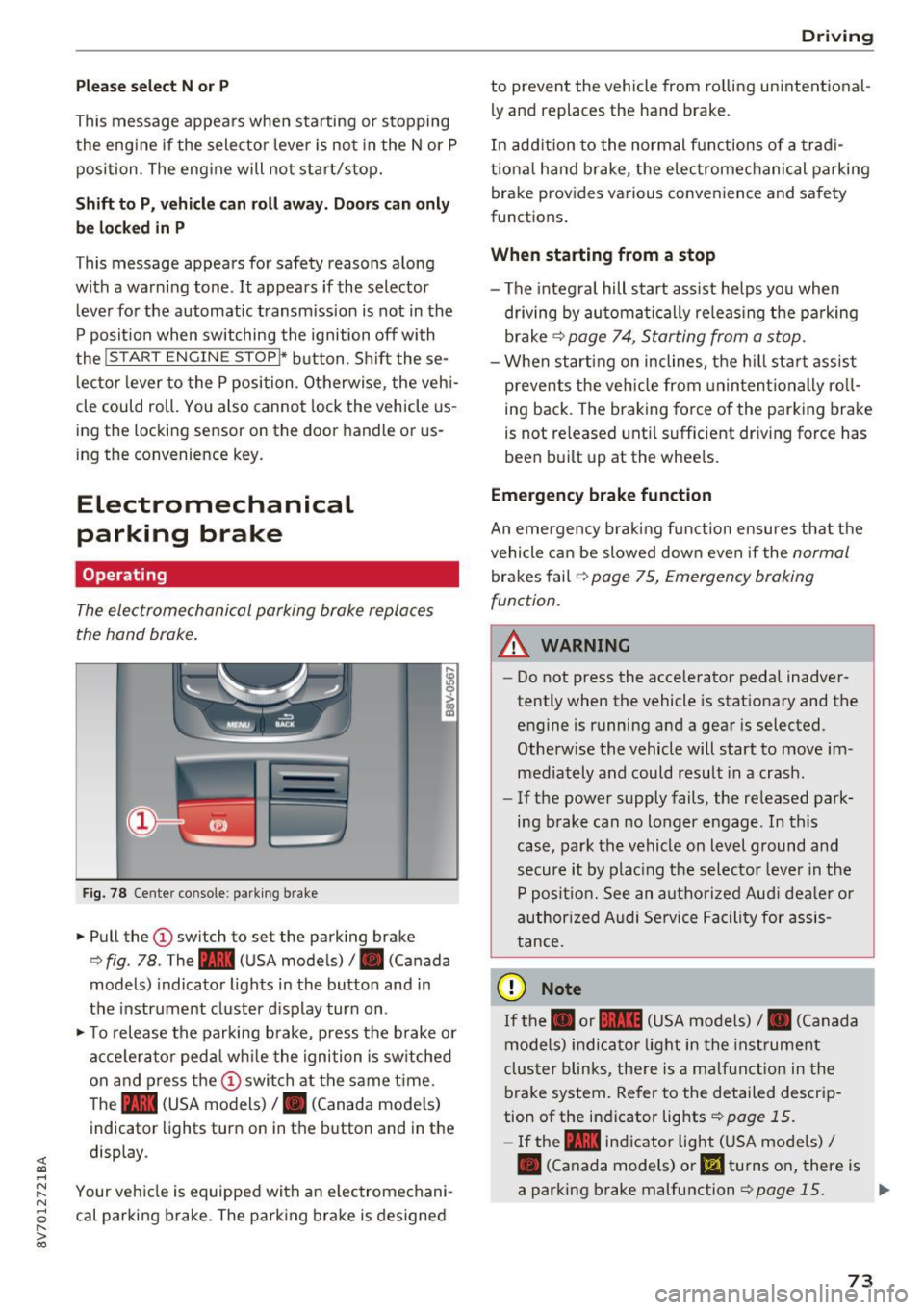
The electromechanical parking brake replaces
the hand brake .
Fig. 78 Center console : p arking brake
.,. Pull the (I) sw itch to set the park ing brake
c> fig . 78 . The - (USA models)/ . (Canada
models) indicator lights in the button and in
the instrument cluster d isplay turn on .
.,. To release the parking brake , press the b rake o r
acce lera to r ped al wh ile the igni tion is sw itched
on and p ress the
(D swi tch at the same t ime.
The - (USA models) /. (Canada mode ls)
indicator lights turn on in the b utton and in the
display .
Your veh icle is equipped with an e lectromechani
cal parki ng b rake. The park ing brake is designed
D rivi ng
to prevent the vehicle from ro lling unintent ional
ly and replaces the hand brake.
In add ition to the normal f unctions of a trad i
t iona l hand b rake, the elec tromechanical parking
brake provides va rious convenience and safety
functions .
When starting from a stop
- The integral hill start assist he lps yo u when
driving by automa tically re leas ing the pa rking
brake
c> page 74 , Starting from a stop.
- When starting on inclines, the h ill sta rt assist
p revents the veh icle from un in tentionally ro ll
ing back . The braking force of the parking brake
is not re leased unt il sufficient dr iving force has
been b uilt up at the whee ls.
Emergency brake function
An emergency bra kin g f unction ensures that the
vehicle can be slowed down even if the
normal
brakes fail c> page 75, Emergency braking
function .
A WARNING
---=---Do not press the acce le rator pedal inadver
tently when the vehicle is stat ionary and the
engine is running a nd a gear is selected.
Othe rw ise the vehicle will start to move im
mediately and could result in a crash.
- If the power supply fails, the re leased park
ing b rake can no longer engage . In this
case, park the vehicle on level ground and
secure it by plac ing the selecto r leve r in t he
P positio n. See an a utho riz e d Aud i dea le r o r
author ized A udi Se rvice Facility for assis
tance.
(D Note
If the . or 111111 (USA mo dels) /. (Canada
models) indica to r lig ht in the inst rument
clus ter blinks, the re is a malf unc tion in the
brake system. Refer to the detailed descrip
tion of the indicator lights
i=>page 15.
-If the - indic a tor light (USA mode ls)/
• (Canada models) or
l!I turns o n, there is
a parking brake malfunction
c> page 15. ..,_
73
Page 77 of 272
Automatic transmissio n
Automatic transmission
S tronic
Introduction
A pp lies to: ve hicles w ith au tomat ic tra nsmi ssio ns
Your veh icle is equipped with an electronically
controlled DSG t ransm iss ion called S t ronic. Two
independent cl utches transfer the power be
tween the engine and t ransmission . It allows the
vehicle to accelerate without a noticeab le inter
ruption in traction.
The transm ission upshifts o r downshifts auto
mat ica lly. The driving sty le continuously influen
ces the selection of the driving program.
When a
mod erat e dri ving styl e is used, the
transmission se lects the most eco nomical d riving
mode . The t ransmission upshifts at a lower RPM
and downshifts at a higher RPM to improve fuel
efficiency.
The transm ission switches to a spo rty mode afte r
a kick-down or when the driver uses a
s port y
dri ving style
characterized by quick accelerator
pedal movements, heavy acce leration, frequent
changes in speed and traveling at the maximum
speed.
I f desired, the driver can also select the gears
manually (tiptronic mode) ¢ page 81, Shifting
manually (tiptronic mode).
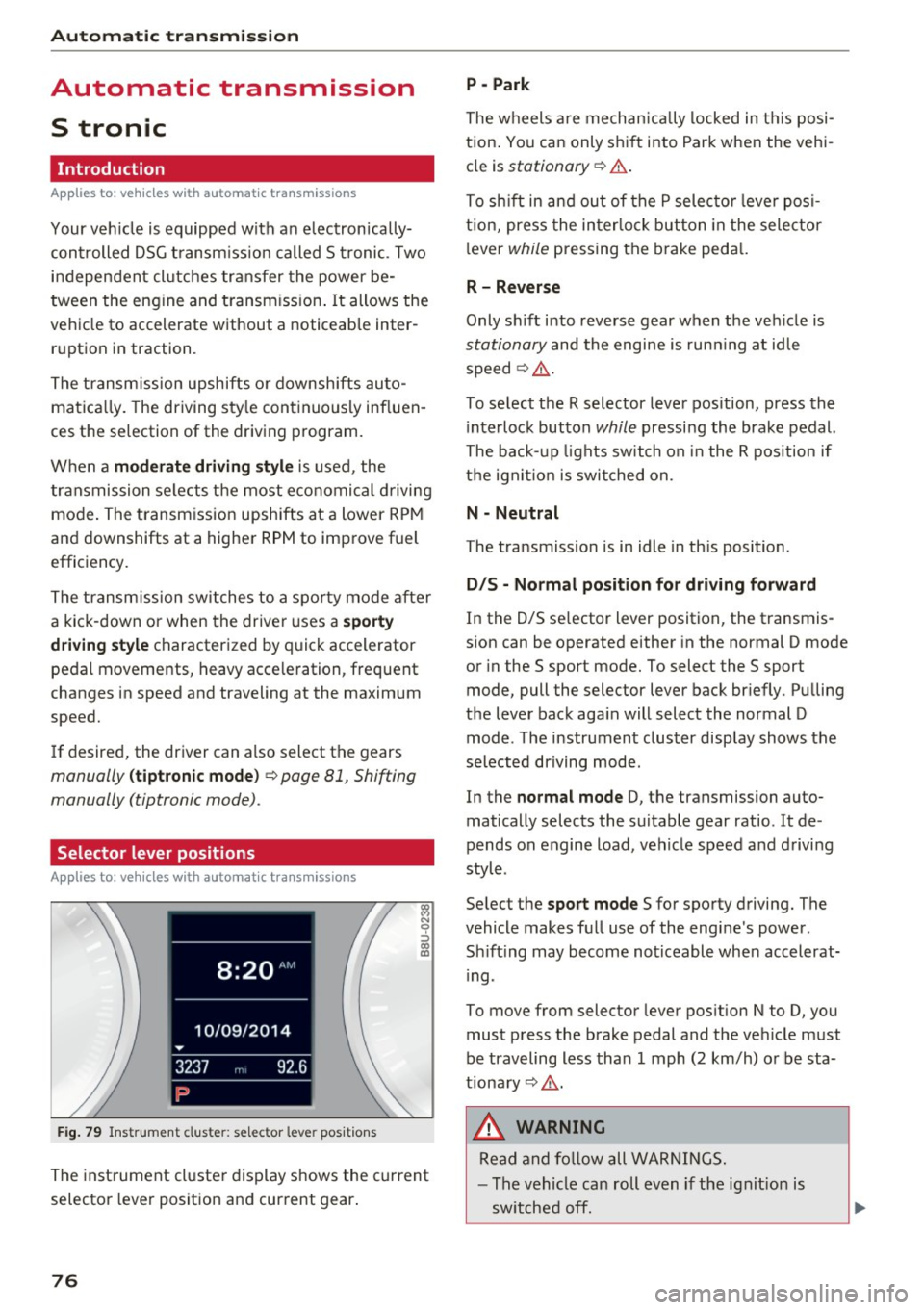
Selector lever positions
A ppl ies to: ve hicles w ith a uto mat ic t ra n smi ssio ns
F ig. 79 Instrument cluster: selec tor lever posit ions
The instrument cluste r display shows the current
selector lever position and current gear .
76
P - Park
The w heels a re mechan ically locked in t his posi
tion . Yo u can only sh ift into Park when the vehi
cle is
stationary ¢.&. .
To sh ift in and ou t of the P selecto r leve r posi
tion, press the interlock button in the selector
l ever
while pressing the brake peda l.
R- Reverse
Only shift into reverse gear when the veh icle is
stationary and the engine is run ning at id le
speed¢ ,&..
To select the R selector lever position, press the i nterlock button
while pressing the brake pedal.
The back- up lights switch on i n the R pos ition if
the ign it io n is switched on.
N - Neutral
The transmission is in idle in th is position.
D /S - No rmal po sition fo r dri ving fo rw ard
In the D/S se lector lever position, the transmis
sion can be operated either in the normal D mode
or in the S sport mode. To select the S sport
mode, pull the selector lever back br iefly. Pulling
the lever back aga in will select the normal D
mode . The instrument cluster display shows the
selected driving mode.
In the
normal m ode D, the transmission auto
matically selects the suitable gear ratio . It de
pends on engine load, veh icle speed and driving
style .
Se lect the
sport mo de S for sporty driving. The
vehicle makes full use of the engine's power .
Sh ift ing may become noticeable when accelerat
i ng .
To move from selector lever pos ition N to D, you
must press the brake pedal and the veh icle must
be traveling less than 1 mph (2 km/h) or be sta
tionary ¢,&. .
&, WARNING
Read and fo llow all WARNINGS.
- The vehicle can roll even if the ig nit ion is
sw itched off.
Page 82 of 272
<( co ..... N
" N ..... 0 r--. > 00
Shifting manually (tiptronic mode)
Applies to: vehicles with automatic transmissions
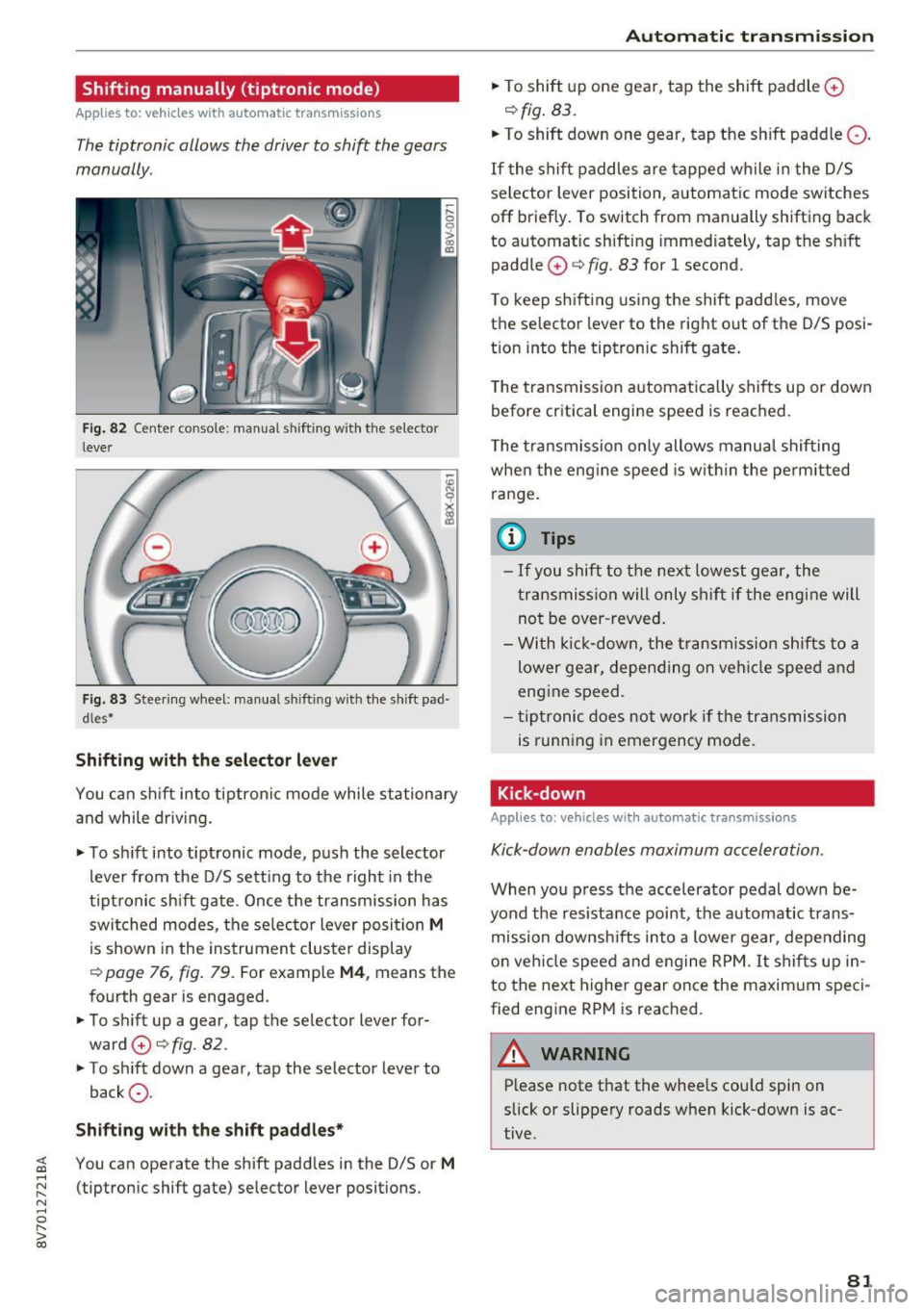
The tiptronic allows the driver to shift the gears
manually.
Fig . 82 Center conso le: manua l shifting with the selector
lever
Fig. 83 Steering wheel: manual sh ifting with the shift pad·
dles*
Shifting with th e select or lever
You can sh ift into tiptron ic mode while stationary
and while driv ing.
• To sh ift into tiptronic mode, push the selector
lever from the D/S sett ing to the right in the
tiptronic shift gate. Once the transmission has
switched modes, the se lector lever posi tion
M
is shown in the instrument cluster display
r:::>page 76, fig. 79. For example M4, means the
fourth gear is engaged.
• To shift up a gear, tap the selector lever for
ward
0 r:::> fig. 82.
• To shift down a gear, tap the selector lever to
back
a .
Shifting with the sh ift padd le s*
You can operate the shift padd les in the D/S or M
(tiptronic shift gate) selector lever positions.
Aut oma tic tr ansm iss ion
• To shift up one gear, tap the shift paddle 0
r:::> fig. 83.
• To shift down one gear, tap the shift paddle Q.
If the shift paddles are tapped while in the D/S
selector lever position, automatic mode switches
off briefly. To switch from manually shifting back
to automatic shifting immed iately, tap the sh ift
paddle
0 ¢ fig. 83 for 1 second.
T o keep shifting using the shift padd les, move
the selector lever to the rig ht out of the D/S posi
t ion into the tiptronic shift gate .
T he transmission automatically shifts up or down
before critica l engine speed is reached.
T he transmission only allows manua l shifting
whe n the eng ine speed is w it hi n the pe rmitted
ra nge.
(0 Tips
- If you shift to the next lowest gear, the
transmission will only shift if the eng ine will
not be over -revved .
- With k ick-down, the t ransmiss ion shifts to a
lower gear, depending on vehi cle speed and
engine speed.
- tiptronic does not work if the transmission
is running in emergency mode.
Kick-down
Applies to: vehicles with automatic transmissions
Kick-down enables maximum acceleration.
When you press the accelerator pedal down be
yond the res istance point, the automatic trans
mission downsh ifts into a lower gear, depending
o n veh icle speed and engine RPM.
It shifts up in
to the next higher gear once the maxim um speci
fied eng ine RPM is reached.
A WARNING ~
P lease note that the wheels cou ld spin on
slick or slippery roads when kick-down is ac
tive.
-
81
Page 94 of 272

Switching adaptive crui se control on
"' Pull the lever toward you into position @
¢
fig. 91. A CC: s tandby appea rs in the instru
ment cluster disp lay .
Saving the speed and activating regulati on
"'T o save the c urrent speed , press the ISETI
¢ fig. 91 button . The stored speed is shown in
t h e tachomete r LED line @and appears briefly
in the information line ®¢
fig. 92 .
"' To activate the regulation whi le stationary, you
must press the brake pedal.
Sw itching adaptiv e cruise control off
"' Push the lever away from you into position @
until it clicks i nto place ¢
fig. 91 . The message
AC C: off appears.
The stored speed in the LED line is e rased.
@ Indicato r lights
II -adaptive cruise control is switched on. No
objects are detected ahead. The stored speed is
maintained.
• -An object a head was detected . The adaptive
cruise control system regulates the speed and
d istance to the object ahead and brakes/acce ler
ates automatica lly.
fij -adaptive cru ise control is switched on. An
object ahead was detected. Your vehicle remains
stopped and w ill not start driving automatica lly.
• -T he automatic bra king is no t enough to
maintain a sufficient distance to a n object ahead.
You must intervene ¢
page 96, Request for
driver intervention.
© Instrument cluster display
I f adaptive cruise control is not shown in the in
s trument cluster disp lay, yo u can call it up using
the mu ltifunction steering wheel b uttons
¢ page 24.
Based on the g raph ics in the d isp lay, you can de
termine if the system is m ainta ining a distance to
;;!; a vehicle ahead and what that distance to this ve-....
~ hide is: N ....
R No vehi cle -No object ahead was detected.
> 00
Assist
White vehicl e -An object ahead was de tected .
Red vehicl e -Request for the dr iver to take action
¢page 96.
Both
arrows on t he scal e@ indicate the d istance
to the object ahead . No arrow appears when the
vehicle is on an open road and t here is no object
ahead. If an object is detec ted ahead, the a rrow
moves on the sca le.
T he green zone o n the scale indicates the store
distance. For informat ion on changing the dis
t a nce, refer to ¢
page 95. If the dis tance se
l ected is exceeded or not reached, the arrow
moves into the red zone on the scale.
A WARNING
- Using adaptive cruise control incorrectly can
cause collisions, other accidents and ser ious
in ju ries.
- If you press the
!SET ! button w hen driving at
speeds be low 20 mph (30 km/h), the vehi
cle acce lerates automatically up to 20 mph
(30 km/h), wh ich is the minimum speed
that can be set.
{!) Tips
- If you switch the ignit ion or the adaptive
cruise control system off, the set speed is
erased for safety reason.
- The Elect ronic Stabilization Control (ESC)
and Anti-S lip Regulat ion (ASR) both sw itch
on when the adaptive cruise control is
switched on . ESC and ASR ca nnot be switch
ed off when adapt ive cruise control is
switched on.
- With the adaptive cruise control act ivated
t he ESC spo rt mode cannot be activated.
93
Page 95 of 272
Ass is t
Changing the speed
Applies to: vehicles with Aud i adapt ive cruise contro l
0
f
•
0
Fig. 93 Operat ing lever: changing the speed
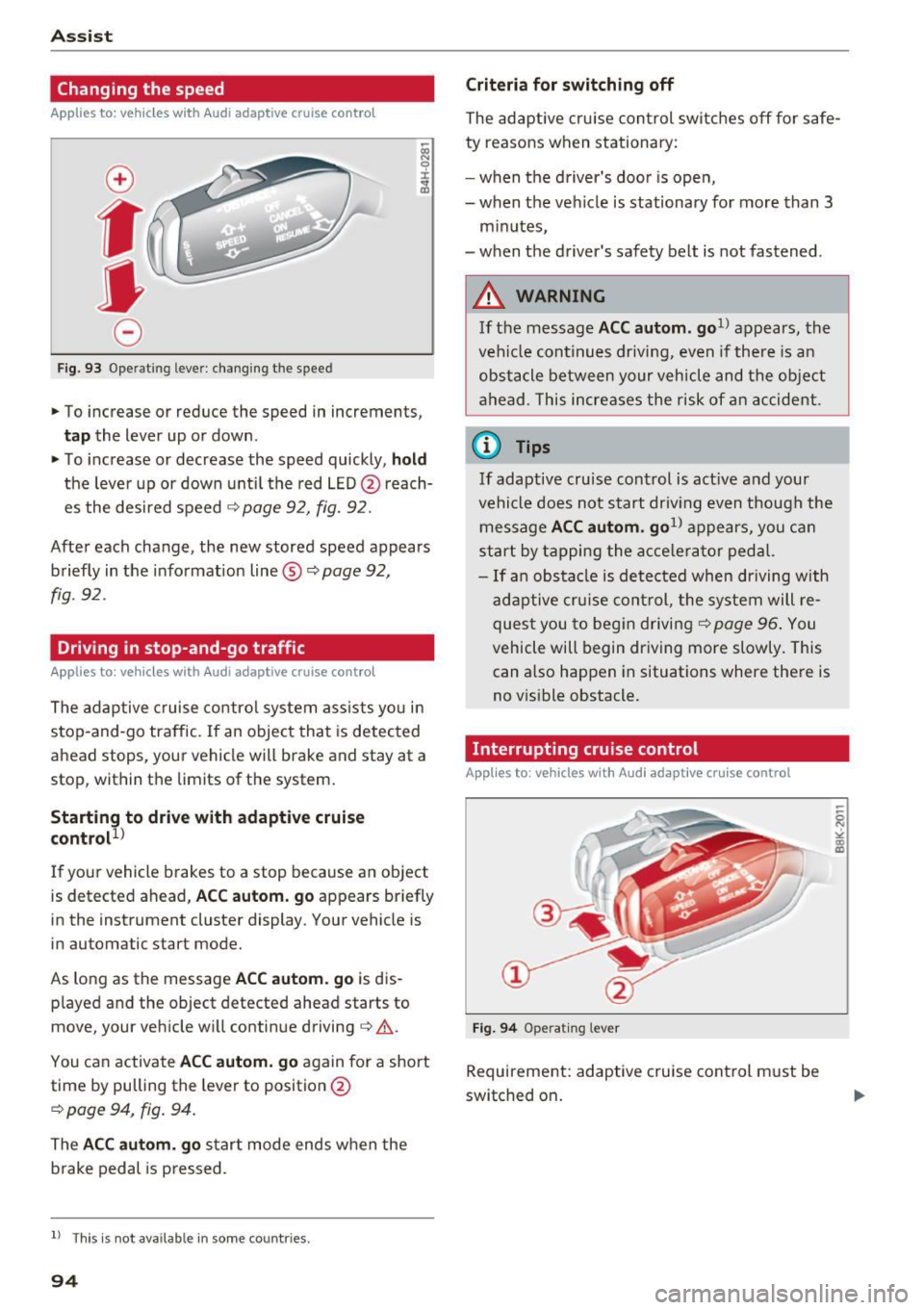
.,. To increase or reduce the speed in increments,
tap the lever up or down.
.,. To increase or decrease the speed quickly,
hold
the leve r up or down until the red LED @ reach
es the desired speed
¢ page 92, fig. 92.
After each change, the new stored speed appears briefly in the informat ion line ®¢
page 92,
fig. 92.
Driving in stop-and-go traffic
Applies to : vehicles with Aud i adapt ive cru ise control
The adaptive c ruise control system assists yo u in
stop-and-go traffic. If an object that is detected
ahead stops, your vehicle will brake and stay at a
stop, within the limits of the system.
Starting to drive with adaptive cruise
control!)
If your vehicle brakes to a stop because an object
is detected ahead,
AC C autom. go appears br iefly
in the instrument cluster display. Your vehicle is
in automatic start mode.
As long as the message
ACC au tom . go is dis
p layed and the object detected ahead starts to
move, your vehicle will continue driving¢ ,&..
You can activate
AC C autom. go again for a short
time by pulling the lever to position @
¢ page 94, fig. 94.
The ACC autom . go start mode ends when the
b rake pedal is p ressed.
l ) Th is is not ava ilab le in some countr ies .
94
Criteria for switching off
The adaptive cru ise con trol switches off for s afe
ty reasons when stationary:
- when the d river 's doo r is ope n,
- when the vehicle is stationary for more than 3
minutes,
- when the d river's safety belt is not fastened .
A WARNING
If the message ACC autom. go1> appears, the
vehicle continues driving, even if there is an
obstacle between your vehicle and the ob je ct
ahead. This increases the risk of an accident .
@ Tips
If adaptive cruise cont rol is act ive and your
vehicle does no t start driv ing even though the
message
AC C autom . go1> appears, you ca n
start by tapping the a cce le ra tor ped al.
- If an obstacle is detected when dr iving with
adaptive cruise cont rol, the system will re
ques t you to beg in driving¢
page 96 . You
vehicle will begin dr iving more slowly. This
can also happen in situations where there is
no v is ible obstacle.
Interrupting cruise control
Applies to : vehicles with Audi adaptive cruise control
Fi g. 94 Operat ing lever
Requirement: adaptive cruise cont rol must be
switched on .