sim AUDI A3 SEDAN 2018 Owners Manual
[x] Cancel search | Manufacturer: AUDI, Model Year: 2018, Model line: A3 SEDAN, Model: AUDI A3 SEDAN 2018Pages: 404, PDF Size: 62.3 MB
Page 11 of 404
u. 00 .-< N l' N .-< 0 N > 00
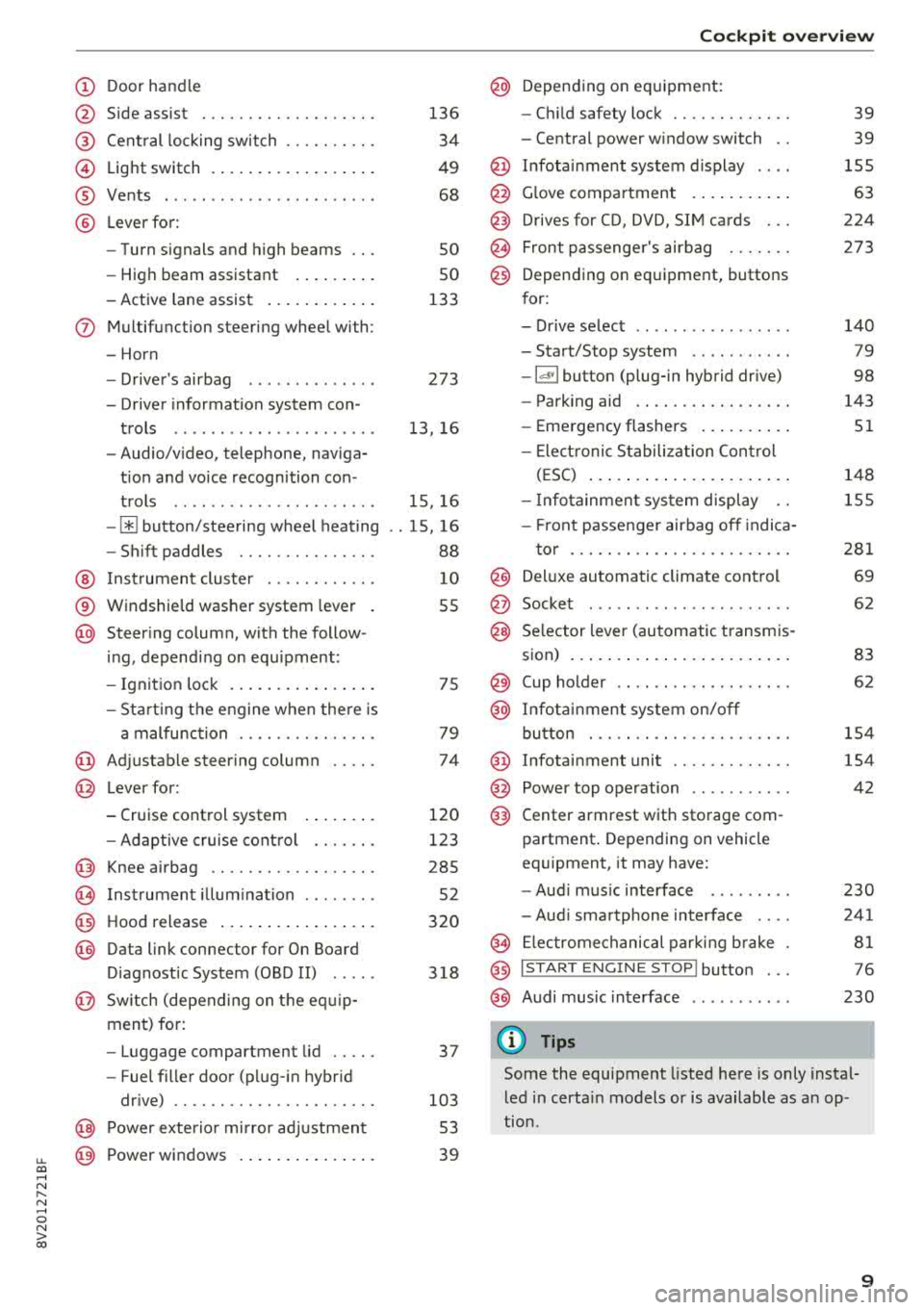
(D Door handle
@ Side assist ................ .. .
@ Central locking switch ......... .
@ Light switch ................ . .
® Vents ... .. ................ . .
@ Lever for:
- Turn signals and high beams
- High beam assistant ....... . .
- Active lane assist .......... . .
(J) Multifunction steering wheel with:
- Horn
- Driver 's airbag ............ . .
- Driver information system con-
trols .. .. ................ . .
- Audio/video, telephone, naviga
tion and voice recognition con -
trols .. .. ................ . .
-[ii button/steering wheel heating
- Shift paddles ............ .. .
@ Instrument cluster ........... .
® Windshield washer system lever
@ Steering column , with the follow -
ing , depending on equipment:
- Ignition lock .............. . .
- Start ing the engine when there is
a malfunction ............ .. .
@ Adjustable steering column
@ Lever for:
- Cruise control system
- Adaptive cruise control ...... .
@ Knee airbag ................. .
(8) Instrument illumination ....... .
@ Hood release ................ .
@) Data link connector for On Board
Diagnostic System (OBD II) .....
@ Sw itch (depending on the equ ip
ment) for:
- Luggage compartment lid .... .
- Fuel filler door (plug-in hybrid
drive) ................... .. .
@ Power exterior mirror adjustment
@ Power windows .............. .
136
34
49
68
so
so
133
273
13, 16
15, 16
. . 15, 16
88
10
55
75
79
74
120
123
285 52
320
318
37
103 53
39
Cockpit overview
@ Depending on equipment:
- Child safety lock ............ .
- Central power window switch ..
@ Infotainment system display ... .
@ Glove compartment .......... .
@) Drives for CD, DVD, SIM cards .. .
@ Front passenger 's airbag ...... .
@) Depending on equipment, buttons
for:
- Drive select .. .. ............ .
- Start/Stop system .......... .
-l<'l"I button (plug- in hybrid drive)
- Parking aid .... ............ .
- Emergency flashers ......... .
- Elect ronic Stabilization Control
(ESC) ..................... .
- Infotainment system display ..
- Front passenger airbag off indica-
tor ... .. .. ................ .
@ Deluxe automatic climate control
@ Socket ..... .. .. ............ .
@ Selector lever (automatic transmis-
sion) ....................... .
@ Cup holder .. .. ...... ........ .
@ Infotainment system on/off
button ... .. ................ .
@ Infotainment unit ............ .
@ Power top operation .......... .
@) Center armrest with storage com-
partment. Depending on vehicle
equipment, it may have:
-Audi music interface ........ .
- Audi smartphone interface ... .
@ Electromechanical parking brake
@ I START ENGINE STOP I button ...
@ Audi music interface
(D Tips
39
39
155
63
224
273
140
79
98
143
51
148
155
281
69
62
83
62
154
154
42
230
241
81
76
230
Some the equipment listed here is only instal
led in certain models or is available as an op
tion .
9
Page 98 of 404
e-tron
For additional information, see ¢ page 17, Trip
computer (Audi virtual cockpit).
~ Applies to: vehicles with analog instrument
cluster: Open the
Tachometer display by turn
ing the left thumbwheel on the multifunction
steering wheel.
When opening the driver's door, the charge level is shown in the instrument cluster when the igni
tion is switched on, or the charge level and the
remaining charge time for the high -voltage bat
tery is displayed when charging .
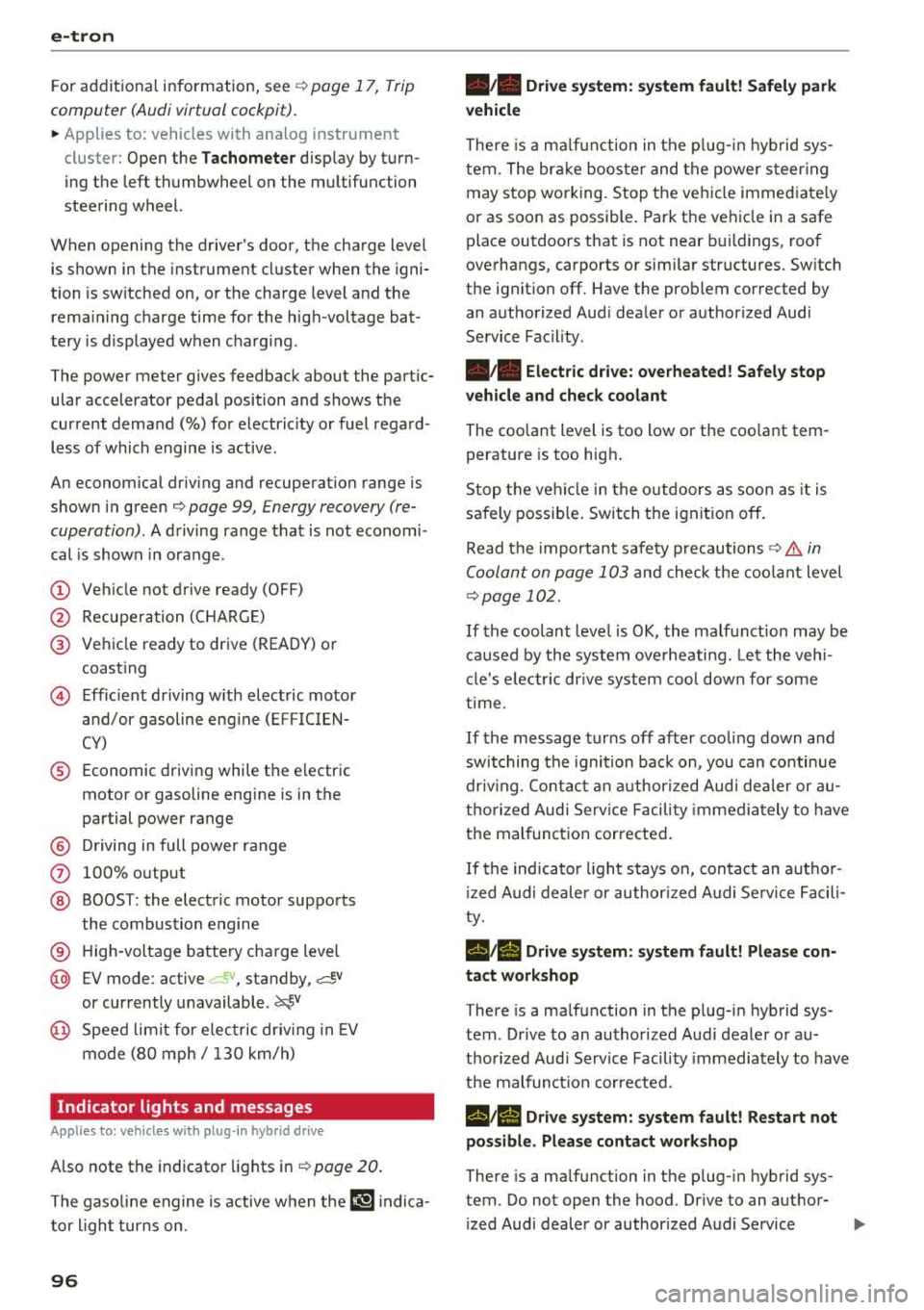
The power meter gives feedback about the partic ular accelerator pedal position and shows the
current demand
(%) for electricity or fuel regard
less of which engine is active.
An economical driving and recuperation range is
shown in green
¢ page 99, Energy recovery (re
cuperation) .
A driving range that is not economi
cal is shown in orange .
(D Vehicle not drive ready (OFF)
@ Recuperation (CHARGE)
@ Vehicle ready to drive (READY) or
coasting
© Efficient driving with electric motor
and/or gasoline engine (EFFICIEN
CY)
® Economic driving while the electric
motor or gasoline engine is in the
partial power range
@ Driving in full power range
0 100% output
@ BOOST: the electric motor supports
the combustion engine
® High-voltage battery charge level
@ EV mode: active a=,v, standby, a=,v
or currently unavailable. ~v
@ Speed limit for electric driving in EV
mode (80 mph/ 130 km/h)
Indicator lights and messages
Applies to: vehicles with plug -in hybr id drive
Also note the indicator lights in¢ page 20.
The gasoline engine is active when the II'§] indica
tor light turns on.
96
•• Drive system: system fault! Safely park
vehicle
There is a malfunction in the plug-in hybrid sys
tem. The brake booster and the power steering
may stop working. Stop the vehicle immediately
or as soon as possible. Park the vehicle in a safe place outdoors that is not near buildings, roof
overhangs, carports or similar structures. Switch
the ignition off. Have the problem corrected by
an authorized Audi dealer or authorized Audi
Service Facility.
•• Electric drive: overheated! Safely stop
vehicle and check coolant
The coolant level is too low or the coolant tem
perature is too high.
Stop the vehicle in the outdoors as soon as it is
safely possible. Switch the ignition off.
Read the important safety
precautions ¢.& in
Coolant on page 103
and check the coolant level
¢page 102.
If the coolant level is OK, the malfunction may be
caused by the system overheating. Let the vehi
cle's electric drive system cool down for some
time .
If the message turns off after cooling down and
switching the ignition back on, you can continue
driving. Contact an authorized Audi dealer or au
thorized Audi Service Facility immediately to have
the malfunction corrected.
If the indicator light stays on, contact an author
ized Audi dealer or authorized Audi Service Facili
ty.
lltll Drive system: system fault! Please con
tact workshop
There is a malfunction in the plug-in hybrid sys
tem . Drive to an authorized Audi dealer or au
thorized Audi Service Facility immediately to have
the malfunction corrected.
1/1111 Drive system: system fault! Restart not
possible. Please contact workshop
There is a malfunction in the plug-in hybrid sys
tem. Do not open the hood. Drive to an author- ized Audi dealer or authorized Audi Service
.,,_
Page 145 of 404
LL co .... N
" N .... 0 N > co
Parking aid
General information
Ap plies to: vehicles with pa rk in g system plus/rearview cam
era
Depending on your vehicle's equipment, various
parking aids will help you when parking and ma
neuvering.
The
parking system plus assists you when park
in g by aud ibly and visua lly indicating objects de
tected
in front of and behind the veh icle
¢ page 143.
The rearview camera shows the area beh ind the
veh icle in the Infotainment system d isplay. The
l ines in the rearview camera image help you to
park or
maneuver ¢ page 145.
& WARNING
-Always look for traffic and check the area
around your vehicle by looking at it directly
as well. The parking system cannot replace
the driver's attent ion. The driver is always
responsible when enter ing or leaving a park
ing space and during similar maneuvers.
-Please note that some surfaces, such as
clothing, are not detected by the system.
-Sensors and cameras have blind spots in
which people and objects cannot be detect
ed . Be especially cautious of small children
and animals.
- Always pay attention to the area around the
vehicle -using the rearview mirror, too .
-The sensors can be displaced by impacts or
damage to the radiator gr ille, bumper,
wheel housing and the underbody . The park
ing system may be impa ired as a result.
Have an authorized Audi dealer or author
ized Audi Serv ice Facility check their func
tion.
(D Note
-Some objects are not detected or displayed by the system under certain circumstances:
-objects such as barrier chains, trailer draw
bars, vert ical poles or fences
-objects above the sensors such as wall ex
tensions
Parking aid
-objects with certain s urfaces or structures
such as chain link fences or powder snow
-If you continue driving closer to a low ob
ject, it may disappear from the sensor
range . Note that you will no longer be
warned about th is obstacle.
-Keep enough distance from the curb to re
duce the risk of damage to th e rims.
(I} Tips
-The system may provide a warning even
though there are no obstacles in the cover
age area in some situations, such as:
-certa in road surfaces or when there is tall
grass
- external ultrasonic sources such as from clean ing vehicles
-in heavy rain, snow, or thick vehicle ex
haust
-We recommend that you practice parking in
a traff ic -free location or parking lot to be
come fam iliar with the system . When doing
this , there shou ld be good light and weath
er conditions .
-You can change the volume and pitch of the
signa ls as well as the display ¢
page 147.
-What appears in the infotainment display is
somewhat time-delayed .
-The sensors must be kept clean and free of
snow and ice for the parking aid to operate .
Parking system plus
Description
Applies to : vehicles wit h parking system plus
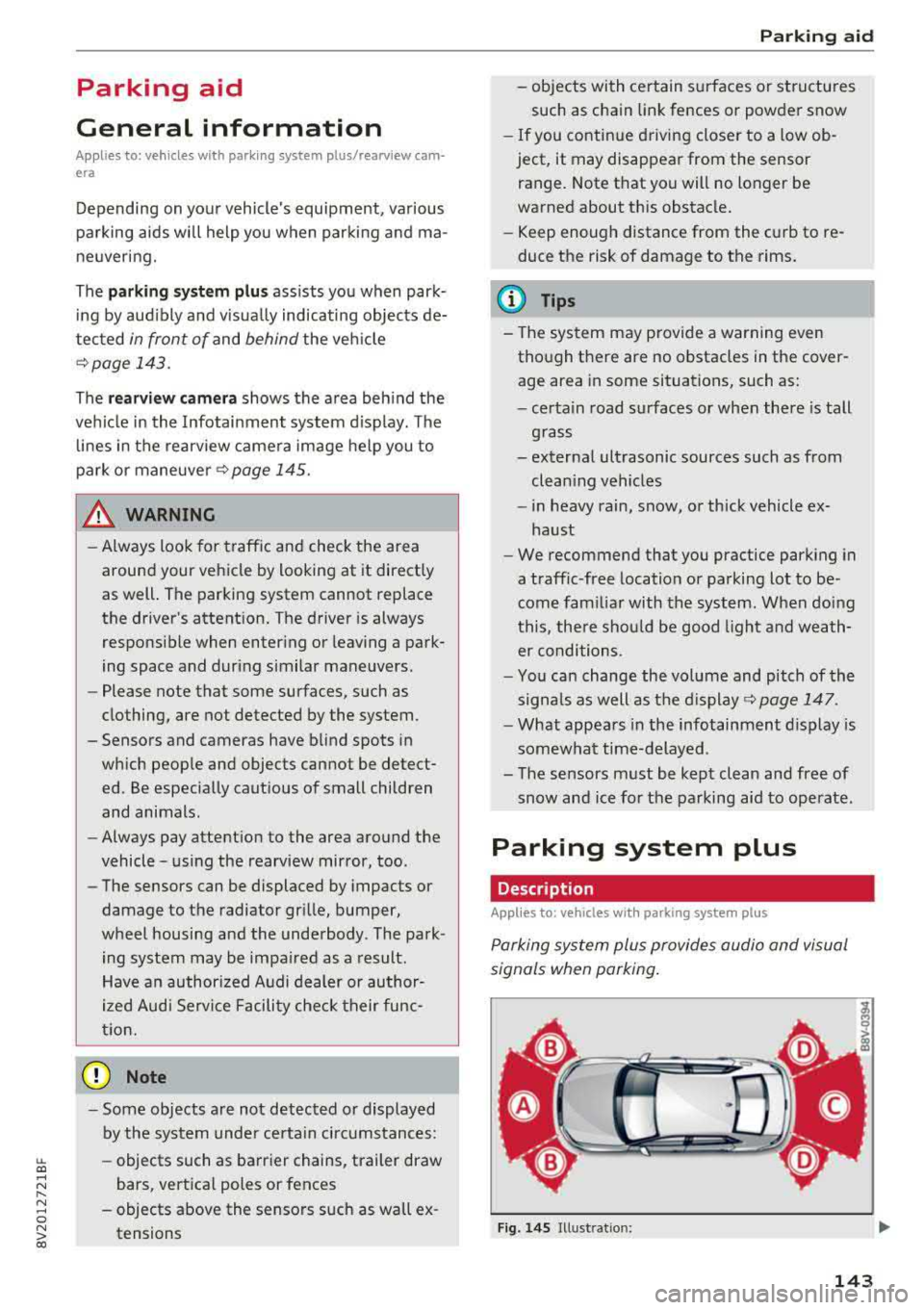
Parking system plus provides audio and visual
s ignals when parking .
Fig. 14S Illust ratio n:
143
Page 153 of 404
u. 00 .-< N l' N .-< 0 N > 00
Brake booster
The brake booster amplifies the pressu re yo u ap
p ly to the brake pedal. It only operates while the
engine is running or when the ignition is switched
on (plug-in hybrid drive*) .
A WARNING
- Only apply the brakes for the purpose of
cleaning the brake system when road and
traff ic conditions permit. You must not en
danger other road users. This increases the
r isk of an accident .
-
-Never let the vehicle roll while the engine is
stopped because this increases the risk of an
acc ident.
- Depend ing on the veh icle equipment, the
brake pedal may be pulled downward when
the vehicle automatically initiates b rak ing.
- Never place objects in the driver's footwell.
An object could end up in the area around
the pedals and prevent you from using
them. You wo uld not be able to use the ped
als if sudden driving or braking mane uvers
were needed, which increases the risk of an
accident.
- Only use floor mats that do not obstruct the
area around the pedals and that can be se
curely fastened in the footwe lls.
- T o reduce the risk of injury, do not place
your foot under the brake pedal.
(Llj) Note
-Never let the brakes "rub" by pressing the
pedal lightly when braking is not actually
necessary. This causes the brakes to over
heat and increases braking distance and
causes wear.
- Before driving on a long stretch with steep
slopes, reduce your speed and shift to the
next lower gear This makes use of the en
gine braking effect and relieves the brakes.
If you need to brake add it ionally, brake in
i ntervals and not cont inuously.
Intelligent Technology
(D Tips
- If the brake booster is not working, you
must press the brake pedal with much more
force than normal.
- If you retrofit your vehicle with a front spoi l
er, wheel covers or simi lar items, make sure
that the air flow to the front wheels is not
interrupted. Otherwise the brake system
can become too hot.
Electromechanical
steering
The electromechanical steering supports the
driver's steering movements.
Power steering adapts electronically based on
the ve hicle speed.
Indicator lights and messages
• Do not drive vehicle: steering defective
If this indicator light turns on and stays on and
th is message appears, the power steering may
have failed .
Stop the vehicle in a safe location as soon as pos
s ible. Do
not cont inue driving. See an authorized
Audi dealer or authorized Audi Service Fac ility for
ass istance .
l;r-ij Steering: system fault! You can continue
driving
If the indicator light turns on, the steering wheel
may be more difficult to move or more sensitive
than usual. The steering whee l may also be at an
angle when driving straight.
Drive slowly to an authorized Audi dea ler or au
thorized Audi Service Facility to have the mal
function corrected.
(D Tips
If the. or 'Tij indicator light on ly stays on
for a short time, you may continue driving .
151
Page 155 of 404
u. 00 .-< N l' N .-< 0 N > 00
record, in certain crash or near crash -like situa
tions, such as an airbag deployment or hitting a
road obstacle, data that will assist in understand
ing how a vehicle's systems performed. The EDR
is designed to record data re lated to vehicle dy
namics and safety systems for a short period of
time, typically 30 seconds or less . The EDR in this
veh icle is designed to record such data as:
- How various systems in your vehicle were oper
ating;
- Whether or not the driver and passenger safety
belts were buckled/fastened;
- How far (if at all) the driver was depressing the accelerator and/or brake pedal; and,
- How fast the vehicle was traveling.
These data can help provide a better understand
ing of the circumstances in which crashes and in
juries occur. NOTE: EDR data are recorded by your
vehicle only if a non-trivia l crash situation occurs;
no data are recorded by the EDR under normal
driving conditions and no personal data (e.g.,
name, gender, age, and crash location) are re
corded . H owever, other parties, such as law en
forcement, could combine the EDR data with the
type of personally identifying data routinely ac
quired during a crash invest igation .
To read data recorded by an EDR, special equip
ment is required, and access to the vehicle or the
E DR is needed. In addition to the vehicle manu
facturer, other parties, such as law enforcement,
that have the specia l equipment, can read the in
formation if they have access to the vehicle or the
EDR.
Aud i w ill only access the EDR and/or sim ilar data
or give it to others with the consent of the owner
or lessee or in accordance with applicable law.
States vary in their access/disclosure restrictions
for EDR data, but typically such data can be ac
cessed/disclosed in the following c ircumstances :
- when the vehicle owner (or lessee if the vehicle
has been leased) agrees; or
- upon the officia l request by the police; or
- up on the order of a court of law or a govern-
ment agency; or
- for the defense of a lawsu it through the judicial
dis covery process.
Intelligent Technology
-Audi may also use the data, once retrieved from
the vehicle under permissib le circumstances, in
an anonymous format.
- for research about vehicle operation and safety
performance or provide the data to a third par
ty for such research purposes.
Vehicle control modules
Your vehicle is also equipp ed w ith a number of
electronic control modules for various vehicle
systems, such as engine management, emission
control, airbags, and safety belts.
Th ese elect ronic control modules record data
during norma l vehicle operation that may be
needed by trained technicians for diagnostic and
repair purposes. The recording capabi lity of these
modules is limited to data (no sound is record
ed) . Only a small amount of data is actually re
corded over a very limited period of time, or stor
ed when a system fault is detected by a control
module . Some of the data stored may relate to
vehicle speed, direction, or braking, as well as re
straint system use and performance in the event
of a crash. Stored data can also only be read and
down loaded with specia l equipment that is di
rectly connected to the vehicle .
(D Tips
Your vehicle may be equipped w ith Audi con
nect. Your use of certain Audi connect fea
tures requires wire less services that are pro
vided by a third party wireless telecommuni
cations provider . For details regarding how in
formation obtained through Aud i connect is
collected, processed, transmitted, used, and
shared, please see your contract with the
wireless telecommunications provider.
153
Page 163 of 404
LL co .... N
" N .... 0 N > co
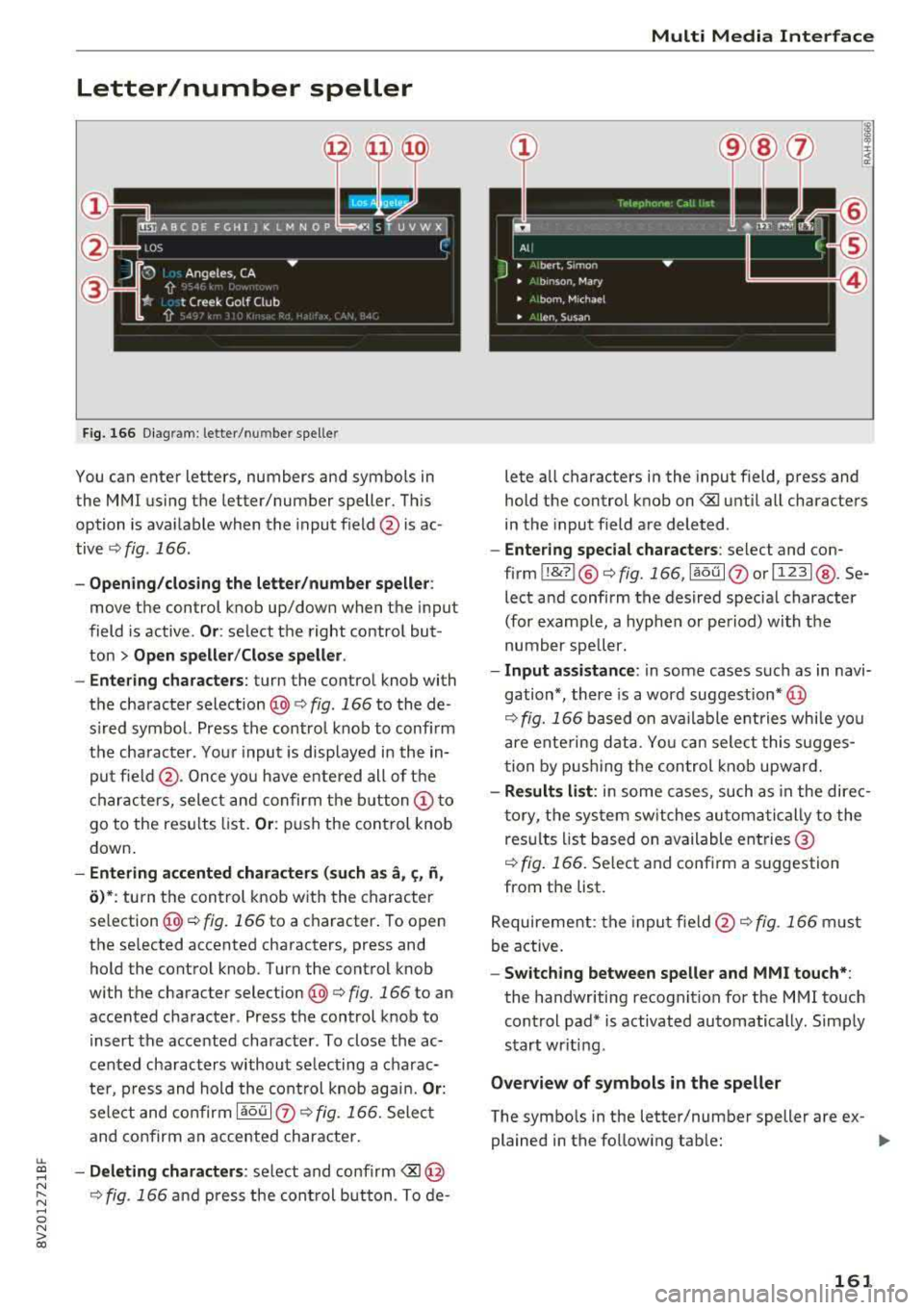
Letter/number speller
Fig . 1 66 Diagram : letter/ num be r spelle r
You can ente r letters, numbers and symbo ls in
the MMI us ing the letter/number speller. Th is
option is ava ilab le when the input f ield @is ac
tive
r::!> fig . 166 .
-Opening /clos ing the letter /number speller :
move the control knob up/down when the input
field is active .
Or: select t he right contro l but
ton
> Open speller /Close speller .
- Entering characters :
turn the control knob with
t h e character
selection @¢ fig. 166 to the de
s ir ed symbo l. Press the contro l knob to confi rm
t h e cha racte r. Yo ur inpu t is disp laye d in th e in
pu t field @. On ce yo u have entered all of the
ch aracters, sele ct an d confirm t he
button (!) to
go to the res ults list.
Or : push the control knob
down.
- Entering accented characters (such as a, c;, ii,
o )* : turn t he con trol k nob wit h the c haracter
se lection @¢ fig. 16 6 to a character . To open
the selected accented cha racters, press and
hold the cont rol knob . Turn the cont rol knob
with the characte r
selection@¢ fig. 166 to an
accented cha racter . Press the control knob to
i nsert the acce nted character . To close the ac
cented cha racters without se lecting a charac
te r, p res s and hold the cont rol k nob ag ain.
Or:
sele ct and confir m la ou l(z) r::!> fig . 166. Select
and confirm an accented chara cter.
- Deleting character s: se lect and confirm <8J @
r::!> fig . 166 and press the con trol b utton . T o de-
Multi Media Inte rface
lete a ll characters in the input field, press and
hold the control knob on
-Enter ing special characters : select and con
firm
! !&? l@ r::!>fig. 166, laou l(z) o rl 123 1@ . Se
lect and confirm t he des ired specia l character
(for examp le, a hyphe n or pe riod) wi th the
number spe ller .
-Input assistance : in some cases s uch as in navi
gation *, there is a word suggestion* @
r::!> fig. 166 based on ava ila ble e ntries while you
a re ente ring d ata. Yo u can sele ct this sugges
t ion by p ushi ng the con tro l knob upward.
- Results list : in some cases, such as in the dire c
t o ry, t he sys tem sw itches au to ma tically to the
res ults list b ased on available en tries ®
r::!> fig. 166. Select and conf irm a suggestion
from the list.
Re quire ment: the inpu t
field @r::!> fig. 166 must
be a ctive .
-Switching between speller and MMI touch* :
the handwriting recognition for the MMI touch
cont rol pad* is activated automatically. Simp ly
start wr it in g.
Overview of symbols in the speller
The symbo ls in the letter/numbe r speller are ex-
plained in the follow ing tab le:
llJ,
161
Page 174 of 404
Voice recognition s ystem
Function
Calling the last number dialed
Dialing a phone numbe r
Correcting the phone number that
was entered
Showing contact information
L isten ing to messages
Entering the PIN (SIM)
Co rrect ing the P IN entry
Correcting data input
C los ing the full-sc reen command
list
(D Tips
Say :
R edi al
Enter number
> when prompted, say the telephone number in
groups of individual numbers,
for example. 888 555 1212 > Di -
al
C orr ect ion / Delet e numb er
Di rector y
> say the desired contact when prompted,
for example John Sm ith
C all voic emai l
Ente r PIN
> when prompted , say the P IN in individual numbers
> S av e
Corr ection
I Delete PIN
No I meant ( XV)
Clos e
-Please note tha t commands can on ly be giv
en for the primary
phone*¢ page 177 .
-Contacts in the directory can selected using
the full name ("first name last name" and "last name, first name") as well as with only
the first or last name . This applies to cell
phones that transmit names separated into
first and last names. -
For more informat ion on s upported cell
phones, visit www.a udiusa.com/ bluetoo th
or contact an authorized Audi dealer or au
thorized Audi Service Facility .
Audi connect (Infotainment)
Applies to: vehicles with voice recognition system and Audi connect (Infotainment)
Requirement: the requirements for Audi connect
(Infotainment) must be met
¢ page 190 .
Function Say:
Accessing Audi connect Infota in -Audi connect > follow the system prompts
ment services
Audi connect Infotainment services
Weather / Online news / Fuel p rice s/ Parking info rmation /
T rav el info rmat ion / Tw itte r/ Online traffic info rmation / City
e v ents / Fl ight informat ion
Search areas for Aud i connect Info-N ear de stination / Nearb y/ In a new city
tainment serv ices
Correcting data input
No I m eant (XV)
(D Tips
Always read the chapter ¢ page 196, Audi
connect (Infotainment) general information.
172
Page 178 of 404
Voice recognition s ystem
A cell p hone m ust be connected to the M MI w ith
the
Handsfree profile ~ page 177.
The cell phone bei ng connected must have vo ice
con trol that can be controlled externally .
.,. Switching on : press and hold the 51 button on
the m ult if u nct ion steer ing whee l* and say the
desired command after the exte rnal spee ch d i
alog beg ins .
... Continuing /resuming the dialog: the system
remains ready to use for a short time after end
ing t he d ia log . You can start a new external dia
log during this time. Press the
10•1 button if
needed, and say a new command .
Or: selec t
and confirm
Re sume on the MM I control panel.
.,. Switching off: press and hold the 51 button .
Or: select and confirm Cancel on the MM I con
t rol panel.
(D Tips
- There a re no voice guidance* prompts when
a d ia log is active.
- This funct ion depends on the cell phone
u sed. You can obtai n more informat ion
from your cell p hone se rvi ce p rovide r or
from your cell p hone use r g ui de .
- AUDI AG simply prov ides access to cont rol
you r ce ll phone with vo ice opera tion and
does no t take any respons ibility for the co n
tents and commands wi thin the externa l
voice contro l.
176
Page 185 of 404
u. 00 .-< N l' N .-< 0 N > 00
-Se lect the right control bu tton > Rename fa-
vorite.
Moving stored favorites
- Se lect : Favorites > a favorite from the list.
-Select the right control button > Move favorite .
-Se lect and confirm the location of t he selected
favor ite .
Deleting a stored favorite
-Se lect : Favorites > a favorite from the list.
-Se lect the right control button > Delete favor-
ite > Delete this favorite or Delete all favor
ites .
Messages
Text messages
Applies to: cell phones with Blue tooth Message Access Profile
(MAP)
Depending on the cell phone being used and the
cell phone ne twork contract, you can receive and
send text messages using the MMI.
Requirement
A cell p hone m ust be co n ne cted to the MM I via
B lue tooth MA P (M essage Access Profile)
~page 177 .
.,. Select : I MENU I butto n> Telephone > left co n
t ro l bu tton >
text message (myPhone) /text
message (secondary phone)*.
Write new text message
S elec t and confi rm Write new text message .
- Using a template :
select and confi rm the de
s ired temp late from the list .
-Writing your own te xt*: select and confirm Do
not use template .
Enter text using the M MI
touch co ntro l pad* o r the lette r speller .
- Ente r one or mo re recip ients.
- Se lect and confirm
Send .
Inbox
Dis pla ys a ll re ceived tex t m essages .
Sent
Disp lays all se nt tex t messages .
Telephone
Outbox
Disp lays all tex t messages to be sen t.
Drafts
Displays a ll tex t messages that have no t yet been
sent a nd sto red text messages .
(D Tips
-Please note that you may have to activate
t he rece ivi ng a nd send ing of t ext m essages
in yo ur cell pho ne depending on the SI M
c ar d be ing use d (fo r ex ampl e, when u sing a
M ult i-SIM ). You can obta in mo re informa
t ion fr om yo ur ce ll ph one servi ce pr ovider or
from you r ce ll p hone user guide .
- Fo r m ore inf orma tion on sup po rt e d c ell
ph ones, vi sit www .audiu sa.co m/ blu etoo th
o r contact a n auth o rized Aud i dea le r or a u
t h orize d Audi Serv ice Fac ility.
- Yo u n eed a ce ll phone wi th Messa ge A ccess
Profi le that a lso s upports the sen ding func
tion to be a ble to se nd text messa ges
throug h the MMI.
Message options
Applies to: cell phones with Bluetooth Message Access Profile
(MAP)
.,. Select: I TE L! b utton > left co ntro l butto n > text
message (myPhone) /text message (secondary
phone )* > lnbo x/Sent /Outbo x
> right control
button.
T he following options may be availa ble depen d
ing on the selected menu.
Storing a text message as a template
T en text mess age temp lates are s to red in the
MM I. You can s ave up to ten a ddition al tem
p lates .
- Crea te a t ext message .
- Select and confirm
Store as template .
Resume last te xt message
The last ed ited text message can be resumed .
Reply*
A reply c an be sen t for t he se le ct ed mess age in
t h e
Inbox.
183
Page 192 of 404
Audi conn ect (Infotainment)
Audi connect
(Infotainment)
Introduction
Applies to vehicles with Audi connect (Infotainment)
With Audi connect Infotainment services, online information is transmitted directly to the vehicle
and then integrated .
A WARNING
To reduce the risk of an accident, only use
Audi connect Infotainment services when
road and traffic cond itions permit. A lways
read and fo llow the notes
in~ page 154,
Traffic safety information.
Setup
Requirements for Audi connect (Infotainment)
Applies to vehicles with Audi connect (Infotainment)
-
The data connection fo r A udi connect Infota in
ment services is made thro ugh an embedded SIM
card (eS IM card) that is equipped in the veh icle.
The fo llow ing requ irements must be met to use
the embedded SI M card:
- You have already reg istered at
www .aud iusa.com/myaud i and ass igned a vehi
cle.
- You have also already logged in to your myAud i
account under Audi connect plan for the em
bedded SIM card and accepted the terms of use
given there. For add it io na l information, co ntact
an a uth orized Aud i de aler o r au th orized Audi
Service Facility .
Then you r Audi connect Infota inment serv ices are
activated and can be used in your ve hicle.
(D Tips
- After the free subscription has ended or the
data volume has been used up, data pac kets
can be purchased for the use of Audi con nect Infot ainment serv ices. You can find a d
dit ional info rmation about fees and pur
chasing at www .audiusa .com/myaudi.
190
- Read this chapter before operating
~ page 196, Audi connect (Infotainment)
general information.
Configuration through myAudi
Audi connect (Infotainment) configuration
Applies to vehicles with Audi connect (Infotainment)
Some A udi connect Infotainment services must
be conf igured through your personal myAud i ac
count before using them for the first time.
- If you do not have a persona l myAudi account
yet, you can register on line at
www.a udiusa.com/myaudi.
- Add your vehicle to your myAudi account.
- Ac tivate/config ure the A ud i connect (Infotain -
ment) services you would like for your veh icle in
your myA udi account.
- For some Audi connect Infotainment services,
you may also have to enter your myAudi user
data or your myAudi PIN when accessing serv ices in the MMI to connect your veh icle to
myAudi.
For detailed information on configuration, visit
www.audiusa .com/mya udi .
Logging into myAudi in the vehicle
Applies to vehicles with Audi connect (Infotainment)
To use some Audi connect Infotainment services
(such as Twitter*), you must first connect your
vehicle to myAudi to transfer your personal set
tings from your myAudi account.
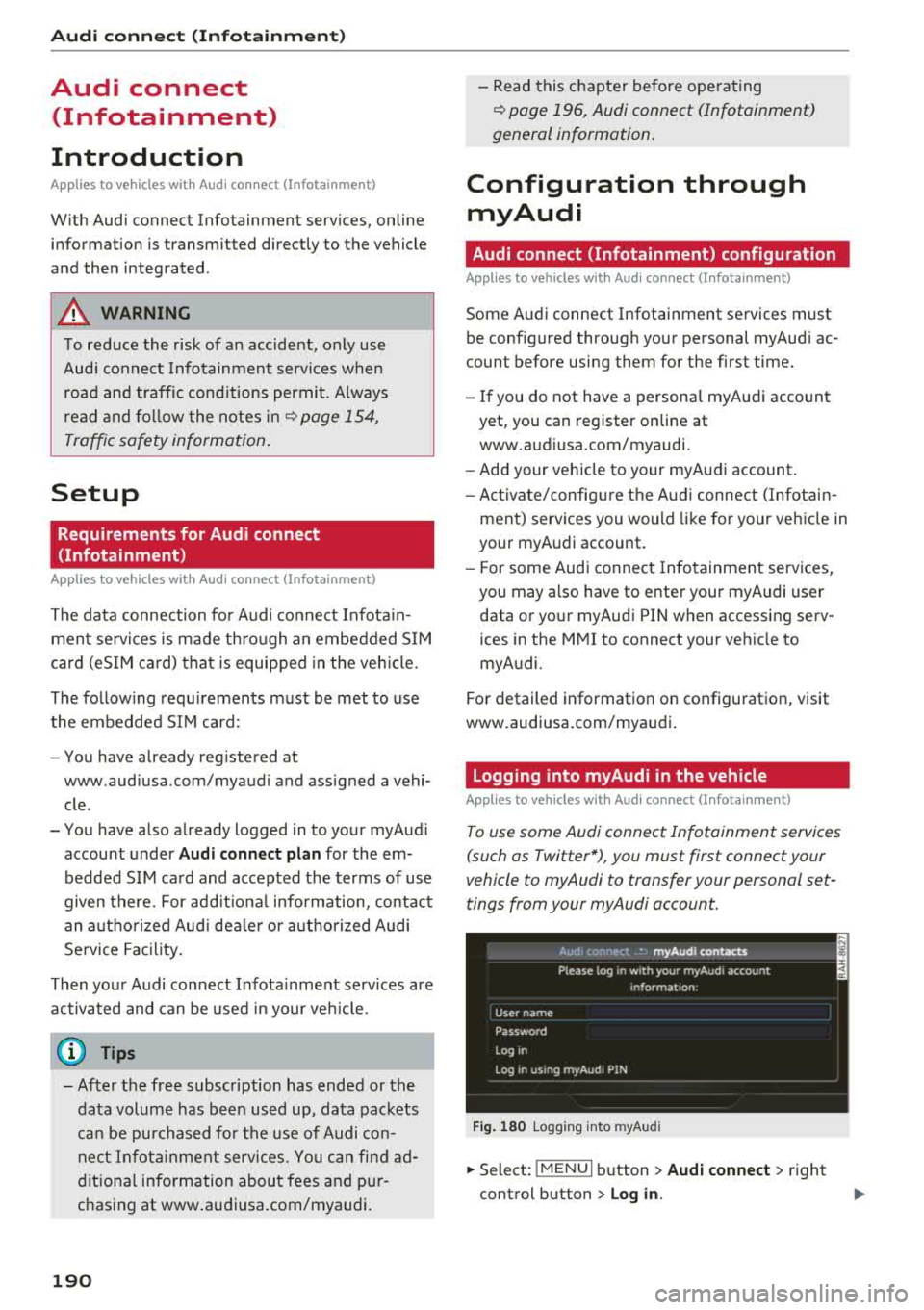
Fig . 180 Logging into myA udi
.,.. Select: !MENUI b utton> Audi conne ct > right
control button > Log in.