mmi AUDI A4 2013 User Guide
[x] Cancel search | Manufacturer: AUDI, Model Year: 2013, Model line: A4, Model: AUDI A4 2013Pages: 302, PDF Size: 75.61 MB
Page 53 of 302
Turn the knob to the desired position:
Q/ P -In this position , you can adjust the
driver's and front passenger's exterior mirrors
by turning the knob in the desired direction.
(ijjl -The mirrors are heated depending on the
outside temperature.
8 -The exterior mirrors fold in*. You can ad
just whether or not the mirrors fold in auto
matically when locking the vehicle using the
radio/MM I*
c::> page 3 7.
Passenger exterior mirror tilt function*
(only with memory for exterior mirrows)
To help you see the curb when backing into a
parking space, the surface of the mirror tilts
slightly . The knob must be in the
P position
for this to happen .
You can adjust the tilted mirror surface by
turning the knob in the desired direction .
When you move out of reverse and into anoth
er gear, the new mirror position is stored and
assigned to the key you are using.
The mirror goes back into its original position
once you d rive forward faster than 9 mph
(15 km/h) or switch the ignition off .
,&. WARNING
Curved mirror surfaces (convex or spheri
cal*) increase your field of view. Remem
ber that vehicles or other objects will ap
pear smaller and farther away than when
seen in a flat mirror. If you use this mirror
to estimate distances of following vehicles
when changing lanes, you could estimate incorrectly and cause an accident.
(D Note
- If the mirror housing is moved uninten
tionally (for example, while parking your
vehicle), then you must first fold the mir ror electrically. Do not readjust the mir
ror housing manually. You could damage
the motor which controls the mirror .
-If you wash the vehicle in an automatic
car wash, you must fold the exterior mir
rors in to reduce the risk of damage to
-
Clear vision 51
the mirrors . Never fold power folding ex
terior mirrors* by hand. Only fold them
in and out using the power controls.
(D Tips
- The exterior mirror settings are stored
with the memory function*
c::> page 62.
- If there should be a malfunction in the
electrical system, you can still adjust the
exterior mirrors by pressing the edge of
the mirror.
Dimming the mirrors
N
:!
"' ~:::====~~=~====~ :ll
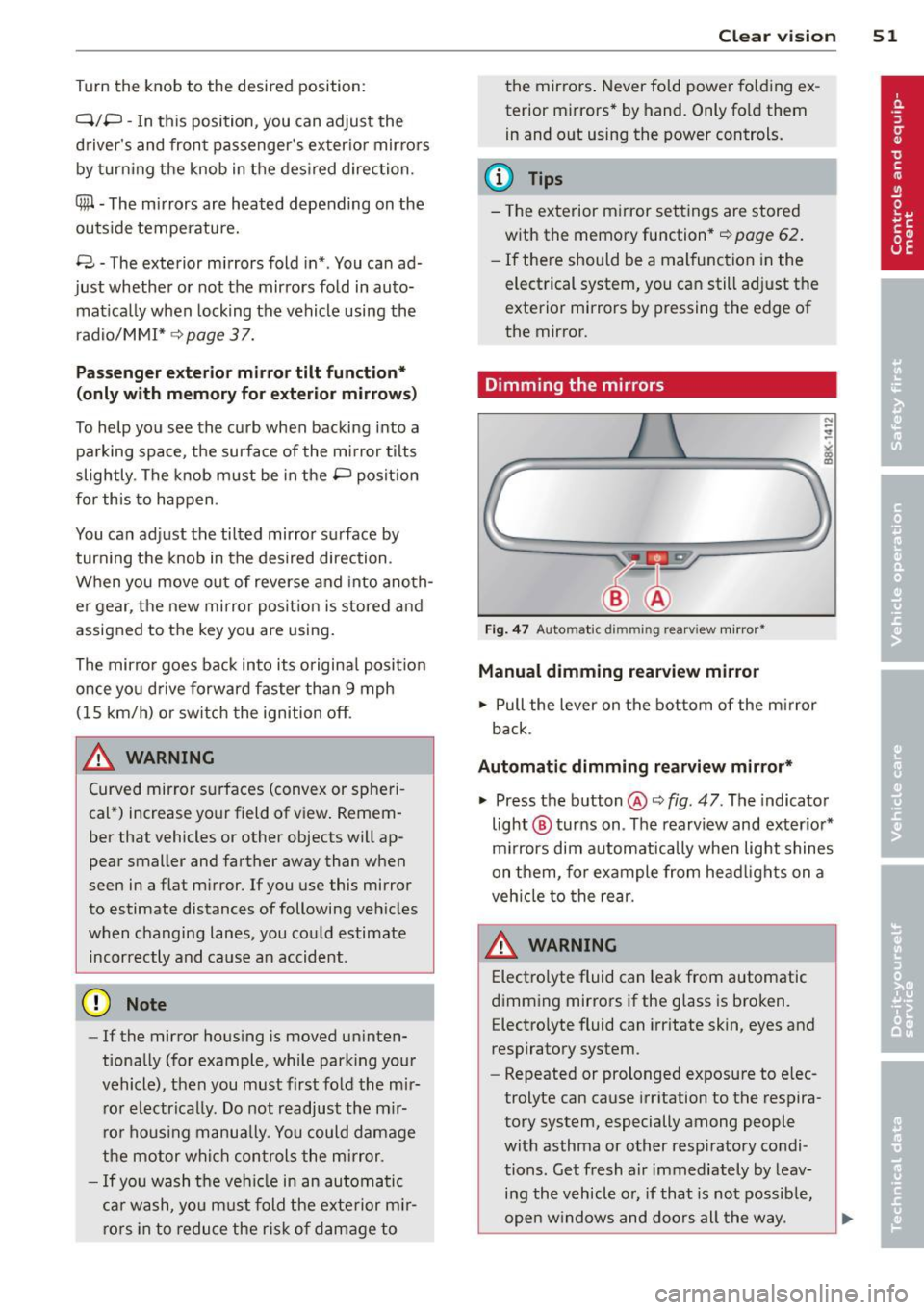
Fig. 47 Auto mat ic dimming re arv iew mirror*
Manual dimming rearview mirror
.. Pull the lever on the bottom of the mirror
back .
Automatic dimming rearview mirror*
.. Press the button @c::> fig. 47. The indicator
light @ turns on . The rearview and exterior*
mirrors dim automatically when light shines
on them, for example from headlights on a
vehicle to the rear.
A WARNING -
Electrolyte fluid can leak from automatic
dimming mirrors if the glass is broken. Electrolyte fluid can irritate skin, eyes and
respiratory system .
- Repeated or prolonged exposure to elec
trolyte can cause irritation to the respira
tory system, especially among people
with asthma or other respiratory condi
tions. Get fresh a ir immediately by leav
ing the vehicle or, if that is not possible,
open windows and doors all the way.
Page 54 of 302
52 Clear vision
-If electrolyte gets into the eyes, flush
them thoroughly with large amounts of
clean water for at least 15 minutes;
medical attention is recommended .
- If electrolyte contacts skin, flush affect
ed area with clean water for at least 15
minutes and then wash affected area
with soap and water; medical attention
is recommended . Thoroughly wash af
fected clothing and shoes before reuse.
-If swallowed and person is conscious,
rinse mouth with water for at least 15
minutes . Do not induce vomiting unless
instructed to do so by medical professio
nal. Get medical attention immediately.
Liquid electrolyte leaking from broken mir
ror glass will damage any plastic surfaces
it comes in contact with. Clean up spilled
electrolyte immediately with clean water
and a sponge.
(D} Tips
- Switching off the dimming function of
the inside rear view mirror also deacti
vates the automatic dimming function of
the exterior mirrors.
- Automatic dimming for the mirror only
operates properly if the sun shade* for
the rear window is not in use or the light
striking the inside mirror is not hindered
by other objects.
- The automatic dimming mirrors do not
dim when the interior lighting is turned
on or the reverse gear is selected .
, Sun visors
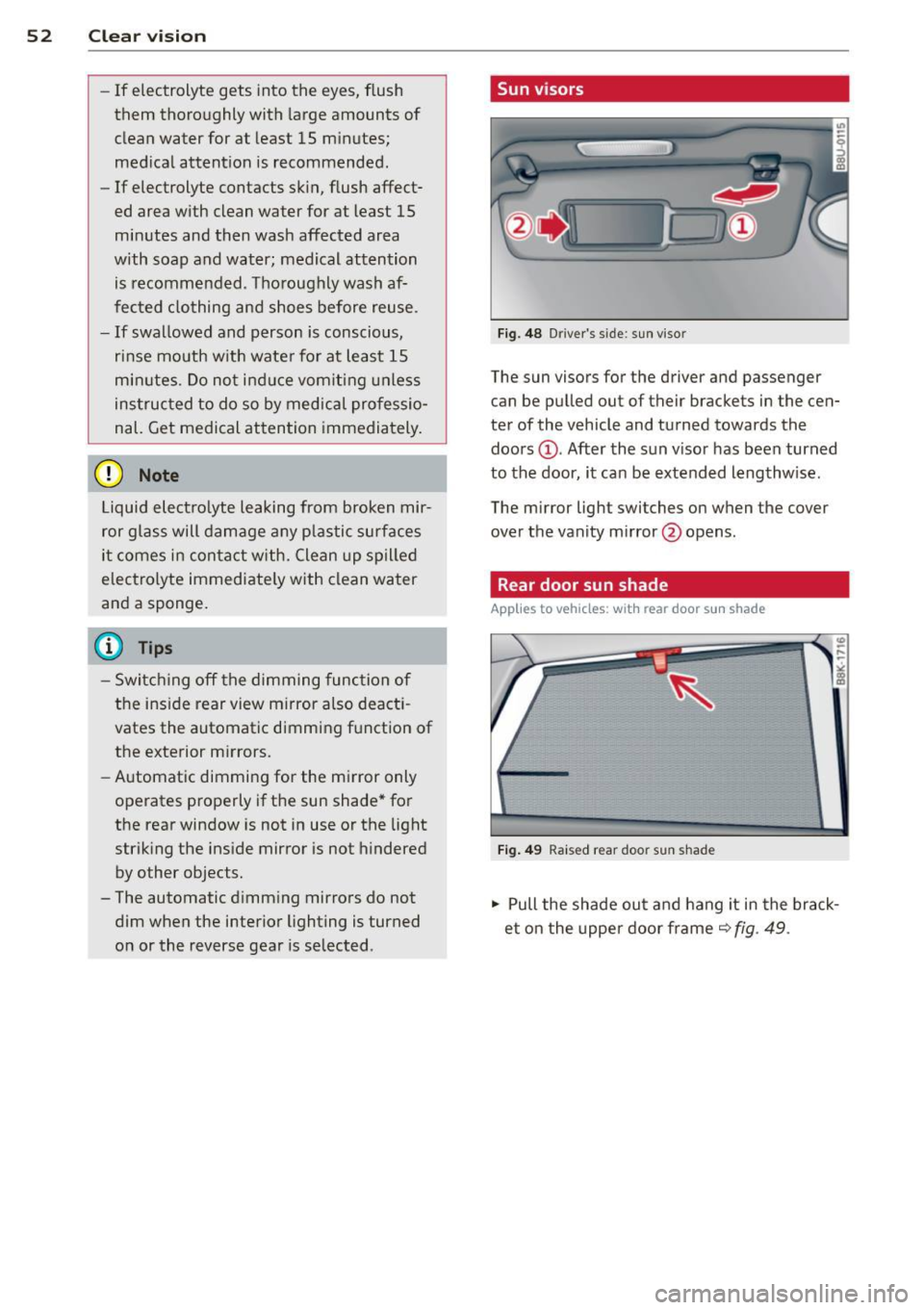
Fig. 48 Driver 's s ide; sun viso r
The sun visors for the driver and passenger
can be pulled out of their brackets in the cen
ter of the vehicle and turned towards the
doors @. After the sun visor has been turned
to the door, it can be extended lengthw ise.
The mirror ligh t switches on when the cover
over the vanity mirror @opens.
Rear door sun shade
Applies to vehicles: with rear door sun shade
Fig. 49 Raised rear door sun shade
.,. Pull the shade out and hang it in the brack
et on the upper door frame
~ fig. 49 .
Page 55 of 302
Rear window sun shade
Applies to vehicles: with rear window su n shade
Q;l I flc.i" , ~---
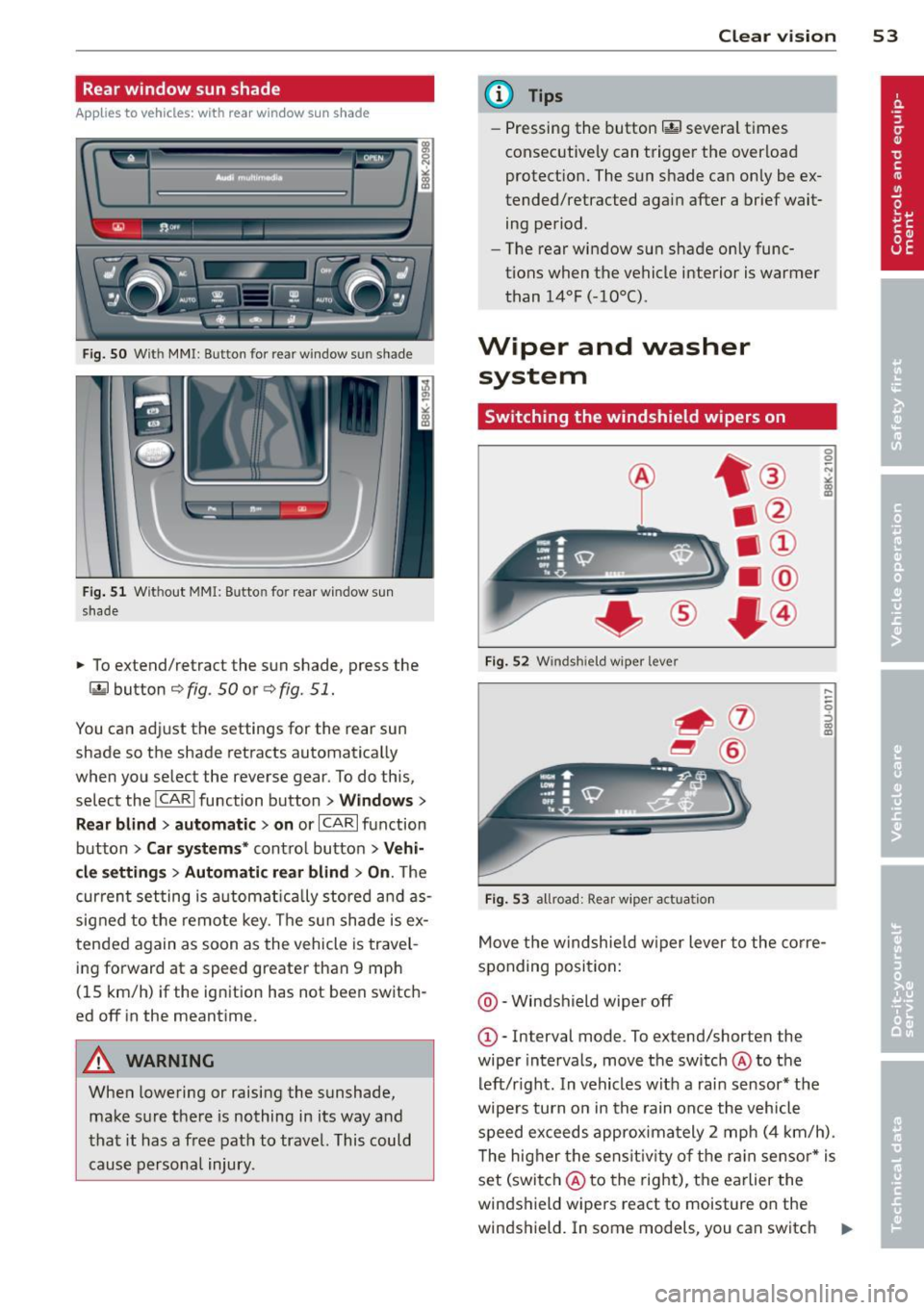
Fig. SO W it h MMI : Button for re ar window su n shade
Fig . 51 W it h out MMI: B utto n fo r rear wi ndow s un
s hade
• To extend/retract the sun shade, press the
laf.l button r=;> fig . 50 or ¢ fig. 51.
You can adj ust the settings for the rear sun
shade so the shade retracts automatica lly
when you select the reverse gear . To do this,
select the
! CARI function button> W indow s>
R ear blind > aut omati c> on
or ICARI function
button >
Car sy stem s* contro l button > V ehi
cl e s ett ings
> Autom atic re ar blind > On . The
cur rent setting is automat ica lly stored a nd as
signed to the remote key . T he sun shade is ex
tended again as soon as the vehicle is travel
ing forward at a speed greater than 9 mph
(15 km/h) if the ignit ion has not been switch
ed off in the meantime.
A WARNING
When lowering or raising the sunshade, make sure the re is nothing in its way and
that it has a free path to travel. This could
cause persona l injury .
-
Clear vi sion 5 3
@ Tips
-Pressing the button~ several t imes
consecutive ly can trigger the overload
protect ion. The sun shade can only be ex
tended/retracted aga in after a brief wait
ing period.
- The rear window sun shade only func
tions when the vehicle interior is warmer
than 14°F (-10°C) .
Wiper and washer
system
Switching the windshield wipers on
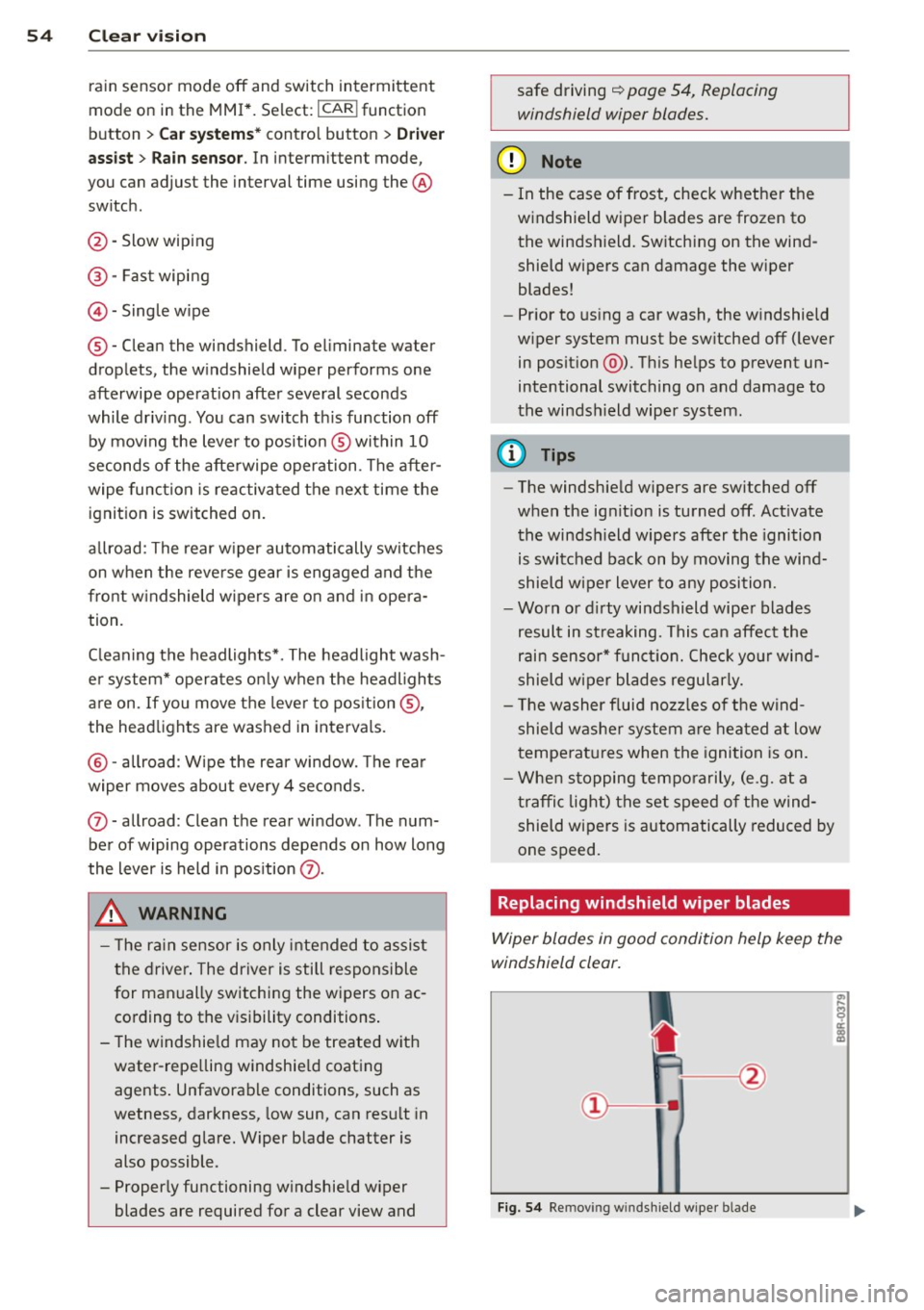
F ig . 5 2 Winds hie ld w iper leve r
Fig . 53 all road: Rear w iper ac tua tio n
0 0 N
"' :8
.....
-
-0 ::, a) m
Move the windshie ld w iper lever to the co rre
sponding posi tion:
@ -Windshield wiper off
G)-Interval mode . To ex tend/shorten the
wiper intervals, move the switch @to the
left/r ight. In vehicles w it h a rai n sensor* the
wipe rs turn on in the rain once the vehicle
speed ex ceeds approximately 2 mph (4 km/h) .
T he higher the sens it iv ity of the ra in sensor * is
set (switch @to the right), the earlier the
windshield wipers react to moisture on the
w indshield. In some models, you can switch
II-
Page 56 of 302
54 Clear vis ion
ra in sensor mode off and switch intermittent
mode on in the MMI*. Se lect:
I CAR ! function
button
> C ar sys tem s* contro l button > Dri ver
assi st> Rain s enso r.
In interm ittent mode,
you can adjust the interval time using the ®
switch .
@-Slow wiping
@-Fas t wiping
© -Sing le w ipe
® -Clean the windshield . To eliminate water
drop lets, the w indshield wiper performs one
afterwipe operation after several seconds
while driv ing . You can switch th is fu nction off
by mov ing the lever to position ® within 10
seconds of the afte rwipe operation . The after
wipe func tion is reactiva ted the next time the
ignition is switched on.
a llroad: The rear w iper automatically switches
on when the reve rse gear is engaged and the
front w indshield w ipers are on and in opera
tion .
C lean ing the headlights*. The headlight wash
e r system* opera tes on ly when the headl ights
a re on. If you move the leve r to pos ition @,
the head lights are washed in intervals.
@ -allroad : Wipe the rear window. The rear
wiper moves about every 4 seconds.
(J) -allroad : Clean the rear window . The num
ber of wiping operations depends on how long
the lever is held in pos ition
(J) .
_& WARNING
- T he ra in sensor is only inte nded to assist
the drive r. The driver is still responsible
for man ually switching the wipers on ac
cording to the v isibility conditions .
- T he windshie ld may not be treated w ith
water-repe lling windshie ld coating
agents . Unfavorable conditions, such as
wetness, darkness, low sun, can res ult in
increased glare. Wiper blade chatter is
also possible .
- Proper ly functioning windshie ld w iper
blades are required for a clear view and safe driving
~ page 54, Replacing
windshield wiper blades.
@ Note
- In the case of frost, check whethe r the
windshield wiper blades are frozen to
the windshield. Sw itching on the wind
shield wipers can damage the wiper
blades!
- Pr ior to us ing a car wash, the w indshield
w iper system must be sw itched off ( lever
in posit ion @). Th is he lps to prevent un
intentional switching on and damage to
the windsh ield wiper system .
@ Tips
- The windshie ld wipers are switched off
when the ignit ion is turned off. Act ivate
the winds hield wipers after the ignition
is switched back on by moving the wind
shield w iper lever to any position.
- Worn or d irty windshield wiper blades
result in st reaking. This can affect the
rain sensor* function. Check your wind
shield w ipe r blades regularly.
- The washer fluid nozz les of the wind
shield w asher system a re heated at low
temperat ures when the igni tion is on.
- When stopping tempo rarily, (e .g. at a
t raffic light) the set speed o f the wind
shield wipers is automatically reduced by
one speed.
· Replacing windshield w iper blades
Wiper blades in good condition help keep the
windshield clear.
F ig. 5 4 Remov ing wi nd sh ie ld w ipe r bl ade
Page 64 of 302
62 Seats and storage
Installing the head restraints
.. Slide the posts on the head restra int down
into the guides until you feel the posts click
into place.
.. Press the button @
Q fig. 62 and slide the
head restraint all the way down. You should
not be able to pull the head restraint out of
the backrest .
So that the driver can have a better view to
the rear, the head restraints should be pushed
down completely when the rear seats are not
occupied.
A WARNING
- Read and heed all WARNINGS
~page 131.
-Only remove the rear seat head restraints
when necessary in order to install a child
seat ~
page 174. Install the head re
straint again immediately once the child
seat is removed. Driving without head re
straints or with head restra ints that are
not properly adjusted increases the risk
of serious or fata l neck injury dramatical
ly.
@ Tips
Correctly adjusted head restraints and
safety belts are an extremely effective
comb inat ion of safety features .
Seat memory
Description
Applies to vehicles: with memory function
The memo ry function allows you to quickly
and easily sto re an d recall personal seating
profiles for the driver. The memory function is
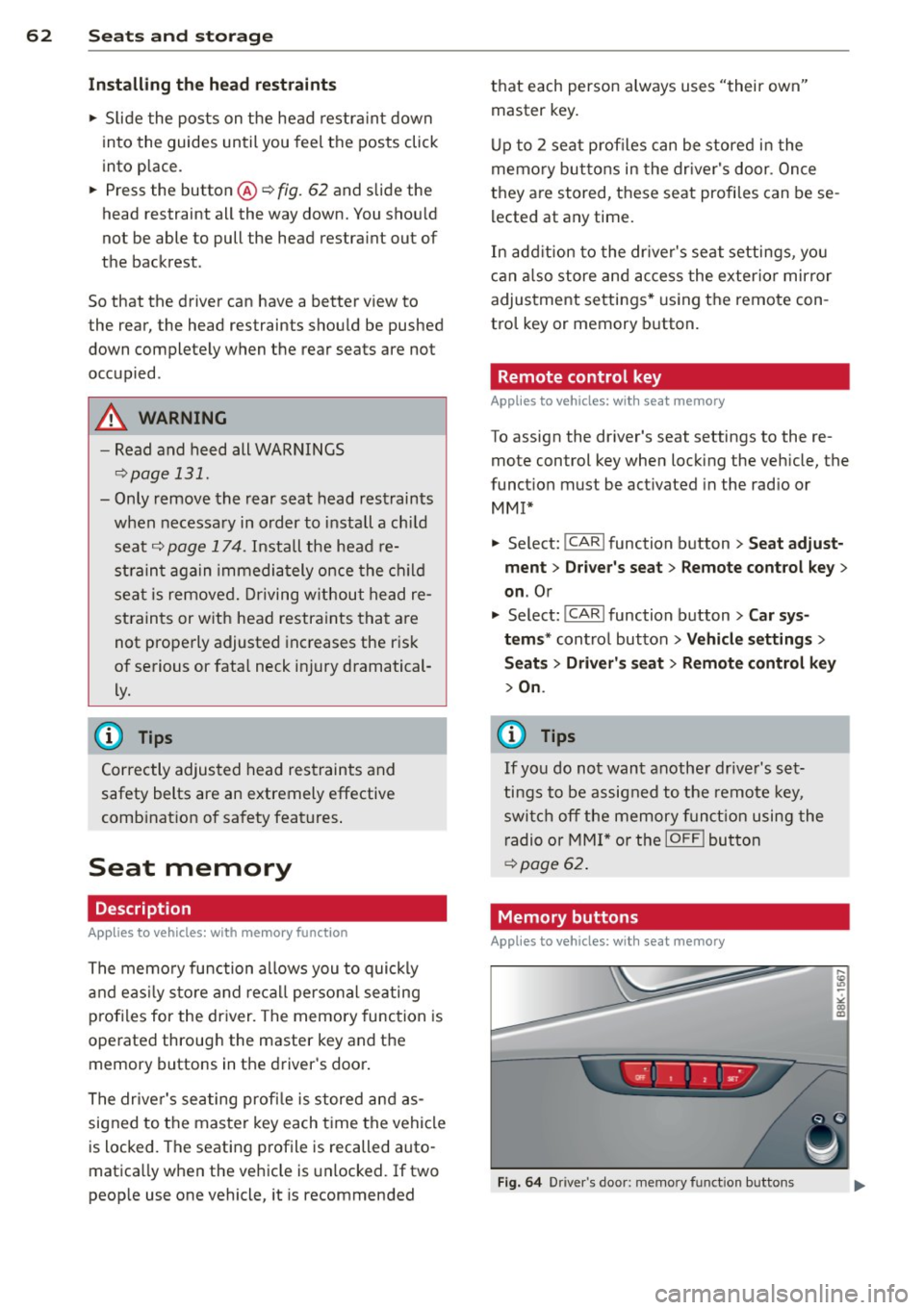
operated through the master key and the memory buttons in the driver's door.
The drive r's sea ting profi le is stored and as
signed to the master key each time the vehicle
is locked. The seating profile is recalled auto
matica lly when the vehicle is unlocked. If two
peop le use one vehicle, it is recommended that each person always uses "their own"
master key .
Up to 2 seat profil es can be stored in the
memory buttons in the driver's door. Once
they are stored, these seat profiles can be se
lected at any time.
In addition to the driver's seat settings, you
can also store and access the exterior mirror
adjustment settings* using the remote con
tro l key or memory button.
Remote control key
Applies to vehicles: with seat memory
To assign the dr iver 's seat settings to the re
mote control key when locking the veh icle, the
funct ion must be act ivated in the rad io or
MMI*
.. Select: I CAR I function button > Seat adjust
ment
> Driver's seat > Remote control key >
on.Or
.. Select:
!CAR ! function button> Car sys
tems *
control button > Vehicle settings >
Seats > Driver 's seat > Remote control key
> On.
@ Tips
If you do not want another driver's set
tings to be assigned to the remote key,
switch off the memory function using the
radio or
MMI* or the !OFFI button
~page 62.
· Memory buttons
Appl ies to vehicles: wit h seat memory
Fig. 64 Driver's door: memory function buttons
Page 79 of 302
Warm and cold 77
Operation
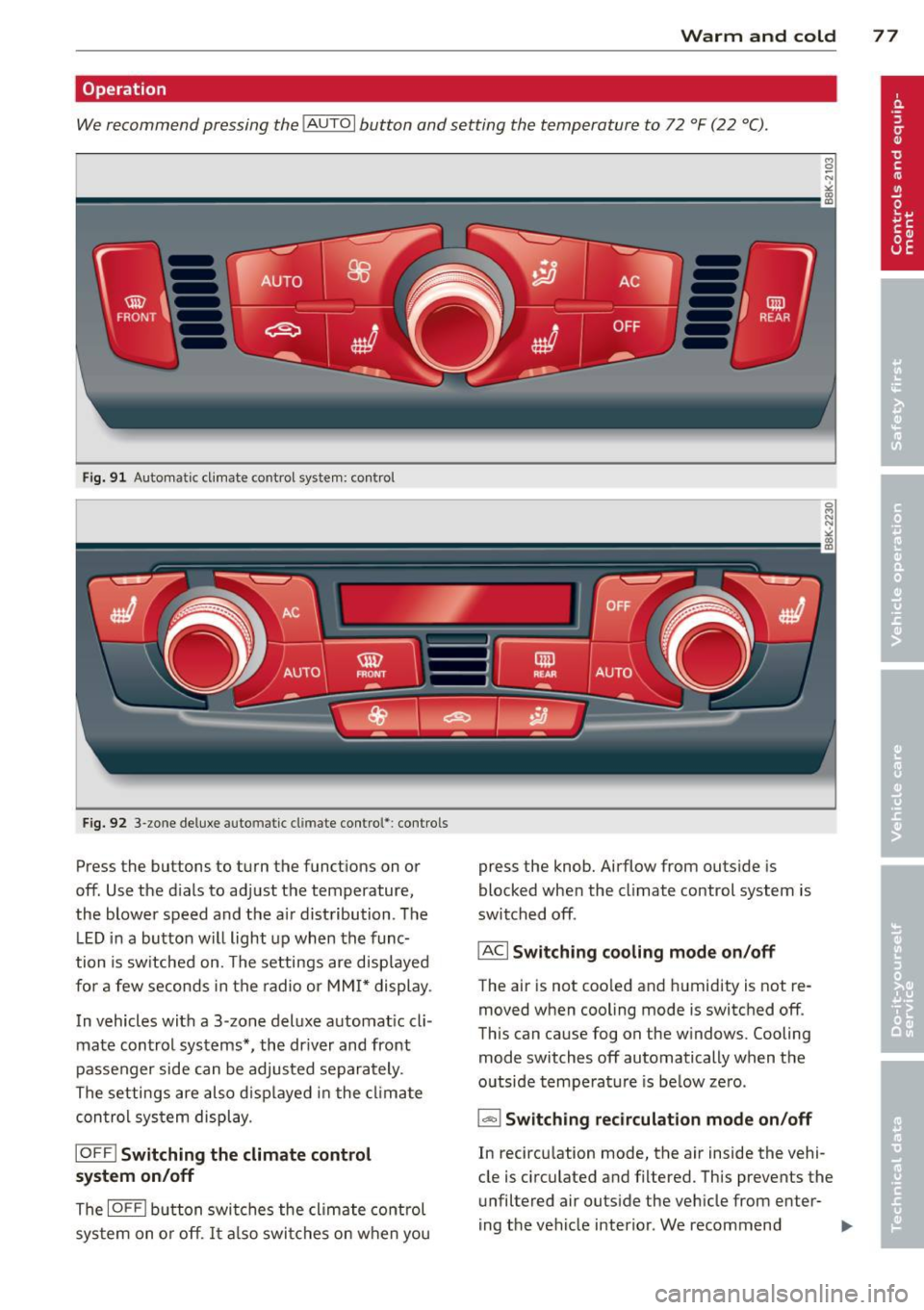
We recommend pressing the IAUTO I button and setting the temperature to 72 °F (22 °C).
Fig. 91 Automatic cl imate control system: control
Fig. 92 3-zone deluxe automatic climate control': controls
Press the buttons to turn the functions on or
off. Use the d ials to adjust the temperature,
the blower speed and the a ir distribution. The
L ED in a button will light up when the func
tion is switched on. The settings are displayed
for a few seconds in the radio or MMI* display.
In vehicles with a 3-zone deluxe automat ic cl i
mate control systems *, the dr iver and front
passenger side can be adjusted separately.
The settings are also d isplayed in the climate
con trol system display.
IOFFI Switching the climate control
system on/off
The IOF FI button switches the climate control
sys tem on or off.
It also switches on when you press the knob. Airflow from outs
ide is
blocked when the climate control system is
switched off.
IACI Switching cooling mode on/off
The air is not coo led and humidity is not re
moved when cooling mode is switched off.
This can cause fog on the w indows. Cooling
mode switches off automatically when the
outside temperature is be low zero.
1- 1 Switching recirculation mode on/off
In recircu lation mode, the air inside the vehi
cle is circulated and filtered. This prevents the
unfiltered air outside the vehicle from enter
ing the vehicle interior. We recommend
Page 90 of 302
88 On the road
vehicle speed exceeds the set speed by about
3 mph (3 km/h). At the same time, a warning
symbol appears in the d isp lay . The symbol's
appeara nce m ight be d ifferent in some mod
els.
The speed warning system has one or two*
warn ing thresholds that f unct ion independ
ently of each other and that have somewhat
d ifferent purposes:
Speed warn ing 1
You can use speed warning 1 to set the maxi
m um speed w hile you are driv ing. T his setting
will remain in effect until you turn
off the igni
tion, assuming that you have not changed or
reset the setting.
The . (USA models)/ . (Canada models)
speed warning symbol in the warning 1 dis
p lay appears whe n you exceed the maximum
speed. It goes out when the speed fa lls below
the stored max imum speed .
The speed warning symbo l w ill also go out if
the speed
exceeds the stored max imum speed
by more than about 25 mph (40 km/h) for at
least 10 seconds. The stored maximum speed
is deleted .
Sett ing speed warning 1
c::> page 88.
Speed warning 2*
Sto ring warning 2 is recommended if you al
ways
want to be reminded of a certain speed,
for example when yo u are traveling in a coun
try that has a general maximum speed limit,
or if you do not want to exceed a specified
speed for winter tires.
The . (USA mode ls)/ . (Canada mode ls)
speed warning 2 symbo l appears in the dis
play when you exceed the stored speed lim it.
Unlike warning 1, it will not go out until the
vehicle speed drops below the stored speed
lim it.
Sett ing speed warning 2
c::> page 88.
(D Tips
Even tho ugh your vehicle is equipped with
a speed warning system, you should st ill watch the speedome
ter to ma ke s ure you
are not dr iving faster than the speed limit .
Speed warning 1: setting a speed limit
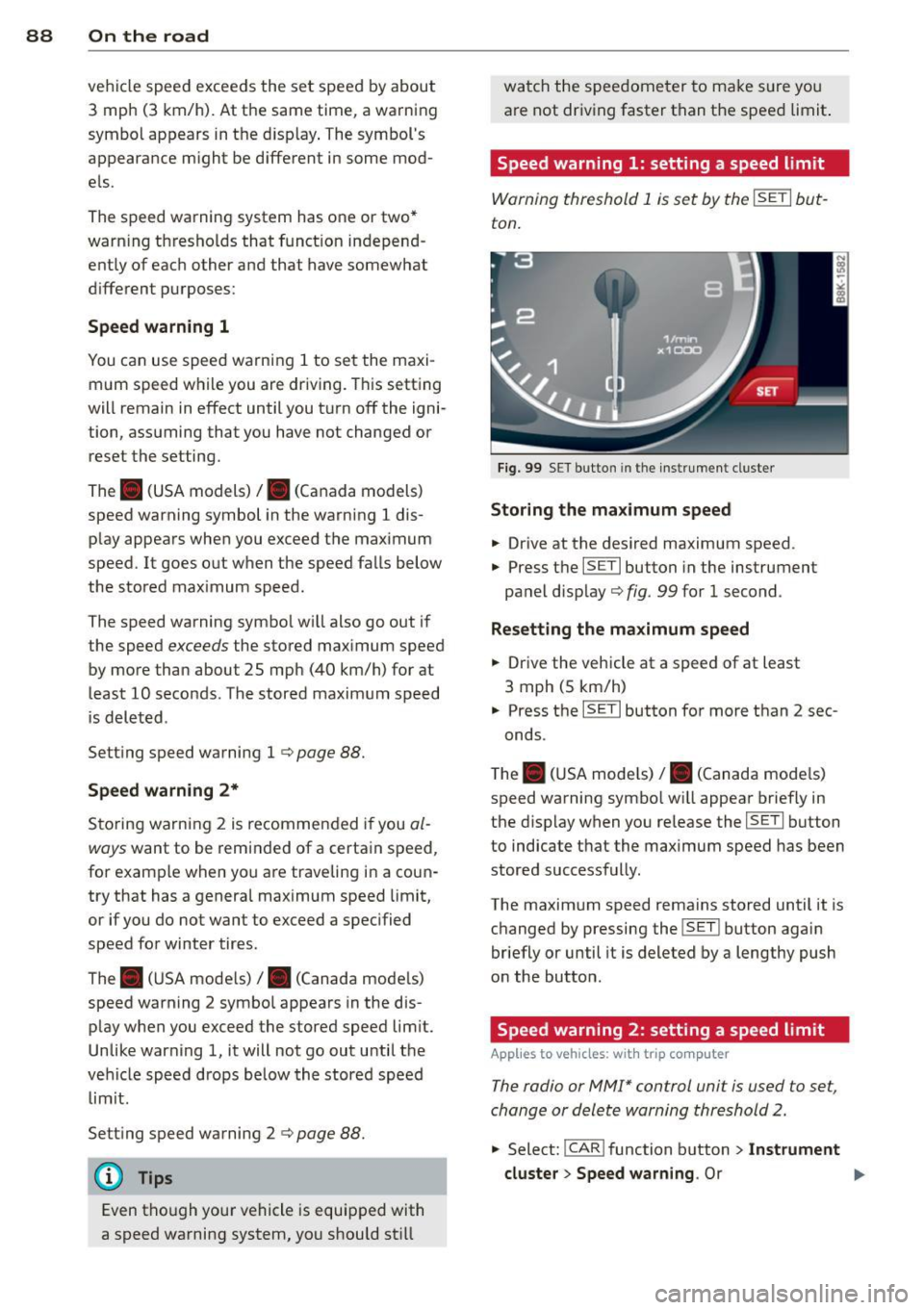
Warning threshold 1 is set by the ISETI but
ton.
F ig . 99 SET bu tton in the instr ume nt cluste r
Storing the max imum speed
.. Drive at the desired maximum speed .
.,. Press t he
ISE TI button in the instrument
panel disp lay
c::> fig . 99 for 1 second .
Resetting the maximum speed
.. Drive the vehicle at a speed of at least
3 mph (5 km/h)
.. Press the
ISET I button for more than 2 sec-
onds.
T he . (USA mode ls)/ . (Canada mode ls)
speed warning symbo l w ill appear briefly in
the display when you release the
I SE TI button
to indicate that the maximum speed has been
stored successfully.
The maximum speed remains stored until it is changed by pressing the
I SET ! button again
briefly or until it is deleted by a lengthy push
on the button.
Speed warning 2: setting a speed limit
App lies to vehicles: wi th trip co mp uter
The radio or MMI* control unit is used to set,
change or delete warning threshold 2.
.. Select: !CAR ! function b utton > In st rument
cluster > Speed warning .
Or
Page 108 of 302

106 Audi adap tive cruise control and br aking guard
- If a co llision is imminent, the system will
first provide an
acute warning by bri efly and
sharp ly app ly ing the brakes .
- If you do not react to the ac ute warning ,
braking guard can brake within the limits of
the system. This reduces the veh icle speed
in the event of a collision.
- At speeds under 20 mph (30 km/h), the sys
tem can in it iate a complete deceleration
s hortly before a collision .
1>.
- If the braking guard senses that you are not
braking hard enough when a collision is im
minent, it can increase the braking force.
Which funct ion s can be contr oll ed ?
You can switch braking guard and the dis
tance/approach warning on or off in the radio
or MM I c> poge 106, Settings in the radio/
MMI.
A WARNING
Lack of attention can cause col lisions, oth
er accidents and serious personal injuries.
The braking guard is an assist system and
cannot prevent a collis ion by itself. The
driver must always intervene . The driver is
always responsib le for bra king at the cor
rect time.
- Always pay close attention to traffic,
even when the brak ing guard is switched
on. Be ready to intervene and be ready to
take complete control whenever necessa
ry. A lways keep the safe and legal dis
tance between your vehicle and vehicles
up ahead.
- Braking guard works w ith in limits and
will not respond outs ide the system lim
its, for example when approaching a
stopped vehicle or stationary obstacle
(end of a traff ic jam or veh icle that has
broken down in traffic).
- Always remember that the radar sensor
for the braking guard works only within
defined detection and range limits that
l ) Th is is not available in some c oun tri es.
may prevent the proper detection of oth
er vehicles.
- The radar sensor's function and range
can be reduced by rain, snow and heavy
spray. Moving veh icles up ahead may not
be prompt ly detected or may not be de
tected at all .
- Reflective surfaces including crash barri
ers or tunne l entrances may impair the
function of the radar sensor .
(D Tips
- You can cancel the braking that is in it iat
ed by the system by braking yourse lf, by
accelerating not iceably or by swerving .
- Braking guard error messages
c>poge 107.
- Keep in mind that brak ing guard can
brake unexpectedly. Always secure any
cargo or objects that you are transport
ing to reduce the risk of damage or in
jury .
Settings in the radio/MMI
Applies to vehicles: with Audi adaptive cruise control
., Select: I CAR I function button > Car sys
tem s*
contro l button > Driv er a ssist > Au di
br aki ng g ua rd .
Or
., Select: !CAR ! function b utton > Aud i brak-
ing gu ard .
S ys tem -
Switch A udi braking guard On and
Off . When you switch the ignition on, the
message
Audi b raking gu ard off appears if
the system is switch ed off .
Ea rly warnin g -The distance and approach
warnings in the display can be switched
On /
Off .
(D Tips
-Yo ur settings are automatically stored
and assigned to the remote contro l key
being used at the times the settings are
made.
Page 113 of 302

-Improper reliance on the side assist sys
tem can cause collisions and serious
personal injury:
- Never rely only on side assist when
changing lanes.
- Always check rear view mirrors to make
sure that it is safe to change lanes.
- Side assist cannot detect all vehicles un
der all conditions- danger of accident!
- Please note that side assist indicates
there are approaching vehicles, or
vehicles in your blind spot, only after
your vehicle has reached a driving speed
of at least 19 mph (30 km/h).
- In certain situations, the system may not
function or its function may be limited.
For example:
- if vehicles are approaching or being left
behind very quickly. The display may
not turn on in time.
- in poor weather conditions such as
heavy rain, snow or heavy mist .
- on very wide lanes, in tight curves or if
there is a rise in the road surface .
Vehicles in the adjacent lane may not
be detected because they are outside
of the sensor range.
(D Note
The sensors can be displaced by impacts or
damage to the bumper, wheel housing and
underbody. This can affect the system .
Have your authorized Audi dealer or au
thorized Audi Service Facility check their
function.
(D Tips
- If the window glass in the driver's door
or front passenger's door has been tint
ed, the display in the exterior mirror may be misinterpreted.
- For Declaration of Compliance to United
States FCC and Industry Canada regula
tions
~page 283.
Audi side assist 111
Activating and deactivating
Applies to vehicles : wi th Aud i side ass ist
Fig. 125 Driver 's doo r: Side assis t button
.,. Press the button c> .&. in General informa
tion on page 110
to switch the system on/
off . The LED in the button turns on when
side assist is switched on.
Adjusting the display brightness
App lies to vehicles: wit h Audi side ass ist
The signal brightness can be set in the radio
orMMI* .
.,. Select: I CAR I function button > Audi side as
sist.
.,. Select: I CAR ! function button > Car sys
tems*
control button > Driver assist > Audi
side assist .
The display brightness adjusts automatically
to the brightness of the surroundings, both in
the information and in the warning stage . In
very dark or very bright surroundings, the dis play is already set to the minimum or maxi
mum level by the automatic adjustment. In
such cases, you may notice no change when
adjusting the brightness, or the change may
only be noticeable once the surroundings
change.
Adjust the brightness to a level where the dis
play in the information stage will not disrupt
your view forward. If you change the bright
ness, the display in the exterior mirror will
briefly show the brightness level in the infor
mation stage. The brightness of the warning
stage is linked to the brightness in the infor
mation stage and is adjusted along with the
information stage adjustment.
Page 116 of 302
114 Audi drive select
-For vehicles with an automatic transmis
sion, selecting the
Dynamic mode re
su lts in sporty shifting characteristics .
The S gear position engages automati
cally.
- In vehicles that have dynamic steering*,
operating noise is heard when starting or
stopping the eng ine . This does not ind i
cate a problem .
Selecting the driving mode
Applies to vehicles: with Audi drive select
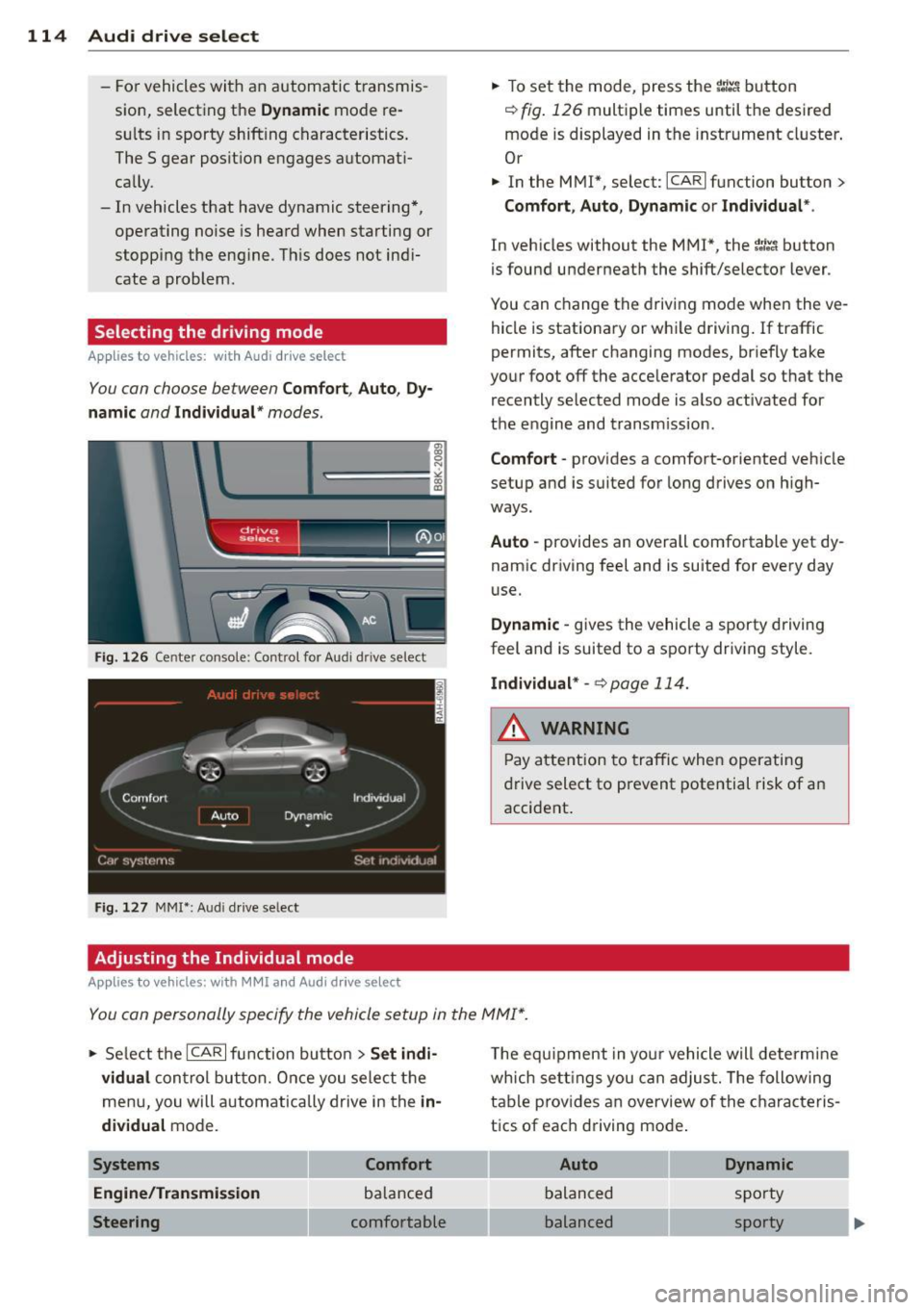
You con choose between Comfort, Auto, Dy·
namic
and Individual * modes.
Fig. 126 Center console: Control for Au di dri ve select
Fig. 127 MMI•: Aud i drive select
Adjusting the Individual mode
Applies to vehicl es: with MMI and Aud i drive select
.,. To set the mode, press the f:l:-.i button
~ fig. 126 multiple times until the desired
mode is displayed in the instrument cluster .
Or
.,. In the MMI*, select: ICARlfunction button>
Comfort, Auto, Dynamic or Individual *.
In vehicles without the MMI*, the~:/;-~ button
is found underneath the shift/selector lever.
You can change the driving mode when the ve
hicle is stationary or wh ile driving . If traffic
permits, after changing modes, br iefly take
your foot off the accelerator pedal so that the recently selected mode is also activated for
the engine and transm ission .
Comfort -provides a comfort-oriented vehicle
setup and is suited for long drives on h igh
ways .
Auto -provides an overall comfortable yet dy
namic driving feel and is suited for every day
use.
Dynamic -gives the vehicle a sporty driving
feel and is suited to a sporty driving style.
Individual * -¢page 114.
& WARNING
Pay atte ntion to traffic when operating
drive select to prevent potential risk of an
accident .
You con personally specify the vehicle setup in the MMI* .
.,. Se lect the ICAR I function butto n > Set indi ·
vidual
control but ton. Once you select th e
menu, you will automatically drive in the
in·
dividual
mode.
Systems Comfort
Engine/Transmi ssion
balanced
Steering comfortable T
he equipment in your vehicle will determine
wh ich sett ings you can adjust. The following
table provides an overview of the characteris
tics of each driving mode .
Auto Dynamic
balanced sporty
balanced sporty