light AUDI A4 2017 Owner's Manual
[x] Cancel search | Manufacturer: AUDI, Model Year: 2017, Model line: A4, Model: AUDI A4 2017Pages: 386, PDF Size: 96.32 MB
Page 41 of 386
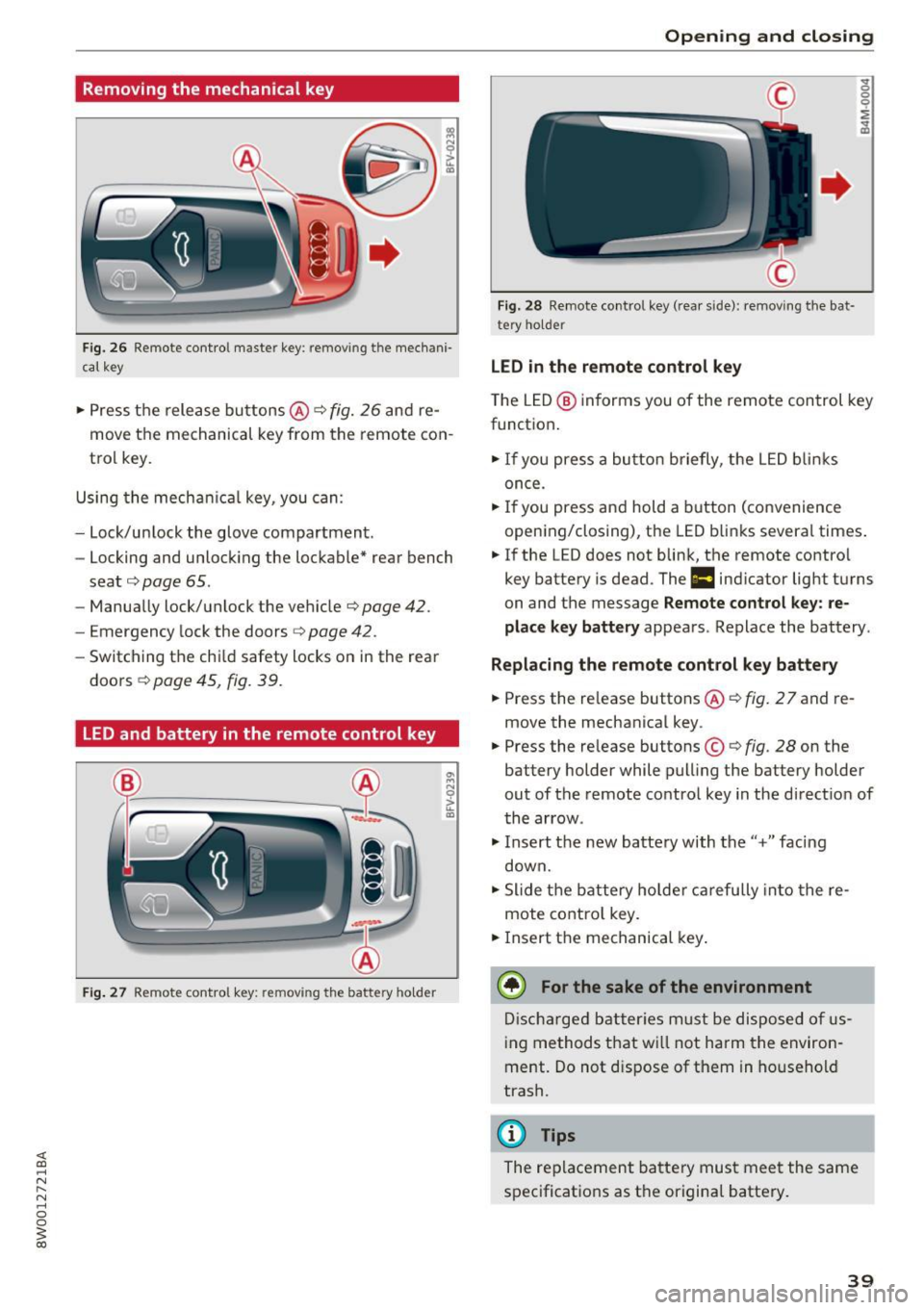
Removing the mechanical key
Fig. 26 R emote control maste r key: removing the mechani·
ca l key
• Press the release buttons @¢ fig. 26 and re
move the mechanical key from the remote con
trol key.
Using the mechan ica l key, you can:
- Lock/un lock the glove compartment.
- Locking and unlocking the lockable* rear bench
seat ¢
page 65.
-Manually lock/unlock the vehicle ¢page 42.
-Emergency lock the doors ~ page 42.
-Switching the chi ld safety locks on in the rear
doors ¢
page 45, fig. 39.
LED and battery in the remote control key
Fig. 27 Remote control key: removing the battery ho lder
Open ing and closing
Fig. 28 Remote control key (rear side): removing the bat·
tery holder
LED in the remote control key
" 0
0
0
i
~
The LED @ informs you of the remote control key
function.
• If you press a button briefly, the LED blinks
once.
• If you press and hold a button (convenience
opening/closing), the LED blinks several times .
• If the LED does not blink, the remote contro l
key battery is dead. The
1:1 indicator light turns
on and the message
Remote control key: re
place key battery
appears. Replace the battery .
Replacing the remote control key battery
• Press the re lease buttons @¢ fig. 2 7 and re
move the mechanical key .
• Press the release buttons©¢
fig. 28 on the
battery holder while pulling the battery holder
out of the remote control key in the direct ion of
the arrow .
"'I nsert th e new batte ry with the"+" fac ing
down.
"' Slide the battery holder carefully into the re
mote contro l key.
• Insert the mechanical key.
@ For the sake of the environment
Discharged batteries must be disposed of us
ing methods that will not harm the environ
ment. Do not d ispose of them in household
trash.
(D Tips
The replacement battery must meet the same
specifications as the original battery.
39
Page 43 of 386
The door cannot be opened for a brief period directly after locking it. This way you have the op
portunity to check if the doors locked correctly .
The settings in the Infotainment system deter
mine if the entire vehicle or only one of the doors
is unlocked when unlocking the vehicle
~ page 41.
A WARNING
Read and follow all WARNINGS¢&. in De
scription on page 37.
@ Tips
If your vehicle is left standing for a long peri
od of time, note the following:
- The proximity sensor switches off after a
few days to save energy. You then have to
pull once on the door handle to unlock the
vehicle and a second time to open it.
-
- The energy management system gradually
turns off unnecessary convenience functions
to prevent the battery from draining and to
maintain the vehicle's ability to start for as
long as possible. You may not be able to un
lock your vehicle using the convenience key.
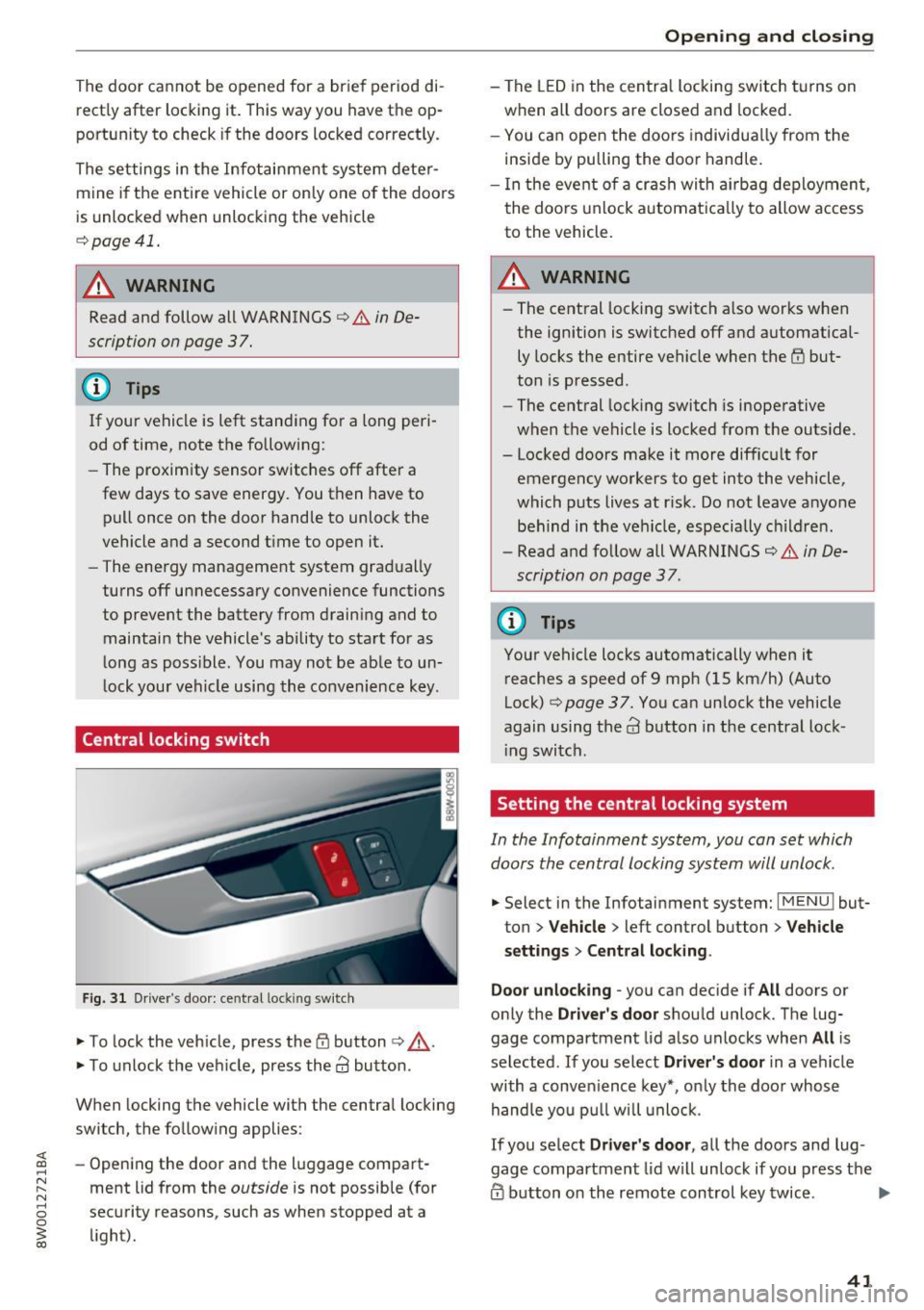
Central locking switch
Fig. 31 Driver 's door: central lock ing switch
.,. To lock the vehicle, press the tfl button ¢,& .
.,. To unlock the vehicle, press the
63 button.
When locking the vehicle with the central locking
switch, the following applies :
- Opening the door and the luggage compart
ment lid from the
outside is not possible (for
security reasons , such as when stopped at a
light).
Opening and closing
- The LED in the central locking switch turns on
when all doors are closed and locked.
- You can open the doors individually from the
inside by pulling the door handle.
- In the event of a crash with airbag deployment,
the doors unlock automatically to allow access
to the vehicle.
A WARNING
-- The central locking switch also works when
the ignition is switched off and automatical
ly locks the entire vehicle when the
tfl but
ton is pressed.
- The central locking switch is inoperative
when the vehicle is locked from the outside.
- Locked doors make it more difficult for
emergency workers to get into the vehicle,
which puts lives at risk. Do not leave anyone
behind in the vehicle, especially children.
- Read and follow all WARNINGS¢&.
in De
scription on page 3 7.
@ Tips
Your vehicle locks automatically when it
reaches a speed of 9 mph (15 km/h) (Auto
Lock)¢
page 37. You can unlock the vehicle
again using the
63 button in the central lock-
ing switch.
Setting the central locking system
In the Infotainment system, you can set which
doors the central locking system will unlock .
.,. Select in the Infotainment system: I MENU ! but
ton
> Vehicle > left control button > Vehicle
settings> Central locking .
Door unlocking
-you can decide if All doors or
only the
Driver's door should unlock. The lug
gage compartment lid also unlocks when
All is
selected . If you select
Driver's door in a vehicle
with a convenience key*, only the door whose
handle you pull will unlock.
If you select
Driver's door, all the doors and lug
gage compartment lid will unlock if you press the
@ button on the remote control key twice. .,.
41
Page 45 of 386
Luggage compartment
lid
Opening and closing the luggage
compartment lid
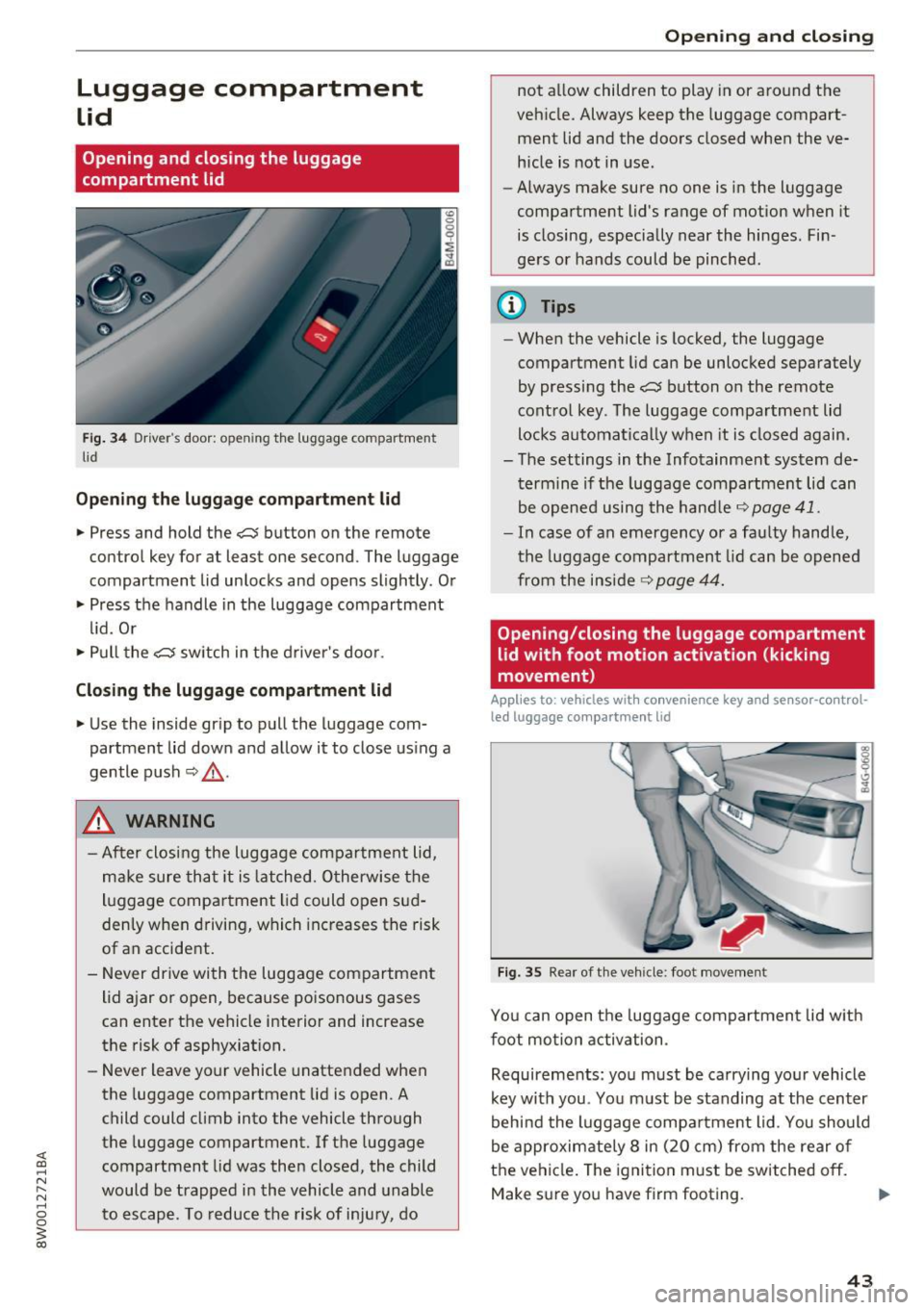
Fig. 34 Driver 's door : opening the luggage compartment
li d
Opening the luggage compartment lid
.. Press and hold the c::$ button on the remote
control key for at least one second . The luggage
compartment lid unlocks and opens slightly. Or
.. Press the handle in the luggage compartment
lid. Or
.. Pull the
c::$ switch in the driver 's door .
Closing the luggage compartment lid
.. Use the inside gr ip to pull the luggage com
partment lid down and allow it to close using a
gentle push
Q _&. .
A WARNING
-After closing the luggage compartment lid,
make sure that it is latched. Otherwise the
luggage compa rtment lid could open sud
denly when driving, which increases the risk
of an accident.
- Never drive with the luggage compartment
lid ajar or open, because poisonous gases
can enter the vehicle interior and increase
the risk of asphyxiation.
- Never leave your vehicle unattended when
the luggage compartment lid is open. A
child could climb into the vehicle through
the luggage compartment. If the luggage
compartment lid was then closed, the child
would be trapped in the vehicle and unable
to escape . T o reduce the risk of injury, do
Open ing and closing
not allow children to play in or around the
vehicle. Always keep the luggage compart
ment lid and the doors closed when the ve
hicle is not in use.
- Always make sure no one is in the luggage
compartment lid's range of motion when it
is closing, especially near the hinges. Fin
ge rs or hands could be pinched .
@ Tips
-When the vehicle is locked, the luggage
compartment lid can be unlocked separately
by pressing the
c::$ button on the remote
control key . The luggage compartment lid
locks automatical ly when it is closed again.
- The settings in the Infotainment system de
termine if the luggage compartment lid can
be opened using the hand le
c::> page 41.
- In case of an emergency or a faulty handle,
the luggage compartment lid can be opened
from the inside~
page 44.
Opening/closing the luggage compartment
lid with foot motion activation (kicking
movement)
Applies to : vehicles wit h convenience key an d senso r-co ntrol
led luggage compa rt m ent lid
Fig. 35 Rear of the vehicle : foot movement
You can open the luggage compartment lid with
foot motion activation .
Requirements: you must be carrying your vehicle
key with you . You must be standing at the center
behind the luggage compartment lid . You should
be approximately 8 in (20 cm) from the rear of
the vehicle. The ignition must be switched
off.
Make sure you have firm footing.
43
Page 47 of 386
,&_ WARNING
After opening the luggage com partment lid
using the emergency release in vehicles with a
fixed rear seat backrest, make s ure the brack
et under the rea r bench seat loc ks sec urely in
to the mounting eyelet again.
Child safety Lock
-
The child safety lock prevents the rear doors
from being opened from the inside and the rear
power windows from be operated.
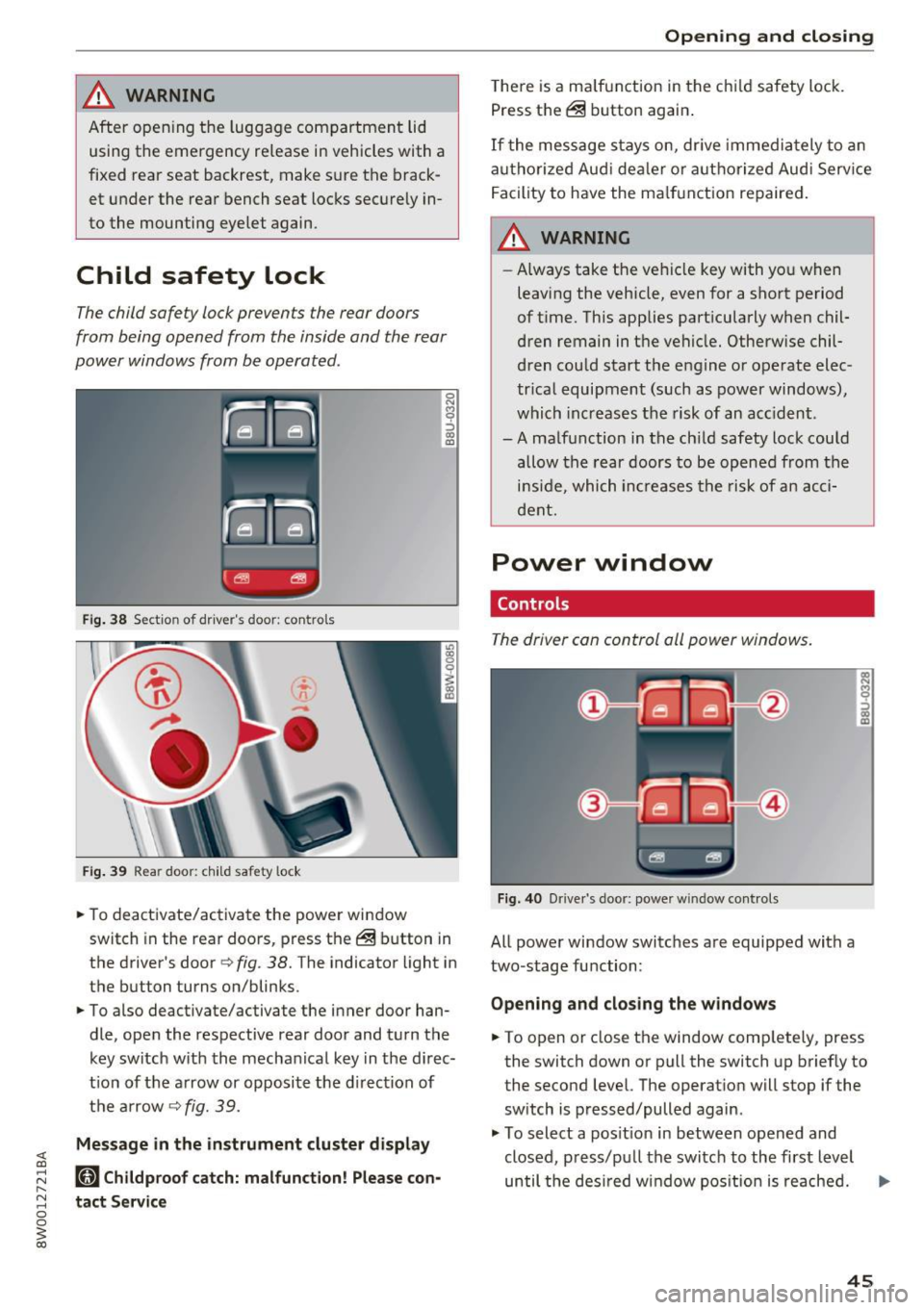
F ig. 38 Section of driver's door: co ntrols
Fi g. 39 Rear door: child safety lock
0
N
9 :::, a, a,
"'To deactivate/ac tivate the power wi ndow
switch in the rear doo rs, press the @ button in
the driver's door
r=> fig . 38. The indicator light in
the button turns on/blinks.
"' To also deactivate/activate the inner door han
dle, open the respective rear door and turn t he
key switch w ith the mecha nical key in the d irec
t ion of the a rrow or opposi te the d irec tion of
t h e ar row
r=> fig. 39.
Message in the instrument cluster display
(81 Childproof catch: malfunction! Please con
tact Service
Open ing and closing
T he re is a ma lf u nction in the c hild safety lock.
Press th e @ button again .
If the me ssage s tay s on, dr ive immedia tely to an
a uth o rized Aud i de aler o r a uth o rized Aud i Serv ice
F acility to have the ma lf u n ction repaired .
,&_ WARNING
-Always take the ve hicl e key with yo u when
leavi ng the vehicle, even for a sho rt period
of t ime. This applies part icularly when chil
dren remain in t he vehicle. Otherwise chil
d ren cou ld start t he e ngine o r operate elec
tr ica l equipment (such a s power windows) ,
which inc reas es t he risk of an ac cident.
-A ma lf u nction in the ch ild safety lock cou ld
allow the rear doors to be opened from the
i n si de, which inc reases the ris k of an acc i
d ent.
Power window
Controls
The driver can control all power windows.
Fig. 40 Drive r's door: power w indow controls
All power window switc hes are equipped with a
two-stage fu nction:
Opening and clos ing the w indows
-
"' To open or close the window comp letely, press
the switch down or pull the switch up briefly to
the second level. The operat ion will stop if the
sw itch is pressed/pulled again.
"' To select a pos it ion in between opened and
closed, p ress/p ull the switch to the first level
until the des ired w indow pos ition is reache d. ..,.
45
Page 50 of 386
Opening and clo sin g
You can switch the valet parking function on l )
when someone else is parking you r veh icle . When
the function is sw itched on, the vehicle can be
driven, locked and unlocked us ing the master
key, but access to the luggage compartment is not permitted .
.. Remove the mechan ica l key from the remote
control key¢
page 39 .
.. Open the glove compartment¢ page 64 .
.. Press the I VA LET I button to switch the valet
parking function on . The LED in t he button
turns on .
.,. lock the glove compartmen t with the mechani
ca l key .
.. For vehicles with lockable pass-thro ugh and
lockable rear seat backrests : to secure the lug
gage compartment from the veh icle interior as
well, lock the pass-through and the rear seat
backrest s using the mechanical key
¢
page 66 or¢ page 65.
.. Give your maste r key to the personnel who are
parking your ve hicle and keep the mecha nical
key.
The follow ing buttons are deactivated when the
valet parking funct ion is switched on:
- C::J button in the dr iver 's door
- C::J button on the remote control key
- Handle in the rear lid
When the valet parki ng f unction is swi tched on,
the message Valet parking a cti va te d appears in
the instrument cluster display when you switch
the ignition on .
(l) Tips
Please note that the luggage compartment
c a n sti ll be accessed from t he vehi cle interior
in vehicles with fixed rear seat backres ts or
ones t hat cannot be locked, even when the
valet parking function is switched on .
l) This fun ctio n is not a vailab le in a ll coun tries.
48
Garage door opener
(Homelink)
Description
Applies to: vehicles with garage door opene r (Horne Link)
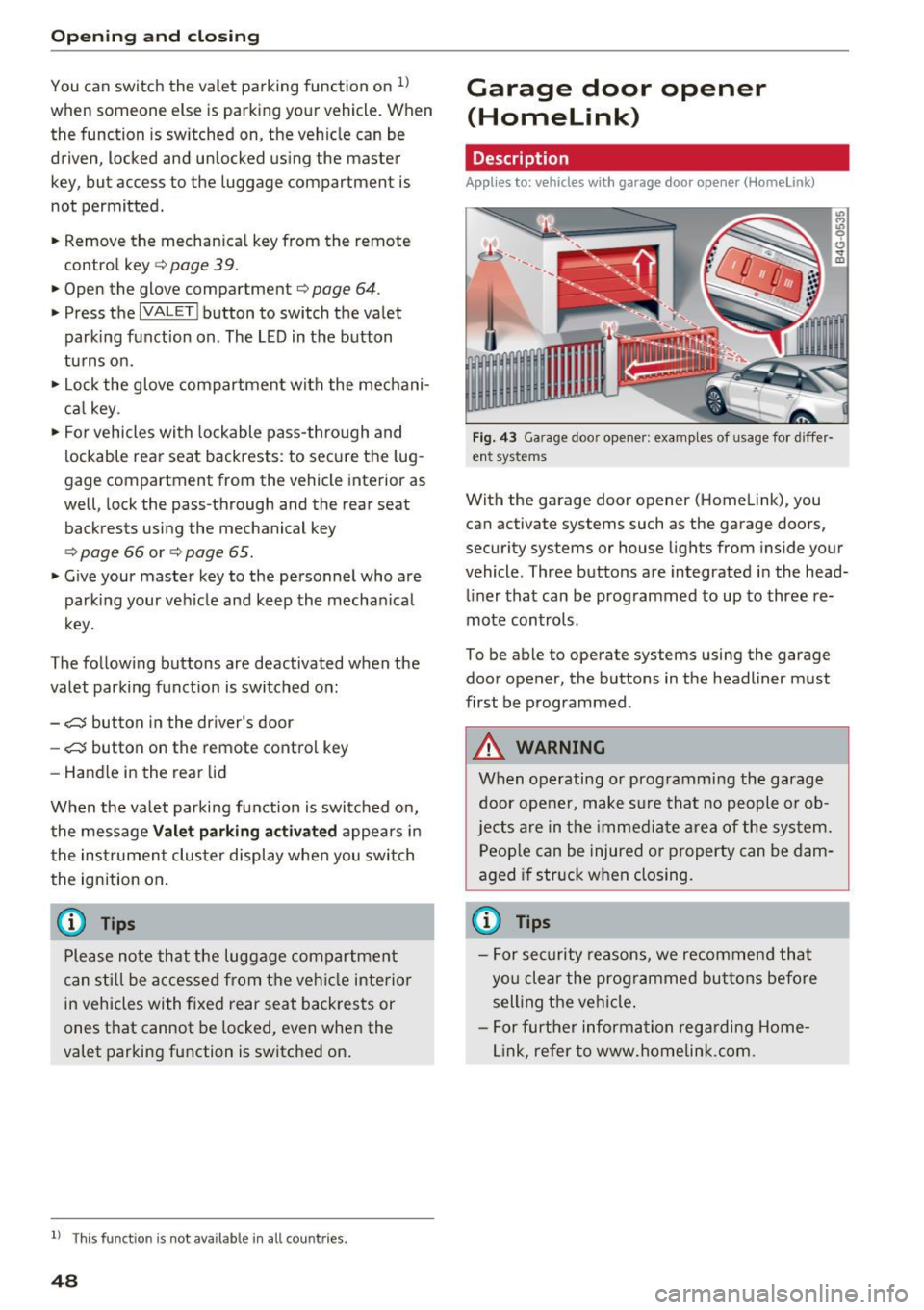
F ig. 43 Ga rage doo r opene r: exa mples of usage fo r di ffer·
en t syste ms
With the garage door op ener (Homelink) , you
can activate systems such as the garage doors,
security systems or house lights from inside your
vehicle. Three buttons are integrated i n the head
liner that can be programmed to up to three re
mote controls .
To be able to operate systems using the garage door opener, the buttons in the headliner must
first be programmed .
A WARNING
When operating or programming the garage
door opener, make sure that no people o r o b
jects a re in the immediate area of the sys tem.
P eop le can be injured or property can be dam
aged i f str uck when closing.
(D Tips
- For sec urity reasons, we recommend that
yo u clear the prog rammed but tons before
sell ing t he ve hicl e.
- For furthe r information rega rding Home
link, refer to www.homelink .com.
Page 52 of 386
Lights and Vision
Lights and Vision
Exterior lighting
Switching the lights on and off
--- --------...... ~
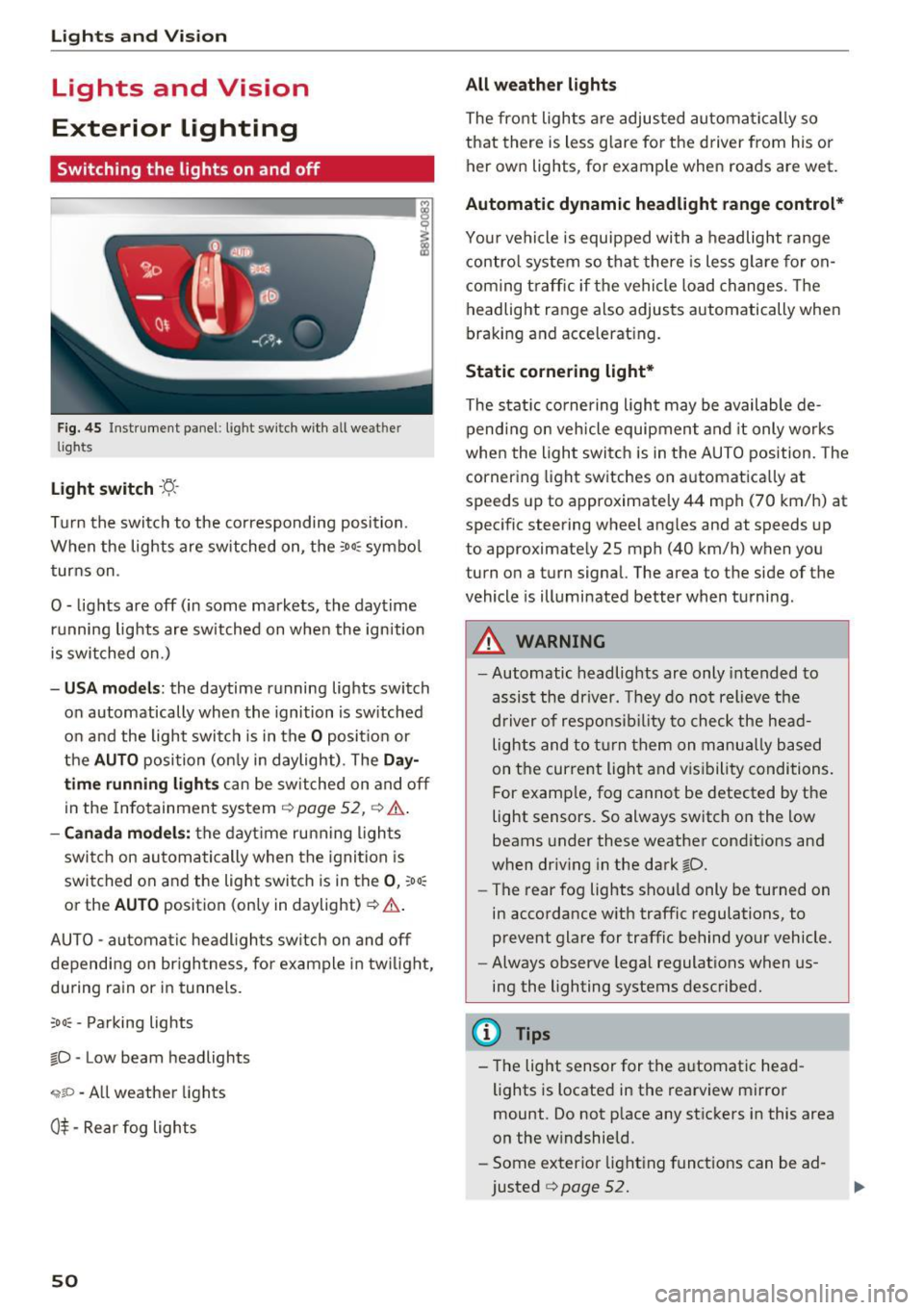
Fig. 45 Instrument panel : lig ht sw it c h with all we ath er
li gh ts
Light switch ·t:/.. ·
I
Tu rn the switch to the corresponding posi tion .
When the lights are sw itched on, the
:o o:c symbo l
turns on .
0 - lights are off (in some markets, the daytime running lights are switched on when the ignition
is switched on.)
- USA mode ls: the daytime running lights switch
on automatically when the ignition is sw itched
on and the light switch is in the
O posit ion or
the
AUTO position (on ly in daylight) . The Da y
time running lights can be switched on and off
in the Infotainment system ¢
page 52, ¢ .&..
-Canada mo del s: the dayt ime ru nning ligh ts
switch on au tomatically when the igni tion is
switched on and the light swi tch is in the
0 , :oo:
or the AU TO position (only in daylight) ¢ .&. .
AUTO -automa tic headl igh ts switch on and off
depending on br igh tness , for example in tw ilight,
du ring rain or in tunne ls.
;o o: -Pa rking lights
~D -Low beam headlights
,;;iiP -All weather lights
0$ -Rear fog lights
50
All weather lights
The front lights a re adjusted au toma tically so
that there is less g lare fo r the d river from his o r
her ow n lights , fo r example when roads are wet .
Automatic dynamic headlight range control*
Your vehicle is equipped with a headlight range
contro l system so that there is les s glare fo r on
com ing t raff ic if the vehicle load changes . Th e
headlight range also adjusts automatically when
braking and accelerat ing.
Static cornering light *
The static co rnering light may be available de
pend ing on veh icle equipment and it only works
whe n the light swi tc h is in the AUTO position. The
cornering light switches on automatica lly at
spe eds up to approximately 44 mph (70 km/h) at
spec ific steering wheel ang les and at speeds up
to approximate ly 25 mph (40 km/h) when you
turn on a turn signal. The a rea to the side of the
vehicle is illuminated better when turni ng.
_& WARNING
- Automatic headlights are only intended to
assis t the driver. They do not relieve the
d river of respo nsib ility to chec k the he ad
lights and to t urn them on m anu ally based
on t he cur re nt ligh t and v is ib ility condi tions.
F or e xamp le, fog cannot be detected by t he
light sensors . So always switch on the low
beams under these weather condit ions and
when dr iv ing in the dark
~D.
- The rear fog lights sho uld only be turned on
in accordance w ith traffic regulations, to
prevent glare for traffic behind your vehicle.
- Always observe lega l regulat ions when us
ing the lighting systems desc ribed.
(D Tips
- The lig ht sensor for the a utomat ic head
lights is located in the rearview mi rror
mount. Do not p lace any st ic kers in this area
on the w indshield.
- Some exter ior light ing funct io ns can be ad
justed
¢ page 52.
Page 53 of 386
-If you turn off the ignition while the exterior
lights are on and open the door, a warning
tone sounds.
- In cool or damp weather, the inside of the
headlights , turn signals and tail lights can
fog over due to the temperature difference between the inside and outside. They will
clear shortly after switching them on. This
does not affect the service life of the light
ing .
Turn signal and headlight lever
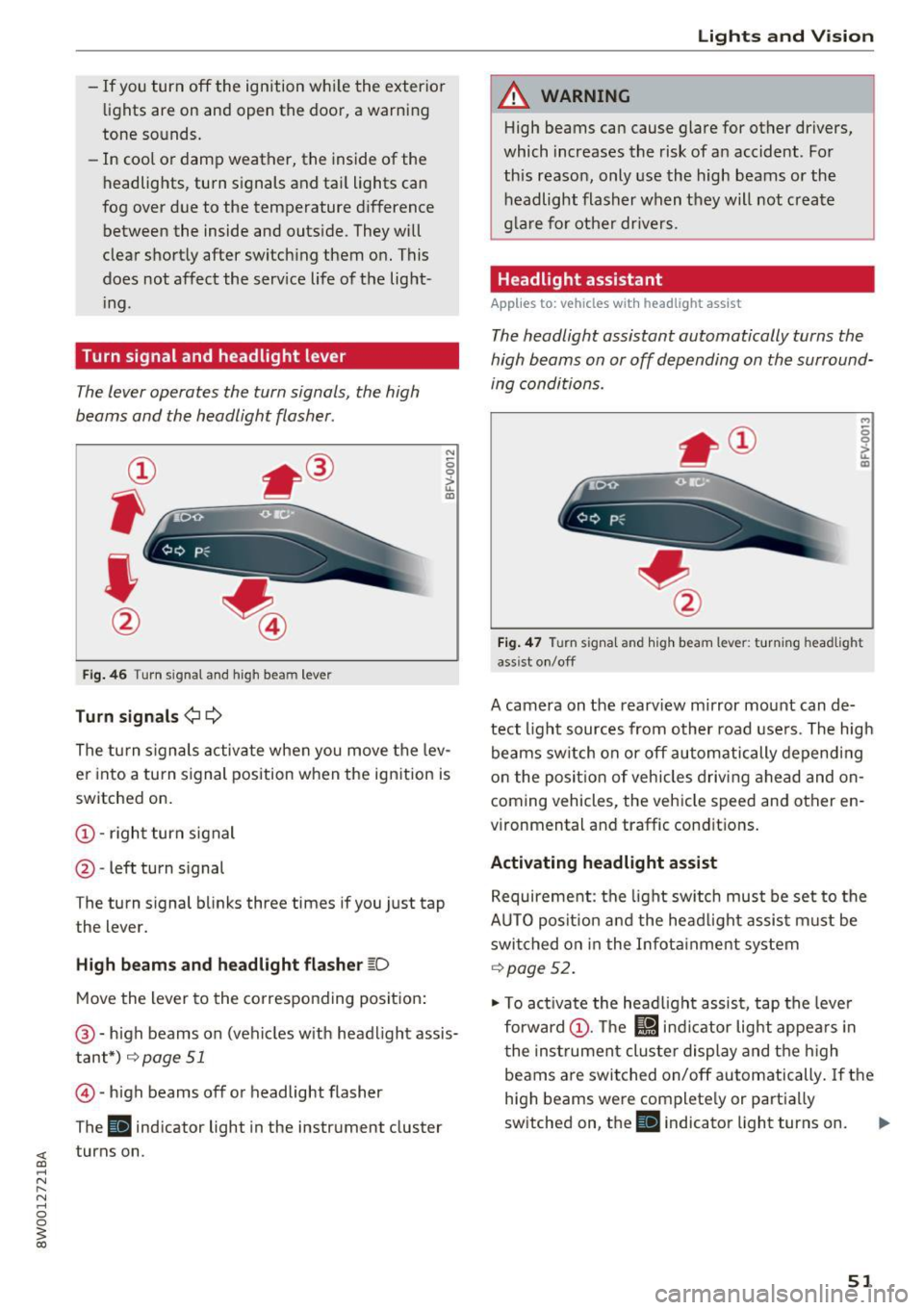
The lever operates the turn signals, the high
beams and the headlight flasher.
Fig. 46 T urn signal and high beam lever
Turn signals¢¢
N
0 0
> u. IXl
The turn signals activate when you move the lev
er into a turn signal position when the ignition is
switched on.
@ -right turn signal
@ -left turn signal
The turn signal blinks three times if you just tap
the lever.
High beams and headlight flasher ~D
Move the lever to the corresponding position:
@-high beams on (vehicles with headlight assis
tant*)
r=;, page 51
© -high beams off or headlight flasher
The
Ill indicator light in the instrument cluster
turns on.
Lights and Vision
A WARNING
-High beams can cause glare for other drivers,
which increases the risk of an accident . For
this reason, only use the high beams or the
headlight flasher when they will not create
glare for other drivers.
Headlight assistant
Applies to: vehicles wit h headlight assist
The headlight assistant automatically turns the
high beams on or off depending on the surround
ing conditions .
..,
0 0
it m
Fig. 47 Turn signal and high beam lever: turning headlig ht
ass ist on/off
A camera on the rearview mirror mount can de
tect light sources from other road users. The high
beams switch on or off automatically depending
on the position of vehicles driving ahead and on
coming vehicles, the vehicle speed and other en
vironmental and traffic conditions.
Activating headlight assist
Requirement: the light switch must be set to the
AUTO position and the headlight assist must be switched on in the Infotainment system
r=;, page 52.
"'To activate the headlight assist, tap the lever
forward @. The
l!J indicator light appears in
the instrument cluster display and the high
beams are switched on/off automatically. If the
high beams were completely or partially
switched on, the
Ill indicator light turns on. Ill>
51
Page 54 of 386
Lights and Vi sion
Switching the h igh beams on/off manually
If th e h igh beams did no t swi tch on/off automat
ically as expec ted, you may sw itch them on or off
manually instead :
~ To swi tch the hig h beams o n manually, tap th e
l ever forw ard @ . The
Bl in di cator lig ht turns
on .
~ To switc h the hig h beams off manually , pull the
l ever back @. T he headlight assistant is deacti
vated.
Operating the headlight flasher
~ P ull t he leve r towar d the rear @ to ope ra te the
headlight flashers when the headlight ass ist is
activated an d the high beams a re switched off.
The head light assistant rema ins active.
Messages in the instrument cluster display
r!/1 Audi adaptive light: malfunction! See own
er's manual
Headlight assist: malfunction! See owner' s
manual
Drive to an a uth o rized Aud i dea le r or authorized
Aud i Serv ice Facility immediately to have the
malfunct io n corrected. You can still sw itc h t he
h igh beams on or off ma nually.
Headlight assist: currently unavailable. Camera
view restricted due to surroundings. See own
er' s manual
The camera view is blocked, for example by a
sticker o r debr is .
The senso r is locate d between the interior rear
view mir ror and the win dshield. Do not place any
sticke rs in th is area on the windshield.
A WARNING
Headlight assistant is only intended to assist
t he driv er. The dr iver is still r esp onsible for
cont ro llin g th e headl igh ts a nd may ne ed to
switch them on an d off manu ally depe ndin g
o n lig ht a nd visib ility con dition s.
It m ay be
necess ary to ope ra te them manually in s itu a
tions such as :
- In ad verse we ather conditi ons such as fo g,
h eavy r ain, b low in g snow or sp rayin g wa te r.
52
- On roads where oncomin g tra ffic may be
pa rtially obscured, such as expressways.
- W hen the re are roa d users that do not have
suff icient lighting, such as b icyclers or
veh icles with dirty tail lamps.
- In tig ht curves an d on steep h ills.
- In poorly li t areas.
- Wi th st ro ng ref le ctor s, such as s igns .
- If th e area of the w inds hield ne ar the sensor
is fogged over, di rty, icy or covered with a
s tick er.
Adjusting the exterior lighting
Th e functions are adjust ed in th e Infotainment
sys tem .
~ Select in the Infotainment system : IMENU! but
t on
> Vehicle > left cont rol b utton > Vehicle
settings > Exterior lighting .
Automat ic headlights
You can adjust the following sett ings in the Au
tomatic headlights
men u:
Acti vation time -you can adjust if the headlights
switch on
Early , Med or Late accord ing to the
sensit ivity of t he lig ht sensor.
Headlight assistant * -you can switch the hea d
li ght assistant * on and off.
Entry/exit lighting
Whe n it is da rk , the Entry/exit lighting ill um i
na tes the area a ro und t he vehi cle when unlo cki ng
the ve hicle an d after switc hing off the ig nitio n
and o pening the dr iver's door.
The
Entry/exit lighting only wo rks when i t is
d ar k and the light sw itch is in the
AUTO p osit io n.
Daytime running lights
USA models:
the dayti me r unning lig hts can be
swi tched on/off. Select
On or Off.
Canada models : this function ca nnot be switched
off . They act ivate automatically eac h time the ig
nit ion is switched on .
Page 55 of 386
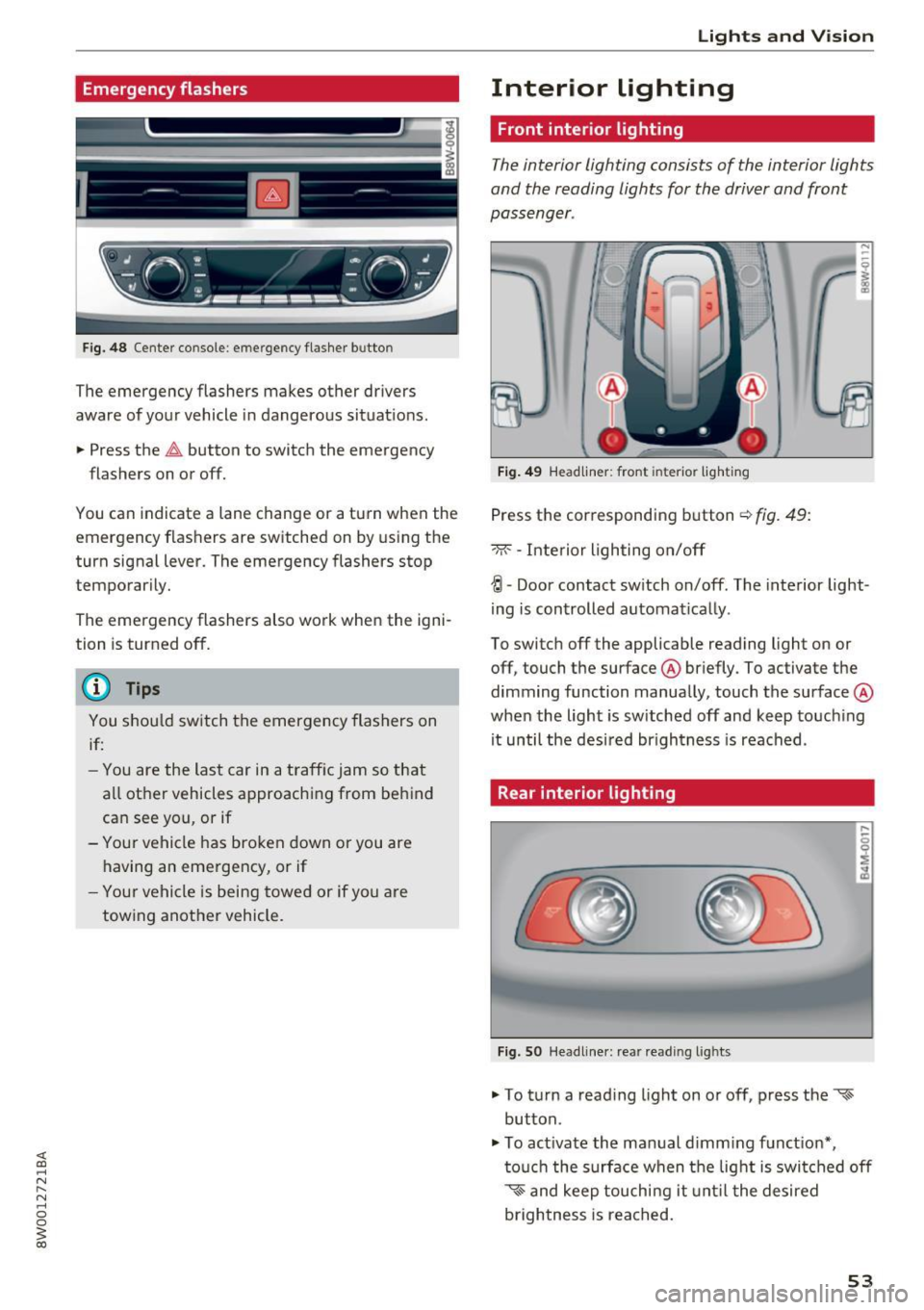
Emergency flashers
--
J -(rm -
Fig. 48 Center co nsole: e merge ncy flasher b utto n
The emergency flashers makes other drivers
aware of your vehicle in dangerous situat ions .
.. Press the~ button to switch the emergency
flashers on or off.
You can indicate a lane change or a turn when the
emergency flashers are switched on by using the
turn signal lever. The emergency flashers stop
temporarily.
The emergency flashers also work when the igni
tion is turned off.
(D Tips
You shou ld switch the emergency flashers on
if:
- You are the last car in a traffic jam so that
a ll other vehicles approaching from behind
can see you, or if
- Your vehicle has broken down or you are
having an emergency, or if
- Your vehicle is being towed or if yo u are
towing another vehicle.
Lights and V ision
Interior lighting
Front interior lighting
The interior lighting consists of the interior lights
and the reading lights for the driver and front
passenger .
Fig. 49 Headliner: front interio r light ing
Press the corresponding button¢ fig. 49:
-M --Inte rior lighting on/off
{! -Door contact sw itch on/off . The interior light
ing is controlled automat ically .
To switch off the applicable reading light on or off, touch the surface @briefly. To activate the
dimming function manually, touch the surface @
when the light is sw itched off and keep touching
it until the desired br igh tness is reached .
Rear interior lighting
Fig. SO Headliner: rea r readi ng l ig hts
.. To turn a read ing light on or off, press the '<-s
button .
.. To act ivate the manual d imm ing funct ion*,
touch the surface when the light is switched off
~~ and keep touchi ng it unt il the desired
brightness is reached.
53
Page 56 of 386
Lights and Vision
Interior lighting
Applies to: ve hicles w ith amb ient light ing
.,. Select in the Infotainment system: IMENU I but
ton
> Vehi cle> left contro l bu tton > Vehicle
settings > Interior lighting.
The interior lighting turns on when you switch
the head ligh ts on while the igni tion is on .
Version 1
To adjust the brightness of individua l zones, se
lect
Front brightness *, Door brightne ss or Foot
w ell brightness .
Turn the control knob to the left
or to the right. Press the contro l knob to confirm
the br igh tness.
Version 2
Select and confirm one of the displayed profiles.
Individual: you can customize the brightness and
color of individual zones.
Press the right control button. Se lect and con
fi rm one of the disp layed options. To change the
brightness or the color, turn the control knob to
the left or right . Press the control knob to con
f irm the brightness or the color.
drive select : the interior and conto ur lighting col
or changes in drive se lect depending on these
lected driving mode in drive select*
¢ page 121.
To adjust t he brightness of other profiles, press
the contro l knob to confirm the profile again.
T urn the contro l knob to the left or to the right.
Press the control knob to confirm the brightness .
(D Tips
The setting is a utomatica lly stored and as
signed to the remote control key that is be ing
used.
54
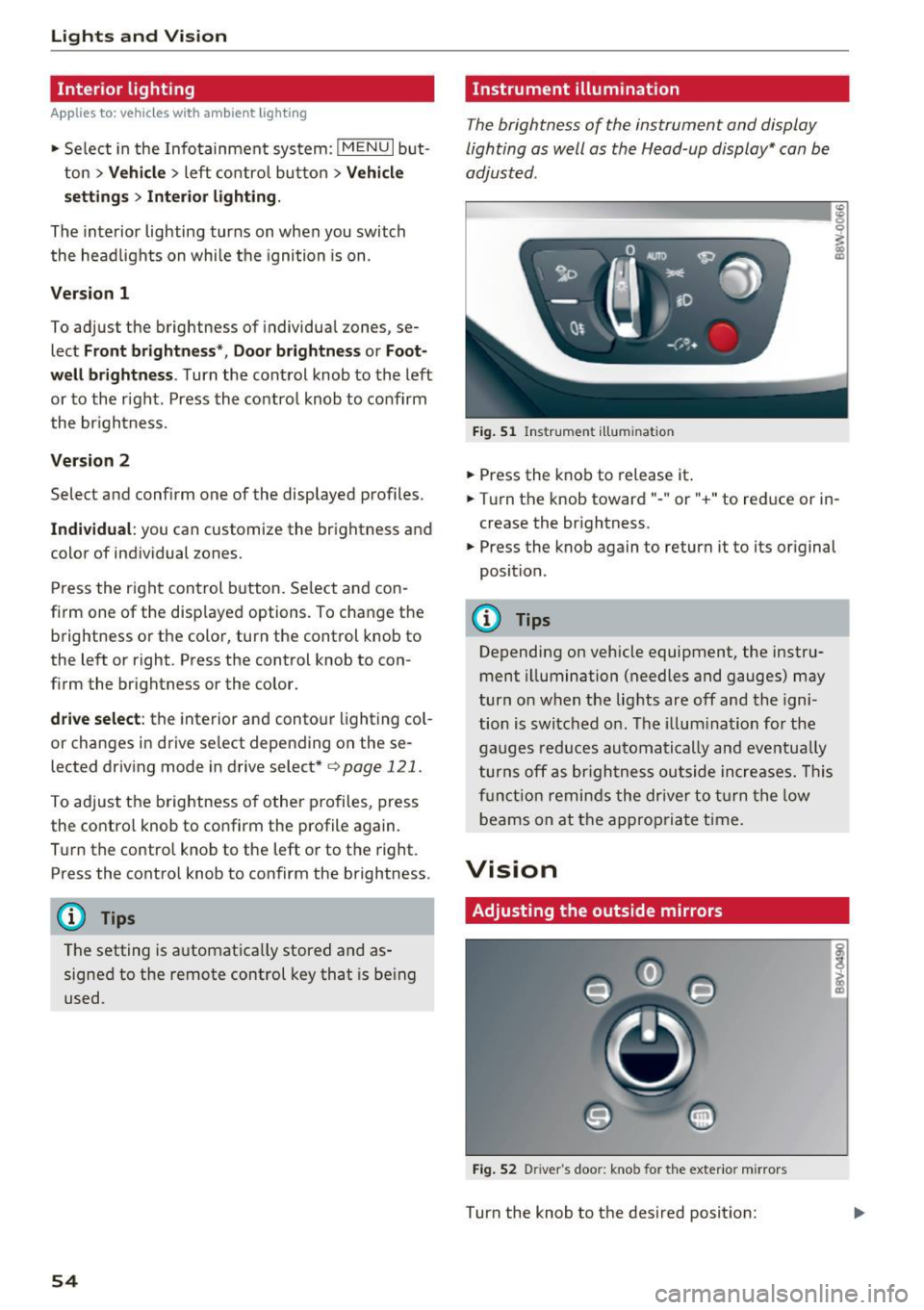
Instrument illumination
The brightness of the instrument and display
lighting as well as the Head-up display* can be
adjusted.
ID __ ________ _.:g
Fig. 51 Ins trumen t ill umi nat ion
.,. Press the knob to release it .
0
~
"° CD
.,. Turn the knob toward" -" or" +" to reduce or in
crease the br ightness.
.,. Press the knob again to return it to its original
position.
(!) Tips
Depending on vehicle equipment, the instru
ment illumination (needles and gauges) may
turn on when t he lig hts are off and the igni
tion is switched o n. T he i llum ination for the
gaug es reduces automa tically and eve ntua lly
turn s off a s br igh tne ss ou tside increases. Thi s
f u nct io n remin ds the dr ive r to tur n the low
b eams on at the appropria te t ime.
Vision
Adjusting the outside mirrors
Fi g. 52 D river 's doo r: knob for the exter io r mirrors
Turn the knob to the des ired position: